
How to Create an Aesthetic Front Page Design for Your Project: A Beginner's Guide
The front page of your project is the first impression you make. Whether it's a school assignment, a business proposal, or a digital portfolio, a dull cover can suggest the content inside is equally uninspired. Creating an aesthetic front page design for your project isn't just about making it look pretty; it's about communicating professionalism, creativity, and care, encouraging your audience to engage with your work from the very start.
- What You'll Learn
- What Exactly is an Aesthetic Front Page Design?
- The Core Principles of Front Page Design Aesthetics
- 1. Balance and Composition
- 2. Colour Theory
- 3. Typography
- 4. Visual Hierarchy
- 5. White Space (Negative Space)
- A Step-by-Step Guide to Creating Your Project Front Page
- Step 1: Define Your Project's Theme and Tone
- Step 2: Gather Inspiration and Create a Mood Board
- Step 3: Choose Your Colour Palette
- Step 4: Select Your Typography
- Step 5: Sketch a Creative Front Page Layout
- Step 6: Add Visual Elements and Final Touches
- Top Tools and Resources for Your Project
- Understanding Costs: Free vs. Paid Design Options
- Pros and Cons of DIY vs. Using Templates
- Frequently Asked Questions
- How do I make an aesthetic front page of a project?
- What makes a good project front page?
- How do I design an attractive front page?
- How can I make my project attractive?
- Final Thoughts
This guide will walk you through everything you need to know, from the fundamental principles of design to the practical steps for bringing your vision to life. We'll cover techniques that work for both physical paper projects and digital landing pages, ensuring you have the skills to make any project's cover compelling and attractive. You don't need to be a professional designer to achieve a polished look.
What You'll Learn
- Core Design Principles: Understand the key elements like balance, colour theory, and typography that form the foundation of any great front page design aesthetic.
- Step-by-Step Creation Process: Follow a clear, actionable process from gathering inspiration and choosing a theme to finalising your creative front page layout.
- Essential Tools for Every Need: Discover the best tools for the job, whether you're creating a physical cover for a school project or designing a high-converting digital landing page.
- Digital Application: Learn how the same aesthetic principles for a project cover can be applied to digital marketing assets, like landing pages, to capture leads and drive action.
What Exactly is an Aesthetic Front Page Design?

An aesthetic front page design is more than just a title and your name slapped onto a piece of paper or a digital screen. It's a thoughtful arrangement of visual elements—text, images, colours, and shapes—that work together to create a specific mood or feeling. The goal is to produce a cover that is not only visually pleasing but also thematically relevant to the project it represents.
Think of it as the book cover for your work. A good book cover hints at the genre, tone, and story within. Similarly, a strong project aesthetic design should give the viewer clues about its content. A science project on marine biology might use cool blues and greens with clean, modern fonts, while a history report on the Renaissance could use ornate typography and warm, rich colours.
This concept isn't limited to schoolwork. In the business world, the 'front page' could be the first slide of a presentation, the cover of a report, or the landing page of a website. In each case, the design's purpose is to capture attention, establish credibility, and entice the audience to look further. It sets the stage for everything that follows, making the content feel more cohesive and professional.
The Core Principles of Front Page Design Aesthetics
To create a truly effective front page, you need to understand a few basic design principles. These aren't strict rules but guidelines that help you make deliberate choices. Mastering them will elevate your designs from amateur to polished and professional.
1. Balance and Composition
Balance is about how the visual weight of elements is distributed on the page. A balanced design feels stable and harmonious. There are two main types: symmetrical balance, where elements are mirrored on either side of a central axis, creating a formal and orderly look; and asymmetrical balance, where elements of varying sizes are placed to create equilibrium, resulting in a more dynamic and modern feel. For your front page, consider what kind of feeling you want to evoke. A formal research paper might benefit from symmetry, while a creative portfolio could use asymmetry to show dynamism.
2. Colour Theory
Colour is one of the most powerful tools in design. It evokes emotion and creates mood. A simple colour palette, typically two to three complementary colours, is often more effective than using too many. Use a colour wheel to find harmonious combinations, such as complementary (opposites on the wheel, like blue and orange) for high contrast, or analogous (next to each other, like blue and green) for a more serene feel. The colours you choose should align with your project's theme.
3. Typography
Typography is the art of arranging type. The fonts you choose say a lot about your project. Serif fonts (with small feet, like Times New Roman) often feel traditional and formal, while sans-serif fonts (without feet, like Arial or Helvetica) feel modern and clean. A good practice is to use no more than two or three different fonts: one for the main title (headline), one for subtitles, and one for any smaller text. This creates a clear visual hierarchy and prevents the page from looking cluttered.
4. Visual Hierarchy
Visual hierarchy guides the viewer's eye to the most important information first. You can establish hierarchy by varying the size, colour, and placement of elements. Your project title should be the largest and most prominent element. Your name and other key information should be smaller but still easy to read. By making the most important parts stand out, you create a clear and easily digestible layout that communicates information efficiently.
5. White Space (Negative Space)
White space is the empty area around your design elements. It's not wasted space; it's an active component of your design. Good use of white space makes your layout feel uncluttered, clean, and elegant. It gives your text and images room to breathe, which improves readability and helps focus attention on the key elements. Don't be afraid to leave areas of your page empty. Often, what you don't include is just as important as what you do.

A Step-by-Step Guide to Creating Your Project Front Page
Now that you understand the principles, let's put them into practice. Follow these steps to create a stunning front page from scratch.
Step 1: Define Your Project's Theme and Tone
Before you pick a single colour or font, think about the project itself. What is its subject matter? What is its purpose? Who is the audience? The answers will define your theme and tone. A project for a creative writing class will have a very different aesthetic from a financial report. Write down a few keywords that describe your project, suchas 'minimalist', 'bold', 'playful', 'professional', or 'academic'. These words will be your guide for all subsequent design choices.
Step 2: Gather Inspiration and Create a Mood Board
Don't start with a blank page. Look for inspiration to spark your creativity. Websites like Pinterest and Behance are excellent resources for finding design ideas. Search for terms like "minimalist cover design," "creative front page layout," or "project cover ideas." Save the images that resonate with you and fit your project's theme.
Organise these images into a mood board. A mood board is a collage of images, colours, and text that defines the overall look and feel of your project. It will serve as a visual reference point to ensure your design stays consistent and cohesive. You can create a physical mood board or use a digital tool like Canva or Pinterest.
Step 3: Choose Your Colour Palette
Based on your mood board, select a colour palette of two to four colours. If you're unsure where to start, you can use online colour palette generators like Coolors or Adobe Color. These tools can help you find harmonious combinations based on a single starting colour. Remember to choose colours that reflect the tone of your project. For example, muted earth tones might suit an environmental science project, while bright, vibrant colours could be perfect for a project on pop art.
Step 4: Select Your Typography
Choose one or two fonts that align with your theme. Google Fonts offers a massive library of free, high-quality fonts you can use. When selecting, consider readability first. A decorative font might look great for a title, but it could be hard to read for smaller text. A common and effective strategy is to pair a bold, expressive font for your title with a simple, clean font for any subtitles or body text. This contrast creates a clear hierarchy and ensures your page is easy to read.
Step 5: Sketch a Creative Front Page Layout
Before you start creating the final version, sketch out a few layout ideas on paper. Experiment with the placement of your title, name, and any images or graphics. Try different compositions—symmetrical, asymmetrical, grid-based. This process helps you visualise the final design and make adjustments before committing to a digital tool. A simple sketch can save you a lot of time and help you develop a more intentional and balanced creative front page layout.
Step 6: Add Visual Elements and Final Touches
With your layout planned, it's time to bring it all together. This is where you add any images, illustrations, or graphic elements. Ensure any visuals you use are high-quality and relevant to your topic. Simple geometric shapes, lines, or a subtle background texture can add depth and interest without cluttering the page. Once all elements are in place, take a step back and review your work. Does it feel balanced? Is the hierarchy clear? Make any final adjustments to spacing, size, or colour to perfect your design.
Pro Tip: Less is often more. A common mistake is trying to fit too much onto the front page. A clean, simple design with plenty of white space often looks more professional and has a greater impact than a busy, cluttered one.
Top Tools and Resources for Your Project
Whether your project is on paper or a screen, the right tools can make the design process much easier. Here are some top recommendations for different needs.
For Physical & School Projects
For students and individuals creating covers for reports, assignments, or binders, user-friendly graphic design tools are the way to go. These platforms offer templates and intuitive interfaces that don't require a steep learning curve.
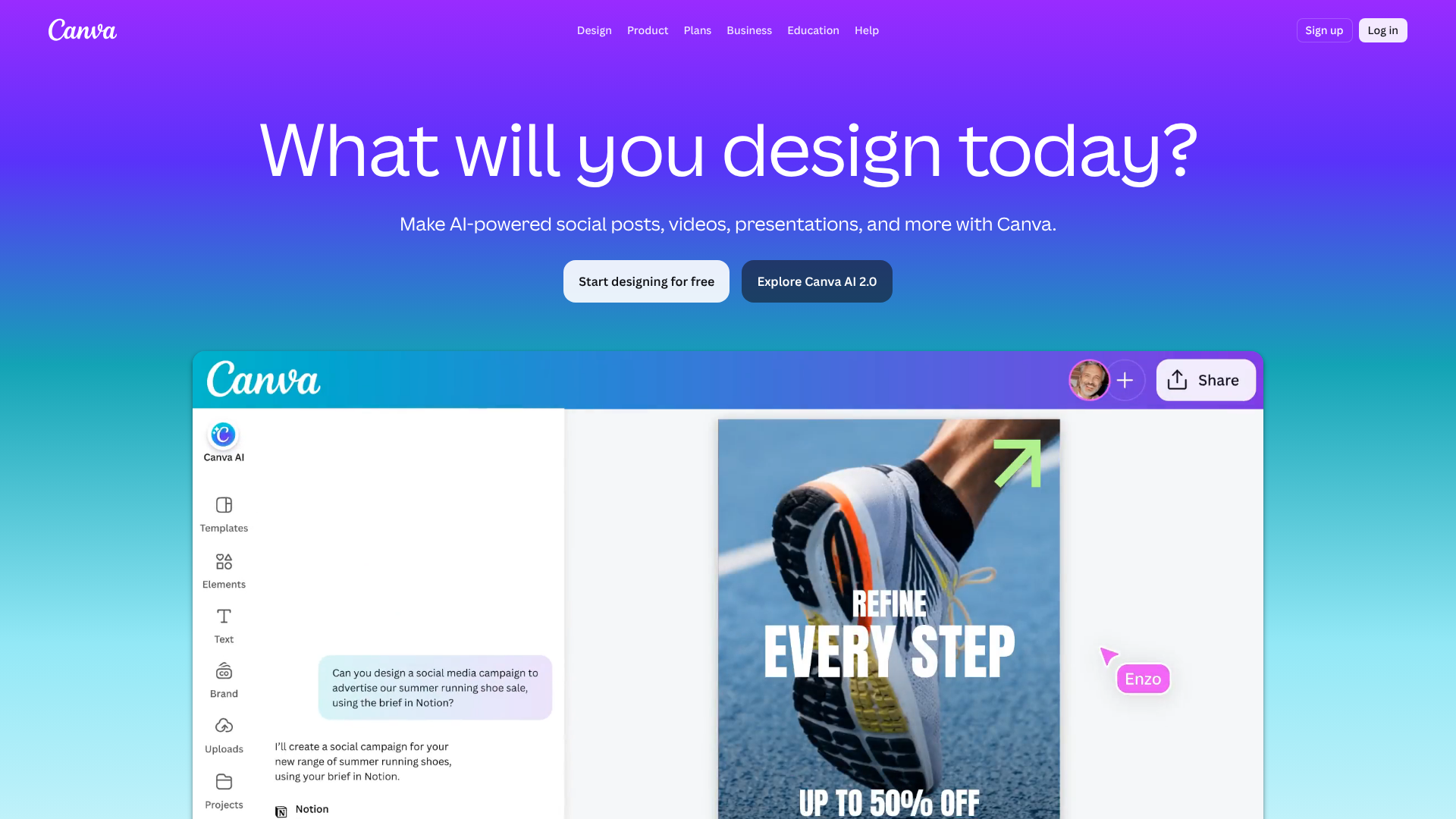
- Canva: This is perhaps the most popular tool for non-designers. Canva offers thousands of free, customisable templates for cover pages, reports, and presentations. Its drag-and-drop interface makes it incredibly easy to change colours, fonts, and images to match your project's theme. The free version is very powerful, making it a top choice for students on a budget.
- Pinterest: While not a creation tool, Pinterest is an invaluable resource for inspiration. Creating a board dedicated to front page design aesthetics will give you a wealth of ideas for layouts, colour schemes, and typography pairings. It's the perfect starting point before you even open a design tool.
- Physical Art Supplies: Don't underestimate the power of traditional media! For a truly unique and personal touch, consider creating your front page by hand. High-quality paper, markers, watercolours, or collage techniques can produce a beautiful, tactile result that digital tools can't replicate.
Here is a great video showing some easy ideas for school projects:
For Digital Projects & Landing Pages
The principles of an aesthetic front page design are directly applicable to the digital world, especially for creating landing pages. A landing page is a single web page designed to capture a visitor's attention and persuade them to take a specific action, like signing up for a newsletter or purchasing a product. Its design is critical for success.
If your 'project' is a business initiative, a marketing campaign, or an online portfolio, a dedicated landing page builder is the best tool for the job. These platforms are built to create visually appealing and high-converting pages without needing to code.
- Leadpages: An excellent choice for beginners and small businesses. Leadpages is known for its user-friendly drag-and-drop builder and a vast library of mobile-responsive templates. You can quickly create a professional-looking front page for your digital campaign, webinar, or ebook download. It focuses on conversion, with built-in features for A/B testing and analytics.
- ClickFunnels: If your project's goal is to guide a user through a sales process, ClickFunnels is a powerful option. It's more than just a page builder; it's a tool for creating entire sales funnels. The 'front page' you design is the first step in a carefully constructed customer journey, designed to maximise conversions.
- Unbounce: For marketers who need more customisation and optimisation power, Unbounce is a leading choice. It offers a highly flexible builder and powerful A/B testing features. Its Smart Traffic tool can even automatically direct visitors to the landing page variant they're most likely to convert on, taking the guesswork out of optimisation.
Understanding Costs: Free vs. Paid Design Options
When planning your project's front page, your budget will influence the tools you can use. Both free and paid options offer distinct advantages, and the best choice depends on your specific needs, skills, and the project's scope.
Free Options
For students, hobbyists, or anyone on a tight budget, free tools are incredibly valuable. Platforms like Canva's free tier provide access to a wide range of templates, fonts, and stock images, which is often more than enough for a high-quality school project or a simple personal portfolio. You can also find free stock photo websites like Unsplash and Pexels for high-resolution images, and Google Fonts for a massive selection of typography.
The main advantage of free tools is obvious: they cost nothing. The trade-off is usually some limitation in features, such as fewer templates, watermarked downloads, or a lack of advanced functionality like A/B testing. However, for creating a static, non-commercial front page, these limitations are rarely a problem. A creative person can achieve a professional result with nothing but free resources.
Paid Options
Paid tools and resources are typically aimed at professionals, businesses, and serious creators. This category includes premium subscriptions to design platforms (like Canva Pro), stock photo services (like Adobe Stock), and specialised software like landing page builders (Leadpages, Unbounce).
The primary benefit of paid options is access to premium features and assets. This might include a larger template library, higher-quality stock photos and icons, advanced customisation, collaboration tools, and dedicated customer support. For digital projects, landing page builders offer critical features that free tools don't, such as integration with email marketing services, payment gateways, and detailed analytics to track performance.
While they require an investment, these tools can save a significant amount of time and produce a more polished, effective result, especially in a commercial context where a well-designed page can directly impact revenue. For current pricing on these platforms, it's best to visit their official websites.
Pros and Cons of DIY vs. Using Templates
Another key decision is whether to design your front page from scratch (DIY) or start with a pre-made template. Each approach has its benefits and drawbacks.
The DIY Approach
Pros:
- Complete Creative Freedom: Designing from scratch gives you total control over every aspect of the layout, from element placement to colour choices. This is ideal for achieving a truly unique vision that perfectly matches your project's theme.
- Develops Your Skills: The DIY process is a fantastic way to learn and practice design principles. You'll gain a deeper understanding of what works and why, a skill that is valuable far beyond a single project.
Cons:
- Time-Consuming: Creating a design from a blank canvas can take a lot of time, especially if you're not an experienced designer. It involves more trial and error.
- Requires More Skill: Without a good understanding of design principles, a DIY page can end up looking unbalanced, cluttered, or unprofessional. There's a steeper learning curve to achieving a polished result.
Using Templates
Pros:
- Fast and Efficient: Templates provide a professional-looking foundation that you can customise in a fraction of the time it would take to start from scratch. This is a huge advantage when you're on a tight deadline.
- Professionally Designed: Templates are created by professional designers, so they already incorporate good balance, hierarchy, and typography. This provides a safety net, ensuring your final design will look polished and well-structured.
Cons:
- Less Originality: While customisable, a template might be used by many other people. Your design may not feel as unique or personal as one created from scratch.
- Creative Constraints: You are limited by the structure of the template. While you can change colours and fonts, making significant layout changes can be difficult or impossible, potentially restricting your creative vision.
Pro Tip: A hybrid approach often works best. Start with a template that has a layout you like, then customise it heavily. Change all the colours, swap the fonts, and add your own unique images. This gives you the speed of a template with a much higher degree of personalisation.
Frequently Asked Questions
Here are answers to some common questions about creating an aesthetic front page for a project.
How do I make an aesthetic front page of a project?
To make an aesthetic front page, focus on the core principles of design. Start by defining your project's theme. Choose a simple, harmonious colour palette (2-3 colours) and select one or two readable, complementary fonts. Create a balanced layout with a clear visual hierarchy, making your title the most prominent element. Most importantly, use white space effectively to avoid a cluttered look and give your design room to breathe.
What makes a good project front page?
A good project front page is clear, relevant, and visually appealing. It should immediately communicate the project's title and author in a way that is easy to read. The design itself—the colours, fonts, and imagery—should be thematically consistent with the project's content. Ultimately, a good front page captures attention and makes the viewer want to see what's inside, all while looking professional and well-organised.
How do I design an attractive front page?
To design an attractive front page, start with inspiration from sites like Pinterest. Use a template from a tool like Canva to get a professional layout, then customise it to make it your own. Pay close attention to alignment; make sure all your elements line up neatly on a grid. Use high-quality images and graphics, and ensure there's enough contrast between your text and background for easy readability.
How can I make my project attractive?
Beyond the front page, you can make your entire project attractive by maintaining design consistency. Use the same fonts, colour palette, and layout style throughout the document or presentation. Break up large blocks of text with headings, bullet points, and relevant images or charts. A consistent and well-structured design makes the content easier to digest and gives the entire project a polished, professional feel.
Final Thoughts
Creating an aesthetic front page design for your project is an achievable goal for anyone, regardless of their artistic skill. By understanding and applying fundamental principles of balance, colour, and typography, you can transform a simple cover into a compelling introduction to your work. Whether you're a student aiming for a better grade or a professional building a landing page, a thoughtful design sets the tone and signals the quality of the content within.
Remember to start with a clear theme, gather inspiration, and choose your tools wisely. Don't be afraid to start with a template and make it your own, or to sketch out ideas before committing to a final design. The effort you put into the front page is an investment that pays off by capturing your audience's attention and making your work stand out.
If your project is digital and aimed at generating leads or sales, exploring a dedicated landing page builder is a logical next step. Tools like Leadpages and ClickFunnels are designed to help you apply these aesthetic principles in a way that drives results.