

SiteGround vs WP Engine (2026): Which is Best for Your WordPress Site?
Choosing a web host is one of the most critical decisions you'll make for your website. A great host means a fast, secure, and reliable online presence, while a poor one can lead to lost traffic and frustration. When it comes to high-quality WordPress hosting, two names consistently top the list: SiteGround and WP Engine. This detailed SiteGround vs WP Engine comparison will break down everything you need to know, helping you decide which platform is the right foundation for your digital ambitions.
- In a Nutshell
- Understanding the Contenders: What Are SiteGround and WP Engine?
- Performance and Speed: A Head-to-Head Analysis
- Key Features: A Side-by-Side Comparison
- SiteGround vs WP Engine: Pricing and Value
- Pros and Cons: The Honest Breakdown
- How to Choose: SiteGround or WP Engine?
- FAQ: Answering Your Key Questions
- What is the main difference between WP Engine and SiteGround?
- Is SiteGround a Russian company?
- Is WP Engine banned from WordPress?
- Who is better than SiteGround?
- Does NASA use WordPress?
- Final Thoughts
Both providers offer exceptional service, but they cater to very different users and budgets. SiteGround is known for its incredible value, blending affordable prices with powerful features and top-notch support. On the other hand, WP Engine is a premium, managed WordPress specialist, offering an enterprise-grade platform built for performance, scalability, and security at a higher price point.
This guide moves beyond surface-level claims. We will analyse their performance metrics, security protocols, developer tools, pricing structures, and customer support to give you a clear, unbiased view. By the end, you'll understand not just which host is 'better', but which host is definitively better for you.
In a Nutshell
- For Value and All-Round Performance: SiteGround offers a fantastic balance of speed, features, and affordability. It's the ideal choice for beginners, bloggers, small businesses, and agencies managing multiple sites on a budget.
- For Premium Managed Hosting: WP Engine is the undisputed leader for businesses, developers, and high-traffic websites that demand the absolute best in performance, security, and scalability. Its platform is finely tuned exclusively for WordPress.
- Core Difference: The main distinction in the WP Engine vs SiteGround debate is specialisation. WP Engine is a pure WordPress expert, while SiteGround is an outstanding general host with a very strong WordPress focus.
- Pricing: SiteGround is significantly more affordable, especially with its introductory offers. WP Engine's premium pricing reflects its specialised infrastructure and advanced feature set.
- Developer Tools: While both offer developer-friendly features, WP Engine's integrated workflow tools, including Local integration and multi-environment staging, are superior for professional development teams and agencies.
Understanding the Contenders: What Are SiteGround and WP Engine?
Before we dive into a feature-by-feature breakdown, it's important to understand the philosophy and target audience of each company. Their approaches to hosting shape every aspect of their service, from server architecture to customer support.
SiteGround: The All-Rounder Powerhouse

SiteGround has built a formidable reputation over the years as a reliable, fast, and user-friendly hosting provider. Officially recommended by WordPress.org, it has become a go-to choice for millions of website owners. Originally founded in Bulgaria in 2004, it has grown into a global company renowned for its customer-centric approach.
Their platform is built on the premium Google Cloud infrastructure, which ensures excellent speed and reliability. What sets SiteGround apart in the shared hosting market is its commitment to performance technology, such as its custom SuperCacher system and Ultrafast PHP setup. They've successfully bridged the gap between affordable shared hosting and more expensive managed solutions.
SiteGround is designed for a broad audience. Its custom control panel, Site Tools, is intuitive for beginners, yet it includes advanced features like Git integration, staging environments, and collaboration tools that appeal to developers and agencies. It's the quintessential 'best of both worlds' provider.
WP Engine: The Managed WordPress Specialist
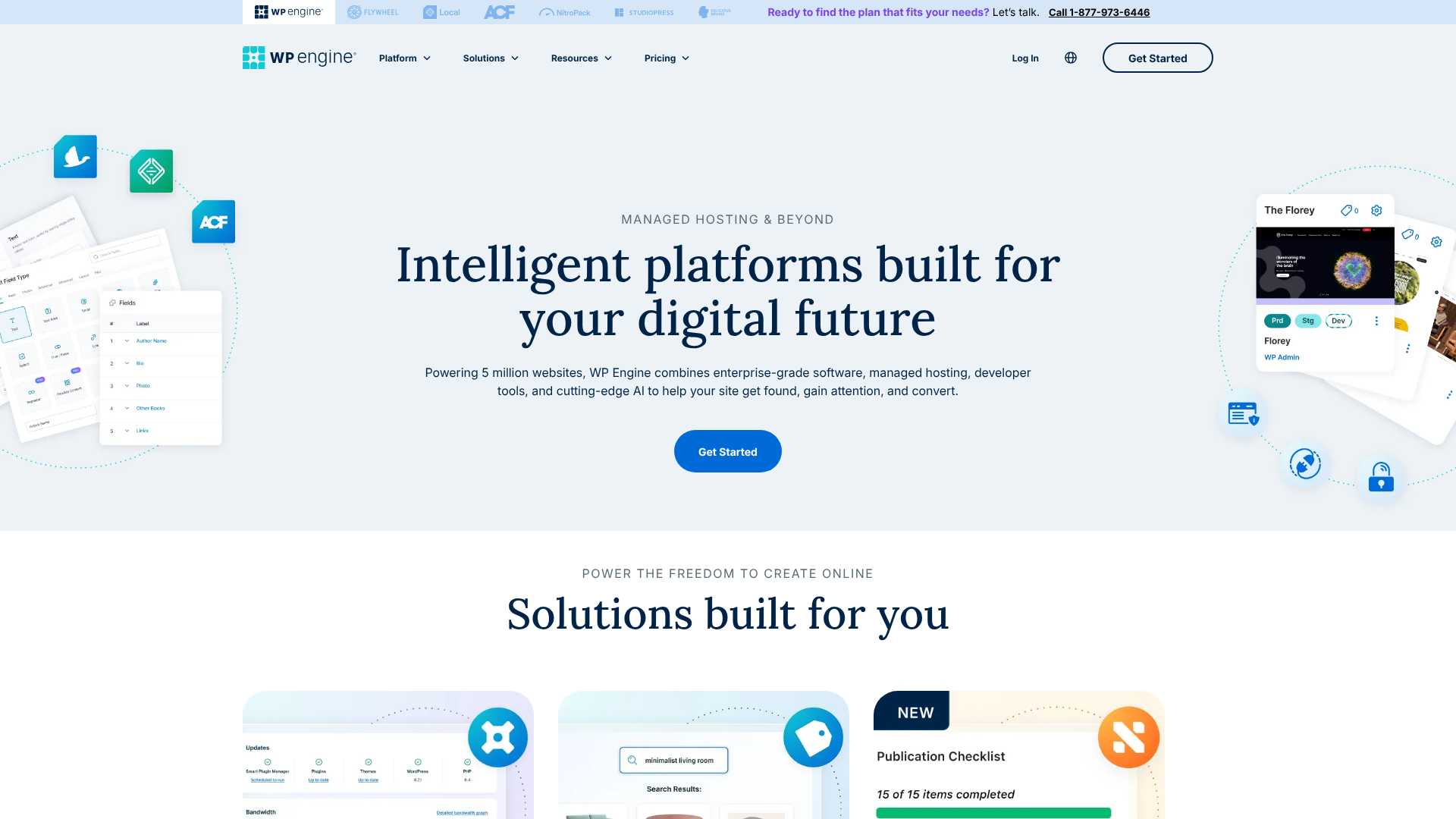
WP Engine occupies a different space in the hosting ecosystem. Founded in 2010, its mission was to create a hosting platform exclusively for WordPress. This singular focus allows them to optimise every server, security protocol, and support interaction specifically for the world's most popular CMS.
WP Engine is a 'managed' hosting provider, which means they handle all the technical aspects of running a WordPress site for you. This includes security monitoring, automatic updates, performance optimisation, and daily backups. Their service is built on an enterprise-grade infrastructure, using a combination of Google Cloud Platform and Amazon Web Services to deliver incredible speed and scalability.
Their target audience is clear: serious businesses, high-traffic publishers, e-commerce stores, and development agencies who cannot afford downtime or slow performance. The higher price tag is an investment in peace of mind, expert support, and a suite of professional tools designed to streamline the development and management of mission-critical WordPress sites.
Performance and Speed: A Head-to-Head Analysis
Website speed is not a luxury; it's a necessity. It directly impacts user experience, conversion rates, and SEO rankings. Both SiteGround and WP Engine are known for being fast, but they achieve this speed through different technologies and architectures.

Server Infrastructure and Technology
Both companies leverage the power of the Google Cloud Platform, which is a huge advantage over hosts using their own hardware in a single data centre. This provides a highly reliable, scalable, and fast foundation. However, what they build on top of that foundation differs.
SiteGround uses a standard container-based setup on Google Cloud, which is efficient and fast. They offer their custom 'Ultrafast PHP' implementation, which they claim can speed up sites by up to 30%. This, combined with their solid-state drive (SSD) storage, creates a very responsive environment for most websites.
WP Engine takes this a step further. Their entire server stack is proprietary and has been refined over a decade for one purpose: running WordPress at maximum speed. They use a highly-tuned combination of NGINX, Varnish, and other technologies in their EverCache® system. This architecture is designed to handle massive traffic spikes and serve pages faster than a standard setup.
Caching Systems Explained
Caching is the process of storing copies of your website's files to deliver them more quickly to visitors. It's one of the most effective ways to boost speed.
SiteGround's SuperCacher: This is a multi-layered caching solution. It includes NGINX Direct Delivery for static assets (like images and CSS), a dynamic cache that stores HTML output, and a Memcached option for database queries. It's a powerful and flexible system, but it may require some configuration from the user to achieve the best results.
WP Engine's EverCache®: This is a more aggressive and integrated system. It handles static, dynamic, and object caching automatically and is optimised out-of-the-box. Users don't need to install or configure caching plugins. WP Engine's system is so effective that they famously disallow many popular third-party caching plugins because they interfere with EverCache® and can actually slow sites down.
Content Delivery Network (CDN)
A CDN stores copies of your site on servers around the world, so visitors can download files from a location closer to them, reducing latency. Both providers include a CDN with their plans.
SiteGround offers a free, standard Cloudflare CDN integration. It's easy to activate and provides a significant speed boost for a global audience. For more advanced features, you would need to upgrade to a paid Cloudflare plan.
WP Engine includes its premium Global Edge Security (GES) on most plans, which is powered by Cloudflare's enterprise network. This offers not only a CDN but also a managed Web Application Firewall (WAF) and DDoS mitigation at the network edge, providing both speed and security benefits that are a step above a standard CDN integration.
Key Features: A Side-by-Side Comparison
Beyond speed, the features a host provides determine how easy it is to manage, secure, and grow your website. Here’s a detailed SiteGround vs WP Engine comparison of their core offerings.
| Feature | SiteGround | WP Engine |
|---|---|---|
| Control Panel | Custom Site Tools | Custom User Portal |
| WordPress Updates | Automatic Core & Plugin Updates | Managed Core & Plugin Updates |
| Daily Backups | Yes, 30-day retention | Yes, 40-day retention |
| Staging Environment | 1-Click Staging (on GrowBig+) | 1-Click Dev, Stage, Prod Environments |
| Free SSL Certificate | Yes, Let's Encrypt | Yes, Let's Encrypt |
| Free CDN | Yes, Standard Cloudflare | Yes, Premium Cloudflare-powered CDN |
| Security | Custom WAF, AI Anti-Bot | Managed WAF, Threat Detection, Free Hack Fix |
| Developer Tools | SSH, SFTP, Git, WP-CLI | SSH, SFTP, Git, WP-CLI, Local Integration |
| Email Hosting | Yes, unlimited accounts | No, email hosting not included |
| Free Premium Themes | No | Yes, Genesis Framework & 35+ StudioPress Themes |
Security Features
Security is paramount, and both hosts take it very seriously.
SiteGround employs a multi-layered security approach. This includes a custom Web Application Firewall (WAF) to block malicious traffic, an AI anti-bot system to prevent brute-force attacks, and real-time server monitoring. They also provide site isolation, meaning an issue on another user's site on the same server won't affect yours.
WP Engine offers what can be described as enterprise-grade security. In addition to a managed WAF and DDoS mitigation through their GES, they perform continuous threat detection and proactive security patching. Their standout feature is a hack fix guarantee: if your site is compromised while hosted with them, their team of experts will fix it for free. This provides incredible peace of mind.
Pro Tip: WP Engine's security guarantee is a significant value proposition. The cost of hiring a security expert to clean a hacked site can easily run into hundreds or even thousands of pounds, making WP Engine's higher monthly fee seem much more reasonable.
Backup and Staging Environments
Backups are your safety net, and staging sites are your sandbox for testing changes.
SiteGround provides free automatic daily backups with 30-day retention on all plans. You can also create on-demand backups. A one-click staging tool is available on their GrowBig and GoGeek plans, allowing you to create a copy of your site, test changes, and then push them live safely.
WP Engine also offers automatic daily backups, but with a longer 40-day retention period and on-demand backup points. Their staging workflow is a major selling point for developers. Most plans include three environments: Development, Staging, and Production (your live site). This allows for a professional, structured workflow where changes can be built, tested, and then deployed without ever touching the live site directly.
Developer-Focused Tools
For developers and agencies, workflow efficiency is key. This is an area where the WP Engine vs SiteGround debate often finds a clear winner.
SiteGround offers a solid set of tools, including SSH access, SFTP, WP-CLI, and Git integration. These are sufficient for many developers and small agencies.
However, WP Engine's ecosystem is built for professional developers. They offer all the standard tools plus seamless integration with Local, a popular local WordPress development application. This allows developers to build sites on their own computer and push them directly to WP Engine's staging or production environments. Furthermore, all plans include the Genesis Framework and over 35 premium StudioPress themes, a package worth over $2,000.
SiteGround vs WP Engine: Pricing and Value

Cost is often the deciding factor. While it's tempting to choose the cheaper option, it's crucial to consider the long-term value and what's included in the price.
SiteGround's Pricing Tiers
SiteGround is known for its highly attractive introductory pricing. Their plans are typically structured as follows:
- StartUp: Designed for a single website with limited traffic. It's perfect for beginners or personal blogs.
- GrowBig: Allows for unlimited websites and includes more server resources, on-demand backups, and the staging tool. This is their most popular plan and offers the best value.
- GoGeek: Offers even more resources, priority support, and white-label hosting features for agencies.
It is critical to note that SiteGround's low introductory prices are for the first term only. Renewal rates are significantly higher. Always check their website for the most current pricing, as it can change. This pricing model is common in shared hosting but can be a surprise if you're not expecting it.
WP Engine's Pricing Tiers
WP Engine's pricing is transparent and reflects its premium, managed service. There are no low introductory offers; the price you see is what you pay.
- Startup: For one site, suitable for a small business or blog with up to 25,000 monthly visits.
- Professional: A new tier for up to 3 sites and 75,000 visits, great for growing businesses.
- Growth: Allows for 10 sites and is aimed at growing businesses and freelancers managing client sites.
- Scale: Designed for larger businesses and agencies, with more resources and capacity for up to 30 sites.
WP Engine also offers custom-quoted Enterprise plans for very large or demanding websites. While their plans are more expensive, they don't have the steep renewal price jump of SiteGround. For the latest details, visit the WP Engine pricing page.
Which Offers Better Value for Money?
This question has no single answer; it depends entirely on your needs.
For a new website, a personal blog, or a small business, SiteGround offers undeniably better value. You get exceptional performance, security, and support for a fraction of WP Engine's cost. Even with the higher renewal rates, it remains a cost-effective solution.
For an established business, an e-commerce store, or a developer whose time is money, WP Engine provides superior value. The cost is justified by the time saved on management, the peace of mind from their security guarantee, the unparalleled performance that can boost revenue, and the professional tools that streamline workflows.
Pros and Cons: The Honest Breakdown
No host is perfect. To make an informed decision, you need to weigh the good against the bad. Here’s a straightforward look at the advantages and disadvantages of each.
SiteGround: Pros and Cons
Pros:
- Affordable Entry Point: The introductory pricing makes it very accessible for new projects.
- Excellent Performance: For its price class, the speed delivered on the Google Cloud platform is top-tier.
- User-Friendly Interface: The custom Site Tools control panel is modern, intuitive, and easy to navigate.
- Top-Rated Customer Support: SiteGround is famous for its fast, knowledgeable, and friendly support team, available 24/7.
- Includes Email Hosting: Unlike many managed hosts, SiteGround provides free, unlimited email accounts with your domain.
Cons:
- High Renewal Rates: The price increases significantly after the initial term, which can be a shock.
- Strict Resource Limits: Plans have defined limits on CPU usage and storage, and overages can lead to temporary account suspension.
- Limited Staging: The staging tool is not available on the cheapest StartUp plan.
WP Engine: Pros and Cons
Pros:
- Best-in-Class Performance: The entire platform is optimised for maximum WordPress speed and scalability.
- Superior Security: With proactive threat detection and a free hack-fix guarantee, your site is in safe hands.
- Powerful Developer Tools: The multi-environment staging and Local integration create a professional workflow.
- Expert WordPress Support: The support team consists of WordPress experts who can solve complex issues quickly.
- Valuable Inclusions: The Genesis Framework and StudioPress themes are a huge bonus for developers and designers.
Cons:
- Expensive: It is one of the more premium-priced hosting providers on the market.
- WordPress-Only: You cannot host any other type of application or website.
- No Email Hosting: You will need a separate service like Google Workspace or Microsoft 365 for your email.
- Disallowed Plugins: A list of plugins are banned for performance or security reasons, which can be restrictive for some users.
How to Choose: SiteGround or WP Engine?
By now, the choice should be becoming clearer. The decision between SiteGround or WP Engine comes down to your specific situation, budget, and technical needs.
Choose SiteGround If…
- You are starting a new website, blog, or portfolio.
- You run a small to medium-sized business and need a reliable, fast host without a premium price tag.
- Your budget is a primary concern, and you want the best possible performance for your money.
- You need to host multiple websites affordably.
- You value having email hosting included with your web hosting package.
- You appreciate a very user-friendly control panel and excellent, all-purpose customer support.
Choose WP Engine If…
- Your website is mission-critical for your business, and you cannot afford any downtime.
- You run a high-traffic website, an e-commerce store, or a membership site that requires consistent performance.
- You are a developer or agency that needs a professional workflow with multiple staging environments and Git integration.
- Security is your absolute top priority, and you want the peace of mind of a hack-fix guarantee.
- You want a completely hands-off, managed experience where the host handles all technical optimisations.
- Your budget allows for a premium investment in your website's infrastructure.
FAQ: Answering Your Key Questions
Here are detailed answers to some of the most frequently asked questions when comparing these two hosting giants.
What is the main difference between WP Engine and SiteGround?
The fundamental difference is their focus. SiteGround is a high-quality, versatile hosting provider that excels at WordPress hosting but also supports other applications. It aims to provide the best possible value and performance for a broad audience. WP Engine is a highly specialised, premium managed hosting provider that focuses exclusively on WordPress.
Its entire infrastructure, toolset, and support system are designed to provide the ultimate environment for WordPress sites, particularly those that are business-critical or high-traffic.
Is SiteGround a Russian company?
No, this is a common piece of misinformation. SiteGround was founded in 2004 in Sofia, Bulgaria, by a group of university students. It has since grown into a major international company with data centres and offices worldwide. It is registered in the USA, UK, and Spain, and its leadership and operations are globally distributed, not based in Russia.
Is WP Engine banned from WordPress?
Absolutely not. This is a misunderstanding. WP Engine is one of the most respected and prominent companies in the WordPress ecosystem and works closely with the WordPress community. The confusion likely comes from their policy of 'disallowing' certain plugins on their platform.
They do this because some plugins are known to duplicate functionality already built into their platform (like caching plugins) or have security vulnerabilities or performance issues. This policy is in place to protect the stability and speed of their customers' websites.
Who is better than SiteGround?
"Better" is subjective and depends on your specific needs. If you're looking for a cheaper alternative with decent performance, providers like Hostinger might be considered. If you're looking for a provider that competes more directly with SiteGround's feature set and support quality, A2 Hosting is a strong contender. For those seeking a step up into managed hosting but find WP Engine too expensive, Kinsta is a very popular and direct competitor to WP Engine, offering a similar premium service.
Does NASA use WordPress?
Yes, it's true! While not all of NASA's web properties run on it, several prominent NASA blogs and informational sites are built with WordPress. This is often cited as a testament to WordPress's scalability and security, proving it's capable of powering websites for even the most high-profile organisations.
Final Thoughts
In the SiteGround vs WP Engine matchup, there is no single winner for everyone. Instead, there are two excellent providers that serve different segments of the market with precision.
SiteGround is the champion of value. It delivers performance, features, and support that punch well above its price tag, making it the ideal choice for the vast majority of website owners, from bloggers to small businesses. Its combination of user-friendliness and powerful tools creates a platform that is both accessible and scalable.
WP Engine is the undisputed king of premium managed WordPress hosting. It is an investment in uncompromising speed, ironclad security, and a professional-grade workflow. For businesses, developers, and agencies where a website is a critical asset, the higher cost is easily justified by the performance gains and peace of mind. It's the hosting you choose when you're ready to get serious about your online presence.
Your choice is simple: If you want the best value on the market, choose SiteGround. If you want the best performance, period, and have the budget for it, the clear choice is WP Engine.