

WP Engine vs Kinsta: Which is Better for High-Traffic Sites in 2026?
Choosing between WP Engine and Kinsta is a common dilemma for businesses, agencies, and developers seeking top-tier managed WordPress hosting. Both platforms promise exceptional speed, security, and support, but they deliver their services with different philosophies and toolsets. A detailed comparison of WP Engine and Kinsta reveals crucial differences in infrastructure, developer workflows, and pricing that can significantly impact your website's performance and your budget.
- Main Points
- What Are WP Engine and Kinsta? A Look at the Managed Hosting Giants
- WP Engine vs Kinsta: A Side-by-Side Feature Comparison
- Performance and Infrastructure
- User Interface and Ease of Use
- Security Features
- Developer Tools and Workflows
- Pricing and Value: Which Host Offers a Better Deal?
- Pros and Cons: The Honest Breakdown
- How to Choose: WP Engine or Kinsta for Your Website?
- Frequently Asked Questions (FAQ)
- Why is WP Engine so expensive?
- Why is Kinsta so expensive?
- What's better than Kinsta?
- Is Kinsta reliable?
- Is WP Engine banned from WordPress?
- Final Verdict: Which Managed Host Wins in 2026?
This guide breaks down everything you need to know. We'll move beyond the marketing claims to analyse core features, real-world performance implications, and the specific use cases where each host truly excels. Whether you're running a high-traffic eCommerce store or managing a portfolio of client sites, this analysis will help you make an informed decision.
Main Points
- Infrastructure Choice: WP Engine offers hosting on Google Cloud Platform (GCP) and Amazon Web Services (AWS), providing more flexibility. Kinsta exclusively uses GCP's premium C2 machines, focusing on delivering consistent, high-end performance.
- Developer Workflows: WP Engine provides three environments out of the box (Development, Staging, Production), which is ideal for more complex development cycles. Kinsta offers a standard Staging and Production environment.
- Support Model: Kinsta is renowned for its single-tier, 24/7 expert chat support, with average response times under two minutes. WP Engine also offers 24/7 support, but includes phone support on its higher-tier plans, which can be a key factor for enterprise clients.
- Pricing and Value: Both are premium hosts with similar entry-level pricing. However, their plans scale differently based on factors like site count, visits, and included features, making one potentially more cost-effective than the other depending on your specific needs.
What Are WP Engine and Kinsta? A Look at the Managed Hosting Giants
Before diving into a feature-by-feature comparison, it's important to understand who these companies are and what they represent in the WordPress ecosystem. They aren't budget hosts; they are specialised platforms designed for users who demand reliability and performance and are willing to pay for it.
What is WP Engine?
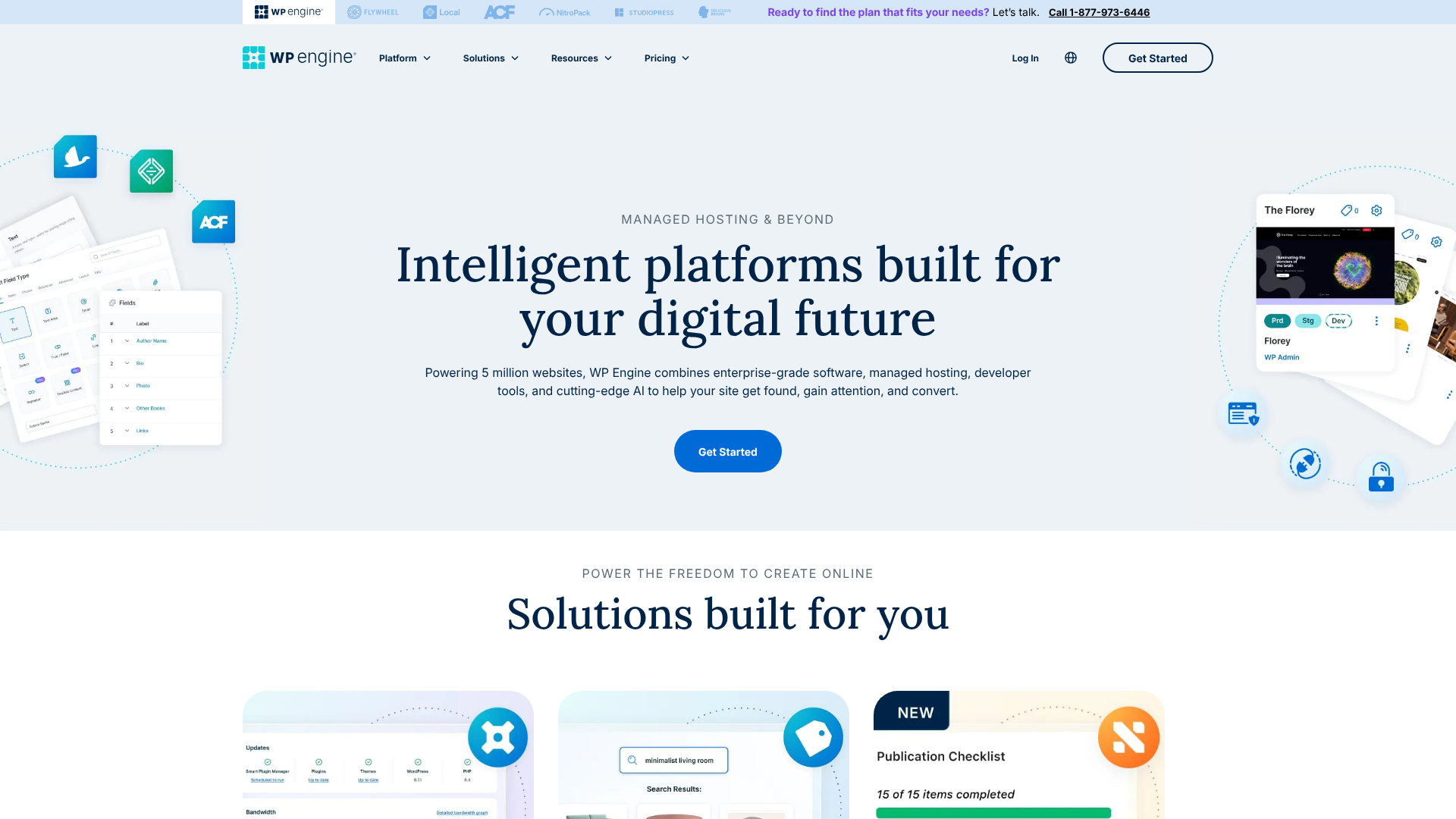
Founded in 2010, WP Engine is one of the original pioneers in the managed WordPress hosting space. They have built a reputation as a robust, enterprise-ready platform trusted by over 1.5 million websites, including major brands like Yelp, Asana, and Thomson Reuters. Their focus has always been on providing a comprehensive Digital Experience Platform (DXP) for WordPress.
This means they offer more than just hosting. WP Engine provides a suite of tools aimed at developers, marketers, and large businesses. This includes advanced features like their proprietary EverCache technology, integrated CDN, and a strong security framework. Their platform is built to handle high-traffic, mission-critical websites that cannot afford downtime or slow performance.
WP Engine's key differentiator is its infrastructure flexibility. While they heavily use Google Cloud Platform, they also offer hosting on Amazon Web Services (AWS), giving enterprise clients more choice to align with their existing cloud infrastructure. This, combined with their three-environment workflow (Dev/Stage/Prod), makes them a favourite among agencies and development teams with structured deployment processes.
What is Kinsta?
Kinsta entered the scene a bit later, in 2013, with a clear mission: to build the fastest and most reliable WordPress hosting platform available. Founded by a team of WordPress developers, Kinsta was designed to address the pain points they personally experienced with other hosts. Their approach is heavily focused on performance, simplicity, and outstanding customer support.
Kinsta's entire infrastructure is built exclusively on the Google Cloud Platform's Premium Tier network and its fastest C2 (Compute-Optimised) virtual machines. This single-minded focus on using the best available hardware means every customer, regardless of their plan, gets access to the same high-performance architecture. This has made them incredibly popular with users who prioritise raw speed above all else.
Their custom-built MyKinsta dashboard is another highlight, praised for its intuitive design and powerful features. It simplifies site management, analytics, and developer tools into one clean interface. Kinsta's support is also legendary; every customer gets access to the same team of expert engineers via 24/7 chat, with no tiered support levels. This commitment to quality has earned them a loyal following among agencies, freelancers, and online businesses.
WP Engine vs Kinsta: A Side-by-Side Feature Comparison
When you place WP Engine and Kinsta next to each other, you see two powerful platforms with overlapping features but distinct approaches. The best choice often comes down to the small details that align with your specific workflow and priorities.
| Feature | WP Engine | Kinsta |
|---|---|---|
| Cloud Infrastructure | Google Cloud Platform, AWS | Google Cloud Platform (C2 Machines) |
| Data Centres | 20+ GCP & AWS locations | 35+ GCP locations |
| CDN | MaxCDN (StackPath) included | Kinsta CDN (Cloudflare) included |
| Caching | Proprietary EverCache® | Custom server-level caching |
| Staging Environments | Dev, Stage, Prod | Stage, Prod |
| Backups | Daily automated + manual, 60-day retention | Daily automated + manual, 14-30 day retention |
| PHP Workers | Varies by plan | Varies by plan, generally higher on comparable plans |
| Security | Managed WAF, DDoS mitigation, malware scanning | Enterprise-level Cloudflare firewall, DDoS protection |
| Support | 24/7 Chat, 24/7 Phone (on higher plans) | 24/7 Expert Chat for all plans |
| Dashboard | WP Engine User Portal | MyKinsta Dashboard |

Performance and Infrastructure
Performance is the main reason users choose managed hosting, and both companies deliver. Kinsta builds its entire platform on GCP's C2 machines, which are compute-optimised and among the fastest VMs Google offers. This ensures every site on Kinsta benefits from top-tier processing power. They couple this with a highly optimised software stack, including Nginx, server-level caching, and the Kinsta CDN (powered by Cloudflare's global network), which is included for free on all plans.
WP Engine also uses high-performance infrastructure from GCP and AWS. A key feature is their proprietary caching technology, EverCache®. This system is designed to serve pages incredibly fast by aggressively caching static content and intelligently managing dynamic content. While Kinsta's approach is about raw server power, WP Engine's is about a sophisticated, multi-layered caching system that reduces server load and speeds up delivery.
Their included CDN is also robust, though it's based on StackPath rather than Cloudflare.
User Interface and Ease of Use
This is an area where user preference plays a big role. Kinsta's MyKinsta dashboard is widely considered one of the best in the industry. It's clean, modern, and intuitive. From the dashboard, you can manage sites, monitor resource usage with detailed analytics, create staging environments, and access tools like database search-and-replace with just a few clicks.
It was designed from the ground up to be user-friendly for both developers and non-technical users.
WP Engine's User Portal is also powerful but can feel a bit more corporate and complex to new users. It provides access to all the essential tools, including staging environments, backups, CDN controls, and site performance monitoring. For agencies managing dozens or hundreds of sites, the organisational tools within the WP Engine portal are very effective. However, for a single-site owner, the sheer number of options might feel less streamlined than MyKinsta.
Security Features
Both hosts take security extremely seriously. They both offer free SSL certificates, proactive monitoring, and a hack-fix guarantee. If your site gets compromised while on their platform, they will fix it for free.
Kinsta's security is bolstered by its deep integration with Cloudflare. Every site is protected by an enterprise-level firewall, free DDoS protection, and other advanced security features. This is a significant value-add, as this level of Cloudflare protection would be expensive if purchased separately.
WP Engine employs a multi-layered security approach with a proprietary web application firewall (WAF) that is updated in real-time to block new threats. They perform continuous server monitoring and have a dedicated security engineering team. They also automatically block many malicious requests at the server level before they can even reach WordPress.
Pro Tip: Both hosts maintain a list of disallowed plugins that are known to cause performance or security issues. Before migrating, check their lists to ensure your essential plugins are compatible. This proactive measure prevents many common problems.
Developer Tools and Workflows
For developers and agencies, this is where one of the most significant differences appears. WP Engine offers three separate environments for every site: Development, Staging, and Production. This allows for a more granular and safer development process. You can build new features in Development, push them to Staging for client review, and then deploy to the live Production site.
This is a major advantage for teams with formal development cycles.
Kinsta provides a standard two-environment setup: Staging and Production. For most users, this is perfectly sufficient. You can easily create a staging copy of your live site, make changes, and push them back to production. Both platforms offer SSH access, Git integration, and WP-CLI, giving developers the command-line tools they need to work efficiently.
Pricing and Value: Which Host Offers a Better Deal?
Comparing pricing between WP Engine and Kinsta requires looking beyond the monthly fee. You need to consider the limits on visits, storage, number of sites, and the cost of overages. Both are premium services, so they are priced higher than shared hosting providers like Bluehost or Hostinger.
WP Engine Pricing Structure
WP Engine typically offers several tiers, starting with a Startup plan for a single site. Their plans are primarily structured around the number of included WordPress installs, monthly visits, and storage. For example, a basic plan might include 1 site, 25,000 monthly visits, and 10 GB of storage.
As you move up to their Professional, Growth, and Scale plans, these limits increase, and you gain access to more features, such as 24/7 phone support. WP Engine also offers high-performance custom plans for enterprise clients with massive traffic needs. Their pricing can be very cost-effective for agencies that need to host 10 or 30+ sites, as their higher-tier plans often provide better value per site.
Kinsta Pricing Structure
Kinsta's pricing is also tiered, starting with a Starter plan for one WordPress install. Their plans are defined by the number of sites, monthly visits, storage, and, importantly, the number of included PHP workers. PHP workers determine how many simultaneous uncached requests your site can handle, which is crucial for dynamic sites like eCommerce stores or membership sites.
Kinsta is often praised for offering more generous PHP worker limits on their plans compared to competitors. Their overage charges are straightforward: a set fee per 1,000 extra visits. They do not shut your site down if you exceed your plan's limits. Kinsta's plans scale granularly, from Starter and Pro up to Business and Enterprise tiers, making it easy to find a plan that fits your exact needs without paying for resources you don't use.
Cost Comparison and Overage Fees
At the entry-level, both hosts have plans that start around the same price point (visit their websites for the most current pricing). The key difference lies in how they scale. If you have one or two high-traffic, dynamic sites, Kinsta's generous PHP worker allocation might provide better performance and value.
If you're an agency managing many smaller brochure sites, WP Engine's Growth or Scale plans, which allow for 10 or 30 sites respectively, might be more economical. It's essential to analyse your traffic patterns and site needs. Overage fees for visits can add up quickly on both platforms, so choosing a plan that provides a comfortable buffer for traffic spikes is a wise investment.
Pros and Cons: The Honest Breakdown
No hosting provider is perfect for everyone. Understanding the specific strengths and weaknesses of each platform is key to making the right choice.
WP Engine: Strengths and Weaknesses
Pros
- Multiple Cloud Providers: The option to choose between Google Cloud and AWS is a significant advantage for enterprises with specific infrastructure requirements.
- Three-Tier Environments: The Dev/Stage/Prod workflow is superior for teams with structured and complex development processes.
- Phone Support: Access to 24/7 phone support on higher-tier plans is a critical feature for businesses that need immediate, direct contact.
- Longer Backup Retention: Storing backups for up to 60 days provides a longer window for disaster recovery compared to Kinsta's standard 14 days.
Cons
- Tiered Support: While support is excellent, access to the most experienced engineers or phone support is reserved for higher-paying customers.
- More Complex UI: The user portal is powerful but can be less intuitive for beginners compared to MyKinsta.
- Add-on Costs: Some advanced features, like Global Edge Security, may come at an additional cost.
Kinsta: Strengths and Weaknesses
Pros
- Exceptional Performance: Exclusive use of GCP's C2 machines and a highly optimised stack deliver consistently fast loading times.
- Superb User Experience: The MyKinsta dashboard is a joy to use, making site management simple and efficient.
- Excellent Support for All: Every customer gets access to the same team of expert engineers via 24/7 chat, with incredibly fast response times.
- Integrated Cloudflare Enterprise: The built-in enterprise-level firewall and security features from Cloudflare provide immense value.
Cons
- GCP Only: Lack of infrastructure choice might be a deal-breaker for companies standardised on AWS or Azure.
- No Phone Support: While the chat support is fantastic, some users simply prefer the option to speak with someone on the phone.
- Shorter Backup Retention: The standard 14-30 day backup retention is sufficient for most but shorter than WP Engine's 60 days.
How to Choose: WP Engine or Kinsta for Your Website?
Your decision should be based on your specific needs, technical expertise, and business goals. Here’s a simple framework to guide your choice.
Choose WP Engine if…
You are a large business, an established agency, or an enterprise-level organisation. You benefit from their three-environment workflow for rigorous testing and deployment. The availability of 24/7 phone support is a non-negotiable requirement for your team. You may also have a corporate mandate to use AWS infrastructure, which WP Engine can provide.
If you manage a large portfolio of sites, their higher-tier plans can offer better per-site value.
Choose Kinsta if…
You are a performance-focused business, a modern agency, or a developer who values speed and a streamlined user experience above all else. You want the peace of mind that comes with knowing you have instant access to expert support engineers 24/7 without navigating support tiers. You run dynamic sites like WooCommerce or membership platforms and will benefit from the generous PHP worker allocations. The simplicity and power of the MyKinsta dashboard are a perfect fit for your workflow.
Frequently Asked Questions (FAQ)
Here are answers to some of the most common questions people ask when comparing these two hosting giants.
Why is WP Engine so expensive?
WP Engine is priced as a premium, managed service, not a budget commodity. The cost covers more than just server space; it includes a sophisticated technology stack (like EverCache®), a multi-layered security system, a 24/7 expert support team, and a suite of developer tools. You are paying for reliability, performance, and the peace of mind that comes with a fully managed environment where a team of experts is handling the technical heavy lifting for you.
Why is Kinsta so expensive?
Similar to WP Engine, Kinsta's pricing reflects the high-end nature of its service. Their costs are driven by their investment in top-of-the-line infrastructure—specifically, Google Cloud's most expensive C2 virtual machines for every single customer. The price also includes their 24/7 expert support model, the custom-built MyKinsta dashboard, and the integrated enterprise-level Cloudflare security, which alone is a high-value feature. You are paying for a fully managed, high-performance solution built on the best hardware available.
What's better than Kinsta?
The term "better" is subjective and depends entirely on your needs. For users who prioritise raw speed and an incredible user experience, Kinsta is often considered the top of its class. However, a competitor like WP Engine could be considered "better" for an enterprise that requires phone support and an AWS infrastructure option. Other managed hosts like SiteGround offer more budget-friendly managed plans, while a platform like Pressable focuses on high-availability and uptime guarantees.
The best host is the one that aligns with your technical requirements, budget, and support preferences.
Is Kinsta reliable?
Yes, Kinsta is known for its exceptional reliability. They have a 99.9% uptime guarantee backed by an SLA (Service Level Agreement). Their reliance on the Google Cloud Platform means they benefit from Google's massive, redundant global network. They also implement proactive monitoring, checking the status of every website they host every two minutes.
If an issue is detected, their team is often already working on a fix before the site owner is even aware of a problem.
Is WP Engine banned from WordPress?
No, this is a common misunderstanding. WP Engine is not banned from WordPress; in fact, they are one of the most prominent and respected companies in the WordPress community. The confusion comes from their "disallowed plugins" list. To ensure the security and performance of their platform, WP Engine (and Kinsta) disallows the use of certain plugins that are known to be resource-intensive, conflict with their server-level caching, or have security vulnerabilities.
This is a standard practice among high-quality managed hosts to protect their customers and maintain a stable environment.
Final Verdict: Which Managed Host Wins in 2026?
After a thorough comparison, it's clear that there is no single winner between WP Engine and Kinsta. Instead, there are two excellent platforms that cater to slightly different, albeit overlapping, audiences. The right choice is the one that best fits your business model and technical needs.
Kinsta stands out for its relentless focus on performance, an incredibly intuitive user dashboard, and a support system that is arguably the best in the business. It's the ideal choice for businesses and agencies that want a fast, simple, and powerful hosting solution without the complexity.
WP Engine, on the other hand, shines as a more mature, enterprise-focused platform. Its key advantages—the three-tier development workflow, infrastructure choice, and available phone support—make it the superior option for larger teams, high-stakes projects, and organisations with more formalised IT and development processes. If your business requires that extra level of structure and support, WP Engine is the proven and reliable choice.