

Kinsta vs WP Engine: Which is Better for Growth-Focused Businesses?
Choosing a managed WordPress host is a critical decision for any business that relies on its website for growth. The right host can deliver lightning-fast page speeds, ironclad security, and expert support, while the wrong one can lead to slow load times and frustrating downtime. In the premium managed hosting space, two names consistently rise to the top: Kinsta and WP Engine. A detailed comparison of Kinsta vs WP Engine reveals two powerful platforms, but with key differences in their approach, features, and ideal user base.
- In a Nutshell: Kinsta vs WP Engine
- Kinsta and WP Engine: An Introduction to Managed WordPress Hosting Giants
- Introducing Kinsta: The Performance-Focused Challenger
- Introducing WP Engine: The Established Enterprise Leader
- Head-to-Head Comparison: Kinsta vs WP Engine
- Core Features and Performance Deep Dive
- Infrastructure and Speed: Who Wins the Race?
- Security: Fortifying Your WordPress Site
- Dashboards and User Experience
- Backup and Restoration Systems
- Developer Tools and Workflow Comparison
- Staging Environments: A Critical Difference
- Git, SSH, and Advanced Tools
- Application Performance Monitoring (APM)
- Support Quality: Who Helps You Better?
- Pricing and Plans: A Detailed Cost Analysis
- Pros and Cons: The Quick Verdict
- Why Choose Kinsta? (Pros)
- Kinsta's Limitations (Cons)
- Why Choose WP Engine? (Pros)
- WP Engine's Limitations (Cons)
- How to Choose: Kinsta or WP Engine for Your Project?
- Frequently Asked Questions
- Final Thoughts: The Right Choice for Your WordPress Site
Both providers offer top-tier performance by using the Google Cloud Platform, but they cater to slightly different needs. Kinsta focuses on delivering a streamlined, high-performance experience with an incredibly intuitive user dashboard and what many consider the best support in the industry. On the other hand, WP Engine positions itself as the go-to solution for larger businesses, high-traffic eCommerce sites, and developers who need a more robust, enterprise-grade toolset, including more comprehensive development environments. This guide will break down every critical aspect to help you make an informed choice.
In a Nutshell: Kinsta vs WP Engine
- Performance & Infrastructure: Both are exceptionally fast, using Google Cloud Platform. Kinsta uses GCP's fastest C2 virtual machines for all plans, while WP Engine offers more infrastructure choice, including AWS and Azure on higher-tier plans, alongside its proprietary EverCache technology.
- Developer Tools: WP Engine has a slight edge for complex workflows by providing three environments (Development, Staging, Production) out of the box on all plans. Kinsta offers a standard Staging and Production environment.
- Support: Kinsta is famous for its fast, single-tier 24/7 chat support staffed exclusively by expert engineers. WP Engine also offers excellent 24/7 chat support and includes 24/7 phone support on all plans except its entry-level Startup tier.
- Ease of Use: Kinsta's custom-built MyKinsta dashboard is widely praised for its clean, intuitive design, making site management straightforward. WP Engine's user portal is powerful and feature-rich but can present a steeper learning curve for new users.
- Best For: Kinsta is an excellent choice for agencies, developers, and businesses that prioritise simplicity, top-tier speed, and rapid-response support. WP Engine is often the better fit for enterprise clients, complex eCommerce stores, and teams needing advanced security add-ons and more granular development workflows.
Kinsta and WP Engine: An Introduction to Managed WordPress Hosting Giants
Before diving into a direct comparison, it's important to understand what 'managed WordPress hosting' actually means. Unlike shared hosting where you manage everything yourself on a crowded server, managed hosting is a concierge service for your website. The hosting company handles all the technical aspects—security, speed, updates, backups, and scalability—so you can focus on creating content and growing your business.
This level of service is why managed hosts like Kinsta and WP Engine command a higher price. You're not just paying for server space; you're paying for a team of WordPress experts, a finely-tuned performance stack, and peace of mind. Both companies are leaders in this premium category, representing the gold standard for serious website owners.
Introducing Kinsta: The Performance-Focused Challenger
Kinsta launched in 2013 with a clear mission: to create the best WordPress hosting platform in the world. They built their entire infrastructure on the Google Cloud Platform, and were one of the first to exclusively use its Premium Tier network and C2 compute-optimised virtual machines for all clients. This focus on cutting-edge hardware gives them a significant performance advantage.
They are perhaps best known for their obsessive focus on customer support and user experience. Their MyKinsta dashboard is a custom-built control panel that simplifies complex tasks, and their support team is composed entirely of experienced engineers. This approach has earned them a loyal following among agencies, developers, and businesses who want power without complexity.
Introducing WP Engine: The Established Enterprise Leader
Founded in 2010, WP Engine is one of the pioneers of the managed WordPress hosting industry. They have a long-standing reputation for reliability and have built a platform trusted by over 1.5 million websites, including major brands like Yelp, Asana, and Thomson Reuters. Their focus has increasingly shifted towards the enterprise market, offering a suite of tools designed for security, scalability, and developer-centric workflows.
WP Engine's platform offers more than just hosting; it's a Digital Experience Platform (DXP). They provide advanced features like proprietary caching (EverCache), a three-environment testing workflow (Dev/Stage/Prod), and advanced security add-ons. Their ability to host on AWS and Azure in addition to GCP also gives large organisations the flexibility they require.
Head-to-Head Comparison: Kinsta vs WP Engine
To get a clear overview, let's compare the core offerings of both hosts side-by-side. This table highlights the key differences that will likely influence your decision.
| Feature | Kinsta | WP Engine |
|---|---|---|
| Infrastructure | Google Cloud Platform (C2 VMs) | Google Cloud Platform, AWS, Azure |
| Caching | Server-level + Edge Caching | EverCache (Proprietary) |
| CDN | Kinsta CDN (Cloudflare) | MaxCDN (StackPath) / Cloudflare |
| Staging Environments | 1 Staging Environment | 3 Environments (Dev, Stage, Prod) |
| Backups | Daily (14-30 day retention) | Daily (Up to 60 day retention) |
| Support Channels | 24/7 Expert Chat | 24/7 Chat, 24/7 Phone (most plans) |
| Control Panel | MyKinsta (Custom) | User Portal (Custom) |
| Free Migrations | Unlimited from most hosts | 1 Free Migration (with plugin) |
| Security Guarantee | Free Malware Removal | Free Malware Removal |
| Starting Price | Check current pricing | Check current pricing |
Core Features and Performance Deep Dive
While both hosts promise exceptional speed and reliability, their methods for achieving it differ. The technology stack, caching systems, and security measures are where you'll find the most significant distinctions.
Infrastructure and Speed: Who Wins the Race?
Performance is often the number one reason users upgrade to managed hosting. Both Kinsta and WP Engine are built on the Google Cloud Platform, which is significantly faster than the infrastructure used by budget shared hosts. However, Kinsta makes Google's fastest servers—the Compute-Optimized C2 VMs—available on all plans. This ensures every Kinsta customer gets access to top-tier processing power.
WP Engine also uses high-performance GCP servers but provides additional flexibility for enterprise clients to choose AWS or Azure, which can be a requirement for companies with existing cloud partnerships. WP Engine's key performance feature is its proprietary caching system, EverCache. It's an aggressive and intelligent system that dramatically reduces the load on the server, ensuring content is delivered to visitors almost instantly. Kinsta counters this with its own powerful server-level caching combined with a free Cloudflare Enterprise integration, which includes Edge Caching.
This stores your site's static assets even closer to your visitors, reducing latency worldwide.
Ultimately, both are incredibly fast. Kinsta's advantage may lie in its consistent use of C2 VMs for all users, while WP Engine's strength is its highly optimised, multi-layered caching system.
Security: Fortifying Your WordPress Site
Security is non-negotiable for any serious website. Both Kinsta and WP Engine offer a robust security framework that goes far beyond what you'd find on standard hosting. They both provide free SSL certificates, proactive monitoring for threats, and a security guarantee. If your site gets hacked while on their platform, they will fix it for free.
Kinsta's security is enhanced by its Cloudflare Enterprise integration. This provides a powerful Web Application Firewall (WAF) and free DDoS mitigation that can stop malicious traffic before it ever reaches your server. This is a significant value, as this level of Cloudflare service would cost hundreds of pounds per month if purchased separately.
WP Engine has its own enterprise-grade firewall and actively blocks millions of attacks daily across its network. They also offer advanced security add-ons, such as Global Edge Security, which provides a managed WAF and DDoS mitigation through Cloudflare, similar to Kinsta's offering but as a paid upgrade. For businesses needing the highest levels of protection and compliance, WP Engine's customisable security solutions can be a major draw.
Dashboards and User Experience
How you interact with your hosting account matters. A confusing dashboard can make simple tasks difficult and stressful. This is an area where Kinsta truly shines.
MyKinsta Dashboard: Simplicity and Power
Kinsta's custom-built MyKinsta dashboard is a masterclass in user interface design. It's clean, fast, and logically organised. Key information like resource usage is displayed clearly, and tools for creating staging sites, running backups, or clearing the cache are just a click away. Even complex actions feel simple, which is why agencies and developers who manage many client sites often prefer it.
WP Engine User Portal: A Suite of Tools
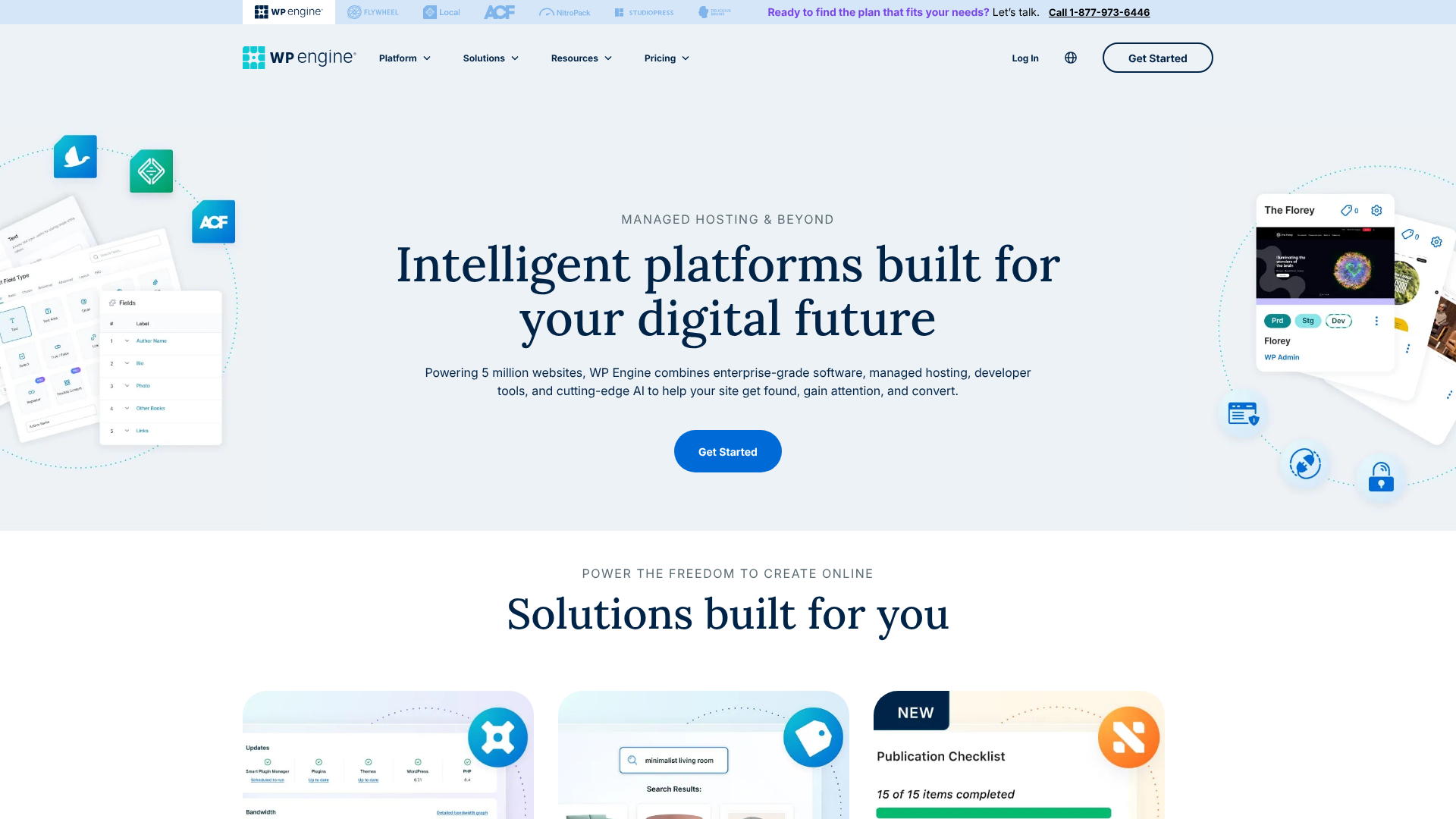
The WP Engine User Portal is also a custom solution and is incredibly powerful. It provides access to a vast array of tools, including performance analytics, billing information, and environment management. However, its design is more utilitarian and can feel less intuitive than MyKinsta, especially for first-time users. Finding specific settings can sometimes require a few extra clicks, but for seasoned developers, the sheer number of tools at their disposal is a significant benefit.
Backup and Restoration Systems
Reliable backups are your ultimate safety net. Both platforms offer automated daily backups, but their retention policies differ. Kinsta stores daily backups for 14 days on its starter plans, extending up to 30 days on higher tiers. You can also create manual backups and purchase add-ons for more frequent (e.g., hourly) backups.
WP Engine has a more generous retention policy, keeping your last 60 days of daily backup points. This can be a lifesaver if you need to restore a version of your site from over a month ago. Both hosts make the restoration process very simple, allowing you to restore a backup to your live or staging site with just a few clicks from the dashboard.
Developer Tools and Workflow Comparison
For developers and agencies, workflow efficiency is paramount. The tools a host provides for testing, deploying, and managing code can save countless hours of work.
Staging Environments: A Critical Difference
A staging site is a private clone of your live website where you can safely test updates, plugins, or new code without affecting your visitors. Both Kinsta and WP Engine offer one-click staging environments, but their approach differs.
Kinsta provides a standard setup: a Production (live) environment and a Staging environment. This is perfect for most users' needs. You push changes from staging to live when you're ready.
WP Engine takes this a step further by offering three distinct environments on every plan: Development, Staging, and Production. This allows for a more structured and professional workflow. Developers can build new features in the 'Dev' environment, pass them to the 'Stage' environment for client review or QA testing, and finally deploy the approved changes to 'Prod'. This separation is a significant advantage for larger teams and complex projects.
Git, SSH, and Advanced Tools
Both hosts provide the advanced tools that developers expect, including SSH access, WP-CLI, and Git integration. This allows for sophisticated deployment workflows directly from a developer's local machine. The setup and implementation are straightforward on both platforms, making them equally capable for professional development work.
Pro Tip: When using Git with either host, set up a .gitignore file to exclude the wp-content/uploads directory. This prevents large media files from being tracked in your repository, keeping your deployments fast and your repository size manageable.
Application Performance Monitoring (APM)
Application Performance Monitoring (APM) tools help you identify performance bottlenecks in your website's code, such as slow database queries or poorly optimised plugins. Kinsta offers its own powerful Kinsta APM tool for free on all plans. This is an incredible value, as similar third-party APM services can be very expensive.
WP Engine also provides performance monitoring tools, including page speed analytics and recommendations. While effective, they don't offer a free, built-in APM tool with the same depth as Kinsta's offering. For developers focused on fine-tuning every aspect of site performance, Kinsta's free APM tool is a major selling point.
Support Quality: Who Helps You Better?
When your website is down or you're facing a technical issue, the quality of your host's support team is all that matters. This is another area where both Kinsta and WP Engine excel, but again, with different philosophies.
Kinsta's support model is unique. They don't have tiered support levels. Every time you open a 24/7 live chat, you are connected directly to a Level 2 or Level 3 engineer—the same people who work on their servers. This means you get expert help immediately without being passed around.
Their average response time is under two minutes, and user reviews consistently rate their support as the best in the business. As one user on Reddit noted, "I work on both environments regularly and can say Kinsta is the better of the two on all metrics. Feel free to ask more specific questions.".
WP Engine also offers award-winning 24/7 support via live chat and, crucially for some users, by phone on most of their plans. While their first line of support may not always be a senior engineer, they are highly trained and can solve the vast majority of issues quickly. For complex problems, they escalate to their senior technical team. The availability of phone support can be a deciding factor for those who prefer to talk through issues rather than type.
Pricing and Plans: A Detailed Cost Analysis
Premium managed hosting is an investment, and pricing between Kinsta and WP Engine is competitive. Both structure their plans based on the number of WordPress installs, monthly visits, and storage.
Entry-Level Plans Compared
Both companies have entry-level plans that start around the same price point. Kinsta's 'Starter' plan and WP Engine's 'Startup' plan are designed for a single small website. They typically include around 10 GB of storage and are suitable for up to 25,000 monthly visits.
It's important to look closely at the details. For instance, if you need to host more than one site, you'll need to move up to a higher-tier plan on both platforms. WP Engine's plans sometimes offer more sites at a lower price point as you scale up, which can make them more cost-effective for agencies with many small client sites.
Scaling Up: Business and Enterprise Tiers
As your traffic grows, you'll move into their Business or Growth plans. These plans increase the limits on visits, storage, and the number of sites you can host. They also often include more PHP workers, which are crucial for handling dynamic sites like eCommerce stores or membership sites.
For very large or enterprise-level sites, both hosts offer custom plans. This is where WP Engine's focus on the enterprise market becomes clear. They offer dedicated servers, high-availability solutions, and advanced security features tailored to the needs of large corporations.
Understanding Overage Charges
One of the most important aspects of pricing is how each host handles overages—when you exceed your plan's limits for visits or storage. Kinsta has a straightforward policy: you are charged a set fee per 1,000 extra visits. While transparent, this can lead to unexpected bills if you have a sudden traffic spike.
WP Engine's approach can be more forgiving. They look at your average traffic over time and are less likely to charge for a single, unexpected spike. However, their overage fees can also be significant if you consistently exceed your plan's limits. It's crucial to choose a plan that gives you a comfortable buffer for traffic growth on either platform.
Pros and Cons: The Quick Verdict
Let's boil it all down to a simple list of strengths and weaknesses for each platform.
Why Choose Kinsta? (Pros)
- Exceptional Performance: Consistent use of Google's fastest C2 VMs and a highly optimised stack.
- Intuitive Dashboard: The MyKinsta dashboard is arguably the easiest and most pleasant to use.
- World-Class Support: Direct access to expert engineers via 24/7 chat with lightning-fast response times.
- Valuable Inclusions: Free Cloudflare Enterprise integration and a free APM tool provide immense value.
Kinsta's Limitations (Cons)
- No Phone Support: Support is limited to live chat and tickets, which may not suit everyone.
- Stricter Overage Policy: Automated overage charges can be a concern for sites with unpredictable traffic.
- Fewer Dev Environments: Only offers a single staging environment, compared to WP Engine's three.
Why Choose WP Engine? (Pros)
- Enterprise-Ready: Built for high-stakes, high-traffic websites with a focus on security and scalability.
- Superior Developer Workflow: The Dev/Stage/Prod environment setup is a major advantage for professional teams.
- Multi-Channel Support: Offers 24/7 phone support on most plans, providing an alternative to chat.
- Generous Backups: 60-day backup retention offers a longer window for site restoration.
WP Engine's Limitations (Cons)
- Steeper Learning Curve: The user portal is powerful but can be less intuitive for beginners.
- Higher Cost for Some Tiers: Can be more expensive than Kinsta, especially when factoring in paid add-ons.
- Inconsistent Hardware: While fast, not all plans are guaranteed to be on GCP's absolute best hardware like Kinsta's.
How to Choose: Kinsta or WP Engine for Your Project?
Your final decision should be based on your specific priorities, technical needs, and budget. There is no single 'best' host—only the best host for you.
Choose Kinsta If…
You are an agency, freelancer, or small business owner who manages one or more client websites. You value a simple, beautiful, and efficient user interface that makes your life easier. You believe that support should be instant, expert-level, and available 24/7 via chat. You want the peace of mind that comes from knowing your site is on some of the fastest hardware available, and you want tools like APM to squeeze every last drop of performance out of your site.
Choose WP Engine If…
You are running a larger business, a mission-critical eCommerce store, or a high-traffic publication. Your development team follows a strict workflow and requires separate environments for development, testing, and production. You need the option for 24/7 phone support to resolve urgent issues. You require enterprise-grade security features, potential for high-availability setups, and the flexibility to choose your cloud provider (WP Engine can be a perfect fit).
Frequently Asked Questions
Is WP Engine banned from WordPress?
No, this is a common misconception. WP Engine has a list of 'disallowed plugins' that are either redundant on their platform (like caching plugins) or known to cause security or performance issues. This is a standard practice among high-quality managed hosts to protect the integrity of their server environment and ensure optimal performance for all customers. It's a feature, not a ban.
What's better than Kinsta?
'Better' is subjective and depends on your needs. For users seeking a similar level of performance and support, alternatives in the premium managed space include Flywheel (which is owned by WP Engine but has a different focus on designers), Pressable, and Cloudways. However, Kinsta consistently ranks at the top for its combination of speed, user experience, and expert support.
Is Kinsta reliable?
Yes, Kinsta is extremely reliable. They are built on the Google Cloud Platform, one of the most stable and resilient cloud infrastructures in the world. They offer a 99.9% uptime guarantee backed by a Service Level Agreement (SLA), meaning you get credits if they fail to meet this promise. Their proactive monitoring and expert team ensure that downtime is incredibly rare.
Why is Kinsta so expensive?
Kinsta's pricing reflects the premium nature of their service. You are paying for top-of-the-line infrastructure (GCP C2 VMs), a custom-built control panel, 24/7 support from expert engineers, and valuable included features like the Cloudflare Enterprise integration and Kinsta APM. Compared to the cost of hiring a system administrator or the potential revenue lost from a slow or insecure site, many businesses find the price to be a worthwhile investment.
What happened to the WP Engine?
Nothing has 'happened' to WP Engine; they continue to be a dominant force in the managed WordPress hosting market. The company has evolved over the years, acquiring other companies like Flywheel and ACF (Advanced Custom Fields) to broaden its toolset. Their focus has increasingly shifted towards serving larger businesses, enterprise clients, and developers, solidifying their position as a comprehensive Digital Experience Platform.
Final Thoughts: The Right Choice for Your WordPress Site
Choosing between Kinsta and WP Engine is a good problem to have. Both are exceptional hosting providers that will make your WordPress site faster, more secure, and more reliable than it would be on standard shared hosting. The decision comes down to a matter of priorities.
Kinsta is the clear winner for those who prioritise a flawless user experience, bleeding-edge performance for all, and the industry's most responsive support. Its platform is a joy to use, and the value packed into every plan is undeniable. It's a perfect choice for users who want to 'set it and forget it', knowing their site is in the best possible hands.
WP Engine, however, remains the undisputed leader for enterprise-level needs and professional development workflows. Its three-environment system, phone support, and advanced security options provide a toolset that large teams and mission-critical sites require. If your business operates at a scale where granular control and enterprise-grade features are not just nice to have, but essential, then WP Engine is the logical choice.