

Hosting vs Domain Registration: A Beginner's Guide to Choosing
Starting a website brings up a lot of new terms, and one of the most common points of confusion is understanding the difference between hosting vs domain registration. Many beginners think they are the same thing or that one automatically includes the other. While they are both essential for getting a website online, they are two distinct services that serve very different purposes. Getting this right from the start can save you headaches and money down the line.
- In a Nutshell
- What is Hosting vs Domain Registration? The Core Analogy Explained
- What is a Domain Name? Your Digital Address
- What is Web Hosting? Your Digital Plot of Land
- How They Work Together: Connecting the Address to the House
- Key Features & Services: What Are You Actually Paying For?
- Should You Buy Hosting and Domain Together or Separately?
- The Case for Bundling: Simplicity and Convenience
- The Case for Keeping Them Separate: Flexibility and Control
- Top Recommendations: Where to Get Your Domain and Hosting
- Best for Combined Hosting and Domain (Beginner-Friendly)
- Best for Standalone Domain Registration
- Best for High-Performance Hosting (When Bought Separately)
- Pricing and Cost Comparison: What to Expect
- Frequently Asked Questions (FAQ)
- Can I own a domain without hosting?
- Can I run my website without a domain?
- What are the 4 main types of hosting?
- Is GoDaddy a domain registrar or a hosting provider?
- Which hosting is best for beginners?
- Final Thoughts: Making the Right Choice for Your Project
Simply put, a domain name is your website's address on the internet, like 123 Main Street. Web hosting is the actual plot of land and the house that sits at that address, where all your website's files and content are stored. You need both to have a functioning, accessible website, but you don't always have to buy them from the same place. This guide will break down everything you need to know about the domain vs hosting relationship.
In a Nutshell
- Domain Registration: This is the process of reserving and purchasing a unique name (e.g.,
yourbusiness.co.uk) for your website. It acts as the memorable address people use to find you online. - Web Hosting: This is the service of renting space on a physical server where your website's files, images, and databases are stored. The host makes your site accessible to visitors.
- You Need Both: A domain name without hosting is just an empty address. Hosting without a domain name means no one can easily find your site. They must work together.
- Bundled vs. Separate: You can buy hosting and a domain from one provider for convenience (often with a free domain for the first year) or from separate companies for greater flexibility and control.
What is Hosting vs Domain Registration? The Core Analogy Explained
To truly grasp the concept, let's stick with the real estate analogy. Imagine you're opening a new physical shop. You need two fundamental things: a street address so customers can find you, and a physical building to house your products. In the digital world, this translates directly to domain registration and web hosting.
What is a Domain Name? Your Digital Address
A domain name is the unique, human-friendly address for your website. It's what people type into their browser's address bar to visit your site, such as google.com or bbc.co.uk. Without domain names, we would have to remember complex strings of numbers called IP addresses (like 172.217.169.238) for every website we want to visit.
Domain names are managed by an organisation called ICANN (Internet Corporation for Assigned Names and Numbers). They authorise companies, known as domain registrars, to sell and manage domain registrations. When you register a domain, you are essentially leasing that name for a specific period, typically one year or more. It gives you the exclusive right to use that address.
These names consist of two main parts: the Second-Level Domain (SLD), which is the unique part you choose (e.g., 'yourbusiness'), and the Top-Level Domain (TLD), which is the extension that follows (e.g., '.com', '.org', '.co.uk').
What is Web Hosting? Your Digital Plot of Land
If the domain is the address, web hosting is the physical property at that address. It's a service that provides the server space needed to store all the files that make up your website—this includes code, images, videos, text, and databases. When someone types your domain name into their browser, the browser connects to the web server (your hosting) and displays your website's content.
Hosting companies own and maintain large data centres filled with powerful servers that are connected to the internet 24/7. When you purchase a hosting plan, you are renting a small portion of that server space. The quality of your hosting directly impacts your website's speed, security, and reliability (uptime).
How They Work Together: Connecting the Address to the House
So, how does your domain name know where your website's files are stored? The connection is made through the Domain Name System, or DNS. Think of DNS as the internet's phone book or GPS. It's a global network that translates the human-readable domain name you type in (the address) into the server's numerical IP address (the coordinates of the land).
When you buy a domain and hosting, you must configure your domain's DNS settings to 'point' to your hosting provider's servers. This tells the internet, "When someone looks for yourbusiness.co.uk, send them to the server located at this specific IP address." This connection is what makes a website appear when you visit its domain.
To see a clear visual explanation of this relationship, the video below breaks it down simply.
Key Features & Services: What Are You Actually Paying For?
When you're comparing providers, it's easy to get lost in the marketing jargon. Understanding the specific features included with both domain registration and web hosting helps you make a more informed decision. The services offered can vary significantly, impacting everything from your privacy to your website's performance.
Domain Registration Comparison: What's Included?
Buying a domain is more than just getting the name. A good registrar provides essential management tools. Here’s what you should look for:
- Domain Name Lease: You're paying for the exclusive right to use that name for a set period (usually 1-10 years). You never truly 'own' it; you lease it and must renew it to keep it.
- WHOIS Privacy Protection: When you register a domain, your personal information (name, address, email) is added to a public database called WHOIS. WHOIS privacy services replace your details with the registrar's information, protecting you from spam and identity theft. A top registrar like Namecheap offers this for free, while others charge an annual fee.
- DNS Management Panel: This is a control panel that allows you to manage your DNS records. It's where you'll point your domain to your web host, set up email servers, and configure subdomains. A user-friendly panel is a huge plus.
- Domain and Email Forwarding: Some registrars allow you to redirect your domain to another website or set up email forwarding, where emails sent to
you[[@yourdomain](https://[twitter](https://twitter.com/yourdomain).com/yourdomain).co.uk](https://www.(https://www.instagram.com/yourdomain.co.uk/).com/yourdomain.co.uk/)are forwarded to your personal email account (e.g., Gmail). - Domain Lock: This is a security feature that prevents unauthorised transfers of your domain name to another registrar.
Web Hosting Features: A Deeper Look
Web hosting plans are much more complex, with features that directly affect your site's functionality and user experience. Key features include:
- Storage Space (Disk Space): The amount of space allocated for your website's files. This can range from a few gigabytes for a basic blog to unlimited storage on some shared plans.
- Bandwidth: The amount of data that can be transferred between your website and its visitors each month. Higher traffic sites require more bandwidth.
- Uptime Guarantee: This is the percentage of time your website is guaranteed to be online and accessible. The industry standard is 99.9%, and anything less should be a red flag.
- Security: Essential features include a free SSL certificate (to enable HTTPS), firewalls, malware scanning, and regular backups. Good hosts take security very seriously.
- Customer Support: Access to reliable 24/7 support via live chat, phone, or tickets is crucial, especially for beginners. Providers like SiteGround are famous for their excellent support.
- Control Panel (cPanel/Plesk): A graphical interface that makes it easy to manage your hosting account, install software, set up email accounts, and manage files.
- One-Click Installers: Tools like Softaculous that allow you to easily install popular applications like WordPress, Joomla, or Magento with a single click.
Should You Buy Hosting and Domain Together or Separately?

This is one of the most important decisions you'll make when setting up your site. There's no single right answer; the best choice depends on your technical comfort level, budget, and long-term goals. Both approaches have clear pros and cons.
The Case for Bundling: Simplicity and Convenience
Most web hosting companies, especially those targeting beginners, offer to register a domain for you when you sign up for a hosting plan. Many, like Bluehost and HostGator, even offer a free domain name for your first year.
Pros:
Effortless Setup: The host handles all the technical configuration. Your domain is automatically pointed to your hosting, so your site works out of the box. * One Point of Contact: You have one company to deal with for billing and support. If something goes wrong, you know exactly who to call.
Cost Savings (Initially): A free domain for the first year saves you around £10-£15 upfront.
Cons:
- Vendor Lock-in: It can be more difficult to move your website to a new host later. Transferring a domain registered with a host can sometimes be a cumbersome process.
- Higher Renewal Costs: While the domain is free for the first year, the renewal price in subsequent years can be higher than at a dedicated registrar.
- Less Control: You might have fewer advanced DNS management options compared to a dedicated registrar.
This option is best for: Beginners, small business owners, and anyone who prioritises a simple, streamlined setup process.
The Case for Keeping Them Separate: Flexibility and Control
The alternative is to buy your domain from a dedicated domain registrar like Namecheap and your hosting from a separate web hosting company.
Pros:
- Total Control: Your domain is an independent asset. You can change web hosts whenever you want by simply updating your DNS settings, with no need to transfer the domain itself. * Best-of-Breed Services: You can choose the absolute best company for each service—a registrar known for great prices and features, and a host known for performance and support. * Better Pricing: Domain renewal fees are often cheaper at dedicated registrars.
You also get features like free WHOIS privacy more consistently. * Enhanced Security: Keeping your domain with a separate, secure registrar can protect it even if your hosting account is compromised.
Cons:
- Manual Configuration: You will need to manually point your domain's nameservers to your web host. This is a simple process but can be intimidating for absolute beginners.
- Two Accounts to Manage: You'll have two separate bills to pay and two different companies to contact for support issues related to each service.
This option is best for: Developers, agencies, tech-savvy users, and anyone who values long-term flexibility and control over their digital assets.
Pro Tip: Even if you're a beginner, consider buying your domain separately. The process of pointing a domain to a host involves changing just two lines of text (the nameservers) in your registrar's control panel. Most hosts provide a simple step-by-step guide, and learning this one small skill gives you immense freedom for the future.
Top Recommendations: Where to Get Your Domain and Hosting
With hundreds of providers out there, choosing one can be overwhelming. Here are our top recommendations based on different needs and use cases, focusing on reputable companies with excellent track records.
Best for Combined Hosting and Domain (Beginner-Friendly)
These providers make it incredibly easy to get started by bundling everything you need into one package.
1. Bluehost
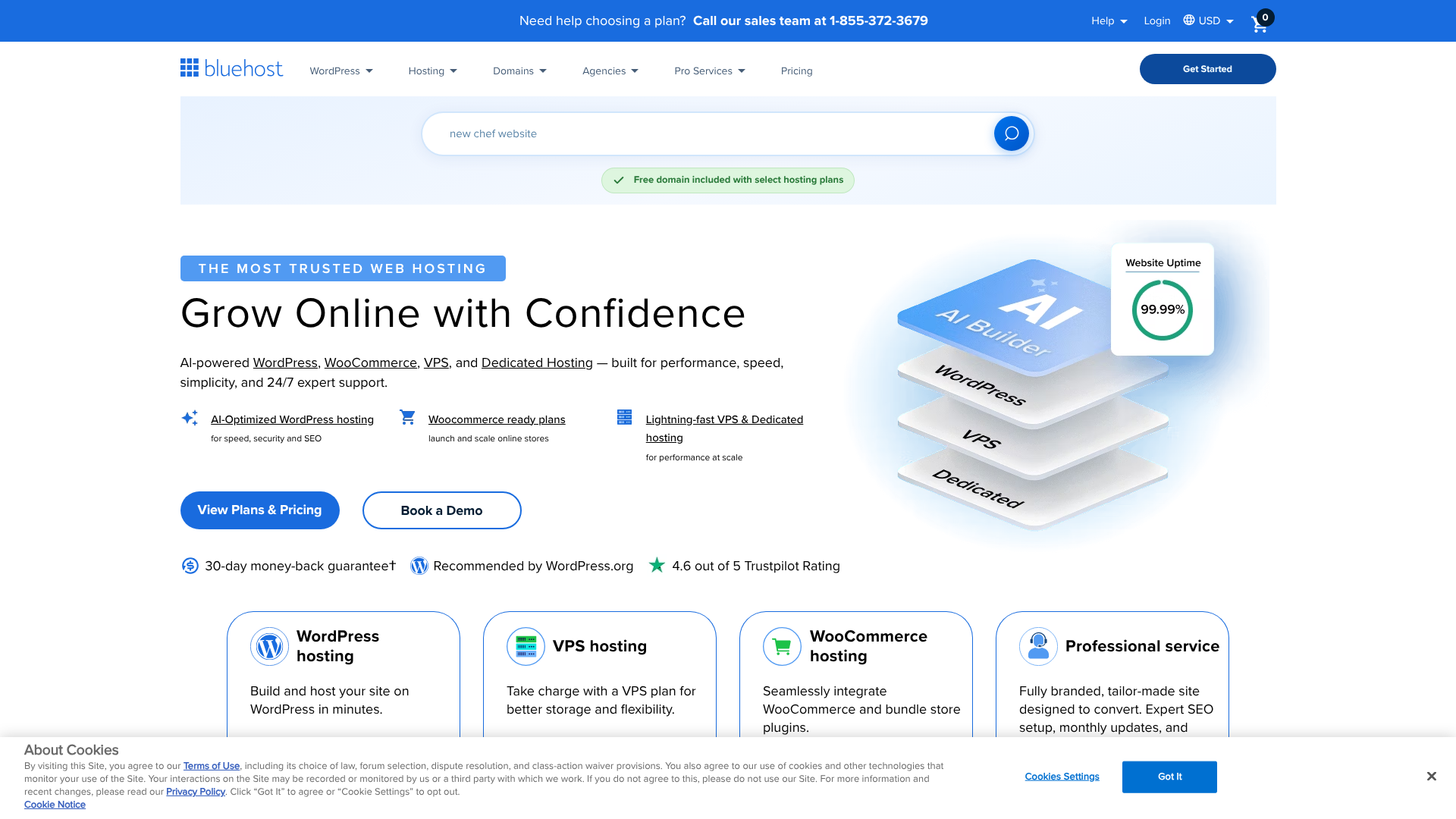
Bluehost is one of the most well-known names in web hosting and is officially recommended by WordPress.org. Their plans are geared towards beginners and include a free domain name, a free SSL certificate, and a very user-friendly dashboard.
- Pros: Extremely easy to use, excellent for new WordPress sites, reliable performance, and good customer support.
- Cons: Renewal rates are significantly higher than the introductory price, so be mindful of the long-term cost.
2. Hostinger
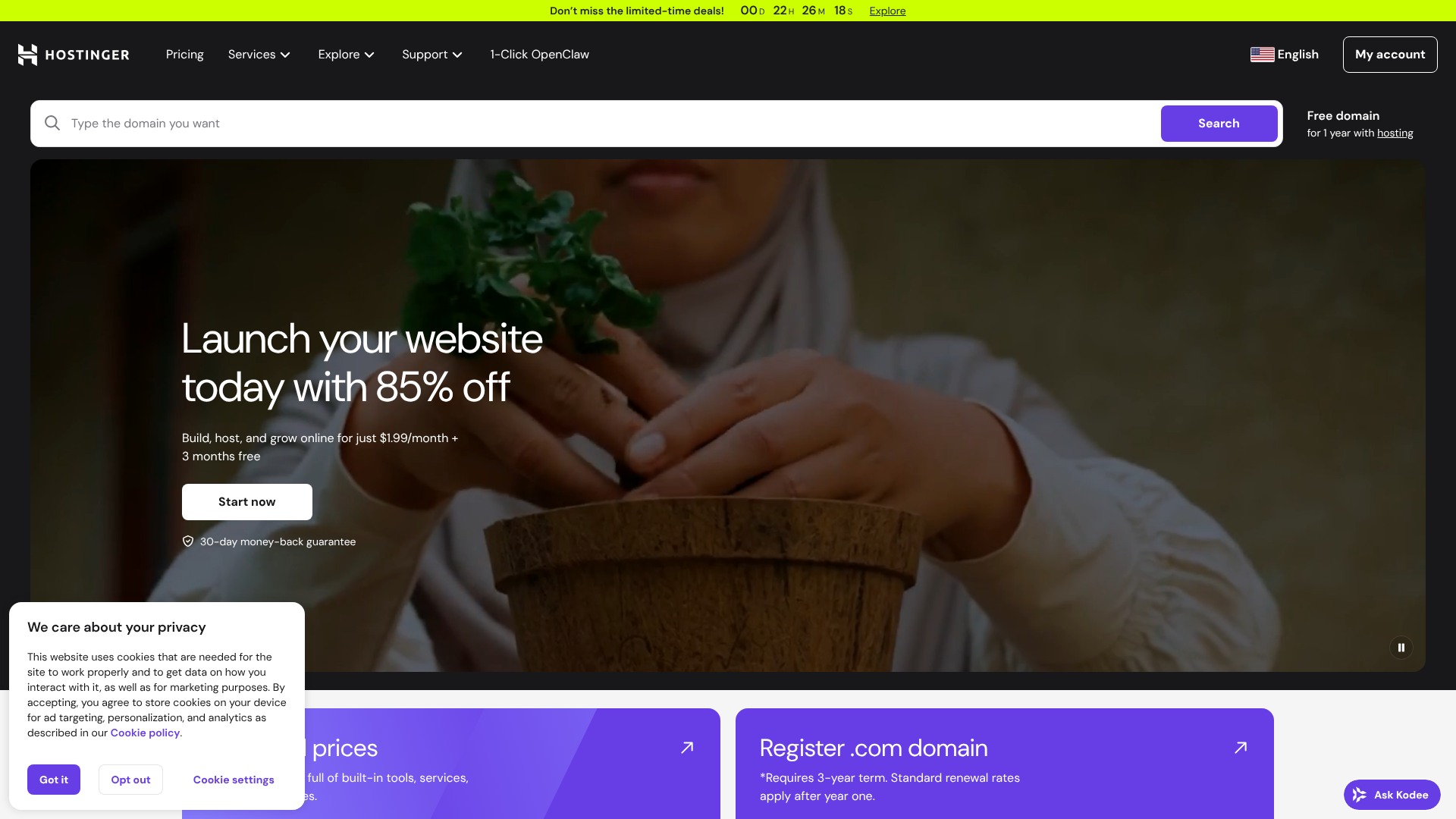
Hostinger offers some of the most competitive pricing in the industry without sacrificing performance. Their Premium shared hosting plan often includes a free domain name, making it an incredible value for those on a tight budget.
- Pros: Unbeatable introductory prices, fast loading speeds for the cost, modern and intuitive control panel (hPanel).
- Cons: Customer support is good but primarily via live chat, and the lowest prices require a long-term commitment.
3. Squarespace
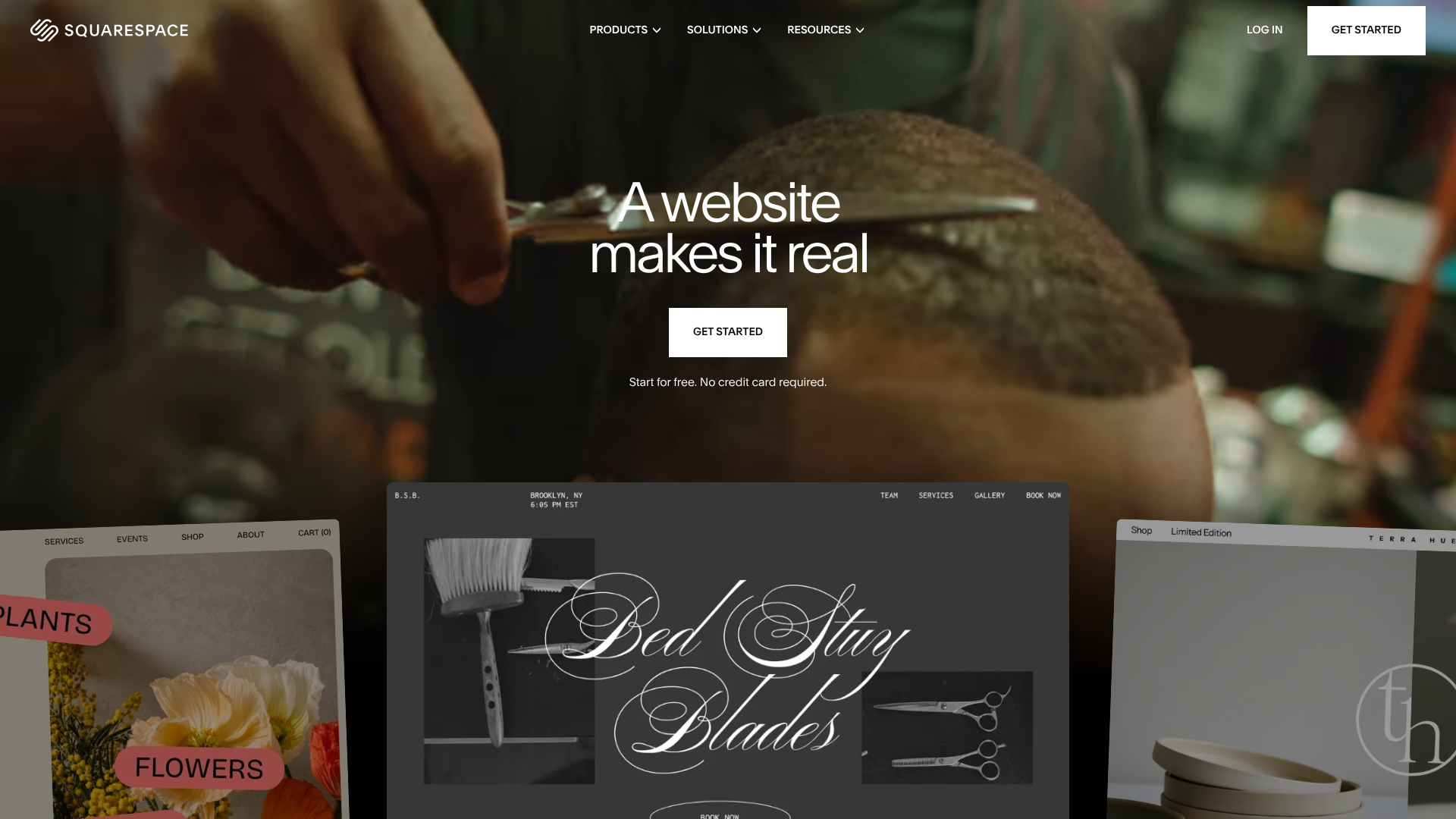
For those who want an all-in-one solution, Squarespace is a website builder that bundles the domain, hosting, and design tools into a single subscription. You don't manage the hosting yourself; you just build your site.
- Pros: Incredibly simple drag-and-drop builder, beautiful templates, all technical aspects are handled for you.
- Cons: Less flexible than a self-hosted WordPress site, you can't easily move your site to another platform, and it can be more expensive over time.
Best for Standalone Domain Registration
If you choose to keep your domain separate, you need a reliable and affordable registrar.
1. Namecheap

As their name suggests, Namecheap is known for its competitive domain pricing. More importantly, they include free lifetime WHOIS privacy protection with every domain, a feature that can cost £10/year elsewhere. Their management panel is clean and easy to use.
- Pros: Low registration and renewal prices, free WHOIS privacy forever, solid security features.
- Cons: Their web hosting services are not as highly regarded as their domain registration.
Best for High-Performance Hosting (When Bought Separately)
Once you have your domain from a registrar, you can pair it with a top-tier hosting provider.
1. SiteGround

SiteGround is a fantastic choice for those who have outgrown basic shared hosting. They are known for their excellent server performance, proactive security, and arguably the best customer support in the business.
- Pros: Blazing-fast speeds, top-notch 24/7 support, powerful security features included.
- Cons: Prices are higher than budget hosts, and they no longer use cPanel, which might be a drawback for some users.
2. WP Engine
For serious WordPress websites, WP Engine offers premium managed hosting. They handle all the technical aspects of running WordPress—updates, security, caching, and backups—so you can focus on your content and business. It's a high-end service with a price to match.
- Pros: Exceptional speed and reliability, expert WordPress support, automated daily backups, and advanced security.
- Cons: It's expensive and only works for WordPress websites.
Pricing and Cost Comparison: What to Expect
Understanding the costs involved in both domain registration and web hosting is key to budgeting for your website. Be wary of attractive introductory offers, as renewal rates are often much higher. Here’s a breakdown of typical costs.
| Service / Feature | Typical Annual Cost (GBP) | Notes |
|---|---|---|
| Domain Registration | ||
.com / .co.uk Domain | £8 – £15 | Initial registration and renewal. Prices vary by TLD. |
Premium TLDs (.io, .ai) | £30 – £80+ | Niche or new TLDs are more expensive. |
| WHOIS Privacy | £0 – £10 | Free with providers like Namecheap, an add-on cost with others. |
| Web Hosting | ||
| Shared Hosting | £24 – £120 | Best for beginners. Price depends on introductory offers. e.g., Hostinger. |
| VPS Hosting | £180 – £720 | For growing sites that need more resources. |
| Managed WordPress Hosting | £240 – £1200+ | Premium service for serious sites. e.g., WP Engine. |
The Cost of Domain Registration
The price of a domain name is fairly straightforward. You pay an annual fee to keep it registered in your name. The main variables are the TLD you choose and the registrar's pricing for renewals and add-ons. A standard .com or .co.uk is usually affordable, but trendy TLDs can be significantly more expensive.
Always check the renewal price, not just the first-year cost.
The Cost of Web Hosting
Hosting costs vary dramatically based on the type of hosting you need. Most people start with shared hosting, which is very affordable because you are sharing server resources with many other websites. As your website grows in traffic, you may need to upgrade to a VPS (Virtual Private Server) or even a dedicated server, which offers more power and resources at a higher price. The biggest thing to watch for is the promotional vs.
renewal pricing. A £2/month deal might renew at £8/month after the initial term.
Frequently Asked Questions (FAQ)
Here are answers to some of the most common questions people have when trying to understand the relationship between hosting and domain registration.
Can I own a domain without hosting?
Yes, absolutely. You can register a domain name and not point it to any hosting service. This is called 'parking' a domain. People do this to reserve a name for a future project, to protect their brand, or simply to sell the domain later.
A parked domain won't display a website; it might show a simple page from the registrar or nothing at all.
Can I run my website without a domain?
Technically, yes, but it's not practical or professional. A web host will assign your site a temporary URL or a shared IP address that you could use to access it. However, this address is long, difficult to remember, and terrible for branding and SEO. For any public-facing website, a custom domain name is non-negotiable.
What are the 4 main types of hosting?
There are four primary categories of web hosting, each catering to different needs:
Shared Hosting: The most common and affordable type. You share server resources with hundreds of other websites. It's perfect for beginners, personal blogs, and small business websites.
VPS (Virtual Private Server) Hosting: A step up from shared hosting. You still share a physical server, but you get a dedicated virtual partition with guaranteed resources. It offers more control and performance for growing websites.
Dedicated Server Hosting: You rent an entire physical server for your exclusive use. This provides maximum power, control, and security, but it's expensive and requires technical expertise to manage. 4.
Cloud Hosting: This uses a network of connected servers to host your site. It's highly scalable and reliable, as your site can pull resources from multiple servers. Managed WordPress hosts like Kinsta often use cloud infrastructure.
Is GoDaddy a domain registrar or a hosting provider?
GoDaddy is both. Like many other large web service companies (HostGator, Bluehost, etc.), they offer both domain registration and a wide variety of web hosting plans. This allows them to be a one-stop-shop for customers, which is convenient but also highlights the importance of deciding whether to bundle or separate your services.
Which hosting is best for beginners?
For most beginners, shared hosting is the best starting point. It's the most affordable option and provides more than enough resources to get a new website off the ground. Providers like Bluehost and Hostinger are excellent choices because they offer low introductory prices, a user-friendly experience, and often include a free domain name to simplify the process.
Final Thoughts: Making the Right Choice for Your Project
Understanding the distinction between hosting vs domain registration is a fundamental step in building a successful online presence. To recap: your domain is your unique address, and your hosting is the home where your website lives. You must have both, and they must be connected via DNS to work.
The most critical decision you'll face is whether to bundle these services for convenience or purchase them separately for flexibility. There is no wrong answer, only the right choice for your specific situation. If you're just starting out and want the simplest path forward, a bundled plan is a fantastic option.
For a final recommendation:
- If you're a beginner building your first site: Go with a bundled plan from a provider like Bluehost or Hostinger to get a free domain and an easy setup.
- If you value long-term control and plan to grow: Buy your domain from a dedicated registrar like Namecheap and pair it with a high-quality host like SiteGround.
- If you're serious about a WordPress-based business: Register your domain at Namecheap and invest in premium managed hosting from WP Engine for the best possible performance and security.