
How to Start Web Hosting with HostGator: A Beginner's Guide
Choosing a provider for web hosting with HostGator is a popular first step for many new website owners, bloggers, and small businesses. Known for its affordable plans and beginner-friendly tools, it offers a straightforward path to getting a website online. However, understanding the different types of hosting, features, and the actual setup process can feel overwhelming if you're new to it all.
- What You'll Learn
- An Overview of HostGator's Web Hosting Services
- A Deep Dive into HostGator Hosting Plans
- Core Features of Web Hosting with HostGator
- Understanding HostGator's Pricing and Value
- HostGator vs. The Competition: A Quick Comparison
- The Pros and Cons of Using HostGator
- How to Set Up Your Website with HostGator: A Step-by-Step Guide
- Step 1: Choose Your Hosting Plan
- Step 2: Register a Domain Name
- Step 3: Confirm Your Plan and Billing Cycle
- Step 4: Enter Your Billing Information
- Step 5: Review and Deselect Add-ons
- Step 6: Complete Your Purchase
- Step 7: Install WordPress
- Navigating HostGator's Customer Support and Resources
- Performance and Reliability: Can HostGator Handle Your Traffic?
- What Real Users Say: HostGator Reviews and Testimonials
- Frequently Asked Questions (FAQ)
- Is HostGator a good web host?
- How much does HostGator hosting cost?
- Which is better, Bluehost or HostGator?
- What are the disadvantages of HostGator?
- Is HostGator good for beginners?
- Final Thoughts
This guide breaks down everything you need to know about HostGator web hosting. We'll walk you through selecting the right plan, setting up your site step-by-step, and understanding the key features that will help you succeed. By the end, you'll have a clear roadmap to launch your website with confidence.
What You'll Learn
- Plan Selection: Understand the key differences between HostGator's shared, WordPress, and VPS hosting plans to choose the one that fits your budget and needs.
- Core Features: Discover the essential tools included with HostGator hosting, such as the cPanel control panel, free SSL certificates, and the one-click WordPress installer.
- Step-by-Step Setup: Follow a detailed walkthrough on how to sign up, register a domain, and install WordPress to get your website live quickly.
- Performance Insights: Learn about HostGator's uptime guarantee, customer support options, and how its performance stacks up for small to medium-sized websites.
- Pros and Cons: Get a balanced view of HostGator's strengths, like its affordability and user-friendliness, alongside its weaknesses, such as higher renewal rates.
An Overview of HostGator's Web Hosting Services
HostGator is one of the most recognisable names in the web hosting industry, founded in a university dorm room in 2002. It has since grown to host millions of websites, establishing itself as a go-to option for individuals and small businesses looking for reliable and cost-effective hosting solutions. The company's appeal lies in its blend of simplicity, comprehensive features, and competitive introductory pricing.
At its core, HostGator provides the server space and technology necessary for a website to be viewed on the internet. When you purchase a hosting plan, you're essentially renting space on a server where your website's files, images, and databases are stored. When someone types your domain name into their browser, HostGator's servers deliver those files to the visitor's screen.
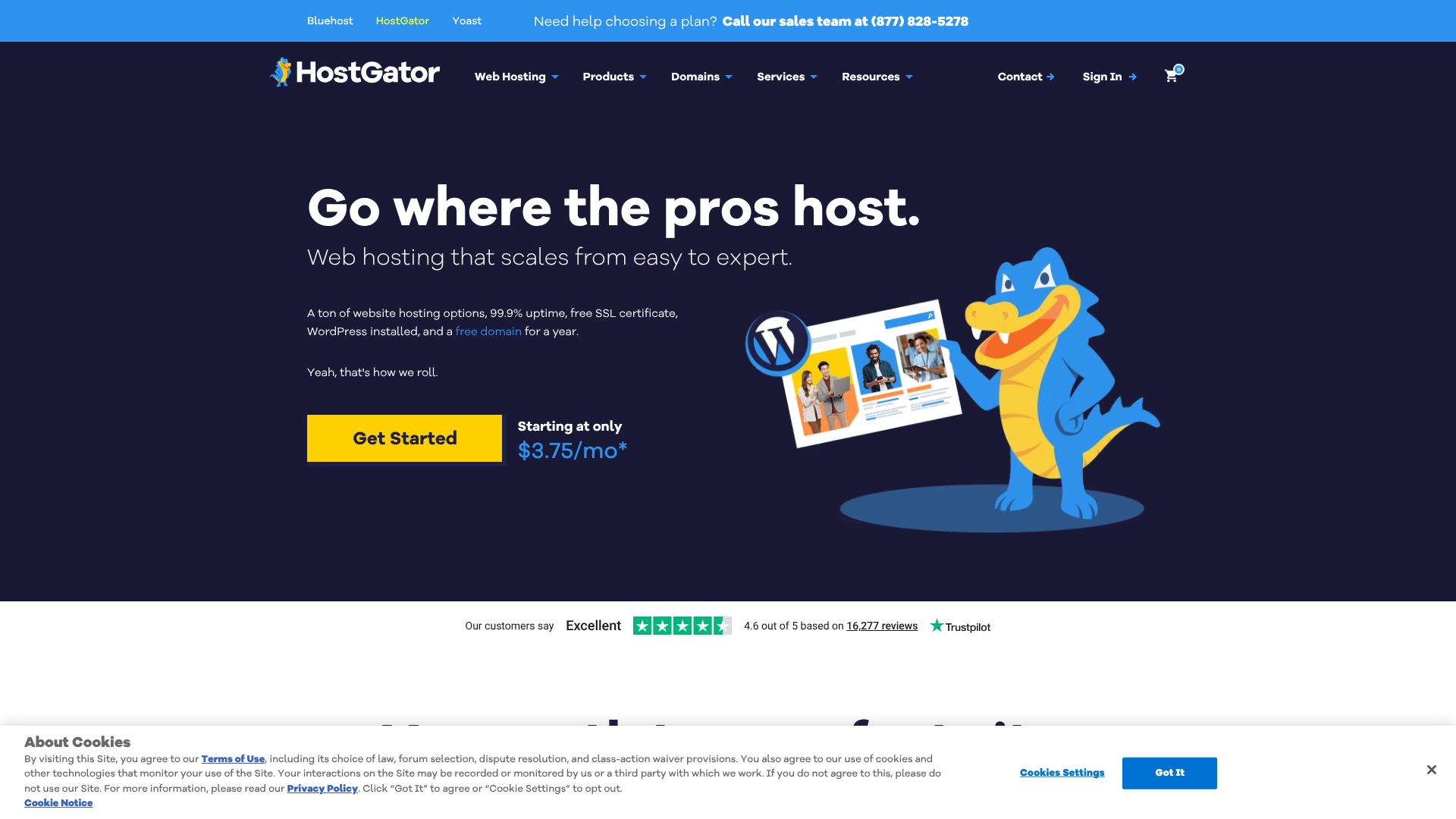
What sets HostGator apart for many users, especially beginners, is its user-friendly approach. Every shared hosting plan comes with the industry-standard cPanel control panel, which offers a graphical interface to manage your website, emails, and domains without needing to know how to code. This focus on accessibility makes web hosting with HostGator a less intimidating experience for those without a technical background.
A Deep Dive into HostGator Hosting Plans
Choosing the right plan is the most critical first step. HostGator organises its services into several tiers, each designed for different needs, traffic levels, and technical requirements. Understanding these HostGator hosting plans ensures you don't overpay for resources you don't need or choose a plan you'll quickly outgrow.

Shared Hosting
This is the most popular and affordable option, perfect for new websites, blogs, and small business sites. With shared hosting, your website shares server resources (like CPU and RAM) with other websites on the same server. It's a cost-effective solution because the server costs are split among many users.
HostGator offers three shared hosting plans:
- Hatchling Plan: The entry-level plan. It allows you to host a single website and comes with unmetered bandwidth and a free SSL certificate. It's ideal for a personal blog or a simple portfolio site. * Baby Plan: The most recommended plan.
It includes everything in the Hatchling plan but allows you to host unlimited websites. This is the best choice if you plan to run multiple projects. * Business Plan: The top-tier shared plan. It adds features like a free dedicated IP, SEO tools, and an upgrade to a Positive SSL, which can help build trust with visitors and customers.
Managed WordPress Hosting
For those who know their website will be built on WordPress, these plans offer an optimised environment. Managed WordPress hosting provides faster speeds, enhanced security, and automatic updates specifically for the WordPress platform. The servers are configured to handle WordPress's specific demands, often resulting in better performance compared to a standard shared plan.
These plans are slightly more expensive than shared hosting but can be a worthwhile investment for serious bloggers or businesses that rely on their WordPress site. They also simplify maintenance, as HostGator's team handles many of the technical backend tasks, freeing you up to focus on creating content.
VPS (Virtual Private Server) Hosting
VPS hosting is the next step up from shared hosting. It still involves sharing a physical server, but it uses virtualisation technology to create dedicated, private resources for your website. This means you get a guaranteed amount of CPU, RAM, and storage that isn't affected by other users on the server.
This type of web hosting from HostGator is suitable for websites that have outgrown shared hosting and need more power, control, and flexibility. It gives you root access, allowing you to install custom software and configure the server environment to your exact specifications. It's a good middle ground before needing a fully dedicated server.
Dedicated Server Hosting
Dedicated hosting is the most powerful option available. With this plan, you rent an entire physical server exclusively for your website. You have complete control over the hardware, operating system, and all software. This provides maximum performance, security, and customisation.
Dedicated servers are designed for high-traffic websites, large e-commerce stores, and complex applications that require significant resources. It's the most expensive option and typically requires technical expertise to manage effectively, though HostGator does offer managed and semi-managed options.
| Feature | Hatchling Plan | Baby Plan | Business Plan |
|---|---|---|---|
| Websites Allowed | 1 | Unlimited | Unlimited |
| Storage | 10 GB SSD | 20 GB SSD | 40 GB SSD |
| Free Domain | Yes (1 year) | Yes (1 year) | Yes (1 year) |
| Free SSL | Yes | Yes | Yes (Positive SSL) |
| Dedicated IP | No | No | Yes |
| SEO Tools | No | No | Yes |
| Best For | Single basic site | Multiple sites | Small business sites |
Core Features of Web Hosting with HostGator
Beyond just server space, the features included with a hosting plan can significantly impact your experience managing a website. HostGator bundles a comprehensive set of tools designed to make website creation and management as smooth as possible, particularly for users who aren't web developers.
One of the most important features is the cPanel Control Panel. This is the administrative dashboard for your hosting account. From cPanel, you can manage your website files, create and manage email accounts (like you[[@yourdomain](https://[twitter](https://twitter.com/yourdomain).com/yourdomain).com](https://www.(https://www.instagram.com/yourdomain.com/).com/yourdomain.com/)), set up databases for platforms like WordPress, and monitor your site's resource usage. Its icon-based interface simplifies complex tasks, making it accessible for everyone.
Another critical feature is the free SSL certificate included with all plans. An SSL certificate encrypts the data transmitted between your website and its visitors, which is essential for security and trust. It's also a confirmed Google ranking factor. Websites with SSL enabled show a padlock icon in the browser's address bar and use https:// instead of http://, signalling to visitors that their connection is secure.
For those looking to build a site quickly, HostGator offers a one-click installer for popular applications like WordPress, Joomla, and Magento. With just a few clicks, you can have a fully functional WordPress site ready for customisation, saving you the time and hassle of a manual installation. They also provide their own Website Builder, a drag-and-drop tool that comes with hundreds of templates, allowing you to create a professional-looking site without writing any code.
Finally, the 99.9% uptime guarantee is a promise of reliability. This means HostGator guarantees your website will be online and accessible at least 99.9% of the time. While no host can promise 100% uptime, this guarantee provides peace of mind and offers service credits if they fail to meet this standard.
Understanding HostGator's Pricing and Value
HostGator is well-known for its highly attractive introductory prices, which often makes it a top choice for those starting on a tight budget. It's common to see deals offering hosting for just a few pounds per month. However, it's crucial to understand how their pricing structure works to avoid surprises down the line.
The low advertised prices are promotional rates for your first term of service. To get the best deal, you typically need to sign up for a longer period, such as 24 or 36 months. When your initial term expires, the plan renews at the regular, non-promotional rate, which is significantly higher. This is a standard practice in the hosting industry, but it's something every new customer should be aware of.
To assess the true value, consider what's included for the price. HostGator plans come with a free domain name for the first year, which saves you around £10-£15. They also include a free SSL certificate, unmetered bandwidth, and one-click installers. These bundled features add considerable value, especially for beginners who would otherwise have to purchase them separately.
HostGator also offers a generous 45-day money-back guarantee, which is longer than the industry standard of 30 days. This gives you ample time to test their services and decide if they are the right fit for your project. If you're not satisfied within the first 45 days, you can cancel your plan and receive a full refund for the hosting fees. Note that this guarantee typically doesn't cover add-ons like domain name registrations.
For the latest and most accurate costs, it's always best to visit the HostGator website directly, as promotions and regular rates can change. Check their pricing page to see the current introductory offers and the corresponding renewal rates for each plan.
HostGator vs. The Competition: A Quick Comparison

When researching web hosting, you'll inevitably come across other big names like Bluehost and GoDaddy. All three target a similar audience of beginners and small businesses, but they have subtle differences in their offerings and approach.
HostGator vs. Bluehost
HostGator and Bluehost are sister companies, both owned by Newfold Digital, and share many similarities. Both offer affordable shared hosting, cPanel, and one-click WordPress installation. Bluehost is officially recommended by WordPress.org, and its interface is often considered slightly more modern and streamlined, especially for WordPress users. Its guided setup process can be very helpful for absolute beginners.
On the other hand, HostGator's plans are sometimes slightly cheaper, and its 45-day money-back guarantee is more generous than Bluehost's 30-day policy. HostGator also offers more flexibility with monthly billing cycles, whereas Bluehost often pushes for longer-term commitments. The choice between them often comes down to small preferences in user interface and pricing promotions at the time of purchase.
HostGator vs. GoDaddy
GoDaddy is arguably the world's largest domain registrar and also a major player in the hosting space. GoDaddy's main strength is its massive ecosystem of products, including domains, hosting, email marketing, and online bookkeeping, making it a one-stop-shop for many businesses. Their phone support is often praised for being readily available.
However, HostGator's hosting plans are often seen as providing better value. GoDaddy's interface can feel cluttered with upsells for their other services, which can be confusing for new users. While both are solid choices for beginners, HostGator's focus is more squarely on providing straightforward web hosting, which can lead to a more focused and less complicated user experience.
Pro Tip: When comparing hosts, look beyond the introductory price. Consider the renewal rate, the features included (like SSL and backups), and the length of the money-back guarantee to determine the best long-term value for your project.
The Pros and Cons of Using HostGator
No web host is perfect for everyone. Understanding the advantages and disadvantages of web hosting with HostGator can help you make an informed decision. Here’s a balanced look at what they do well and where they could improve.
Pros of HostGator Web Hosting
- Affordable Introductory Pricing: HostGator's low initial prices make it extremely accessible for anyone starting a new website on a budget. You can get a site online for just a few pounds a month.
- User-Friendly for Beginners: With the intuitive cPanel and one-click installers for apps like WordPress, HostGator makes it easy for non-technical users to get started and manage their site.
- Generous Money-Back Guarantee: The 45-day money-back guarantee provides a longer-than-average trial period, giving you plenty of time to ensure the service meets your expectations.
- Good Uptime Reliability: HostGator offers a 99.9% uptime guarantee, which is standard for the industry and means your site should be consistently available to visitors.
- Comprehensive Customer Support: They provide 24/7/365 support via live chat and phone, ensuring you can get help whenever you need it. Their knowledge base is also extensive.
Cons of HostGator Web Hosting
- High Renewal Rates: Like many hosts, the low introductory price jumps significantly upon renewal. It's important to budget for the regular rate after your first term ends.
- Performance Can Be Average: While reliable, the speed on their shared hosting plans may not be the fastest on the market, especially for sites with heavy traffic or lots of plugins. Users on platforms like Reddit sometimes mention that sites can feel slow under load.
- Upselling During Checkout: The signup process includes several pre-selected add-ons that you may not need. You have to be careful to uncheck these boxes to avoid extra costs.
- Basic Backup Solution: While they do offer backups, the included service is quite basic. For more robust, automated daily backups, you often need to purchase a paid add-on.
How to Set Up Your Website with HostGator: A Step-by-Step Guide
Getting your website live with HostGator is a straightforward process. This guide will walk you through each step, from choosing your plan to installing WordPress. For a visual walkthrough, the video below provides an excellent overview.
Step 1: Choose Your Hosting Plan
First, navigate to the HostGator website and select a hosting plan. For most beginners, the shared hosting 'Baby Plan' is the best starting point because it allows you to host multiple websites in the future without needing to upgrade. Click the 'Buy Now' button on the plan that best suits your needs.
Step 2: Register a Domain Name
On the next screen, you'll be prompted to choose a domain name. This is your website's address on the internet (e.g., yourwebsite.co.uk). If you don't have one yet, you can register a new one for free for the first year. Type your desired domain into the box to see if it's available.
If you already own a domain name registered elsewhere, you can select the 'I Already Own This Domain' tab and enter it there. You'll need to update your domain's nameservers to point to HostGator later.
Step 3: Confirm Your Plan and Billing Cycle
Next, you'll confirm your package details. You'll see the plan you chose, and you can select your billing cycle. The longest term (36 months) offers the lowest monthly price. This is also where you'll create your HostGator account by entering your email address and a password.
Step 4: Enter Your Billing Information
Scroll down and enter your payment information. HostGator accepts credit cards and PayPal. Fill in your personal details and payment method to proceed.
Step 5: Review and Deselect Add-ons
This is an important step. HostGator will have several 'Additional Services' pre-selected. These might include SSL certificate upgrades, SiteLock security, and professional email. Carefully review these and uncheck any that you don't need right now.
The free SSL certificate included with your plan is sufficient for most new sites.
Step 6: Complete Your Purchase
Finally, review your order summary. Check that the plan, term length, and total cost are correct. Once you're satisfied, click the 'Checkout Now' button. After your payment is processed, you'll receive a welcome email with your login details for your new hosting account.
Step 7: Install WordPress
Log in to your HostGator customer portal. From there, you can access your cPanel. Look for the 'WordPress Installer' or 'Softaculous Apps Installer' icon. Click it, and follow the on-screen instructions to install WordPress on your domain.
You'll choose your domain, set a site name, and create an admin username and password. Once the installation is complete, you can log in to your WordPress dashboard at yourdomain.com/wp-admin and start building your site.
Navigating HostGator's Customer Support and Resources
When you're running a website, especially if you're new to it, having access to reliable support is crucial. Problems can arise at any time, from a technical glitch to a simple question about setting up an email account. HostGator understands this and offers a robust support system available 24 hours a day, 7 days a week, 365 days a year.
The primary channels for support are live chat and phone support. Live chat is often the quickest way to get help for straightforward issues. You can access it directly from their website and are usually connected with an agent within minutes. For more complex or urgent problems, phone support allows you to speak directly with a support technician who can walk you through troubleshooting steps.
Beyond direct support, HostGator maintains an extensive Knowledge Base. This is a large online library of articles, guides, and video tutorials that cover a vast range of topics. Whether you want to learn how to transfer a domain, set up an email forwarder in cPanel, or optimise your WordPress site, there's likely a guide for it. Before contacting support, it's often worth searching the Knowledge Base, as you can frequently find a solution to your problem instantly.
HostGator also has a customer portal where you can manage your billing, domains, and hosting packages, as well as submit support tickets. While the quality of customer support can be subjective and experiences vary, having multiple channels available around the clock is a significant advantage for any website owner.
Performance and Reliability: Can HostGator Handle Your Traffic?
For any website, performance is key. A slow-loading or frequently unavailable site can frustrate visitors and harm your search engine rankings. HostGator's performance is generally considered reliable for the audience it targets: personal blogs, portfolios, and small to medium-sized business websites.
HostGator commits to a 99.9% uptime guarantee. This is an industry-standard promise that your website will be accessible to visitors at least 99.9% of the time over a given month. This translates to no more than about 43 minutes of downtime per month. If they fail to meet this guarantee, you may be eligible for one month of credit on your account.
This shows they are confident in the stability of their server infrastructure.
When it comes to speed, performance on their shared hosting plans is adequate for sites with low to moderate traffic. They use SSD (Solid State Drive) storage on their newer plans, which is significantly faster than traditional hard drives and helps pages load more quickly. However, as your site grows and attracts more visitors, you may notice that shared hosting resources become a bottleneck. This is the point where upgrading to a VPS or managed WordPress plan becomes necessary.
So, can HostGator handle high traffic. The answer depends on your hosting plan. A shared hosting plan is not designed for high-traffic websites. It can handle occasional traffic spikes, but sustained high traffic will require more resources.
A website receiving thousands of visitors per day would be much better suited for a VPS or a dedicated server, both of which HostGator offers as clear upgrade paths.
What Real Users Say: HostGator Reviews and Testimonials
Official marketing materials can only tell you so much. To get a complete picture, it's helpful to look at what actual customers are saying. User reviews for HostGator are generally mixed, which is common for a host of its size, but they highlight a consistent theme: it's a great starting point for beginners but may have limitations for advanced users.
Many positive reviews praise HostGator for its affordability and ease of use. New website owners often report a smooth setup process and appreciate the intuitive nature of cPanel. The 24/7 customer support is frequently mentioned as a key benefit, with many users finding the live chat agents helpful for resolving minor issues quickly.
On the other hand, some of the criticism centres on performance and renewal costs. As some discussions on platforms like Reddit indicate, users with growing websites sometimes find the shared hosting plans to be slow, especially when compared to more premium hosting providers. This is a common trade-off for budget hosting. The significant price increase after the initial promotional period is another frequent complaint, catching some users by surprise if they didn't read the terms carefully during signup.
Overall, the consensus seems to be that web hosting with HostGator offers excellent value for the money, particularly for those who are just starting out. It provides all the essential tools needed to launch and grow a website in a user-friendly package. However, as a website's traffic and technical demands increase, some users find they need to migrate to a more powerful hosting solution to maintain optimal performance.
Frequently Asked Questions (FAQ)
Is HostGator a good web host?
Yes, HostGator is a good web host, especially for beginners, bloggers, and small businesses. Its main strengths are its affordability, user-friendly cPanel interface, and reliable 24/7 customer support. The inclusion of a free domain and SSL certificate provides excellent value for new projects.
However, it may not be the best choice for high-traffic websites or users who require top-tier performance, as its shared hosting speeds can be average compared to more premium providers. It strikes a solid balance between cost, features, and ease of use, making it a strong contender for anyone starting their first website.
How much does HostGator hosting cost?
HostGator's hosting costs vary depending on the plan and billing cycle. Their shared hosting plans often start with promotional pricing as low as £2-£4 per month for the first term, especially if you commit to a 36-month plan. After the initial term, these plans renew at the regular rate, which can be around £8-£15 per month.
VPS and dedicated hosting plans are more expensive, ranging from £20 to over £100 per month. It's always best to check the HostGator website for the most current pricing, as they frequently run promotions.
Which is better, Bluehost or HostGator?
The choice between Bluehost and HostGator often comes down to personal preference, as they are very similar in terms of features, pricing, and performance. Bluehost is officially recommended by WordPress.org and has a slightly more modern user interface that some beginners prefer. It offers a very guided WordPress setup experience.
HostGator, on the other hand, provides a longer 45-day money-back guarantee (compared to Bluehost's 30 days) and sometimes offers more flexible billing options, including monthly plans. Both are excellent choices for new websites, so it's worth comparing their current deals to see which offers better value at the time of purchase.
What are the disadvantages of HostGator?
The main disadvantages of HostGator include high renewal rates after the introductory period, which can be a surprise for new users. Performance on the basic shared hosting plans can be average and may not be suitable for websites with high traffic. Additionally, the checkout process includes several pre-selected add-ons that can increase the initial cost if you don't manually deselect them.
Is HostGator good for beginners?
Absolutely. HostGator is one of the most recommended hosts for beginners. Its combination of an intuitive cPanel, one-click WordPress installation, and a drag-and-drop website builder makes it very easy to get a site online without any technical knowledge. The 24/7 customer support and extensive knowledge base also provide a great safety net for those who are new to web hosting.
Final Thoughts
For anyone looking to launch a new website, blog, or online portfolio, web hosting with HostGator presents a compelling and accessible option. Its blend of affordable introductory pricing, a comprehensive feature set, and a user-friendly management interface makes it an ideal starting point for beginners and small businesses operating on a budget.
The step-by-step process of signing up, choosing a domain, and installing WordPress is streamlined to remove technical barriers, allowing you to focus on what matters most: building your online presence. While it's important to be mindful of the higher renewal rates and the performance limitations of shared hosting for high-traffic sites, the value offered in the initial term is undeniable.
If you're ready to take the first step and build your website on a reliable and easy-to-use platform, HostGator provides all the tools you need to get started. Its generous 45-day money-back guarantee gives you plenty of time to explore its services risk-free and confirm it's the right choice for your project.