
Web Hosting for Cheap: A 2026 Buyer's Guide for Small Projects
Finding reliable web hosting for cheap can feel like searching for a needle in a haystack. You need a home for your website that's fast, secure, and doesn't break the bank, but the market is flooded with offers that seem too good to be true. Striking the right balance between cost and quality is crucial, especially when you're just starting a new blog, portfolio, or small business website. This guide cuts through the noise to help you make an informed decision.
- What to Know
- What is Web Hosting and Why Does Your Project Need It?
- The Main Types of Cheap Web Hosting Explained
- Shared Hosting
- WordPress Hosting (Budget Plans)
- VPS Hosting (Entry-Level)
- Website Builders with Hosting
- How to Choose the Right Provider for Affordable Web Hosting
- Key Features to Look for in Budget Web Hosting
- Top Budget-Friendly Web Hosting Providers for 2026
- 1. Hostinger: Best Overall Value
- 2. Namecheap: Best for Low-Cost Domains and Hosting
- 3. Bluehost: Best for WordPress Beginners
- 4. HostGator: Best All-Rounder with Flexibility
- Budget Hosting Comparison Table
- Understanding the Trade-offs: What Do You Give Up with Cheap Web Hosting?
- Common Mistakes to Avoid When Buying Cheap Hosting
- Pro Tips for Saving Money Without Sacrificing Quality
- What Real Users Say: Sifting Through Customer Reviews
- FAQ: Your Questions on Web Hosting for Cheap Answered
- Can I get web hosting for free?
- How much should I pay for cheap web hosting?
- Is cheap hosting good enough for a small business?
- Can I upgrade my cheap hosting plan later?
- Final Thoughts
We will break down exactly what you get with budget-friendly plans, which features are non-negotiable, and how to spot the hidden costs that can turn a great deal sour. Whether you're a complete beginner or looking to switch to a more cost-effective provider, this guide provides the clarity you need to choose the best affordable web hosting for your project's success.
What to Know
- Shared Hosting is King for Budgets: For most new websites, shared hosting offers the best combination of low cost and necessary features. Providers like Hostinger and Namecheap excel in this area.
- Beware of Renewal Prices: The biggest catch with cheap web hosting is the renewal rate. A £1/month introductory offer can jump to £8/month or more after the initial term. Always check the long-term cost.
- Non-Negotiable Features: Even on a budget, never compromise on a free SSL certificate, decent uptime (99.9%+), and responsive customer support. These are essential for your site's security and reliability.
- Performance vs. Price: Cheaper hosting often means sharing server resources with more users, which can affect your site's speed during peak times. Understand this trade-off before you commit.
- Read the Fine Print: Terms like "unmetered" bandwidth and storage usually have fair use policies. Understand these limits to avoid unexpected issues as your site grows.
What is Web Hosting and Why Does Your Project Need It?
Think of web hosting as renting a plot of land on the internet. Your website is made up of files—text, images, code—and these files need a place to live so people can access them. A web hosting company provides that space on a powerful computer called a server.
When someone types your domain name (e.g., www.yourwebsite.co.uk) into their browser, the browser connects to the server where your files are stored. The server then sends those files back to the user's computer, and your website appears on their screen. Without hosting, your domain name would be an empty address with no house on the land.
So, why is it important. First, it makes your website accessible to the world 24/7. A reliable host ensures your site is always online (this is called uptime). Second, it impacts your site's performance.
The speed of your host's servers directly affects how quickly your pages load, which is a major factor for both user experience and search engine rankings like Google. Finally, having your own hosting gives you control and professionalism. It allows you to have a custom email address (like you@yourwebsite.co.uk) and install software like WordPress, giving you full command over your online presence.
The Main Types of Cheap Web Hosting Explained
When you're looking for budget web hosting, you'll mainly encounter a few specific types. Understanding the differences is key to choosing the right plan for your needs and avoiding paying for resources you don't require.
Shared Hosting
Shared hosting is the most popular and affordable web hosting option, especially for beginners. On a shared plan, your website's files are stored on a server alongside hundreds, sometimes thousands, of other websites. You are all sharing the server's resources, including its processing power (CPU), memory (RAM), and storage space.
This communal arrangement is what makes it so cheap. The provider can spread the cost of maintaining the server across all the users. The main drawback is the "noisy neighbour" effect. If another website on your shared server suddenly gets a huge spike in traffic, it can slow down your site.
However, for new websites with low to moderate traffic, this is rarely an issue and offers unbeatable value.
WordPress Hosting (Budget Plans)
Many companies offer specific "WordPress Hosting" plans. In the budget category, these are typically shared hosting plans that have been optimised for WordPress. This might include pre-installed WordPress, server settings tweaked for better performance, and support staff who are knowledgeable about the platform.
Providers like Bluehost are famous for their beginner-friendly WordPress hosting. While it's still a shared environment, the specialised setup can make managing your WordPress site much easier. If you know for sure that you'll be using WordPress, these plans are an excellent choice.
VPS Hosting (Entry-Level)
Virtual Private Server (VPS) hosting is a step up from shared hosting. While you still share a physical server with other users, you get a dedicated, partitioned slice of its resources. This means another site's traffic spike won't affect your performance. It offers more power and flexibility.
While typically more expensive, some providers offer very cheap unmanaged VPS plans. These are aimed at developers who are comfortable managing a server themselves. For beginners, a managed shared hosting plan is a much safer and easier option. VPS becomes relevant when your site outgrows the limitations of shared hosting.
Website Builders with Hosting
For those who want an all-in-one solution, website builders like Squarespace bundle hosting with their easy-to-use, drag-and-drop design tools. You don't have to worry about finding a separate host, installing software, or managing a server. Everything is handled for you.
This convenience comes at a slightly higher price than basic shared hosting and offers less technical flexibility. You can't, for example, move your site to another host easily. However, for users who prioritise simplicity and design over technical control, it's a fantastic and cost-effective option.

How to Choose the Right Provider for Affordable Web Hosting
Selecting the right provider for affordable web hosting goes beyond just picking the one with the lowest price tag. A thoughtful approach ensures you get a service that is reliable, scalable, and won't cause headaches down the line. Here’s a simple framework to guide your decision.
First, assess your own needs. What kind of website are you building. A simple blog or portfolio has very different requirements from an e-commerce store. Estimate your expected traffic (be realistic—most new sites start small), the amount of storage you'll need for images and files, and your own technical comfort level.
If you're not a developer, a provider with a user-friendly control panel and strong customer support is essential.
Next, prioritise the key features that matter most. As we'll discuss later, uptime, server speed (look for SSD storage), and customer support should be at the top of your list. A host that is frequently down or slow will frustrate visitors and harm your reputation. Look for providers that offer a 99.9% uptime guarantee and have positive reviews regarding their support response times.
Finally, always read the fine print. The most common pitfall in cheap web hosting is the renewal price. An attractive introductory offer of £1.99/month might renew at £9.99/month. Calculate the total cost over two or three years, not just the initial payment.
Also, check the money-back guarantee policy. A 30-day or longer guarantee gives you a risk-free period to test the service and ensure it meets your expectations.
Key Features to Look for in Budget Web Hosting
Even when you're on a tight budget, there are several core features that you should not compromise on. These elements form the foundation of a good hosting experience and ensure your website is secure, accessible, and easy to manage.
Uptime Guarantee: Uptime is the percentage of time your website is online and accessible. Look for a provider that guarantees at least 99.9% uptime. While it sounds high, 99.9% uptime still allows for about 43 minutes of downtime per month. Anything less is unacceptable.
SSD Storage: Your website's files are stored on a drive, similar to your computer's hard drive. Solid-State Drives (SSDs) are significantly faster than traditional Hard Disk Drives (HDDs). A host that uses SSD storage will deliver your website's content to visitors much more quickly, improving user experience and SEO.
Bandwidth and Traffic Limits: Bandwidth is the amount of data that can be transferred between your site and its visitors. Many budget hosts offer "unmetered" or "unlimited" bandwidth, but this is always subject to a fair use policy. For a new site, the limits on even the most basic plans are usually more than sufficient.
Customer Support: When something goes wrong, you need help quickly. Look for providers that offer 24/7 support, preferably through live chat. Test their pre-sales chat to get a feel for their responsiveness and knowledge before you sign up.
Free SSL Certificate: An SSL certificate encrypts the data between your website and your visitors, enabling the secure HTTPS protocol (the padlock in the browser bar). This is essential for security and building trust. There is no reason to pay for an SSL certificate today, as providers like Let's Encrypt offer them for free, and any good host should include one with their plan.
One-Click Installers: Tools like Softaculous, included in most control panels, allow you to install popular applications like WordPress, Joomla, or Magento with a single click. This saves a huge amount of time and technical effort, making it a must-have feature for beginners.
An Intuitive Control Panel: The control panel is your dashboard for managing your hosting account. cPanel is the industry standard and is very user-friendly, but some hosts like Hostinger have developed their own excellent custom panels (hPanel). A clean, logical interface makes tasks like setting up email accounts or managing files much simpler.
Top Budget-Friendly Web Hosting Providers for 2026
After analysing the market for value, performance, and features, here are the top providers offering excellent web hosting for cheap in 2026. These companies deliver a reliable service without demanding a large investment.
1. Hostinger: Best Overall Value
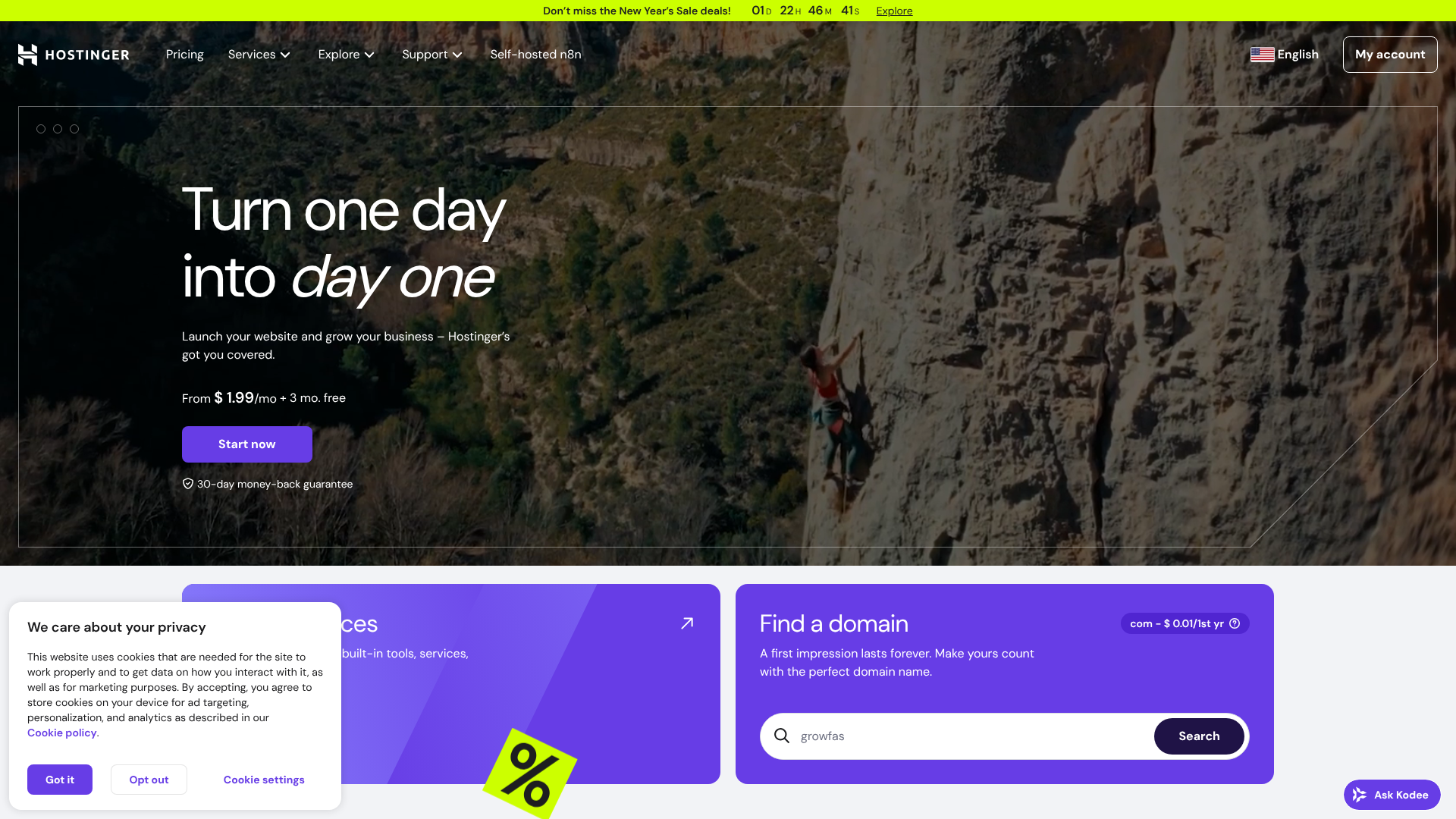
Hostinger has built a reputation for offering some of the lowest prices in the industry without making major compromises on performance. Their introductory plans are incredibly affordable, making them a top choice for anyone starting a new project on a shoestring budget.
They use their own custom-built control panel, hPanel, which is clean, modern, and very easy to navigate. Performance is surprisingly strong for the price, thanks to their use of LiteSpeed web servers and SSD storage across all plans. It's an ideal choice for beginners who want a fast, simple, and extremely cost-effective solution.
Pros
- Extremely low introductory prices.
- Fast performance with LiteSpeed server technology.
- User-friendly hPanel is great for beginners.
Cons
- Renewal rates are significantly higher than the initial price.
- The cheapest plan includes only one email account.
2. Namecheap: Best for Low-Cost Domains and Hosting
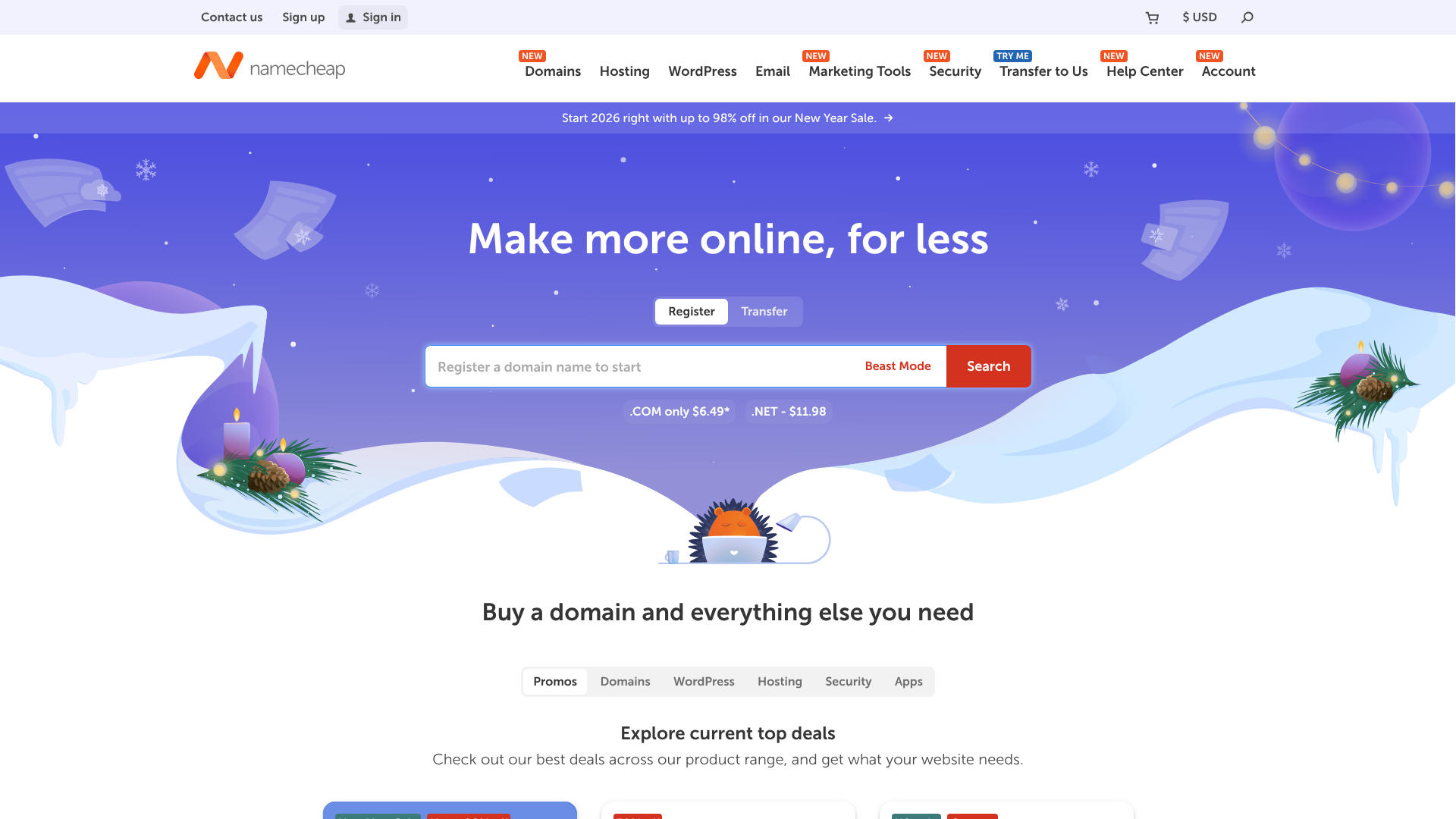
As their name suggests, Namecheap started as a domain registrar but has since become a major player in the cheap web hosting space. Their shared hosting plans are consistently among the most affordable, especially considering they include unmetered bandwidth and a free domain name for the first year.
Namecheap uses the industry-standard cPanel, which many users prefer. A standout feature is their free website migration service, which makes it painless to switch from another provider. Their combination of low prices, solid features, and a 30-day money-back guarantee makes them a very safe bet.
Pros
- Very competitive and transparent pricing.
- Free domain name and website migration.
- Uses the familiar and powerful cPanel.
Cons
- Uptime can sometimes be less consistent than premium competitors.
- Support response times can be slow during peak hours.
3. Bluehost: Best for WordPress Beginners
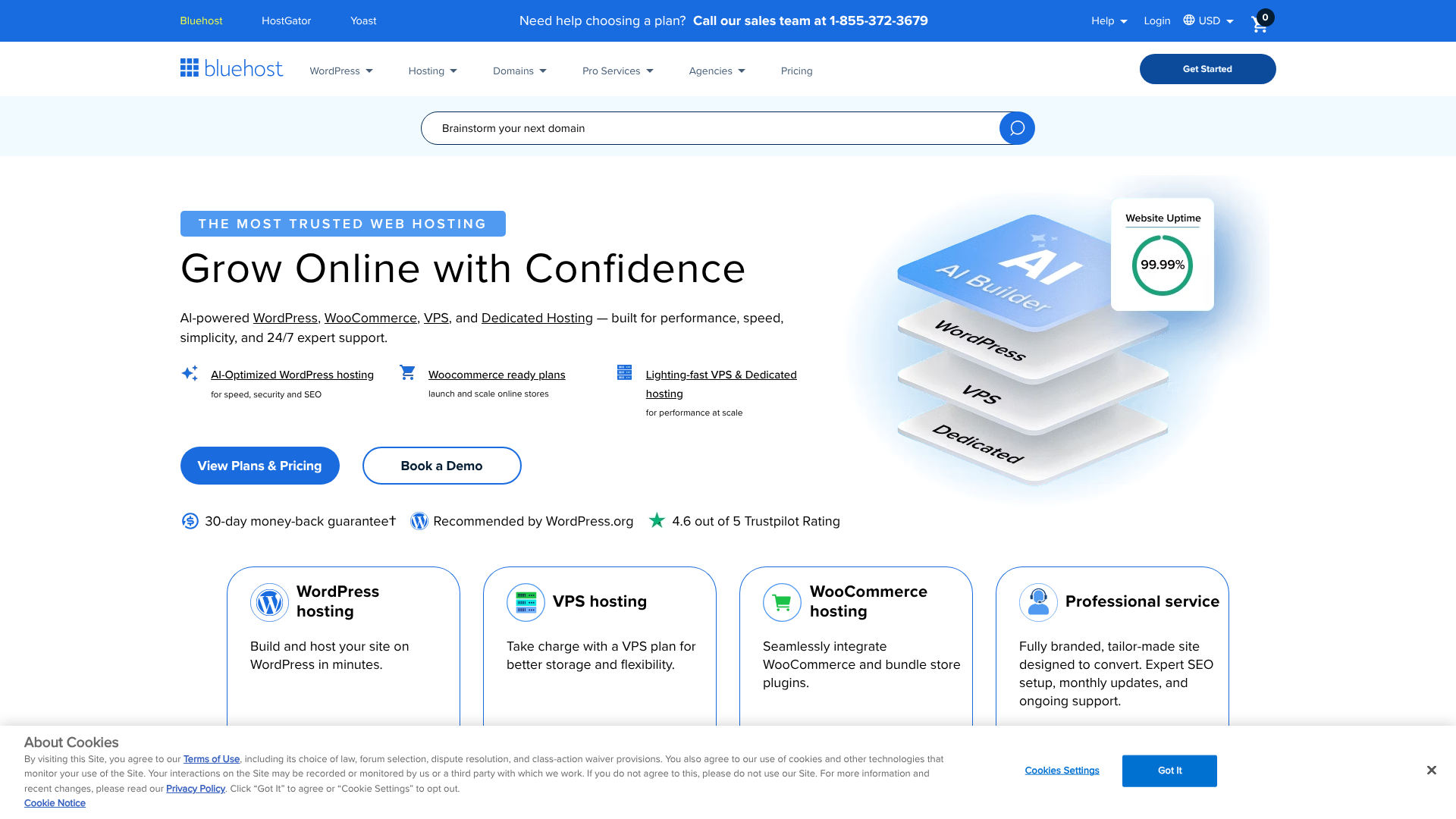
Bluehost is one of the most well-known names in web hosting and is one of only three providers officially recommended by WordPress.org. Their platform is specifically designed to make launching and managing a WordPress site as simple as possible.
Their custom dashboard guides new users through the setup process, and WordPress comes pre-installed. While their introductory prices are low, their real value lies in the ease of use and seamless WordPress integration. If you're building your first WordPress site, Bluehost removes much of the technical intimidation.
Pros
- Officially recommended by WordPress.org.
- Excellent, beginner-friendly user interface and onboarding.
- Free domain name for the first year.
Cons
- Renewal rates are quite high.
- They do not offer monthly billing options on basic plans.
4. HostGator: Best All-Rounder with Flexibility
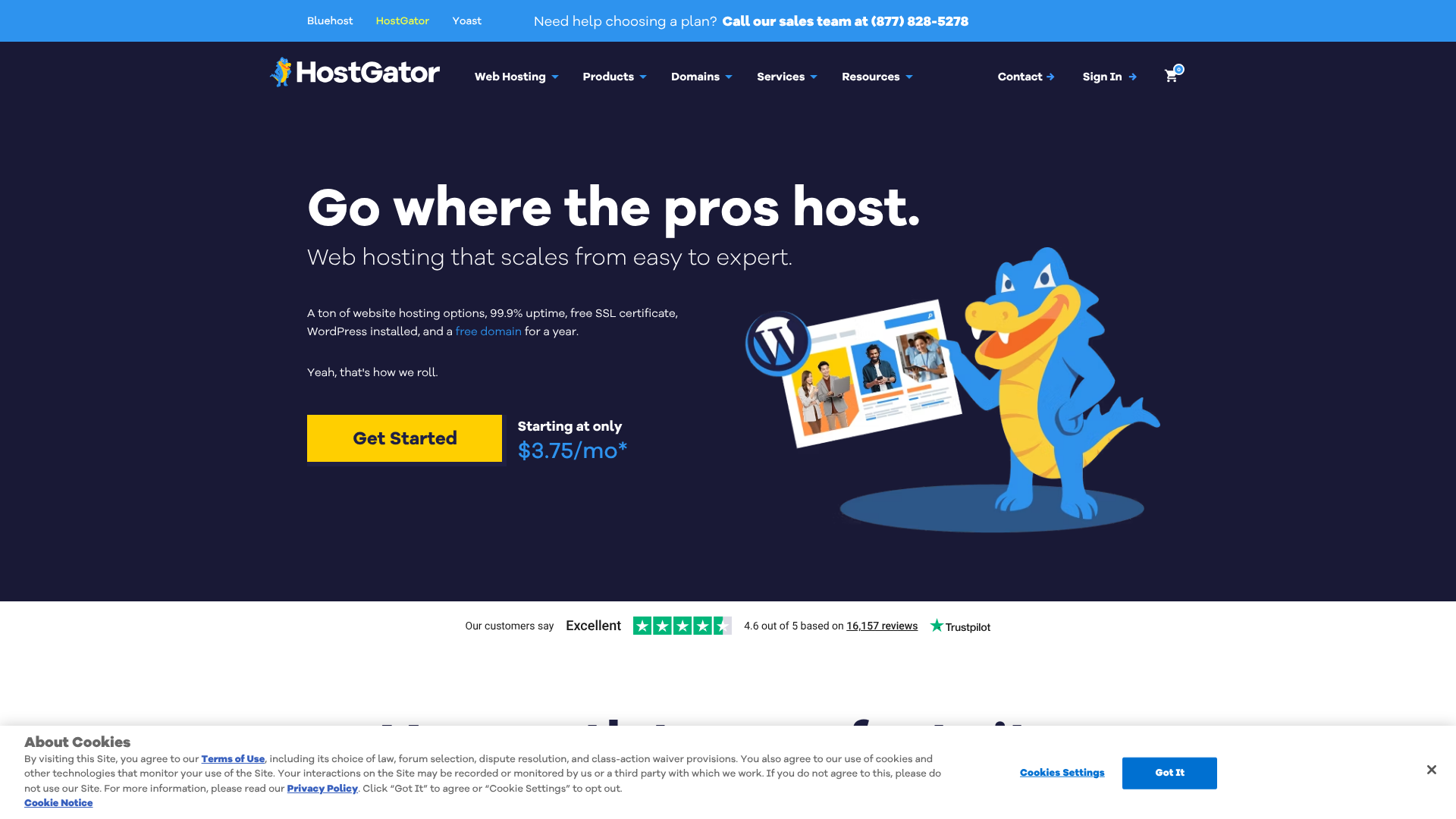
HostGator is another veteran in the hosting industry, known for its reliable service and flexible plans. They offer a great balance of features, performance, and affordability, making them a solid all-round choice for personal and small business websites.
Key benefits include unmetered bandwidth and storage, a free domain for the first year, and a generous 45-day money-back guarantee, giving you extra time to test their service. Their support is available 24/7 via live chat and phone, and they provide a free website transfer service, which adds significant value.
Pros
- Generous 45-day money-back guarantee.
- Unmetered storage and bandwidth on all shared plans.
- Free website and domain transfers.
Cons
- The checkout process includes several pre-selected add-ons you need to uncheck.
- Performance is solid but not the fastest in the budget category.
Budget Hosting Comparison Table
| Feature | Hostinger | Namecheap | Bluehost | HostGator |
|---|---|---|---|---|
| Best For | Overall Value | Rock-Bottom Price | WordPress Beginners | All-Round Flexibility |
| Starting Price | Very Low | Very Low | Low | Low |
| Control Panel | hPanel (Custom) | cPanel | Custom | cPanel |
| Free Domain? | No (on cheapest plan) | Yes (1 year) | Yes (1 year) | Yes (1 year) |
| Money-Back | 30 Days | 30 Days | 30 Days | 45 Days |
| Website | Visit Hostinger | Visit Namecheap | Visit Bluehost | Visit HostGator |
Understanding the Trade-offs: What Do You Give Up with Cheap Web Hosting?
While budget web hosting is an excellent way to get online, it's important to understand the compromises involved. Knowing the potential trade-offs helps you set realistic expectations and determine if a cheap plan is truly the right fit for your project's ambitions.
The most significant trade-off is usually performance. On a shared server, resources are distributed among many users. If your site or a neighbouring site experiences a sudden surge in traffic, you might notice slower loading times. Premium hosts like WP Engine or Kinsta offer dedicated resources and highly optimised environments to prevent this, but at a much higher cost.
Customer support can also be a point of difference. While most budget hosts offer 24/7 support, the quality can vary. You might experience longer wait times, or the support agents may be less experienced compared to those at premium managed hosting companies. For complex technical issues, this can be frustrating.
Finally, you'll find stricter limits on resources and fewer premium features. Things like automatic daily backups, advanced security scanning, and built-in caching systems are often reserved for more expensive plans. With cheap hosting, you may need to manage these tasks yourself or use plugins, which requires a bit more hands-on effort.
Pro Tip: Use a free service like Cloudflare with your budget hosting plan. Cloudflare's CDN (Content Delivery Network) can dramatically speed up your site by caching your content on servers around the world, and it adds an extra layer of security, mitigating many of the performance and security trade-offs of cheap hosting.
Common Mistakes to Avoid When Buying Cheap Hosting
Navigating the world of cheap web hosting can be tricky, and a few common mistakes can lead to frustration and unexpected costs. Being aware of these pitfalls from the start will help you make a much smarter purchase.
Ignoring Renewal Prices: This is the single biggest mistake. A host advertises a plan for £1.99/month, but that price is only valid for your initial term (usually 1-3 years) if you pay upfront. When it's time to renew, the price can jump to £9.99/month or more. Always look for the renewal rate, which is often in the small print, to understand the true long-term cost.
Choosing a Host with Poor Support: Don't underestimate the value of good support. When your site goes down at a critical moment, you need fast, competent help. Before buying, check reviews specifically mentioning customer support experiences. A low price isn't worth it if you're left stranded when problems arise.
Not Checking Uptime Reviews: A host's advertised uptime guarantee is one thing; its actual performance is another. Use third-party review sites and forums to see what real customers say about a provider's reliability. Consistent downtime, even for a few minutes a day, can damage your credibility and SEO.
Buying Unnecessary Add-ons: During the checkout process, many hosts will pre-select a variety of add-ons, such as advanced security, SEO tools, or premium backups. Most of these are unnecessary for a new website. Carefully review your basket and uncheck everything you don't absolutely need. You can always add them later if required.
Forgetting the Money-Back Guarantee: A money-back guarantee is your safety net. It allows you to test the hosting service and see if the performance and support meet your standards. Make sure your chosen provider offers at least a 30-day guarantee. If you're not happy, you can cancel and get a refund without any financial loss.
Pro Tips for Saving Money Without Sacrificing Quality
Getting a great deal on web hosting isn't just about finding the lowest sticker price; it's about maximising value. With a few strategic moves, you can secure quality hosting at the lowest possible cost, ensuring your website has a solid foundation from day one.
First, pay for a longer term upfront. While paying month-to-month offers flexibility, it's almost always the most expensive option. Hosting providers offer their best rates to customers who commit to one, two, or even three years in advance. This locks in the low introductory price for the entire period, protecting you from price increases and saving you a significant amount of money in the long run.
Second, look for valuable freebies. Many of the best affordable web hosting plans bundle in extras that would otherwise cost money. A free domain name for the first year can save you £10-£15. A free SSL certificate is a must-have for security.
And a free website migration service can save you hours of technical work if you're moving an existing site.
Third, start small and scale up. It's tempting to buy a plan with huge amounts of storage and bandwidth, but most new websites don't need it. Choose the most basic plan that meets your initial needs. A good hosting provider will make it easy to upgrade to a more powerful plan with just a few clicks as your website grows and your traffic increases.
This "pay-as-you-grow" approach is the most budget-friendly way to manage your hosting costs.
What Real Users Say: Sifting Through Customer Reviews
Marketing materials can promise the world, but the true test of a hosting provider is the experience of its customers. Sifting through reviews is a critical step in your research, but it's important to know where to look and how to interpret what you find.
Independent review platforms like Trustpilot are a good starting point, but be aware that experiences can be polarised—people are more likely to leave a review if they are either extremely happy or extremely angry. Look for patterns in the feedback. If dozens of reviews mention slow support or frequent downtime, take it seriously.
Online communities like Reddit offer more candid and nuanced discussions. Subreddits such as r/webhosting or r/WordPress are filled with real users sharing their unfiltered experiences. A search for a provider's name in these communities can reveal valuable insights you won't find in polished reviews. For example, in a Reddit discussion about cheap web hosting, users often share specific details about performance, support ticket response times, and billing issues.
When reading reviews, learn to spot the fakes. Overly generic praise or reviews that sound like marketing copy are red flags. The most helpful reviews are specific. They mention the type of website they're running, the problems they encountered, and how the hosting company's support team handled the situation.
This level of detail provides a much clearer picture of what you can expect.
FAQ: Your Questions on Web Hosting for Cheap Answered
Can I get web hosting for free?
Yes, free web hosting exists, but it comes with significant limitations. These services often place ads on your site, offer very limited storage and bandwidth, have slow performance, and provide little to no customer support. They can be useful for testing a small project, but they are not suitable for any serious blog, portfolio, or business website where reliability and professionalism are important.
How much should I pay for cheap web hosting?
For a good quality, entry-level shared hosting plan, you should expect to pay between £1.50 and £4.00 per month for the initial term. This price typically requires you to pay for at least a year upfront. Be prepared for the renewal rate to be significantly higher, often in the range of £7.00 to £12.00 per month. Always factor in the total cost over the full term and renewal period.
Is cheap hosting good enough for a small business?
Absolutely. For most new small businesses, a reliable shared hosting plan is more than sufficient. It can easily handle the traffic levels of a typical brochure-style business website, local service provider, or online portfolio. As the business and its online traffic grow, you can easily upgrade to a more powerful plan like a VPS.
Starting with budget web hosting is a smart financial decision.
Can I upgrade my cheap hosting plan later?
Yes, any reputable hosting provider makes it very easy to upgrade your plan. The process is usually handled directly from your hosting control panel and involves just a few clicks. Your website's files and data are seamlessly moved to the new server environment with no downtime. This scalability is a key advantage, as it allows you to start with an affordable plan and only pay for more resources when you actually need them.
Final Thoughts
Choosing web hosting for cheap doesn't have to mean settling for a poor-quality service. By focusing on value rather than just the lowest price, you can find a provider that offers the speed, reliability, and support your website needs to succeed. The key is to be an informed buyer: understand the different types of hosting, prioritise essential features, and always be aware of the renewal costs.
For most users starting out, a shared hosting plan from a reputable provider is the perfect starting point. It provides all the necessary tools to get your website online without a large financial commitment. As your site grows, you will always have the option to scale up to a more powerful solution.
If you're looking for the best overall value, Hostinger is an excellent choice with its low prices and solid performance. For absolute beginners who plan to use WordPress, the guided experience offered by Bluehost is hard to beat. By weighing your specific needs against the options in this guide, you can confidently choose a host that will serve you well for years to come.