
Kinsta vs WP Engine: Which is Better for Growing Businesses in 2026?
Choosing a managed WordPress host is one of the most critical decisions for a growing business. The right platform can supercharge your site's speed, security, and scalability, while the wrong one can lead to slow load times and constant headaches. Two of the biggest names in the premium hosting space are Kinsta and WP Engine. This detailed comparison of Kinsta vs WP Engine will break down everything you need to know, from raw performance and pricing to developer tools and customer support, helping you make the right choice for your website.
- Quick Summary
- Kinsta vs WP Engine: At a Glance Comparison
- Performance Deep Dive: Who is Faster?
- Pricing Structures Explained: A Kinsta vs WordPress Engine Cost Analysis
- Core Features & Developer Tools: A WP Engine Comparison
- Customer Support Showdown: Who Helps You Better?
- Website Security: How Kinsta and WP Engine Protect You
- User Experience: Navigating the Kinsta and WP Engine Dashboards
- Backup and Restore: Safeguarding Your Digital Assets
- Scalability for Growth: Kinsta vs WP Engine
- Real User Reviews: What Do Customers Say?
- FAQ: Kinsta vs WP Engine
- Who are WP Engine competitors?
- Is Kinsta reliable?
- Why is WP Engine so expensive?
- Why is Kinsta so expensive?
- Which hosting is best for WordPress?
- Final Verdict: Kinsta or WP Engine for Your Business?
Both platforms offer a premium service far beyond standard shared hosting, but they cater to slightly different priorities. Understanding these nuances is key to investing your hosting budget wisely and building a solid foundation for your online presence.
Quick Summary
- Performance and Speed: Kinsta generally has a slight edge in raw performance tests, thanks to its exclusive use of Google Cloud's fastest C2 and C3D machines and integrated Edge Caching.
- Developer Tools: WP Engine stands out with its advanced three-environment staging system (Development, Staging, Production), which is a significant advantage for agencies and complex development workflows.
- Value for Money: Kinsta often provides more value on its entry-level plans by including its Application Performance Monitoring (APM) tool for free, which is an add-on or only available on higher-tier plans with WP Engine.
- Backups and Support: Both offer exceptional 24/7 support, but WP Engine provides a longer backup retention period (60 days vs. Kinsta's 14-30 days) and phone support on higher plans.
- Ease of Use: Kinsta's custom-built MyKinsta dashboard is widely praised for its modern, clean, and intuitive user interface, making it slightly more beginner-friendly than WP Engine's powerful but more complex User Portal.
Kinsta vs WP Engine: At a Glance Comparison

Before we dive deep into the specifics, here is a high-level overview of how these two managed hosting giants stack up against each other.
| Feature | Kinsta | WP Engine |
|---|---|---|
| Primary Infrastructure | Google Cloud Platform (C2/C3D Machines) | Google Cloud Platform & AWS |
| Performance Caching | Server-level + Edge Caching | Proprietary EverCache® Technology |
| Staging Environments | 1 Standard Staging Environment | 3 Environments (Dev, Stage, Prod) |
| Content Delivery Network (CDN) | Kinsta CDN (via Cloudflare) | Cloudflare CDN |
| Backup Retention | 14-30 days (plan-dependent) | 60 days (40 restore points) |
| Customer Support | 24/7 Live Chat (WordPress Experts) | 24/7 Live Chat, Phone Support (Higher Plans) |
| APM Tool | Kinsta APM (Included on all plans) | Add-on or included on higher plans |
| Free Migrations | 1-Unlimited Premium Migrations | Automated Migration Plugin |
| User Dashboard | MyKinsta (Custom Built) | User Portal (Custom Built) |
Performance Deep Dive: Who is Faster?
In the world of web hosting, speed is everything. A faster website leads to better user experience, lower bounce rates, and improved SEO rankings. Both Kinsta and WP Engine are built for performance, but they achieve it through slightly different technological approaches.
Kinsta has built its entire platform on the Google Cloud Platform (GCP), specifically using their Premium Tier network and their fastest available Compute-Optimised C2 and C3D virtual machines. This hardware is some of the best in the industry, providing a powerful foundation for every site hosted on their platform. Kinsta pairs this with a highly optimised software stack, including Nginx, PHP 8.x, and MariaDB, to squeeze every bit of performance out of the servers.
Furthermore, Kinsta's Edge Caching is a significant advantage. It saves your site's cache to Cloudflare's global network of data centres, serving content to visitors from a location physically close to them. This dramatically reduces Time to First Byte (TTFB) and makes your site feel incredibly responsive worldwide. Independent tests often show Kinsta having a slight lead in raw speed metrics because of this powerful combination of top-tier hardware and advanced caching.
WP Engine also uses a combination of Google Cloud and Amazon Web Services (AWS) infrastructure, ensuring high performance and reliability. Their key performance feature is a proprietary caching system called EverCache®. This multi-layered system is aggressively optimised for WordPress, caching pages, database queries, and objects to minimise server load and deliver pages quickly. While highly effective, it doesn't include a global edge caching solution quite like Kinsta's by default, which can result in slightly higher TTFB in some geographic locations.
Verdict: While both are exceptionally fast, Kinsta often wins in head-to-head speed tests due to its consistent use of GCP's fastest servers and its powerful, built-in Edge Caching.
Pricing Structures Explained: A Kinsta vs WordPress Engine Cost Analysis
Both Kinsta and WP Engine are premium hosting providers, and their pricing reflects the quality of their service, support, and infrastructure. They are significantly more expensive than shared hosting, but you get what you pay for in terms of performance and peace of mind.
Kinsta's plans are primarily structured around the number of monthly visits, storage space, and WordPress installs. Their entry-level plans start with a single install and scale up to agency and enterprise plans that can handle dozens or hundreds of sites. One of the most user-friendly aspects of Kinsta's pricing is the clarity around overage charges. If you exceed your plan's visit limits, you're charged a straightforward fee per thousand extra visits.
WP Engine follows a similar model, with tiers based on visits, storage, and the number of sites. A significant benefit of choosing WP Engine is that all plans include the Genesis Framework and over 35 StudioPress themes, a value of over $2,000. This can be a major cost-saver for new businesses or agencies building sites for clients. However, their overage charges can sometimes be more complex to predict than Kinsta's.
When comparing value, it's important to look beyond the base price. Kinsta includes its powerful APM (Application Performance Monitoring) tool on all plans. This tool helps you identify performance bottlenecks in your site's code. On WP Engine, a similar tool is either a paid add-on or only included in their highest-tier plans.
For developers and performance-conscious users, this free inclusion from Kinsta is a massive benefit.
Pro Tip: Always check the current pricing on the official websites before making a decision. Hosting companies frequently update their plans and pricing, and promotional offers can change the value proposition significantly.
Core Features & Developer Tools: A WP Engine Comparison
Beyond speed and support, the day-to-day tools you use to manage your site are crucial. This is an area where a clear difference emerges between the two hosts, particularly for developers and agencies.
Kinsta provides a robust set of tools within its MyKinsta dashboard. You get easy access to SSH, Git, and WP-CLI on all plans. They also offer a fantastic free local development tool called DevKinsta, which allows you to build and test WordPress sites on your local machine and then push them directly to your Kinsta staging environment. Each site on Kinsta comes with one staging environment, which is perfect for testing updates before they go live.
This is where WP Engine truly shines for more complex projects. Most WP Engine plans come with three distinct environments for each site: Development, Staging, and Production. This workflow is invaluable for development teams, allowing them to build in the 'Dev' environment, push to 'Stage' for client review and QA testing, and finally deploy to 'Production' with a single click. This structured process minimises the risk of breaking a live site and is a standard practice in professional web development.
Additionally, WP Engine's inclusion of the Genesis Framework and StudioPress themes provides a solid, SEO-friendly foundation for building new sites. Their platform also features advanced tools like site copy, transferable installs for handing off sites to clients, and automated plugin updates with visual regression testing to catch errors. While Kinsta offers many similar developer-friendly features, WP Engine's three-environment setup is a clear winner for agencies and larger teams.
Customer Support Showdown: Who Helps You Better?
When your website is your business, you can't afford to wait for support. Both Kinsta and WP Engine have built their reputations on providing fast, expert-level customer support, but they have slightly different philosophies.
Kinsta's support model is straightforward: every customer gets access to the same team of expert WordPress engineers via 24/7 live chat. There are no support tiers. Whether you're on the cheapest plan or the most expensive one, you're talking to someone who can solve complex technical problems. Their support team is composed of developers and engineers, not just customer service agents reading from a script.
This approach leads to incredibly fast resolution times, with an average initial response time of under two minutes.
WP Engine also offers award-winning 24/7 support through live chat for all customers. Their support staff are renowned for their deep knowledge of WordPress and the WP Engine platform. On their higher-tier plans (Professional and above), they also add 24/7 phone support, which can be a critical feature for businesses that prefer to talk through complex issues over the phone. User feedback often highlights that WP Engine's support excels at handling large-scale, enterprise-level challenges.
Ultimately, you can't go wrong with either. Both are considered the gold standard for support in the managed WordPress hosting industry. The choice may come down to personal preference: do you value having access to the same expert team as everyone else (Kinsta), or is the option of phone support on higher plans a must-have feature for your business (WP Engine)?
Website Security: How Kinsta and WP Engine Protect You
In today's digital environment, website security is non-negotiable. A single security breach can destroy your brand's reputation and lead to significant financial loss. This is why managed WordPress hosts invest heavily in security, and both Kinsta and WP Engine offer a formidable array of protective measures.
Both platforms provide a comprehensive security foundation. This includes enterprise-grade firewalls, free SSL certificates via Let's Encrypt, automatic daily backups, and two-factor authentication for your hosting account. They both actively and passively scan for malware and other threats, and crucially, both offer a free hack-fix guarantee. If your site is ever compromised while on their platform, their teams will repair it for free.
Kinsta leverages its deep integration with Cloudflare to provide an extra layer of security. This includes DDoS mitigation and a secure firewall that blocks malicious traffic before it even reaches your server. Their infrastructure is also designed for isolation, meaning each website runs in its own container, preventing any potential cross-contamination from other sites on the server.
WP Engine has a dedicated, in-house security engineering team that constantly monitors for threats and updates their platform-level security rules. They have developed their own proprietary security systems and perform regular code reviews and security audits to stay ahead of vulnerabilities. This proactive, hands-on approach provides immense peace of mind.
Verdict: This is another area where it's nearly impossible to declare a clear winner. Both Kinsta and WP Engine offer top-tier, enterprise-grade security that will keep your website safe. Security should not be a deciding factor between them, as both are excellent.
User Experience: Navigating the Kinsta and WP Engine Dashboards
Managing your website should be simple and efficient. The hosting dashboard is your mission control, and its design can significantly impact your workflow. Both Kinsta and WP Engine have moved away from the traditional cPanel, creating their own custom dashboards designed specifically for WordPress.
Kinsta's MyKinsta Dashboard
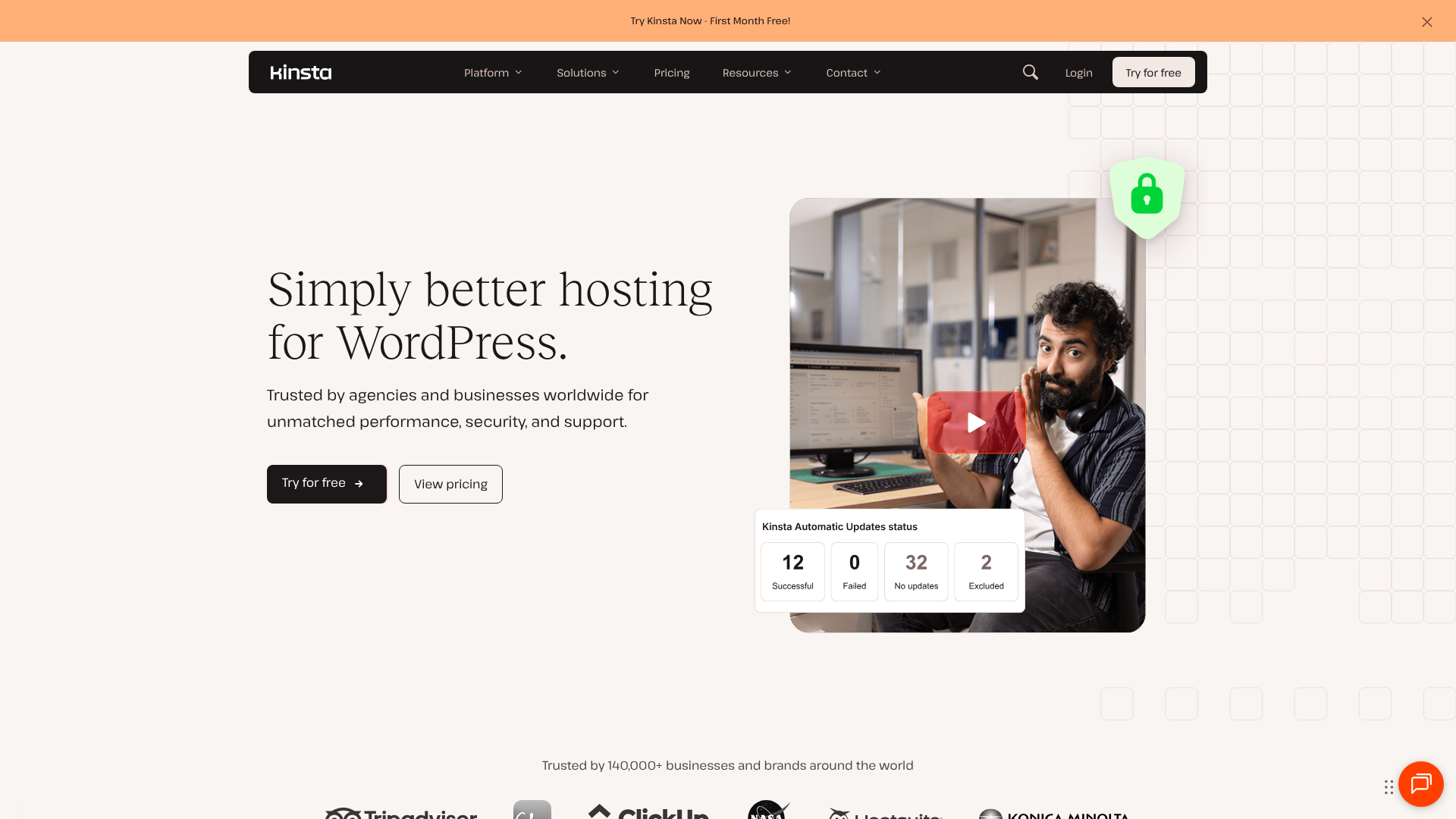
Kinsta's dashboard, MyKinsta, is consistently praised for its clean, modern, and intuitive design. When you log in, you're greeted with a clear overview of all your sites, resource usage, and data transfer. Everything is logically organised, making it easy to find tools for managing backups, clearing the cache, accessing your database, or setting up redirects.
The analytics section is particularly strong, offering detailed insights into your site's performance, traffic, and resource consumption. For users who value a sleek, user-friendly interface that doesn't sacrifice power, MyKinsta is a joy to use. It strikes an excellent balance between simplicity for beginners and advanced tools for developers.
WP Engine's User Portal
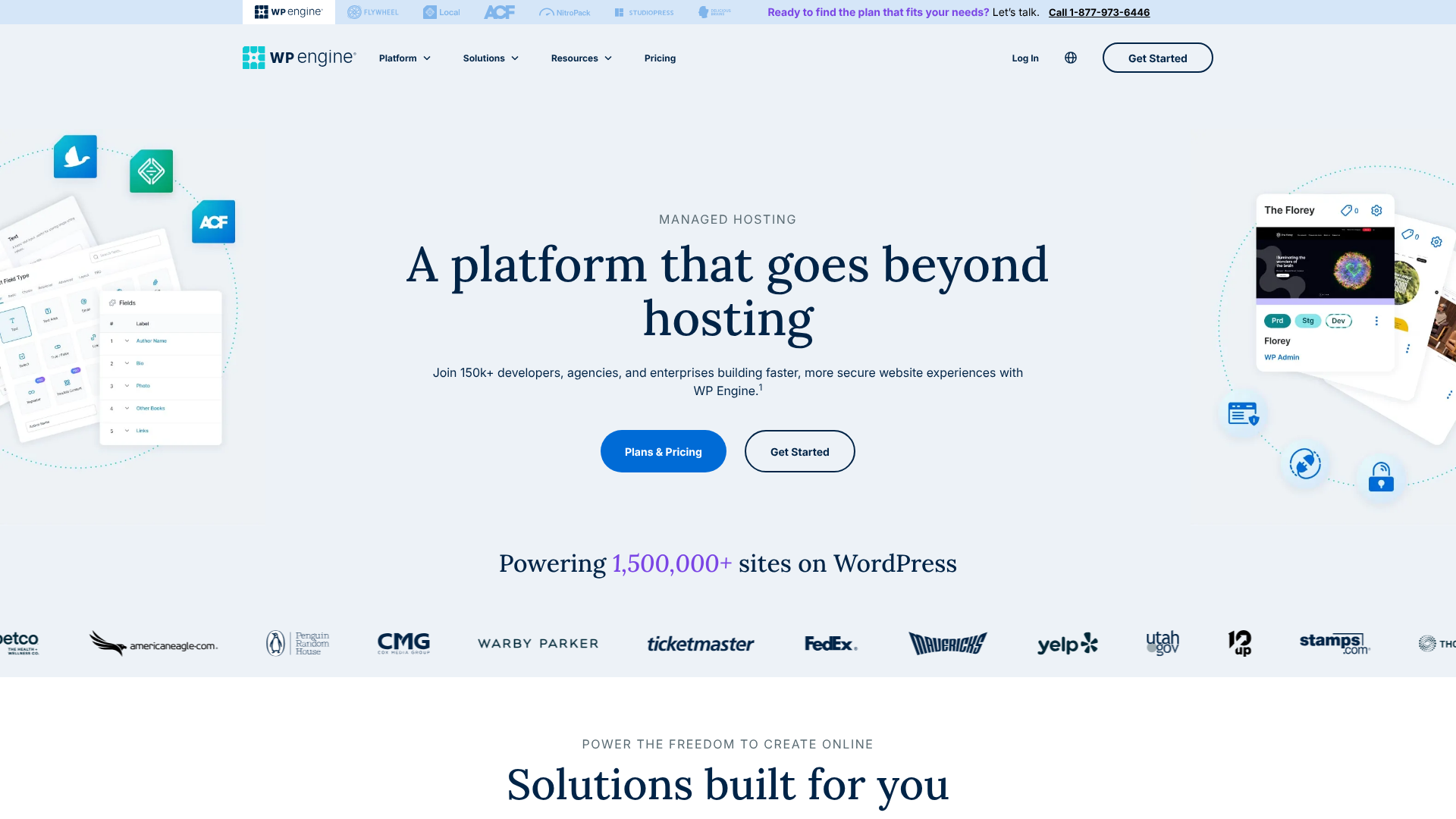
WP Engine's User Portal is a powerful, feature-packed dashboard that gives you granular control over your hosting environment. It provides easy access to their signature features, like the Dev/Stage/Prod environments, and makes managing backups, domains, and CDN settings straightforward.
However, some users find the User Portal to have a slightly steeper learning curve compared to MyKinsta. Because it contains so many advanced features, it can feel a bit more cluttered or overwhelming for those new to managed hosting. That said, for developers and agencies who live and breathe in these tools, the density of information and power is a significant advantage.
Backup and Restore: Safeguarding Your Digital Assets
Reliable backups are your ultimate safety net. If an update goes wrong, a plugin causes a conflict, or a human error occurs, the ability to restore your site quickly is invaluable. Both Kinsta and WP Engine have excellent, automated backup systems, but there's a key difference in their retention policies.
Kinsta provides automatic daily backups for every site. Depending on your plan, these backups are retained for 14 to 30 days. You can also create manual backups at any time (up to 5 per site) before making significant changes, and you can download a full archive of your site. For an additional fee, you can add hourly backups or external backups to Amazon S3 or Google Cloud Storage.
WP Engine also offers automatic daily backups, but their retention policy is more generous. They provide up to 40 restore points and keep your daily backups for the last 60 days. This longer retention window can be a lifesaver for businesses that might not notice an issue for several weeks. Like Kinsta, they offer one-click manual backups and the ability to download your backup files.
Verdict: With its 60-day retention period, WP Engine has a clear advantage for any business that values a longer history of restore points. This provides an extra layer of security and flexibility.
Scalability for Growth: Kinsta vs WP Engine
As your business grows, your website traffic will increase. A good hosting platform should be able to handle this growth without any performance degradation. Scalability is a core strength of both Kinsta and WP Engine.
Kinsta's infrastructure is built on Google Cloud's auto-scaling technology. This means that if your site experiences a sudden traffic surge—perhaps from a viral blog post or a marketing campaign—the system can automatically allocate more CPU and RAM resources to your site's container to handle the load. This provides a seamless experience for your visitors without any manual intervention required from you.
Similarly, WP Engine's platform is designed for high-traffic, mission-critical websites. They host some of the largest WordPress sites in the world and have a proven track record of maintaining performance under heavy load. Their scalable architecture, whether on GCP or AWS, is engineered for reliability and can easily accommodate business growth. They also offer dedicated and custom solutions for enterprise clients with extreme traffic needs.
For most growing businesses, both platforms offer more than enough scalability. The decision will likely come down to how their pricing models and overage fees align with your projected growth and budget.
Real User Reviews: What Do Customers Say?
Technical specifications and feature lists are important, but the experiences of real users provide invaluable insight. Looking at reviews on platforms like G2, Trustpilot, and Reddit reveals consistent themes for both companies.
Users consistently praise Kinsta for its blazing-fast speed, the beautiful and intuitive MyKinsta dashboard, and the high quality of its 24/7 support. Many users who have migrated from other hosts report a noticeable and immediate improvement in their site's performance. The main criticisms tend to revolve around the strict visit-based pricing and the potential for high overage fees if traffic spikes unexpectedly.
WP Engine receives high marks for its reliability, powerful developer tools (especially the staging environments), and the deep expertise of its support team. Agencies and developers, in particular, love the workflow features that make building and managing client sites more efficient. Some criticisms mention that the platform can feel less intuitive for non-technical users and that some valuable features, like the APM tool, are locked behind higher-tier plans or require an extra fee.
One Reddit user, in a discussion on r/ProWordPress, noted that they chose Kinsta because the "admin/dev tools were a bit closer to running on a VPS and things like WP CLI /Git ran better/faster on Kinsta". This highlights the developer-friendly nature of both platforms, with preferences often coming down to specific workflow needs.
FAQ: Kinsta vs WP Engine
Here are answers to some of the most common questions when comparing these two hosting providers.
Who are WP Engine competitors?
Besides Kinsta, WP Engine's main competitors in the managed WordPress hosting space include Flywheel (which is owned by WP Engine but has a different focus), Pressable, SiteGround's GoGeek and Cloud plans, and Pagely for enterprise-level hosting. Each offers a slightly different feature set and price point.
Is Kinsta reliable?
Yes, Kinsta is extremely reliable. They are built on the Google Cloud Platform's Premium Tier, which is known for its stability and performance. Kinsta offers a 99.9% uptime guarantee backed by an SLA (Service Level Agreement), meaning if your uptime drops below that, you receive credits on your bill. Their container-based technology also ensures that resources are isolated, enhancing both security and reliability.
Why is WP Engine so expensive?
WP Engine is a premium managed hosting service, and its price reflects the high level of service provided. The cost covers the use of premium cloud infrastructure (GCP/AWS), a large team of expert WordPress support staff available 24/7, extensive research and development for their proprietary tools like EverCache®, and robust, multi-layered security systems. You are paying for performance, security, and expert support to keep your business-critical website running smoothly.
Why is Kinsta so expensive?
Similar to WP Engine, Kinsta's pricing is based on the premium quality of its service. The cost includes hosting on Google Cloud's fastest C2/C3D servers, access to 37 global data centre locations, their 24/7 expert support team, and the development of their custom MyKinsta dashboard and performance tools like the Kinsta APM. Managed hosting is an investment in your website's performance, security, and your own time, as they handle all the technical server management for you.
Which hosting is best for WordPress?
There is no single "best" host for all WordPress users. The best choice depends on your budget, technical needs, and traffic levels. For beginners or small personal blogs, shared hosting from a provider like SiteGround or Hostinger can be a good starting point. For serious businesses, agencies, and high-traffic sites, a managed host like WP Engine or Kinsta is almost always the superior choice due to their speed, security, and support.
Final Verdict: Kinsta or WP Engine for Your Business?
After a thorough wp engine comparison, it's clear that both Kinsta and WP Engine are two of the best managed WordPress hosts on the market. You truly cannot make a bad choice between them. The decision comes down to your specific priorities and workflow.
They both offer incredible speed, robust security, and world-class support. They both provide a solid, scalable foundation upon which to grow your business. The differences are in the details—the user interface, the developer tools, and the pricing structure.
You should choose Kinsta if:
- Your absolute top priority is achieving the fastest possible load times and TTFB.
- You value a modern, clean, and highly intuitive user dashboard.
- You want access to a performance monitoring tool (APM) without paying extra.
- You run a single site or a few sites and don't need a complex multi-environment staging workflow.
You should choose WP Engine if:
- You are a developer or agency that would benefit greatly from a three-environment (Dev/Stage/Prod) workflow.
- You need the option for 24/7 phone support for critical issues.
- You want a longer backup retention period (60 days) for extra peace of mind.
- You plan to build sites using the Genesis Framework and want the included themes.
For growing businesses that need a powerful, reliable, and developer-friendly platform with an unparalleled staging process, WP Engine is an exceptional choice. Its focus on providing a structured and safe development workflow makes it a favourite among agencies and businesses with dedicated development teams.