

Hosting vs Domain Registration: A Beginner's Guide to Choosing Right
Understanding the difference between hosting vs domain registration is one of the first hurdles for anyone looking to build a website. It's easy to get them mixed up, as they are often sold together, but they are two distinct services that are both essential for getting your site live on the internet. Mistaking one for the other can lead to confusion, unnecessary costs, and setup headaches down the line.
- In a Nutshell
- The Core Difference: Your Website's Address vs. Its Home
- A Deeper Look at Web Hosting Services
- Shared Hosting: The Budget-Friendly Flatshare
- VPS (Virtual Private Server) Hosting: The Semi-Detached House
- Dedicated Hosting: The Private Estate
- Managed WordPress Hosting: The Serviced Apartment
- Understanding Domain Names and Their Variations
- The Crucial Link: How DNS Connects Hosting and Domains
- Domain Registration Comparison: How to Choose a Registrar
- Breaking Down the Costs: Hosting vs Domain Registration
- The Hidden Costs: Renewal Fees and Policies
- Performance Matters: How Hosting Speed Impacts Your SEO
- Security: Protecting Your Digital Assets
- Step-by-Step: Setting Up Your Website from Scratch
- Frequently Asked Questions
- What is the difference between domain registration and hosting?
- Can I register a domain name without hosting?
- What is the difference between hosting and domain renewal?
- Is buying a domain the same as hosting?
- What happens to my domain if I cancel hosting?
- Why do I need a domain and hosting?
- Final Thoughts
Simply put, a domain name is your website's address, like 123 Main Street. Web hosting is the physical house at that address where you store all your belongings. You need both an address for people to find you and a house to welcome them into. This guide will break down everything you need to know about hosting and domains, helping you make informed decisions for your online project.
In a Nutshell
- Domain Registration: This is the process of buying a unique name (e.g., yourwebsite.co.uk) that acts as your website's address on the internet.
- Web Hosting: This is the service of renting space on a server where all your website's files, images, and content are stored and made accessible online.
- They Work Together: You need both for a functioning website. The domain points visitors to the hosting server where your site lives.
- Buying Options: You can buy them bundled from one provider for simplicity or from separate companies for greater flexibility and control.
- Key Connection: The Domain Name System (DNS) acts as the internet's phonebook, connecting your domain name to your web host's server IP address.
The Core Difference: Your Website's Address vs. Its Home
To truly grasp the concept of hosting vs domain, the easiest analogy is real estate. Imagine you're opening a new physical shop. You need two fundamental things: a unique business name and a physical location to operate from. In the digital world, your domain is your business name, and your hosting is your shop's location.
What is Domain Registration? The Digital Postcode
Domain registration is the act of securing a unique, human-readable address for your website. Think of google.com or bbc.co.uk. Instead of forcing users to remember a complex string of numbers (an IP address like 172.217.169.238), a domain name provides a memorable brand identity.
When you register a domain, you are essentially leasing it for a set period, typically one year or more. This process is managed by companies called domain registrars, which are accredited by the Internet Corporation for Assigned Names and Numbers (ICANN). ICANN is a non-profit organisation that oversees the entire domain name system to ensure it remains stable and secure.
Companies like Namecheap are popular domain registrars, specialising in helping you find and register the perfect name for your site. The registration gives you the exclusive right to use that name, preventing anyone else from claiming it while your registration is active.
What is Web Hosting? The Plot of Land
If the domain is the address, web hosting is the plot of land and the building that sits on it. Web hosting is a service that provides the server space needed to store all the files that make up your website. This includes your HTML and CSS files, images, videos, databases, and any other content.
Web hosting companies own and maintain large, powerful computers called servers, which are connected to the internet 24/7. When you purchase a hosting plan, you are renting a small portion of that server's space and resources. When a user types your domain name into their browser, the hosting server delivers your website's files to their screen.
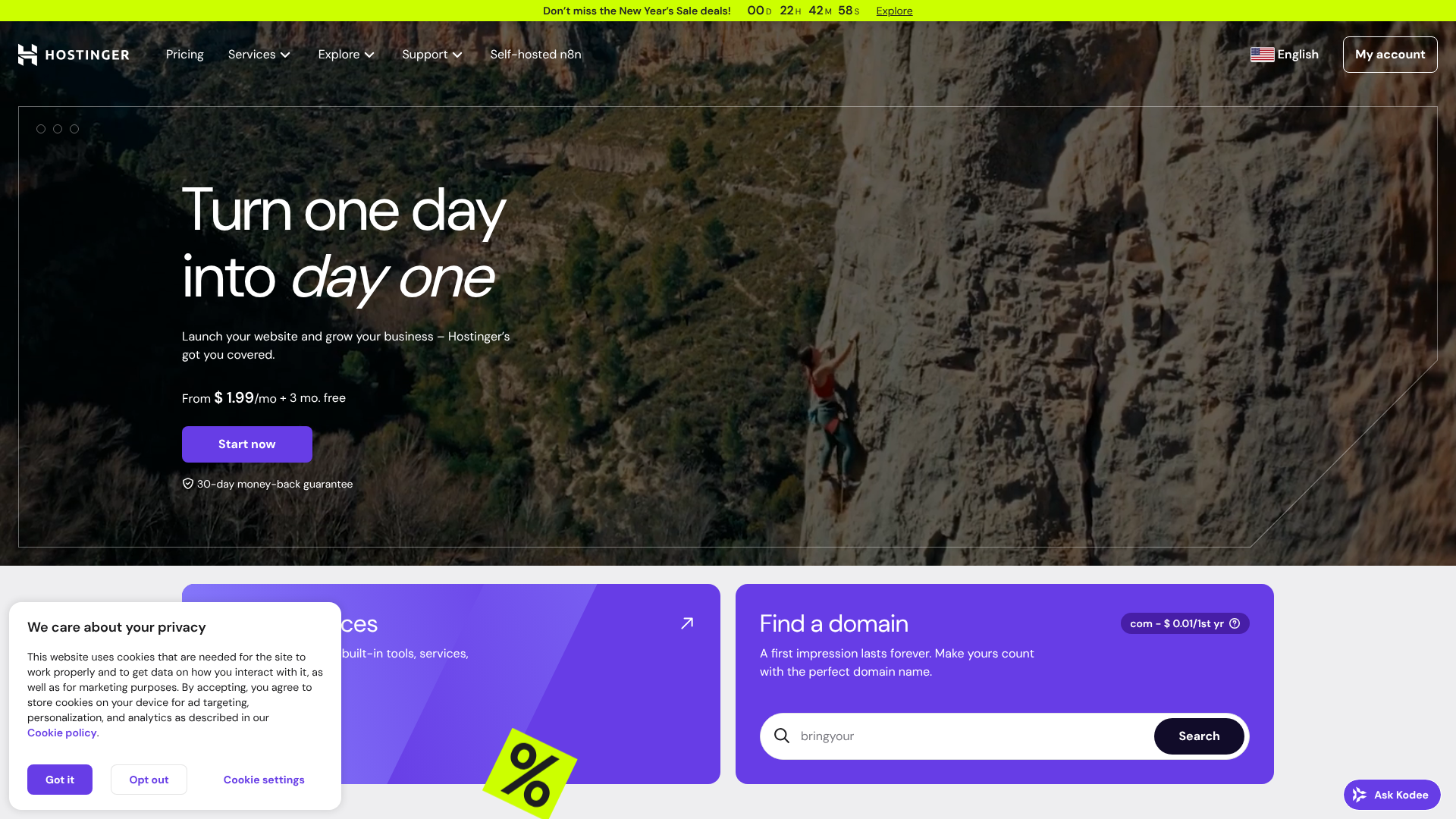
Without hosting, your domain name would be an empty address pointing to nothing. Providers like Hostinger or Bluehost offer a wide range of hosting plans to accommodate everything from a small personal blog to a large e-commerce empire.
A Deeper Look at Web Hosting Services
Not all hosting is created equal. The type of hosting you choose depends on your website's needs, traffic, technical expertise, and budget. Understanding the main types is crucial for ensuring your site has the resources it needs to perform well.

Shared Hosting: The Budget-Friendly Flatshare
Shared hosting is the most common and affordable type of web hosting. With this setup, your website shares a single server—along with its resources like CPU, RAM, and disk space—with hundreds or even thousands of other websites.
It's like living in a shared flat; you have your own room (your website), but you share the kitchen and bathroom (server resources) with your flatmates. This makes it incredibly cost-effective, with plans often starting at just a few pounds per month. It's an excellent choice for beginners, personal blogs, and small business websites with low to moderate traffic. Popular providers like HostGator offer very competitive shared hosting plans.
The main drawback is the "noisy neighbour" effect. If another website on your shared server experiences a sudden traffic spike, it can consume a large portion of the shared resources, potentially slowing down your site.
VPS (Virtual Private Server) Hosting: The Semi-Detached House
A VPS is a step up from shared hosting. While you still share a physical server with other users, the server is partitioned into several virtual private environments. Each VPS acts like its own dedicated server with its own allocated resources.
Continuing the analogy, this is like owning a semi-detached house. You share a building, but you have your own dedicated space, entrance, and utilities. This gives you more control, better performance, and greater security than shared hosting because other websites on the server cannot affect your resources.
VPS hosting is ideal for growing businesses, e-commerce sites, and websites that have outgrown their shared hosting plan. It requires a bit more technical knowledge to manage, though many providers offer managed VPS plans.
Dedicated Hosting: The Private Estate
Dedicated hosting gives you exclusive use of an entire physical server. You don't share resources with anyone. This provides the highest level of performance, control, and security.
This is the equivalent of owning a private estate. You have complete control over the property and can customise it however you wish. You can install any software you need and configure the server environment to your exact specifications.
This level of power comes at a high price and requires advanced technical skills to manage. Dedicated hosting is reserved for large corporations, high-traffic websites, and applications with demanding resource needs.
Managed WordPress Hosting: The Serviced Apartment
Managed WordPress hosting is a specialised service tailored specifically for WordPress websites. The hosting provider handles all the technical aspects of running WordPress, including security, speed, updates, backups, and scalability.
Think of it as living in a luxury serviced apartment. All the maintenance, security, and cleaning are taken care of for you, allowing you to focus on what matters—creating content and growing your business. Companies like WP Engine and Kinsta are leaders in this space, offering premium performance and expert support.
While it's more expensive than standard shared hosting, the peace of mind and performance benefits make it a worthwhile investment for serious WordPress users.
Understanding Domain Names and Their Variations
Your domain name is a core part of your brand identity. Choosing the right one involves more than just finding a catchy name; you also need to understand the different components that make up a domain.
Top-Level Domains (TLDs): Beyond .com
The Top-Level Domain (TLD) is the part of the domain that comes after the final dot. The most common TLD is .com, but there are hundreds of others to choose from.
They are generally categorised as:
Generic Top-Level Domains (gTLDs): These are the most common types, like
.com,.org,.net, and.info. They are open for anyone to register. – Country Code Top-Level Domains (ccTLDs): These are specific to a country or territory, such as.co.uk(United Kingdom),.ca(Canada), or.de(Germany). They can be great for targeting a local audience.New Top-Level Domains (nTLDs): In recent years, hundreds of new TLDs have been introduced, like
.blog,.shop,.app, and.london. These can offer a more descriptive and memorable domain for specific niches.
While .com is still considered the gold standard, choosing a different TLD that fits your brand or location can be a smart move, especially if your desired .com name is already taken.
Subdomains: Organising Your Website
A subdomain is a prefix added to your main domain name, creating a separate section of your website. For example, in blog.yourwebsite.co.uk, blog is the subdomain.
Subdomains are useful for organising your site's content. Common uses include:
- A blog:
blog.yourwebsite.co.uk - An online store:
shop.yourwebsite.co.uk - A support or help section:
support.yourwebsite.co.uk - A version for a different language:
es.yourwebsite.co.ukfor a Spanish version.
Most hosting providers allow you to create multiple subdomains for free as part of your hosting package.
The Crucial Link: How DNS Connects Hosting and Domains
So, you have a domain name (address) and a web host (house), but how does the internet know to connect the two? The answer is the Domain Name System, or DNS.
DNS is often called the internet's phonebook. It's a vast, distributed database that translates human-friendly domain names into machine-readable IP addresses. Every server connected to the internet has a unique IP address, which is a long string of numbers.
Here’s a simplified look at how it works when you want to visit a website:
- You type a domain name (e.g.,
yoursite.co.uk) into your web browser. - Your browser sends a request to a network of DNS servers to find the IP address associated with that domain.
- The DNS servers look up the domain in their records and find the corresponding IP address of the web hosting server.
- The DNS server sends this IP address back to your browser.
- Your browser then connects directly to the web hosting server at that IP address and requests the website's files, which are then displayed on your screen.
This entire process happens in milliseconds. When you buy hosting and a domain from different companies, you need to manually update your domain's DNS settings (specifically, the nameservers) to point to your hosting provider. If you buy them together, this is usually configured for you automatically.
Pro Tip: When you update your nameservers to point your domain to a new host, the changes are not instant. This process, known as DNS propagation, can take anywhere from a few minutes to 48 hours to complete worldwide as servers across the globe update their records.
Domain Registration Comparison: How to Choose a Registrar
Choosing where to register your domain is an important decision. While many companies offer this service, they are not all the same. Here's what to consider when making your choice.
Key Factors to Consider
- Pricing: Look beyond the attractive first-year price. Check the renewal rates, as they can be significantly higher. Some registrars also charge extra for services that others include for free.
- WHOIS Privacy: When you register a domain, your personal information (name, address, email) is added to a public database called WHOIS. WHOIS privacy protection replaces your details with the registrar's information, protecting you from spam and identity theft. Many registrars like Namecheap offer this for free, while others charge an annual fee.
- User Interface: A clean, intuitive control panel makes managing your domain's settings, such as DNS records and renewal options, much easier.
- Transfer Policy: Check the registrar's policy for transferring your domain to another provider. They should make the process straightforward and not charge excessive fees.
- Customer Support: Good support is essential if you run into any technical issues. Look for registrars that offer 24/7 support through various channels like live chat, phone, and email.
Bundled vs. Separate: The Big Decision
One of the biggest questions is whether to buy your domain and hosting from the same company or keep them separate.
Bundling (Domain & Hosting Together):
- Pros: It's incredibly convenient. The setup is usually automatic, and you only have one account and one bill to manage. Many hosts, like Bluehost, offer a free domain name for the first year when you buy a hosting plan. – Cons: It can lead to vendor lock-in.
If you become unhappy with your hosting and want to move, transferring your domain can sometimes be more complicated. Also, the domain renewal price after the free first year might be higher than at a dedicated registrar.
Separating (Domain & Hosting Apart):
Pros: You have maximum flexibility. You can choose the best registrar for your domain and the best hosting provider for your website. If you ever want to change hosts, your domain registration is unaffected. Domain renewal fees are often cheaper at dedicated registrars.
Cons: It requires a small amount of technical setup. You'll need to manually point your domain's nameservers to your host. You also have two separate accounts and bills to manage.
For beginners, bundling is often the simplest path. For those who value flexibility and want to optimise for cost and performance, keeping them separate is a solid strategy.
Breaking Down the Costs: Hosting vs Domain Registration

While both services are necessary, their pricing structures are very different. Understanding the potential costs helps you budget effectively for your website.
Domain Registration Pricing
Domain registration is typically an annual fee. The cost depends heavily on the TLD you choose.
- Standard TLDs (.com, .org, .co.uk): Expect to pay between £8 and £15 per year.
- Newer TLDs (.shop, .blog): These can range from £20 to £40 or more per year.
- Premium Domains: These are short, memorable, and highly sought-after domain names that have been previously registered. Their price can range from hundreds to millions of pounds.
Remember to always check the renewal price, not just the introductory offer.
Web Hosting Pricing
Web hosting is usually a recurring monthly or annual fee. The price varies dramatically based on the type of hosting and the resources included.
- Shared Hosting: £2 – £10 per month.
- VPS Hosting: £15 – £60 per month.
- Managed WordPress Hosting: £20 – £100+ per month.
- Dedicated Hosting: £80 – £400+ per month.
Here’s a quick look at how these costs might add up for different types of websites.
| Service | Beginner (Personal Blog) | Growing Business (E-commerce) |
|---|---|---|
| Domain Registration (Annual) | ~£12 | ~£12 |
| Web Hosting (Annual) | ~£36 (Shared Hosting) | ~£240 (Managed/VPS Hosting) |
| Total Estimated Annual Cost | ~£48 | ~£252 |
The Hidden Costs: Renewal Fees and Policies
The price you see advertised is often not the price you'll pay in the long run. Both domain registrars and hosting companies are known for using attractive introductory offers to draw in new customers, with prices increasing significantly upon renewal.
Domain Renewal Traps
Many registrars offer domains for a very low price for the first year, sometimes less than £1. However, the renewal price can jump to £15 or more in the second year. Always read the fine print and check the standard renewal rate before committing. It's often better to pay a fair price upfront from a transparent registrar than to be surprised by a steep increase later.
Hosting Renewal Hikes
This is even more common in the web hosting industry. A shared hosting plan might be advertised at £2.95 per month, but this price often requires you to pay for three years upfront. When that initial term is over, the renewal price could easily double or triple. Before signing up, look for the 'regular' or 'renewal' price on the provider's website to understand the true long-term cost.
Domain Expiration and Redemption Periods
If you forget to renew your domain, you don't lose it immediately. Registrars provide a grace period (usually 30 days) where you can renew it at the standard price. After that, it enters a 'redemption period' (another 30 days), where you can still get it back, but you'll have to pay a hefty redemption fee, often over £100. If you fail to redeem it, the domain is released to the public, and anyone can register it.
To avoid this, always enable auto-renewal for your important domains.
Performance Matters: How Hosting Speed Impacts Your SEO
Your choice of web host has a direct and significant impact on your website's Search Engine Optimisation (SEO). Google has made it clear that site speed is a critical ranking factor. A slow-loading website provides a poor user experience, leading to higher bounce rates and lower search engine rankings.
Several hosting-related factors influence your site's speed:
- Server Response Time: This is how quickly the server responds to a request from a browser. High-quality hosts like SiteGround invest in optimised server hardware and software to ensure fast response times.
- Server Resources: On a cheap shared hosting plan, your site has limited access to CPU and RAM. If your site gets busy, it can slow down due to a lack of resources. A VPS or managed plan provides dedicated resources to handle more traffic.
- Server Location: The physical distance between your server and your visitors matters. Choosing a host with data centres close to your target audience can reduce latency and improve loading times.
Investing in quality hosting is investing in your SEO. A faster site leads to happier visitors and better visibility in search results.
Security: Protecting Your Digital Assets
Security is another area where the distinction between hosting and domains is important. You need to secure both your domain registration and your hosting account to protect your website from threats.
Domain Security Measures
Your domain name itself can be a target for hackers. If someone gains access to your domain registrar account, they could transfer your domain away from you, effectively stealing your online identity. To prevent this:
- Use WHOIS Privacy: This hides your personal contact information from the public, reducing spam and phishing attempts.
- Enable Domain Lock: This feature, available at most registrars, prevents any unauthorised attempts to transfer your domain to another registrar.
- Use a Strong Password and 2FA: Protect your registrar account with a unique, complex password and enable two-factor authentication (2FA) for an extra layer of security.
Hosting Security Features
Your hosting server is where your website's data lives, making it a prime target for attacks. A good hosting provider will offer a suite of security features to protect your site:
- Free SSL Certificate: An SSL certificate encrypts the data transferred between your server and your visitors' browsers, which is essential for security and SEO. Most reputable hosts, including Hostinger, provide free Let's Encrypt SSL certificates.
- Malware Scanning and Removal: Regular scans can detect and remove malicious code that may have been injected into your site.
- Web Application Firewall (WAF): A WAF can block malicious traffic and common hacking attempts before they even reach your website.
- Regular Backups: Automatic daily backups ensure that if your site is ever compromised, you can quickly restore a clean version.
Pro Tip: Never rely solely on your host's backups. It's wise to also keep your own off-site backups of your website files and database for complete peace of mind.
Step-by-Step: Setting Up Your Website from Scratch
Now that you understand the components, here’s a simple step-by-step process for getting your website online, covering both domain registration and hosting setup.
Step 1: Choose and Register Your Domain Name
First, brainstorm a name that is memorable, easy to spell, and relevant to your brand or topic. Use a domain registrar like Namecheap to check if your desired name is available. If it is, you can register it for one or more years.Step 2: Select Your Web Hosting Plan
Based on your needs, choose a web hosting provider and plan. For a new WordPress site, a shared plan from a provider like SiteGround or Bluehost is a great starting point. Complete the purchase process.Step 3: Point Your Domain to Your Host (DNS Setup)
If you bought your domain and hosting from different companies, you need to connect them. Log in to your hosting account and find your 'nameservers' (e.g.,ns1.yourhost.comandns2.yourhost.com). Then, log in to your domain registrar account, go to the DNS management section for your domain, and replace the existing nameservers with the ones from your host. If you bought them together, this step is done for you.Step 4: Install Your Website Platform (e.g., WordPress)
Once your domain is pointing to your host (this can take a few hours), you can install your website software. Most hosts offer a 'one-click installer' for platforms like WordPress, making this process quick and easy.Step 5: Install an SSL Certificate
Finally, secure your site by activating your SSL certificate. This is usually a simple toggle in your hosting control panel. Once enabled, your website's address will change fromhttp://tohttps://, and visitors will see a padlock icon in their browser, indicating a secure connection.
Frequently Asked Questions
What is the difference between domain registration and hosting?
In simple terms, domain registration is buying a unique address for your website (like yourname.co.uk), while web hosting is renting the physical space on a server where your website's files and content are stored. The domain is the address, and hosting is the house at that address. You need both for a website to be accessible online.
Can I register a domain name without hosting?
Yes, you absolutely can. You can purchase and register a domain name on its own from a registrar. This is known as 'parking' a domain. People often do this to secure a name they want to use in the future before someone else takes it.
A parked domain won't have a live website, but the name will belong to you.
What is the difference between hosting and domain renewal?
Hosting renewal and domain renewal are separate payments for two different services. Renewing your domain (usually annually) keeps your ownership of the website address. Renewing your hosting plan (monthly or annually) continues your rental of the server space where your site is stored. If you let your domain expire, your address becomes invalid.
If you let your hosting expire, your house gets 'demolished', and your website files are deleted.
Is buying a domain the same as hosting?
No, they are not the same. They are two separate services that work together. While many companies like Squarespace or Hostinger offer them as a bundle for convenience, you are still purchasing two distinct products: the rights to a name (domain) and space on a server (hosting).
What happens to my domain if I cancel hosting?
This depends on where you registered the domain. If you registered your domain with a separate registrar (like Namecheap) and just pointed it to your host, cancelling your hosting will have no effect on your domain registration. Your website will go offline, but you still own the domain. If you got a 'free' domain as part of your hosting package, you will need to check your host's policy.
Usually, you can transfer the domain to another registrar or continue managing it through the original host for a fee.
Why do I need a domain and hosting?
You need both for a simple reason: one without the other is incomplete. A domain without hosting is like an address for an empty plot of land—people can find the location, but there's nothing there. Hosting without a domain is like a house with no address—it exists, but no one knows how to find it. The domain provides the easy-to-remember address, and the hosting provides the space for your actual website.
Final Thoughts
Distinguishing between hosting vs domain registration is fundamental to building an online presence. While they are deeply interconnected, they serve two unique and vital functions. Your domain is your brand's identity and address, while your hosting is the engine room that stores your content and delivers it to the world.
For beginners, bundling these services from a single, reputable provider like Bluehost or Hostinger offers a streamlined and straightforward path to getting online. The convenience of a single point of contact and an often-included free domain for the first year is hard to beat.
For those seeking more control, flexibility, and potentially better long-term pricing, separating the two is an excellent strategy. You can register your domain with a specialist like Namecheap and choose a high-performance host like SiteGround or Kinsta that perfectly matches your website's needs. Whichever path you choose, understanding how these two critical pieces fit together empowers you to build a faster, more secure, and more successful website.