

Synthesia AI Voice Generator Review: Is It Right for Your Business?
Creating professional, consistent, and engaging voiceovers for videos can be a significant bottleneck for many businesses. The process often involves hiring expensive voice actors, booking studio time, and dealing with lengthy editing cycles. The Synthesia AI voice generator offers a powerful alternative, promising to convert text into high-quality narration in minutes. But does it live up to the hype.
- In a Nutshell
- What Exactly is the Synthesia AI Voice Generator?
- A Deep Dive into Synthesia's Key Features and Benefits
- Extensive Library of AI Voices & Languages
- Custom Voice Cloning: Using Your Own Voice
- Seamless Integration with AI Avatars
- Advanced Voice Controls and Customisation
- How to Create a Voiceover with Synthesia: A Step-by-Step Guide
- 1. Choose Your Avatar and Voice
- 2. Input Your Script
- 3. Fine-Tune the Narration
- 4. Generate and Preview
- 5. Download or Use in Video
- Who is the Synthesia Voice Tool Best For?
- Synthesia Pricing and Plans: A Cost-Benefit Analysis
- The Pros and Cons of Using Synthesia's AI Voice Generator
- Synthesia vs. The Competition: How Does It Compare?
- Frequently Asked Questions (FAQ)
- Is Synthesia AI free or paid?
- What is the most realistic AI voice generator?
- Can I use my own voice on Synthesia?
- Is HeyGen better than Synthesia?
- How much does it cost to use Synthesia?
- Final Verdict: Is the Synthesia AI Voice Generator Worth It?
This review explores every facet of Synthesia's voice generation capabilities, from its core features and pricing to its ideal use cases, helping you decide if it's the right solution for your content creation needs.
Synthesia isn't just a standalone voice tool; it's a comprehensive AI video creation platform where the voice generator is a core component. It allows users to produce complete videos featuring realistic AI avatars that speak your script in a natural-sounding voice. This integration is its key strength, streamlining the entire video production workflow from script to final cut, making it a compelling option for corporate training, marketing, and educational content.
In a Nutshell
- All-in-One Platform: Synthesia combines a powerful
text to speech AIengine with a high-quality AI avatar video generator, offering a complete solution for creating professional videos without cameras or microphones. - Extensive Language Support: With over 130 languages and a wide variety of accents and tones, the platform is built for creating content with a global reach, making localisation simple and efficient.
- Custom Voice Cloning: A standout feature is the ability to create a digital clone of your own voice, ensuring perfect brand consistency and adding a layer of authenticity to your videos.
- Ideal for Business Use: The platform is primarily designed for professional applications like corporate training, product marketing, and internal communications, where speed, scalability, and consistency are crucial.
- Cost and Time Savings: Compared to traditional video production, Synthesia significantly reduces costs and production time, allowing teams to create and update content at a fraction of the usual expense and effort.
What Exactly is the Synthesia AI Voice Generator?
The Synthesia AI voice generator is a sophisticated text to speech AI system that forms the audio backbone of the Synthesia video creation platform. Its primary function is to take any written script you provide and transform it into a clear, natural-sounding human voiceover. Unlike basic text-to-speech tools that often sound robotic and monotonous, Synthesia uses advanced machine learning algorithms to produce narration with realistic inflections, pacing, and intonation.
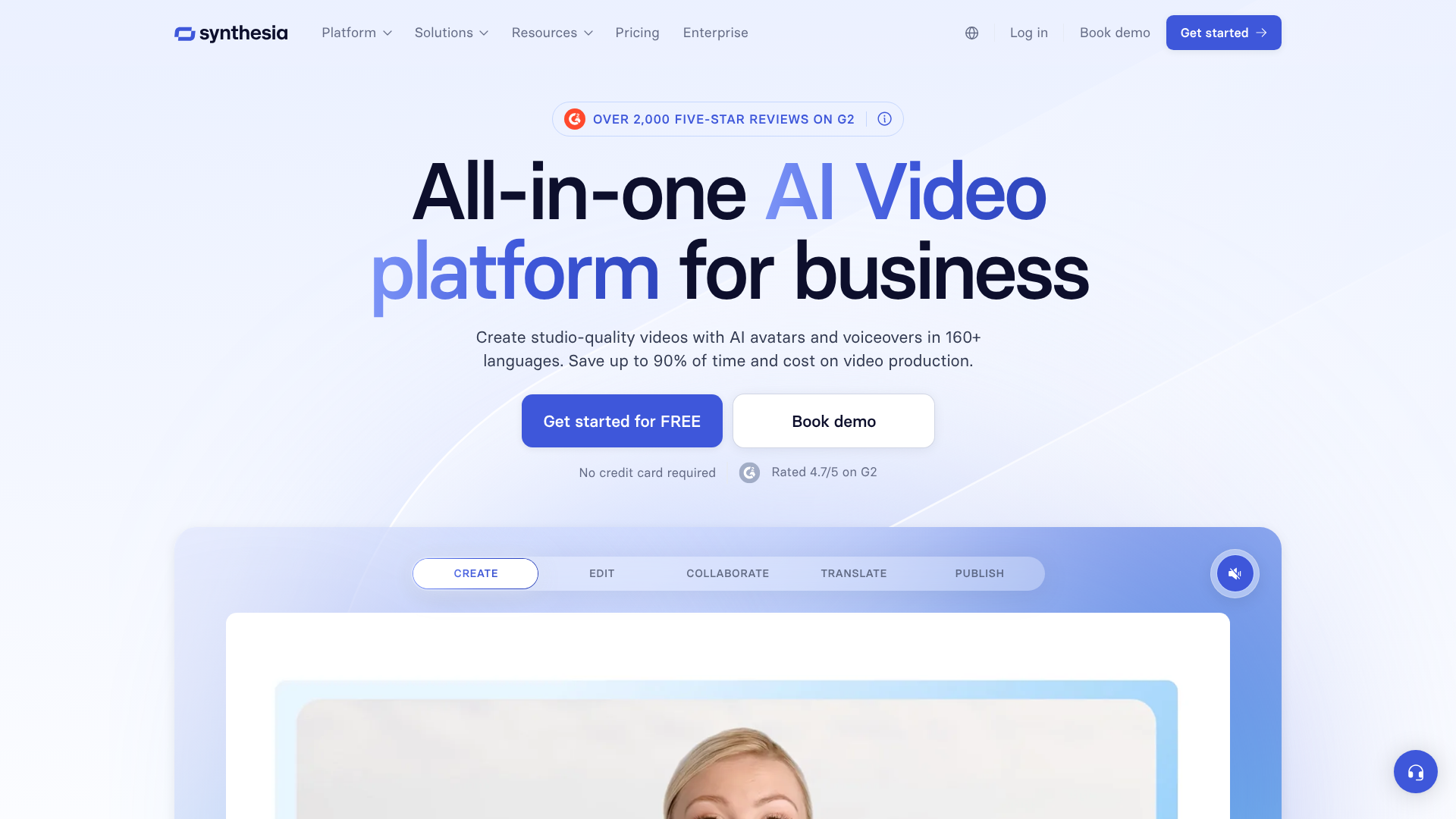
However, it's crucial to understand that this isn't just a tool for creating MP3 files. The synthesia voice tool is deeply integrated with its library of AI avatars. When you generate a voiceover, it's automatically synchronised with the lip movements of a digital human presenter. This creates a seamless, unified video where the avatar appears to be speaking your script directly to the audience.
This all-in-one approach is what sets Synthesia apart from many other AI voice generators on the market.
You can choose from a vast library of stock voices or take it a step further with voice cloning. This allows you to create a unique, custom AI voice based on recordings of your own speech. For businesses, this means you can have a consistent brand voice across all your video content, whether it's for training new employees or marketing a new product. The platform effectively removes the need for separate voice talent, recording equipment, and video editors, consolidating the entire process into a single, user-friendly interface.

A Deep Dive into Synthesia's Key Features and Benefits
Synthesia's power lies in its rich feature set, designed to give users maximum control and flexibility over their audio and video content. These features work together to provide a comprehensive solution for modern content creation.
Extensive Library of AI Voices & Languages
One of Synthesia's most significant advantages is its sheer scale. The platform supports voice generation in over 130 languages, covering a vast range of global accents and dialects. This makes it an invaluable tool for companies operating in multiple international markets. You can easily localise a training video or marketing campaign by simply translating the script and selecting the appropriate language and accent, without needing to source and manage voice actors from different regions.
The library contains hundreds of distinct voices, each with a unique profile. You can find male and female voices that sound professional, friendly, authoritative, or conversational. This variety ensures you can find a voice that perfectly matches your brand's identity and the tone of your specific message. For example, a compliance training video might require a clear, formal tone, while a social media ad would benefit from a more energetic and casual voice.
Custom Voice Cloning: Using Your Own Voice
For ultimate brand consistency and personalisation, Synthesia offers a custom voice cloning feature. This allows you to create a high-fidelity digital replica of your own voice or that of a designated company spokesperson. The process involves submitting a series of voice recordings, which Synthesia's AI then analyses to capture the unique characteristics of the speaker's tone, pitch, and cadence.
Once created, your custom voice is available exclusively in your account. You can then use it to generate audio for any script, ensuring every video has the same familiar and trusted voice. This is particularly powerful for C-level executive messages, personalised sales videos, or any content where a specific human connection is desired. It eliminates the scheduling conflicts and availability issues that come with relying on a single person to record all company voiceovers.
Pro Tip: When creating a custom voice clone, ensure you record in a quiet, echo-free environment using a high-quality microphone. The quality of your input recordings directly impacts the final quality and realism of the AI-generated voice.
Seamless Integration with AI Avatars
The AI voice generator in Synthesia doesn't operate in a vacuum. Its true value is realised through its flawless integration with over 200 diverse and realistic AI avatars. When you generate audio, the platform automatically handles the complex task of lip-syncing it to your chosen avatar. The result is a polished video where a digital presenter delivers your message with convincing facial expressions and movements.
This synergy between voice and avatar is the core of the Synthesia experience. It allows a single person, with no technical video editing skills, to produce a complete, presenter-led video in minutes. You can create an entire series of training modules or product tutorials with the same avatar and voice for a cohesive and professional look and feel. This level of integration simplifies the production process immensely, saving countless hours and significant budget.
Advanced Voice Controls and Customisation
Beyond the basic text-to-speech functionality, Synthesia provides granular control over the audio output. Users can easily adjust the speed and pitch of the narration to better suit the content. More advanced users can use SSML (Speech Synthesis Markup Language) tags directly within their script to fine-tune the delivery even further.
With SSML, you can add specific pauses, change the emphasis on certain words, or even spell out acronyms. For instance, you can insert a brief pause after an important point to let it sink in or instruct the AI to pronounce a technical term with a specific phonation. This level of control helps bridge the gap between AI narration and human speech, allowing you to craft a voiceover that sounds polished and intentional rather than automatically generated.
How to Create a Voiceover with Synthesia: A Step-by-Step Guide
Getting started with the synthesia voice tool is a straightforward process. The platform is designed to be intuitive, even for users with no prior experience in video or audio production. Here’s a simple breakdown of the steps to create your first AI-narrated video.
1. Choose Your Avatar and Voice
After logging into your Synthesia account, the first step is to select the visual and auditory elements for your video. You'll be presented with a large library of stock AI avatars. You can filter them based on various characteristics to find one that fits your project. Once you've chosen an avatar, you'll select a voice.
You can preview different voices from the extensive library to find the one that best matches the tone you're aiming for. If you have a custom voice clone, you can select it here.
2. Input Your Script
Next, you'll navigate to the script box. This is where you'll type or paste the text you want the avatar to speak. Synthesia allows for long scripts, which can be broken down into different scenes for longer videos. As you write, think about how the text will sound when spoken.
Use clear, concise language and write in a conversational style for the most natural-sounding results. Punctuation like commas and full stops will automatically translate into natural pauses in the speech.
3. Fine-Tune the Narration
This is where you can add a layer of polish. You can highlight specific words and use the toolbar to add a pause after them or adjust their emphasis. For more advanced control, you can use SSML tags. For example, the <break time="1s"/> tag will insert a one-second pause.
This is perfect for adding dramatic effect or giving the viewer a moment to absorb complex information. Experimenting with these small adjustments can make a significant difference in the final quality of the voiceover.
4. Generate and Preview
Once you're happy with your script and any fine-tuning, you simply click the 'Generate' button. Synthesia's AI will process the text, create the audio file, and synchronise it with the avatar's lip movements. This process typically takes just a few minutes, even for longer scripts. After it's done, you can preview the entire video to ensure everything looks and sounds exactly as you intended.
If you spot something you want to change, you can easily go back, edit the script, and re-generate the video without starting over.
5. Download or Use in Video
After a successful preview, your video is ready. You have several options. You can download the full video file to use as you wish. Alternatively, if you only need the audio, some plans may allow for downloading the voiceover as an MP3 file.
The primary use case, however, is to use the generated video directly for your training, marketing, or communication needs. You can also share it via a link or embed it on a website.
Who is the Synthesia Voice Tool Best For?
While anyone can use Synthesia, its feature set and pricing structure are tailored to specific professional use cases. Understanding its ideal audience can help you determine if it's the right fit for your organisation's goals.
Corporate Training & L&D Teams
Learning and Development (L&D) departments are arguably one of Synthesia's primary audiences. These teams are constantly tasked with creating and updating training materials, from new employee onboarding and software tutorials to mandatory compliance courses. Traditional video production is slow and expensive, making it difficult to keep content current.
With Synthesia, L&D professionals can create high-quality, engaging training videos in a fraction of the time. If a policy or procedure changes, they don't need to re-hire a voice actor and re-shoot a video; they can simply edit the script in Synthesia and generate an updated version in minutes. The ability to localise content into 130+ languages is also a massive benefit for global organisations.
Marketing and Sales Professionals
Marketers can use Synthesia to quickly produce a wide range of video content, including product explainer videos, social media ads, and customer testimonials. The platform allows for rapid A/B testing of different scripts or calls-to-action without the overhead of a full video shoot. Sales teams can also use it to create personalised outreach videos at scale, using an avatar to address a prospect by name and speak to their specific pain points.
This speed and scalability allow marketing and sales teams to be more agile and responsive. Instead of waiting weeks for a video agency, they can have a new promotional video ready to go in under an hour. This accelerates campaign launches and enables more dynamic communication with potential customers.
Content Creators and Educators
Independent content creators, particularly on platforms like YouTube, and online course instructors can also benefit greatly from Synthesia. It provides a way to produce high-quality, presenter-led content without needing to be on camera themselves. This is ideal for creators who may be camera-shy or who want to maintain a level of anonymity.
For educators building online courses, Synthesia ensures a consistent and professional delivery across all lessons. They can focus on writing excellent educational scripts without worrying about their own presentation skills or the quality of their recording equipment. The ability to easily update course material as information changes is another key advantage, ensuring students always have access to the most current content.
Synthesia Pricing and Plans: A Cost-Benefit Analysis
Understanding the cost is a critical part of evaluating any software, and Synthesia's pricing reflects its position as a professional-grade tool. The platform operates on a subscription model with different tiers designed for individuals, small teams, and large enterprises. It's important to note that pricing structures can change, so you should always check the official Synthesia website for the most up-to-date information.
Typically, the plans are structured around the number of video minutes you can generate per month or year. The entry-level plans, often labelled 'Personal' or 'Creator', provide a set number of minutes, access to the stock avatars and voices, and the core video creation features. These are well-suited for freelancers, small business owners, or individuals with moderate video creation needs.
As you move up to higher-tier plans, such as 'Enterprise', you unlock more advanced features. These often include custom voice cloning, the ability to create custom avatars, premium support, and collaboration tools for teams. The number of included video minutes is also significantly higher, and pricing is usually customised based on the organisation's specific requirements. While these plans represent a more significant investment, the return on investment can be substantial when compared to the costs of traditional video production.
When analysing the cost, it's essential to look beyond the monthly subscription fee. Consider the money saved on hiring voice actors, renting studio space, purchasing camera equipment, and paying for video editing services. A single professional voiceover can cost hundreds of pounds, and a full video production can run into the thousands. Synthesia replaces these variable, high-cost expenses with a predictable, fixed operational cost, often leading to savings of over 50% on video production budgets.
The Pros and Cons of Using Synthesia's AI Voice Generator
No tool is perfect for every situation. A balanced look at Synthesia's strengths and weaknesses is essential for making an informed decision. Here’s a breakdown of the key advantages and potential limitations.
The Advantages (Pros)
- Exceptional Cost-Effectiveness: The most apparent benefit is the significant cost reduction. Synthesia eliminates the need for voice actors, studios, and often, video editors, drastically lowering the barrier to entry for professional video creation.
- Unmatched Speed and Efficiency: What used to take days or weeks can now be accomplished in minutes. You can go from a final script to a finished video in less time than it takes to have a coffee break. This speed allows for incredible agility in content creation and updates.
- Effortless Scalability and Updates: Need to create 10 versions of a video for different markets? Just translate the script and click generate. Need to update a statistic in a training video? Edit one line of text and re-generate. This level of scalability is impossible with traditional methods.
- Guaranteed Consistency: The AI voice and avatar will be the same every single time. This ensures brand consistency across all your video assets, which is difficult to achieve with human actors over long periods.
- Massive Language Library: With support for over 130 languages, Synthesia is a powerful tool for global communication, making content localisation simple and accessible.
The Limitations (Cons)
- Limited Emotional Nuance: While the AI voices are remarkably natural, they can sometimes struggle to convey deep or complex emotions. For highly creative or dramatic content that requires nuanced emotional delivery, a professional human voice actor may still be the better choice.
- Potential Learning Curve for Advanced Features: While the basics are very easy to grasp, mastering advanced features like SSML for perfect voice modulation can take some time and practice.
- Subscription-Based Model: Synthesia is an ongoing operational expense. For users who only need to create a single video, the subscription model might be less appealing than a one-time service, though the cost is still likely lower.
- Dependent on Script Quality: The output is only as good as the input. A poorly written script will result in a poor-sounding voiceover. The tool can't fix awkward phrasing or grammatical errors; it will simply read what it's given.
Synthesia vs. The Competition: How Does It Compare?
The AI voice generator market is becoming increasingly crowded, with several strong competitors. To understand Synthesia's unique position, it's helpful to compare it against other popular platforms like Murf AI, ElevenLabs, and its direct video competitor, HeyGen.
The key differentiator for Synthesia is its focus on being an all-in-one video creation platform. While tools like Murf AI and ElevenLabs offer exceptional voice generation and cloning capabilities, they are primarily audio-focused. You would still need to use a separate video editor to combine their audio with visuals. Synthesia integrates high-quality voice generation directly with high-quality AI avatars, streamlining the entire workflow.
ElevenLabs is often cited as a leader in pure voice realism and cloning, but it doesn't offer a native video avatar solution. HeyGen is a closer competitor, also offering both AI avatars and voice generation. The choice between Synthesia and HeyGen often comes down to specific features, the quality and diversity of avatars, and the user interface.
Here is a brief comparison:
| Feature | Synthesia | Murf AI | ElevenLabs | HeyGen |
|---|---|---|---|---|
| Primary Focus | AI Video + Voice | AI Voice | AI Voice + Cloning | AI Video + Voice |
| AI Avatars | High-Quality, Realistic | Limited/Stock Avatars | None | High-Quality, Realistic |
| Voice Cloning | Yes (Advanced) | Yes | Yes (Industry Leader) | Yes |
| Languages | 130+ | 20+ | 29 | 40+ |
| Best For | All-in-one corporate video creation | Voiceover projects & podcasts | Hyper-realistic voice cloning for audio | AI video creation, social media content |
Pro Tip: If your primary need is just a voiceover file (e.g., for a podcast or an existing video), a dedicated tool like Murf AI or ElevenLabs might be a more focused solution. If your goal is to create a complete presenter-led video from scratch, Synthesia's integrated approach offers a more efficient workflow.
Frequently Asked Questions (FAQ)
Here are answers to some of the most common questions about the Synthesia platform.
Is Synthesia AI free or paid?
Synthesia is a paid platform. It does not offer a free-forever plan, though it sometimes provides a free demo video generator where you can test the technology with a short script. To access the full features, create longer videos, and use the advanced tools, you need to subscribe to one of their paid plans, which are typically billed monthly or annually.
What is the most realistic AI voice generator?
This is subjective and depends on the specific use case. For pure audio realism and voice cloning, ElevenLabs is often considered the industry benchmark. However, for natural-sounding voices that are perfectly synchronised with realistic AI avatars in a video context, Synthesia is a top contender. Its voices are designed specifically to work well with its video platform, resulting in a highly realistic final product.
Can I use my own voice on Synthesia?
Yes, you can. Synthesia offers a custom voice cloning feature, which is typically available on its higher-tier enterprise plans. This allows you to create a digital version of your own voice by submitting a set of recordings. Once the AI model is trained, you can use your unique voice for any video project within the platform.
Is HeyGen better than Synthesia?
Neither platform is definitively 'better'; they are strong competitors with different strengths. Synthesia is often praised for its high-quality, professional avatars and extensive language support, making it a favourite for corporate and educational content. HeyGen is also very powerful, with a strong focus on social media-friendly features and templates. The best choice depends on your specific needs, budget, and the style of video you want to create.
It's recommended to try demos of both if possible.
How much does it cost to use Synthesia?
The cost of Synthesia varies depending on the plan you choose. The 'Personal' plan is the most affordable entry point for individuals. 'Creator' and 'Enterprise' plans offer more features and a higher volume of video minutes at a higher price point. For the most accurate and current pricing, you should visit the pricing page on the official Synthesia website.
Final Verdict: Is the Synthesia AI Voice Generator Worth It?
After a thorough review, the verdict is clear: for businesses, educators, and professional content creators, the Synthesia AI voice generator, as part of its broader video platform, is an exceptionally valuable tool. It effectively solves the persistent challenges of cost, time, and complexity associated with traditional video production. The ability to generate high-quality, AI-narrated videos in over 130 languages is a powerful capability for any organisation with a global audience.
While it may not capture the full emotional spectrum of a seasoned human voice actor, its output is more than sufficient for the vast majority of professional use cases, including training, marketing, and communications. The platform's true strength lies in its all-in-one, integrated workflow. The seamless combination of a versatile AI voice generator with realistic AI avatars creates a production powerhouse that is both efficient and easy to use.
If your primary goal is to create presenter-led videos quickly, consistently, and at scale, then Synthesia is not just worth it—it's a strategic investment that can transform your content creation process. It empowers teams to produce more content, reach wider audiences, and communicate more effectively, all while keeping budgets in check. For anyone serious about leveraging video in their professional work, Synthesia deserves strong consideration.
Ready to see how AI can streamline your video production? Explore the features and get started with Synthesia today.