
Synthesia AI Voice Generator Review: A Deep Dive for Content Creators
Creating professional, high-quality voiceovers for videos is often a significant bottleneck for content creators and businesses. The process can be expensive, time-consuming, and difficult to scale, requiring recording equipment, quiet spaces, and often, the budget for professional voice actors. The Synthesia AI voice generator offers a powerful solution to this problem, allowing users to create realistic, studio-quality voiceovers from text in minutes. This tool is a core component of Synthesia's broader AI video creation platform, designed to streamline the entire video production workflow.
- What to Know
- What is the Synthesia AI Voice Generator?
- Unpacking the Key Features of Synthesia's Voice Tool
- Extensive Library of AI Voices & Languages
- Custom AI Voice Cloning
- Advanced Voice Controls
- Seamless Integration with AI Video Avatars
- How to Create Your First AI Voiceover with Synthesia
- 1. Sign Up and Choose a Plan
- 2. Start a New Video Project
- 3. Select Your AI Avatar and Voice
- 4. Enter Your Script
- 5. Customise the Narration and Visuals
- 6. Generate and Preview
- Who is the Synthesia Voice Generator Best For?
- Corporate Training & Learning and Development (L&D)
- Marketing & Sales Teams
- Content Creators & YouTubers
- Small to Medium-Sized Businesses (SMBs)
- Synthesia Pricing: A Breakdown of Costs
- Synthesia Pros and Cons: A Balanced Look
- Synthesia vs. The Alternatives: How Does It Compare?
- Frequently Asked Questions
- Is Synthesia AI free?
- What is the most realistic AI voice generator?
- Is AI voice changing legal?
- Can I use my own voice on Synthesia?
- What's better than Synthesia?
- Final Verdict: Is the Synthesia AI Voice Generator Worth Your Investment?
This review provides a comprehensive analysis of the Synthesia voice tool, exploring its key features, pricing, and ideal use cases. We'll examine its voice cloning capabilities, the extensive library of languages and accents, and how it integrates with AI avatars to create complete video presentations. By the end, you'll have a clear understanding of whether this platform is the right investment for your content creation needs.
What to Know
- All-in-One Platform: Synthesia's AI voice generator is not a standalone tool; it's fully integrated into its AI video creation platform, combining voice, avatars, and editing in one place.
- Extensive Voice Library: The platform offers over 1000 high-quality stock voices across more than 160 languages and accents, providing immense flexibility for global content.
- Advanced Voice Cloning: For enterprise users, Synthesia offers a custom voice cloning feature that can create a digital replica of your own voice, perfect for brand consistency and personalisation.
- Ideal for Business Use: The tool is best suited for corporate training, marketing videos, and sales presentations where consistency, scalability, and ease of updating are critical.
- Pricing Structure: Synthesia operates on a subscription model with different tiers. The most advanced features, like voice cloning, are reserved for higher-tier Enterprise plans.
What is the Synthesia AI Voice Generator?
The Synthesia AI voice generator is a sophisticated piece of technology that transforms written text into audible speech. At its core, it's an advanced text to speech AI system, but its capabilities extend far beyond simple narration. Unlike many standalone voice generators, this tool is an integral part of the Synthesia video creation suite. This integration is its defining characteristic; you don't just generate an audio file, you generate a voiceover that is perfectly synchronised with a customisable AI avatar within a video project.
This approach solves a major challenge in video production: matching audio narration to on-screen visuals. With Synthesia, when you type your script, the platform generates both the voice and the corresponding lip movements for the selected AI avatar. This creates a seamless, all-in-one workflow for producing presenter-led videos without cameras, microphones, or actors. The technology is built on advanced neural networks and machine learning algorithms that have been trained on vast datasets of human speech, enabling it to produce voices with realistic intonation, pitch, and pacing.
Furthermore, the platform is designed for scalability and efficiency. If you need to update a training video or a marketing message, you don't have to re-record anything. You simply edit the text script within Synthesia, and the platform regenerates the audio and video in minutes. This makes it an incredibly powerful tool for businesses that need to keep their content current, such as updating compliance training or refreshing product demonstration videos.
It effectively turns content maintenance from a costly project into a simple text edit.
Unpacking the Key Features of Synthesia's Voice Tool
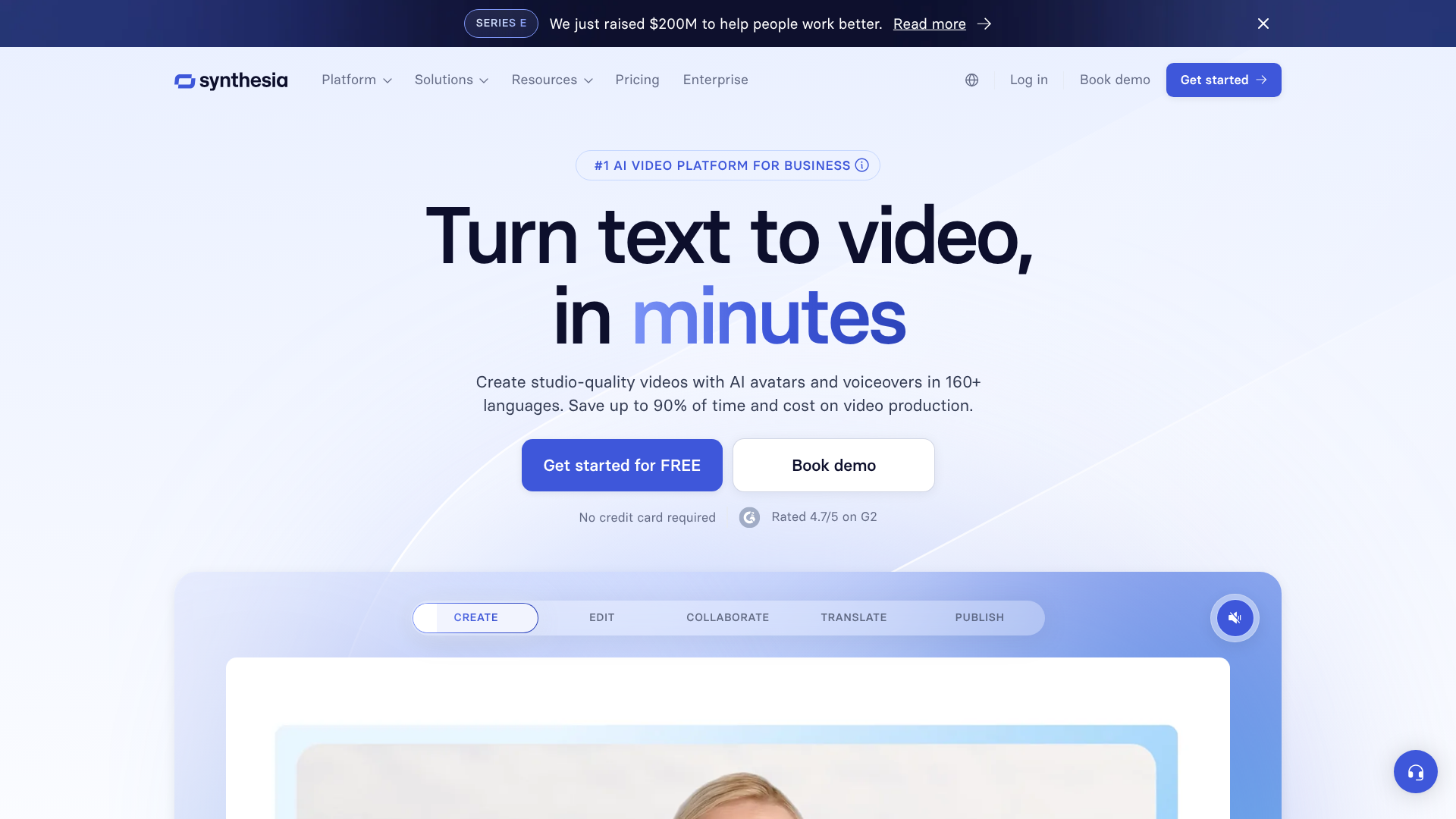
Synthesia's platform is packed with features designed to give users maximum control and flexibility over their audio and video content. The voice generation capabilities are particularly impressive, offering a blend of variety, quality, and customisation that caters to a wide range of professional needs.
Extensive Library of AI Voices & Languages
One of the most significant advantages of the synthesia voice tool is its vast library of stock voices. As of 2026, the platform provides access to over 1000 distinct voices. This collection isn't just large; it's incredibly diverse, covering a wide spectrum of ages, genders, and styles, from professional and authoritative to casual and friendly. This variety ensures you can find a voice that perfectly matches your brand's tone and the message of your content.
Even more impressive is the language support. Synthesia supports over 160 languages and accents, making it a go-to solution for companies creating content for a global audience. Whether you need a corporate training video in Japanese, a marketing campaign in Brazilian Portuguese, or a customer service tutorial in German, the platform has you covered. This eliminates the logistical nightmare of sourcing and managing voice actors in multiple languages, dramatically reducing both cost and production time.
Custom AI Voice Cloning
For organisations looking for ultimate brand consistency and personalisation, Synthesia offers a custom voice cloning feature. Available on its Enterprise plan, this technology allows you to create a high-fidelity digital replica of a specific person's voice. The process is straightforward: the designated speaker records a script provided by Synthesia, which takes about 10-15 minutes. This audio data is then used to train a unique AI model that can articulate any text in that specific voice.
The applications for this are extensive. A CEO can deliver company-wide announcements without having to be in a recording studio for every update. A sales leader can create personalised video messages at scale. Most importantly, a company can establish a single, consistent brand voice across all its training and marketing materials, strengthening brand identity and creating a more personal connection with the audience.
Advanced Voice Controls
Generating a voice is only half the battle; making it sound natural is what truly matters. Synthesia provides users with a suite of tools to fine-tune the audio output. You can adjust the speed of the narration, add pauses for dramatic effect, and even use Speech Synthesis Markup Language (SSML) for more granular control over pronunciation, emphasis, and intonation.
For example, you can add a brief pause after an important point to let it sink in or change the pronunciation of a specific brand name or acronym to ensure it's said correctly. This level of control helps bridge the gap between standard text to speech AI and truly lifelike human narration, allowing creators to produce audio that is engaging and easy to listen to.
Seamless Integration with AI Video Avatars
As mentioned, the voice generator's deepest strength lies in its integration with Synthesia's AI avatars. There are over 200 diverse stock avatars to choose from, or you can create a custom avatar of yourself or a team member. When you input your script, the chosen avatar will speak the words with synchronised lip movements and natural-seeming gestures.
This transforms the tool from a simple AI voice generator into a complete video production studio. You can create professional-looking presenter videos for anything from employee onboarding to social media advertisements without ever stepping in front of a camera. The ability to pair any voice with any avatar adds another layer of customisation, allowing you to create the perfect digital presenter for any context.

How to Create Your First AI Voiceover with Synthesia
Getting started with Synthesia is a remarkably intuitive process. The platform is designed to be user-friendly, allowing even those with no video editing experience to create professional content. Here’s a step-by-step guide to generating your first voiceover and video.
1. Sign Up and Choose a Plan
First, you'll need to visit the Synthesia website and sign up. You can start with a free AI video demo to test the functionality. For full access, you'll need to subscribe to one of their paid plans, such as the Personal or Enterprise plan, depending on your needs and team size.
2. Start a New Video Project
Once you're logged into your dashboard, you'll start by creating a new video. Synthesia offers a wide range of pre-designed templates tailored for different use cases, such as training, marketing, or presentations. You can choose a template to get a head start or begin with a blank canvas for complete creative control.
3. Select Your AI Avatar and Voice
This is where the creative process begins. You can browse Synthesia's library of over 200 stock avatars to find the perfect presenter for your video. After selecting an avatar, you'll choose a voice. You can filter the extensive voice library by language, gender, and style to quickly find one that fits your script.
If you're on an Enterprise plan, you can select your custom cloned voice here.
4. Enter Your Script
The core of the content creation happens in the script editor. This is a simple text box where you'll type or paste the narration for your video. The platform breaks the script down by sentences or paragraphs, which correspond to different scenes in your video. As you type, you can preview how the voice will sound.
Pro Tip: For the most natural-sounding delivery, write your script in a conversational tone. Use shorter sentences and add punctuation like commas and full stops to guide the AI's pacing and intonation. Read the script aloud yourself to catch any awkward phrasing before generating the audio.
5. Customise the Narration and Visuals
After entering your script, you can fine-tune the delivery. Click on specific words or phrases to adjust their pronunciation or add pauses between sentences for emphasis. In this stage, you also customise the visual elements of your video. You can change the background, add text overlays, upload images, and incorporate your brand's logo and colours.
6. Generate and Preview
Once you're happy with the script, voice, avatar, and visuals, you simply click the "Generate" button. Synthesia's AI engine will then process your project, which typically takes a few minutes depending on the length of the video. After it's done, you can preview the final video, share it with a link, or download it as an MP4 file to use wherever you need it.
Who is the Synthesia Voice Generator Best For?
While the technology is impressive, the Synthesia AI voice generator is not a one-size-fits-all solution. Its features and pricing structure make it particularly well-suited for specific professional use cases where scalability, consistency, and efficiency are paramount.
Corporate Training & Learning and Development (L&D)
This is arguably Synthesia's strongest use case. L&D departments are constantly creating and updating training materials for employee onboarding, compliance, and skill development. Synthesia allows them to produce high-quality, engaging video training modules at a fraction of the cost and time of traditional methods. The ability to quickly update content by simply editing a text script is invaluable for topics like company policies or software tutorials that change frequently.
Furthermore, using a consistent AI avatar and voice across all training materials creates a cohesive and professional learning experience.
Marketing & Sales Teams
Marketing teams can use Synthesia to create a wide variety of video content, from social media ads and product explainers to customer testimonials. The platform enables rapid A/B testing of different scripts or calls-to-action without needing to reshoot videos. For sales teams, Synthesia can be used to create personalised video outreach messages at scale. A salesperson could use a custom avatar and cloned voice to send tailored video proposals to hundreds of prospects, creating a personal touch that stands out in a crowded inbox.
Content Creators & YouTubers
For YouTubers, especially those running "faceless" channels or channels focused on educational content, Synthesia offers a way to produce professional narration without investing in expensive microphone equipment or worrying about recording quality. It also provides a solution for creators who are not confident in their own voice or who want to produce content in multiple languages to reach a broader international audience. The consistency of an AI voice can also become a recognisable part of a channel's brand.
Small to Medium-Sized Businesses (SMBs)
SMBs often operate with limited budgets, making it difficult to afford professional video production or voice talent. Synthesia levels the playing field, giving smaller companies access to tools that can create polished, professional-grade marketing and communication videos. Whether it's for a website's homepage, a product demonstration, or an internal announcement, the platform provides an affordable and efficient way to communicate visually and audibly with customers and employees.
Synthesia Pricing: A Breakdown of Costs
Synthesia's pricing is structured in tiers, designed to cater to different types of users, from individuals to large enterprises. It's important to note that pricing can change, so it's always best to visit the official Synthesia website for the most up-to-date information. As of 2026, the structure generally follows a subscription model based on features and usage.
The platform typically offers a few main plans:
- Personal Plan: Aimed at individual creators and small-scale users, this plan usually includes a set number of video minutes per month, access to the stock library of avatars and voices, and all the basic video editing features. This is a great starting point for those looking to create a limited number of videos for personal projects or a small business.
- Enterprise Plan: This plan is tailored for larger teams and organisations with more demanding needs. It typically includes a much higher or custom number of video minutes, collaboration features for teams, and access to premium services. Crucially, the Enterprise plan is where you gain access to features like custom AI avatar creation and the AI voice cloning service. Pricing for this tier is usually custom and requires contacting their sales team for a quote based on your company's specific requirements.
Here is a simplified comparison of what you can generally expect from the plans:
| Feature | Personal Plan | Enterprise Plan |
|---|---|---|
| Target User | Individuals, Small Creators | Teams, Businesses |
| Video Minutes | Limited (e.g., 10-30 mins/month) | Custom / High Volume |
| Stock Avatars & Voices | Full Access | Full Access |
| Custom Avatars | No | Yes |
| Voice Cloning | No | Yes |
| Collaboration Tools | Limited | Advanced |
| Support | Standard | Priority Support |
Choosing the right option depends entirely on your needs. If you're a solo creator who needs high-quality voiceovers for a YouTube channel, the Personal plan might be sufficient. However, if you're part of a corporate L&D team that needs to create a branded training series with a consistent, cloned voice, the Enterprise plan is the only viable option. While it may seem expensive, businesses should weigh the subscription cost against the significant savings in time, resources, and money compared to traditional video production and voiceover work.
Synthesia Pros and Cons: A Balanced Look
No tool is perfect, and Synthesia is no exception. While it offers a powerful and innovative solution for video creation, it's important to consider both its strengths and weaknesses before committing to the platform.
Pros
- Exceptional Voice Quality and Variety: The quality of the AI voices is among the best in the industry, with natural-sounding intonation and clarity. The sheer size of the library, with over 1000 voices and 160 languages, is a massive advantage for creating diverse and global content.
- All-in-One Video and Voice Platform: The tight integration of the AI voice generator with the video editor and AI avatars is Synthesia's biggest strength. It streamlines the entire production workflow, saving immense amounts of time and effort.
- Powerful Voice Cloning Feature: For businesses, the ability to clone a specific voice for branding purposes is a huge benefit. It allows for unparalleled consistency and personalisation across all video communications.
- Incredibly Easy to Update Content: The ability to change a voiceover by simply editing a text script is a major efficiency gain. This makes maintaining and updating a library of video content simple and cost-effective.
- User-Friendly Interface: The platform is designed for non-technical users. You don't need any experience in video editing or audio engineering to produce a professional-looking video.
Cons
- Voice Generator is Not a Standalone Product: You cannot use Synthesia to simply generate and export an MP3 audio file. The voice tool is intrinsically tied to the video creation platform, which may be a drawback for users who only need audio voiceovers for podcasts or presentations.
- Voice Cloning is an Expensive, Enterprise-Only Feature: While voice cloning is a standout feature, it's locked behind the custom-priced Enterprise plan. This puts it out of reach for individual creators and small businesses.
- Subscription Cost Can Be High for Casual Users: The monthly subscription fee, especially for plans with more video minutes, can be a significant investment. It delivers the most value for users who are consistently producing video content.
- Minor Robotic Artefacts: While the voices are excellent, they are still AI-generated. On very long or complex sentences with nuanced emotional delivery, you can sometimes still detect a subtle robotic quality that reminds you it's not a human speaker.
Synthesia vs. The Alternatives: How Does It Compare?
When evaluating the synthesia voice tool, it's helpful to understand its place in the market. It competes in a space with two main types of tools: other all-in-one AI video platforms and standalone AI voice generator tools.
Compared to other AI video platforms like HeyGen or Invideo, Synthesia often stands out for the quality of its voices and the professionalism of its avatars. It has long been a leader in this specific niche, particularly for corporate and enterprise use cases. Its focus on features like voice cloning and robust security protocols makes it a preferred choice for large organisations.
However, when compared to dedicated voice generation tools like Murf AI or ElevenLabs, the distinction becomes clearer. These standalone platforms are built specifically for creating audio. They often offer more granular control over voice emotions and styles and allow you to export audio files (MP3, WAV) directly. If your primary need is to create voiceovers for podcasts, audiobooks, or to add narration to a video you're editing in a separate program like Adobe Premiere Pro, a tool like Murf AI might be a more direct and potentially more affordable solution.
The key difference is the workflow. Synthesia is a complete video solution. You use it to create the entire video from start to finish. Standalone voice generators are components that fit into a broader, more traditional production workflow.
Therefore, the choice isn't about which is definitively "better," but which tool best fits your specific project needs. If you need a presenter-led video quickly and easily, Synthesia is likely the superior choice. If you only need a high-quality audio file, a dedicated voice generator is the way to go.
Frequently Asked Questions
Here are answers to some of the most common questions about the Synthesia AI voice generator and related technologies.
Is Synthesia AI free?
Synthesia is not a free platform, but it does offer a free AI video demo. This allows you to create a short sample video to test the technology and see the quality of the avatars and voices for yourself. To gain full access to the platform's features and create and download longer videos, you need to subscribe to one of their paid plans, such as the Personal or Enterprise plan.
What is the most realistic AI voice generator?
Realism in AI voices is subjective and constantly improving across the industry. Synthesia is widely regarded as one of the top contenders, producing voices that are clear, natural, and have human-like intonation. The most realistic results often come from its voice cloning feature, as it's based on a real person's speech patterns. Other platforms like ElevenLabs are also renowned for their highly realistic and emotive voices, particularly for applications like audiobooks and character dialogue.
Is AI voice changing legal?
The legality of using AI to change or generate voices is a complex and evolving area. Generally, using stock AI voices provided by a platform like Synthesia for your own content is perfectly legal, as you are licensing the right to use them. However, cloning someone else's voice without their explicit consent is a major legal and ethical issue, potentially violating privacy, publicity rights, and even copyright. Always ensure you have full legal permission before cloning a voice.
Can I use my own voice on Synthesia?
Yes, you can use your own voice on Synthesia through their custom voice cloning feature. This service is available as part of their Enterprise plan. You would need to record a short script provided by their team, and they will use that recording to create a digital AI version of your voice that you can then use in any of your video projects on the platform.
What's better than Synthesia?
What is "better" than Synthesia depends entirely on your specific needs. If you require an all-in-one solution for creating presenter-led videos with integrated voiceovers, Synthesia is a market leader and an excellent choice. If you only need to generate audio files and don't need the video avatar component, a dedicated AI voice generator like Murf AI or ElevenLabs might be a better and more cost-effective fit for your workflow.
Final Verdict: Is the Synthesia AI Voice Generator Worth Your Investment?
After a thorough review, it's clear that the Synthesia AI voice generator is a powerful and highly capable tool, but its value is intrinsically linked to its role within the broader video creation platform. For its target audience—businesses, L&D departments, and marketing teams—it represents a significant step forward in content production efficiency. The ability to create, update, and localise professional-quality videos at scale without the traditional overhead of studios and actors is a compelling proposition.
The quality of the stock voices is excellent, and the voice cloning feature is a standout for any organisation serious about brand consistency. If your primary goal is to produce presenter-led videos for training, marketing, or corporate communications, Synthesia is undoubtedly worth the investment. It streamlines complex processes and empowers teams to create more content, faster.
However, if your needs are simpler—if you're a podcaster, an audiobook narrator, or a video editor who just needs high-quality audio files to use in other software—then Synthesia is likely not the right tool for you. Its strength is its all-in-one nature, and if you don't need the video component, you'd be paying for features you won't use. For those users, a dedicated text to speech AI tool would be a more practical and economical choice.
For everyone else in the business world looking to revolutionise their video strategy, Synthesia offers a comprehensive and polished solution that is hard to beat.