

Leadpages vs Unbounce vs Instapage: Which Builder is Best for Your Business?
Choosing the right landing page builder can feel overwhelming. You need a tool that not only helps you create beautiful pages but also converts visitors into customers. In the crowded market of landing page builders, a comparison of Leadpages vs Unbounce vs Instapage often comes up, as they represent three of the most powerful options available, each catering to slightly different needs.
- What to Know
- What Are Landing Page Builders? A Quick Overview
- Leadpages vs Unbounce vs Instapage: At a Glance Comparison
- Deep Dive: Key Features and Benefits Compared
- Page Editor and Design Flexibility
- Leadpages: Simple and Structured
- Unbounce: The Flexible Classic
- Instapage: Pixel-Perfect Control for Professionals
- Conversion Optimisation Tools (A/B Testing & AI)
- Templates and Asset Management
- Pricing and Cost Comparison: Which Fits Your Budget?
- Pros and Cons: The Unbiased Breakdown
- How to Choose the Right Landing Page Builder for You
- For Solopreneurs and Small Businesses…
- For Performance Marketers and Agencies…
- For Large Teams and Enterprise…
- Frequently Asked Questions (FAQ)
- Can I use these builders with my existing website (e.g., WordPress)?
- Do I need coding skills to use Leadpages, Unbounce, or Instapage?
- Which landing page builder is best for beginners?
- Which tool has the best A/B testing features?
- Are there free plans available for any of these tools?
- Final Thoughts: Making Your Decision
Whether you're a small business owner just starting, a performance marketer scaling ad campaigns, or part of a large enterprise team, one of these tools is likely the perfect fit. This guide breaks down their features, pricing, and ideal use cases to help you make an informed decision without the technical jargon.
What to Know
- Leadpages is for Simplicity and Affordability: It's the best choice for beginners, solopreneurs, and small businesses who need to create high-converting pages quickly without a steep learning curve or a large budget.
- Unbounce is for Optimisation and Flexibility: Ideal for experienced marketers and agencies, Unbounce offers a powerful combination of a flexible page editor and advanced AI-powered conversion tools like Smart Traffic.
- Instapage is for Scale and Personalisation: This platform is built for large marketing teams and enterprises that need to create personalised post-click experiences for ad campaigns at scale, with robust collaboration features.
- Your Choice Depends on Three Factors: The decision ultimately comes down to your budget, your technical comfort level, and the primary goal of your marketing campaigns (e.g., lead generation vs. large-scale ad conversion).
What Are Landing Page Builders? A Quick Overview
A landing page builder is a software tool designed to create standalone web pages for specific marketing or advertising campaigns. Unlike a regular website page, a landing page has a single goal, known as a call-to-action (CTA). This focused approach removes distractions like navigation menus, leading to significantly higher conversion rates.
These tools provide drag-and-drop editors, pre-made templates, and built-in analytics, allowing marketers to launch and test campaigns without needing to write code. The three contenders we're examining today are leaders in this space.
- Leadpages: Known for its ease of use and affordability, Leadpages helps small businesses generate leads with landing pages, pop-ups, and even simple websites.
- Unbounce: A favourite among performance marketers, Unbounce provides a flexible builder combined with powerful A/B testing and AI optimisation features.
- Instapage: Positioned as an enterprise solution, Instapage focuses on maximising advertising ROI through scalable page creation, personalisation, and team collaboration.
Leadpages vs Unbounce vs Instapage: At a Glance Comparison
To see how these platforms stack up side-by-side, here is a quick landing page builders comparison. This table highlights the key differences that will likely influence your decision.
| Feature | Leadpages | Unbounce | Instapage |
|---|---|---|---|
| Best For | Beginners & Small Businesses | Marketers & Agencies | Enterprise & Large Teams |
| Ease of Use | Easiest | Moderate | Moderate to Advanced |
| Editor Type | Structured Grid / Sections | Classic Drag-and-Drop | Pixel-Perfect Drag-and-Drop |
| A/B Testing | Basic (Included in Pro plan) | Advanced | Advanced with Heatmaps |
| AI Features | AI Engine for copy generation | Smart Traffic, Smart Builder | N/A (Focus on personalisation) |
| Integrations | 90+ Native Integrations | 100+ Native Integrations | 120+ Native Integrations |
| Pricing Model | Most Affordable | Mid-Tier (Traffic/Conversion based) | Premium / Most Expensive |
| Unique Feature | Includes Website Builder | AI-Powered Smart Traffic | AdMap & Post-Click Personalisation |

Deep Dive: Key Features and Benefits Compared
Now, let's move beyond the summary and get into the specifics. How each tool handles page building, optimisation, and integrations will determine how well it fits into your workflow.
Page Editor and Design Flexibility
The heart of any landing page builder is its editor. The experience of creating a page differs significantly between these three platforms.
Leadpages: Simple and Structured
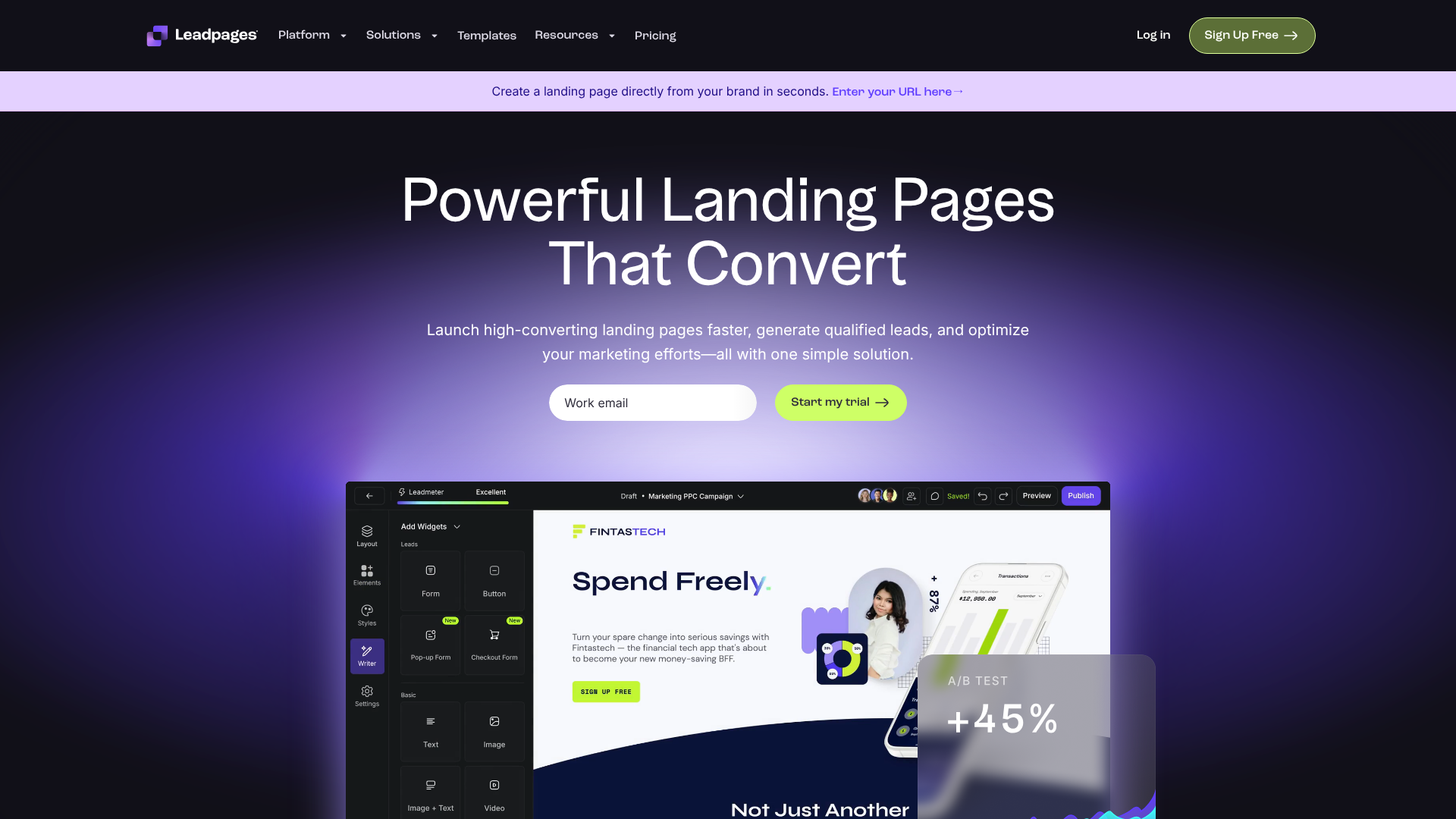
Leadpages uses a section-based, grid-style editor. You can't drag an element to any random spot on the page; instead, you place widgets within predefined columns and rows. While this sounds restrictive, it's a massive advantage for beginners.
This structure makes it almost impossible to create a poorly designed or misaligned page. It ensures everything is mobile-responsive by default and guides you towards a clean layout. For users who want to get a functional, good-looking page live in under an hour, the Leadpages editor is a dream.
However, for designers who want pixel-perfect control, this system can feel limiting. You work within the constraints of the template and sections, which means less creative freedom compared to its competitors.
Unbounce: The Flexible Classic
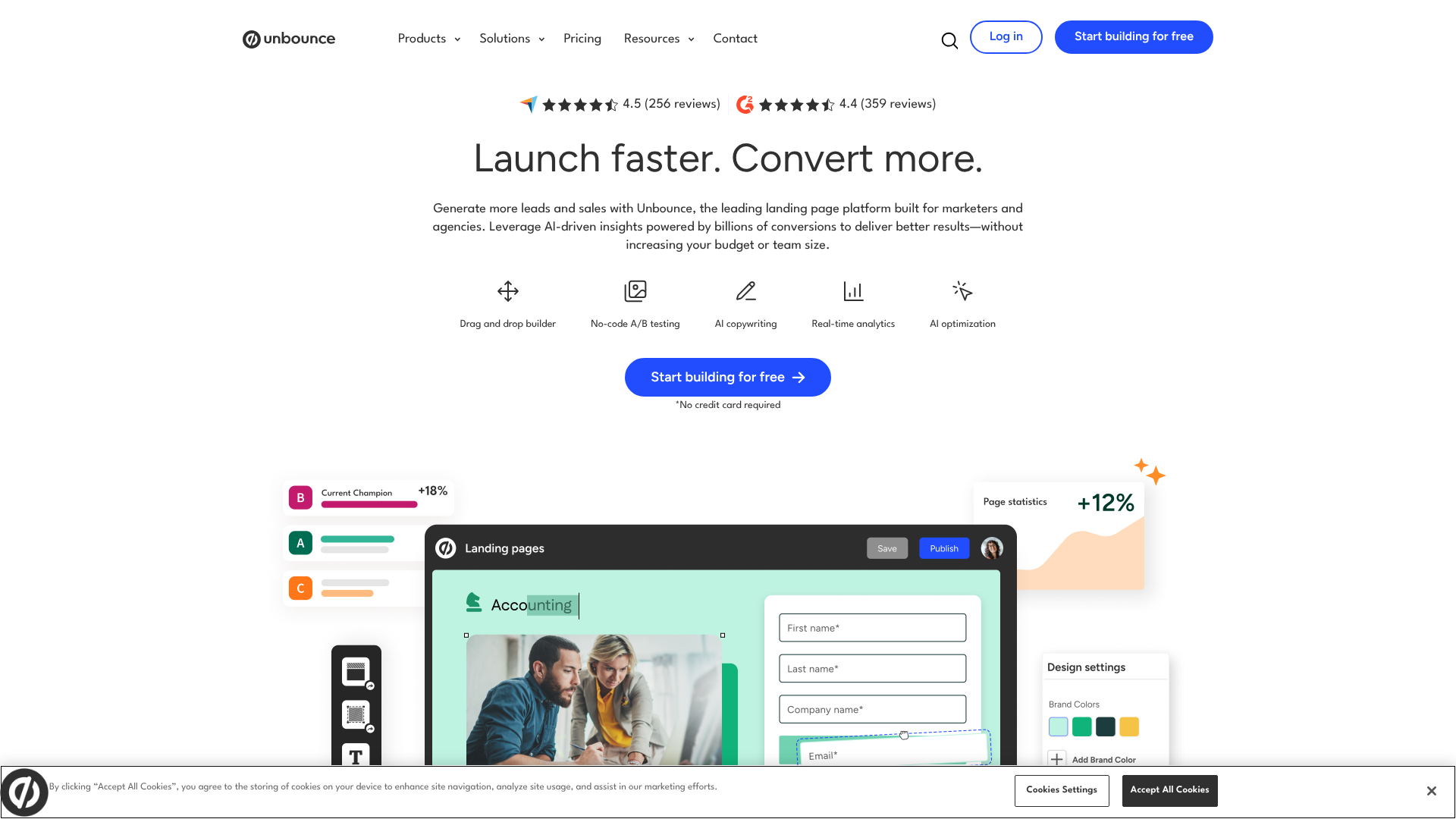
Unbounce offers a classic, free-form drag-and-drop editor. You can place any element—text boxes, images, buttons, forms—anywhere on the page. This gives you complete control over the layout and design, making it a favourite for marketers with a clear vision for their page.
This flexibility requires a bit more design sense to ensure pages look good on both desktop and mobile devices. Unbounce provides excellent mobile editing tools to adjust layouts specifically for smaller screens, but it's an extra step you have to take.
Recently, Unbounce also introduced the Smart Builder, which uses AI to provide layout recommendations and guide the building process, offering a middle ground between the structure of Leadpages and the total freedom of the classic editor.
Instapage: Pixel-Perfect Control for Professionals
Instapage takes design freedom to the highest level with its pixel-perfect editor. It functions much like a graphic design tool such as Figma or Adobe XD. You have precise control over the positioning, layering, and grouping of every element on the page.
This is the ideal environment for design-focused teams and agencies that need to match brand guidelines exactly or create highly customised layouts. Instapage also features Instablocks®, which are reusable page sections (like headers, footers, or testimonials) that you can create once and deploy across hundreds of pages, ensuring brand consistency and saving immense amounts of time.
This level of control comes with the steepest learning curve. A non-designer might find the blank canvas intimidating, making Instapage better suited for those with some design experience.
Conversion Optimisation Tools (A/B Testing & AI)
Creating a landing page is only half the battle; optimising it for conversions is where the real value lies. Each tool approaches this differently.
When comparing Unbounce vs Instapage on optimisation, Unbounce leans heavily into AI, while Instapage focuses on personalisation and analytics.
Leadpages offers straightforward A/B testing on its Pro plan. You can create a variation of your page (e.g., with a different headline) and split traffic between the original and the variant to see which performs better. It's simple, effective, and sufficient for basic optimisation needs.
Unbounce is a leader in this category. It offers robust A/B testing that is easy to set up and monitor. Its standout feature is Smart Traffic, an AI algorithm that analyses a visitor's attributes (like location, device, and browser) and automatically sends them to the landing page variant most likely to convert for them. After just 50 visits, it starts optimising, which can lead to a significant conversion lift over traditional 50/50 split testing.
Instapage provides powerful A/B testing capabilities and built-in heatmaps, which visually show you where users are clicking and scrolling on your page. Its primary optimisation focus, however, is on post-click personalisation. With its AdMap feature, you can connect your ad campaigns directly to relevant, personalised landing pages, ensuring message match and improving Quality Scores and conversion rates. This is especially powerful for businesses running complex Google Ads campaigns with many ad groups.
Pro Tip: When A/B testing, always test one significant variable at a time. If you change the headline, the button colour, and the main image all at once, you won't know which change was responsible for the lift (or drop) in conversions. Isolate your tests for clear, actionable data.
Templates and Asset Management
Templates provide a starting point for your designs, saving you time and providing conversion-tested layouts.
- Leadpages offers a large library of 200+ templates that you can sort by conversion rate, based on historical data from across the platform. This is a unique feature that helps you choose a proven layout. The designs are clean and functional, though some can feel a bit dated compared to the competition.
- Unbounce provides over 100 modern, professionally designed templates. They are well-categorised by industry and use case (e.g., lead generation, webinar registration, ebook download). You can also purchase premium templates from marketplaces like ThemeForest.
- Instapage boasts a library of over 200 templates that are highly customisable and geared towards specific campaign goals. The quality is exceptionally high, reflecting its enterprise focus. The Instablocks® feature also acts as a form of template management, allowing you to save and reuse custom-built sections across all your pages.
Pricing and Cost Comparison: Which Fits Your Budget?

Pricing is often a deciding factor, and there are clear distinctions between the three platforms. Note that pricing plans change, so it's always best to visit the official websites for the most current information.
Leadpages Pricing
Leadpages is the most budget-friendly option, making it accessible for small businesses and solopreneurs. Its plans typically include:
- Standard Plan: Offers the core features for creating landing pages for one site, but lacks A/B testing and online payment integrations.
- Pro Plan: Adds A/B testing, online sales and payments, and more integrations. This is the most popular plan for businesses serious about optimisation.
A key benefit of Leadpages is that both plans offer unlimited traffic and leads, so you never have to worry about hitting a cap and paying overage fees.
Unbounce Pricing
Unbounce sits in the mid-to-high end of the market. Its pricing is based on the number of conversions, visitors, and connected domains you need. Plans often follow a tiered structure:
- Launch: Aimed at beginners, with limits on monthly conversions and visitors.
- Optimize: The most popular tier, offering more traffic and conversions, and unlocking the Smart Traffic AI feature.
- Accelerate/Concierge: For agencies and high-traffic businesses, with higher limits and more hands-on support.
The traffic and conversion limits mean your costs can grow as your business scales, which is an important factor to consider.
Instapage Pricing
Instapage is a premium, enterprise-focused platform, and its pricing reflects that. It is the most expensive of the three.
- Build Plan: The entry-level plan is already more expensive than Unbounce's top tiers and comes with a visitor limit.
- Convert Plan: A custom-priced plan for businesses needing the full suite of features, including AdMap, personalisation, and enterprise-grade security and support.
Instapage justifies its cost with features designed to deliver a high return on ad spend for large-scale campaigns, making it a value proposition for the right kind of customer.
Pros and Cons: The Unbiased Breakdown
Every tool has its strengths and weaknesses. Here’s a straightforward look at the pros and cons of each platform.
Leadpages: Pros and Cons
Pros:
Highly Affordable: The most budget-friendly option, perfect for new businesses. – Extremely Easy to Use: The structured editor has a very gentle learning curve. – Unlimited Traffic & Leads: No penalties for success; your price is fixed. – Fast Page Load Speed: Pages are optimised for speed, which is great for SEO and user experience.
Includes Website Builder: You can build a full, simple website, not just landing pages.
Cons:
- Limited Design Flexibility: The grid-based editor can feel restrictive for custom designs.
- Basic A/B Testing: The testing features are not as advanced as competitors'.
Unbounce: Pros and Cons
Pros:
- Powerful Optimisation Tools: Smart Traffic AI is a significant advantage.
- Flexible Page Editor: Great balance of freedom and usability.
- Pop-ups and Sticky Bars: Includes tools for lead capture across your entire website.
- Strong Integration Library: Connects easily with most marketing tools.
Cons:
- Traffic and Conversion Limits: Costs increase as you grow.
- Steeper Learning Curve: More complex than Leadpages, especially the classic editor.
Instapage: Pros and Cons
Pros:
- Unmatched Design Freedom: Pixel-perfect editor for complete control.
- Excellent for Ad Campaigns: AdMap and personalisation features are top-tier for maximising ROI.
- Collaboration Tools: Built for teams with workflows and real-time feedback.
- Fast Loading AMP Pages: Create Google AMP-compliant pages for mobile with one click.
Cons:
- Very Expensive: The price point puts it out of reach for most small businesses.
- Overkill for Simple Needs: Its advanced features are unnecessary if you're not running large-scale ad campaigns.
How to Choose the Right Landing Page Builder for You
By now, you should have a good idea of which platform aligns with your needs. Let's make the final recommendation clear based on your business profile.
For Solopreneurs and Small Businesses…
Choose Leadpages. The combination of affordability, ease of use, and unlimited traffic is unbeatable for those just starting or managing a small budget. You can get professional-looking, high-converting pages live in minutes without needing any design or technical skills. The debate of Leadpages vs Unbounce for a small business almost always ends with Leadpages winning on value and simplicity.
For Performance Marketers and Agencies…
Choose Unbounce. If your job is to squeeze every possible conversion out of your traffic, Unbounce's advanced A/B testing and Smart Traffic AI will give you the edge you need. The flexible editor allows you to build exactly the page you envision, and the platform is built for serious optimisation.
For Large Teams and Enterprise…
Choose Instapage. If you're managing a large ad budget and need to maintain brand consistency across hundreds of personalised landing pages, Instapage is built for you. Its collaboration features, Instablocks for scalability, and deep personalisation capabilities are designed to solve enterprise-level challenges and deliver a measurable return on ad spend.
Pro Tip: Don't pay for features you won't use. It's tempting to choose the tool with the most impressive feature list, but if your business isn't ready for enterprise-level personalisation, you'll be overpaying. Start with the tool that solves your immediate problems and plan to upgrade as you grow.
Frequently Asked Questions (FAQ)
Can I use these builders with my existing website (e.g., WordPress)?
Yes, all three platforms integrate seamlessly with existing websites. They each have a dedicated WordPress plugin that allows you to publish landing pages directly to your domain (e.g., yoursite.com/promo-page). You can also publish to a custom subdomain or use their native hosting if you prefer.
Do I need coding skills to use Leadpages, Unbounce, or Instapage?
No, you do not need any coding skills for any of these platforms. They are all designed as no-code, visual builders. However, Unbounce and Instapage do allow you to add custom HTML, CSS, and JavaScript if you want to add custom functionality or styling, offering more flexibility for advanced users.
Which landing page builder is best for beginners?
Leadpages is unequivocally the best landing page builder for beginners. Its structured editor, conversion-sorted templates, and straightforward interface remove the guesswork and make it incredibly easy to get started. The learning curve is minimal compared to the other two.
Which tool has the best A/B testing features?
Unbounce has the edge in A/B testing, primarily due to its AI-powered Smart Traffic feature. While Instapage has excellent testing and analytics tools like heatmaps, Unbounce's ability to automatically route traffic to the best-performing variant for each visitor is a powerful and unique optimisation advantage.
Are there free plans available for any of these tools?
None of these three platforms offer a permanent free plan. However, they all typically offer a 14-day free trial. This allows you to test out the features, build a few pages, and see which interface you prefer before committing to a paid subscription.
Final Thoughts: Making Your Decision
Choosing between Leadpages, Unbounce, and Instapage isn't about finding the single 'best' tool, but about finding the right tool for your specific situation. Each platform is a leader in its own right, designed to serve a different type of user with excellence.
To recap:
- Go with Leadpages if you value speed, simplicity, and affordability above all else. It’s the perfect starting point for small businesses.
- Go with Unbounce if you are a data-driven marketer who needs a flexible editor and powerful AI tools to optimise for every last conversion.
- Go with Instapage if you are part of a larger team running sophisticated ad campaigns that require personalisation at scale and seamless collaboration.
Assess your budget, your team's skills, and your primary marketing goals. The answer will become clear. All three offer free trials, so the best final step is to sign up for the one that seems like the best fit and see for yourself.