

Lead Capture Landing Page Explained: How to Build One That Converts
In digital marketing, not all web pages are created equal. While your homepage serves as a digital storefront, a lead capture landing page acts as your most focused and persuasive salesperson. It has one job and one job only: to convert a visitor into a lead by persuading them to share their contact information. This single-minded focus is precisely what makes it one of the most powerful tools for growing your business, turning passive browsers into engaged prospects.
- What You'll Learn
- What Exactly is a Lead Capture Landing Page?
- The Core Components of a High-Converting Landing Page for Leads
- The Irresistible Headline
- Compelling Copy & Value Proposition
- Engaging Visuals (Images or Video)
- The Lead Capture Form
- The Unmistakable Call-to-Action (CTA)
- Social Proof (Testimonials & Logos)
- Why Your Business Absolutely Needs a Lead Generation Landing Page
- Skyrocket Your Conversion Rates
- Gather Valuable Audience Insights
- Improve Your Marketing ROI
- Segment Your Audience Effectively
- How to Create a Lead Capture Page: A Step-by-Step Guide
- Step 1: Define Your Goal and Offer (The Lead Magnet)
- Step 2: Understand Your Target Audience
- Step 3: Write Persuasive Copy
- Step 4: Design for Simplicity and Focus
- Step 5: Build Your Page with the Right Tool
- Step 6: Integrate with Your Marketing Stack
- Step 7: Test, Measure, and Optimise
- Choosing the Best Lead Capture Page Builder
- Top Lead Capture Landing Page Builders in 2026
- 1. Leadpages: Best for Ease of Use and Small Businesses
- 2. Unbounce: Best for A/B Testing and Optimisation
- 3. ClickFunnels: Best for Sales Funnels and Upsells
- 4. Instapage: Best for Teams and Personalisation
- Comparison of Top Landing Page Builders
- Understanding Pricing: How Much Does a Landing Page for Leads Cost?
- The DIY Approach (Low Cost, High Time Investment)
- Landing Page Builder Subscriptions (Monthly Investment)
- Hiring a Professional (High One-Time Cost)
- Frequently Asked Questions (FAQ)
- What is the difference between a landing page and a capture page?
- Do you need a landing page for a lead magnet?
- Can I build my own landing page?
- Is Leadpages worth the money?
- What are the three types of landing pages?
- Final Thoughts: Start Capturing More Leads Today
Understanding how to create an effective landing page for leads is fundamental for any successful marketing campaign. It’s the critical link between your advertising efforts and your sales pipeline. Without a well-optimised page, you risk wasting ad spend and losing potential customers who click your link but don't know what to do next. This guide breaks down everything you need to know, from the core components to the best tools for the job.
What You'll Learn
- Core Definition: A lead capture page is a standalone webpage designed with a single goal: to collect a visitor's contact details (a lead) in exchange for a valuable offer.
- Essential Elements: Every successful page includes a compelling headline, a clear value proposition, a streamlined form, an unmissable call-to-action (CTA), and trust-building social proof.
- Key Benefits: Using a dedicated lead generation landing page can significantly increase conversion rates, provide valuable audience insights, and improve the return on your marketing investment.
- Building Your Page: The process involves defining your offer, understanding your audience, writing persuasive copy, and using a dedicated landing page builder for ease of use and optimisation.
What Exactly is a Lead Capture Landing Page?
A lead capture landing page is a specialised, standalone web page created for a specific marketing or advertising campaign. When a potential customer clicks on a link in an email, a social media post, or a search engine ad, they are directed to this page. Unlike a homepage, which offers dozens of potential actions and navigation links, a lead capture page is designed to eliminate distractions and guide the user towards a single, specific action.
Think of it as a focused conversation. Your homepage might shout, "Welcome. Look at everything we do!" which can be overwhelming. A landing page for leads whispers, "You clicked this ad because you're interested in X.
Here is everything you need to know about X, and here's how you can get it." This focused approach is built on the principle of a value exchange: the visitor provides their contact information (like an email address) in return for something valuable from you.
This valuable item is often called a "lead magnet." It could be a free e-book, a webinar registration, a discount code, a helpful checklist, or a free trial. The quality of your lead magnet directly impacts the effectiveness of your lead capture page. The more valuable the offer, the more willing visitors will be to trade their details for it.
Landing Page vs. Homepage: The Critical Difference
The primary difference lies in purpose and focus. A homepage is a general-purpose entry point. It needs to cater to multiple audiences and direct them to various parts of your website, like the blog, services page, or contact information. It's full of links and navigation options.
A lead generation landing page is a specialist. It typically has no site navigation, no footer full of links, and no competing offers. Every element on the page—the headline, the images, the copy, and the form—works together to persuade the visitor to complete that one desired action. This laser focus is why dedicated landing pages consistently outperform generic website pages for lead generation, sometimes by a significant margin.

The Core Components of a High-Converting Landing Page for Leads
An effective lead capture page isn't just a random collection of text and images. It's a carefully constructed machine where each part has a specific function. Getting these core components right is the key to turning clicks into conversions.
The Irresistible Headline
Your headline is the first thing a visitor reads and is arguably the most important element. It must grab their attention immediately and confirm they are in the right place. A great headline is clear, concise, and benefit-oriented. It should directly reflect the message of the ad or link the visitor clicked to get there—a concept known as "message match." If the ad promises a "Free Guide to Social Media Marketing," the headline should echo that promise, not something generic like "Our Resources."
Compelling Copy & Value Proposition
After the headline hooks them, the body copy needs to reel them in. This is where you clearly articulate your value proposition. What problem does your offer solve? What will the visitor gain by filling out the form? Use bullet points to make benefits easy to scan and focus on outcomes, not just features. Instead of saying "10-chapter e-book," say "Learn 10 proven strategies to double your engagement."
Engaging Visuals (Images or Video)
A picture really is worth a thousand words. High-quality images, infographics, or a short video can help explain your offer more effectively than text alone. The visuals should be relevant and support the message. If you're offering an e-book, show a professional mockup of the cover. If it's a webinar, include a photo of the presenter or a short preview clip. Visuals help break up text and make the page more engaging.
The Lead Capture Form
The form is where the conversion happens. The golden rule here is simplicity. Only ask for the information you absolutely need. For a simple newsletter sign-up, an email address is enough. For a sales consultation, you might need a name, email, and phone number. Every additional field you add creates friction and can decrease your conversion rate. Keep it short, make the fields easy to fill, and ensure it stands out on the page.
The Unmistakable Call-to-Action (CTA)
The CTA button is the final instruction for your visitor. It needs to be impossible to miss. Use a contrasting colour that makes it pop from the rest of the page. The text on the button should be action-oriented and specific. Instead of a generic "Submit," use phrases like "Download Your Free Guide," "Get Instant Access," or "Reserve My Spot."
Social Proof (Testimonials & Logos)
People trust other people. Including social proof is a powerful way to build credibility and reduce anxiety for first-time visitors. This can include testimonials from happy customers, logos of well-known companies you've worked with, star ratings, or data points like "Join 20,000+ subscribers." This reassures visitors that your offer is legitimate and that others have found value in it.
Why Your Business Absolutely Needs a Lead Generation Landing Page
Some businesses direct their ad traffic straight to their homepage, hoping for the best. This is a costly mistake. Investing time and resources into creating dedicated lead generation landing pages offers substantial benefits that directly impact your bottom line.
Skyrocket Your Conversion Rates
This is the most significant benefit. Because a landing page is hyper-focused on a single goal, it removes the distractions and analysis paralysis that a busy homepage can cause. By guiding the user down a clear path, you make it incredibly easy for them to take the desired action. According to industry data, businesses that use a higher number of landing pages (10-15) can see a lead increase of over 55%. The singular focus translates directly into more leads from the same amount of traffic.
Gather Valuable Audience Insights
Each lead capture page you create acts as a mini-experiment. The data you collect from the form provides direct insight into who your audience is. Furthermore, by tracking the performance of different pages for different offers, you learn what your audience truly values. This information is marketing gold, helping you refine your offers, messaging, and overall strategy for future campaigns.
Improve Your Marketing ROI
When you're paying for traffic through platforms like Google Ads or Facebook, every click costs money. Sending that expensive traffic to a generic page that doesn't convert well is like pouring water into a leaky bucket. A high-converting lead capture page ensures you get the maximum value from your ad spend. A higher conversion rate means a lower cost per lead, making your entire marketing budget more efficient and profitable.
Segment Your Audience Effectively
Not all leads are the same. A visitor who downloads a beginner's guide to SEO has different needs than one who requests a demo of your advanced analytics software. By using different landing pages for different offers, you can automatically segment your new leads into specific lists within your email marketing platform or CRM. This allows you to follow up with highly relevant, personalised content that nurtures them more effectively, rather than sending everyone the same generic welcome email.
How to Create a Lead Capture Page: A Step-by-Step Guide
Building an effective lead capture page is a methodical process. Following these steps will help you create a page that not only looks good but also delivers results.
Step 1: Define Your Goal and Offer (The Lead Magnet)
Before you write a single word, you need to know what you want to achieve and what you're offering in return. Is your goal to build your email list, book sales calls, or drive webinar registrations? Your goal will define your offer. This offer, or lead magnet, must be genuinely valuable to your target audience. Great lead magnets are specific, solve a real problem, and provide instant gratification.
Step 2: Understand Your Target Audience
Who are you trying to reach? What are their pain points, goals, and motivations? Your entire page—from the headline to the CTA—should speak directly to this person. Use their language, address their specific problems, and frame your offer as the perfect solution for them. Creating a simple customer persona can be incredibly helpful here.
Step 3: Write Persuasive Copy
With your audience and offer defined, it's time to write. Start with a powerful, benefit-driven headline. Follow up with concise body copy that explains the value of your offer, using bullet points for scannability. End with a clear, action-oriented CTA. Remember to focus on the user's perspective: it's not about what your offer is, but what it does for them.
Step 4: Design for Simplicity and Focus
This is where you apply the principle of removing distractions. Your design should be clean and uncluttered. Use plenty of white space to guide the eye towards the most important elements: the headline, the form, and the CTA button. Crucially, remove all site navigation, external links, and complex footers. The only clickable path forward should be the CTA button.
Step 5: Build Your Page with the Right Tool
You don't need to be a web developer to create a professional landing page. Dedicated landing page builders make the process simple with drag-and-drop interfaces and pre-built templates. These tools are designed specifically for creating high-converting pages and often include features like A/B testing and analytics.
Below is a helpful video from Jotform that walks through the creation process, highlighting how simple it can be with the right platform.
Step 6: Integrate with Your Marketing Stack
Your lead capture page doesn't exist in a vacuum. Once a visitor fills out the form, their information needs to go somewhere. Ensure your page is integrated with your email marketing service (like ActiveCampaign or GetResponse) or your CRM. Most landing page builders offer seamless, one-click integrations with popular platforms, automating the process of adding new leads to your lists and workflows.
Step 7: Test, Measure, and Optimise
Launching your page is just the beginning. The best marketers are constantly testing to improve performance. Use A/B testing (a feature in most builders) to test variations of your headline, copy, images, or CTA button. Track your conversion rate and make data-driven decisions to optimise your page over time. Even small changes can lead to significant increases in lead generation.
Pro Tip: When A/B testing, only change one element at a time. If you change the headline, the image, and the CTA colour all at once, you'll have no idea which change was responsible for the increase or decrease in conversions. Isolate your variables for clear, actionable results.
Choosing the Best Lead Capture Page Builder
With so many tools available, selecting the right one can feel daunting. The best choice depends on your specific needs, technical comfort level, and budget. Here are the key factors to consider when evaluating your options.
Key Factors to Consider
- Ease of Use: How intuitive is the editor? A good builder should have a drag-and-drop interface that allows you to create and modify pages without any coding knowledge.
- Templates: A large library of professional, mobile-responsive templates can save you hours of design work. Look for templates that are proven to convert and are relevant to your industry.
- Integrations: Check if the builder connects easily with the other tools you use, such as your email marketing platform, CRM, webinar software, and analytics tools.
- A/B Testing: The ability to run split tests is crucial for optimisation. The platform should make it easy to create variations of your page and analyse the results.
- Mobile Responsiveness: With over half of all web traffic coming from mobile devices, your landing pages must look and function perfectly on any screen size. This should be a non-negotiable feature.
- Pricing: Costs can vary widely. Consider your budget and look for a plan that offers the features you need without breaking the bank. Some offer free trials, which are a great way to test the platform.
Top Lead Capture Landing Page Builders in 2026
Here’s a look at some of the top platforms on the market, each with its own strengths, designed for different types of users.
1. Leadpages: Best for Ease of Use and Small Businesses
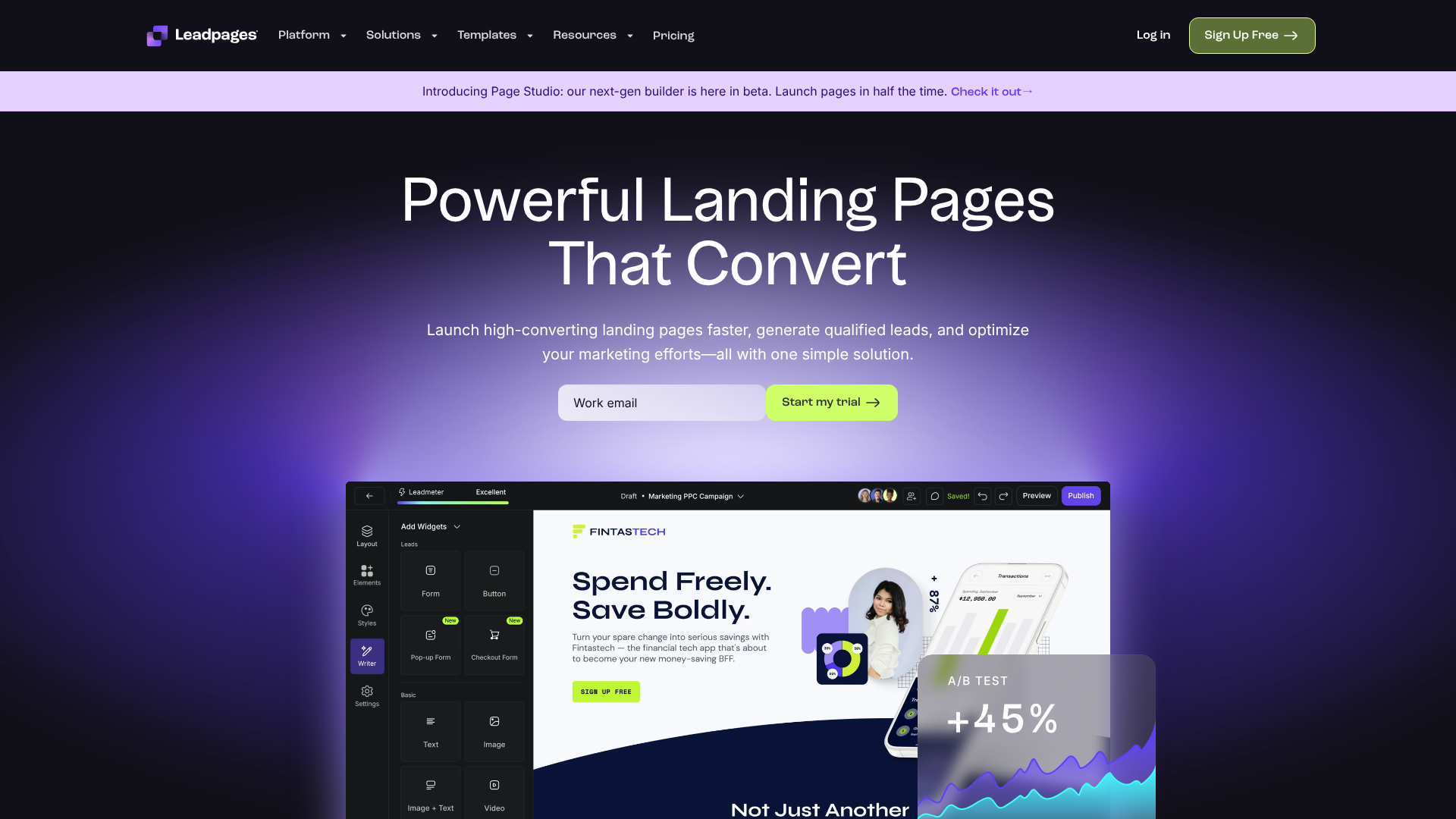
Leadpages is renowned for its simplicity and speed. It's an excellent choice for beginners, solopreneurs, and small businesses who need to get high-quality landing pages live quickly without a steep learning curve. Its drag-and-drop builder is intuitive, and it offers a vast library of mobile-responsive templates.
Pros
- Extremely user-friendly and easy to learn.
- Large selection of high-quality templates for various goals.
- Includes pop-ups and alert bars for lead capture across your entire site.
- Generally more affordable than many competitors.
Cons
- The A/B testing features are less advanced than those of more specialised platforms.
- Customisation options can feel slightly more limited compared to Unbounce or Instapage.
2. Unbounce: Best for A/B Testing and Optimisation
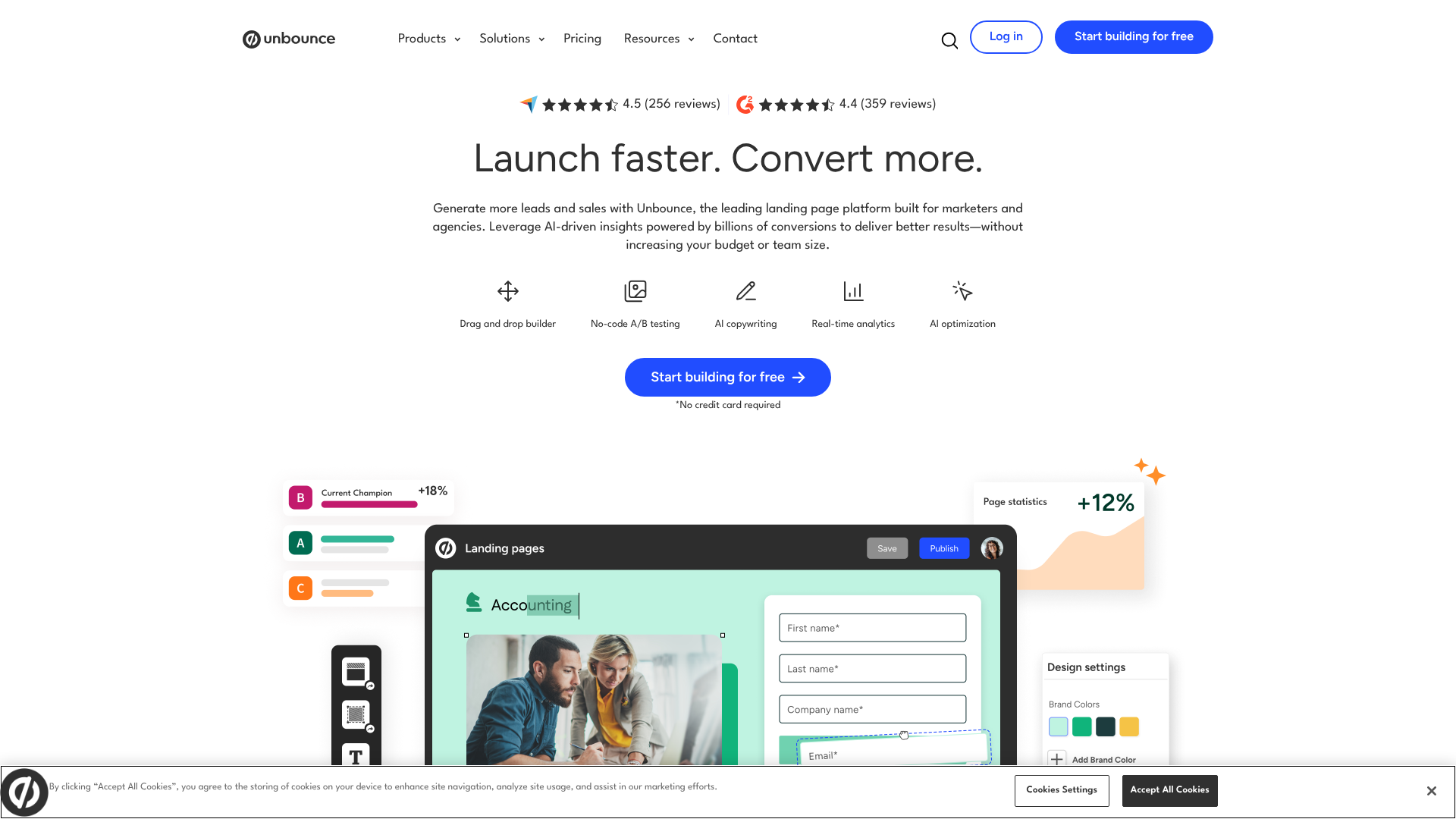
Unbounce is a powerful platform built for marketers who are serious about conversion rate optimisation. While still user-friendly, it offers more advanced features, particularly around testing and AI. Its Smart Traffic feature automatically directs visitors to the landing page variant most likely to convert for them, taking A/B testing to the next level.
Pros
- Industry-leading A/B testing and AI-powered optimisation tools.
- Highly customisable builder for pixel-perfect design control.
- Strong integration capabilities with a wide range of marketing tools.
- Excellent for performance marketers and agencies.
Cons
- Higher price point than many entry-level builders.
- Can have a slightly steeper learning curve for absolute beginners.
3. ClickFunnels: Best for Sales Funnels and Upsells
ClickFunnels is more than just a landing page builder; it's an all-in-one tool for creating entire sales funnels. It's designed for users who want to guide a lead through a multi-step process, from initial capture to purchase, upsells, and downsells. It's ideal for selling digital products, courses, or event tickets.
Pros
- Simplifies the creation of complex, multi-page sales funnels.
- Includes built-in features for payment processing, membership sites, and affiliate management.
- Strong focus on direct-response marketing principles.
Cons
- Can be overkill if you only need a simple lead capture page.
- The design customisation isn't as flexible as Instapage or Unbounce.
- It's one of the more expensive options.
4. Instapage: Best for Teams and Personalisation
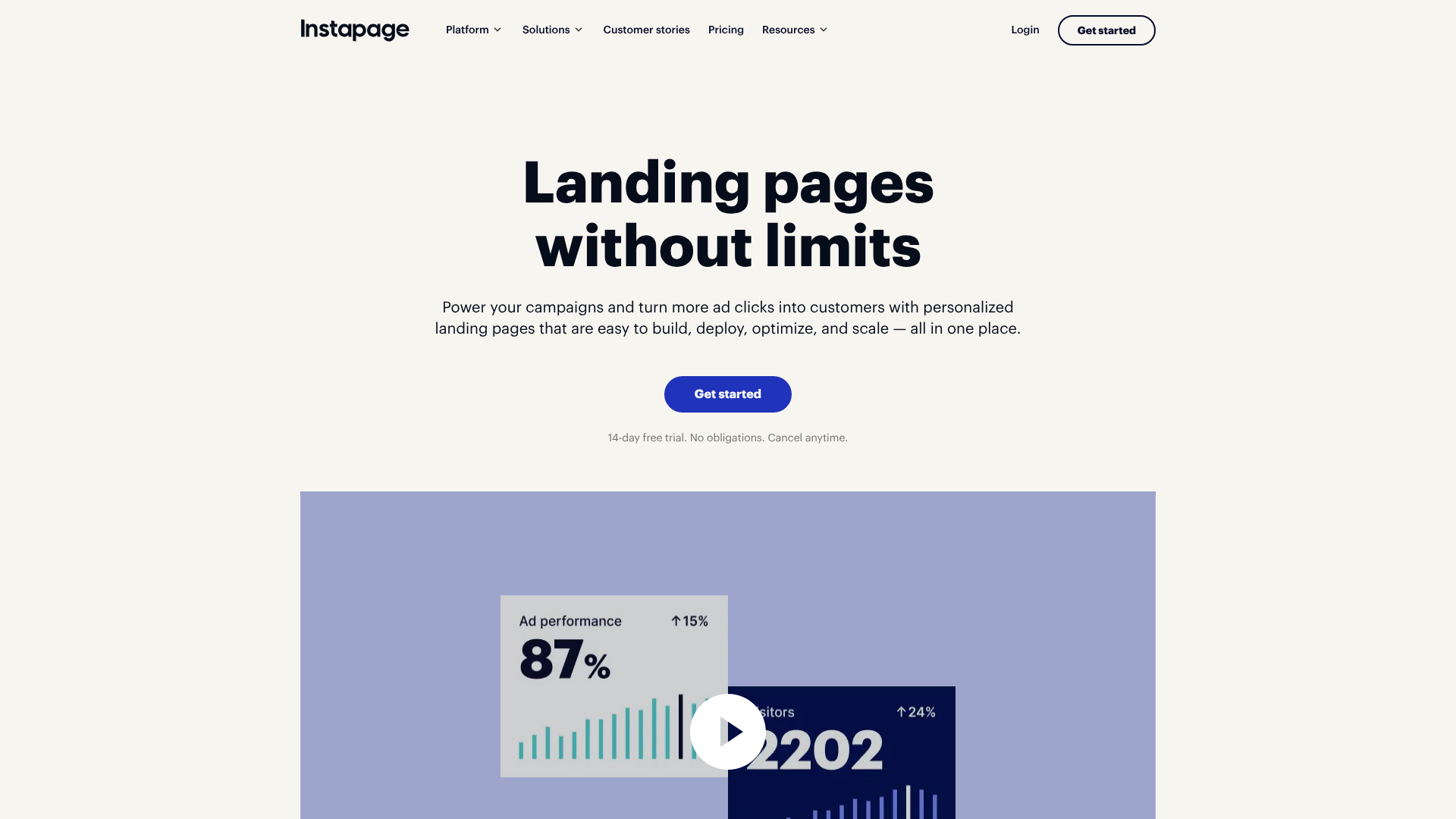
Instapage is a premium landing page platform that excels at personalisation and team collaboration. Its standout feature, AdMap, allows you to visualise your ad campaigns and easily create unique, message-matched landing page experiences for each ad group. This makes it a favourite among larger teams and enterprises running complex paid advertising campaigns.
Pros
- Unmatched personalisation capabilities for ad campaigns.
- Excellent collaboration tools for teams, including real-time edits and feedback.
- Fast page-loading speeds, which is great for SEO and user experience.
- Robust analytics and heatmaps.
Cons
- The most expensive option on this list, aimed at enterprise-level users.
- May be too feature-rich and complex for small businesses.
Comparison of Top Landing Page Builders
| Feature | Leadpages | Unbounce | ClickFunnels | Instapage |
|---|---|---|---|---|
| Best For | Beginners & Small Business | Performance Marketers | Sales Funnels & Courses | Teams & Personalisation |
| Ease of Use | Very High | High | Medium | High |
| A/B Testing | Basic | Advanced (AI-powered) | Yes | Advanced |
| Pricing Tier | $$ | $$$ | $$$$ | $$$$$ |
| Key Feature | Speed & Simplicity | Smart Traffic (AI) | All-in-One Funnel Builder | AdMap Personalisation |
Understanding Pricing: How Much Does a Landing Page for Leads Cost?
The cost of implementing a lead capture strategy can vary dramatically based on the approach you take. There isn't a single price tag, but rather a spectrum of options to fit different budgets and needs.
The DIY Approach (Low Cost, High Time Investment)
If you're on a tight budget, you can create a landing page using a platform like WordPress combined with a page builder plugin (e.g., Elementor or Beaver Builder). Many of these plugins have free versions that are quite capable. The monetary cost is minimal, but the trade-off is your time. You'll be responsible for the design, ensuring mobile responsiveness, and setting up integrations yourself, which can be a steep learning curve.
Landing Page Builder Subscriptions (Monthly Investment)
This is the most popular route for most businesses. Platforms like Leadpages, Unbounce, and others operate on a Software-as-a-Service (SaaS) model, where you pay a monthly or annual fee. Prices can range from around £30 per month for basic plans to over £200 per month for advanced plans with more features, traffic limits, and A/B testing capabilities. This cost typically includes hosting, templates, integrations, and support, making it a cost-effective all-in-one solution.
Hiring a Professional (High One-Time Cost)
For those without the time or desire to build pages themselves, hiring a freelance designer/marketer or an agency is an option. This provides you with expert knowledge and a professionally designed page built for conversions. However, it comes at a significant cost. A single, high-quality landing page design can range from £500 to £5,000+, depending on the complexity and the professional's experience. This doesn't include ongoing costs for testing and optimisation.
Ultimately, the investment in a proper landing page tool or professional often pays for itself many times over through the increase in qualified leads and sales.
Frequently Asked Questions (FAQ)
Here are answers to some of the most common questions about lead capture landing pages.
What is the difference between a landing page and a capture page?
These terms are often used interchangeably, and for the most part, they refer to the same thing. However, if you want to be technical, a "lead capture page" is a specific type of landing page. A landing page is any page a visitor "lands" on after a click. This could be a click-through page designed to warm up a visitor before sending them to a shopping cart. A lead capture page, specifically, always has a form and its sole purpose is to capture lead information.
Do you need a landing page for a lead magnet?
Yes, absolutely. A dedicated landing page is the most effective way to promote and deliver your lead magnet. It provides the perfect, distraction-free environment to explain the value of your offer and persuade visitors to download it. Simply linking to a PDF from your homepage or a blog post will result in far lower conversion rates because there's no focused sales pitch.
Can I build my own landing page?
Yes, you can. Thanks to modern landing page builders, you no longer need to be a coder or designer to create a beautiful and effective page. Tools like Leadpages are specifically designed for non-technical users, offering templates and drag-and-drop editors that make the process straightforward and fast.
Is Leadpages worth the money?
For many users, yes. Leadpages is worth the investment if you value speed, simplicity, and a wide selection of proven templates. It's perfect for small business owners, consultants, and marketers who need to launch campaigns quickly without getting bogged down in technical details. If you are an advanced marketer needing highly sophisticated A/B testing or deep personalisation, a more powerful tool like Unbounce or Instapage might be a better fit, albeit at a higher cost.
What are the three types of landing pages?
While there are many variations, landing pages are often categorised into three main types:
- Lead Capture Pages: As discussed, their primary goal is to collect lead information via a form.
- Click-Through Pages: These pages don't have a form. Instead, they are designed to "warm up" a visitor with more information about a product or offer before sending them to a checkout or registration page. They act as a bridge to increase conversion likelihood on the final step.
- Squeeze Pages: This is a more aggressive type of lead capture page. It's typically very short, with a bold headline, a brief description of the offer, and a prominent opt-in form. The goal is to "squeeze" an email address from the visitor with minimal information.
Final Thoughts: Start Capturing More Leads Today
A well-crafted lead capture landing page is not a marketing luxury; it's a fundamental necessity for any business serious about growth. It's the most efficient and effective way to convert traffic from your advertising campaigns into tangible, valuable leads that you can nurture into loyal customers.
By focusing on a single offer, removing all distractions, and building your page with the core conversion components in mind, you create a powerful engine for your sales pipeline. The process is more accessible than ever, with tools designed to empower marketers of all skill levels to build pages that get results.
If you're ready to start building, tools like Leadpages offer an easy and affordable entry point for creating beautiful pages fast. For those looking to build out more complex marketing and sales processes, ClickFunnels provides a comprehensive solution for the entire customer journey. Choose the platform that aligns with your goals, and start turning more of your visitors into promising leads.