
Synthesia AI Video Generator Review: Is It Right for Your Business in 2026?
Creating professional-quality video content is often a slow, expensive, and complex process. It typically involves cameras, microphones, actors, and hours of editing. The Synthesia AI video generator offers a different approach, allowing anyone to create polished, presenter-led videos from just a text script. But does it live up to the hype, and is it the right investment for your business needs?
- What You'll Learn
- What is the Synthesia AI Video Generator?
- A Deep Dive into Synthesia's Key Features
- Diverse AI Avatars and Custom Avatars
- Multi-Language Voice Generation
- Intuitive Video Editor and Templates
- Scripting and Media Integration
- How to Create a Video with the Synthesia Video Maker in 5 Steps
- 1. Choose a Template and Avatar
- 2. Write or Paste Your Script
- 3. Customise Your Visuals
- 4. Generate and Review
- 5. Share and Download
- Who is This Synthesia AI Tool Best For?
- Corporate Training & Learning and Development (L&D)
- Marketing & Sales Teams
- Customer Support & How-To Guides
- Small Businesses & Solopreneurs
- Synthesia Pricing: An Honest Cost Breakdown
- The Pros and Cons of Using Synthesia
- Are There Better Alternatives to Synthesia?
- Frequently Asked Questions (FAQ)
- Is Synthesia AI video generator free?
- Is Synthesia a good AI video generator?
- How long can Synthesia videos be?
- What are the limitations of Synthesia AI?
- Final Verdict: Is the Synthesia AI Video Generator Worth the Investment?
This review breaks down everything you need to know about the Synthesia platform. We'll explore its core features, pricing structures, and ideal use cases. We'll also provide a balanced look at its pros and cons to help you make an informed decision.
What You'll Learn
- What Synthesia Is: Understand the core technology behind this AI video generator and how it transforms text into presenter-led videos.
- Key Features: A detailed look at its AI avatars, voice generation in over 120 languages, templates, and editing capabilities.
- Pricing and Value: A breakdown of Synthesia's subscription plans to determine which one offers the best value for different users.
- Pros and Cons: An honest assessment of the platform's strengths, like scalability and ease of use, versus its limitations, such as avatar expressiveness.
- Final Verdict: Our recommendation on whether Synthesia is a worthwhile investment for businesses, marketers, and content creators in 2026.
What is the Synthesia AI Video Generator?
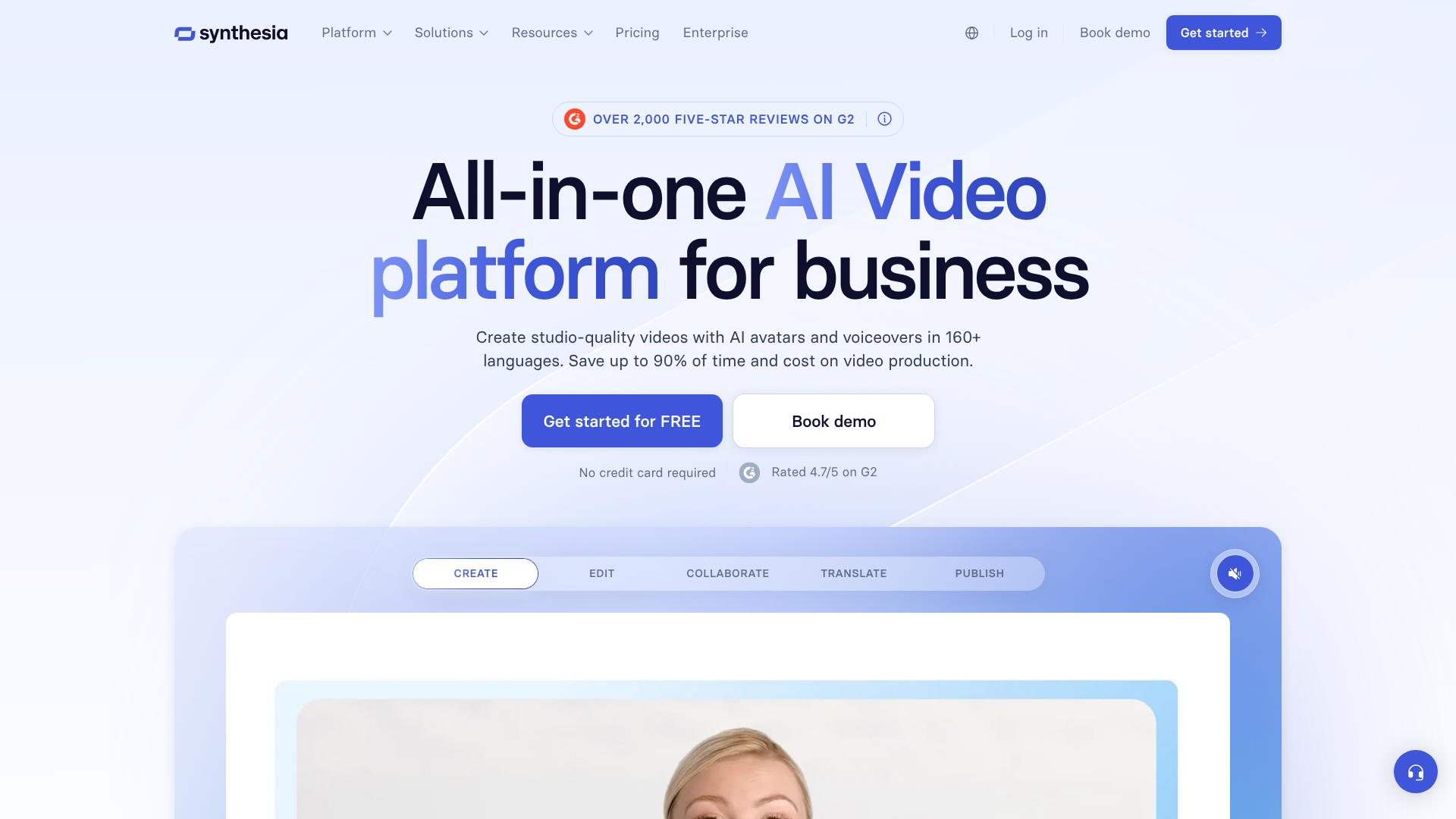
Synthesia is a platform that uses artificial intelligence to create realistic videos featuring AI-generated presenters, often called avatars. At its core, it's a text-to-video tool. You provide a script, choose an avatar, select a background, and the platform generates a video where the avatar speaks your script aloud with synchronised lip movements and gestures.
This technology eliminates the need for traditional video production equipment and personnel. You don't need a camera, a studio, or even a human actor. This makes it a powerful solution for businesses looking to scale their video content production for things like corporate training, marketing materials, and internal communications without a proportional increase in budget or resources.
The platform is designed for simplicity. Its user interface resembles a slide-based presentation tool, making it accessible to individuals without any video editing experience. Users can build their video scene by scene, adding text, images, and screen recordings, all narrated by a consistent and professional-looking AI presenter. This makes the synthesia video maker a practical tool for creating uniform and on-brand content quickly.
A Deep Dive into Synthesia's Key Features
Synthesia's power lies in its combination of several advanced AI technologies. These features work together to provide a comprehensive video creation experience that is both flexible and easy to manage.
Diverse AI Avatars and Custom Avatars
The most prominent feature of Synthesia is its library of over 150 stock AI avatars. These avatars represent a wide range of ethnicities, ages, and styles, allowing you to choose a presenter that best fits your brand and audience. Each avatar is based on a real actor, which contributes to their realistic appearance.
For businesses seeking a higher level of brand consistency, Synthesia offers the ability to create a custom AI avatar. This involves a professional recording session where an individual of your choice (such as a company executive or brand spokesperson) is filmed. Synthesia's team then processes this footage to create an exclusive digital twin that only your organisation can use. This is ideal for creating a recognisable and trustworthy face for your company's communications.
Multi-Language Voice Generation
Global communication is a significant strength of the synthesia AI tool. The platform supports text-to-speech in over 120 languages and accents. This means you can create a single video and then localise it for different international markets simply by translating the script. The AI voice will automatically adapt to the chosen language, and the avatar's lip movements will sync accordingly.
The quality of the AI voices is generally high, with a range of male and female options available for most major languages. You can also clone your own voice to be paired with your custom avatar, providing a complete and authentic digital representation. This feature is invaluable for global training programmes and international marketing campaigns, saving immense time and cost compared to traditional dubbing.
Intuitive Video Editor and Templates
Despite the complex technology running in the background, the user experience is remarkably straightforward. The interface feels similar to using Google Slides or PowerPoint. You work on a canvas where you can position your avatar, add text boxes, upload images, and embed screen recordings.
To speed up the creation process, Synthesia provides over 60 pre-designed video templates. These templates cover common use cases like training presentations, product demos, and HR announcements. They come with professional layouts, animations, and placeholders, allowing you to simply add your content and generate a video in minutes. You can also create and save your own branded templates to ensure all your videos have a consistent look and feel.
Scripting and Media Integration
At the heart of every video is the script. Synthesia has a simple text box where you can type or paste your script. The platform includes an AI Script Assistant, which can help you generate ideas, write drafts, or refine your messaging. This is particularly useful for users who aren't confident in their scriptwriting abilities.
Beyond the script, you can enrich your videos by adding various media elements. You can upload your own images, video clips, and brand assets. The platform also includes a library of royalty-free background music, images, and videos from Unsplash and Shutterstock, giving you plenty of creative options without worrying about copyright issues.

How to Create a Video with the Synthesia Video Maker in 5 Steps
Getting started with the synthesia video maker is a quick process. The platform guides you through the steps, making it easy for beginners to produce their first video. Here’s a simple breakdown of the workflow.
1. Choose a Template and Avatar
Your first step is to select a starting point. You can begin with a blank canvas or choose one of the many pre-built templates. Once you have your layout, you'll select an AI avatar from the library to be your presenter. You can position and resize the avatar on the screen as needed.
2. Write or Paste Your Script
Next, you'll add the narration. In the script box at the bottom of the screen, type or paste the text you want your avatar to say. This is also where you'll select the language and voice style. You can listen to a preview of the audio to ensure it sounds natural before generating the full video.
3. Customise Your Visuals
This is where you bring your video to life. You can change the background colour, add a background image, or even use a video as your backdrop. Add text overlays, upload your company logo, and insert images or screen recordings to support your message. Each element can be timed to appear at the right moment.
Pro Tip: For training videos, use the screen recording feature to capture software demonstrations. You can then place your avatar in the corner of the screen to guide viewers through the process, creating a personal and engaging tutorial.
4. Generate and Review
Once you're happy with all the scenes, you click the 'Generate' button. Synthesia's AI then gets to work, rendering the video with the avatar speaking your script. This process can take a few minutes, depending on the length of the video. You'll receive a notification when it's ready.
5. Share and Download
After the video is generated, you can preview it. If everything looks good, you can download the MP4 file to your computer. Synthesia also provides a shareable link and embed code, making it easy to distribute your video via email, post it on social media, or add it to your website or learning management system (LMS).
Who is This Synthesia AI Tool Best For?
The applications for a powerful AI video generator like Synthesia are vast, but it excels in specific business contexts where scalability, consistency, and efficiency are paramount.
Corporate Training & Learning and Development (L&D)
This is arguably Synthesia's strongest use case. L&D departments can create engaging training modules, onboarding materials, and compliance courses at a fraction of the cost and time of traditional methods. An instructor avatar can deliver consistent training to thousands of employees across the globe, with content that can be quickly updated and localised into different languages whenever policies change.
Marketing & Sales Teams
Marketing teams can use Synthesia to create personalised sales outreach videos, product explainer videos, and social media content. Imagine sending a potential client a video where an avatar addresses them by name and speaks to their specific pain points. This level of personalisation at scale is difficult to achieve with traditional video production.
Customer Support & How-To Guides
Instead of lengthy text-based FAQs or knowledge base articles, companies can create a library of short, helpful how-to videos. An avatar can walk customers through troubleshooting steps or demonstrate how to use a product feature. These videos are often more engaging and easier to follow than written instructions, leading to higher customer satisfaction.
Small Businesses & Solopreneurs
For small businesses without a dedicated video team or large budget, Synthesia levels the playing field. It provides access to professional-quality video production, allowing them to create polished marketing materials and internal communications that rival those of larger corporations. It's an efficient way to maintain a professional presence without significant investment.
Synthesia Pricing: An Honest Cost Breakdown
Synthesia's pricing is structured in tiers designed to cater to different types of users, from individuals to large enterprises. It's important to note that pricing can change, so you should always check the official Synthesia website for the most current information.
As of early 2026, the plans generally fall into these categories:
| Plan Tier | Target User | Key Features | Cost Structure |
|---|---|---|---|
| Personal | Individuals, freelancers, and very small businesses | Access to stock avatars and voices, limited video minutes per month. | Monthly or annual subscription. |
| Creator | Content creators, marketers, and small teams | More video minutes, access to premium features like AI Script Assistant. | Higher monthly or annual subscription. |
| Enterprise | Large organisations and corporate teams | Custom avatars, voice cloning, team collaboration, security features, unlimited video minutes. | Custom pricing based on needs. |
The Personal plan is a great entry point for those wanting to experiment with the technology or who have minimal video needs. The Creator plan is the most popular, offering a good balance of features and video creation capacity for most professional use cases. The Enterprise plan is a bespoke solution for large companies that require advanced features like brand controls, custom avatars, and dedicated support.
When evaluating the cost, it's essential to compare it to the expense of traditional video production. A single professionally shot video can cost thousands of pounds. With Synthesia, you can create dozens of videos for a monthly subscription fee, offering a significant return on investment, especially for organisations that need to produce video content at scale.
The Pros and Cons of Using Synthesia
No tool is perfect, and it's important to have a balanced perspective. Synthesia offers incredible benefits but also has some limitations to consider.
What We Like (Pros)
- Massive Scalability: You can produce hundreds of videos in multiple languages in the time it would take to produce one traditionally. This is its biggest advantage.
- Cost-Effectiveness: It dramatically reduces the cost of video production by eliminating the need for actors, studios, and expensive equipment.
- Ease of Use: The platform is incredibly intuitive. Anyone who can use presentation software can create a video, democratising video creation within an organisation.
- Consistency: All videos can have a consistent look, feel, and tone, which is excellent for branding and professional training materials.
- Rapid Updates: If information in a video becomes outdated, you can simply edit the script and regenerate it in minutes. This is impossible with live-action video.
What Could Be Improved (Cons)
- Avatar Expressiveness: While the avatars are realistic, they can sometimes lack the full range of human emotion and subtle non-verbal cues. They may not be suitable for content that requires deep emotional connection.
- Voice Nuance: The AI voices are very clear but can occasionally sound slightly robotic or lack the nuanced intonation of a professional voice actor.
- Limited Customisation: While you can add your own media, the core customisation of avatar movements and gestures is limited. You are reliant on the pre-programmed animations.
- Video Length Limits: On lower-tier plans, there are restrictions on the maximum length of a single video, which might be a constraint for some long-form content.
Are There Better Alternatives to Synthesia?
Synthesia is a leader in the AI avatar video space, but it's not the only option. The market for AI video generation is growing rapidly, and several competitors offer similar functionalities. Tools like HeyGen and Invideo also provide AI-powered video creation with avatars and text-to-speech capabilities.
HeyGen is often noted for its expressive avatars and features like real-time video translation. Invideo is a broader video editing platform that has incorporated AI features, making it a good choice for users who want more traditional editing control alongside AI tools.
The best choice depends on your specific needs. Synthesia's strengths lie in its polish, ease of use, and robust features for corporate and enterprise clients, particularly its high-quality custom avatars and security protocols. For individual creators or those on a tighter budget, exploring alternatives might be worthwhile. However, for scalable, professional business communications, Synthesia remains a top-tier choice.
Pro Tip: Before committing to any platform, use the free trials or demos offered by Synthesia and its competitors. Create the same short test video on each platform to directly compare the avatar quality, voice naturalness, and user interface.
Frequently Asked Questions (FAQ)
Here are answers to some of the most common questions about the Synthesia AI video generator.
Is Synthesia AI video generator free?
Synthesia does not offer a completely free plan for ongoing use. However, it does provide a free AI video demo on its website. This allows you to create a short sample video to test the technology and see the quality of the output before committing to a paid subscription. The paid plans are required for downloading videos and accessing the full suite of features.
Is Synthesia a good AI video generator?
Yes, Synthesia is widely regarded as one of the best and most polished AI video generators available, especially for business and corporate use. Its strengths are the high quality of its avatars, the extensive language support, and its user-friendly interface. While some users note limitations in emotional expression, its overall quality and feature set make it a top contender in the market.
How long can Synthesia videos be?
The maximum length of a video you can create with Synthesia depends on your subscription plan. The Personal plan typically allows for videos up to 10 minutes long. The Creator and Enterprise plans offer longer video durations, with Enterprise plans often providing the flexibility needed for extensive training modules or presentations. It's always best to check the specifics of each plan on their pricing page.
What are the limitations of Synthesia AI?
The main limitations of the synthesia AI tool relate to the nuances of human expression. The AI avatars, while realistic, may not convey deep emotion or complex non-verbal cues as effectively as a human actor. The AI voices can sometimes lack the subtle intonation and pacing of a professional voiceover artist. Additionally, customisation of the avatar's gestures and movements is limited to the platform's pre-set animations.
Final Verdict: Is the Synthesia AI Video Generator Worth the Investment?
After a thorough review, the Synthesia AI video generator stands out as a powerful and transformative tool for businesses and content creators. It successfully solves the core challenges of traditional video production: high costs, long turnaround times, and the complexity of scaling content.
Its intuitive platform makes video creation accessible to everyone, not just trained editors. For use cases like corporate training, multilingual marketing, and customer support, the return on investment is clear. The ability to update and localise content in minutes is a significant competitive advantage.
While it has limitations in emotional range, these are minor drawbacks when weighed against its immense benefits in efficiency and scalability. It's not designed to replace cinematic, emotionally-driven storytelling, but it excels at clear, professional, and informative communication. For any organisation looking to scale its video strategy efficiently and professionally, Synthesia is an excellent investment and a leader in the AI video space.