
Synthesia AI Video Maker Review: Is It Worth It for Your Business?
Creating professional-quality video content has traditionally been a resource-intensive process, requiring cameras, microphones, actors, and significant editing time. The Synthesia AI video maker aims to change that by allowing anyone to create polished, presenter-led videos from just a text script. This platform uses artificial intelligence to generate realistic avatars that speak your text in over 120 languages, effectively replacing the need for a physical film set.
- What You'll Learn
- What is the Synthesia AI Video Maker?
- Key Features of the Synthesia Video Tool
- Diverse AI Avatars and Voices
- Multi-Language Support
- AI Script Assistant
- Templates and Branding
- Screen Recorder and Media Library
- How to Create a Video with Synthesia: A Step-by-Step Guide
- 1. Choose a Template and Avatar
- 2. Write or Paste Your Script
- 3. Customise the Visuals
- 4. Generate and Share the Video
- Who is Synthesia For? Top Use Cases
- Corporate Training and Learning & Development (L&D)
- Sales and Marketing
- Customer Support
- Internal Communications
- Synthesia Pricing and Plans Explained
- Pros and Cons of Using Synthesia
- Frequently Asked Questions (FAQ)
- Is Synthesia AI video free?
- How much does Synthesia AI video cost?
- What are the limitations of Synthesia AI?
- What is the difference between Synthesia AI and ChatGPT?
- What's better than Synthesia?
- Final Thoughts: The Verdict
This review provides a detailed analysis of the Synthesia platform, exploring its core features, pricing structures, and ideal use cases. We'll examine both the strengths and weaknesses of this AI video creator to help you determine if it's the right investment for your business's communication and marketing needs.
What You'll Learn
- What Synthesia Is: Synthesia is an AI-powered platform that converts text into video, featuring lifelike digital avatars that present your script, eliminating the need for cameras or actors.
- Who It's For: The tool is primarily designed for businesses, particularly in corporate training, marketing, and internal communications, to produce scalable video content efficiently.
- Key Benefits: The main advantages include significant reductions in video production time and cost, the ability to easily update content, and the power to localise videos into numerous languages with a few clicks.
- Core Limitations: While powerful, the AI avatars can sometimes lack the full emotional range of a human presenter, and the most advanced features, like custom avatars, are reserved for higher-tier plans.
What is the Synthesia AI Video Maker?
At its core, the Synthesia AI video maker is a web-based platform that transforms written text into engaging video content. Instead of hiring an actor or filming yourself, you simply type or paste a script, choose a digital presenter (an AI avatar), and the software generates a video of that avatar speaking your words. This process removes many of the traditional barriers to video production, making it accessible to individuals and teams without technical expertise or expensive equipment.
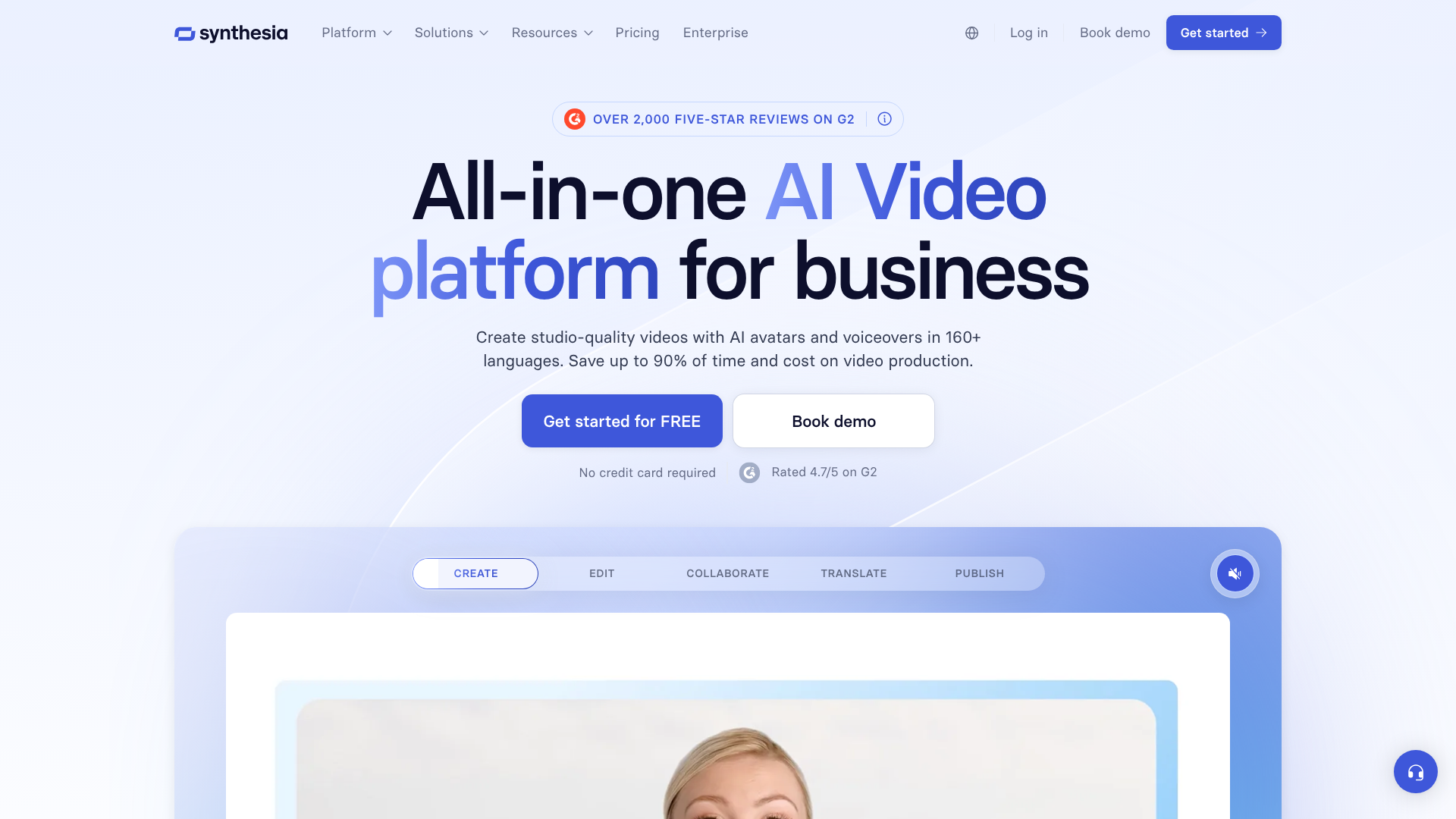
The technology behind this is a combination of advanced AI, machine learning, and natural language processing. Synthesia has developed sophisticated models that can synchronise an avatar's lip movements, facial expressions, and body language to match the cadence and intonation of a synthesised voice. The result is a surprisingly realistic human-like presenter that can deliver your message clearly and professionally.
Unlike traditional video editing software like Adobe Premiere Pro or Final Cut Pro, which require you to have raw footage to work with, this video maker AI creates the visual content from scratch. You are not just editing clips together; you are directing an AI performer. This fundamental difference is what makes the synthesia video tool a unique solution for specific needs, especially for content that is informational and needs to be produced or updated at scale, such as training modules or product explainers.
Key Features of the Synthesia Video Tool
Synthesia's platform is packed with features designed to streamline the video creation process and ensure a high-quality, professional output. These tools cater to a wide range of business needs, from branding consistency to global content distribution.
Diverse AI Avatars and Voices
One of Synthesia's most prominent features is its extensive library of over 150 stock AI avatars. These avatars represent a wide range of ethnicities, ages, and styles, allowing businesses to choose a presenter that best reflects their brand and audience. This diversity is crucial for creating inclusive content that resonates with a global workforce or customer base.
For businesses seeking a higher level of brand integration, Synthesia offers the ability to create a custom AI avatar. This involves a studio recording process to create a digital twin of a specific person, such as a company executive or a brand ambassador. While this is an enterprise-level feature, it provides unparalleled brand consistency and a personal touch that stock avatars cannot replicate.
Multi-Language Support
The platform supports text-to-speech in over 120 languages and accents. This is a massive advantage for global organisations that need to create training or marketing materials for different regions. Instead of re-shooting a video with a new actor for each language, you can simply translate the script and generate a new version of the video in minutes. This dramatically reduces the cost and complexity of content localisation.
AI Script Assistant
For those who struggle with writing video scripts, Synthesia includes an AI Script Assistant. Powered by technology similar to ChatGPT, this tool can help you generate script ideas, draft entire scripts from a simple prompt, or refine existing text to be more concise and engaging for a video format. This feature helps overcome writer's block and ensures your message is well-crafted before you even begin the video generation process.
Templates and Branding
To speed up creation, Synthesia provides over 60 pre-designed video templates. These templates cover common use cases like training presentations, product demos, and company announcements. They are fully customisable, allowing you to change backgrounds, add text overlays, and incorporate your own media.
Furthermore, you can create a brand kit by uploading your company's logo, fonts, and colour palette. This ensures that every video you produce adheres to your brand guidelines, maintaining a consistent and professional look across all your communications. This is particularly important for large organisations where brand consistency is a top priority.

Screen Recorder and Media Library
Videos are often more than just a talking head. Synthesia includes a built-in screen recorder, which is perfect for creating software tutorials or product demonstrations. You can easily record your screen and embed the footage directly into your video project.
The platform also includes a media library with millions of royalty-free images, videos, icons, and music tracks from Unsplash and Shutterstock. This allows you to enrich your videos with relevant B-roll and background music without worrying about copyright issues. You can, of course, upload your own assets as well.
How to Create a Video with Synthesia: A Step-by-Step Guide
Getting started with Synthesia is a straightforward process, designed to be intuitive even for users with no prior video editing experience. The platform guides you through each stage, from script to final product.
Here’s a simple breakdown of how to create your first video using this AI video creator.
1. Choose a Template and Avatar
Your first step is to select a starting point. You can begin with a blank canvas or choose from one of the many pre-built templates. Templates provide a structured layout with placeholders for your text, media, and avatar, which can save a lot of time.
Next, you'll select your AI avatar from the extensive library. Consider your target audience and the tone of your message when making your choice. You can position the avatar on the screen (e.g., full-body, circle, or voice-only) depending on what best suits your content.
2. Write or Paste Your Script
This is where you bring your message to life. In the script box, you can type your text directly, paste it from another document, or use the AI Script Assistant to help you generate it. The platform breaks the script down scene by scene, making it easy to manage.
Once your script is in, you select the language and voice. You can preview the audio to ensure the pronunciation and tone are correct. For specific words or acronyms, you can use phonetic spelling to guide the AI's pronunciation.
Pro Tip: Keep your sentences short and clear for the best results. The AI voice generator performs best with concise language. Read your script aloud to catch any awkward phrasing before generating the video.
3. Customise the Visuals
With your script and avatar in place, you can now focus on the visual elements. You can change the background colour, upload a custom image or video background, or choose one from the integrated stock media library. This is also where you can add text overlays, shapes, and images to highlight key points.
If you created a brand kit, you can apply your brand's colours, fonts, and logo with a single click. This ensures every scene is perfectly aligned with your company's visual identity. You can also add background music to set the right mood for your video.
4. Generate and Share the Video
Once you are happy with how everything looks and sounds, you simply click the "Generate" button. Synthesia's servers will then process your project, which can take a few minutes depending on the length of the video. You don't need to keep your browser open; the platform will notify you via email when your video is ready.
After generation, you can download the video as an MP4 file, get a shareable link, or use an embed code to add it to your website or learning management system (LMS). The platform also allows for easy updates; if you need to change a sentence, you can simply edit the script and regenerate the video without starting from scratch.
Who is Synthesia For? Top Use Cases

Synthesia is a versatile tool, but it truly excels in business environments where clear, consistent, and scalable communication is essential. Its primary audience is not Hollywood filmmakers but rather corporate departments and content creators who need to produce high-quality informational videos efficiently.
Corporate Training and Learning & Development (L&D)
This is arguably Synthesia's strongest use case. L&D teams can create engaging onboarding materials, compliance training, and software tutorials without the logistical challenges of scheduling shoots with instructors. Content can be updated instantly when policies or software interfaces change.
Moreover, the multi-language support allows global companies to deliver consistent training to all employees in their native language. This improves comprehension and makes training more inclusive and effective.
Sales and Marketing
Marketing teams use Synthesia to create product explainer videos, social media content, and personalised sales outreach videos at scale. For example, a sales team could generate hundreds of personalised video messages for potential clients, addressing each by name, without filming each one individually.
This video maker AI is also excellent for creating content-rich how-to guides and tutorials that can be used in blog posts or on YouTube to attract and educate potential customers. As Alex Banks noted in a discussion on LinkedIn, you can even turn a dry PowerPoint presentation into a dynamic video presented by an AI avatar, making the information far more engaging.
Customer Support
Instead of writing lengthy knowledge base articles, customer support teams can create a library of short, helpful videos that answer frequently asked questions or walk customers through troubleshooting steps. Visual demonstrations are often much easier for customers to follow than text-based instructions.
These videos can be embedded directly into a help centre or sent by support agents in response to customer queries. This can reduce resolution times and improve overall customer satisfaction.
Internal Communications
For internal announcements, company updates, or messages from leadership, Synthesia provides a more personal and engaging medium than email or text. An AI avatar of a CEO or department head can deliver messages consistently across the entire organisation, even if the executive is unavailable for a live recording.
This ensures that important information is delivered in a clear, professional, and uniform manner, which is especially valuable for remote or distributed teams.
Synthesia Pricing and Plans Explained
Synthesia's pricing is structured in tiers, designed to cater to different types of users, from individuals to large enterprises. The cost primarily depends on the number of video minutes you can generate per month, the number of users (seats), and access to advanced features.
It's important to remember that pricing for software-as-a-service (SaaS) products can change. For the most current and detailed information, you should always visit the official Synthesia pricing page.
Here is a general overview of the typical plan structure:
| Feature | Personal Plan | Creator Plan | Enterprise Plan |
|---|---|---|---|
| Target User | Individuals, freelancers | Small teams, content creators | Large organisations |
| Video Minutes | Limited (e.g., 10 mins/month) | More generous allowance | Custom, scalable |
| AI Avatars | Access to stock avatars | Access to stock avatars | Custom avatars available |
| Branding | Basic | Custom brand kits | Advanced branding controls |
| Languages | Full access | Full access | Full access |
| Seats | 1 seat | 1-3 seats | Custom number of seats |
| Support | Standard support | Priority support | Dedicated account manager |
The Personal Plan is a good entry point for individuals looking to create a small number of videos. It provides access to the core features but has a strict limit on the amount of video you can generate.
The Creator Plan is aimed at professionals and small teams who need to produce video content more regularly. It offers more video minutes and features like custom brand kits, making it a popular choice for marketing and L&D departments.
The Enterprise Plan is a custom solution for large organisations. It includes everything in the Creator plan plus advanced features like custom AI avatars, SCORM integrations for LMS platforms, and dedicated support. Pricing for this tier is quote-based and tailored to the specific needs of the company.
Pros and Cons of Using Synthesia
Like any tool, Synthesia has a unique set of strengths and weaknesses. A balanced assessment is crucial to understanding if it's the right fit for your specific video creation needs.
Pros
- Unmatched Speed and Efficiency: The most significant advantage is the speed of production. A 5-minute video that could take days to film and edit can be generated in under an hour. This allows teams to produce content at a much higher velocity.
- Highly Cost-Effective: Synthesia eliminates many of the major costs associated with video production, including hiring actors, renting studio space, and purchasing expensive camera equipment. For businesses producing video at scale, the return on investment can be substantial.
- Effortless Scalability and Localisation: Updating a video is as simple as editing a text document. This makes it incredibly easy to keep content current. The ability to translate scripts into over 120 languages allows for seamless localisation, making it a powerful tool for global companies.
- Brand Consistency: With features like custom avatars and brand kits, organisations can ensure that all their video communications have a consistent look, feel, and tone of voice. This is difficult to achieve with human actors who may vary in performance.
Cons
- The "Uncanny Valley" Effect: While the avatars are impressively realistic, they can sometimes lack the subtle emotional nuances of a human presenter. For content that requires deep emotional connection or authenticity, an AI avatar might not be the best choice. Viewers may perceive them as slightly unnatural.
- Limited Customisation on Lower Tiers: Many of the most powerful features, such as creating a custom avatar of yourself, are locked behind the expensive Enterprise plan. This can be a limitation for smaller businesses that want a high degree of personalisation.
- Voice and Pronunciation Quirks: Although the text-to-speech engine is excellent, it can occasionally struggle with unusual names, industry-specific jargon, or complex acronyms. While you can often fix this with phonetic spelling, it can require some trial and error.
- Not a Replacement for All Video Types: The synthesia video tool is designed for presenter-led, informational content. It is not a replacement for cinematic storytelling, vlogs, or videos that rely on dynamic, real-world action footage.
Frequently Asked Questions (FAQ)
Here are answers to some of the most common questions people have about the Synthesia AI video maker.
Is Synthesia AI video free?
Synthesia does not offer a completely free plan for ongoing use. However, it does provide a free AI video generator demo on its website. This allows you to create a short sample video to test the platform's capabilities and see the quality of the avatars and voices for yourself before committing to a paid subscription.
How much does Synthesia AI video cost?
The cost of Synthesia depends on the plan you choose. The Personal plan is the most affordable entry point, typically billed annually. The Creator and Enterprise plans cost more and are designed for business use, offering more video minutes, collaboration features, and customisation options. You should check the official Synthesia website for the latest and most accurate pricing information, as plans and prices are subject to change.
What are the limitations of Synthesia AI?
The main limitations are related to the emotional range of the AI avatars, which can sometimes feel less authentic than a human presenter. Customisation options can be limited on lower-priced plans, and the AI voice may occasionally mispronounce complex or unique words. It's also best suited for informational, presenter-style videos rather than action-oriented or highly creative cinematic content.
What is the difference between Synthesia AI and ChatGPT?
Synthesia AI and ChatGPT are fundamentally different tools. Synthesia is a video maker AI; its primary function is to turn a text script into a video with a speaking avatar. ChatGPT, on the other hand, is a large language model designed for text-based conversations and content generation. You can use ChatGPT to help write a script, but you would then use a tool like Synthesia to turn that script into a video.
What's better than Synthesia?
Whether another tool is "better" than Synthesia depends entirely on your specific needs. Competitors like HeyGen and Pictory offer different feature sets. For example, HeyGen is also known for high-quality avatars and has competitive features, while Pictory excels at creating videos from existing content like blog posts or long recordings. Synthesia's key strengths lie in its polished interface, high-quality stock avatars, and strong focus on corporate and enterprise use cases, particularly for training and development.
Final Thoughts: The Verdict
After a thorough review, it's clear that the Synthesia AI video maker is a powerful and innovative tool that effectively solves a major pain point for businesses: the high cost and complexity of video production. For its target audience—corporate trainers, marketers, and internal communicators—it offers a remarkably efficient way to produce professional, scalable video content.
The platform's strengths in speed, cost-effectiveness, and localisation are undeniable. The ability to create and update training videos in multiple languages in a matter of minutes is a significant advantage for any global organisation. While the AI avatars may not be suitable for every type of content, they are more than capable of delivering clear and professional informational messages.
If your primary need is to create presenter-led videos for training, product demos, or corporate announcements at scale, Synthesia is an excellent investment that can provide a strong return. For those seeking a tool for highly creative or emotionally-driven storytelling, traditional video production methods may still be a better fit. Ultimately, Synthesia successfully democratises video creation, putting a powerful communication tool into the hands of more people than ever before. If that aligns with your goals, it is certainly worth exploring.
Ready to see it in action? You can try a free demo or learn more about the plans on the Synthesia website.