
What Does WP Engine Do? A Guide for Business Owners on Speed & Security
If you've spent any time researching high-quality WordPress hosting, you've almost certainly come across the name WP Engine. It's often mentioned as a top-tier option, but it can be hard to cut through the technical jargon to understand what it is you're actually paying for. So, what does WP Engine do that sets it apart from the countless other hosting providers on the market? In short, WP Engine provides a premium, managed WordPress hosting environment designed to make your website faster, more secure, and easier to manage, freeing you up to focus on growing your business.
- In a Nutshell
- What is WP Engine, Really? Beyond Just Hosting
- A Deep Dive into Key WP Engine Features and Their Benefits
- How WP Engine Works: The Technology Behind the Performance
- Choosing the Right WP Engine Plan for Your Needs
- WP Engine Pricing: Is It Worth the Investment?
- The Pros and Cons: A Balanced WP Engine Overview
- Frequently Asked Questions (FAQ)
- What's the difference between WordPress and WP Engine?
- Is WP Engine just for big companies?
- Can I use any WordPress plugin with WP Engine?
- Do I still need a developer if I use WP Engine?
- Final Thoughts: Who is WP Engine For?
Unlike standard hosting where you are left to manage server updates, security, and performance optimisation yourself, WP Engine handles all the complex technical heavy lifting for you. It's not just a place to store your website's files; it's a complete digital experience platform built exclusively for WordPress. This means every tool, feature, and support agent is specialised in making WordPress sites run at their absolute best.
This guide will break down exactly what WP Engine offers, how its technology works, and who can benefit most from its services. We'll explore the core features, compare the plans, and give you a balanced view so you can decide if it's the right investment for your website.
In a Nutshell
- Managed WordPress Hosting: WP Engine takes care of all technical hosting operations, including server management, security protocols, WordPress core updates, and performance optimisation, so you don't have to.
- Focus on Speed: It uses a proprietary caching system called EverCache®, a global Content Delivery Network (CDN), and top-tier server infrastructure to ensure your website loads incredibly fast for visitors worldwide.
- Advanced Security: Security is proactive, not reactive. WP Engine includes a Web Application Firewall (WAF), automatic malware scanning, and a promise to fix your site for free if it ever gets hacked while on their platform.
- Powerful Developer Tools: The platform comes with professional tools like one-click staging environments, Git integration, and local development software, making it easier to build, test, and deploy website changes safely.
- Expert Support: You get 24/7 access to a support team comprised entirely of WordPress experts who can help with complex issues far beyond typical hosting problems.
What is WP Engine, Really? Beyond Just Hosting
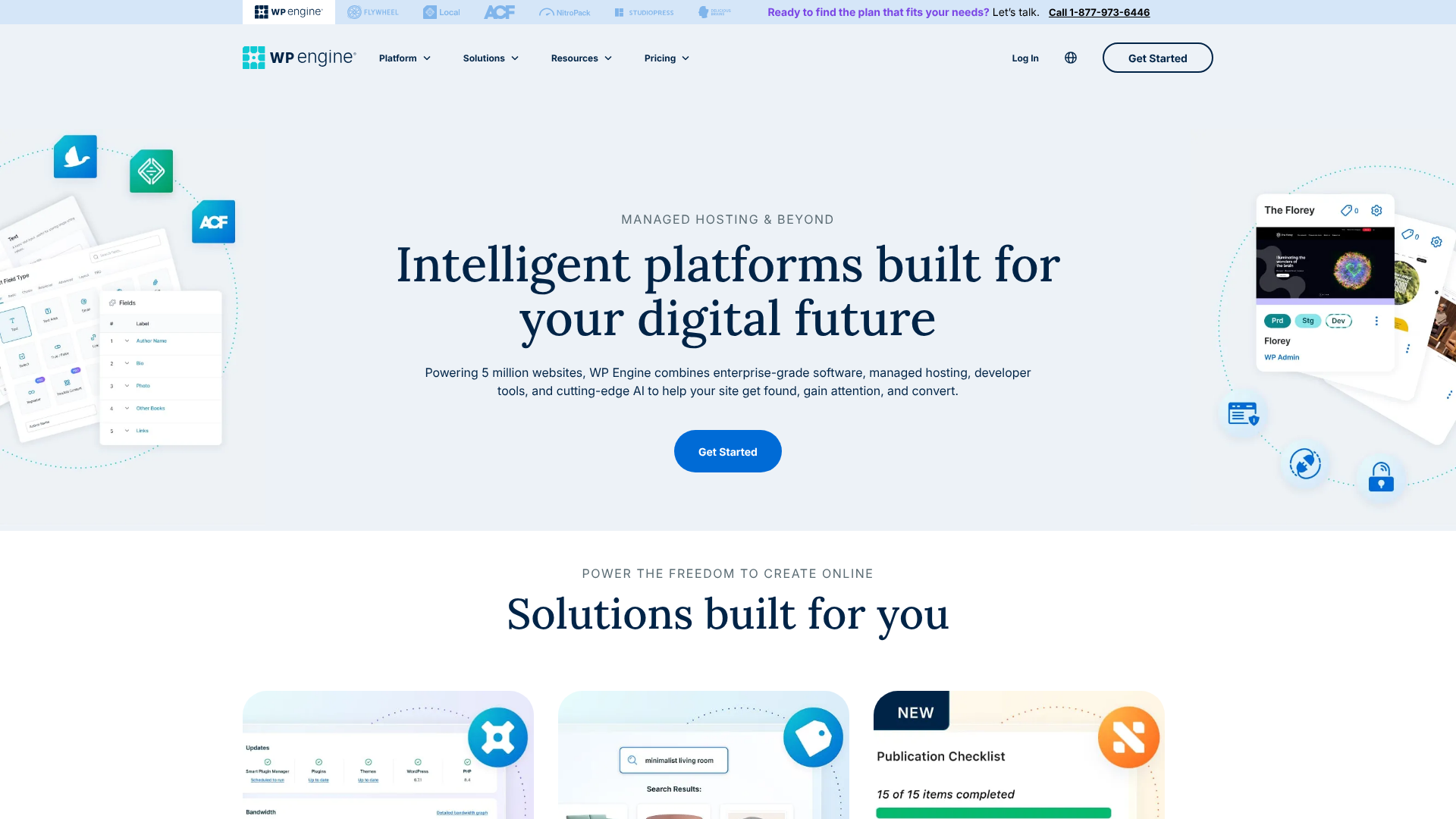
To truly understand what WP Engine does, it's important to move past the simple term 'hosting'. While hosting is the core service, WP Engine operates as a managed Digital Experience Platform (DXP) specifically for WordPress. This is a significant step up from the standard hosting services that many website owners start with.
Most people begin their website journey with 'shared hosting'. Think of shared hosting as living in a large apartment building. You have your own flat (your website), but you share all the building's resources—like the water supply, electricity, and lifts (server CPU, RAM, and bandwidth)—with hundreds of other tenants. If one tenant has a massive party and uses all the hot water, everyone else is left with a cold shower.
Similarly, on a shared server, a traffic spike on another website can slow your site down.
WP Engine, on the other hand, provides managed hosting. This is more like having a detached house with your own dedicated utilities and a full-time building manager. The infrastructure is optimised just for you, and a team of experts handles all the maintenance, security, and upkeep. You're not sharing critical resources in the same way, and the entire environment is fine-tuned for one specific purpose: running WordPress at peak performance.
This distinction is central to the WP Engine overview; it's a specialised service, not a general-purpose one.
Furthermore, it's crucial to distinguish between WordPress.org (the self-hosted software) and WordPress.com (a for-profit hosting service). WP Engine is designed for websites built with the powerful, flexible WordPress.org software. It provides the high-performance engine needed to run that software effectively, taking the complex server management off your plate so you can focus on creating content and building your business.

A Deep Dive into Key WP Engine Features and Their Benefits
When you look at the list of WP Engine features, it's more than just a collection of technical specifications. Each feature is designed to solve a specific problem for website owners, developers, and businesses. Let's break down the most impactful ones and explain the real-world benefits they provide.
Superior Performance and Speed
Website speed is no longer a luxury; it's essential for user experience and SEO. A slow website frustrates visitors and can be penalised by search engines like Google. WP Engine builds its entire platform around delivering exceptional speed.
- EverCache® Technology: This is WP Engine's proprietary caching system, and it's far more aggressive and effective than standard caching plugins. Caching works by storing a static version of your site, so it doesn't have to be rebuilt from the database for every single visitor. EverCache® intelligently handles this process at the server level, meaning it's faster and more efficient, reducing server load and delivering pages to users almost instantly.
- Global Content Delivery Network (CDN): WP Engine partners with Cloudflare to provide a global CDN. A CDN stores copies of your website's assets (like images and code) on servers around the world. When someone visits your site, the content is delivered from the server geographically closest to them. For a business in London with customers in Sydney, this means the website loads just as quickly for the Australian customer as it does for someone down the street.
- Optimised Infrastructure: All plans are hosted on the Google Cloud Platform, using their premium-tier network and C2 compute-optimised virtual machines. This provides a fast, scalable, and reliable foundation that can handle sudden traffic surges without breaking a sweat.
Ironclad Security Measures
For any business, a hacked website can be catastrophic, leading to data loss, reputational damage, and lost revenue. WP Engine treats security as a fundamental part of its service, not an optional add-on.
- Managed Web Application Firewall (WAF): The WAF intelligently blocks malicious traffic before it even reaches your website. It analyses incoming requests and filters out common threats like SQL injection and cross-site scripting, acting as a security guard for your site.
- Proactive Threat Detection: The platform actively scans for malware and intrusion attempts. This isn't a simple plugin; it's a managed system that is constantly updated to protect against the latest vulnerabilities in the WordPress ecosystem.
- Free SSL Certificates: SSL certificates encrypt the data between your website and your visitors' browsers, which is essential for security and a requirement for modern SEO. WP Engine provides and automatically installs free Let's Encrypt SSL certificates with a single click.
- Hacking Remediation Guarantee: This is a major benefit. If your website is hacked while hosted on WP Engine, their team of experts will repair the damage and restore your site for free. This provides incredible peace of mind and can save you thousands of pounds in cleanup fees.
Powerful Developer-Friendly Tools
WP Engine is highly regarded by developers and agencies for its professional-grade workflow tools that make building and maintaining websites safer and more efficient.
- One-Click Staging Environments: A staging site is a private clone of your live website. It allows you to safely test new plugins, themes, or custom code without any risk to your public-facing site. Once you're happy with the changes, you can deploy them to the live site with a single click. This eliminates the dreaded experience of an update breaking your entire website.
- Git Integration: For more advanced development teams, WP Engine offers integration with Git, the industry-standard version control system. This allows developers to push code changes from their local machine directly to the staging or production environments, creating a streamlined and professional workflow.
- Local Development Tool: WP Engine offers 'Local', a free application that makes it easy to build and test WordPress sites on your own computer. It connects directly with the WP Engine platform, allowing you to pull a copy of your live site to work on offline and then push it back up when you're done.
How WP Engine Works: The Technology Behind the Performance
Understanding how WP Engine works reveals why it can offer such a high level of performance and reliability. The platform is built on a sophisticated architecture that isolates resources and optimises every layer of the technology stack specifically for WordPress.
At its core, WP Engine uses a container-based system. Instead of placing multiple websites on one large, shared server, each website (or group of sites for a single customer) is placed in its own isolated 'container'. This container has its own dedicated resources, including memory (RAM) and processing power (CPU). This isolation is key; it means that a traffic spike or a resource-intensive process on one customer's site will never impact the performance of another.
It's the architectural equivalent of giving every house its own power generator and water tank.
This is where you can see a clear demonstration of the platform in action:
On top of this architecture, WP Engine layers its performance-enhancing software. The process for a visitor request looks something like this:
- A user's browser requests a page from your website.
- The request first hits the global CDN. If the content is cached there, it's served immediately from the server closest to the user for maximum speed.
- If not, the request is passed to WP Engine's servers, where it hits the EverCache® system. This multi-layered caching first checks if a static version of the page is ready to be served. If so, it's delivered instantly, bypassing the need to run PHP or query the database.
- Only if the content is not cached at any level does the request get processed by WordPress itself. Because the vast majority of requests are handled by the caching layers, the server has ample resources to process these dynamic requests very quickly.
Finally, the entire system is monitored and managed 24/7 by a team of WordPress experts. They handle server maintenance, apply security patches, and optimise configurations behind the scenes. This human element is a critical part of the service, ensuring the platform is always running at its best.
Choosing the Right WP Engine Plan for Your Needs
WP Engine offers a range of plans designed to suit different types of users, from single-site owners to large agencies and enterprises. Choosing the right one depends on your traffic levels, the number of websites you manage, and the specific features you require. It's not just about picking the cheapest option; it's about matching the plan's resources to your business goals.
Here’s a breakdown of the typical user for each of the main plan tiers:
Startup Plan: This is the entry-level plan, perfect for a single small business website, a professional blog, or a portfolio site. It includes one website installation, 10GB of storage, and is suitable for up to 25,000 monthly visits. It's an excellent choice if you're serious about your website's performance and security from day one but don't yet have high traffic volumes.
Professional Plan: As the name suggests, this plan is geared towards professionals and small businesses who need more resources or manage a few websites. It typically allows for up to 3 sites and handles more traffic. This is a great fit for freelancers who manage a few client sites or a business that runs a main website alongside a blog or a small online shop.
Growth Plan: This plan is designed for growing businesses and small agencies. It offers a significant increase in the number of sites you can host (e.g., up to 10), along with more storage and a higher traffic capacity (e.g., 100,000 visits). If your business is expanding rapidly or you're an agency building and managing sites for multiple clients, the Growth plan provides the resources you need to scale without worry.
Scale Plan: This is the highest-tiered standard plan, built for high-traffic websites, larger agencies, and established online stores. It provides the most resources, supporting dozens of websites and hundreds of thousands of monthly visits. It's the go-to option for mission-critical sites where performance and uptime are non-negotiable.
For users with needs beyond these plans, such as major corporations or media outlets with millions of visitors, WP Engine offers custom dedicated hosting solutions. These provide dedicated servers, the highest level of security, and white-glove support.

WP Engine Pricing: Is It Worth the Investment?
There's no hiding the fact that WP Engine comes with a premium price tag. It is significantly more expensive than the budget shared hosting plans that you can find for just a few pounds per month. This often leads to the question: is it actually worth the cost?
To answer this, you need to shift your perspective from viewing hosting as a simple cost centre to seeing it as an investment in your digital infrastructure. The monthly fee for WP Engine doesn't just cover server space; it covers performance optimisation, managed security, expert support, and powerful workflow tools. When you factor in the potential costs of the alternatives, the value proposition becomes much clearer.
Consider the financial impact of:
Downtime: How much revenue would your business lose if your website was down for several hours. For an e-commerce site, this could be thousands. * Slow Speeds: Studies consistently show that slow-loading pages lead to higher bounce rates and lower conversion rates. A faster site, like one on WP Engine, can directly translate to more sales and leads.
Security Breaches: The cost of cleaning up a hacked website can easily run into the hundreds or thousands of pounds, not to mention the damage to your brand's reputation. * Developer Time: If you were to manage your own server, you or a developer would need to spend time on updates, security patches, and performance tuning. WP Engine handles all of this, saving you valuable time and money.
Here is a general look at how the plans compare. For the most current information, you should always visit the WP Engine website for the latest pricing.
| Feature | Startup | Professional | Growth | Scale |
|---|---|---|---|---|
| Best For | Small Website or Blog | Small Businesses | Growing Businesses | High-Traffic Sites |
| Number of Sites | 1 | Up to 3 | Up to 10 | Up to 30 |
| Monthly Visits | 25,000 | 75,000 | 100,000 | 400,000 |
| Storage | 10 GB | 15 GB | 20 GB | 50 GB |
| Support | 24/7 Chat | 24/7 Chat & Phone | 24/7 Chat & Phone | 24/7 Chat & Phone |
When you weigh the monthly cost against the value of speed, security, and peace of mind, many businesses find that WP Engine provides a strong return on investment.
Pro Tip: Take advantage of WP Engine's 60-day money-back guarantee. This gives you two full months to test the platform and see the performance difference for yourself. If you don't feel it's worth the investment, you can get a full refund.
The Pros and Cons: A Balanced WP Engine Overview
No service is perfect for everyone. To provide a truly balanced WP Engine overview, it's important to look at both the strengths and the potential drawbacks. This will help you make an informed decision based on your specific needs and technical comfort level.
Pros of Using WP Engine
- Blazing Fast Performance: This is arguably the biggest selling point. Websites hosted on WP Engine are consistently among the fastest loading, thanks to their server-level caching, CDN, and optimised infrastructure.
- Rock-Solid Security: The proactive security measures, managed WAF, and free hack-fix guarantee provide a level of protection that is difficult and expensive to replicate on your own.
- Expert WordPress Support: The support team is renowned for its expertise. They are not generalists; they are WordPress specialists who can solve complex problems quickly and efficiently, available 24/7.
- Excellent Uptime and Reliability: The platform is built for stability, ensuring your website is online and available to your customers. They have a 99.95% uptime guarantee.
- Scalability: As your traffic grows, you can easily upgrade your plan to handle the increased load without needing to migrate your website or worry about performance degradation.
- Time-Saving Management: By handling all the technical aspects of hosting, WP Engine frees up your time to focus on what you do best—running your business.
Cons of Using WP Engine
- Premium Price: The most obvious drawback is the cost. It is one of the more expensive managed WordPress hosts, which can be a barrier for individuals or businesses on a tight budget.
- WordPress-Only: As the name implies, WP Engine only hosts WordPress websites. If you need to host other applications or want a server with more flexibility, you'll need to look elsewhere.
- Plugin Restrictions: WP Engine maintains a list of 'disallowed plugins'. These are typically plugins that conflict with their caching system, have known security vulnerabilities, or perform functions that are already handled at the server level (like backup plugins). While this is done to protect performance and security, it can be restrictive if your site relies on a specific plugin from that list.
- No Email Hosting: WP Engine does not provide email hosting (e.g.,
you[[@yourdomain](https://[twitter](https://twitter.com/yourdomain).com/yourdomain).com](https://www.(https://www.instagram.com/yourdomain.com/).com/yourdomain.com/)). This is a common practice among high-end managed hosts, as they focus on perfecting web hosting. You will need to use a separate service like Google Workspace or Microsoft 365 for your email.
Frequently Asked Questions (FAQ)
Here are answers to some of the most common questions people have when considering WP Engine.
What's the difference between WordPress and WP Engine?
This is a fundamental point of confusion for many. WordPress is the free, open-source software used to build and manage your website's content (often called a Content Management System or CMS). It's the framework for your pages, posts, and design.
WP Engine is the specialised hosting company that provides the high-performance server environment to run your WordPress website. Think of it like this: WordPress is the engine of your car, while WP Engine is the high-tech garage, the expert mechanics, and the premium fuel that makes the engine run at its absolute best.
Is WP Engine just for big companies?
Not at all. While WP Engine certainly caters to large enterprises like Yelp and Instacart, their plans are designed to scale. The 'Startup' plan is specifically created for small businesses, bloggers, and freelancers who want the benefits of premium hosting without the enterprise-level price tag.
Any business that relies on its website for leads, sales, or its brand reputation can benefit from the reliability and performance WP Engine provides, regardless of its size.
Can I use any WordPress plugin with WP Engine?
For the most part, yes. However, WP Engine does have a list of disallowed plugins. This isn't to limit your creativity but to protect the stability, performance, and security of the platform. The list includes plugins that are known to be resource-intensive, insecure, or redundant because their functionality is already built into the WP Engine platform.
For example, many caching and backup plugins are disallowed because WP Engine's server-level EverCache® and automated daily backups are far more efficient. Before signing up, it's a good idea to check their list if you rely on a specific plugin that you think might be on it.
Do I still need a developer if I use WP Engine?
That depends on your goals. WP Engine removes the need for a server administrator or a developer to handle hosting management, security, and performance tuning. For many business owners, this is all they need, and they can manage their website's content and design themselves.
However, if you need custom features, a unique website design, or complex functionality, you will still need a WordPress developer. WP Engine provides the perfect platform for that developer to work on, with tools like staging environments that make their job easier and safer.
Final Thoughts: Who is WP Engine For?
So, after this detailed overview, what does WP Engine do? It provides a secure, high-performance, and fully-managed home for your WordPress website, backed by a team of experts. It's an investment in the stability, speed, and security of your most important digital asset.
WP Engine is the ideal solution for:
Serious Businesses and E-commerce Stores: If your website is a critical part of your business that generates revenue or leads, the investment in premium hosting is easily justified by the improved performance and reliability. * Developers and Agencies: The professional workflow tools, scalability, and robust platform make it a top choice for those who build and manage websites for clients. * High-Traffic Blogs and Publications: For content creators who can't afford downtime and need a site that can handle traffic spikes from viral content, WP Engine provides the necessary power and stability.
Anyone Who Values Their Time: If you'd rather spend your time growing your business than worrying about security patches, server updates, and performance tweaks, the managed nature of WP Engine is a perfect fit.
If you're a hobbyist or running a personal blog with no commercial intent, the cost may be hard to justify. But for anyone serious about their online presence, WP Engine offers a powerful platform that allows you to build amazing digital experiences on WordPress with confidence.