
Synthesia AI Video Generator Explained: How It Works for Content Creators
Creating professional-quality video content has traditionally been a resource-intensive process, involving cameras, microphones, actors, and significant editing time. This complexity often creates a barrier for businesses and creators wanting to scale their video output. The Synthesia AI video generator offers a powerful alternative, enabling anyone to produce polished, presenter-led videos directly from a text script, eliminating the need for physical production.
- What You'll Learn
- What is the Synthesia AI Video Generator?
- How Does the Synthesia Video Maker Actually Work?
- Step 1: Choose Your AI Avatar
- Step 2: Write or Paste Your Script
- Step 3: Select a Language and Voice
- Step 4: Customise Your Video
- Step 5: Generate and Share Your Video
- Key Features and Benefits of the Synthesia AI Tool
- Extensive Library of AI Avatars and Voices
- Custom AI Avatars and Voice Cloning
- AI Script Assistant
- Rich Media and Branding Options
- The Core Benefits: Speed, Cost, and Scale
- Choosing the Right Synthesia Plan for Your Needs
- For Individuals and Small Teams: The Creator Plan
- For Businesses and Enterprises: The Enterprise Plan
- Factors to Consider When Choosing
- Synthesia Pricing: What Does It Cost?
- The Pros and Cons of Using Synthesia
- Frequently Asked Questions (FAQ)
- Is Synthesia AI video free?
- What is the difference between Synthesia AI and ChatGPT?
- How much does Synthesia cost per month?
- Is there anything better than Synthesia?
- Can ChatGPT make AI videos?
- Final Thoughts: Is the Synthesia AI Video Generator Right for You?
This platform uses artificial intelligence to generate lifelike digital presenters, or 'avatars', that speak your script in over 120 languages. It's designed for creating content like employee training modules, marketing videos, and product explainers with remarkable speed and efficiency. By simplifying the entire workflow, this innovative synthesia AI tool is changing how organisations approach video content strategy.
What You'll Learn
- What Synthesia Is: Synthesia is a leading AI platform that transforms plain text into professional videos featuring realistic digital avatars, removing the need for traditional video production equipment.
- Key Benefits: The primary advantages are massive cost savings, drastically reduced production times, and the ability to easily scale and localise video content for global audiences.
- Core Features: The platform boasts over 160 diverse AI avatars, more than 120 languages and voices, custom branding options, a built-in screen recorder, and an AI script assistant.
- Pricing Structure: Synthesia operates on a subscription model with tiered plans for individuals and enterprise teams. It does not offer a permanent free plan, but demos are available.
- Ideal Use Cases: It excels in creating corporate training materials, marketing explainers, and internal communications, where clarity and consistency are more important than deep emotional delivery.
What is the Synthesia AI Video Generator?
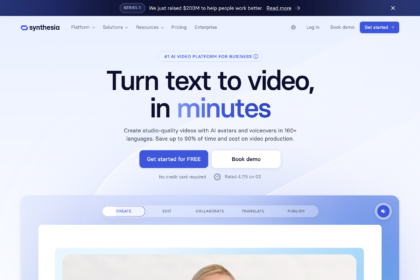
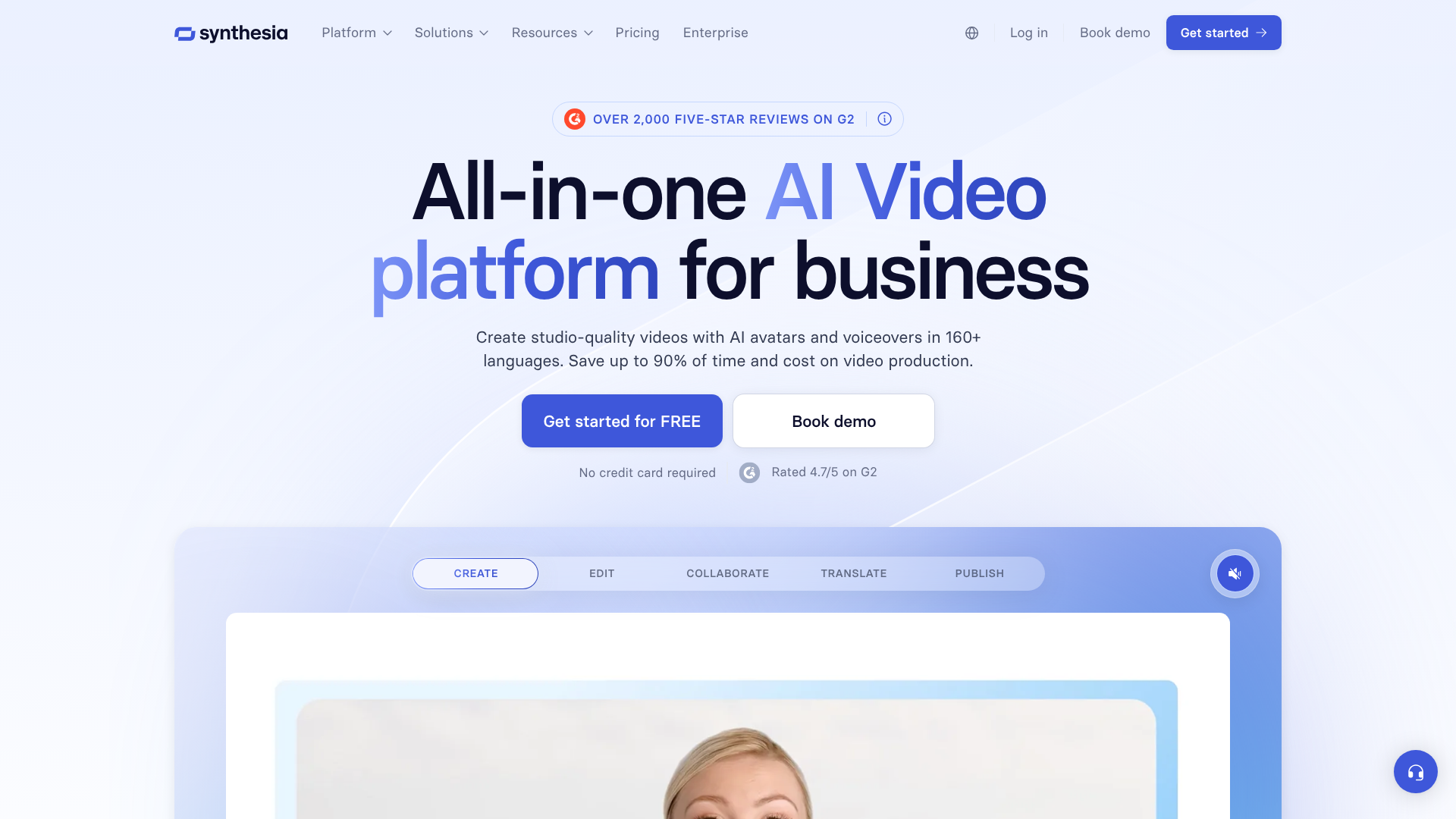
The Synthesia AI video generator is a web-based platform that allows users to create videos from text in minutes. At its core, it replaces the need for a human presenter, camera crew, and studio with a digital avatar generated by artificial intelligence. You simply type or paste a script, choose an avatar, select a voice, and the software produces a video of that avatar speaking your words.
This technology is built on a sophisticated combination of machine learning, natural language processing (NLP), and computer vision. The NLP engine analyses your script to understand pronunciation and intonation, while the visual AI animates the avatar’s facial expressions and lip movements to match the audio perfectly. The result is a seamless, human-like presentation without any of the logistical hurdles of a real-world video shoot.
Think of it as having a team of professional actors on standby 24/7, ready to perform any script you give them in almost any language. This makes it an exceptionally powerful tool for businesses that need to produce large volumes of video content, such as localising a health and safety course for a global workforce or creating personalised sales outreach videos at scale. It fundamentally separates the message from the messenger, allowing you to update the script without having to re-shoot the entire video.
How Does the Synthesia Video Maker Actually Work?
Using the synthesia video maker is a straightforward process designed for users without any technical video editing experience. The entire workflow can be broken down into a few simple steps, moving from script to finished video in a fraction of the time it would take with traditional methods.
Below is a step-by-step guide to creating your first video with Synthesia. This process highlights the platform's user-friendly interface and powerful customisation options.
Step 1: Choose Your AI Avatar
The first step is selecting your presenter. Synthesia offers a vast library of over 160 stock AI avatars. These avatars are diverse, representing various ages, ethnicities, and styles, ensuring you can find a presenter that aligns with your brand and audience. You can browse the library and preview each avatar to see how they look and move.
For businesses on the Enterprise plan, Synthesia also offers the ability to create a custom AI avatar. This involves a short, one-time recording session with a real person (such as a company executive or brand ambassador) to create a unique, exclusive digital twin. This is a powerful feature for maintaining brand consistency and adding a personal touch to corporate communications.
Step 2: Write or Paste Your Script
Once you've chosen an avatar, the next step is to provide the script. You can type your text directly into the script box or paste it from another document. The platform supports scripts of varying lengths, from a few sentences to many pages.
Synthesia also includes an AI Script Assistant, which can help you generate ideas, write a script from scratch, or refine your existing text. This feature uses generative AI to help you overcome writer's block and ensure your messaging is clear and concise, saving you even more time in the content creation process.
Step 3: Select a Language and Voice
With your script ready, you can choose from over 120 languages and a wide range of accents. This is one of Synthesia's most significant advantages, as it allows for effortless video localisation. You can take a single English script and generate versions in German, Japanese, Spanish, and dozens of other languages with just a few clicks.
Each language comes with multiple voice options, both male and female, allowing you to select the tone that best suits your content. For Enterprise users, there is also a voice cloning feature, which lets you create a custom AI voice from a recording of your own voice or that of a designated speaker. This adds another layer of personalisation to your videos.
Step 4: Customise Your Video
This is where you bring your video to life. Synthesia provides a suite of intuitive editing tools to customise the visual elements. You can upload your own background image or video, or choose from a library of stock assets. You can also add text overlays, shapes, and images to highlight key points.
Other customisation features include adding background music to set the mood, uploading your brand kit (logos, fonts, and colours) to ensure brand compliance, and even incorporating screen recordings. This is particularly useful for creating software tutorials or product demonstrations, as you can show a process on screen while the avatar explains it.
Step 5: Generate and Share Your Video
After you have finalised your script and customisations, you simply click the 'Generate' button. Synthesia's AI engine then gets to work, processing the information and rendering your video. This process typically takes a few minutes, depending on the length and complexity of the video.
Once generated, you'll receive a notification. You can then download the video file (in full HD 1080p) to use as you wish, or share it directly via a public link. The platform also allows for easy updates; if you need to change a sentence in the script, you can simply edit the text and regenerate the video without starting from scratch.

Key Features and Benefits of the Synthesia AI Tool
The power of the synthesia AI tool lies in its rich feature set, which is designed to streamline every aspect of video production. These features translate into tangible benefits for businesses, primarily centred around saving time, reducing costs, and scaling content in ways previously unimaginable.
Extensive Library of AI Avatars and Voices
With over 160 stock avatars and 120+ languages, the platform provides immense flexibility. This diversity ensures that companies can create content that resonates with a global audience. Whether you need a formal presenter for a corporate announcement or a casual one for a social media update, there's an avatar to fit the context. The vast language support makes global communication strategies simple to execute.
Custom AI Avatars and Voice Cloning
For organisations looking for a truly branded experience, the ability to create a custom AI avatar is a standout feature. A digital version of a key company figure, like the CEO or head of training, can build a stronger connection with employees and customers. Paired with voice cloning, this allows for the creation of highly personalised and consistent brand messaging that is still scalable.
AI Script Assistant
Content creation doesn't start with video; it starts with a script. Synthesia's integrated AI Script Assistant helps users at this crucial first stage. It can brainstorm ideas, structure a narrative, or shorten lengthy text to be more video-friendly. This feature effectively combines the power of a large language model with the video generation platform, creating a more integrated workflow.
Rich Media and Branding Options
Modern videos are more than just a presenter talking. Synthesia allows users to add essential multimedia elements, including screen recordings, background videos, royalty-free music, and images. The ability to upload a brand kit—with custom logos, fonts, and colour palettes—ensures that every video produced is perfectly aligned with the company's visual identity.
Pro Tip: When writing scripts for Synthesia, use shorter sentences and add pauses with punctuation like commas and full stops. This helps the AI voice generate a more natural-sounding delivery with better pacing and intonation.
The Core Benefits: Speed, Cost, and Scale
Ultimately, the features combine to deliver three core benefits. The speed is unparalleled; a 5-minute video can be created in under 30 minutes, compared to days or weeks for a traditional shoot. The cost savings are substantial, with businesses saving up to 80% of their typical video production budget. Finally, the scalability is transformative.
A single training video can be updated or translated into 20 languages in a single afternoon, a task that would have been prohibitively expensive and time-consuming before.
Choosing the Right Synthesia Plan for Your Needs
Synthesia structures its offerings into different plans to cater to a range of users, from individual creators to large multinational corporations. Understanding the differences between these plans is key to selecting the option that provides the best value and functionality for your specific goals.
For Individuals and Small Teams: The Creator Plan
The Creator plan is designed for individual users, such as freelance content creators, educators, or small business owners who need to produce video content regularly but don't require advanced collaboration features. This plan typically includes one user seat and provides a set number of video minutes per month.
This plan grants full access to the library of stock avatars and voices, as well as all the standard customisation tools. It's an excellent entry point for those looking to leverage AI video for their projects without the commitment of a higher-tier plan. It's ideal for creating marketing content, YouTube videos, or personal presentations.
For Businesses and Enterprises: The Enterprise Plan
The Enterprise plan is tailored for larger teams and organisations that require advanced features, security, and collaboration tools. This plan comes with custom pricing based on the company's specific needs, including the number of user seats and required video minutes.
Key features exclusive to the Enterprise plan include the ability to create custom AI avatars, access to premium services like voice cloning, and robust collaboration workflows that allow teams to work on projects together. It also offers higher security standards, SAML/SSO integration, and dedicated customer support, which are critical for corporate environments. This plan is the best fit for companies looking to deploy AI video for large-scale training, internal communications, or marketing campaigns.
Factors to Consider When Choosing
To decide which plan is right for you, consider the following questions:
- Video Volume: How many minutes of video do you anticipate creating each month? This will be a primary factor in your plan's cost.
- Branding Needs: Is a custom avatar essential for your brand identity, or are stock avatars sufficient?
- Team Size: How many people in your organisation need to create or edit videos?
- Technical Requirements: Do you need specific integrations with other software (like an LMS) or enhanced security protocols like SSO?
Answering these questions will help you determine whether the Creator plan meets your needs or if the more comprehensive features of the Enterprise plan are a necessary investment.
Synthesia Pricing: What Does It Cost?
Understanding the investment required for Synthesia is a key part of the evaluation process. The platform operates on a subscription-based model, with costs varying based on the plan you choose and the volume of video content you need to produce. It's important to note that pricing can change, so it's always best to visit the official Synthesia website for the most current information.
As of late 2026, the pricing structure is generally divided into two main tiers:
Creator Plan: This plan is aimed at individuals and is typically priced at a fixed monthly or annual fee. It includes a single user seat and a specific allowance of video minutes per month (e.g., 10 minutes). Additional minutes can often be purchased if needed. The annual subscription usually offers a discount over the monthly rate.
Enterprise Plan: This plan is designed for businesses and teams. The pricing is customised based on the organisation's requirements, such as the number of seats, the total video minutes needed, and access to premium features like custom avatars and voice cloning. To get a quote, you must contact Synthesia's sales team to discuss your specific use case.
Cost Comparison: Synthesia vs. Traditional Video Production
To truly appreciate the value proposition of a tool like Synthesia, it's helpful to compare its cost to traditional video production. A single, professionally shot corporate video can easily cost thousands of pounds when you factor in all the expenses.
| Feature | Synthesia AI Video | Traditional Video Production |
|---|---|---|
| Actor/Presenter | Included in subscription | £300 – £2,000+ per day |
| Studio/Location | Not required | £200 – £1,500+ per day |
| Camera Crew | Not required | £500 – £2,500+ per day |
| Editing/Post-Production | Minimal, included in platform | £300 – £1,000+ per video |
| Revisions/Updates | Simple text edit, regenerate | Requires expensive re-shoots |
| Localisation | Included (120+ languages) | Requires new actors, re-shoots for each language |
| Total Estimated Cost | Starts from a monthly fee | £1,500 – £10,000+ per video |
As the table illustrates, the cost savings with an AI video generator are substantial. For the price of a single traditionally produced video, a company could subscribe to Synthesia for an entire year and produce dozens or even hundreds of videos. This makes video content creation accessible and sustainable for businesses of all sizes.
The Pros and Cons of Using Synthesia
Like any technology, Synthesia has a distinct set of strengths and weaknesses. Understanding these is crucial for determining if it's the right fit for your specific video production needs. It offers incredible efficiency for certain types of content but may not be the best choice for others.
Advantages of Synthesia
Unmatched Speed and Efficiency: The most significant advantage is the ability to go from script to finished video in minutes. This rapid turnaround is impossible to achieve with traditional methods, allowing teams to be far more agile with their content strategy.
Significant Cost-Effectiveness: By eliminating the need for actors, studios, and camera crews, Synthesia dramatically reduces the cost of video production. This democratises video creation, making it accessible to organisations with limited budgets.
Effortless Scalability and Localisation: Updating a video is as simple as editing a text document. Translating it for a global audience requires just a few clicks. This makes it an ideal solution for large-scale corporate training and global marketing campaigns.
Ease of Use: The platform is designed for non-technical users. You don't need any experience in video editing or production to create a professional-looking video. The interface is intuitive and easy to navigate.
Brand Consistency: With features like custom avatars, brand kits, and templates, businesses can ensure that all their video content maintains a consistent look and feel, reinforcing their brand identity.
Potential Limitations
Limited Emotional Range: While the AI avatars are remarkably realistic, they cannot yet replicate the full spectrum of human emotion and nuance. For content that requires deep emotional connection or powerful storytelling (like brand documentaries or testimonials), a human actor is still superior.
The 'Uncanny Valley' Effect: For some viewers, the high level of realism in the avatars can feel slightly unsettling or 'off'. As the technology improves, this is becoming less of an issue, but it's a factor to consider depending on your audience.
No Permanent Free Plan: Synthesia is a premium tool and does not offer a free-forever plan. While you can create a free demo video to test the technology, ongoing use requires a paid subscription. This can be a barrier for users with no budget.
Dependence on Script Quality: The output is only as good as the input. A poorly written script will result in a stilted and unnatural-sounding video. Users must still invest time in crafting well-written, conversational scripts for the best results.
Frequently Asked Questions (FAQ)
Here are answers to some of the most common questions people have about the Synthesia AI video generator.
Is Synthesia AI video free?
No, Synthesia does not offer a permanent free plan for its video creation platform. It is a premium, subscription-based service. However, they typically allow you to create a short, free AI demo video on their website to experience the technology firsthand before committing to a paid plan. This lets you see the quality of the avatars and voices for yourself.
What is the difference between Synthesia AI and ChatGPT?
Synthesia AI and ChatGPT are both AI tools, but they serve completely different purposes. ChatGPT is a text-based language model designed to generate human-like text, answer questions, and assist with writing tasks. Synthesia is a video generation platform that takes text and uses it to create a video with an AI avatar. While Synthesia has an AI script assistant that uses similar technology to ChatGPT, its primary function is video creation, not text generation.
How much does Synthesia cost per month?
The cost of Synthesia depends on the plan. The 'Creator' plan, for individuals, has a fixed monthly or annual fee that provides a set number of video minutes. The 'Enterprise' plan for businesses has custom pricing based on the number of users and features needed. For the most accurate and up-to-date pricing, it is best to check the official Synthesia website.
Is there anything better than Synthesia?
Whether there is something 'better' than Synthesia depends on your specific needs. Synthesia is widely regarded as a leader in the AI avatar video space, particularly for its realism, custom avatar options, and enterprise-grade features. Other AI video generators like HeyGen or Pictory exist, but they may focus on different areas—some are better for turning articles into videos, while others might offer different animation styles. For creating polished, presenter-led corporate videos, Synthesia is considered one of the top choices.
Can ChatGPT make AI videos?
No, ChatGPT cannot natively create videos. It is a text-based model. However, you can use ChatGPT to write the script for your video, which you can then paste into a platform like Synthesia to generate the final video. The two tools can be used together in a workflow, but ChatGPT's role is limited to generating the text content.
Final Thoughts: Is the Synthesia AI Video Generator Right for You?
The Synthesia AI video generator represents a significant step forward in content creation, offering a practical and powerful solution to the long-standing challenges of video production. By replacing physical studios and actors with sophisticated AI, it empowers businesses and creators to produce high-quality videos with unprecedented speed, scalability, and cost-efficiency.
This tool is an ideal choice for organisations that rely on informational video content. If your goal is to create corporate training modules, product explainer videos, internal communications, or marketing updates at scale, Synthesia provides an exceptional return on investment. The ability to edit and localise content in minutes is a transformative advantage for any global operation.
However, it's not a universal replacement for all types of video. For projects where deep emotional resonance and authentic human connection are paramount, the nuance of a real actor remains unbeatable. But for the vast majority of business communication needs, the synthesia video maker offers a compelling, efficient, and modern approach. If you're looking to streamline your video workflow and scale your content strategy, it is certainly a platform worth exploring.
To see if it fits your needs, you can explore all the features and request a personalised demo on the Synthesia website.