
Synthesia AI Avatar: A Creator's Guide to Making Pro Videos
Creating professional-quality video content traditionally involves significant time, budget, and logistical challenges, from hiring actors to booking studio time. A Synthesia AI avatar offers a powerful alternative, allowing you to generate realistic, presenter-led videos directly from a text script. This technology replaces cameras, microphones, and actors with a digital human that can speak any text you provide, streamlining the entire video production process for businesses and individual creators alike.
- What You'll Learn
- What Exactly is a Synthesia AI Avatar?
- The Core Features That Make Synthesia Stand Out
- Hyper-Realistic Avatars and Voices
- Extensive Multi-Language Support
- Custom Avatar Creation
- Intuitive Video Editor
- Stock vs. Custom Avatars: Choosing Your Digital Presenter
- How to Create Your Own Synthesia Avatar Video: A Step-by-Step Guide
- Step 1: Start with a Template or a Blank Canvas
- Step 2: Write or Paste Your Script
- Step 3: Choose Your Avatar and Voice
- Step 4: Customise the Visuals
- Step 5: Generate and Share Your Video
- Understanding Synthesia's Pricing and Avatar Costs
- The Pros and Cons of Using a Synthesia Avatar
- Frequently Asked Questions
- How do I create my own avatar in Synthesia?
- Is Synthesia AI free or paid?
- Are Synthesia avatars real people?
- How much does a Synthesia custom avatar cost?
- What are the limitations of Synthesia AI?
- What's better than Synthesia?
- Final Thoughts: Is a Synthesia Avatar Right for You?
Instead of coordinating complex film shoots, you can produce training materials, marketing videos, and internal communications in a fraction of the time. The core idea is to make video creation as simple as writing a document or a presentation. This guide explains everything you need to know about how these AI-driven presenters work, their features, and how you can use them to scale your video output efficiently.
What You'll Learn
- What a Synthesia Avatar Is: It's a photorealistic digital human, based on a real actor, that can narrate your video scripts in over 160 languages.
- Key Benefits: The main advantages are massive time and cost savings compared to traditional video production, enabling rapid content scaling and localisation.
- Two Main Types: You can choose from over 200 diverse, ready-to-use stock avatars or create a custom avatar that is a digital twin of yourself or a team member.
- How It Works: The process is straightforward—you type or paste your script, select an avatar and background, and the platform generates the video in minutes.
- Primary Use Cases: It's ideal for corporate training, educational content, product demonstrations, and marketing videos where consistency and scalability are essential.
What Exactly is a Synthesia AI Avatar?
A Synthesia AI avatar is a digitally generated, photorealistic human presenter used within the Synthesia video creation platform. Think of it as a digital actor that you can direct entirely through text. You provide the script, and the avatar delivers the lines with realistic lip-syncing, facial expressions, and subtle body movements. This removes the need for any physical recording equipment, studios, or on-camera talent.
The technology behind this is built on advanced artificial intelligence and machine learning. Each synthesia avatar is created from high-quality video footage of a real, human actor who has consented to have their likeness used to train the AI model. The system analyses the actor's speech patterns, mannerisms, and facial movements to build a digital representation that can be animated to speak any new text input.
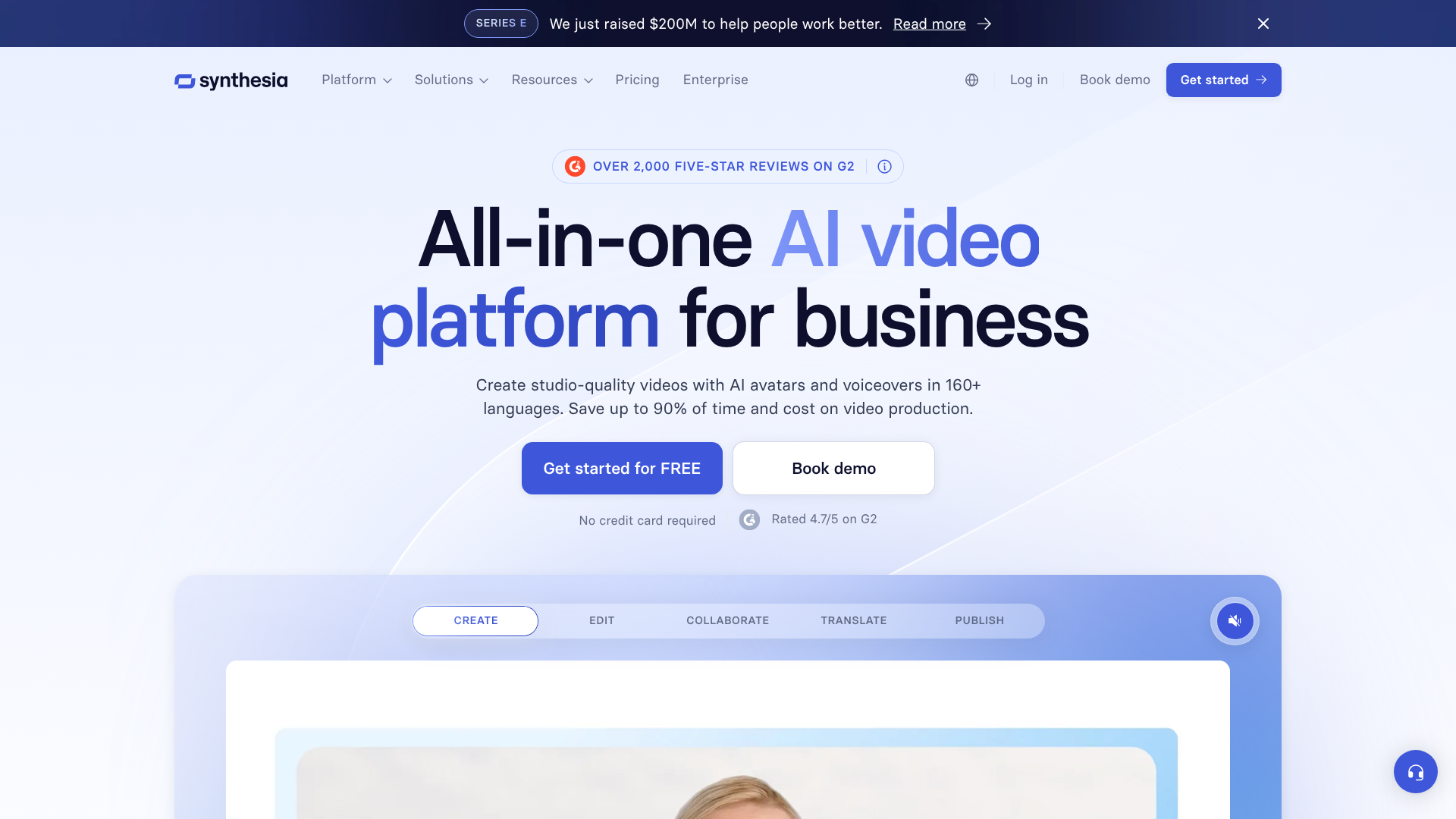
This approach ensures a high degree of realism and helps avoid the 'uncanny valley' effect often associated with less advanced computer-generated characters. Because they are based on real people, the avatars appear natural and relatable, making them suitable for professional business communications. The platform's AI character generator can then synthesise a voice to match the script, or you can upload your own voice recording for a more personalised touch.
The Core Features That Make Synthesia Stand Out
Synthesia's platform is more than just an AI character generator; it's a comprehensive video creation studio built around its avatar technology. Several key features contribute to its effectiveness for businesses and content creators.
Hyper-Realistic Avatars and Voices
At the heart of the platform are the avatars themselves. Synthesia offers a library of over 200 stock avatars representing a wide range of ethnicities, ages, and styles. These aren't cartoonish figures but photorealistic presenters designed for professional contexts. The lip-syncing technology is remarkably accurate, matching the avatar's mouth movements to the audio track in any supported language. This precision is crucial for maintaining viewer engagement and credibility.
Extensive Multi-Language Support
The ability to localise content effortlessly is one of Synthesia's most powerful features. The platform supports text-to-video generation in more than 160 languages and accents. This means you can create a single video script in English and then generate dozens of localised versions for global audiences with just a few clicks. The AI handles the translation (if needed), voice generation, and lip-syncing for each language, a task that would traditionally require hiring multiple voice actors and translators, costing thousands of pounds and weeks of work.
Custom Avatar Creation
For brands wanting a consistent and unique presenter, Synthesia offers custom AI avatar creation. This allows you to create a digital twin of yourself, your company's CEO, or a designated brand ambassador. This feature is particularly useful for personal branding, executive communications, and creating a consistent human face for training modules. The process involves a recording session to capture your likeness and voice, which the AI then uses to build your exclusive avatar.
Intuitive Video Editor
Synthesia includes a user-friendly, slide-based video editor that feels similar to using PowerPoint or Google Slides. You don't need any prior video editing experience. You can add text, upload images, embed videos, choose from pre-designed templates, and select background music. This integrated environment means you can manage the entire production workflow—from script to final video—within a single platform, simplifying the process and saving valuable time.
Stock vs. Custom Avatars: Choosing Your Digital Presenter
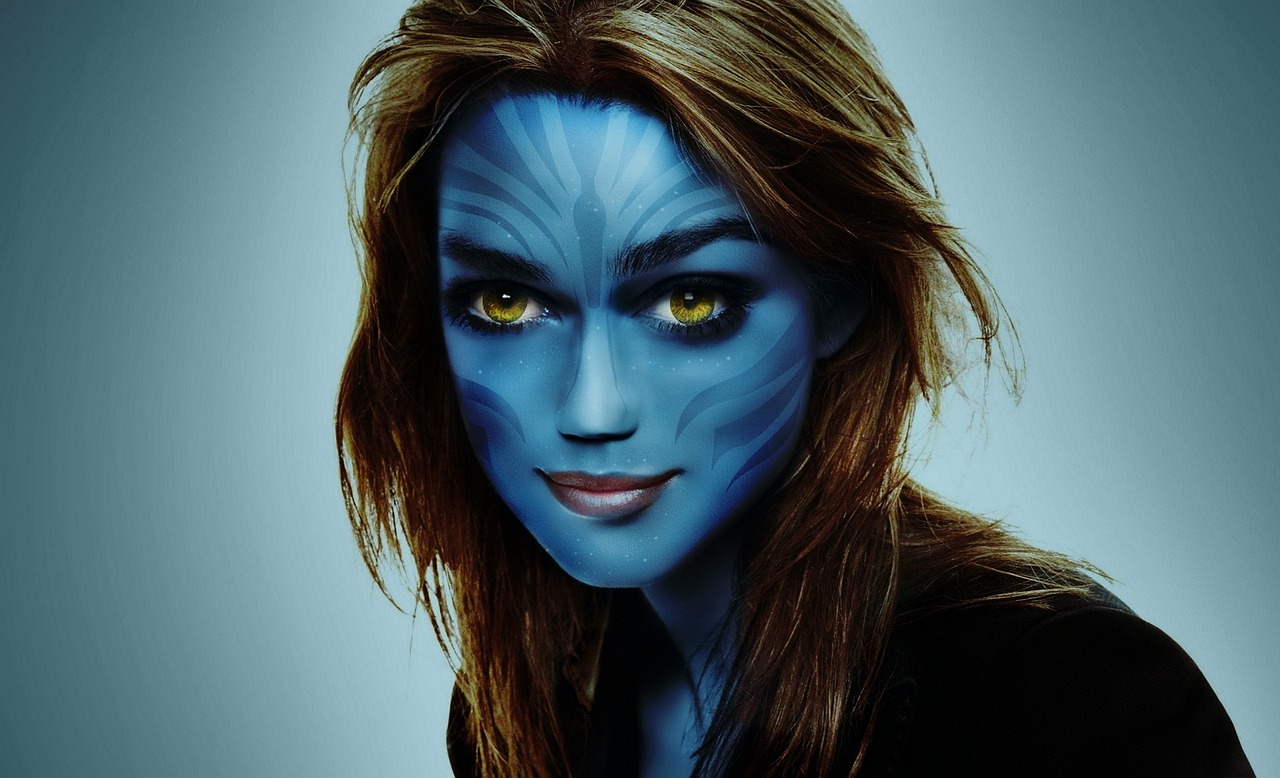
When you start using Synthesia, one of the first decisions you'll make is what kind of avatar to use. The platform offers two primary options: stock avatars and custom avatars. Each serves different needs, and understanding their differences is key to making the right choice for your project.
Stock Avatars: Ready-to-Go Versatility
Stock avatars are the pre-built, ready-to-use digital presenters included with your Synthesia subscription. With a library of over 200 diverse options, you can easily find an avatar that fits the tone and demographic of your target audience.
When to use a stock avatar:
Speed and Convenience: They are available immediately. You can select one and start creating your video in seconds. – Variety: If you produce content for different brands or audiences, you can switch avatars to match each project's specific needs. – Cost-Effectiveness: Access to the entire library is included in the standard subscription plans, making it the most budget-friendly option.
General-Purpose Content: They are perfect for internal training, general marketing announcements, and educational content where a specific, recognisable face is not required.
Custom Avatars: Your Exclusive Digital Twin
A custom synthesia avatar is a unique, photorealistic digital replica created exclusively for you or your organisation. It's a digital twin of a real person, such as a company executive, a lead trainer, or a brand spokesperson. This option provides a level of personalisation and brand consistency that stock avatars cannot match.
When to use a custom avatar:
- Brand Consistency: When you want a single, recognisable face to represent your brand across all video communications.
- Personalisation: Ideal for experts, coaches, or executives who want to scale their presence without being on camera for every video.
- Building Trust: A familiar face can help build a stronger connection with your audience, especially in training and onboarding materials.
- High-Volume, Branded Content: If your strategy involves producing a large series of videos, a custom avatar ensures a consistent look and feel throughout.
The process for AI avatar creation of a custom model is more involved. It requires submitting video footage of the person, which Synthesia's AI uses to build the digital model. This is an add-on feature with an additional cost, making it an investment for users with specific, ongoing needs.
How to Create Your Own Synthesia Avatar Video: A Step-by-Step Guide
Getting started with Synthesia and creating your first video is a remarkably simple process. The platform is designed to be intuitive, even for those with no background in video production. Here’s a breakdown of the steps involved in making a video with a stock avatar.
Step 1: Start with a Template or a Blank Canvas
Once you log into your Synthesia account, you can either choose from dozens of professionally designed video templates or start with a blank project. Templates are a great starting point as they come with pre-designed layouts, backgrounds, and text placeholders, which can significantly speed up your workflow. They are categorised by use case, such as 'Training', 'Marketing', or 'How-To'.
Step 2: Write or Paste Your Script
The core of your video is the script. You can type your script directly into the script box for each scene or paste it from an external document. As you type, you can preview the audio to hear how it will sound. Synthesia allows you to add pauses, specify pronunciations for tricky words, and even use different voices for different sections of the script.
Step 3: Choose Your Avatar and Voice
Next, you select your presenter. Browse the library of over 200 stock avatars and choose the one that best suits your message. After selecting an avatar, you choose a language and a voice. The platform offers a variety of natural-sounding AI voices, or you have the option to upload a pre-recorded voiceover track. If you upload your own audio, the avatar's lip movements will automatically synchronise with your recording.
Step 4: Customise the Visuals
This is where you bring your video to life. You can change the background by uploading an image, a video, or choosing a solid colour. You can also add on-screen text, shapes, and images to illustrate your points. The editor works on a scene-by-scene basis, much like a presentation deck, making it easy to structure your content logically.
Step 5: Generate and Share Your Video
Once you are happy with your script and visuals, you simply click the 'Generate' button. Synthesia's AI engine will then process your project and render the final video. This typically takes a few minutes, depending on the length of the video. Once it's ready, you'll receive a notification. You can then download the video file (in full HD 1080p), embed it on your website, or share it via a link.
Pro Tip: For longer scripts, break your content into multiple short scenes. This makes editing easier and improves the pacing of your final video. Aim for one key idea per scene to keep your audience engaged.
Understanding Synthesia's Pricing and Avatar Costs
Synthesia's pricing is structured in tiers to accommodate different types of users, from individuals to large enterprise teams. It's important to understand that the core service is a subscription, and custom avatars are typically an additional investment.
Subscription Plans
As of late 2026, Synthesia generally offers several main plans. While specifics can change, the structure usually includes:
- Starter Plan: Aimed at individuals and small teams just getting started with AI video. This plan typically includes a limited amount of video generation minutes per month and access to the core features and a selection of stock avatars.
- Creator Plan: Designed for content creators and professionals who need to produce more video content. It offers more video minutes, access to a larger library of stock avatars, and additional features like premium AI voices.
- Enterprise Plan: Tailored for large organisations with advanced needs. This custom plan includes unlimited video generation, collaboration features for teams, enhanced security, dedicated support, and the ability to purchase custom avatars.
It's crucial to visit the Synthesia website for the most current pricing details, as plans and features are updated regularly.
The Cost of a Custom Avatar
The cost of creating a custom synthesia avatar is not included in the standard subscription plans. It is an add-on service, typically available to users on the Enterprise plan. The pricing for a custom avatar is not publicly listed and requires contacting Synthesia's sales team for a quote.
The cost can vary based on several factors, including the type of recording required (e.g., self-recorded with a phone vs. a professional studio session) and the complexity of the avatar. While it represents an upfront investment, the return on investment can be significant for organisations that produce a high volume of video content, as it eliminates the recurring costs of hiring actors and film crews.
The Pros and Cons of Using a Synthesia Avatar
Like any technology, using a Synthesia AI avatar comes with a distinct set of advantages and potential drawbacks. Understanding both sides can help you determine if it's the right solution for your specific video production needs.
Pros of Synthesia Avatars
Massive Scalability: This is the most significant benefit. You can create hundreds of videos in the time it would take to produce one traditionally. Updating content is as simple as editing a line of text and regenerating the video.
Cost-Effectiveness: For many use cases, Synthesia is significantly cheaper than traditional video production. It eliminates costs associated with actors, studio rentals, camera crews, and post-production editing.
Effortless Localisation: Creating versions of a video in over 160 languages is as easy as translating the script. This opens up global markets for businesses without the massive budget typically required for localisation.
Consistency: Whether you use a stock avatar or a custom one, you get a consistent presenter for all your videos. This is especially valuable for branded content series and corporate training modules.
No On-Camera Anxiety: Many subject matter experts are not comfortable on camera. Avatars allow them to share their knowledge without the stress of filming, ensuring the focus remains on the quality of the information.
Cons of Synthesia Avatars
The 'Uncanny Valley': While Synthesia's avatars are highly realistic, some viewers may still perceive them as slightly unnatural. They lack the full range of subtle, non-verbal cues and emotional depth that a real human presenter can convey.
Limited Emotional Range: AI avatars are excellent for delivering informative and instructional content. However, they may not be suitable for videos that require deep emotional connection, empathy, or highly expressive storytelling.
Lack of Spontaneity: The delivery is based purely on the script. There is no room for the ad-libs, improvisations, or genuine reactions that can make videos with human presenters more engaging and authentic.
Subscription Dependency: Your ability to create and edit videos is tied to an active subscription. If you stop paying, you lose access to the creation platform, though you can keep the videos you've already downloaded.
Frequently Asked Questions
Here are answers to some of the most common questions people have about using a Synthesia AI avatar.
How do I create my own avatar in Synthesia?
Creating your own custom avatar is a premium feature offered by Synthesia, typically for Enterprise clients. The process involves you providing video footage of yourself speaking to the camera. You can either record this yourself using a high-quality smartphone or webcam, or opt for a professionally guided session in a studio. Synthesia's AI then processes this footage to create your unique, photorealistic digital twin that can be used exclusively in your account.
Is Synthesia AI free or paid?
Synthesia is a paid subscription service. There is no completely free plan, but they offer a free AI video generator on their website where you can create a short sample video to test the technology. To gain full access to the platform's features, including the video editor and the full avatar library, you need to sign up for one of their paid plans, such as the Starter or Creator plan.
Are Synthesia avatars real people?
Yes, the avatars are based on real people. Each avatar is created from video footage of a real actor who has given their consent for their likeness to be used. This is a key reason for their high level of realism. Synthesia works ethically with these actors, who are compensated for their participation.
This approach ensures the digital presenters look and move naturally.
How much does a Synthesia custom avatar cost?
The cost for a custom avatar is not publicly listed because it is a bespoke service. It is an additional cost on top of a subscription plan (usually the Enterprise plan). The price can vary depending on the creation process you choose. To get an accurate quote, you need to contact the Synthesia sales team directly to discuss your specific requirements.
What are the limitations of Synthesia AI?
The main limitations relate to emotional expression and spontaneity. While excellent for clear, instructional content, the avatars cannot replicate the full spectrum of human emotion or the nuanced delivery of a professional actor. They are bound by the script and cannot improvise. Additionally, some viewers might find the avatars slightly unnatural, which could impact engagement for certain types of content that rely heavily on personal connection.
What's better than Synthesia?
Whether another platform is 'better' depends on your specific needs. Synthesia is widely regarded as a leader in realistic AI avatars for professional and corporate use. However, competitors like HeyGen and Murf AI offer similar services. HeyGen is also known for its high-quality avatars and features like voice cloning.
Murf AI is particularly strong in AI voice generation, offering a wide range of realistic text-to-speech voices that can be paired with video. The best choice depends on your budget, desired features, and the specific style of video you want to create.
Final Thoughts: Is a Synthesia Avatar Right for You?
The decision to use a Synthesia AI avatar comes down to your goals, resources, and the type of content you need to create. For organisations looking to scale their video production for training, internal communications, or product marketing, the platform offers an incredibly efficient and cost-effective solution. It democratises video creation, putting the power of a production studio into the hands of anyone who can write a script.
If your content strategy relies on delivering clear, consistent information to a broad or global audience, the benefits of speed, scalability, and easy localisation are hard to ignore. The technology excels at turning scripts, presentations, and documents into engaging video content without the logistical headaches of traditional filming.
However, if your videos depend on deep emotional storytelling, authentic personal connection, or spontaneous human interaction, a real-life presenter may still be the better choice. By understanding both its powerful capabilities and its current limitations, you can make an informed decision. For many businesses, a Synthesia avatar is the key to unlocking a more agile and scalable video strategy.
Ready to see how it works for yourself? You can explore the features and create a free demo video on the Synthesia website.