

Getting Started with Semrush for SEO: A Beginner's Step-by-Step Guide
Search Engine Optimisation (SEO) can feel like a complex puzzle with countless moving parts. To solve it, you need data—lots of it. Understanding what people are searching for, how your competitors are performing, and the technical health of your own website is crucial. This is where using Semrush for SEO provides a clear advantage, offering a comprehensive suite of tools designed to bring clarity to your digital marketing efforts.
- What You'll Learn
- What is Semrush and Why is it Essential for SEO?
- A Tour of Key Semrush SEO Features
- Domain Overview: Your SEO Dashboard
- Keyword Magic Tool: The Heart of Research
- Site Audit: Your Technical SEO Health Check
- Position Tracking: Monitor Your Rankings
- Backlink Analytics: Understand Your Link Profile
- How to Conduct Keyword Research with Semrush
- Step 1: Brainstorm Seed Keywords
- Step 2: Use the Keyword Magic Tool to Expand
- Step 3: Analyse and Filter by Key Metrics
- Step 4: Find Long-Tail and Question Keywords
- Step 5: Create and Export Your Keyword Lists
- Spying on Your Competition: A Guide to Competitor Analysis
- Step 1: Identify Your True SEO Competitors
- Step 2: Analyse Their Traffic and Top Pages
- Step 3: Uncover Their Winning Keywords with Keyword Gap
- Step 4: Deconstruct Their Backlink Strategy with Backlink Gap
- Tracking and Reporting: Measuring Your SEO Success
- Mastering Technical SEO with the Semrush Site Audit Tool
- Powering Your Content Strategy with Semrush
- Using the Topic Research Tool for Idea Generation
- Creating SEO-Optimised Briefs with the SEO Content Template
- Optimising Live Content with the SEO Writing Assistant
- Building a Strong Backlink Profile Using Semrush
- Analysing Your Own Backlink Profile (Backlink Audit Tool)
- Finding Link Building Opportunities (Backlink Gap Tool)
- Using the Link Building Tool for Outreach Management
- Integrating Semrush with Your Existing Workflow
- Real-World Success: Semrush SEO Case Studies
- Frequently Asked Questions
- Is Semrush good for beginners?
- What is Semrush mainly used for in SEO?
- Can I use Semrush for free?
- How does Semrush compare to Ahrefs for SEO?
- Final Thoughts
For beginners, diving into a powerful platform like this can seem daunting. However, Semrush organises its vast capabilities into intuitive toolkits that break down the SEO process into manageable steps. From discovering untapped keywords to fixing critical site errors, it equips you with the information needed to make smarter decisions and achieve measurable growth.
This guide will walk you through the fundamentals of the Semrush SEO tool, explaining its core features and providing step-by-step instructions on how to use them effectively. You'll learn how to lay a strong foundation for your SEO strategy, all within a single, powerful platform.
What You'll Learn
- Core SEO Functions: Semrush combines over 55 tools for keyword research, competitor analysis, rank tracking, and technical site audits into one unified dashboard.
- Keyword Research Mastery: You'll discover how to use the Keyword Magic Tool to find valuable keywords, analyse their difficulty, and understand user search intent.
- Competitor Analysis: The platform allows you to deconstruct your competitors' strategies, revealing the keywords they rank for and the backlinks they've earned.
- Technical Health Checks: Learn how the Site Audit tool can crawl your website to identify and provide solutions for technical issues that may be hurting your rankings.
- Performance Tracking: Understand how to set up Position Tracking to monitor your website's performance on search engine results pages (SERPs) for your target keywords.
What is Semrush and Why is it Essential for SEO?
Semrush is not just a single tool; it's an all-in-one digital marketing suite that provides data and insights across SEO, content marketing, competitor research, PPC, and social media marketing. However, its deepest strengths lie in SEO. Think of it as a digital Swiss Army knife for anyone looking to improve their website's visibility on search engines like Google.
The primary reason Semrush is so essential for SEO is that it replaces guesswork with data-driven strategy. Without a tool like this, you're essentially flying blind. You might think you know what keywords your audience uses, or you might assume your website is technically sound, but you won't know for sure. Semrush provides concrete numbers and actionable reports to validate your strategy or show you where to pivot.
For a beginner, this is incredibly valuable. Instead of juggling a dozen different free tools for keyword ideas, rank checking, and site analysis, you get a single source of truth. This consolidation saves time, reduces complexity, and ensures that the data from one area of your strategy (like keyword research) directly informs another (like content creation). This integrated approach is key to building a cohesive and effective SEO campaign.
A Tour of Key Semrush SEO Features
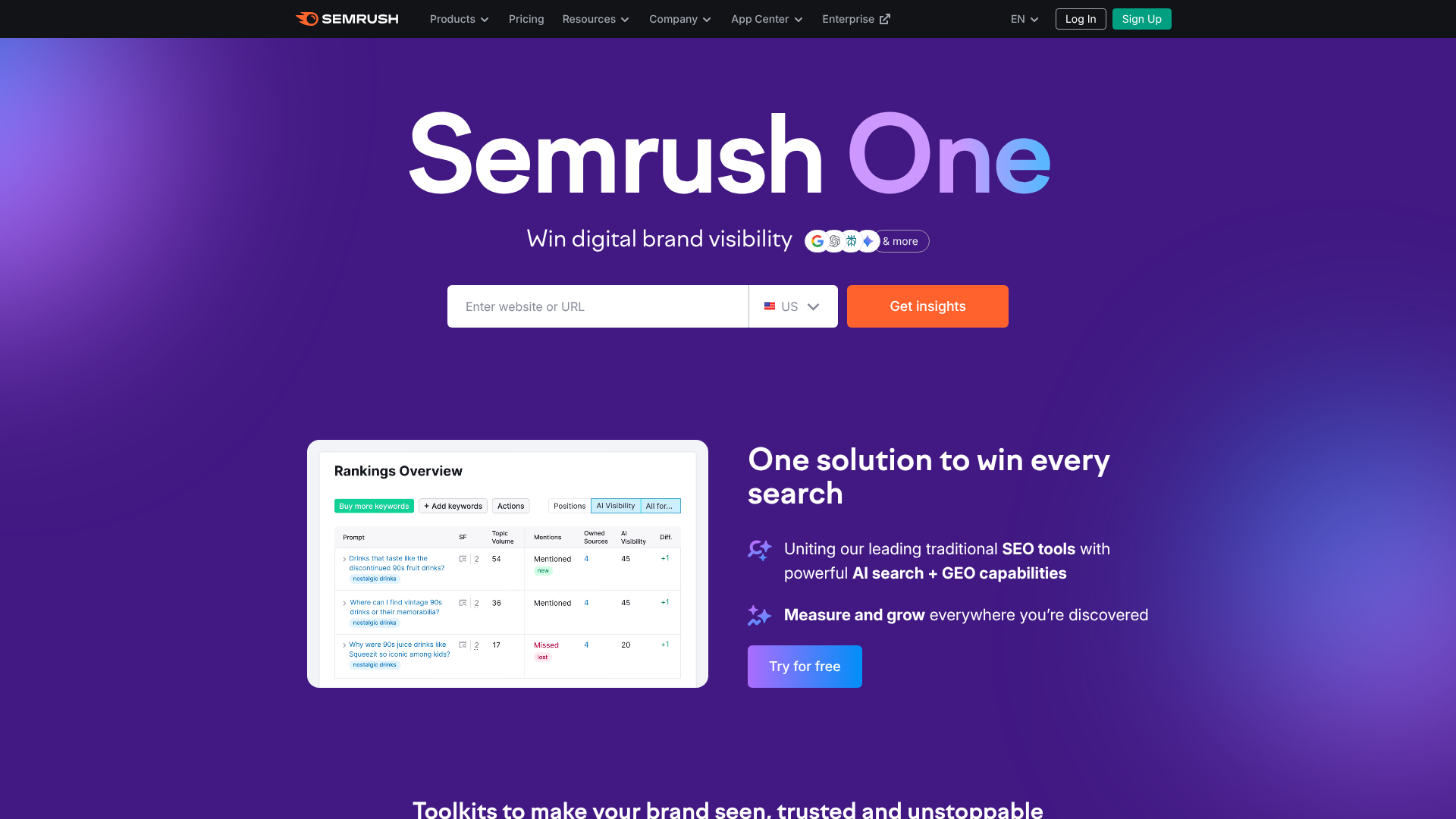
The power of Semrush lies in its specialised toolkits. While the sheer number of features can be overwhelming at first, most of your SEO work will centre around a few core components. Understanding these key tools is the first step to harnessing the platform's potential.
Domain Overview: Your SEO Dashboard
The Domain Overview is your starting point. Simply enter your website's URL (or a competitor's), and you'll get a high-level snapshot of its SEO health. This dashboard shows you crucial metrics like Authority Score (Semrush's metric for a domain's overall quality and SEO performance), organic search traffic, and the number of backlinks.
It's the quickest way to gauge performance at a glance. You can see your top organic keywords, identify your main organic competitors, and view your traffic trends over time. For beginners, this report is perfect for getting a baseline understanding of where your site currently stands before you start making changes.
Keyword Magic Tool: The Heart of Research
This is arguably one of the most powerful Semrush SEO features. The Keyword Magic Tool is where you'll find new keyword opportunities. You start with a single 'seed' keyword, and the tool generates thousands of related terms, questions, and phrases, all organised into topic clusters.
Each keyword comes with vital metrics: monthly search volume, Keyword Difficulty (KD%), search intent (informational, navigational, commercial, transactional), and more. This data helps you prioritise keywords that have a good balance of search demand and a realistic chance of ranking. It’s the engine that will power both your content and on-page SEO strategies.
Site Audit: Your Technical SEO Health Check
A technically sound website is the foundation of good SEO. The Site Audit tool acts like a doctor for your website, crawling every page to check for over 140 common technical and on-page SEO issues. It scans for problems like broken links, slow-loading pages, duplicate content, and missing meta descriptions.
The results are presented in a clear report that categorises issues into 'Errors' (most severe), 'Warnings' (medium priority), and 'Notices' (minor issues). Best of all, it doesn't just point out the problems; it tells you why they are problems and how to fix them, making it an invaluable learning tool for anyone new to technical SEO.
Position Tracking: Monitor Your Rankings
Once you start targeting keywords, you need to know if your efforts are paying off. The Position Tracking tool allows you to monitor your website's daily rankings for a custom set of keywords across different geographical locations and device types (desktop and mobile).
You can track your visibility trend, see which keywords are moving up or down, and even discover which of your pages are ranking in featured snippets or other SERP features. This tool provides the feedback loop necessary to understand what's working and what isn't, allowing you to refine your strategy over time.
Backlink Analytics: Understand Your Link Profile
Backlinks (links from other websites to yours) are a critical ranking factor. The Backlink Analytics tool lets you analyse your own link profile or spy on your competitors'. You can see how many backlinks a site has, which domains are linking to it, and the authority of those linking domains.
This is crucial for understanding your site's authority and for planning a link-building campaign. By seeing where your competitors get their links, you can identify potential opportunities for your own website. The companion Backlink Audit tool also helps you identify and disavow toxic or harmful links that could be hurting your SEO.
How to Conduct Keyword Research with Semrush
Effective keyword research is the cornerstone of any successful SEO strategy. It ensures you're creating content that your target audience is actively searching for. Using Semrush for SEO makes this process systematic and data-backed. Here’s a step-by-step guide for beginners.
Step 1: Brainstorm Seed Keywords
Start by thinking about the main topics related to your business or website. These are your 'seed' keywords. If you run a business that sells handmade leather bags in London, your seed keywords might be "leather bags", "handmade bags London", or "artisan handbags". Don't overthink it at this stage; just list out 5-10 core topics.
Step 2: Use the Keyword Magic Tool to Expand
Enter one of your seed keywords into the Keyword Magic Tool. Semrush will generate a massive list of related keywords. On the left side, you'll see groups of keywords organised by topic. This is incredibly helpful for discovering sub-topics you might not have considered.
For example, starting with "leather bags" might reveal related groups like "crossbody leather bags", "men's leather work bag", or "how to clean leather bag". This helps you understand the different facets of your main topic and the specific language your audience uses.
Step 3: Analyse and Filter by Key Metrics
Now you need to narrow down the list. Use the filters at the top to focus on the best opportunities. Pay close attention to these metrics:
- Intent: This tells you the 'why' behind a search. Are users looking for information (I), to navigate to a specific site (N), to buy something (T), or to do commercial investigation (C)? Match your content to the user's intent.
- Volume: This is the average number of monthly searches. Higher volume isn't always better, as it often means more competition.
- Keyword Difficulty (KD%): This score (from 0-100) estimates how difficult it would be to rank on the first page of Google for that keyword. As a beginner, focus on keywords with a lower KD% (typically under 40) to have a better chance of ranking.
Step 4: Find Long-Tail and Question Keywords
Use the filters to find specific types of keywords. Long-tail keywords (phrases of 3+ words) are often less competitive and have higher conversion rates because they are more specific. You can filter by 'Word count' to find these.
Clicking the 'Questions' filter is a goldmine for content ideas. It shows you all the keywords phrased as questions, like "how to choose a leather bag" or "what is the best leather for bags". Answering these questions directly in your content is a great way to provide value and capture traffic.
Pro Tip: Use the 'Advanced Filters' to exclude certain words (like brand names of competitors) or to only include keywords with a specific KD% and search volume. This level of filtering helps you quickly zero in on the most relevant and achievable keywords for your site.
Step 5: Create and Export Your Keyword Lists
As you find promising keywords, check the box next to them and add them to a list in the Keyword Manager. You can create different lists for different projects or content topics. Once you have a curated list, you can export it to use for your content planning and on-page optimisation.
Spying on Your Competition: A Guide to Competitor Analysis
You don't operate in a vacuum. Your website is competing with others for the same audience and keywords. Understanding what your competitors are doing well (and not so well) is one of the fastest ways to improve your own SEO strategy. The semrush SEO tool provides a complete toolkit for ethical and insightful competitor analysis.

Step 1: Identify Your True SEO Competitors
Your business competitors might not be your SEO competitors. Your main SEO competitors are the websites that consistently appear in the search results for your target keywords. In Semrush, you can find them easily. Go to the 'Organic Research' tool, enter your domain, and click on the 'Competitors' tab.
Semrush will list the domains that compete with you most frequently for the same organic keywords.
Step 2: Analyse Their Traffic and Top Pages
Once you have a list of 3-5 key competitors, analyse them one by one using the 'Domain Overview' and 'Traffic Analytics' tools. You can see an estimate of their monthly traffic, the geographic sources of that traffic, and their top-performing pages. The 'Top Pages' report is particularly useful, as it shows you which of their articles or product pages are attracting the most organic traffic. This can give you proven ideas for content topics that resonate with your shared audience.
Step 3: Uncover Their Winning Keywords with Keyword Gap
The Keyword Gap tool is a powerful feature for direct comparison. You can enter your domain and up to four competitor domains. The tool will then show you which keywords your competitors rank for that you don't. This is an incredible way to find gaps in your own keyword strategy.
Use the filters to find 'Missing' keywords (keywords your competitors rank for, but you don't) and 'Weak' keywords (where they rank higher than you). Prioritise the keywords that are most relevant to your business and have a manageable Keyword Difficulty. This process provides a ready-made list of high-opportunity keywords to target.
Step 4: Deconstruct Their Backlink Strategy with Backlink Gap
Just as with keywords, you can compare backlink profiles. The Backlink Gap tool allows you to enter your domain and your competitors' to see which websites are linking to them but not to you. This is a fantastic source for new link-building opportunities.
If a high-quality website is linking to multiple of your competitors, there's a good chance they might be willing to link to you as well, provided you have valuable content to offer. You can export this list of domains and use it as a starting point for your outreach efforts.
Tracking and Reporting: Measuring Your SEO Success
SEO is a long-term game, and tracking your progress is essential to stay motivated and justify your efforts. You need to know if the changes you're making are having a positive impact on your search engine rankings. Semrush's analytics and reporting tools are designed to give you this clarity.
The core of performance measurement in Semrush is the Position Tracking tool. Setting this up correctly is the first step. You'll create a 'Project' for your website and then input the list of keywords you want to monitor. You can specify the search engine (e.g., Google.co.uk), location (down to the city level), and device (desktop or mobile).
Once set up, Semrush will check your rankings for these keywords every day. The main dashboard for your Position Tracking campaign shows several key metrics:
- Visibility %: An index based on your rankings that shows your overall presence in the search results for your tracked keywords.
- Estimated Traffic: An estimate of the traffic you might get from your tracked keywords based on their search volume and your ranking positions.
- Average Position: The average of all your ranking positions for the keyword set.
Beyond these top-line metrics, you can dive deeper. You can see which keywords have improved or declined in rank, which URLs are ranking for specific terms, and how you stack up against the competitors you've added to the campaign. One of the most valuable features is the SERP Features report, which shows you if your pages are appearing in special results like Featured Snippets, People Also Ask boxes, or image packs. This helps you identify opportunities to gain more visibility beyond the standard blue links.
Finally, Semrush makes it easy to share your progress. The 'My Reports' feature allows you to create custom, professional-looking PDF reports. You can drag and drop widgets from any Semrush tool, add your own text and images, and schedule the report to be emailed to you or your stakeholders on a regular basis. This automates the reporting process and helps you communicate the value of your SEO work effectively.
Mastering Technical SEO with the Semrush Site Audit Tool

Technical SEO refers to the process of optimising your website's infrastructure to help search engine crawlers find, understand, and index your pages more effectively. It might sound intimidating, but it's a non-negotiable part of modern SEO. The Semrush Site Audit tool simplifies this complex area, making it accessible even for beginners.
When you set up a Site Audit, Semrush's crawler (SemrushBot) will navigate your website just like Googlebot would. It follows links from page to page, analysing each one against a long list of known SEO best practices. The audit can be scheduled to run automatically on a weekly basis, so you're always aware of new issues that crop up.
After the crawl is complete, you'll receive a comprehensive report with an overall 'Site Health' score. This score gives you a quick benchmark of your site's technical condition. The real value, however, is in the detailed breakdown of issues, which are grouped into three categories:
- Errors (Red): These are the most critical issues that should be addressed immediately. Examples include broken internal links (404 errors), incorrect
robots.txtfile configurations that block crawlers, or chains of redirects that waste crawl budget. - Warnings (Orange): These are medium-priority issues that can negatively impact your SEO. This category includes things like pages missing H1 tags, images without alt attributes, or pages with low text-to-HTML ratios.
- Notices (Blue): These are minor issues or opportunities for improvement. This might include pages that are blocked from crawling by choice (which is fine) or links that use a
nofollowattribute.
For every issue it finds, Semrush provides a 'Why and how to fix it' explanation. This is a fantastic educational feature. It doesn't just tell you that you have duplicate title tags; it explains why duplicate titles are bad for SEO (they can confuse search engines and dilute ranking signals) and gives you clear instructions on how to write unique titles for each page. By working through these issues, you not only improve your website but also learn the fundamentals of technical SEO in a practical, hands-on way.
Powering Your Content Strategy with Semrush
SEO and content marketing are two sides of the same coin. You can't have one without the other. Great SEO gets your content in front of the right people, and great content is what earns you those high rankings. Semrush provides a suite of tools specifically designed to bridge the gap between SEO data and content creation, ensuring you produce content that both users and search engines will love.
Using the Topic Research Tool for Idea Generation
Struggling with writer's block? The Topic Research tool is your solution. Enter a broad topic, and it will generate a mind map of related subtopics, headlines, and common questions people are asking online. It analyses top-ranking content for your topic to show you what's already performing well.
This tool helps you move beyond basic keyword targeting to build topical authority. By creating content that covers a subject comprehensively, you signal to Google that you are an expert in that area. The tool presents ideas as cards, which you can explore to find popular headlines and questions, giving you a solid foundation for your next blog post or article.
Creating SEO-Optimised Briefs with the SEO Content Template
Once you've chosen a topic and target keywords, the SEO Content Template provides a blueprint for creating optimised content. Enter your keywords, and the tool analyses the top 10 ranking pages for them. It then generates a template with actionable recommendations.
This includes suggestions for semantically related keywords to include, the ideal text length, a target readability score, and even a list of domains you should try to get backlinks from. It's like having an SEO expert create a detailed brief for you or your writers, ensuring every piece of content is created with a clear SEO purpose from the start.
Optimising Live Content with the SEO Writing Assistant
The SEO Writing Assistant is an add-on for Google Docs, WordPress, or can be used directly in Semrush. It acts as a real-time content checker. As you write, it scores your content based on four key areas: SEO, readability, tone of voice, and originality.
It checks if you've used your target and recommended keywords correctly, warns you about keyword stuffing, and provides a readability score to ensure your text is easy to understand. It even checks for plagiarism. This tool helps you fine-tune your content before it goes live, increasing its chances of ranking well from day one.
Building a Strong Backlink Profile Using Semrush
Backlinks are one of Google's most important ranking signals. When a reputable website links to your page, it's like a vote of confidence, telling search engines that your content is trustworthy and valuable. Building a healthy backlink profile is a proactive process, and Semrush provides the tools you need to manage it effectively.
Analysing Your Own Backlink Profile (Backlink Audit Tool)
Before you start building new links, you need to understand your current situation. The Backlink Audit tool integrates with Google Search Console and analyses all the domains linking to your site. It assigns a 'Toxicity Score' to each link based on various signals associated with spammy or low-quality websites.
This is crucial for protecting your site from potential Google penalties. The tool helps you identify harmful links and provides a workflow to 'disavow' them, which means you ask Google not to take those links into account when assessing your site. Regularly auditing your backlink profile is good SEO hygiene.
Finding Link Building Opportunities (Backlink Gap Tool)
As mentioned in the competitor analysis section, the Backlink Gap tool is your primary weapon for finding new opportunities. By comparing your site to your competitors, you can generate a list of websites that link to them but not to you. This is your prospect list.
Filter this list to find the highest-quality domains. Look for websites that are relevant to your industry and have a high Authority Score. These are the link-building targets that will provide the most value.
Pro Tip: When analysing competitor backlinks, don't just look at who is linking to them, but what content they are linking to. If you notice that multiple high-authority sites are linking to a competitor's statistical roundup or in-depth guide, that's a strong signal that creating a better, more up-to-date version of that content could be a successful link-building strategy for you.
Using the Link Building Tool for Outreach Management
Once you have a list of prospects, the Link Building Tool helps you manage the entire outreach process. It pulls in opportunities from other Semrush tools and allows you to run a campaign directly from the interface.
You can connect your mailbox, create email templates, and send outreach messages to your prospects. The tool tracks the status of each prospect (e.g., email sent, reply received, link acquired), keeping your link-building efforts organised and measurable. This turns a potentially chaotic process into a structured, manageable workflow.
Integrating Semrush with Your Existing Workflow
While Semrush is an incredibly powerful standalone platform, its value increases when you connect it with other essential marketing tools. Integration allows for a more seamless flow of data, providing a more holistic view of your digital marketing performance. For beginners, setting up these connections is a simple way to enhance the accuracy and scope of the insights you receive.
The most important integrations are with Google's own tools. You can connect your Semrush account to Google Analytics and Google Search Console. Connecting to Google Analytics allows Semrush to pull in more accurate traffic data, including metrics like bounce rate and session duration, and overlay it with its own SEO data. This gives you a much clearer picture of user engagement on your pages.
The Google Search Console integration is equally vital. It allows Semrush to import data about your site's performance directly from Google, including impressions, clicks, and click-through rates for your keywords. It also helps the Site Audit tool identify a wider range of issues and allows the Position Tracking tool to show you keywords that you might be missing.
Beyond Google's ecosystem, Semrush can integrate with other platforms like Google Data Studio, allowing you to build custom, interactive dashboards that combine Semrush data with information from dozens of other sources. For those managing social media, the platform's social media tools can connect to your business profiles, but even the SEO tools benefit from this context. Understanding which content performs well on social can provide clues for new SEO content strategies. By connecting these dots, you move from looking at isolated metrics to understanding the entire customer journey.
Real-World Success: Semrush SEO Case Studies
Theory is one thing, but seeing how these tools can be applied in practice makes their value much clearer. Let's look at a couple of hypothetical but realistic scenarios showing how a beginner could use Semrush to achieve tangible SEO results.
Case Study 1: The Local Coffee Shop
- The Goal: A new coffee shop in Manchester wants to appear on the first page of Google for local searches like "best coffee Manchester" and "speciality coffee shop city centre".
- The Process:
- Keyword Research: They use the Keyword Magic Tool, filtering by location ('Manchester'), to find relevant local keywords. They discover long-tail opportunities like "coffee shop with wifi Manchester" and "dog friendly cafe Manchester".
- On-Page SEO: Using the On-Page SEO Checker, they get recommendations for optimising their homepage and location page for their primary target keywords.
- Position Tracking: They set up a Position Tracking campaign focused on the Manchester area to monitor their daily rankings for their top 10 local keywords.
- The Result: Within three months of optimising their site based on Semrush's recommendations and tracking their progress, the coffee shop moves from page five to the top three results for several key terms. This drives a measurable increase in foot traffic from customers who found them through local search.
Case Study 2: The E-commerce Jewellery Store
- The Goal: A small online store selling handmade silver rings wants to increase organic traffic and sales.
- The Process:
- Site Audit: They run their first Site Audit and discover several critical errors, including duplicate product descriptions and slow-loading category pages. They work through the 'how to fix it' guides to resolve these technical issues.
- Competitor Analysis: Using the Keyword Gap tool, they find that a major competitor is ranking for dozens of informational keywords related to "how to measure ring size at home". They create a comprehensive blog post and guide on this topic.
- Link Building: With the Backlink Gap tool, they identify several fashion blogs that link to their competitors. They reach out and offer their new, high-quality guide on ring sizing, securing a few valuable backlinks.
- The Result: Fixing the technical issues improves their overall site health and rankings. The new blog post starts ranking for its target keywords, attracting top-of-funnel traffic. The new backlinks boost their domain's Authority Score, lifting the rankings of their product pages and leading to a 30% increase in organic sales over six months.
Frequently Asked Questions
Is Semrush good for beginners?
Yes, Semrush is an excellent tool for beginners, although it has a learning curve. Its user interface is well-organised, and tools like Site Audit provide clear, actionable instructions on how to fix issues. The platform offers extensive learning resources, including the Semrush Academy, to help new users get up to speed quickly.
While the amount of data can seem overwhelming at first, focusing on the core tools for keyword research, site audits, and position tracking provides a solid and manageable starting point for any beginner looking to improve their SEO.
What is Semrush mainly used for in SEO?
In SEO, Semrush is primarily used for five core tasks: keyword research to find what users are searching for, competitor analysis to understand the competitive landscape, technical site audits to ensure a website is healthy, rank tracking to monitor performance, and backlink analysis to build and manage a site's authority. It's an all-in-one platform for managing the entire SEO workflow.
Can I use Semrush for free?
Semrush offers a limited free account that allows you to perform a certain number of actions per day. For example, you can perform up to 10 searches in tools like Keyword Magic Tool or Domain Overview and track up to 10 keywords in one project. While this is great for occasional checks or getting a feel for the platform, a paid subscription is necessary for ongoing, in-depth SEO work.
How does Semrush compare to Ahrefs for SEO?
Semrush and Ahrefs are two of the leading all-in-one SEO platforms and are very closely matched. Historically, Ahrefs has been considered slightly stronger for backlink analysis, with a larger link index. Semrush, on the other hand, is often praised for its powerful keyword research tools and broader marketing toolkit, which includes features for PPC, content marketing, and social media.
For most users, especially beginners, the choice comes down to personal preference in user interface and workflow. Both platforms offer exceptional capabilities for core SEO tasks. It's recommended to try the free trials of both to see which one you prefer working with.
Final Thoughts
Navigating the world of SEO requires the right tools to guide your strategy, and Semrush stands out as one of the most comprehensive solutions available. For beginners, it provides a structured path from discovery to execution, transforming abstract concepts like keyword research and technical optimisation into concrete, manageable tasks. By offering deep insights into your own site, your competitors, and your target audience, it empowers you to make decisions based on data, not just intuition.
The journey to mastering SEO is a marathon, not a sprint. The key is to start with the fundamentals: understand what your audience wants through keyword research, ensure your website is technically sound with site audits, and consistently track your performance. The Semrush for SEO toolkit provides everything you need to manage these core pillars effectively.
While the platform is vast, don't feel pressured to learn everything at once. Begin with the tools outlined in this guide, and as your confidence and knowledge grow, you can explore the more advanced features. Ready to take control of your SEO and drive meaningful growth for your website? Explore what Semrush can do for your business.