

How to Build a High-Converting Lead Capture Landing Page Template: A Marketer's Guide
Generating a steady stream of qualified leads is the lifeblood of any successful business. Yet, many marketers struggle to turn website traffic into tangible contacts. The solution often lies in a focused, single-purpose tool: a high-converting landing page. By using a well-designed lead capture landing page template, you can create a streamlined experience that guides visitors towards a single action—giving you their contact information—without the distractions of a full website.
- What You'll Learn
- What Exactly is a Lead Capture Landing Page?
- The Anatomy of an Effective Lead Capture Template
- Compelling Headline and Subheading
- Hero Shot or Engaging Visuals
- Persuasive Copy and Bullet Points
- The Lead Capture Form
- A Clear and Irresistible Call-to-Action (CTA)
- Social Proof
- Trust Signals
- Design Principles for an Eye-Catching Opt-in Page
- Colour Psychology and Branding
- White Space for Readability
- Mobile-First Design
- Above the Fold Optimisation
- How to Write Copy That Converts Visitors into Leads
- Understand Your Audience's Pain Points
- Focus on Benefits, Not Just Features
- Use Action-Oriented Language
- Create a Sense of Urgency or Scarcity
- Strategies to Maximise Your Landing Page Conversion Rate
- The Power of the Offer (Lead Magnet)
- Reduce Form Friction
- Page Load Speed Optimisation
- Remove Navigation and Distractions
- High-Performing Lead Capture Landing Page Examples
- The Best Tools for Building Your Landing Pages
- For Ease of Use and Templates: Leadpages
- For A/B Testing and AI Features: Unbounce
- For Funnel Building: ClickFunnels
- For All-in-One Marketing: GetResponse
- Integrating Your Form with Email Marketing Platforms
- Why Integration is Non-Negotiable
- How to Connect Your Landing Page
- Setting Up Your First Welcome Email or Nurture Sequence
- A Practical Guide to A/B Testing Your Landing Page
- How to Analyse and Measure Landing Page Success
- Frequently Asked Questions
- Final Thoughts: Start Building Your Lead Engine
This guide will walk you through everything you need to know, from the fundamental building blocks and design principles to the advanced strategies for testing and optimisation. We'll break down how to craft compelling copy, choose the right software, and measure your success. Whether you're starting from scratch or looking to improve your existing pages, you'll find actionable steps to build a powerful lead generation engine for your business.
What You'll Learn
- The Essential Elements: A high-converting page is built on a foundation of a strong headline, a clear offer, a simple form, and a compelling call-to-action (CTA).
- Design and Copy are Crucial: Visual appeal and persuasive language work together to capture attention and convince visitors to act. Focusing on benefits over features is key.
- The Right Tools Simplify Everything: Using a dedicated landing page builder like Leadpages or Unbounce provides professionally designed templates and simplifies the creation process, saving you time and technical headaches.
- Testing is Non-Negotiable: Continuous A/B testing of elements like headlines, images, and CTAs is the only way to systematically improve your conversion rates over time.
- Success is Measurable: Your page's effectiveness isn't a mystery. Tracking metrics like conversion rate, cost per lead, and lead quality will tell you exactly what's working.
What Exactly is a Lead Capture Landing Page?

A lead capture landing page is a standalone web page created specifically for a marketing or advertising campaign. Its sole purpose is to capture a visitor's information, such as their name and email address, through a form. This is why it's often called a lead gen page or an opt-in page.
Unlike your homepage, which has multiple goals and dozens of links (e.g., About Us, Products, Blog, Contact), a lead capture page is hyper-focused. It eliminates all navigation and distractions, guiding the user towards one single, desired action: completing the form. This focused approach is precisely why landing pages are so effective at converting traffic into leads.
Typically, a visitor provides their details in exchange for something of value, known as a lead magnet. This could be an ebook, a webinar registration, a free trial, a checklist, or a discount code. The exchange is simple: you provide valuable content or an offer, and they provide their contact information, giving you permission to market to them in the future.
The Anatomy of an Effective Lead Capture Template
Every high-performing lead capture template is built from a set of core components that work together to persuade a visitor. Understanding these elements is the first step to building a page that consistently generates leads. Think of it as a recipe; omitting a key ingredient will leave you with a disappointing result.
Compelling Headline and Subheading
The headline is the first thing a visitor reads and is arguably the most critical element. It must grab their attention immediately and clearly communicate the value of your offer. A great headline speaks directly to the visitor's problem or desire and promises a solution. The subheading provides a bit more detail, expanding on the promise made in the headline.
Hero Shot or Engaging Visuals
A picture is worth a thousand words, especially on a landing page. The hero shot—a high-quality image or short video—should be relevant to your offer and help the visitor visualise the outcome. If you're offering an ebook, show the cover. If it's a service, show a happy customer or the software in action.
Visuals break up text and make the page more engaging.
Persuasive Copy and Bullet Points
The body copy explains the offer in more detail. This is where you sell the benefits. Instead of listing features, explain how your offer will solve the visitor's problem or improve their life. Use clear, concise language and break up text with bullet points that highlight the most important takeaways.
This makes the information easy to scan and digest.
The Lead Capture Form
The form is the heart of your page. Its design and complexity directly impact your conversion rate. The golden rule is to only ask for the information you absolutely need. For a top-of-funnel offer like a newsletter, an email address might be enough.
For a sales demo request, you might need more details like company name and job title. Keep it short and simple to reduce friction.
A Clear and Irresistible Call-to-Action (CTA)
The CTA is the button that visitors click to submit their information. It needs to stand out visually with a contrasting colour and use clear, action-oriented text. Instead of a generic word like "Submit," use specific language that reinforces the value, such as "Download Your Free Guide" or "Get Instant Access."
Social Proof
People trust other people. Social proof builds credibility and reduces anxiety for potential leads. This can include customer testimonials, logos of well-known companies you've worked with, star ratings, or statistics like "Join 50,000+ subscribers." This reassures visitors that your offer is legitimate and valued by others.
Trust Signals
To feel comfortable sharing their personal information, visitors need to trust you. Include small trust signals like a link to your privacy policy, security badges (if applicable), or a short sentence reassuring them that their email is safe and you won't spam them. These small details can make a big difference.
Design Principles for an Eye-Catching Opt-in Page
A great opt-in page design does more than just look good; it strategically guides the visitor's attention towards the call-to-action. Good design is invisible, creating a smooth and intuitive user experience that feels effortless. When planning your page's layout, focus on clarity and simplicity to avoid overwhelming the user.
Colour Psychology and Branding
Colours evoke emotions and can influence behaviour. Use your brand's colour palette to maintain consistency, but choose a high-contrast colour for your CTA button to make it pop. For example, if your page primarily uses blues and whites, an orange or green button will draw the eye immediately. The goal is to make the next step obvious.
White Space for Readability
White space (or negative space) is the empty area around elements on your page. Don't be afraid to use it generously. Proper spacing prevents the page from feeling cluttered, improves readability, and helps visitors focus on the most important content. It gives your headline, form, and CTA room to breathe, making them stand out more effectively.
Mobile-First Design
As of 2026, a significant portion of your traffic will come from mobile devices. Your landing page must look and function perfectly on a small screen. This means using a single-column layout, large fonts, and easily tappable buttons. Most modern landing page builders automatically create mobile-responsive pages, but always preview and test the mobile version before you publish.
Above the Fold Optimisation
"Above the fold" refers to the portion of the page visible without scrolling. All your most critical elements—the headline, a compelling visual, and the CTA button (or at least the top of the form)—should be visible in this area. You need to capture the visitor's interest in the first few seconds before they decide to scroll down or click away.
How to Write Copy That Converts Visitors into Leads
While design sets the stage, your copy does the persuading. Compelling landing page copy connects with the visitor on an emotional level, addresses their needs, and convinces them that your offer is the solution they've been looking for. It's not about clever wordplay; it's about clear communication that drives action.
Understand Your Audience's Pain Points
Before you write a single word, you must understand who you're writing for. What are their biggest challenges. What goals are they trying to achieve. What language do they use.
Your copy should reflect this understanding, using words and phrases that resonate with your target audience and show that you get their problems.
Focus on Benefits, Not Just Features
A common mistake is to list the features of an offer (e.g., "This ebook is 50 pages long"). Instead, focus on the benefits—the positive outcomes the visitor will experience (e.g., "Learn the 10 strategies to double your sales in 30 days"). People don't want a quarter-inch drill; they want a quarter-inch hole. Always answer the visitor's question: "What's in it for me?"
Use Action-Oriented Language
Use strong verbs and an active voice to create a sense of momentum and encourage action. This is especially important for your CTA button. Phrases like "Get Started," "Claim Your Spot," or "Download Now" are much more powerful than passive or vague alternatives. Your copy should guide the visitor towards the next step.
Pro Tip: Use the "Problem-Agitate-Solve" (PAS) formula for your copy. First, state the Problem your audience faces. Next, Agitate that problem by describing the frustrations and negative consequences. Finally, present your offer as the Solution that makes it all go away.
Create a Sense of Urgency or Scarcity
Urgency and scarcity are powerful psychological triggers that encourage immediate action. If applicable, you can incorporate this into your copy. For a webinar, you could say, "Limited spots available." For a special offer, you might use a countdown timer to show when it expires. This motivates visitors to act now rather than putting it off for later.
Strategies to Maximise Your Landing Page Conversion Rate
Building a landing page is just the beginning. The real goal is to optimise it for the highest possible conversion rate. Conversion Rate Optimisation (CRO) is the process of systematically improving your page to get more visitors to take the desired action. Even small tweaks can lead to significant increases in lead generation.
The Power of the Offer (Lead Magnet)
Your conversion rate is heavily dependent on the desirability of your offer. If your lead magnet isn't valuable or relevant to your audience, even the best-designed page won't perform well. Ensure your offer provides a specific solution to a pressing problem for your target audience. A high-value checklist can often outperform a generic, lengthy ebook.
Reduce Form Friction
Every field you add to your form creates friction and can lower your conversion rate. For each field, ask yourself: "Is this information absolutely essential right now?" You can always gather more data later in the customer journey. For top-of-funnel leads, an email address is often all you need to start the conversation. The easier you make it to sign up, the more people will.
Page Load Speed Optimisation
In an age of instant gratification, page speed is critical. If your landing page takes more than a few seconds to load, visitors will abandon it before they even see your offer. Compress your images, use a reliable hosting provider, and minimise complex scripts. Most dedicated landing page builders are already optimised for speed, giving them an advantage over pages built on a standard website CMS.
Remove Navigation and Distractions
A true landing page has one goal and one exit path: the CTA button. Remove your website's main navigation menu, footer links, and any other outbound links that could distract visitors from the task at hand. This creates a focused environment where the only choice is to either convert or leave, dramatically increasing the odds of conversion.
High-Performing Lead Capture Landing Page Examples

Theory is helpful, but seeing real-world examples can provide clarity and inspiration. Let's break down a few high-performing lead capture pages and analyse why they are so effective.
1. Shopify's Free Trial Page:
Shopify's landing page for its free trial is a masterclass in simplicity. The headline, "Start your business with Shopify," is clear and benefit-driven. The page uses a single form field (email address) to get started, minimising friction.
It's packed with social proof, including testimonials and logos of major brands that use the platform, which builds immense trust.
2. HubSpot's Ebook Pages:
HubSpot is a content marketing powerhouse, and their landing pages are finely tuned. For their ebooks, they use a two-column layout with a visually appealing image of the ebook on one side and benefit-driven bullet points and a form on the other. The copy clearly outlines what the reader will learn, and the form is just long enough to qualify the lead without being overwhelming.
3. Trello's Sign-Up Page:
Trello's landing page uses a simple, direct headline: "Trello helps teams move work forward." The hero shot is an animated graphic showing the product in action, which quickly communicates its value. The CTA is prominent, and the copy is minimal, letting the product's visual appeal do most of the selling. This approach works well for well-known brands with an intuitive product.
These examples all share common traits: a clear value proposition, minimal distractions, a simple form, and strong social proof. They prove that you don't need a complex design to create a powerful lead capture template.
The Best Tools for Building Your Landing Pages
Manually coding a landing page is time-consuming and requires technical skills. Fortunately, a wide range of landing page builders makes it easy for anyone to create professional, high-converting pages in minutes. These tools offer drag-and-drop editors, mobile-responsive templates, and built-in analytics.
For Ease of Use and Templates: Leadpages
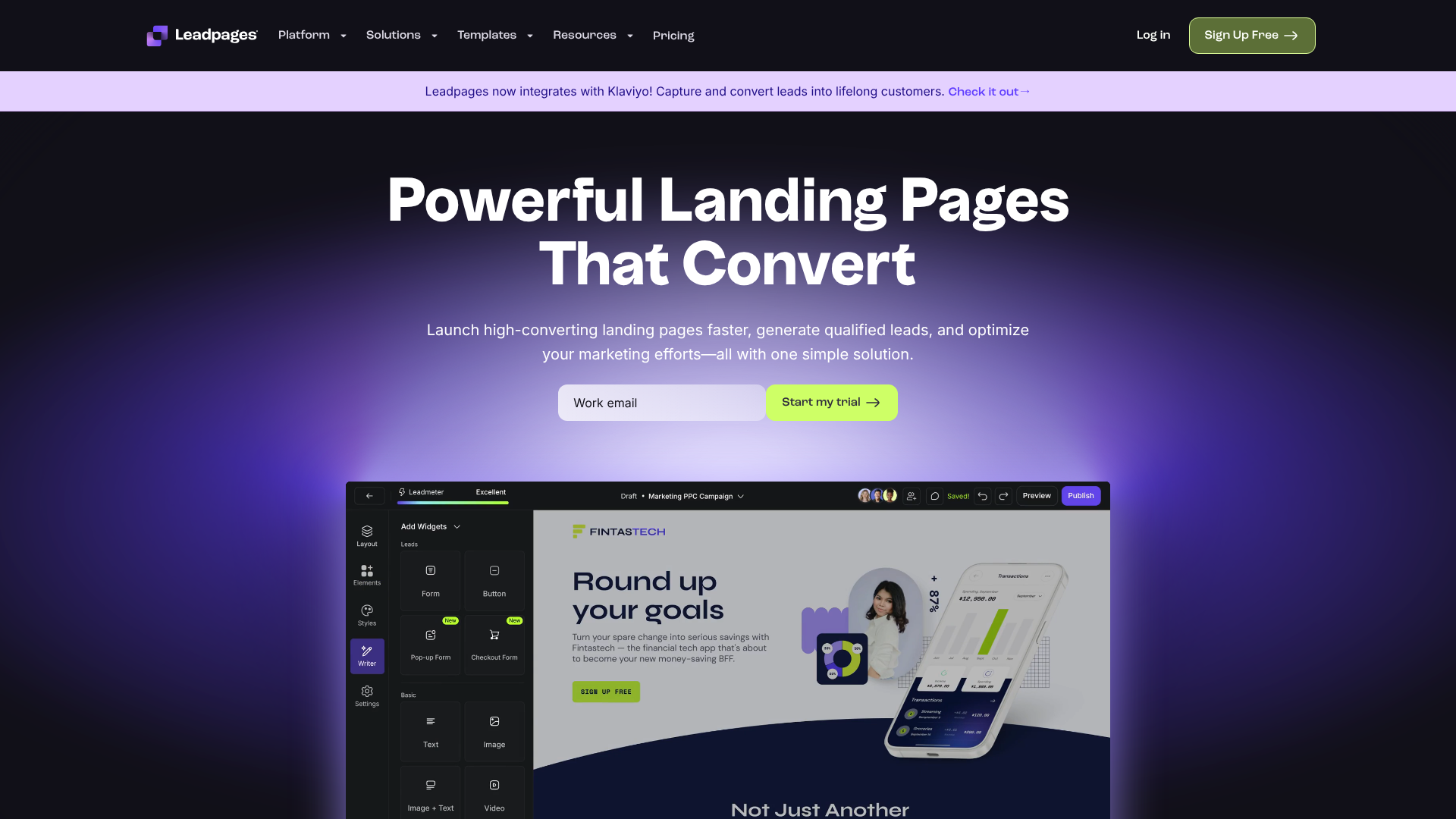
Leadpages is one of the most popular and user-friendly options on the market. It's known for its extensive library of professionally designed, conversion-optimised templates. Its drag-and-drop editor is incredibly intuitive, making it a perfect choice for small business owners and marketers who want to get a page live quickly without a steep learning curve. It also includes features like pop-ups and alert bars.
For A/B Testing and AI Features: Unbounce
Unbounce is a more powerful and flexible platform geared towards marketers who are serious about optimisation. Its standout feature is Smart Traffic, an AI tool that automatically directs visitors to the landing page variant most likely to convert for them. Unbounce offers deep customisation options and robust A/B testing capabilities, making it ideal for performance marketing teams and agencies.
For Funnel Building: ClickFunnels
ClickFunnels takes a different approach by focusing on building entire sales funnels, not just individual pages. It's designed to guide a customer through a multi-step process, from lead capture to sale and upsells. If your goal is to sell a product or service directly from your funnel, ClickFunnels provides a structured way to build out these complex sequences. It's particularly popular among entrepreneurs and info-product creators.
For All-in-One Marketing: GetResponse
For those who want a single platform to manage multiple marketing channels, GetResponse is an excellent option. It combines a landing page builder with email marketing, marketing automation, and even webinar software. This integrated approach simplifies your workflow, as your leads are automatically added to your email lists and nurture sequences without needing third-party integrations.
Integrating Your Form with Email Marketing Platforms
Capturing a lead is only the first step. The real value comes from what you do next. Integrating your landing page form with your email marketing service is essential for nurturing those new leads into customers. This process should be seamless and automated.
Why Integration is Non-Negotiable
Without integration, you would have to manually export leads from your landing page tool and import them into your email platform. This is inefficient, prone to errors, and creates a delay in communication. A proper integration ensures that a new lead is instantly added to your email list and receives your welcome message within minutes, which is crucial for engagement.
How to Connect Your Landing Page
Most landing page builders offer native, one-click integrations with popular email marketing services. This is usually done by logging into your email service provider through the landing page tool or by copying and pasting an API key. For example, you can easily connect Leadpages to services like ActiveCampaign or Selzy. This allows you to specify which list a new lead should be added to.
Setting Up Your First Welcome Email or Nurture Sequence
Once the integration is active, you can set up an automation workflow in your email platform. At a minimum, you should have an automated welcome email that delivers the promised lead magnet and thanks the new subscriber. A more advanced strategy involves creating a multi-email nurture sequence that continues to provide value, builds a relationship, and gently guides the lead towards becoming a customer.
A Practical Guide to A/B Testing Your Landing Page
A/B testing, or split testing, is the process of comparing two versions of a web page (Version A and Version B) to see which one performs better. It's a data-driven way to make improvements and is fundamental to optimising your landing page template for maximum conversions.
What Should You Test?
You can test almost any element on your page, but it's best to start with the ones that have the biggest potential impact. These include:
- Headline: Test a benefit-driven headline vs. a question-based one.
- Call-to-Action (CTA): Test button colour, size, and text (e.g., "Get Your Free Copy" vs. "Download Now").
- Images: Test a photo of a person vs. a product image or graphic.
- Form Length: Test a short form (email only) vs. a longer form (name and email).
- Copy: Test long-form copy vs. short, concise bullet points.
Step-by-Step A/B Testing Process
- Formulate a Hypothesis: Start with an educated guess. For example: "I believe that changing the CTA button colour from blue to orange will increase conversions because it will stand out more."
- Create a Variation: Use your landing page tool to duplicate your original page (the control) and make one single change to the new version (the variation).
- Run the Test: Your landing page software will split your traffic evenly between the two versions. You need to let the test run long enough to achieve statistical significance, meaning the results are reliable and not just due to chance.
- Analyse the Results: Once the test is complete, the software will show you which version had a higher conversion rate.
- Implement the Winner: If the variation won, make it your new control page. You can then start a new test with a different element.
Pro Tip: Only test one element at a time. If you change the headline, the image, and the CTA all at once, you'll have no idea which change was responsible for the increase or decrease in conversions. Disciplined, one-variable testing provides clear, actionable insights.
How to Analyse and Measure Landing Page Success
To know if your lead capture efforts are successful, you need to track the right metrics. Data tells you what's working, what isn't, and where you should focus your optimisation efforts. Don't just launch a page and hope for the best; actively monitor its performance.
Key Performance Indicators (KPIs) to Track
- Conversion Rate: This is the most important metric. It's the percentage of visitors who complete the form. (Conversions / Total Visitors) * 100 = Conversion Rate.
- Cost Per Lead (CPL): If you're running paid ads, this tells you how much you're spending to acquire each new lead. (Total Ad Spend / Number of Leads).
- Lead-to-Customer Rate: This metric measures lead quality. What percentage of the leads generated from this page eventually become paying customers? A high conversion rate with a low lead-to-customer rate might indicate your offer is attracting the wrong audience.
- Bounce Rate: The percentage of visitors who leave your page without taking any action. A high bounce rate could signal a disconnect between your ad and your landing page message.
- Time on Page: How long visitors are spending on your page. Low time on page might mean your headline isn't engaging enough to make people stick around.
Using Tools like Google Analytics
While most landing page builders have built-in analytics, integrating with Google Analytics can provide deeper insights. You can set up conversion goals to track form submissions and analyse the demographics, traffic sources, and on-page behaviour of your visitors. This data is invaluable for understanding your audience and refining your marketing campaigns.
Frequently Asked Questions
What is a good conversion rate for a lead capture page?
This varies widely by industry, traffic source, and the offer itself. However, a general benchmark is often cited as being between 2% and 5%. Highly optimised pages in certain niches can achieve conversion rates of 10%, 20%, or even higher. Instead of chasing a specific number, focus on continuously improving your own baseline through testing.
How many form fields should I use?
The best practice is to use as few fields as absolutely necessary. Each additional field you require creates more work for the user and can decrease your conversion rate. For a simple newsletter or ebook download, an email address is often sufficient. For a sales consultation, you'll need more information to qualify the lead.
It's a trade-off between the quantity of leads and the quality of leads.
What's the difference between a landing page and a squeeze page?
A squeeze page is a specific type of lead capture landing page. Its sole purpose is to "squeeze" an email address out of a visitor. Squeeze pages are typically very short, with a compelling headline, a few bullet points, and an opt-in form. All lead capture pages aim to get leads, but squeeze pages are an extremely focused and minimalist version of them.
Can I build a lead capture page for free?
Yes, it is possible. Some email marketing services offer basic landing page builders in their free plans. You can also use plugins for CMS platforms like WordPress. However, these free options often come with limitations, such as branding from the provider, fewer templates, and less advanced features like A/B testing.
For serious lead generation, a dedicated paid tool is usually a worthwhile investment.
Final Thoughts: Start Building Your Lead Engine
A well-crafted lead capture landing page template is more than just a page on your website; it's a dedicated system designed to turn passive visitors into active leads. By understanding the core elements, applying smart design and copy principles, and committing to ongoing optimisation, you can build a powerful and predictable engine for business growth.
The journey involves understanding your audience, creating an irresistible offer, and presenting it in a clear, focused environment. It requires choosing the right tools to make the process efficient and using data to refine your approach over time. The effort is well worth it, as each new lead represents a new opportunity and a potential long-term customer.
If you're ready to start building, tools like Leadpages offer a great starting point with their extensive template library, while Unbounce provides powerful testing capabilities for optimisation. Choose the one that fits your goals and start capturing more leads today.