
SiteGround vs WP Engine (2026): Which Host is Right for Your Business?
Choosing the right web host is one of the most critical decisions for any website owner. A great host ensures your site is fast, secure, and always online, while a poor choice can lead to lost traffic and revenue. When it comes to WordPress hosting, two names frequently dominate the conversation: SiteGround and WP Engine. A detailed comparison of SiteGround vs WP Engine reveals two very different approaches to hosting.
- Quick Summary
- SiteGround vs WP Engine: A Head-to-Head Comparison
- An Overview of SiteGround
- An Overview of WP Engine
- Performance Metrics: Uptime and Speed
- Comparison of Hosting Plans and Price
- Ease of Use: User Interface and Setup
- Security Features Offered by Each Provider
- Scalability: Which Host is Better for Growing Sites?
- Customer Support Options and Responsiveness
- FAQ: SiteGround or WP Engine
- What is the difference between WordPress and SiteGround?
- Is WP Engine good for hosting?
- What is better than SiteGround?
- Why is WP Engine more expensive?
- Final Thoughts: Who Should You Choose?
SiteGround is known for its affordable, feature-rich shared hosting plans, making it a popular choice for beginners and small businesses. On the other hand, WP Engine is a premium, managed WordPress host designed for businesses, developers, and high-traffic sites that demand top-tier performance and expert support.
This guide breaks down the key differences between these two hosting giants. We'll analyse everything from raw performance and speed to pricing structures, security features, and customer support. By the end, you'll have a clear understanding of which provider is the better fit for your specific needs, budget, and technical expertise.
Quick Summary
- Best for Beginners & Budgets: SiteGround offers a more affordable entry point with user-friendly tools, making it ideal for new websites, bloggers, and small businesses that need reliable hosting without a high price tag.
- Best for Performance & Scalability: WP Engine is a premium managed WordPress host built for speed, security, and scalability. It's the superior choice for established businesses, e-commerce stores, and high-traffic sites where performance directly impacts revenue.
- Core Difference: SiteGround provides excellent all-around shared hosting with strong WordPress features. WP Engine offers a specialised, high-performance environment exclusively for WordPress, with expert support and advanced developer tools.
- Pricing Model: SiteGround uses low introductory prices that increase significantly upon renewal. WP Engine has a higher, more consistent price point that reflects its premium, managed services.
SiteGround vs WP Engine: A Head-to-Head Comparison
Before we get into the details, here’s a quick overview of how these two hosts stack up against each other on the most important features.
| Feature | SiteGround | WP Engine |
|---|---|---|
| Hosting Type | Shared, Cloud, Reseller (WordPress Optimised) | Managed WordPress Hosting |
| Best For | Beginners, Small Businesses, Bloggers | Agencies, Developers, High-Traffic Sites, E-commerce |
| Pricing | Starts low, renews higher | Premium, consistent pricing |
| Performance | Very good (Google Cloud, SuperCacher) | Exceptional (Google Cloud, EverCache, Global CDN) |
| Uptime Guarantee | 99.9% | 99.95% (SLA-backed) |
| User Interface | Site Tools (Custom cPanel alternative) | Custom User Portal |
| Free CDN | Cloudflare Integration | Proprietary Global CDN + Cloudflare |
| Staging Sites | Yes (on GrowBig plan and higher) | Yes (on all plans) |
| Support | 24/7 Live Chat, Phone, Tickets | 24/7 Live Chat (WordPress Experts), Phone on higher plans |
| Money-Back Guarantee | 30 Days | 60 Days |
| Website | Visit SiteGround | Visit WP Engine |
An Overview of SiteGround
SiteGround has built a strong reputation over the years as one of the best shared hosting providers on the market, particularly for WordPress users. Officially recommended by WordPress.org, it offers a balance of performance, features, and affordability that appeals to a wide audience. They are not a specialised WordPress host like WP Engine, but their plans are heavily optimised for the platform.
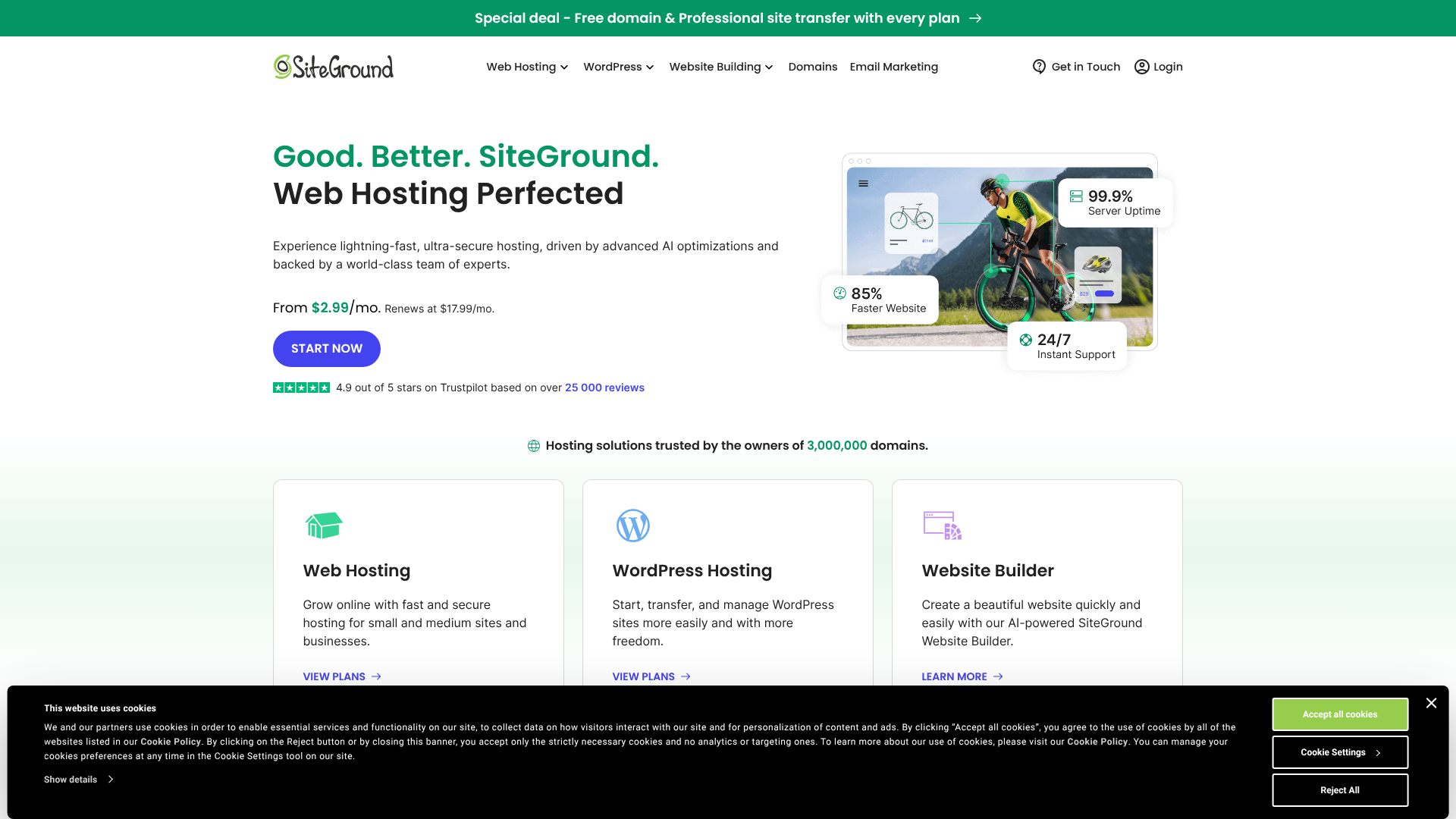
Founded in 2004, SiteGround now hosts over two million domains. A key move that boosted their performance was migrating their entire infrastructure to the Google Cloud Platform. This gives even their basic shared hosting plans access to the same powerful and reliable network used by major global brands. Their focus is on providing a fast and secure environment that is also easy for non-technical users to manage.
Pros of SiteGround
- Affordable Introductory Pricing: SiteGround's initial prices are very attractive, making it easy for new projects to get started on a small budget.
- Excellent Performance for the Price: By using Google Cloud infrastructure and their custom SuperCacher technology, SiteGround delivers speeds that often outperform other shared hosts.
- User-Friendly Interface: Their custom 'Site Tools' control panel is modern, intuitive, and a significant improvement over the traditional cPanel that many hosts use.
- Strong Security Features: They provide a free SSL certificate, daily backups, a web application firewall (WAF), and an AI anti-bot system across all plans.
Cons of SiteGround
- High Renewal Rates: The biggest drawback is the significant price jump after the initial promotional period. Renewal costs can be two to three times higher than the sign-up price.
- Resource Limitations: While generous for shared hosting, their plans have defined limits on storage space and monthly visits, which can be restrictive for rapidly growing sites.
- Staging Not on Entry Plan: The one-click staging tool, a crucial feature for testing changes, is not available on their cheapest StartUp plan.
An Overview of WP Engine
WP Engine is in a different league. Founded in 2010, they pioneered the concept of managed WordPress hosting. They don't offer any other type of hosting; their entire platform, technology stack, and support team are 100% dedicated to WordPress. This singular focus allows them to provide an environment that is finely tuned for maximum WordPress performance, security, and scalability.
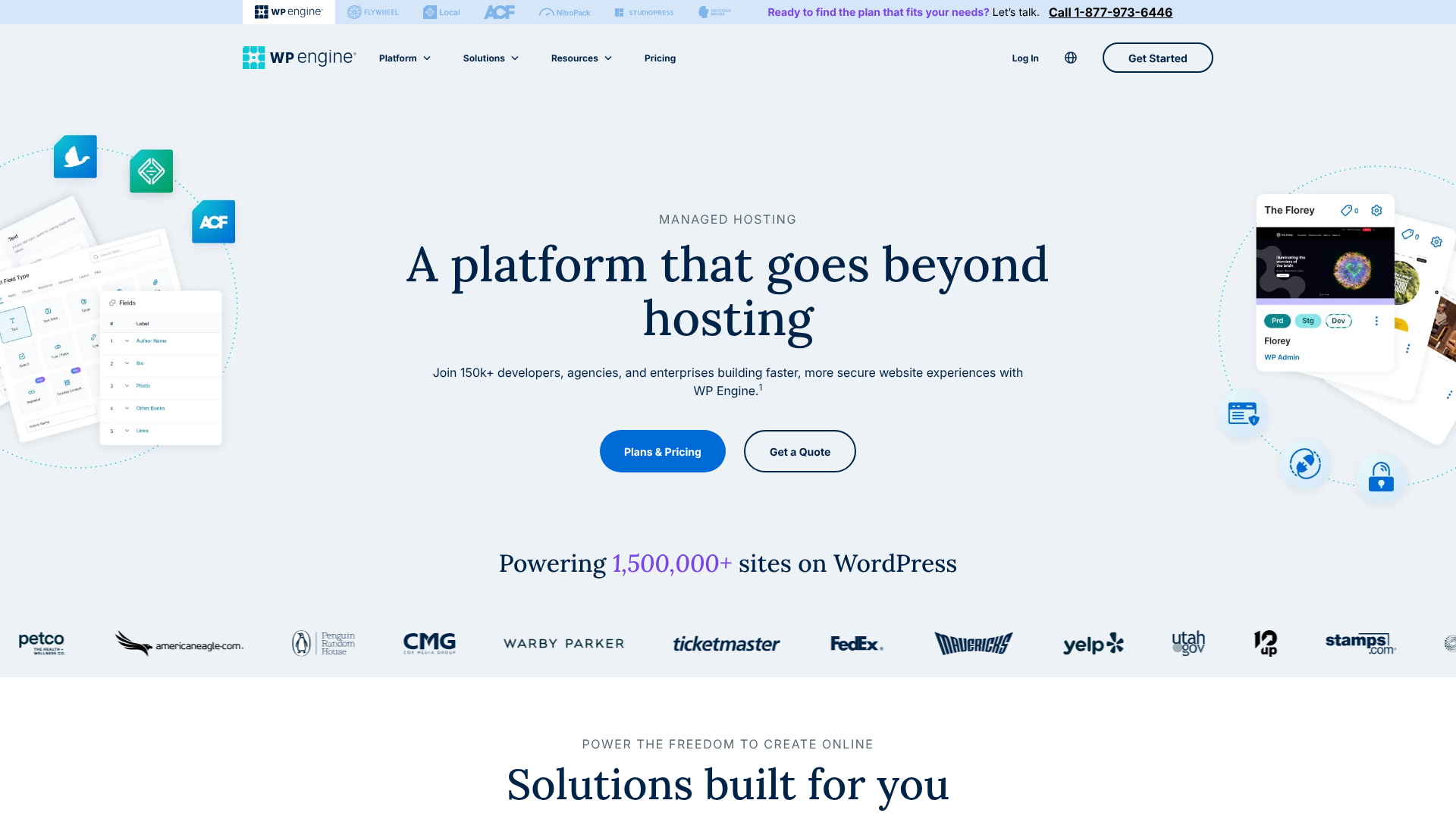
WP Engine targets a more professional market: serious businesses, developers, agencies, and high-traffic websites where downtime or slow performance is not an option. Their service is a complete management solution. They handle all technical aspects of hosting, including security updates, performance optimisation, and server management, allowing you to focus solely on creating content and growing your business. Their client list includes major brands like Yelp, Asana, and Thomson Reuters, which speaks to their capability.
Pros of WP Engine
- Exceptional Performance: With their proprietary EverCache architecture, global CDN, and Google Cloud infrastructure, WP Engine delivers some of the fastest loading times in the industry.
- Superior Security: They offer enterprise-grade security, including proactive threat detection, managed core updates, and a free hack-fix guarantee. If your site gets compromised, they will fix it for free.
- Expert WordPress Support: Their support team consists of WordPress experts available 24/7. They can help with complex issues far beyond typical hosting problems.
- Advanced Developer Tools: All plans include staging, development, and production environments, as well as Git integration and SSH access, making it a favourite among developers.
Cons of WP Engine
- Premium Price Point: WP Engine is significantly more expensive than SiteGround and other shared hosts. The cost can be prohibitive for small blogs or businesses just starting out.
- WordPress Only: You cannot host any other type of application or website on their platform. It's exclusively for WordPress.
- Plugin Restrictions: To protect platform stability and performance, WP Engine disallows a small list of plugins that are known to cause issues (e.g., certain caching or backup plugins, as they have their own superior systems).

Performance Metrics: Uptime and Speed
For any website, speed and uptime are the two most important performance metrics. A slow website frustrates visitors and hurts your SEO rankings, while downtime means your site is completely inaccessible. This is an area where the difference between a good host and a premium host becomes clear in any SiteGround vs WP Engine comparison.
Both providers build their platforms on the high-performance Google Cloud Platform, which provides a fast and reliable foundation. However, their optimisation strategies differ significantly. SiteGround uses its proprietary SuperCacher system, which includes static caching, dynamic caching, and Memcached. This is highly effective for a shared hosting environment and delivers impressive speeds that consistently rank near the top in shared hosting tests.
WP Engine, however, takes performance to another level with its EverCache® technology. This is a multi-layered, proprietary caching system built specifically to serve WordPress pages at incredible speeds. It integrates server-level caching with a global Content Delivery Network (CDN), ensuring that content is delivered quickly to visitors no matter where they are in the world. While SiteGround offers a free Cloudflare CDN integration, WP Engine's integrated global CDN is more deeply woven into its architecture, providing a distinct performance advantage.
When it comes to uptime, both are reliable. SiteGround promises a 99.9% uptime guarantee. WP Engine goes slightly further with a 99.95% uptime guarantee, which is backed by a Service Level Agreement (SLA). This means if your uptime drops below that figure, you are entitled to service credits.
This SLA-backed guarantee demonstrates a higher level of confidence and is a key feature for mission-critical websites.
Verdict: While SiteGround offers excellent performance for its price point, WP Engine is the clear winner on pure speed and reliability. Its specialised caching, integrated CDN, and SLA-backed uptime make it the better choice for businesses where every millisecond counts.
Comparison of Hosting Plans and Price

Price is often the deciding factor for many users, and it's one of the biggest differentiators in a WP Engine vs SiteGround review. Their pricing models and target audiences are completely different.
SiteGround Pricing
SiteGround's shared hosting is broken into three main tiers: StartUp, GrowBig, and GoGeek. They are known for their heavily discounted introductory offers for your first term (typically 1-3 years).
- StartUp: Designed for a single website, it offers around 10 GB of web space and is suitable for ~10,000 monthly visits. It lacks advanced features like on-demand backups and staging.
- GrowBig: Allows for unlimited websites, provides 20 GB of space, and is suitable for ~100,000 monthly visits. This plan adds on-demand backups, staging, and a faster PHP setup (Ultrafast PHP).
- GoGeek: The top tier offers 40 GB of space for ~400,000 monthly visits. It includes all GrowBig features plus priority support and Git integration.
The key thing to remember with SiteGround is the renewal price. After your initial term, the price increases substantially. It's important to factor this long-term cost into your budget. For the latest pricing, you should always check their official website.
WP Engine Pricing
WP Engine's pricing is simpler and more transparent, but at a much higher starting point. Their plans are based on the number of sites, monthly visits, and storage/bandwidth.
- Startup: Supports 1 site, 25,000 monthly visits, 10 GB storage, and 50 GB bandwidth.
- Professional: Supports 3 sites, 75,000 monthly visits, 15 GB storage, and 125 GB bandwidth.
- Growth: Supports 10 sites, 100,000 monthly visits, 20 GB storage, and 200 GB bandwidth.
- Scale: Supports 30 sites, 400,000 monthly visits, 50 GB storage, and 500 GB bandwidth.
All WP Engine plans include their global CDN, automated migrations, daily backups, free SSL certificates, and staging environments. There are no low introductory offers; the price you see is generally the price you pay. While more expensive, the value comes from the fully managed service, superior performance, and expert support included in that cost.
Verdict: For those on a tight budget or just starting, SiteGround is the more cost-effective choice initially. However, for businesses that can afford it, WP Engine provides more value and predictable long-term costs without the shock of a high renewal rate.
Pro Tip: When comparing hosting costs, always look at the total cost over 2-3 years, including renewal rates. A cheap introductory offer can sometimes be more expensive in the long run than a higher but more stable price point.
Ease of Use: User Interface and Setup
Both SiteGround and WP Engine have moved away from the traditional cPanel in favour of custom-built user dashboards designed to be more intuitive.
SiteGround's dashboard is called Site Tools. It’s a clean, modern, and well-organised interface. From here, you can manage your websites, databases, email accounts, security settings, and performance tools. For anyone who has found cPanel to be cluttered and overwhelming, Site Tools is a breath of fresh air.
It makes common tasks like installing WordPress, setting up an SSL certificate, or creating a staging site incredibly straightforward.
WP Engine's User Portal is similarly clean but is more focused and streamlined. Because they only manage WordPress sites, the portal is stripped of any unnecessary features like email hosting (which they don't provide). The dashboard is geared towards managing your WordPress environments (Production, Staging, and Development). It provides easy access to performance monitoring tools, error logs, backup management, and CDN controls.
It's designed for a professional workflow, making it simple to push changes from staging to production with a single click.
For migrations, both offer free tools. SiteGround provides a free automated WordPress migrator plugin. WP Engine also has a free automated migration plugin that makes the process seamless. The setup for both is guided and simple, ensuring even beginners can get a new site running quickly.
Verdict: This is a tie. Both platforms offer excellent, user-friendly custom dashboards. SiteGround's Site Tools is more comprehensive for general-purpose hosting (like managing email), while WP Engine's User Portal is more focused and powerful for a pure WordPress development workflow.
Security Features Offered by Each Provider
Website security is non-negotiable. A security breach can destroy your reputation and lead to significant data loss. Both SiteGround and WP Engine take security very seriously, but their approaches reflect their target markets.
SiteGround provides a robust multi-layered security solution on all its plans. This includes:
- Web Application Firewall (WAF): To protect against common exploits.
- AI Anti-Bot System: Blocks millions of brute-force attempts daily.
- Free SSL Certificates: Let's Encrypt SSL is included for all sites.
- Daily Backups: Automatic daily backups are kept for 30 days, with easy one-click restores (on-demand backups are on GrowBig+).
- Server Monitoring: Proactive 24/7 server monitoring to detect and fix issues.
This is an excellent security package for a shared host and provides strong protection for most websites.
WP Engine, catering to enterprise clients and high-value businesses, offers an even more comprehensive and managed security posture. Their security features include everything SiteGround offers, plus several premium additions:
- Managed WordPress Core Patching and Updates: They can automatically handle WordPress security updates for you.
- Proactive Threat Detection: Their platform actively scans for and blocks threats before they can impact your site.
- Proprietary Firewall: Tuned specifically for WordPress to block attacks.
- Free Hack-Fix Guarantee: This is a major selling point. If your website is ever hacked while hosted on their platform, their team of experts will repair the damage for free. This can save you hundreds or even thousands of pounds in cleanup fees.
Verdict: While SiteGround's security is very good, WP Engine's proactive, managed approach and its hack-fix guarantee make it the winner. The peace of mind offered by the guarantee is invaluable for any business.
Scalability: Which Host is Better for Growing Sites?
Scalability is your host's ability to handle growth, whether that's a steady increase in traffic over time or a sudden spike from a viral post. This is another area where the architectural differences between shared and managed hosting become apparent.
SiteGround's plans are designed to accommodate growth. You can easily upgrade from StartUp to GrowBig or GoGeek as your traffic increases. Their GoGeek plan can handle a respectable 400,000 visits per month. For sites that outgrow even that, SiteGround offers custom Cloud Hosting solutions that provide dedicated resources and can handle much larger traffic volumes.
The process of upgrading is generally smooth.
However, WP Engine is built for scalability from the ground up. Their entire infrastructure is designed to handle high-traffic events and sudden surges. Their plans are clearly defined by traffic limits, and their system is elastic enough to manage unexpected spikes without your site slowing down or crashing. For sites that exceed even their largest public plans, they offer custom dedicated solutions used by some of the biggest websites in the world.
Furthermore, WP Engine's platform is better suited for websites with complex needs, like e-commerce stores running WooCommerce or membership sites. These types of sites are resource-intensive, and WP Engine's optimised environment ensures they remain fast and responsive even under heavy load.
Verdict: For most small to medium-sized websites, SiteGround offers a clear and effective upgrade path. But for ambitious businesses, e-commerce sites, or anyone expecting rapid growth or viral traffic spikes, WP Engine's architecture is fundamentally more scalable and reliable.
Customer Support Options and Responsiveness
When something goes wrong, fast and knowledgeable support is crucial. Both companies have a reputation for good customer service, but again, their support models are different.
SiteGround offers 24/7 support through live chat, phone, and a ticketing system. Their support team is known for being friendly, fast to respond, and generally knowledgeable. They can handle most common hosting and WordPress issues effectively. For users on the GoGeek plan, they offer access to priority support with more experienced agents.
WP Engine also provides 24/7 support, but exclusively through live chat for their entry-level plans. Phone support is available on their Professional plans and higher. The key difference is the level of expertise. Every single WP Engine support agent is a trained WordPress expert.
They don't just handle server issues; they can help you diagnose plugin conflicts, troubleshoot performance problems, and offer expert advice on WordPress best practices. This depth of knowledge is something a general shared host simply cannot match.
As one user on Reddit's r/webhosting noted, WP Engine's support is phenomenal but comes at a cost. This highlights the core trade-off: SiteGround offers very good, accessible support, while WP Engine offers premium, expert-level support.
Verdict: It's a close call. SiteGround's support is more than adequate for most users and is highly rated. However, for those who want the absolute best, most knowledgeable support specifically for WordPress, WP Engine's team of experts gives them the edge.
FAQ: SiteGround or WP Engine
Here are answers to some common questions when comparing these two hosting providers.
What is the difference between WordPress and SiteGround?
This question highlights a common point of confusion. WordPress is a Content Management System (CMS)—it's the software you use to build and manage your website's content. SiteGround is a web hosting company—it's the service that stores your website's files and makes them accessible on the internet. You install the WordPress software on a hosting plan provided by a company like SiteGround.
Is WP Engine good for hosting?
Yes, WP Engine is considered one of the best hosting providers in the world, specifically for WordPress websites. They offer exceptional performance, enterprise-grade security, and expert support. However, their premium service comes with a premium price tag, so it's best suited for businesses, developers, and high-traffic sites rather than small personal blogs.
What is better than SiteGround?
For users looking for a step up from SiteGround's shared hosting without jumping to WP Engine's price point, there are several alternatives. Other managed WordPress hosts like Kinsta or Flywheel offer similar premium features to WP Engine, sometimes at slightly different price points. For shared hosting, providers like Hostinger or A2 Hosting are often cited as strong competitors, each with their own strengths in pricing or performance.
Why is WP Engine more expensive?
WP Engine is more expensive because it offers a fully managed service. You are not just paying for server space; you are paying for a team of experts to manage the server, optimise performance, handle security, run updates, and provide specialised support. The cost also covers their proprietary performance technology (like EverCache), global CDN, and premium features like the hack-fix guarantee, which you don't get with standard shared hosting.
Final Thoughts: Who Should You Choose?
After a thorough SiteGround vs WP Engine comparison, it's clear that these hosts are not direct competitors. They serve different segments of the market, and the right choice depends entirely on your needs, budget, and goals.
Choose SiteGround if:
- You are just starting a new website, blog, or small business.
- Your budget is a primary concern, and you need an affordable entry point.
- You want a user-friendly platform with great all-around features and reliable performance.
- You are comfortable with the price increase upon renewal.
Choose WP Engine if:
- You run an established business, an e-commerce store, or a high-traffic website.
- Performance, security, and reliability are your top priorities, and you have the budget for a premium service.
- You are a developer or agency that needs advanced tools like staging environments and Git integration.
- You want the peace of mind that comes with expert, 24/7 WordPress support and a hack-fix guarantee.
Ultimately, the decision of SiteGround or WP Engine comes down to investment. SiteGround is an excellent, low-cost entry into quality hosting. WP Engine is a strategic investment in your website's performance and security infrastructure. If your website is a critical part of your business, the premium features and peace of mind offered by WP Engine are often well worth the cost.