
WP Engine vs WordPress: Key Differences for Business Owners in 2026
One of the most common points of confusion when building a website is the comparison between WP Engine vs WordPress. Many people believe they are competing products, forcing a choice between one or the other. The reality is much simpler: they aren't competitors at all. They work together, with WordPress being the software used to build your site and WP Engine being a high-performance service that hosts, manages, and secures it.
- In a Nutshell: Core Differences
- What is WordPress vs WP Engine? Clearing Up the Confusion
- Understanding WordPress: The World's Most Popular CMS
- Understanding WP Engine: The Managed WordPress Hosting Platform
- WP Engine Comparison: Key Features and Benefits Side-by-Side
- The Recent WordPress vs WP Engine Dispute Explained
- Pricing and Cost Comparison: Is WP Engine Worth the Investment?
- The Cost of Self-Hosted WordPress
- WP Engine Pricing Structure
- Value for Money: A Head-to-Head Analysis
- Pros and Cons: A Balanced View
- How to Choose: WP Engine or WordPress on a Standard Host?
- Frequently Asked Questions (FAQ)
- Are WordPress and WP Engine the same?
- Is WP Engine banned from WordPress?
- Do you need a WP Engine for WordPress?
- Why is WP Engine so expensive?
- Is WP Engine better than shared hosting?
- Final Thoughts: Making the Right Decision for Your Website
Understanding this fundamental difference is the key to making the right decision for your website's foundation. This isn't about choosing WP Engine or WordPress; it's about deciding whether to host your WordPress site on a standard, budget-friendly server or to invest in a premium, managed platform like WP Engine. Each path has distinct advantages, costs, and responsibilities, and the right choice depends entirely on your business goals, technical comfort, and budget.
This guide will break down everything you need to know. We'll explore the core functions of each, compare their features side-by-side, analyse the costs, and help you determine which hosting approach is the perfect fit for your project in 2026.
In a Nutshell: Core Differences
- WordPress is the Software: WordPress.org provides the free, open-source Content Management System (CMS) software that you use to create and manage your website's content. It's the engine of your car.
- WP Engine is the Service: WP Engine is a premium, managed hosting company that provides a specialised, high-performance environment specifically for WordPress websites. It's the expert garage that tunes, secures, and maintains your car's engine.
- The Real Choice: The decision isn't between the two. It's between self-hosting WordPress on a basic provider (like Bluehost or Hostinger) versus hosting your WordPress site on a specialised platform like WP Engine.
- Who They're For: WP Engine is built for businesses, agencies, and high-traffic sites that need maximum speed, security, and expert support. Self-hosting is ideal for beginners, hobbyists, and those on a tight budget who want full control.
What is WordPress vs WP Engine? Clearing Up the Confusion
To make an informed decision, it's crucial to understand the distinct roles WordPress and WP Engine play in the life of a website. Thinking of them as separate layers in your website's technology stack is the easiest way to grasp their relationship.
Understanding WordPress: The World's Most Popular CMS
WordPress is the foundational software that powers over 43% of all websites on the internet. It's an open-source Content Management System (CMS), which means its code is publicly available and maintained by a vast community of developers. This is specifically referring to WordPress.org, the self-hosted version.
Because it's free, you can download it, install it on any compatible web host, and use it to build virtually any type of website—from a simple blog to a complex e-commerce store or corporate portal. Its power lies in its flexibility, supported by a massive ecosystem of themes (for design) and plugins (for functionality).
However, "free" comes with responsibilities. When you use WordPress.org, you are in charge of finding and paying for your own domain name and web hosting. You are also responsible for all technical maintenance, including security, backups, updates, and performance optimisation. This offers ultimate freedom but requires a certain level of technical know-how or the time to learn it.
Understanding WP Engine: The Managed WordPress Hosting Platform
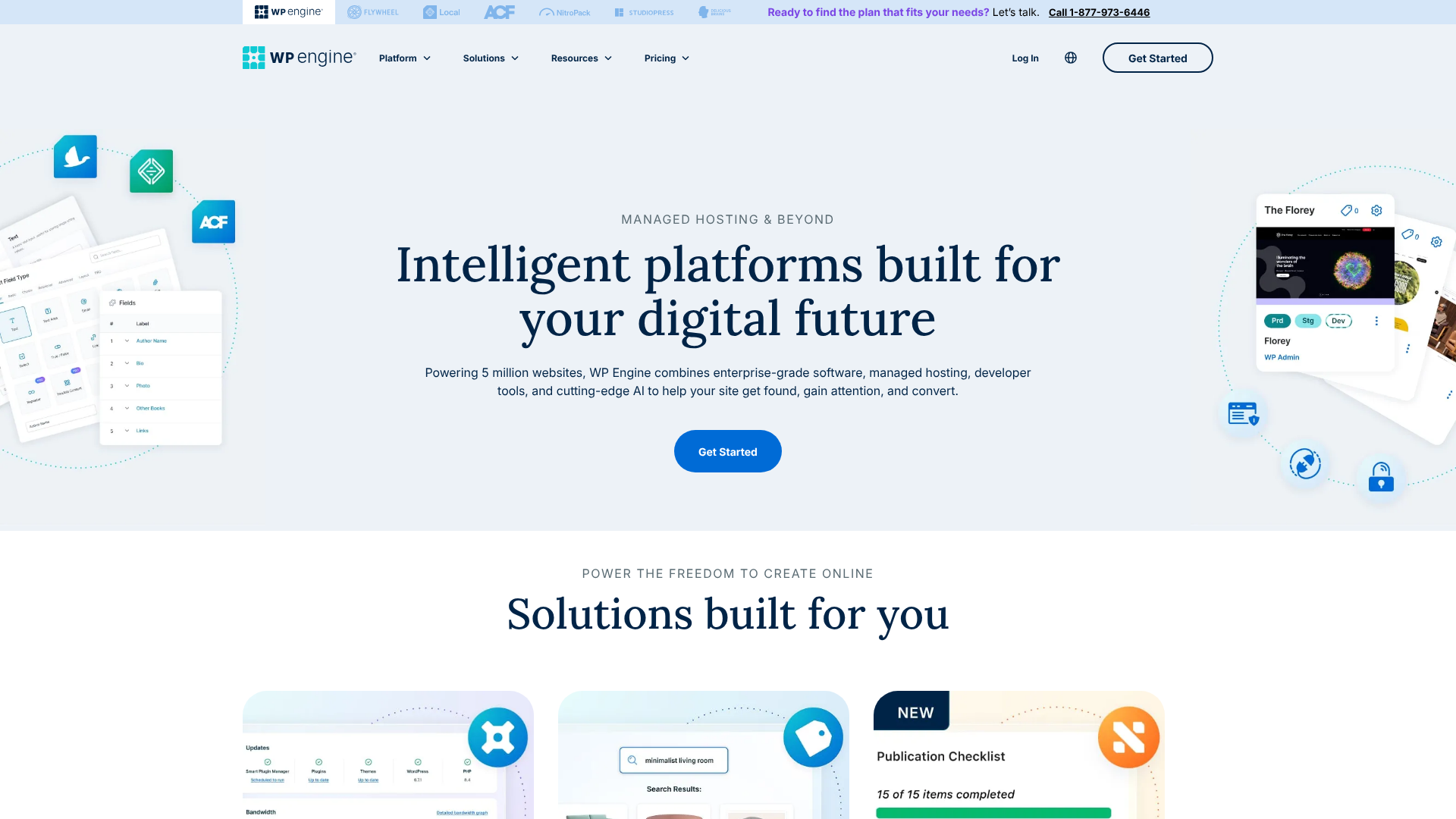
WP Engine is not a CMS. It is a specialised web hosting company that focuses exclusively on the WordPress platform. They've built their entire infrastructure—from servers to software—to make WordPress sites run as fast and securely as possible. This is what's known as "managed WordPress hosting."
When you host your site with WP Engine, they handle all the complex, technical aspects of running a website. Their service includes automated daily backups, proactive security that blocks millions of threats daily, and a finely tuned server environment with built-in caching that eliminates the need for many performance plugins.
Their target audience is not the casual blogger but rather businesses, developers, and agencies who cannot afford downtime, slow performance, or security breaches. They provide peace of mind, allowing you to focus on growing your business instead of worrying about server management. In essence, you pay a premium for their expertise, infrastructure, and 24/7 support from WordPress specialists.
WP Engine Comparison: Key Features and Benefits Side-by-Side
To truly understand the difference in approach, let's compare a standard self-hosted WordPress setup with a site running on WP Engine's managed platform. The core WordPress software is the same, but the environment it runs in creates a world of difference.
| Feature | Self-Hosted WordPress (on a standard host) | WordPress on WP Engine |
|---|---|---|
| Core Product | You manage the free WordPress CMS on a generic server. | A fully managed environment optimised for the WordPress CMS. |
| Performance | Your responsibility. Requires caching plugins, a CDN, and image optimisation. | Built-in proprietary caching (EverCache), global CDN, and optimised infrastructure. |
| Security | Your responsibility. Requires security plugins, malware scanning, and manual cleanup. | Managed WAF, proactive threat detection, and free malware removal. |
| Support | Varies by host; often limited to server issues, not WordPress problems. | 24/7 award-winning support from WordPress experts. |
| Backups | Often manual or requires a paid plugin for reliable daily backups. | Automated daily backups with one-click restore points. |
| Developer Tools | Basic tools like phpMyAdmin and FTP. Staging sites are rare on cheap plans. | One-click staging environments, Git integration, and Local development tool. |
| Cost | Lower initial monthly cost (£2 – £15/month). | Higher premium price (starts around £20/month). |
Performance and Speed
With a self-hosted site, you are the chief performance officer. You'll need to research, install, and configure caching plugins like W3 Total Cache or WP Rocket. You'll also need to set up a Content Delivery Network (CDN) like Cloudflare and implement image optimisation to ensure your site loads quickly for visitors around the globe. Getting this right can be a process of trial and error.
WP Engine takes this entire burden off your shoulders. Their platform includes a proprietary caching system called EverCache, which is far more efficient than most plugins. They also provide a global CDN as part of their package, ensuring your site's assets are served from a location close to your visitor. This integrated approach means sites on WP Engine are often significantly faster out of the box, helping you meet Google's Core Web Vitals with minimal effort.
Security Measures
On a standard host, you are the head of security. This means installing a security plugin like Wordfence or Sucuri, regularly scanning for malware, and keeping your WordPress core, themes, and plugins updated to patch vulnerabilities. If your site is hacked, you are typically responsible for the cleanup, which can be stressful, time-consuming, and costly if you need to hire an expert.
WP Engine's approach is proactive and managed. They have a team of security experts and a sophisticated system that automatically blocks millions of cyber threats every day before they can even reach your site. They manage a Web Application Firewall (WAF) and perform regular scans. Crucially, if your site is ever compromised while on their platform, their team will fix it for free.
This security guarantee is one of the biggest reasons businesses choose a managed host.

Support and Maintenance
When you run into an issue on a self-hosted site, the support you receive from a budget host is often limited. They will help with server-related problems (e.g., the server is down), but if you have a WordPress-specific issue (e.g., a plugin conflict is causing the white screen of death), they will likely direct you to WordPress forums for help. You're left to troubleshoot on your own.
WP Engine's support team is composed of WordPress experts. They are available 24/7 via live chat and phone and can help you diagnose and solve complex WordPress problems, not just server issues. This level of expert support is invaluable when your website is a critical part of your business.
Pro Tip: When evaluating hosting, test their support before you sign up. Ask a pre-sales question via live chat to gauge their response time and the knowledge level of their team. Expert support can save you hours of frustration down the line.
The Recent WordPress vs WP Engine Dispute Explained
If you've been following the WordPress community, you may have heard about recent tensions between Automattic (the company behind WordPress.com, led by co-creator Matt Mullenweg) and WP Engine. This topic has dominated search results and created some uncertainty, so it's important to understand what happened and what it means for you.
A Clash Over Trademarks and Contributions
The dispute primarily revolves around two key areas. First, Automattic has raised concerns about WP Engine's use of the "WP" abbreviation in its branding, arguing it could cause confusion with the official WordPress trademark. Second, there have been ongoing discussions about the level of contribution large hosting companies like WP Engine make back to the open-source WordPress project, from which they derive their business.
This friction led to WP Engine being temporarily removed from the official recommended hosting page on WordPress.org. While this was a significant move within the industry, the direct impact on customers has been minimal. The situation is more of a high-level business and community disagreement than a technical issue affecting users' websites.
For a deeper dive into the industry drama, this video provides a good overview:
What Does This Mean for You?
For the average business owner or developer using WP Engine, this dispute has no immediate practical effect. Your website on WP Engine is not at risk, and the service continues to operate as one of the top-performing managed WordPress platforms. The core WordPress software remains open-source, and you can host it wherever you choose.
This situation highlights the complex relationship between the non-profit WordPress.org foundation and the for-profit companies that form its ecosystem. While the headlines can seem dramatic, the day-to-day reality is that WP Engine remains a powerful and reliable choice for hosting a WordPress site.
Pricing and Cost Comparison: Is WP Engine Worth the Investment?
At first glance, the price difference between standard shared hosting and WP Engine can be jarring. However, a true cost comparison requires looking beyond the monthly sticker price and considering the total value and hidden costs associated with each option.
The Cost of Self-Hosted WordPress
The initial appeal of self-hosting is its low entry cost. You can often find shared hosting plans for just a few pounds per month. However, this base price doesn't tell the whole story. Here's a more realistic breakdown of potential costs:
- Domain Name: £10 – £15 per year.
- Hosting: Starts at £2 – £10 per month, but renewal rates are often higher.
- Premium Theme: £50 – £80 (one-time or yearly).
- Premium Plugins: A reliable backup plugin (£60/year), a security plugin (£80/year), and a caching plugin (£50/year) can add up quickly.
- Hidden Cost – Your Time: The most significant cost is often your own time spent on setup, maintenance, troubleshooting, and security management. If you value your time at £50/hour, just a few hours of work per month can make self-hosting more expensive than a managed plan.
WP Engine Pricing Structure
WP Engine's pricing is transparent and all-inclusive. Their plans start at a higher price point (typically around £20-£25 per month for an entry-level plan) but bundle in many of the services you would otherwise pay for separately. Visit the WP Engine website for the most current pricing information.
Included in every plan are:
- High-performance hosting.
- Global CDN.
- Managed security and free malware removal.
- Automated daily backups.
- Free SSL certificates.
- Staging environments.
- 24/7 expert support.
When you add up the costs of premium plugins and the value of your time, WP Engine's pricing often becomes much more competitive, especially for businesses.

Value for Money: A Head-to-Head Analysis
Imagine you run a small online store. On a self-hosted plan, a security breach could take your site offline for hours or even days. The lost revenue, combined with the potential cost of hiring an expert to fix it (£150+), can easily exceed a full year's worth of managed hosting fees.
With WP Engine, that same security issue would be proactively blocked or fixed for free by their team, likely with zero downtime. This peace of mind and protection of revenue is the core value proposition of managed hosting. For a hobby blog, this might be overkill. For a business, it's an essential insurance policy.
Pros and Cons: A Balanced View
No solution is perfect for everyone. Both self-hosting and managed hosting have clear advantages and disadvantages depending on your needs.
Self-Hosted WordPress: The Good and The Bad
Pros
- Ultimate Flexibility: You have complete control over your server environment and can install any theme or plugin you want.
- Low Initial Cost: It's the most affordable way to get a WordPress site online, making it perfect for those on a tight budget.
- Vast Choice of Hosts: You can choose from hundreds of hosting providers to find one that fits your exact needs and budget.
Cons
- High Responsibility: You are solely responsible for security, performance, backups, and all technical maintenance.
- Steeper Learning Curve: Requires more technical knowledge to manage effectively.
- Inconsistent Support: The quality of support can vary dramatically between budget hosting providers.
WordPress on WP Engine: The Good and The Bad
Pros
- Exceptional Performance: Websites are incredibly fast right out of the box due to optimised infrastructure.
- Ironclad Security: Proactive threat detection and a free hack-fix guarantee provide total peace of mind.
- Expert Support: Access to 24/7 support from genuine WordPress specialists is a huge advantage.
- Time-Saving: Automates maintenance tasks, freeing you up to focus on your business.
Cons
- Higher Cost: It is significantly more expensive than standard shared hosting.
- Plugin Restrictions: WP Engine disallows a small number of plugins that can interfere with their platform's performance or security.
- Less Server Control: You don't have root access to the server, which can be a limitation for highly advanced users.
How to Choose: WP Engine or WordPress on a Standard Host?
Your decision should be based on a simple assessment of your project's needs, your budget, and how much you value your time.
Choose WP Engine If…
- You run a business website, e-commerce store, or high-traffic blog. Performance, security, and uptime are critical to your revenue and reputation.
- You are not a technical person and value your time. You want to focus on creating content and growing your business, not managing a server.
- You are an agency or developer building websites for clients. The developer tools (like staging environments) and reliable performance make it a professional choice.
- You want the assurance of having expert support available whenever you need it.
Stick with Self-Hosting on a Standard Host If…
- You are a beginner, a student, or a hobbyist. A low-cost shared hosting plan is a great way to learn and experiment without a large financial commitment.
- You are on a very tight budget. If every pound counts, self-hosting is the most economical option to get started.
- You enjoy the technical side of web development. If you like tinkering with server settings and want full control, self-hosting provides that freedom.
- Your website is a small personal project with low traffic. The premium features of managed hosting would likely be overkill.
Pro Tip: A great strategy is to start on a quality shared host and migrate to a managed host like WP Engine once your site starts generating revenue or significant traffic. This allows you to scale your investment as your site grows.
Frequently Asked Questions (FAQ)
Are WordPress and WP Engine the same?
No, they are not the same. WordPress is the free, open-source software (CMS) used to build and manage your website. WP Engine is a premium web hosting company that provides a specialised, managed service to host, secure, and speed up websites built with WordPress.
Is WP Engine banned from WordPress?
WP Engine was temporarily removed from the official recommended hosting page on WordPress.org due to a business dispute with Automattic, the company behind WordPress.com. However, this does not prevent anyone from using WP Engine to host a WordPress site. The service remains fully functional and is still considered a top-tier managed WordPress host by industry experts.
Do you need a WP Engine for WordPress?
No, you do not need WP Engine to run a WordPress website. You can host a WordPress site on almost any web hosting provider. WP Engine is a premium, optional service for those who want the best possible performance, security, and support for their WordPress site without having to manage the technical details themselves.
Why is WP Engine so expensive?
WP Engine's higher price reflects the comprehensive, managed service it provides. You are paying for a superior hosting infrastructure, a global CDN, an enterprise-grade security system, automated daily backups, expert 24/7 support, and valuable developer tools. When you factor in the cost of paying for these services separately and the value of your time, many businesses find it offers excellent value for money.
Is WP Engine better than shared hosting?
Yes, for most business use cases, WP Engine is significantly better than standard shared hosting. Shared hosting places your site on a server with hundreds of other websites, competing for resources. WP Engine provides a highly optimised, resource-rich environment designed specifically for WordPress, resulting in superior speed, stability, and security.
Final Thoughts: Making the Right Decision for Your Website
The debate over WP Engine vs WordPress is ultimately a misunderstanding of their roles. The correct question to ask is: "What level of investment does my website need?" The answer depends on your goals.
If you are launching a personal project or are just starting, the flexibility and low cost of self-hosting your WordPress site on a standard provider is a sensible and effective choice. It gives you a platform to learn and grow without a significant upfront investment.
However, if your website is a cornerstone of your business, a source of income, or a representation of your professional brand, the equation changes. In this context, speed is not a luxury, security is not optional, and your time is your most valuable asset. For these users, investing in a premium managed platform like WP Engine is one of the smartest decisions you can make. It provides the powerful, reliable, and secure foundation you need to grow with confidence.