
WP Engine vs Kinsta: Which Host is Right for Your Business in 2026?
Choosing the right managed WordPress host is one of the most critical decisions for any online business. A great host boosts your site's speed, security, and reliability, while a poor choice can lead to slow load times and frustrating downtime. In the premium hosting space, two names consistently dominate the conversation: WP Engine and Kinsta. A detailed comparison of WP Engine vs Kinsta reveals two powerful platforms, but they excel in different areas.
- Quick Summary
- Understanding the Contenders: What Are WP Engine and Kinsta?
- Head-to-Head: A Detailed WP Engine Comparison with Kinsta
- Core Infrastructure and Performance
- Caching and Content Delivery Network (CDN)
- Security Features
- Dashboards and User Interface
- Backups and Data Retention
- Pricing and Plans: A Cost Comparison
- Pros and Cons: A Balanced View
- How to Choose: Which Host is Right for You?
- Frequently Asked Questions (FAQ)
- Is Kinsta reliable?
- Who are WP Engine's competitors?
- What is the difference between WordPress and Kinsta?
- Is WP Engine banned from WordPress?
- Final Thoughts: The Verdict
This guide breaks down their features, performance, pricing, and support to help you make an informed decision.
Both platforms offer a significant upgrade from standard shared hosting, providing managed environments specifically optimised for WordPress. They handle the technical heavy lifting—like security monitoring, daily backups, and core updates—so you can focus on growing your business. But the differences in their infrastructure, toolsets, and pricing models mean one is likely a better fit for you than the other.
Quick Summary
- Choose WP Engine for Enterprise Needs: WP Engine is an excellent choice for large businesses, agencies, and developers who need extensive tools like the Genesis Framework, longer backup retention (up to 60 days), and dedicated three-tier development environments (Dev/Stage/Prod).
- Choose Kinsta for Peak Performance: Kinsta generally leads in raw speed and performance, using Google Cloud's Premium Tier network and C2 VMs across all plans. It's ideal for users who prioritise speed and value the inclusion of premium tools like a free APM and Cloudflare Enterprise security.
- Pricing Models Differ: Kinsta's pricing is based primarily on monthly visits, making it predictable. WP Engine's plans consider both visits and bandwidth, which can be a crucial factor for sites with large media files.
- User Experience and Migrations: Kinsta is often praised for its modern, intuitive MyKinsta dashboard and offers free, expert-led migrations. WP Engine provides a powerful user portal but typically relies on a DIY migration plugin for moving your site.
Understanding the Contenders: What Are WP Engine and Kinsta?
Before diving into a feature-by-feature breakdown, it's important to understand what managed WordPress hosting is and where these two companies fit in. Unlike cheap shared hosting where you share server resources with hundreds of other websites, managed hosting provides a fine-tuned environment exclusively for WordPress.
This means the servers, software, and support are all geared towards making WordPress run as fast and securely as possible. The hosting company manages server maintenance, security protocols, software updates, and performance caching for you. This frees you from complex server administration tasks and lets you focus on creating content and running your business.
What is WP Engine?
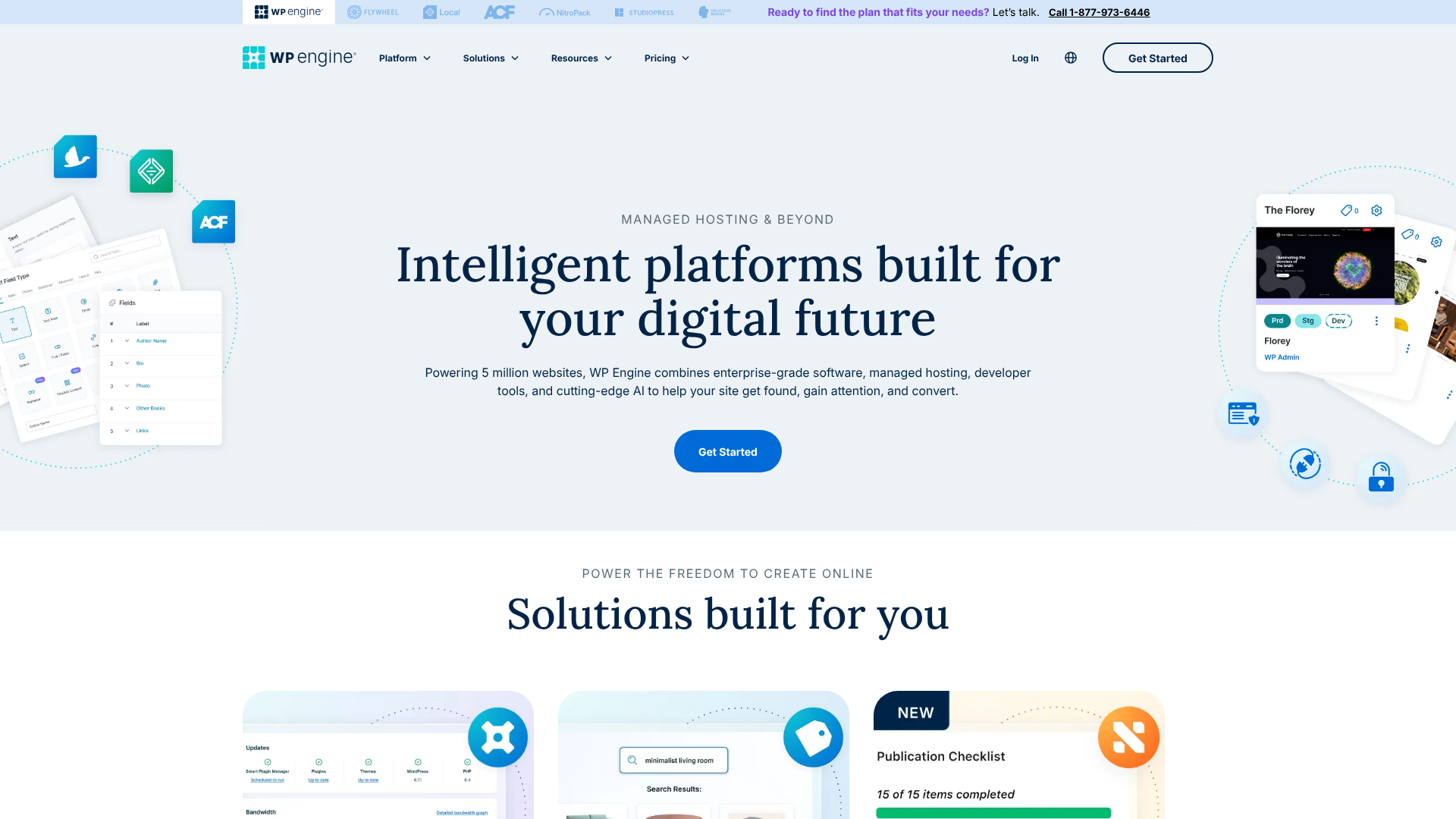
Founded in 2010, WP Engine is one of the original pioneers in the managed WordPress hosting space. It has built a reputation for reliability, robust security, and exceptional support, particularly for enterprise clients, agencies, and developers. WP Engine's platform is more than just hosting; it's a Digital Experience Platform (DXP) with a suite of tools designed to streamline the development workflow.
Key to its offering is the inclusion of the Genesis Framework and over 35 StudioPress themes with all plans, providing a solid foundation for building professional, SEO-friendly websites. Their three-tier environment (Development, Staging, and Production) is a significant draw for development teams who need a rigorous testing and deployment process.
What is Kinsta?
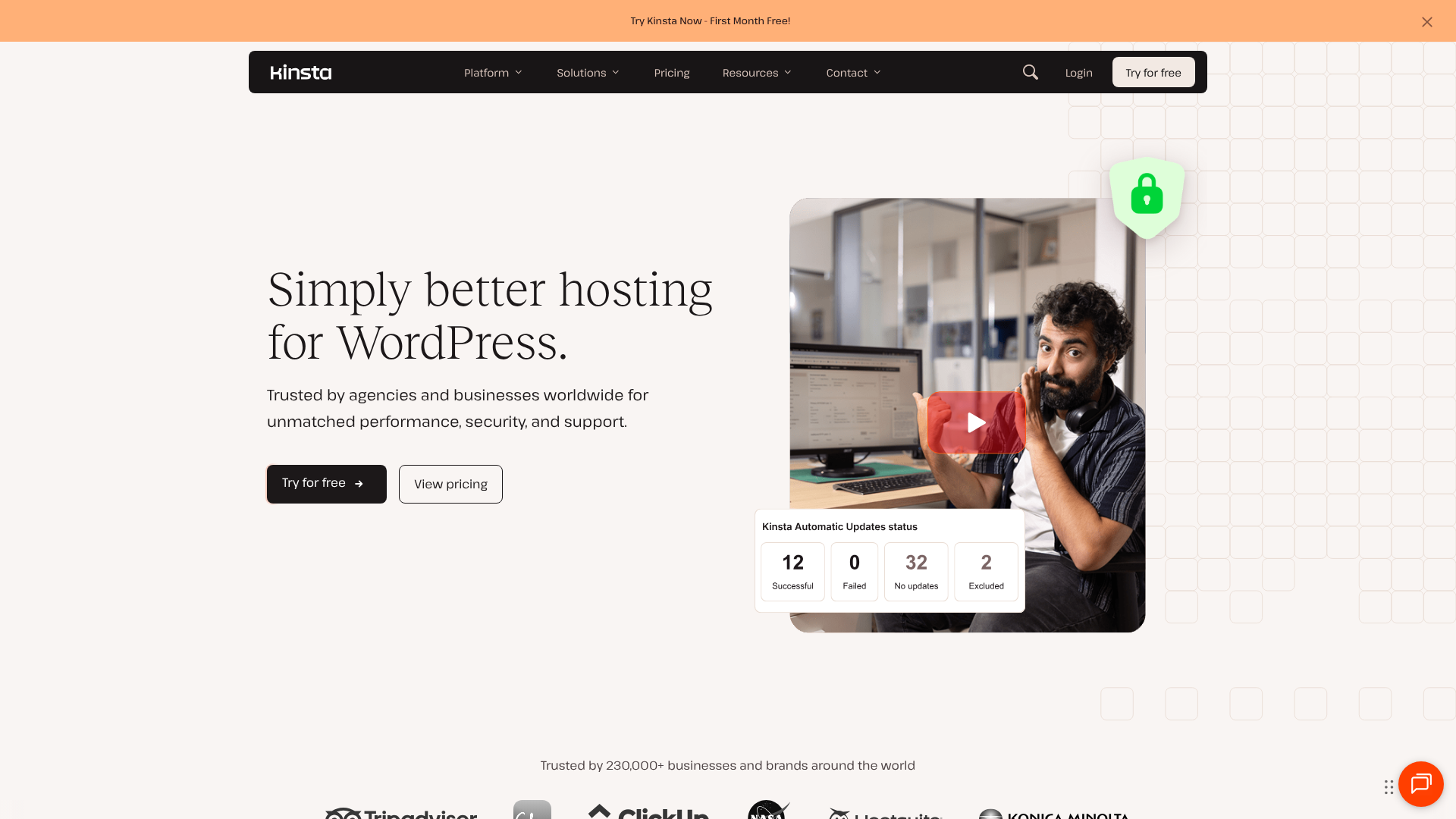
Kinsta was founded in 2013 with a clear mission: to build the fastest and most reliable WordPress hosting platform available. To achieve this, Kinsta built its entire infrastructure on the Google Cloud Platform (GCP), specifically using its top-tier C2 compute-optimised virtual machines and Premium Tier network for all customers, regardless of their plan.
This focus on performance is Kinsta's primary selling point. The company pairs its high-performance infrastructure with a custom-built dashboard, MyKinsta, which is widely regarded as one of the most user-friendly and feature-rich control panels in the industry. Kinsta also bundles premium features like Cloudflare Enterprise integration, an Application Performance Monitoring (APM) tool, and free expert-led site migrations into all its plans.
Head-to-Head: A Detailed WP Engine Comparison with Kinsta
When you put these two hosting giants side-by-side, the differences become clear. While both aim to provide a superior WordPress experience, their approach, technology stack, and included features vary significantly. Here’s a direct kinsta vs wp engine breakdown of the most important aspects.
Core Infrastructure and Performance
Performance is arguably the most important factor in choosing a host, and it's where the biggest differences lie.
Kinsta builds its entire platform on Google Cloud Platform's fastest machines (C2 VMs) and its Premium Tier network. This means your site's data travels on Google's high-speed, low-latency global fibre network. This top-tier infrastructure is available on every single plan, from the entry-level Starter to custom enterprise solutions. This consistency ensures all Kinsta customers get exceptional speed.
WP Engine also uses Google Cloud Platform, as well as Amazon Web Services (AWS), giving customers a choice of infrastructure. However, access to the highest-performing servers (like GCP's Compute-Optimized VMs) is often reserved for their higher-tier, custom plans. While their performance is excellent, the absolute best hardware isn't guaranteed on their standard, lower-priced plans.
Verdict: Kinsta has the edge here. By providing GCP's best hardware and network to all customers, they offer more consistent, top-tier performance across the board.

Caching and Content Delivery Network (CDN)
Caching is essential for speed, as it stores copies of your site to deliver them to visitors more quickly. Both hosts have developed sophisticated, multi-layered caching systems.
WP Engine features its proprietary caching system called EverCache. It integrates page caching, object caching, and a CDN to aggressively cache content and reduce server load. It's a powerful system that is automatically configured for every site.
Kinsta uses four types of caching: bytecode, object, page, and CDN caching. A key feature is their Edge Caching, which saves your site's cache to Cloudflare's vast network of data centres. This means your site is served to visitors from a location extremely close to them, dramatically reducing Time to First Byte (TTFB) and speeding up load times globally.
For their CDN, Kinsta integrates with Cloudflare's enterprise network on all plans, offering access to 275+ locations worldwide. WP Engine uses StackPath (formerly MaxCDN), which is a very capable CDN but has a smaller network of around 50 locations.
Verdict: Kinsta's Edge Caching and integration with the larger Cloudflare network give it a slight advantage in global content delivery.
Security Features
Both companies take security very seriously and offer a suite of features to protect your site.
Both hosts provide:
- Free SSL certificates
- Daily malware scanning
- Hardware firewalls
- Brute-force attack detection
- A free hack-fix guarantee (if your site is compromised while on their platform, they will fix it for free).
Kinsta's standout security feature is its Cloudflare Enterprise integration. This provides all customers with an enterprise-level Web Application Firewall (WAF) and DDoS mitigation at no extra cost. This is a premium feature that can cost hundreds of pounds per month if purchased separately.
WP Engine offers a robust, proprietary WAF and advanced DDoS mitigation. However, some of their most advanced security features are part of a paid add-on called Global Edge Security, which also uses Cloudflare's technology.
Verdict: Kinsta wins on value by including enterprise-level WAF and DDoS protection in all plans for free.
Dashboards and User Interface
A hosting dashboard is where you'll manage your sites, backups, and performance tools. A clean, intuitive interface can save you a lot of time and frustration.
Kinsta's MyKinsta dashboard is custom-built and frequently praised for its modern design and ease of use. It provides easy access to everything from site analytics and performance monitoring (Kinsta APM) to database management and redirects. The interface is clean, responsive, and logically organised.
WP Engine's User Portal is also a powerful, custom-built tool. It provides access to all the essential features, including backups, error logs, and staging environments. While highly functional, some users find its interface slightly less intuitive and more dated compared to MyKinsta.
Verdict: This is subjective, but the general consensus favours Kinsta's MyKinsta dashboard for its superior design and user experience.
Pro Tip: When evaluating dashboards, consider your workflow. If you manage multiple sites for clients, a dashboard that simplifies user management and provides clear analytics, like MyKinsta, can be a huge time-saver.
Backups and Data Retention
Reliable backups are your safety net. Both hosts offer automated daily backups and the ability to create manual backups at any time.
WP Engine has a significant advantage in backup retention. On most plans, they keep your last 40 daily backups and all manual backups for 60 days. This long retention period is fantastic for recovering older versions of your site if needed.
Kinsta keeps daily backups for 14 days on its starter plans, extending to 20 days on Pro plans and 30 days on Business plans. They also offer add-ons for more frequent (e.g., hourly) backups and longer retention if required.
Verdict: WP Engine is the clear winner for anyone who needs a long backup history without paying for an add-on.
Pricing and Plans: A Cost Comparison
When you're deciding between WP Engine or Kinsta, pricing is a major factor. Their models are different, so a direct comparison isn't always straightforward. It's crucial to understand how each host calculates usage to avoid unexpected overage fees.
| Feature | WP Engine (Startup Plan) | Kinsta (Starter Plan) |
|---|---|---|
| Pricing | Visit their website for current pricing | Visit their website for current pricing |
| Monthly Visits | 25,000 | 25,000 |
| Bandwidth | 50 GB | Not a primary metric |
| Storage | 10 GB | 10 GB |
| Websites | 1 | 1 |
| CDN | Yes | Yes (Cloudflare Enterprise) |
| Free Migrations | Automated Plugin | 1 Premium Migration |
Pricing and plan details are subject to change. Please visit the official websites for the most up-to-date information.
Kinsta's Pricing Model
Kinsta's pricing is almost entirely based on one metric: the number of monthly visits. Each plan comes with a generous allocation for CDN bandwidth and disk space, but visits are the primary limit. If you exceed your plan's visit limit, you'll be charged a flat rate per 1,000 extra visits. This model is simple and predictable, which many users appreciate.
WP Engine's Pricing Model
WP Engine's pricing is based on two metrics: monthly visits and bandwidth. Each plan has a cap for both. If you exceed either limit, you'll incur overage charges. This can be a disadvantage for websites that are media-heavy (e.g., photography portfolios, video sites) as they can quickly use up their bandwidth allocation even if their visitor numbers are low.
Which Model is Better?
- Kinsta's model is better for: Sites with high bandwidth needs but predictable traffic, like portfolios, e-learning sites, or sites with large downloadable files. The simplicity of tracking just one metric is also a plus.
- WP Engine's model can be better for: High-traffic sites with low bandwidth usage, such as blogs, news sites, or lead generation sites that are mostly text-based. Their entry-level plans can sometimes be slightly cheaper.
Pros and Cons: A Balanced View
No host is perfect. To make the best choice, it's important to weigh the advantages and disadvantages of each platform based on your specific needs.
WP Engine: Pros and Cons
Pros
- Excellent for Developers: The three-tier (Dev/Stage/Prod) environments offer a professional workflow for testing and deployment.
- Genesis Framework Included: Access to the Genesis Framework and 35+ premium StudioPress themes is a huge value-add, worth over £1,500.
- Longer Backup Retention: Keeping backups for up to 60 days on most plans provides a superior safety net.
- Strong Enterprise Focus: Proven track record with large-scale, high-stakes websites and dedicated enterprise solutions.
Cons
- Bandwidth Limits: The inclusion of bandwidth limits can lead to unexpected overage charges for media-heavy sites.
- Performance Varies by Plan: The best hardware is often reserved for higher-tier plans, so performance may not be as consistent as Kinsta's across all levels.
- DIY Migrations: Relies on an automated plugin for migrations, which can be less reassuring than an expert-led process.
Kinsta: Pros and Cons
Pros
- Superior Performance: Use of GCP's C2 VMs and Premium Tier network for all plans ensures top-tier speed and reliability.
- Modern, Intuitive Dashboard: The MyKinsta dashboard is widely considered the industry leader in user experience.
- Valuable Included Features: Free Cloudflare Enterprise (with WAF & DDoS mitigation) and a free APM tool offer incredible value.
- Expert-Led Migrations: Free premium migrations handled by their expert team provide peace of mind.
Cons
- Shorter Backup Retention: 14-30 day backup retention on standard plans is less generous than WP Engine's.
- No Email Hosting: Like WP Engine, Kinsta does not offer email hosting. You'll need a separate service like Google Workspace.
- Can Be Pricier for High-Visit Sites: The visit-based pricing can become expensive if your site experiences viral traffic spikes.

How to Choose: Which Host is Right for You?
So, after this extensive wp engine comparison, how do you decide? The best choice depends entirely on your priorities, budget, and technical needs.
You Should Choose WP Engine If…
- You are an agency or developer managing client sites. The three-tier development environment and transferable installs are built for a professional workflow.
- You plan to use the Genesis Framework. The included themes and framework are a massive value proposition and provide a rock-solid foundation for your site.
- You need long-term backup storage. If having access to backups from two months ago is critical for your business, WP Engine's 60-day retention is a key advantage.
- You run a large-scale enterprise website. WP Engine has a long and proven history of handling the complex needs of enterprise clients with dedicated support and infrastructure.
You Should Choose Kinsta If…
- Your number one priority is speed. Kinsta's commitment to using the best available infrastructure for every customer makes them a leader in raw performance.
- You value a modern, user-friendly experience. The MyKinsta dashboard simplifies site management and makes technical tasks accessible.
- You want the best security out-of-the-box. The included Cloudflare Enterprise integration with its WAF and DDoS mitigation is a premium feature offered for free.
- You are moving an existing site and want a hassle-free migration. Kinsta's free, expert-handled migrations are a major stress-reliever.
Frequently Asked Questions (FAQ)
Here are answers to some common questions people ask when comparing these two hosting providers.
Is Kinsta reliable?
Yes, Kinsta is extremely reliable. They are built on the Google Cloud Platform, which is known for its stability and performance. Kinsta also offers a 99.9% uptime guarantee backed by an SLA (Service Level Agreement), meaning you get credits if your site experiences excessive downtime. Their proactive monitoring and expert support team further contribute to their high reliability.
Who are WP Engine's competitors?
Besides Kinsta, WP Engine's main competitors in the managed WordPress hosting space include SiteGround, Pressable, Flywheel (which is owned by WP Engine), and Cloudways. Each offers a different balance of features, performance, and pricing, but Kinsta is often considered its most direct competitor at the premium end of the market.
What is the difference between WordPress and Kinsta?
This is a common point of confusion. WordPress is the free, open-source software (a Content Management System or CMS) used to build and manage your website. Kinsta is a hosting company that provides the specialised server environment and tools to run your WordPress website. In short, WordPress is the car, and Kinsta is the high-performance garage and expert mechanic that keeps it running perfectly.
Is WP Engine banned from WordPress?
No, this is a misunderstanding. WP Engine is not banned from WordPress. In fact, they are one of the leading hosting providers in the WordPress ecosystem. The confusion may arise from the fact that WP Engine (and Kinsta) have a list of 'disallowed plugins'—plugins that are banned from their platform because they conflict with their caching systems, cause performance issues, or are insecure.
This is a standard practice among high-quality managed hosts to protect their platform's integrity.
Final Thoughts: The Verdict
In the battle of WP Engine vs Kinsta, there is no single winner for everyone. Both are top-tier managed WordPress hosts that deliver a premium experience far beyond what you'd get with standard shared hosting. The right choice comes down to aligning the host's strengths with your specific business needs.
Kinsta stands out for its relentless focus on performance, providing every customer with access to Google Cloud's best infrastructure. Combined with a superb user interface and valuable included extras like an APM tool and enterprise-grade security, it's an incredible platform for anyone who wants the fastest possible website with minimal fuss.
On the other hand, WP Engine offers a more comprehensive platform for developers and agencies. Its three-tier development workflow, inclusion of the Genesis Framework, and industry-leading backup retention policy make it a powerful and reliable choice for building and managing sites professionally. If your needs lean more towards development tools and long-term security, WP Engine is an outstanding option.
Ultimately, evaluate your priorities. If it's raw speed and a modern user experience, lean towards Kinsta. If it's a robust development workflow and enterprise-grade features, give WP Engine a closer look. You can't go wrong with either, but choosing the one that best fits your goals will set your website up for success.