

Web Hosting with HostGator: A Step-by-Step Guide for Beginners (2026)
Getting your website online for the first time can feel like a huge task, but choosing the right foundation makes all the difference. For many beginners and small businesses, starting with web hosting with HostGator is a popular and accessible choice. It provides the essential tools and support needed to launch a digital presence without requiring deep technical knowledge. This guide will walk you through every step of the process, from understanding what HostGator offers to launching your live site.
- What You'll Learn
- Understanding Web Hosting with HostGator: What You Need to Know
- Core Features and Benefits of HostGator Hosting Services
- User-Friendly Control Panel (cPanel)
- Generous Resources and Freebies
- 99.9% Uptime Guarantee
- 24/7/365 Customer Support
- How to Choose the Right HostGator Hosting Plan for Your Needs
- Step 1: Assess Your Website's Requirements
- Step 2: Compare HostGator's Shared Hosting Tiers
- Step 3: Consider Specialised Hosting (If Needed)
- A Closer Look at HostGator's Top Hosting Plans
- Hatchling Plan: Perfect for a Single Website
- Baby Plan: The Best Value for Multiple Sites
- Business Plan: Essential Tools for Growing Businesses
- Decoding HostGator's Pricing and Value
- The Pros and Cons of Using HostGator Web Hosting
- Getting Started: A Step-by-Step Guide to Setting Up Your Website
- Step 1: Choose Your Plan and Register a Domain
- Step 2: Access Your Hosting Dashboard and Install WordPress
- Step 3: Log In and Start Building Your Website
- Frequently Asked Questions about HostGator
- Is HostGator a good web hosting company?
- What are the disadvantages of HostGator?
- Which is better, GoDaddy or HostGator?
- Which one is better, Hostinger or HostGator?
- Which is better, Bluehost or HostGator?
- Final Thoughts: Is Web Hosting with HostGator Right for You?
We'll break down the different types of hosting, help you select the perfect plan for your specific needs, and provide a clear, step-by-step walkthrough of the setup process. By the end, you'll have the confidence and knowledge to get your website up and running smoothly using HostGator's platform.
What You'll Learn
- What HostGator Offers: Understand the core features and benefits of HostGator's hosting services, including uptime, support, and included tools.
- How to Choose the Right Plan: Learn to assess your needs and compare HostGator's Hatchling, Baby, and Business plans to find the best fit for your project.
- Step-by-Step Setup Guide: Follow a clear, actionable guide to sign up, install WordPress, and configure your new website on HostGator.
- Pricing and Value Explained: Get a transparent look at HostGator's pricing, including introductory offers, renewal rates, and what's included for free.
- Pros and Cons: Discover the key advantages and potential drawbacks of using HostGator, based on features and real user feedback.
Understanding Web Hosting with HostGator: What You Need to Know
At its core, web hosting is a service that allows you to publish your website on the internet. A web host, like HostGator, provides the server space and technology needed for your website's files (code, images, text) to be stored and accessed by visitors around the world. When someone types your domain name into their browser, the server sends those files to their computer, making your site visible.
HostGator is one of the most well-known names in the industry, particularly for shared hosting, which is an excellent starting point for new websites. With shared hosting, your site shares server resources with other websites. This model keeps costs incredibly low, making it ideal for personal blogs, portfolios, and small business websites that don't yet receive massive amounts of traffic.
Beyond just server space, HostGator hosting services bundle everything you need to get started. This typically includes a user-friendly control panel (cPanel), one-click installers for popular software like WordPress, email accounts for your domain, and security features like a free SSL certificate. This all-in-one approach simplifies the technical side of running a website, letting you focus on creating content and growing your audience.
Core Features and Benefits of HostGator Hosting Services
When you're comparing hosting providers, the features included can significantly impact your experience. HostGator web hosting packages are designed to be user-friendly and packed with value, especially for those new to building websites. Here are some of the core features and benefits you can expect.
User-Friendly Control Panel (cPanel)
HostGator uses cPanel, the industry-standard control panel for managing your hosting account. Its graphical interface makes it easy to handle complex tasks without needing to know command-line code. From cPanel, you can manage your website files, create and manage email accounts, install software like WordPress, check your site's statistics, and set up databases. This intuitive dashboard is a major reason why HostGator is so beginner-friendly.
Generous Resources and Freebies
Even on its most basic plans, HostGator offers unmetered bandwidth, which means you aren't charged based on the amount of traffic your site receives. Most plans also come with a free domain name for the first year and a free SSL certificate. The SSL certificate is crucial, as it encrypts data between your site and its visitors, builds trust (by showing the padlock icon in the browser), and is a positive signal for Google's search rankings.
99.9% Uptime Guarantee
Uptime is a critical metric for any website; it's the percentage of time your site is online and accessible to visitors. HostGator offers a 99.9% uptime guarantee. If they fail to meet this guarantee in any given month, you can claim one month of credit on your account. This commitment provides peace of mind, ensuring your website remains available to your audience around the clock.
24/7/365 Customer Support
When you're just starting, having reliable support is essential. HostGator provides 24/7 support through live chat and phone. Whether you have a question about billing at 3 AM or need help with a technical issue over the weekend, their team is available to assist. They also maintain an extensive knowledge base filled with articles and video tutorials to help you solve common problems on your own.
How to Choose the Right HostGator Hosting Plan for Your Needs

Selecting the right plan is the first major decision you'll make. Choosing a plan that's too small can lead to performance issues as your site grows, while overpaying for resources you don't need is a waste of money. This step-by-step process will help you find the perfect HostGator plan.
Step 1: Assess Your Website's Requirements
Before looking at plans, think about what you need. Ask yourself these questions:
- How many websites will I run? If you only plan to have one website, the most basic plan will work. If you might launch more sites in the future (like a blog and a business site), you'll need a plan that supports multiple domains.
- What kind of website is it? A simple blog or portfolio has different needs than an e-commerce store. E-commerce sites require more security, power, and specific features like dedicated IP addresses, which are available on higher-tier plans.
- How much traffic do you expect? If you're starting from scratch, your traffic will be low. All shared plans can handle this. If you're migrating an existing site with thousands of monthly visitors, you might need to consider a more powerful option like VPS hosting.
Step 2: Compare HostGator's Shared Hosting Tiers
For most users, the choice will come down to one of HostGator's three shared hosting plans. They are structured to meet different needs:
- Hatchling Plan: The entry-level option. It's perfect if you're building your very first website and only need to host a single domain. It includes all the essentials like a free domain, SSL, and unmetered bandwidth.
- Baby Plan: The most popular plan. Its key advantage over the Hatchling plan is that it allows you to host unlimited websites. This offers incredible value and flexibility if you think you might want to create more than one site down the line.
- Business Plan: This plan includes everything in the Baby plan, plus several valuable extras. You get a free upgrade to a Positive SSL, a free dedicated IP address (important for some e-commerce functions), and free SEO tools to help you get started with search engine optimisation.
Step 3: Consider Specialised Hosting (If Needed)
While shared hosting is great for most, some projects have specific needs. HostGator also offers:
- Managed WordPress Hosting: If your site is built on WordPress, these plans offer faster speeds, enhanced security, and automatic updates tailored specifically for the platform.
- VPS Hosting: A Virtual Private Server (VPS) gives you more power and control than shared hosting. It's a good next step for websites that have outgrown their shared plan and need more dedicated resources.
- Dedicated Hosting: This gives you an entire server to yourself, offering maximum performance and control. It's designed for high-traffic, resource-intensive websites and applications.
For beginners, starting with a shared plan is almost always the right choice. You can easily upgrade to a more powerful plan later without any downtime.
A Closer Look at HostGator's Top Hosting Plans
Let's break down the three main shared hosting plans in more detail to help you decide. Each one is built for a different type of user, from the absolute beginner to the growing small business.
Hatchling Plan: Perfect for a Single Website
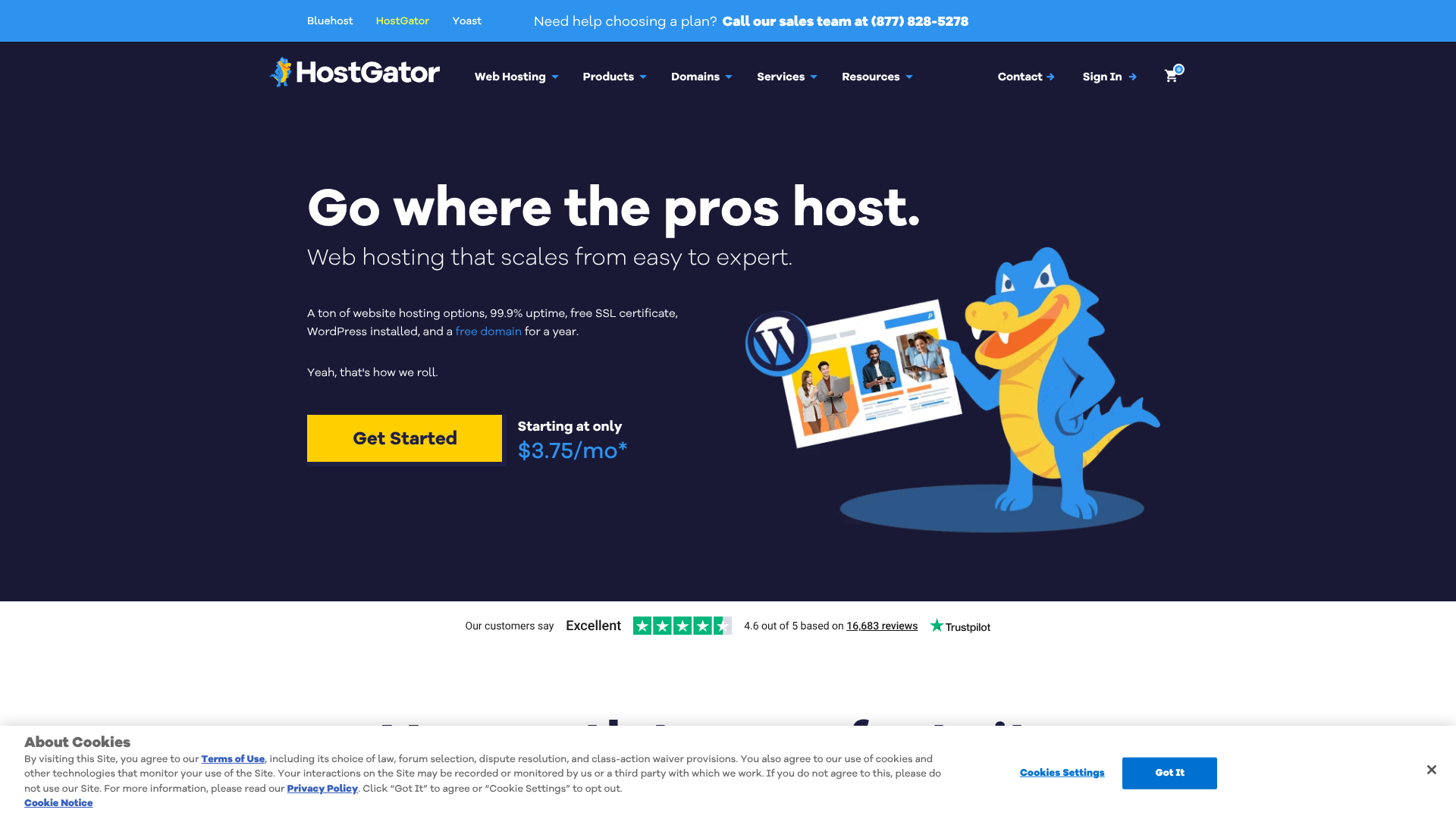
The Hatchling Plan is HostGator's most affordable offering, designed specifically for individuals launching their first website. If you have one project in mind—a personal blog, an online resume, or a portfolio—this plan provides everything you need without any unnecessary extras.
- Who it's for: First-time website owners, bloggers, students, and anyone needing to host only one domain.
- Key Features: Single website, free domain for one year, free SSL certificate, unmetered bandwidth, and one-click WordPress installation.
- The Bottom Line: It's the most cost-effective way to get a professional web presence online. Its primary limitation is the single-domain cap, so if you have any plans for a second site, you should consider the Baby Plan.
Baby Plan: The Best Value for Multiple Sites
The Baby Plan is often highlighted as the best value, and for good reason. For a small price increase over the Hatchling Plan, it removes the biggest restriction: the single-website limit. This plan allows you to host an unlimited number of websites under one account.
- Who it's for: Entrepreneurs with multiple business ideas, web developers who manage client sites, or anyone who wants the freedom to experiment with new projects without buying a new hosting plan each time.
- Key Features: All features of the Hatchling Plan, but with support for unlimited domains.
- The Bottom Line: The flexibility it offers makes it the most popular choice. Even if you only have one site now, the ability to add more later for no extra hosting cost is a significant advantage.
Business Plan: Essential Tools for Growing Businesses
The Business Plan is aimed at small businesses and online stores that need more professional tools. It builds on the Baby Plan by adding features that enhance security, credibility, and marketing capabilities.
- Who it's for: Small businesses, e-commerce stores, and professional websites that need to establish a higher level of trust and functionality.
- Key Features: All features of the Baby Plan, plus a free dedicated IP, a free upgrade to a Positive SSL (which comes with a warranty), and free SEO tools.
- The Bottom Line: The dedicated IP and upgraded SSL are particularly useful for e-commerce sites that handle payments. The SEO tools provide a helpful starting point for improving your site's visibility in search engines.
Pro Tip: Always consider the renewal price, not just the introductory offer. Hosting companies often provide steep discounts for the first term. The Baby Plan often provides the best long-term value when you factor in renewal costs and its unlimited website feature.
Decoding HostGator's Pricing and Value
Understanding the cost of web hosting HostGator provides is crucial for budgeting. Like most hosts, HostGator uses a promotional pricing model to attract new customers, so it's important to understand both the initial cost and what you'll pay down the line.
Introductory vs. Renewal Pricing
The low prices you see advertised (often just a few pounds per month) are for your first billing cycle. To get the lowest monthly rate, you typically have to sign up for a longer term, such as 36 months. When your initial term is over, the plan will renew at the regular, non-promotional rate, which is significantly higher.
This is standard practice in the hosting industry. HostGator is transparent about its renewal rates during the checkout process, so be sure to take note of them. Despite the increase, their regular rates remain competitive, but it's a key factor to consider in your long-term budget.
What's Included and What Costs Extra
HostGator's plans are quite inclusive. Here’s a quick summary of what you get for free and what might be an add-on cost:
- Free: Domain name (1st year), SSL certificate, website migrations.
- Paid Add-ons: Domain privacy protection (highly recommended to prevent spam), automated backups (CodeGuard), and advanced security (SiteLock). During checkout, these are often pre-selected, so be sure to uncheck any services you don't need.
| Feature | Hatchling Plan | Baby Plan | Business Plan |
|---|---|---|---|
| Websites | 1 | Unlimited | Unlimited |
| Free Domain (1 Year) | Yes | Yes | Yes |
| Free SSL Certificate | Standard | Standard | Positive SSL Upgrade |
| Dedicated IP | No | No | Yes |
| SEO Tools | No | No | Yes |
| Starting Price | Check current price on their website | Check current price on their website | Check current price on their website |
For the most up-to-date pricing, it's always best to visit the HostGator website directly, as promotions change frequently.
The 30-Day Money-Back Guarantee
HostGator offers a 30-day money-back guarantee on its shared, VPS, and reseller hosting plans. This allows you to try their services with minimal risk. If you're not satisfied within the first 30 days, you can cancel your account and receive a full refund for your hosting fees. Note that this guarantee doesn't apply to domain name registrations, which are non-refundable.
The Pros and Cons of Using HostGator Web Hosting
No web host is perfect for everyone. Being aware of both the strengths and weaknesses of HostGator can help you make an informed decision. Here’s a balanced look at the pros and cons.
Pros of HostGator
- Affordable and Beginner-Friendly: HostGator's low introductory prices and intuitive cPanel make it one of the easiest and most affordable ways to get a website online. The one-click WordPress installer simplifies what can be a tricky process for newcomers.
- Reliable Performance: With a 99.9% uptime guarantee, HostGator provides a stable environment for your website. You can be confident that your site will be accessible to visitors with minimal downtime.
- Flexible and Scalable: The Baby Plan's unlimited domains feature offers incredible flexibility. As your site grows, it's easy to upgrade from shared hosting to a VPS or dedicated server without having to switch providers.
- Generous Money-Back Guarantee: The 30-day money-back guarantee gives you a risk-free period to test their services and make sure they're the right fit for your project.
Cons of HostGator
- High Renewal Rates: The biggest point of contention for many users is the significant price jump after the initial promotional period ends. While the service is still a good value, the renewal cost can be a surprise if you're not prepared for it.
- Aggressive Upselling: During the checkout process, several add-on services are often pre-selected. You need to be careful to uncheck services like CodeGuard backups and SiteLock security if you don't want to pay extra for them.
- Mixed Reviews on Customer Support: While HostGator offers 24/7 support, user experiences can vary. Some users report quick and helpful resolutions, while others, particularly on platforms like Reddit, have expressed frustration with wait times or the level of technical expertise from first-line support agents.
Getting Started: A Step-by-Step Guide to Setting Up Your Website
Ready to get started? This section will guide you through the entire process of signing up for web hosting with HostGator and launching your first WordPress site.
Step 1: Choose Your Plan and Register a Domain
First, head over to the HostGator website and select the shared hosting plan that best fits your needs (likely the Hatchling or Baby plan). You'll then be prompted to register a new domain name (which is free for the first year) or enter a domain you already own.
Next, you'll confirm your plan details, including the billing cycle. Remember, choosing a longer term (like 36 months) will give you the lowest monthly price. Fill in your account and payment information. Before completing your purchase, carefully review the 'Package Extras' section and uncheck any add-ons you don't need right now.
Step 2: Access Your Hosting Dashboard and Install WordPress
Once your purchase is complete, you'll receive a welcome email with your login details. Use these to log in to your HostGator customer portal. From here, you can access your cPanel, which is the control centre for your hosting account.
Inside cPanel, look for the 'Softaculous Apps Installer' or a similar one-click installer tool. Find WordPress and click 'Install'. The installer will guide you through a simple setup process where you'll choose your domain, set a site name, and create an admin username and password. In just a few clicks, WordPress will be installed on your server.
For a visual walkthrough of this process, the video below is an excellent resource:
Step 3: Log In and Start Building Your Website
After the installation is complete, you can access your new WordPress dashboard by going to yourdomain.com/wp-admin. Log in with the username and password you created during installation. You are now inside the backend of your website!
From here, you can start customising your site. You can choose a theme to control the design, install plugins to add new features like contact forms or e-commerce functionality, and start creating pages and posts. Your website is now live on the internet and ready for you to build.
Frequently Asked Questions about HostGator
Here are answers to some of the most common questions people have when considering HostGator.
Is HostGator a good web hosting company?
Yes, for many people, HostGator is a very good web hosting company, especially for beginners and those on a budget. Its main strengths are its affordability, user-friendly cPanel interface, and reliable uptime. The combination of a free domain, free SSL, and unmetered bandwidth in its shared hosting plans provides excellent value for anyone starting a new website.
However, whether it's the best choice depends on your specific needs. While it excels for new and small-to-medium-sized sites, users with very high-traffic websites or those needing advanced developer features might find more specialised hosts to be a better fit. For the vast majority of personal and small business websites, HostGator is a solid and dependable choice.
What are the disadvantages of HostGator?
The primary disadvantages of HostGator are its high renewal rates and the upselling of add-on services during checkout. The low introductory price is very attractive, but the cost increases significantly upon renewal, which can catch some users by surprise. Additionally, some users have reported mixed experiences with customer support, with occasional long wait times for live chat.
Another point to consider is that while they offer backups as a paid add-on (CodeGuard), they don't include free automated daily backups in their basic shared plans, a feature some competitors offer. You are responsible for your own backups unless you purchase the add-on, which is an important consideration for website security.
Which is better, GoDaddy or HostGator?
Both HostGator and GoDaddy are giants in the web hosting industry and target a similar beginner-friendly market. HostGator is often praised for offering slightly better value, particularly with its Baby Plan that allows for unlimited websites at a very competitive price point. Its use of the standard cPanel is also a plus for many users who find it more intuitive than GoDaddy's custom dashboard.
GoDaddy, on the other hand, is the world's largest domain registrar and often has very aggressive promotions on domains. However, their hosting renewal rates can be even higher than HostGator's, and their hosting plans can sometimes feel more restrictive. For pure web hosting value and flexibility, many users lean towards HostGator.
Which one is better, Hostinger or HostGator?
Hostinger is known for its extremely low prices, often undercutting even HostGator's promotional rates. They use a custom control panel called hPanel, which is sleek and modern but may have a slight learning curve for those used to cPanel. Hostinger also tends to perform very well in speed tests.
HostGator's main advantages are its use of the industry-standard cPanel and its slightly longer track record in the industry. The choice often comes down to budget and preference. If your absolute top priority is the lowest possible price, Hostinger is hard to beat. If you prefer the familiarity of cPanel and a well-established brand, HostGator is a very strong contender.
Which is better, Bluehost or HostGator?
This is a classic comparison, as both companies are owned by the same parent company (Newfold Digital) and offer similar services. Bluehost is officially recommended by WordPress.org, and its interface is heavily optimised for WordPress users, making the setup process incredibly simple. This tight integration is its biggest selling point.
HostGator offers more flexibility with its monthly billing options (Bluehost requires annual commitments) and a slightly longer money-back guarantee (45 days vs. 30). The choice is often a matter of personal preference. If you are 100% certain you will be using WordPress and want the most streamlined experience for it, Bluehost is an excellent choice.
If you want a bit more flexibility or might use a different platform, HostGator is equally capable and provides great value.
Final Thoughts: Is Web Hosting with HostGator Right for You?
Choosing a web host is a foundational step in building your online presence, and for most new users, HostGator presents a compelling package. It successfully balances affordability with a rich feature set, creating an accessible entry point into the world of website ownership. With its user-friendly cPanel, reliable uptime, and scalable plans, it provides a solid platform that can grow with your project.
While it's important to be mindful of the renewal pricing and to be selective with add-ons during checkout, the overall value is hard to dispute. The flexibility of the Baby Plan, in particular, offers an excellent long-term solution for anyone who might want to run more than one website. The 24/7 support and extensive knowledge base ensure that help is available when you need it.
If you're a beginner, a blogger, or a small business owner looking for a dependable and cost-effective hosting solution, web hosting with HostGator is an excellent place to start your journey. It removes many of the technical barriers, allowing you to focus on what matters most: creating great content and building your brand online. Ready to get started? You can explore their plans and sign up on the HostGator website.