
Web Hosting for Cheap: Your 2026 Buyer's Guide for Small Websites
Finding reliable web hosting for cheap can feel like a contradiction. You need a service that's fast, secure, and always online, but you don't want to spend a fortune, especially when you're just starting a new blog, portfolio, or small business website. The good news is that it's entirely possible to find high-quality, affordable web hosting that provides the foundation you need to grow online without breaking the bank. The key is knowing what to look for and understanding the trade-offs.
- What to Know
- What Exactly is "Web Hosting for Cheap"?
- The Non-Negotiable Features of Affordable Web Hosting
- Uptime and Reliability
- Performance and Speed
- Customer Support
- Security Essentials
- User-Friendly Control Panel
- How to Choose the Right Budget Web Hosting for Your Needs
- Step 1: Assess Your Website's Requirements
- Step 2: Understand the True Cost
- Step 3: Read User Reviews and Check Uptime Reports
- Step 4: Test Their Customer Support Before You Buy
- Step 5: Check for Essential Freebies
- Top Recommendations for Cheap Web Hosting in 2026
- 1. Hostinger: Best Overall Value
- 2. Namecheap: Best for Rock-Bottom Prices & Domains
- 3. Bluehost: Best for WordPress Beginners
- 4. HostGator: Best for Flexibility and Scalability
- A Note on Website Builders and Premium Hosts
- Pricing and Cost Comparison: Decoding the Deals
- The Lure of the Introductory Offer
- Hidden Costs to Watch Out For
- Long-Term Contracts vs. Monthly Payments
- The Pros and Cons of Opting for Budget Web Hosting
- Frequently Asked Questions (FAQ)
- Can I host a business website on cheap hosting?
- Is free web hosting a good idea?
- What is the difference between cheap hosting and shared hosting?
- How much should I pay for web hosting?
- Do I need to pay for an SSL certificate with cheap hosting?
- Final Thoughts: Making the Smart Choice
This guide is designed to cut through the noise. We'll break down what budget web hosting really means, what features are non-negotiable, and how to spot the difference between a genuine bargain and a cheap service that will cause headaches down the line. Whether you're launching your first website or looking to switch to a more cost-effective provider, you'll find the clear, practical advice needed to make a confident decision.
What to Know
- Introductory vs. Renewal Pricing: The biggest catch with cheap web hosting is the price jump after the initial term. A £1.99/month deal might renew at £9.99/month, so always check the long-term cost.
- Shared Hosting is Standard: Most budget-friendly plans use shared hosting, where your site shares server resources with others. This is perfect for new and small sites but may not be suitable for high-traffic e-commerce stores.
- Essential Features are Key: Don't compromise on the basics. Look for a free SSL certificate, 24/7 customer support, and at least 99.9% uptime. These are critical for your site's security and accessibility.
- Read the Fine Print: Terms like "unlimited" or "unmetered" always have limitations. Check the provider's terms of service for specific restrictions on storage, bandwidth, and CPU usage to avoid surprises.
What Exactly is "Web Hosting for Cheap"?
When you see advertisements for web hosting that costs less than a cup of coffee per month, you're almost always looking at a shared hosting plan. This is the most common and cost-effective type of hosting, making it the go-to choice for finding web hosting for cheap. In a shared hosting environment, multiple websites are hosted on a single physical server, sharing its resources like CPU, RAM, and disk space. This resource-sharing model is what allows providers to offer such low prices.
For most new websites—blogs, portfolios, local business sites, and personal projects—shared hosting is more than enough. These sites typically don't receive massive amounts of traffic or require intensive server resources, so sharing a server doesn't negatively impact their performance. It's an incredibly efficient way to get a website online with a minimal initial investment.
However, the term "cheap" often comes with a significant caveat: the difference between introductory and renewal pricing. Hosting companies are famous for offering incredibly low prices for the first year or even the first three years to attract new customers. For example, a plan might be advertised at £2.49 per month, but this price only applies if you pay for 36 months upfront. When that initial term ends, the renewal price could jump to £8.99 per month or more.
This isn't a scam, but it's a crucial detail to be aware of. The best affordable web hosting providers are transparent about their renewal rates, allowing you to budget for the true long-term cost of your website.
The Non-Negotiable Features of Affordable Web Hosting
Even when you're on a tight budget, there are certain features you should never compromise on. A low price is appealing, but it's worthless if your website is constantly down, slow to load, or insecure. Here are the essential features to look for in any budget web hosting plan.
Uptime and Reliability
Uptime is the measure of how much time a server—and therefore your website—is online and accessible to visitors. The industry standard is 99.9% uptime. While that might sound close to 100%, the difference is significant. A 99.9% uptime guarantee means your site could be down for about 43 minutes per month. A 99% uptime guarantee allows for over seven hours of downtime per month. Always choose a host that guarantees at least 99.9% uptime, as anything less can damage your reputation and hurt your search engine rankings.
Performance and Speed
Website speed is critical for user experience and SEO. A slow-loading site will frustrate visitors and cause them to leave, and search engines like Google penalise slow sites. Look for hosts that use Solid State Drives (SSDs) for storage, as they are significantly faster than traditional Hard Disk Drives (HDDs). Additionally, check if the provider uses modern technologies like LiteSpeed web servers and has data centres located close to your target audience, as this can reduce latency and improve loading times.
Customer Support
When something goes wrong with your website, you need help immediately. Reliable 24/7 customer support is non-negotiable. The best providers offer multiple channels of support, including live chat, phone, and email tickets. Live chat is often the fastest and most convenient option. Before committing to a host, it's a good idea to test their support by asking a few pre-sales questions to see how quickly and helpfully they respond.
Security Essentials
A secure website protects both your data and your visitors' information. At a minimum, your hosting plan should include a free SSL certificate. An SSL certificate encrypts the connection between your website and its visitors, which is essential for security and is indicated by the padlock icon in the browser's address bar. Many budget hosts also offer basic malware scanning and firewall protection, which add an important layer of defence against common threats.
User-Friendly Control Panel
The control panel is the dashboard where you'll manage your hosting account, domains, emails, and website files. The most common control panel is cPanel, known for its intuitive interface and extensive features. Some hosts, like Hostinger, have developed their own custom control panels (hPanel) that are designed to be even more user-friendly for beginners. A good control panel makes technical tasks much easier to handle, even if you have no prior experience.

How to Choose the Right Budget Web Hosting for Your Needs
Navigating the world of budget web hosting can be overwhelming with so many options available. Following a structured approach can help you filter through the choices and find the perfect fit for your project. This step-by-step process acts as a checklist to ensure you're making an informed decision.
Step 1: Assess Your Website's Requirements
First, think about what your website needs. Are you starting a simple blog with a few pages? Or are you planning an online shop with hundreds of products? A personal blog might only need 10 GB of storage and be able to handle a few thousand visitors a month. An e-commerce site, on the other hand, will need more storage, better security, and the ability to handle more simultaneous visitors. Be realistic about your needs. Don't pay for resources you won't use, but also ensure the plan has enough room for your site to grow over the next year.
Step 2: Understand the True Cost
As mentioned earlier, the advertised price is rarely the long-term price. Look beyond the shiny introductory offer and find the renewal rate. Calculate the total cost over a two or three-year period to get a realistic picture of your investment. Also, be wary of aggressive upsells during the checkout process. Many hosts will pre-select add-ons like advanced security, daily backups, or SEO tools. Deselect anything you don't need to keep the cost down.
Step 3: Read User Reviews and Check Uptime Reports
Independent reviews from real users can provide invaluable insights into a hosting provider's performance and support. Look at recent reviews on sites like Trustpilot or G2. Pay attention to comments about uptime, website speed, and the quality of customer service. One or two negative reviews are normal for any company, but a consistent pattern of complaints is a major red flag. Some third-party services also monitor and publish historical uptime data for major hosting providers, which can help verify their reliability claims.
Step 4: Test Their Customer Support Before You Buy
Don't wait until you have a problem to find out if the support is good. Use the pre-sales live chat feature on the hosting provider's website. Ask a few specific questions about their services, such as "What security features are included in your basic plan?" or "Where are your data centres located?" This simple test will tell you a lot about their response time, knowledge, and willingness to help.
Step 5: Check for Essential Freebies
Many cheap web hosting plans come with valuable extras that can save you money. A free domain name for the first year is a common perk that can save you around £10-£15. A free SSL certificate is an absolute must-have for security. Some plans also include free email accounts with your domain (e.g., you[[@yourwebsite](https://[twitter](https://twitter.com/yourwebsite).com/yourwebsite).com](https://www.(https://www.instagram.com/yourwebsite.com/).com/yourwebsite.com/)), which adds a professional touch to your communications. These freebies add significant value to an already affordable plan.
Pro Tip: When choosing a plan, consider the number of websites you can host. Many entry-level plans only allow one website. For a few pounds more per month, you can often upgrade to a plan that allows you to host multiple or even unlimited websites, which offers much better value if you plan to launch more than one project.
Top Recommendations for Cheap Web Hosting in 2026
After considering the key features and decision-making factors, here are our top recommendations for providers that offer an excellent balance of price, performance, and support. These companies have a proven track record of delivering reliable and affordable web hosting.
1. Hostinger: Best Overall Value
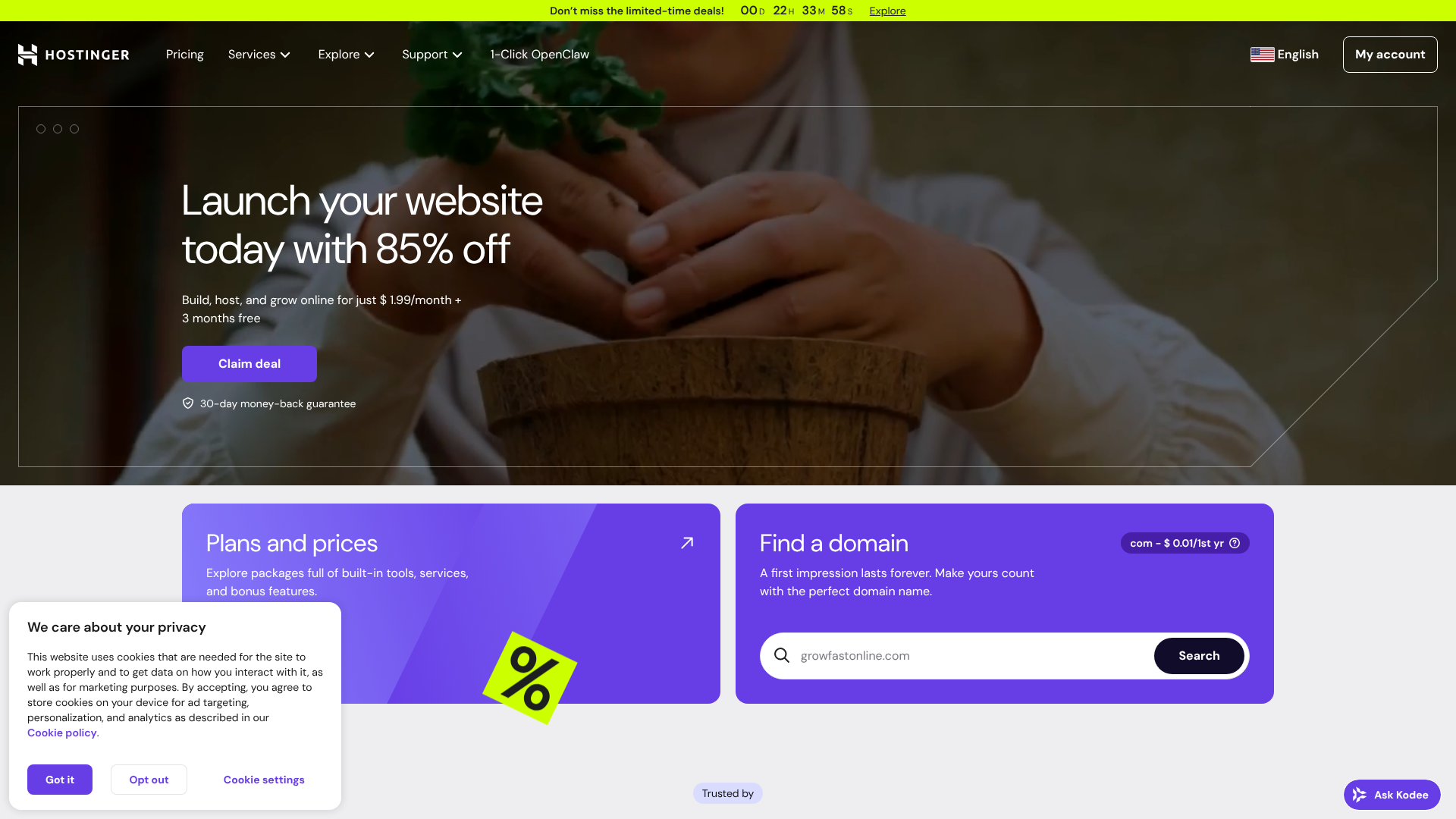
Hostinger consistently ranks as one of the best options for cheap web hosting, and for good reason. They offer some of the lowest introductory prices in the industry, often starting at just a couple of pounds per month for a long-term commitment. But unlike some ultra-cheap providers, they don't skimp on performance or features.
Their plans run on LiteSpeed servers, which are known for being faster than the traditional Apache servers used by many competitors. They also provide a user-friendly custom control panel called hPanel, which is clean, intuitive, and perfect for beginners. Every plan includes a free SSL certificate and weekly backups, with daily backups available on higher-tier plans. Their 24/7 customer support is responsive and knowledgeable, making them a solid choice for anyone looking for a great all-around package.
Pros
- Extremely competitive introductory pricing.
- Excellent performance with LiteSpeed servers and SSD storage.
- Intuitive and modern hPanel is great for beginners.
- 24/7 customer support via live chat.
Cons
- Renewal rates are significantly higher than the initial price.
- The cheapest plan is limited to one website and one email account.
2. Namecheap: Best for Rock-Bottom Prices & Domains
As their name suggests, Namecheap is a leader in providing low-cost services, and their hosting is no exception. They are particularly well-known for their domain registration services, but their shared hosting plans offer incredible value. Their entry-level "Stellar" plan is one of the most affordable on the market and includes unmetered bandwidth, a free domain name, and the ability to host up to three websites.
Namecheap uses the industry-standard cPanel, which many users are already familiar with. They also offer a 100% uptime guarantee for their shared hosting, which is a bold and reassuring promise. While their performance might not be as cutting-edge as Hostinger's, it's more than adequate for small to medium-sized websites. Their support is generally helpful, and the integration with their domain services is seamless.
Pros
- Very low starting prices and reasonable renewal rates.
- The basic plan allows for up to three websites.
- Free domain name and privacy protection included.
- User-friendly cPanel interface.
Cons
- Performance can be average compared to premium-focused hosts.
- Customer support response times can sometimes be slow during peak hours.
3. Bluehost: Best for WordPress Beginners
Bluehost is one of the most well-known names in web hosting and is one of only three providers officially recommended by WordPress.org. This makes them an excellent choice for anyone planning to build their site with WordPress. Their onboarding process is specifically tailored to WordPress users, with a one-click installation and a guided setup process that helps you get started quickly.
Their plans include a free domain for the first year, a free SSL certificate, and unmetered bandwidth. The custom Bluehost dashboard is designed to be simple for beginners to navigate, integrating WordPress management directly into the hosting control panel. While their prices are slightly higher than Hostinger or Namecheap, the ease of use and dedicated WordPress focus can be well worth the small extra cost for newcomers.
Pros
- Officially recommended by WordPress.org.
- Excellent onboarding and setup process for beginners.
- Free domain name and SSL certificate included.
- Reliable uptime and solid performance.
Cons
- Higher renewal rates compared to some competitors.
- No monthly payment option for the basic plans; requires a 12-month commitment.
4. HostGator: Best for Flexibility and Scalability
HostGator is another veteran in the hosting industry, known for its flexible plans and generous resource allocations. Their shared hosting plans come with unmetered bandwidth and storage, which provides peace of mind as your site grows. They also offer a 45-day money-back guarantee, which is longer than the industry standard of 30 days.
HostGator uses cPanel and includes a free domain and SSL certificate with its annual plans. One of their standout features is the included Gator Website Builder, a simple drag-and-drop tool that can be a great alternative for those who don't want to use WordPress. Their support is available 24/7, and they have a reputation for being a reliable and straightforward provider that's easy to scale with as your needs change.
Pros
- Unmetered storage and bandwidth on all shared plans.
- 45-day money-back guarantee.
- Includes a free website builder.
- Reliable performance and strong uptime.
Cons
- The user interface feels a bit dated compared to newer providers.
- Renewal fees can be steep.
A Note on Website Builders and Premium Hosts
For some users, a traditional hosting plan isn't the right fit. If you want an all-in-one solution where hosting, design, and maintenance are handled for you, a website builder like Squarespace might be a better option. While typically more expensive than budget web hosting, they offer simplicity and beautiful templates without needing any technical skills.
Conversely, if your website grows to attract tens of thousands of visitors per month, you may outgrow cheap shared hosting. At that point, you'd look to upgrade to a managed WordPress host like WP Engine or Kinsta. These services are optimised for performance, security, and scale, but come at a significantly higher price point.
Pricing and Cost Comparison: Decoding the Deals
Understanding the pricing structures of cheap web hosting is crucial to avoid unexpected costs. The headline price is designed to be as attractive as possible, but the real value is found in the details. Here’s a breakdown of what to look for.
| Feature | Hostinger | Namecheap | Bluehost | HostGator |
|---|---|---|---|---|
| Starting Price | Very Low | Very Low | Low | Low |
| Renewal Price | Medium-High | Low-Medium | High | High |
| Free Domain? | Yes (Annual Plans) | Yes (Annual Plans) | Yes (1st Year) | Yes (1st Year) |
| Free SSL? | Yes | Yes | Yes | Yes |
| Websites Allowed | 1 (Basic Plan) | 3 (Basic Plan) | 1 (Basic Plan) | 1 (Basic Plan) |
| Control Panel | hPanel | cPanel | Custom | cPanel |
| Money-Back | 30 Days | 30 Days | 30 Days | 45 Days |
Note: Prices and features are subject to change. Please visit the provider's website for the most current information.
The Lure of the Introductory Offer
The most common pricing strategy is the low introductory offer. A host might offer a plan for £1.99/month, but this price is contingent on you signing up for a 24, 36, or even 48-month term paid in full upfront. While this can lead to significant savings, you are locked into that provider for a long time. Monthly plans are almost always more expensive, often two to three times the price of a long-term plan. Always consider how long you're willing to commit to secure the best deal.
Hidden Costs to Watch Out For
Beyond the renewal rate, there are other potential costs. Some hosts charge extra for features that others include for free. Common paid add-ons include:
- Automated Daily Backups: While many offer weekly backups, daily backups might be a premium feature.
- Advanced Security: Basic security is usually included, but advanced malware removal or a Web Application Firewall (WAF) often costs extra.
- Professional Email: Some of the absolute cheapest plans may not include email hosting, forcing you to purchase it separately.
- Domain Privacy: This service hides your personal information from the public WHOIS database. Some hosts, like Namecheap, include it for free, while others charge an annual fee.
Long-Term Contracts vs. Monthly Payments
Choosing between a long-term contract and a monthly payment plan depends on your confidence and budget. A long-term plan offers the lowest monthly cost but requires a larger upfront payment and commitment. A monthly plan offers flexibility, allowing you to switch providers easily, but at a much higher cost. For a new project, a 12-month plan often strikes a good balance, giving you a decent price without an overly long commitment.
The Pros and Cons of Opting for Budget Web Hosting
Choosing an affordable web hosting plan is a smart move for many, but it's important to have realistic expectations. Understanding both the benefits and the potential drawbacks will help you determine if it's the right choice for your website.
The Advantages
- Extremely Low Cost: The most obvious benefit is the price. For just a few pounds a month, you can get a fully functional website online. This low barrier to entry is perfect for individuals, startups, and small businesses working with a tight budget.
- Easy to Get Started: Budget hosting providers focus on making their services accessible to beginners. They typically offer one-click installations for popular software like WordPress, intuitive control panels, and guided setup processes.
- Sufficient for Most Small Sites: For websites that don't receive huge amounts of traffic, shared hosting provides more than enough resources. A well-optimised shared hosting plan can comfortably handle thousands of visitors per month without any issues.
- All-in-One Packages: Many plans come bundled with everything you need to start, including a free domain name, SSL certificate, and email accounts. This simplifies the process and adds extra value.
The Disadvantages
- Shared Resources: Because you're sharing server resources with other websites, a sudden traffic spike on another site on your server could potentially slow down yours. This is often called the "noisy neighbour" effect.
- Potential for Slower Speeds: While the best budget hosts offer great performance, they generally can't compete with the speed and power of more expensive VPS or dedicated hosting solutions. As your site grows, you may eventually need to upgrade.
- Aggressive Upselling: To make up for the low prices, some hosts will aggressively try to sell you add-on services during checkout and within your control panel. It's important to be discerning and only purchase what you truly need.
- Limited Support on Cheaper Tiers: While support is usually available 24/7, the level of expertise and the response time might be better on higher-tier plans. Basic support can handle common issues, but complex technical problems might take longer to resolve.
Frequently Asked Questions (FAQ)
Can I host a business website on cheap hosting?
Yes, absolutely. Many small business websites, especially those that are informational (like a portfolio, brochure site, or local business listing), run perfectly well on cheap shared hosting. As long as you choose a reliable provider with good uptime and security features, it's a very cost-effective solution. If you plan to run a large e-commerce store with high traffic, you may need a more powerful plan.
Is free web hosting a good idea?
Generally, no. Free web hosting almost always comes with significant drawbacks. These can include forced advertisements on your site, very slow performance, strict resource limits, no customer support, and poor security. Furthermore, you often don't truly own your space, and the provider can shut down your site without warning. For the small price of budget hosting, you get reliability, support, and professionalism that free hosting can't offer.
What is the difference between cheap hosting and shared hosting?
The terms are often used interchangeably, but they aren't exactly the same. Shared hosting is a type of hosting where multiple sites share a server. "Cheap hosting" is a pricing category that almost exclusively consists of shared hosting plans. It's possible to find expensive, high-end shared hosting, but the vast majority of cheap plans are built on a shared server architecture.
How much should I pay for web hosting?
For a new or small website, you shouldn't need to pay more than £2 to £5 per month for your initial term. This price point should get you a reliable shared hosting plan with all the essential features. Be prepared for the renewal rate to be closer to £7 to £12 per month. Anything significantly cheaper might come with hidden compromises, while anything more expensive is likely unnecessary unless your site has specific high-traffic or resource-intensive needs.
Do I need to pay for an SSL certificate with cheap hosting?
You should not have to pay for a basic SSL certificate. Thanks to initiatives like Let's Encrypt, SSL certificates are now free and easy to issue. Any reputable hosting provider, even at the budget level, should include a free SSL certificate with their plans. If a host tries to charge you for a basic SSL, it's a sign that they may be trying to nickel-and-dime you in other areas as well.
Final Thoughts: Making the Smart Choice
Choosing web hosting for cheap doesn't mean you have to settle for a subpar service. By focusing on the essential features—uptime, performance, security, and support—you can find a provider that offers incredible value for a very low price. The key is to look past the flashy introductory offers and understand the true long-term cost and the features included in your plan.
For most beginners and small website owners, a provider like Hostinger offers the best combination of price, speed, and user-friendliness. If your absolute top priority is the lowest possible cost with the flexibility of hosting a few small sites, Namecheap is an unbeatable option.
Ultimately, the best budget web hosting is the one that reliably serves your website to your visitors without causing you stress. Take your time, do your research, and choose the plan that best fits your project's needs and your budget. With the right foundation, your website will be well-equipped to grow and succeed.