

SiteGround vs WP Engine: Which is Better for Serious WordPress Sites in 2026?
Choosing the right web host is one of the most critical decisions for your website's success. When it comes to high-quality WordPress hosting, the SiteGround vs WP Engine debate is a common one, pitting a versatile and popular host against a premium, WordPress-exclusive specialist. Both are heavyweights in the industry, but they cater to very different needs and budgets. This detailed comparison will break down their performance, features, pricing, and support to help you decide which platform is the right foundation for your website.
- Quick Summary
- An Introduction to the Contenders: SiteGround and WP Engine
- Hosting Plans and Features: A Side-by-Side Comparison
- Performance Analysis: Speed and Uptime
- Customer Support: A Side-by-Side Review
- Pricing Structures: The Cost of Value
- User Experience: Interface and Ease of Use
- Security Features: Protecting Your Digital Assets
- Scalability: Growing With Your Website
- Migration Services: Moving Your Website
- Customer Reviews and Satisfaction
- Frequently Asked Questions (FAQ)
- Why is WP Engine so expensive?
- What are the pros and cons of SiteGround?
- Which web hosting is best for WordPress?
- Who are WP Engine's competitors?
- Final Thoughts: SiteGround or WP Engine?
This isn't just about picking a winner; it's about finding the best fit for your specific situation. Whether you're a small business owner, a growing blogger, or a developer managing client sites, the choice between SiteGround or WP Engine will have a significant impact on your site's speed, security, and scalability.
Quick Summary
- Choose WP Engine if: You run a mission-critical business website, an e-commerce store, or a high-traffic blog where performance, security, and expert WordPress support are non-negotiable. You have the budget for a premium, managed service and want a completely hands-off technical experience.
- Choose SiteGround if: You are a beginner, a small business owner, or a blogger looking for an excellent balance of performance, features, and affordability. You want a powerful hosting solution with great support without the premium price tag of a specialised managed host.
- Key Difference in Performance: WP Engine is built exclusively for WordPress on an enterprise-grade infrastructure, generally offering faster and more stable performance under heavy traffic loads compared to SiteGround's shared hosting environment.
- Key Difference in Price: SiteGround is significantly more affordable, especially with its introductory offers. WP Engine positions itself as a premium service with a price point to match, focusing on the value of its managed environment and expert support.
An Introduction to the Contenders: SiteGround and WP Engine
Before we dive into a feature-by-feature breakdown, it's important to understand the philosophy behind each company. Their target audiences are fundamentally different, which shapes every aspect of their service.
What is SiteGround?
SiteGround is one of the most well-known and respected names in the web hosting industry. Officially recommended by WordPress.org, they offer a wide range of hosting solutions, including shared hosting, cloud hosting, and dedicated servers. While they host all types of websites, they have a strong focus on WordPress, providing custom tools and optimisations specifically for the platform.

Founded in 2004, SiteGround has built a reputation for excellent customer support and reliable performance. They use Google Cloud Platform for their infrastructure, which gives their users access to a fast and stable network. Their custom control panel, Site Tools, is designed to be intuitive for beginners while still offering advanced features for developers.
SiteGround aims to be the perfect middle-ground: more powerful and supportive than budget hosts, but more accessible and affordable than premium managed hosts. This makes them a popular choice for a huge range of users, from first-time bloggers to small and medium-sized businesses.
What is WP Engine?
WP Engine, founded in 2010, took a different approach. Instead of trying to be a host for everyone, they decided to focus exclusively on one thing: providing the best possible managed WordPress hosting experience. They don't offer shared hosting in the traditional sense; every plan is a high-performance, managed solution built from the ground up to run WordPress at peak efficiency.
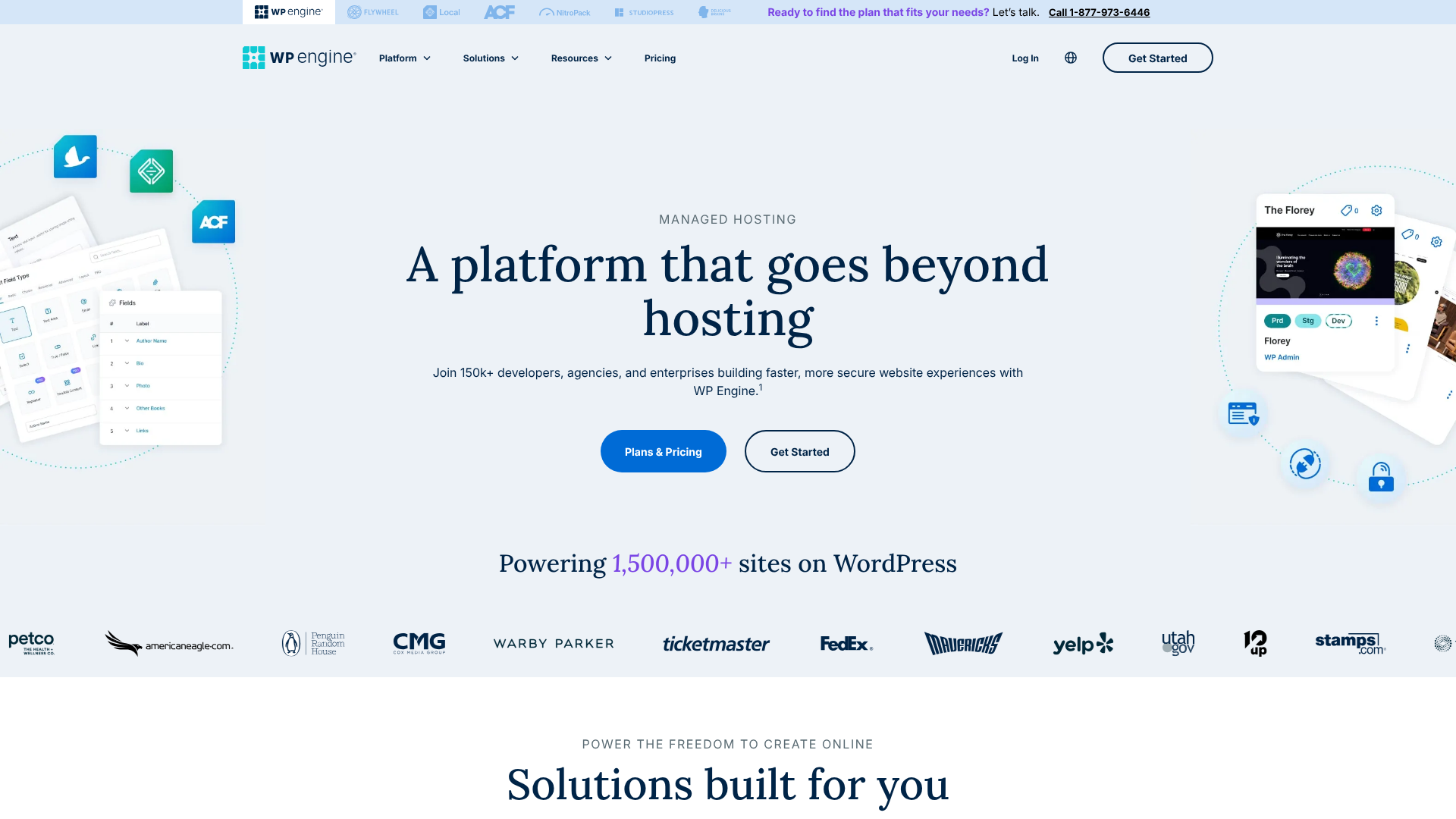
Their entire platform, from their server architecture to their caching technology (EverCache®), is fine-tuned for WordPress. WP Engine targets developers, agencies, and businesses that cannot afford downtime or slow performance. Their service includes proactive security, automatic updates, and support from technicians who are genuine WordPress experts. They are an investment in infrastructure, designed to give you peace of mind and let you focus on your business, not your server.
Hosting Plans and Features: A Side-by-Side Comparison
Let's break down what you actually get for your money. The structure of their plans highlights their different approaches to hosting.
| Feature | SiteGround | WP Engine |
|---|---|---|
| Host Type | Shared & Cloud (WordPress Optimised) | Managed WordPress Hosting |
| Target Audience | Beginners, SMBs, Bloggers | Businesses, Developers, Agencies |
| Websites Allowed | 1 (StartUp), Unlimited (GrowBig/GoGeek) | 1-30+ depending on plan |
| Monthly Visits | ~10k-400k (guidelines) | 25k-400k+ (hard limits) |
| Storage | 10 GB – 40 GB SSD | 10 GB – 50 GB SSD |
| Control Panel | Site Tools (Custom) | User Portal (Custom) |
| Staging Sites | Yes (on GrowBig & GoGeek plans) | Yes (on all plans) |
| CDN | Free Cloudflare Integration | Proprietary Global CDN |
| Free SSL | Yes (Let's Encrypt) | Yes (Let's Encrypt) |
| Support | 24/7 Phone, Chat, Tickets | 24/7 Chat (Phone on higher plans) |
SiteGround's Hosting Plans
SiteGround offers three main shared hosting plans, all optimised for WordPress:
- StartUp: Ideal for a single, new website. It includes 10 GB of web space and is suitable for around 10,000 monthly visits. It's a great entry point but lacks advanced features like on-demand backups and staging.
- GrowBig: This is their most popular plan. It allows you to host unlimited websites, provides 20 GB of space, and handles around 100,000 monthly visits. Crucially, it adds on-demand backups, a staging environment, and their Ultrafast PHP setup for better performance.
- GoGeek: Built for more heavily trafficked sites or developers. It offers 40 GB of space for around 400,000 monthly visits. It includes everything in GrowBig plus priority support, white-label client management, and more server resources.
WP Engine's Hosting Plans
WP Engine's plans are structured around the number of sites, monthly traffic, and storage. They are a true managed solution:
- Startup: Supports 1 website, 25,000 monthly visits, and 10 GB of storage. It's perfect for a small business or blog that needs top-tier performance from day one.
- Professional: A new tier that supports up to 3 sites and 75,000 visits. It's a great option for those with a few key projects.
- Growth: Allows up to 10 websites, 100,000 visits, and 20 GB of storage. This plan is popular with freelancers and small agencies managing client sites.
- Scale: Designed for rapidly growing businesses, this plan supports up to 30 sites, 400,000 visits, and 50 GB of storage. It also includes 24/7 phone support.
For enterprise-level needs, WP Engine offers Custom plans with dedicated infrastructure and the highest levels of support and security.
Performance Analysis: Speed and Uptime

For any serious website, performance is paramount. A slow website leads to poor user experience, lower conversion rates, and worse search engine rankings. This is an area where the WP Engine vs SiteGround comparison shows a clear distinction.
Speed Technology
Both hosts use Google Cloud Platform, which provides a fast and reliable foundation. However, their software stacks and optimisations differ significantly.
SiteGround employs a multi-layered approach to speed. They use fast SSD storage, a custom PHP implementation called Ultrafast PHP (on GrowBig and GoGeek plans), and their SuperCacher technology. SuperCacher combines NGINX direct delivery, dynamic caching, and Memcached to serve content quickly. They also offer a free Cloudflare CDN integration, which brings your content closer to your visitors globally.
WP Engine, on the other hand, has a proprietary caching system called EverCache®. It's an aggressive, multi-tiered system designed specifically to make WordPress fly. It handles page caching, object caching, and CDN caching automatically, so you don't need to install third-party caching plugins. Their global CDN is included on all plans and is deeply integrated into their platform for maximum performance.
Because their entire environment is built for WordPress, every component is optimised to work together, often resulting in faster Time to First Byte (TTFB) and load times, especially under pressure.
Uptime Guarantee
Both providers offer excellent uptime. SiteGround promises a 99.9% uptime guarantee. If they fall below this, you receive hosting credits.
WP Engine goes a step further with a 99.95% uptime Service Level Agreement (SLA). If they miss this target, you are eligible for a 5% credit on your monthly bill for every hour of downtime. This higher guarantee reflects their confidence in their enterprise-grade infrastructure and proactive monitoring.
Verdict on Performance: While SiteGround is very fast for a shared host, WP Engine has the edge. Their entire architecture is single-mindedly focused on WordPress performance, and their integrated CDN and proprietary caching give them a clear advantage for mission-critical websites.

Customer Support: A Side-by-Side Review
Excellent support can be the difference between a minor issue and a major disaster. Both companies are known for their strong customer service, but again, their approach reflects their target market.
SiteGround offers 24/7 support via live chat, phone, and helpdesk tickets. Their support team is widely praised for being fast, friendly, and knowledgeable. They can help with a wide range of issues, from billing questions to basic WordPress troubleshooting. For the GoGeek plan, you get access to priority support, which means your tickets and chats are handled by their most experienced agents first.
WP Engine provides 24/7 support through live chat for all customers. Phone support is available on the Growth, Scale, and Custom plans. The key difference is the depth of expertise. Every WP Engine support technician is a trained WordPress expert.
They can help you diagnose complex issues with plugins, themes, and performance bottlenecks that go beyond the scope of typical hosting support. This level of specialised knowledge is a core part of what you pay for.
Pro Tip: When evaluating support, think about the type of help you'll need. If you need help with general hosting and basic CMS questions, SiteGround is excellent. If you anticipate needing help debugging a slow database query or a complex plugin conflict, WP Engine's expert support is invaluable.
As one user on a Reddit discussion noted, WP Engine's support is about solving deep WordPress problems, not just server issues. This specialisation can save you hours of frustration and potentially the cost of hiring a developer.
Pricing Structures: The Cost of Value
This is often the deciding factor for many users. The price gap between SiteGround and WP Engine is substantial and reflects their different value propositions.
SiteGround Pricing
SiteGround is known for its attractive introductory pricing. For example, the GrowBig plan might start at a very low monthly rate for your first term. This makes it incredibly accessible for new websites.
However, it's crucial to look at the renewal rates. After the initial period, the price increases significantly to the regular rate. While still competitive for the quality of service, this can be a surprise if you're not prepared. SiteGround offers great value, but you must budget for the long-term cost.
- StartUp: Starts low, renews higher. Check their site for current pricing.
- GrowBig: Starts low, renews higher.
- GoGeek: Starts low, renews higher.
WP Engine Pricing
WP Engine is transparently a premium service. There are no steep introductory discounts. The price you see is generally the price you pay, though they often offer a discount for annual pre-payment.
- Startup: Priced significantly higher than SiteGround's entry-level plan.
- Growth & Scale: The price increases with more sites and higher traffic limits.
Why is WP Engine so expensive? This is a common question. You're not just paying for server space. You're paying for a fully managed service: the specialised infrastructure, proprietary caching, enterprise-grade security with a hack-fix guarantee, automatic updates, included premium themes (Genesis Framework), and access to WordPress experts on support. It's a hosting solution, not just a server.
Verdict on Pricing: For sheer affordability, SiteGround is the clear winner. For value in terms of performance, security, and peace of mind, WP Engine makes a strong case for those who can afford it.
User Experience: Interface and Ease of Use
A great user interface can make managing your website a pleasure, while a clunky one can be a constant source of frustration. Both companies have moved away from the traditional cPanel in favour of custom-built dashboards.
SiteGround's Site Tools
SiteGround replaced cPanel with their own control panel called Site Tools. It's a modern, clean, and intuitive interface that organises features on a per-site basis. This is a huge improvement over cPanel, where all your domains are jumbled together.
In Site Tools, you can easily manage email accounts, databases, file managers, backups, and security settings. It also provides one-click installers for WordPress and easy access to features like the staging tool and caching options. It's designed to be user-friendly for beginners but doesn't hide the advanced tools that developers need.
WP Engine's User Portal
WP Engine's User Portal is designed with a developer and agency workflow in mind. It's clean, professional, and focused entirely on managing WordPress environments. From the dashboard, you can oversee all your sites, add new ones, and manage users.
For each site, you have direct access to production, staging, and development environments. You can easily copy a site from one environment to another, manage backups, access logs, and control CDN and caching settings. It's less about general server management (like email) and more about providing a powerful toolkit for building, testing, and deploying WordPress sites efficiently.
Verdict on User Experience: It's a tie, as both are excellent for their target audience. SiteGround's Site Tools is more versatile and beginner-friendly. WP Engine's User Portal is a more focused and powerful tool for professional WordPress development workflows.
Security Features: Protecting Your Digital Assets
In 2026, website security is not optional. A single breach can destroy your reputation and business. Both hosts take security very seriously.
SiteGround provides a robust security stack. This includes a custom Web Application Firewall (WAF) to block malicious traffic, an AI anti-bot system, free Let's Encrypt SSL certificates, and daily backups. Their server monitoring is 24/7, and their team is constantly working to patch vulnerabilities at the server level.
WP Engine offers what can be described as enterprise-grade security. On top of everything SiteGround offers, WP Engine performs automatic quarterly code reviews for all customers and has a dedicated security engineering team. They manage core WordPress updates for you and will even automatically patch critical plugin vulnerabilities when discovered.
Perhaps their most significant security feature is their Hack-Fix Guarantee. If your site is ever hacked while hosted with them, their team will fix it for free. This provides incredible peace of mind and can save you hundreds or even thousands of pounds in cleanup costs. This guarantee alone is a major selling point for businesses.
Verdict on Security: While SiteGround's security is excellent, WP Engine's proactive approach, managed patching, and free hack-fix guarantee give them the definitive edge.
Scalability: Growing With Your Website
Your hosting needs will change as your website grows. A host that works for 1,000 visitors a month might crumble under 100,000. How do these two providers handle growth?
SiteGround offers a clear upgrade path. You can start on the StartUp plan and easily move to GrowBig or GoGeek as your traffic increases. The GoGeek plan, with its increased server resources, can handle a significant amount of traffic. If you outgrow that, SiteGround offers powerful Cloud Hosting plans that provide dedicated resources and auto-scaling to handle traffic spikes.
WP Engine is built for scalability from the ground up. Their plans are based on visitor numbers, so the upgrade path is clear. Their architecture is designed to handle sudden traffic surges without your site slowing down. For websites that experience extreme, unpredictable traffic (like a viral news story or a major product launch), their Custom plans offer dedicated environments that can handle millions of hits.
Because WP Engine's entire infrastructure is optimised for WordPress, it's generally more efficient at handling high concurrent user loads than a shared environment. If you anticipate rapid growth or have a business model that relies on handling traffic spikes, WP Engine is the more reliable choice.
Migration Services: Moving Your Website
Switching hosts can be a daunting task. Both companies try to make this process as painless as possible.
SiteGround offers a free, automated WordPress migration plugin. You simply install the plugin on your old site, enter a token generated in your Site Tools dashboard, and the plugin handles the rest. It's easy to use and works well for most standard WordPress installations. For those who prefer a hands-off approach, they also offer a professional migration service for a fee.
WP Engine also provides a free automated migration plugin that is very similar in function. It's simple and effective for migrating your site's files and database. Given their focus on high-value clients, their support team is also on hand to provide guidance during the migration process, ensuring everything goes smoothly.
For complex or large-scale migrations, WP Engine's team can provide more hands-on assistance, which is part of their premium service offering. This is particularly useful for e-commerce sites or sites with complex configurations.
Customer Reviews and Satisfaction
Looking at third-party reviews, a clear picture emerges. SiteGround is consistently praised for its excellent customer support and the great value it provides, especially for users upgrading from budget hosts. Most negative feedback tends to focus on the higher renewal prices, which can catch some users by surprise.
WP Engine receives outstanding reviews for its website speed, platform stability, and the expertise of its support team. Customers feel confident that their site is in good hands. The primary point of criticism is, unsurprisingly, the price. It's a premium service, and some small businesses or bloggers find it hard to justify the cost.
However, those who do pay for it almost universally agree that you get what you pay for.
Frequently Asked Questions (FAQ)
Why is WP Engine so expensive?
WP Engine's cost is based on the value of its fully managed service. You are paying for a specialised platform optimised for WordPress, enterprise-grade security with a hack-fix guarantee, proprietary caching for superior speed, automatic updates, and 24/7 support from WordPress experts. It's an all-in-one solution designed to save you time and provide peace of mind, which is a valuable asset for any business.
What are the pros and cons of SiteGround?
Pros: SiteGround offers an excellent balance of features, performance, and price. It's very affordable to start, includes great tools like staging and caching, and has industry-leading customer support. It's also officially recommended by WordPress.org.
Cons: The main drawback is the significant price increase upon renewal. While their performance is great for shared hosting, it may not match dedicated managed hosts under very heavy traffic. The StartUp plan is also quite limited, lacking key features like staging.
Which web hosting is best for WordPress?
This depends entirely on your needs. For beginners and small businesses on a budget, a host like SiteGround offers the best combination of price and performance. For established businesses, e-commerce stores, or anyone for whom speed and security are top priorities, a managed host like WP Engine is often the superior choice.
Who are WP Engine's competitors?
WP Engine's main competitors are other premium managed WordPress hosting providers. The most notable ones include Kinsta, Flywheel (which is owned by WP Engine), and Pressable. These companies all offer similar high-performance, secure environments with expert WordPress support, competing at a similar price point.
Final Thoughts: SiteGround or WP Engine?
After a thorough SiteGround vs WP Engine comparison, it's clear that there is no single “best” host for everyone. The right choice depends on your priorities, budget, and technical expertise.
SiteGround is the ideal choice for:
- Beginners and bloggers starting their first serious website.
- Small to medium-sized businesses that need reliable performance and great support without a premium price tag.
- Users who want an excellent all-around hosting service that balances cost and features perfectly.
WP Engine is the definitive choice for:
- Established businesses, popular blogs, and e-commerce sites where performance directly impacts revenue.
- Developers and agencies who need a reliable, scalable platform with powerful workflow tools like multiple staging environments.
- Anyone who wants to completely offload the technical management of their website and have the peace of mind that comes with expert support and a hack-fix guarantee.
Ultimately, the decision comes down to this: Is hosting a utility, or is it an investment in your business infrastructure? If it's the former, SiteGround provides exceptional value. If it's the latter, WP Engine delivers the performance, security, and support that justify its premium cost.