

7 Best Cheap Web Hosting Sites for Small Budgets (2026 Review)
Starting a new website, blog, or online store shouldn't require a massive investment. Finding reliable and cheap web hosting sites is one of the first and most important steps for anyone launching a digital project on a tight budget. While the word "cheap" can sometimes suggest low quality, the modern hosting market is filled with providers offering excellent performance, essential features, and solid support for just a few pounds per month. The key is knowing what to look for and how to separate genuine value from deals that are too good to be true.
- Quick Summary
- What Exactly Are Cheap Web Hosting Sites?
- Key Features to Look For in Affordable Web Hosting
- Uptime Guarantee (The 99.9% Rule)
- Page Load Speed (Server Performance)
- Customer Support
- Essential Freebies: SSL Certificates and Domains
- User-Friendly Control Panel (cPanel vs. Custom)
- Our Top 7 Cheap Web Hosting Sites for 2026
- 1. Hostinger: Best Overall Value
- 2. Namecheap: Best for Beginners and Domain Management
- 3. Bluehost: Best for WordPress Integration
- 4. HostGator: Best for Flexibility and Scalability
- 5. SiteGround: Best Premium Features on a Budget
- 6. Squarespace: Best All-in-One Website Builder with Hosting
- 7. IONOS (Formerly 1&1): The Ultra-Budget Option
- Cheap Web Hosting Pricing: A Head-to-Head Comparison
- The Pros and Cons of Using Low-Cost Hosting Services
- How to Choose the Right Budget Web Host for Your Needs
- Step 1: Assess Your Website's Requirements
- Step 2: Read Reviews and Check Uptime Records
- Step 3: Test Their Customer Support
- Step 4: Scrutinise the Fine Print
- Frequently Asked Questions (FAQ)
- Can I host a business website on cheap hosting?
- Is free web hosting a good idea?
- How much should I expect to pay for budget web hosting?
- Will my website be slow on a cheap hosting plan?
- Can I upgrade my cheap hosting plan later?
- Final Thoughts: Finding the Best Value in Web Hosting
This guide breaks down the top options for affordable web hosting. We'll explore what makes a budget host great, what features are non-negotiable, and how to avoid common pitfalls like surprise renewal fees. Whether you're a first-time blogger, a small business owner, or a developer launching a personal project, you can find a low-cost hosting service that provides a stable and speedy foundation for your website without breaking the bank.
Quick Summary
- Best Overall Value: Hostinger consistently offers the best balance of ultra-low prices, fast performance, and a beginner-friendly control panel, making it the top choice for most users.
- Beware of Renewal Rates: The biggest catch with budget web hosting is the price jump after the initial promotional period. Always check the renewal cost before committing to a long-term plan.
- Essential Features are Standard: You don't have to sacrifice core features. The best cheap hosts include a free SSL certificate, adequate storage, and decent customer support, even on their most basic plans.
- WordPress Focus: For those building with WordPress, providers like Bluehost offer specialised plans and one-click installations that simplify the setup process significantly.
- Shared Hosting is Key: Most cheap web hosting plans use a shared hosting model, where your site shares server resources with others. This is perfect for new and low-traffic sites but may not be suitable for large, high-traffic enterprises.
What Exactly Are Cheap Web Hosting Sites?
When people search for cheap web hosting sites, they are almost always looking for shared hosting. This is the most common and cost-effective way to get a website online. In a shared hosting environment, multiple websites are housed on a single physical server, sharing its resources like CPU (Central Processing Unit), RAM (Random Access Memory), and disk space. By splitting the cost of the server among hundreds or even thousands of users, providers can offer plans for incredibly low prices.
This model is the opposite of more expensive options like a Virtual Private Server (VPS) or a dedicated server. A VPS still shares a physical server, but it uses virtualisation technology to create a partitioned, private environment with guaranteed resources for your site alone. A dedicated server gives you exclusive use of an entire server, offering maximum power and control, but at a much higher cost. For a new blog, a small business website, or a personal portfolio, the power of a dedicated server is overkill, making shared hosting the perfect starting point.
It's important to set realistic expectations for what budget web hosting can deliver. You'll get everything you need to run a successful small-to-medium-sized website: enough storage and bandwidth for your files and visitors, a user-friendly control panel to manage your site, and essential security features like a free SSL certificate. However, because you're sharing resources, your site's performance could theoretically be affected if another site on the same server experiences a sudden, massive traffic spike. Reputable providers have safeguards to mitigate this, but it's an inherent characteristic of the shared model.
Key Features to Look For in Affordable Web Hosting

Navigating the world of affordable web hosting can feel overwhelming, with every provider promising the best features. To cut through the noise, focus on a few core components that directly impact your website's performance, security, and ease of management. These are the non-negotiables that separate a great budget host from a frustrating one.
Uptime Guarantee (The 99.9% Rule)
Uptime refers to the amount of time your website is online and accessible to visitors. This is arguably the most critical metric for any web host. Most providers promise a 99.9% uptime guarantee, which sounds almost perfect. However, even small fractions matter.
A 99.9% uptime translates to about 43 minutes of downtime per month, while a 99% uptime means over 7 hours of downtime. A reliable host will have a clear service level agreement (SLA) that outlines this guarantee and may offer credits if they fail to meet it.
Page Load Speed (Server Performance)
How fast your website loads is crucial for both user experience and search engine optimisation (SEO). Slow-loading pages lead to higher bounce rates and can negatively impact your Google rankings. Key hardware and software features contribute to speed. Look for hosts that use Solid State Drives (SSDs) instead of older Hard Disk Drives (HDDs), as SSDs are significantly faster at retrieving data.
The location of the data centre also matters; choosing a server closer to your primary audience can reduce latency and improve load times.
Customer Support
When something goes wrong with your website, you need access to fast and knowledgeable support. For beginners especially, good customer service is invaluable. The best low-cost hosting services offer 24/7 support through multiple channels, including live chat, email/ticket systems, and sometimes phone. Before signing up, it's a good idea to test their pre-sales live chat.
Ask a few simple technical questions to see how quickly they respond and how helpful their answers are. A comprehensive knowledge base with articles and tutorials is also a huge plus.
Essential Freebies: SSL Certificates and Domains
Certain features have become so standard that you should never have to pay extra for them. A free SSL certificate is at the top of this list. An SSL certificate encrypts the data between your website and your visitors' browsers, enabling the secure HTTPS protocol. This is essential for security, trust, and SEO.
Most reputable hosts provide free Let's Encrypt SSL certificates that can be installed with a single click. Many also offer a free domain name for the first year, which saves you an additional £10-£15 upfront.
User-Friendly Control Panel (cPanel vs. Custom)
The control panel is your dashboard for managing your hosting account. From here, you'll install software like WordPress, set up email accounts, manage files, and monitor your resource usage. The industry standard is cPanel, known for its straightforward graphical interface. However, some hosts like Hostinger have developed their own custom control panels (hPanel) that are often even more streamlined and intuitive for beginners.
As long as it's easy to navigate and gives you access to all the essential tools, either option works well.
Our Top 7 Cheap Web Hosting Sites for 2026
After reviewing dozens of providers based on price, performance, features, and support, we've narrowed down the list to the best cheap web hosting sites available today. Each of these hosts excels in a particular area, ensuring there's a great option for every type of user.
1. Hostinger: Best Overall Value
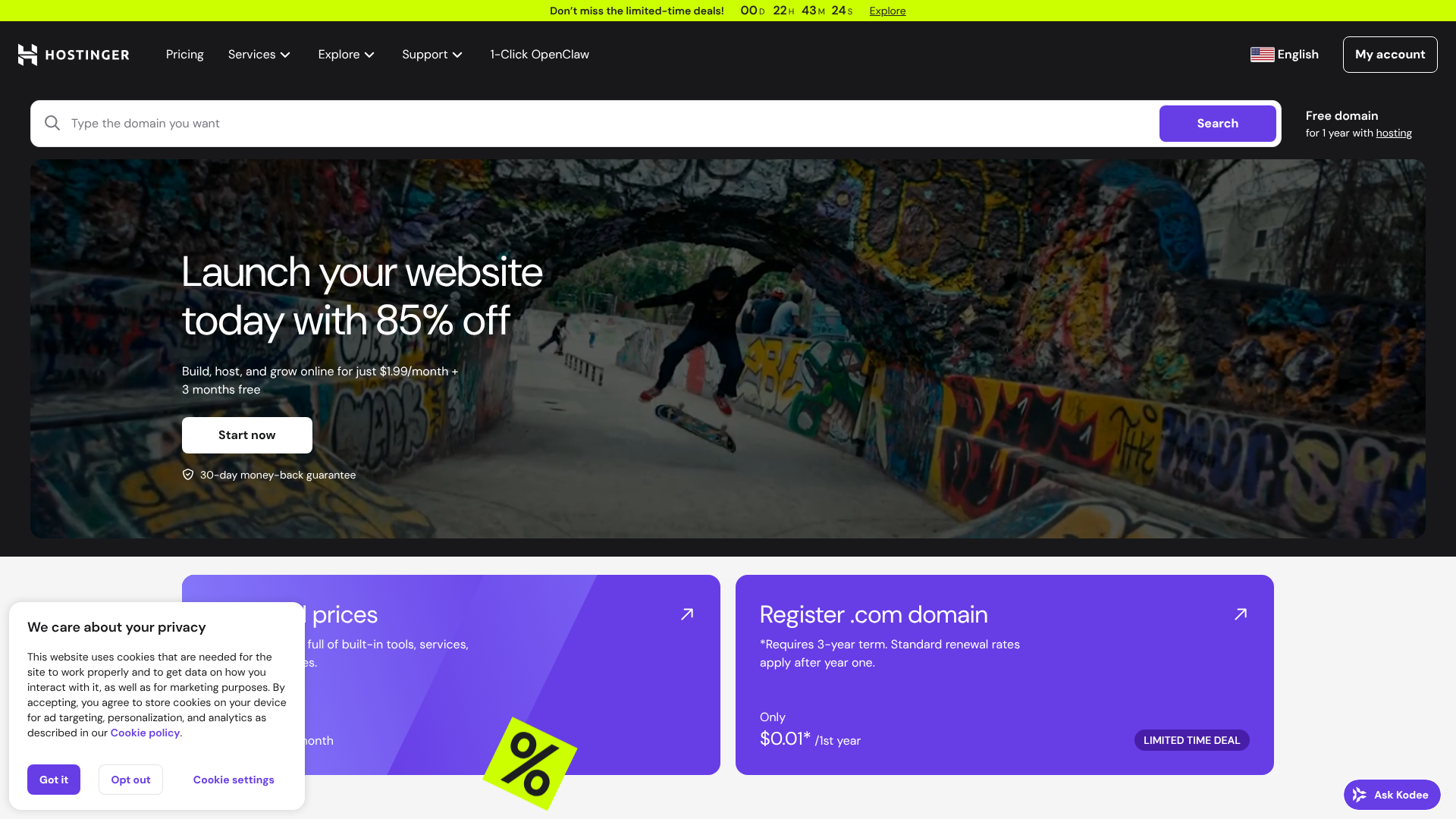
Hostinger has built a massive reputation for offering some of the lowest introductory prices in the industry without making significant compromises on quality. It's the ideal choice for anyone looking for maximum bang for their buck. Their entry-level plans often start at less than £2.50 per month for a long-term commitment, making it incredibly accessible.
Performance is a standout feature, with Hostinger using LiteSpeed web servers and built-in caching, which deliver faster load times than the traditional Apache servers used by many competitors. Their custom-built control panel, hPanel, is clean, intuitive, and easy to navigate, even for absolute beginners. It simplifies common tasks like installing WordPress and managing emails.
While their renewal rates are higher than the initial price, they remain very competitive. Hostinger provides a great all-around package that balances cost, speed, and user-friendliness better than almost anyone else in the budget hosting space.
Pros
- Extremely low introductory prices.
- Fast performance thanks to LiteSpeed servers and SSD storage.
- Modern and intuitive hPanel is great for beginners.
- 24/7 customer support via live chat.
Cons
- Renewal rates are significantly higher than the promotional price.
- The cheapest plan only includes one email account.
2. Namecheap: Best for Beginners and Domain Management
Originally known as a leading domain registrar, Namecheap has evolved into a formidable hosting provider, particularly for those new to building websites. Their hosting plans are straightforward and competitively priced, often including unmetered bandwidth and a free domain name with privacy protection.
One of Namecheap's biggest advantages is its user-friendly setup process and the standard inclusion of cPanel, which many users are already familiar with. This makes managing your website files and settings a breeze. They also offer a free website builder with their plans, allowing you to get a simple site online quickly without needing to code.
Their performance is reliable for small websites, and they offer a 100% uptime guarantee for some plans, which is a bold promise in the shared hosting market. If you want to manage your domains and hosting all in one place with a simple interface, Namecheap is an excellent choice.
Pros
- Very affordable plans with a free domain and privacy protection.
- User-friendly cPanel and an easy onboarding process.
- Strong uptime guarantee.
- Seamless integration with their popular domain registration services.
Cons
- Customer support can sometimes be slower than top competitors.
- Server speeds are solid but not the absolute fastest in the budget category.
3. Bluehost: Best for WordPress Integration
Bluehost is one of the most well-known names in web hosting and is one of only three providers officially recommended by WordPress.org. This deep integration with WordPress makes it an outstanding choice for bloggers and businesses who plan to use the world's most popular content management system (CMS).
Their onboarding process is tailored for WordPress users. After signing up, Bluehost automatically installs WordPress for you and guides you through a checklist to set up your site, including choosing a theme and installing essential plugins. Their custom dashboard simplifies WordPress management, putting all the key tools right at your fingertips.
While its prices are slightly higher than Hostinger's, Bluehost includes a free domain for the first year, a free SSL certificate, and 24/7 support. Their reliability and focus on making WordPress easy for beginners make them a top contender for anyone building a WordPress site.
Pros
- Officially recommended by WordPress.org.
- Automatic WordPress installation and a guided setup process.
- Clean, user-friendly dashboard tailored for WordPress.
- Free domain name for the first year.
Cons
- Renewal prices can be steep.
- They don't offer a monthly billing option on basic plans.
4. HostGator: Best for Flexibility and Scalability
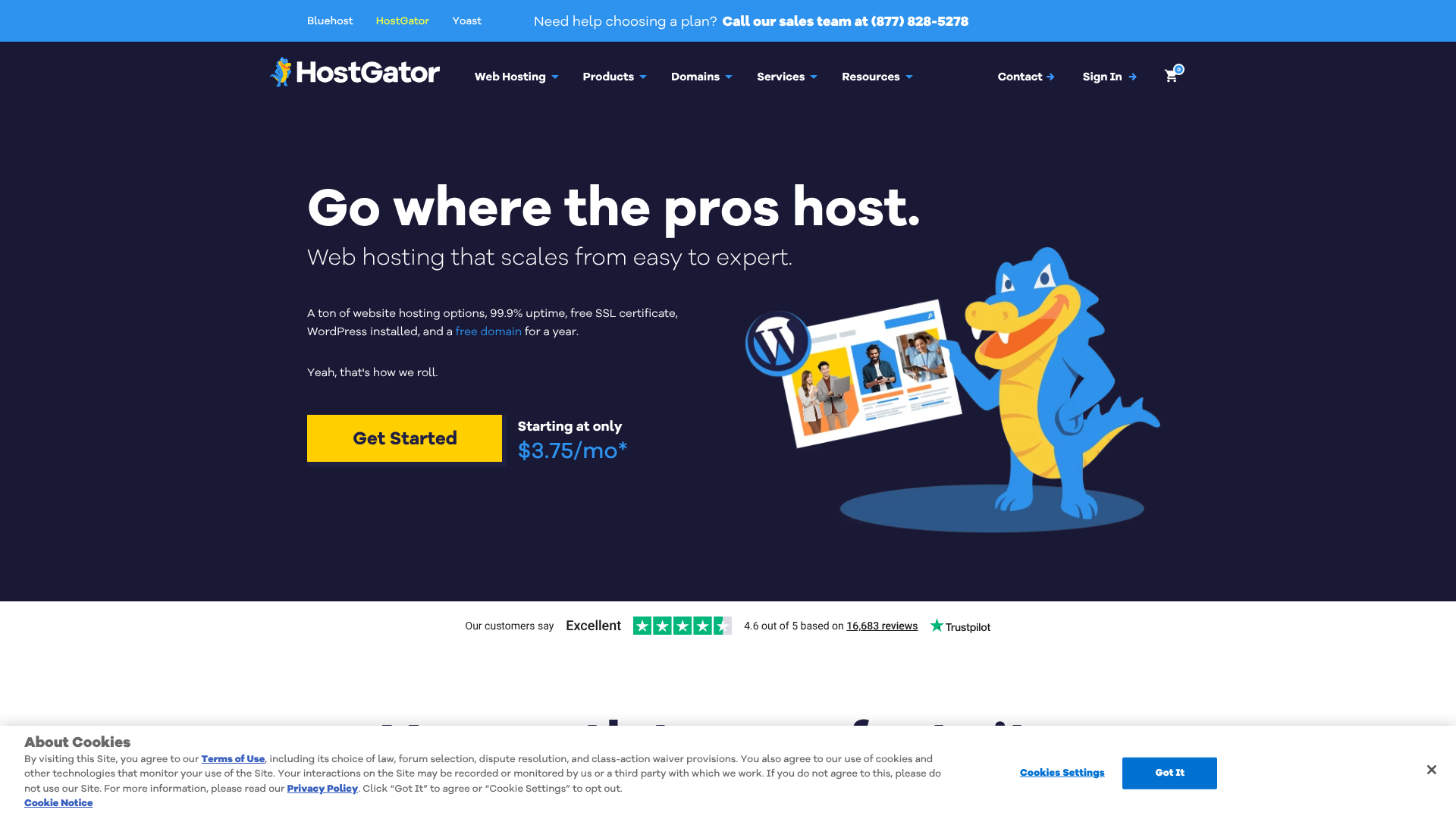
HostGator is another long-standing player in the hosting industry, known for its flexible plans and generous resource allocations. All of their shared hosting plans come with unmetered bandwidth and a free domain for the first year, giving you plenty of room to grow your site's traffic without worrying about hitting limits.
HostGator uses the standard cPanel, making it easy to manage your site. They also include a free website builder with hundreds of templates, which is a nice perk for those who want a simple drag-and-drop interface. One of their key strengths is the clear and easy upgrade path. As your site grows, you can easily move from a shared plan to a more powerful VPS or dedicated server within the HostGator ecosystem.
Their 45-day money-back guarantee is more generous than the industry-standard 30 days, giving you extra time to test their services. For users who anticipate future growth and want a host that can scale with them, HostGator is a reliable and flexible option.
Pros
- Generous plans with unmetered bandwidth.
- 45-day money-back guarantee.
- Easy to scale up to more powerful hosting plans.
- Includes a free website builder.
Cons
- The user interface feels a bit dated compared to some rivals.
- Renewal fees are a significant jump from the introductory offer.
5. SiteGround: Best Premium Features on a Budget

While SiteGround sits at the higher end of the "cheap" hosting spectrum, it earns its spot by offering premium-level features and performance at a price that is still accessible. If you have a slightly larger budget and prioritise speed and support above all else, SiteGround is an exceptional choice.
They run their platform on the Google Cloud infrastructure, which provides outstanding speed and reliability. They also develop their own performance-optimising software, like their SuperCacher technology and SG Optimizer plugin for WordPress, which work together to make websites load incredibly fast. Their customer support is widely regarded as one of the best in the business, with fast, expert help available 24/7.
SiteGround's plans include advanced features you won't find with most budget hosts, such as daily backups, proactive security monitoring, and a staging environment for testing changes to your site. It's the perfect option for small businesses or serious bloggers who want a more robust solution from the start.
Pros
- Exceptional performance and speed on Google Cloud Platform.
- Top-tier customer support that is fast and knowledgeable.
- Advanced features like daily backups and staging environments.
- Strong focus on security.
Cons
- Higher pricing and renewal rates than other budget hosts.
- Limited storage space on their entry-level plans.
6. Squarespace: Best All-in-One Website Builder with Hosting
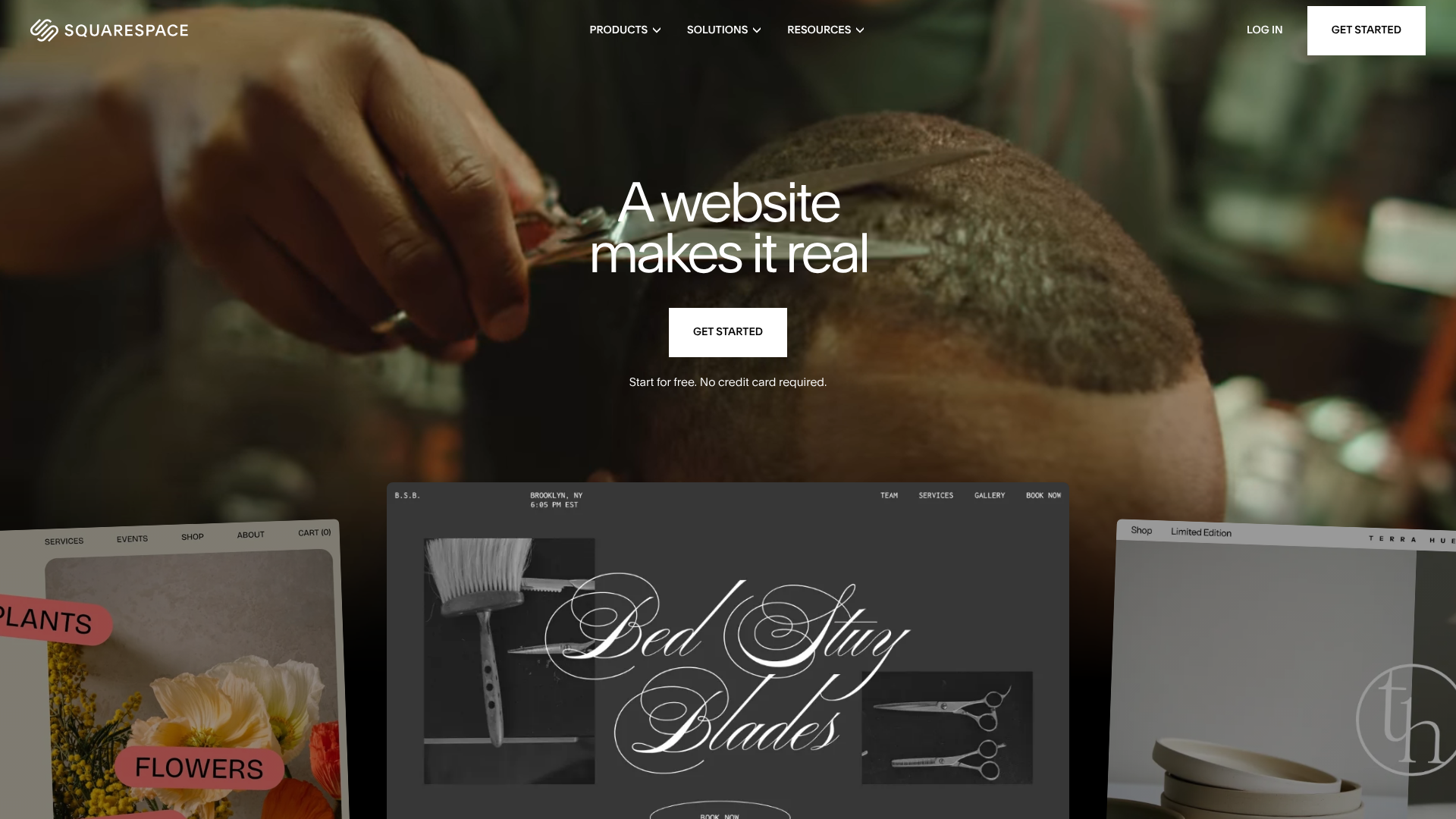
For those who find the idea of managing a hosting account and a separate CMS like WordPress daunting, an all-in-one website builder like Squarespace is a fantastic alternative. With Squarespace, hosting is included as part of the package. You don't need to worry about server management, security patches, or software installations; it's all handled for you.
Squarespace is famous for its beautiful, professionally designed templates and its powerful yet intuitive drag-and-drop editor. It's an excellent platform for creatives, photographers, artists, and small businesses who want a visually stunning website without writing a single line of code. All plans include unlimited bandwidth and storage, a free domain for the first year, and an SSL certificate.
While it offers less technical flexibility than a traditional host, its simplicity is its greatest strength. If your main goal is to create a beautiful, professional-looking website with minimal technical fuss, Squarespace provides a seamless and elegant solution.
Pros
- Beautiful templates and a powerful, easy-to-use site editor.
- Hosting, security, and updates are all managed for you.
- Excellent for portfolios, creative businesses, and online stores.
- All-in-one platform simplifies the website creation process.
Cons
- Less customisation and control compared to WordPress.
- You cannot move your site to another host if you decide to leave.
7. IONOS (Formerly 1&1): The Ultra-Budget Option
IONOS often appears in discussions about cheap web hosting due to its incredibly low introductory offers, sometimes as low as £1 per month for the first year. This makes it one of the most accessible entry points for getting a website online, especially for personal projects or testing new ideas.
Their plans typically include a free domain and a free SSL certificate, covering the basic necessities. They also offer a range of services beyond shared hosting, including VPS and dedicated servers, providing a path for future growth. IONOS operates its own data centres and focuses on providing reliable performance for its price point.
However, it's crucial to be aware of their renewal rates, which see a substantial increase after the initial term. While the first-year cost is minimal, the long-term cost can be comparable to or even higher than some competitors. It's a solid choice for those who need to minimise upfront costs, as long as they are prepared for the price change upon renewal.
Pros
- Extremely low introductory pricing, often just £1/month.
- Includes a free domain and SSL certificate.
- Reliable performance for the price.
Cons
- Very high renewal rates after the promotional period.
- The control panel can be less intuitive than cPanel or hPanel.
Cheap Web Hosting Pricing: A Head-to-Head Comparison
Choosing a host often comes down to the numbers. This table provides a quick overview of our top picks, focusing on the key pricing and feature details. Remember that introductory prices usually require a longer-term commitment (12-48 months).
| Feature | Hostinger | Namecheap | Bluehost | HostGator | SiteGround |
|---|---|---|---|---|---|
| Introductory Price | From ~£2.49/mo | From ~£1.50/mo | From ~£2.34/mo | From ~£2.98/mo | From ~£2.99/mo |
| Renewal Price | Check website | Check website | Check website | Check website | Check website |
| Free Domain? | Yes (1 year) | Yes (1 year) | Yes (1 year) | Yes (1 year) | No |
| Free SSL? | Yes | Yes | Yes | Yes | Yes |
| Control Panel | hPanel (Custom) | cPanel | Custom | cPanel | Site Tools (Custom) |
| Best For | Overall Value | Beginners | WordPress | Scalability | Performance |
Pro Tip: Don't be swayed by the monthly price alone. Calculate the total cost over the entire contract term, including the renewal. A slightly more expensive plan with a lower renewal rate might be cheaper in the long run.
The Hidden Catch: Understanding Renewal Rates
This is the single most important concept to grasp when shopping for budget web hosting. The eye-catchingly low prices advertised are almost always introductory offers designed to attract new customers. These rates are only valid for your first billing cycle, which could be one, two, or even four years. After that initial term ends, your plan will renew at the regular, non-promotional rate, which can be two to five times higher.
This is a standard industry practice, not a scam, but it can lead to sticker shock if you're not prepared. Before you finalise your purchase, always find the section of the checkout page that clearly states the renewal price. A host that offers a plan for £2/month might renew at £8/month. Another that starts at £3/month might only renew at £6/month.
In this scenario, the second option is the better long-term value.
Being aware of this allows you to make an informed decision. You can either budget for the higher renewal cost or plan to migrate your website to another host with a new introductory offer when your term is up. While migrating can be a hassle, it's a common strategy for those looking to keep their hosting costs as low as possible year after year.
The Pros and Cons of Using Low-Cost Hosting Services

Budget web hosting is a fantastic tool, but it's essential to understand both its strengths and limitations. Knowing these can help you decide if it's the right fit for your project and what to expect as your website grows.
Advantages of Budget Web Hosting
- Low Financial Barrier to Entry: The most obvious benefit is the cost. For just a few pounds a month, you can get a professional website online. This makes it possible for students, hobbyists, and new businesses to establish a web presence without significant upfront investment.
- Sufficient for New or Low-Traffic Sites: For a website that is just starting out, a shared hosting plan provides more than enough resources. You'll have ample storage for your files and enough bandwidth to handle hundreds or even thousands of visitors per month.
- Includes All Necessary Beginner Features: Good budget hosts don't skimp on the essentials. You'll get a free SSL certificate, one-click installers for apps like WordPress, an email account, and a control panel to manage everything easily.
- Easy to Get Started: These services are designed for beginners. The signup process is simple, and tools like one-click installers and website builders mean you can have a site up and running in under an hour, often with no technical skills required.
Potential Disadvantages to Consider
- Shared Resources: Because you're sharing server resources, a traffic surge on another website could potentially slow yours down. While providers work to isolate accounts, it's an inherent risk of the shared model.
- Slower Customer Support: While support is usually available 24/7, the response times on the cheapest plans might be slower. You may also find that the support agents are trained to handle general queries rather than complex technical issues.
- Limited Resources: Shared hosting plans come with strict limits on resources like CPU and RAM. If your site starts using too many resources due to high traffic or inefficient plugins, your host may ask you to upgrade to a more expensive plan.
- Aggressive Upselling: To make up for the low prices, some hosts will try to upsell you on additional services during the checkout process, such as advanced security, backup solutions, or SEO tools. Be sure to deselect any add-ons you don't need.
How to Choose the Right Budget Web Host for Your Needs
Selecting the perfect host involves more than just picking the cheapest option. It's about finding the provider that best aligns with your specific goals, technical comfort level, and future growth plans. Follow these steps to make a confident choice.
Step 1: Assess Your Website's Requirements
First, think about the type of website you're building. A simple one-page portfolio has very different needs from a blog you plan to update weekly or a small e-commerce store with a few dozen products. Consider how much storage you'll need for images and files, and estimate your potential traffic. If you plan to use a specific application like WordPress or Magento, ensure the host's environment is optimised for it.
Step 2: Read Reviews and Check Uptime Records
Don't just rely on the marketing claims on a host's website. Look for recent, independent reviews from trusted tech sites and real users on platforms like Trustpilot or Reddit. These can provide valuable insights into a host's true performance and support quality. Some third-party services also publicly track the uptime of major hosting providers, giving you an unbiased look at their reliability.
Step 3: Test Their Customer Support
Before you commit your money, test their support. Use the pre-sales live chat feature on their website to ask a couple of questions. You could ask about their server locations, their policy on resource usage, or what security features are included in their basic plan. This simple test will tell you a lot about their response time, professionalism, and the knowledge level of their support team.
Step 4: Scrutinise the Fine Print
This is where you avoid future surprises. Carefully read the terms of service, paying close attention to the renewal rates, the money-back guarantee policy, and any restrictions on resource usage. What does "unlimited" or "unmetered" really mean. Usually, there's a fair use policy attached.
Understanding these details upfront ensures you know exactly what you're signing up for.
Frequently Asked Questions (FAQ)
Can I host a business website on cheap hosting?
Absolutely. For most small businesses, a quality shared hosting plan is a perfect and cost-effective solution. It provides all the necessary resources to run a professional website, including business email addresses. As your business and website traffic grow, you can easily upgrade to a more powerful plan like a VPS.
Is free web hosting a good idea?
Generally, no. Free hosting services are extremely limited and often come with significant downsides. These can include forced ads on your site, very slow performance, no customer support, and poor security. The small monthly cost of a reputable budget host is a worthwhile investment for a serious project.
How much should I expect to pay for budget web hosting?
You can find quality budget web hosting for between £1 and £5 per month for an introductory term. The price depends on the length of your commitment, with longer terms offering the lowest monthly rate. Remember to factor in the renewal cost, which will typically be in the range of £5 to £12 per month.
Will my website be slow on a cheap hosting plan?
Not necessarily. While shared hosting won't be as fast as a dedicated server, the best cheap web hosting sites use modern technology like SSDs, LiteSpeed servers, and caching to deliver excellent performance. For a new website with low to moderate traffic, you should experience perfectly acceptable load times.
Can I upgrade my cheap hosting plan later?
Yes, all reputable hosting providers make it easy to upgrade your plan. As your website grows in traffic and requires more resources, you can typically upgrade from a basic shared plan to a higher-tier shared plan or even a VPS with just a few clicks from your hosting dashboard. This scalability is a key feature to look for.
Final Thoughts: Finding the Best Value in Web Hosting
Choosing from the many cheap web hosting sites on the market doesn't have to be a gamble. By focusing on value rather than just the lowest price tag, you can find a provider that delivers a fast, reliable, and user-friendly experience. The key is to look beyond the headline price and consider the factors that truly matter: uptime, speed, support, and transparent renewal costs.
For most users starting a new project, a provider like Hostinger offers an unbeatable combination of price and performance. Its modern infrastructure and intuitive interface make it easy to get started and grow. If your primary focus is building a WordPress site, the specialised tools and seamless integration offered by Bluehost make it an excellent and reliable choice.
Ultimately, the best affordable web hosting is the one that meets your current needs while giving you the flexibility to expand in the future. By using this guide to assess your options, you can confidently launch your website on a solid foundation without stretching your budget.