

How to Master Cover Page Design for Assignment: A Student's Guide
Your assignment's cover page is the first thing your lecturer sees. It’s the handshake before the conversation, setting the stage for the hard work you've put into the content. A clear, professional, and well-executed cover page design for an assignment signals attention to detail and academic seriousness, while a sloppy one can create a poor first impression before a single word is even read. This guide will walk you through everything you need to know to create a title page that is both informative and impressive.
- What You'll Learn
- Why Your Assignment Cover Design Matters More Than You Think
- The Essential Anatomy of an Assignment Title Page
- Mastering Visuals: Colour and Typography for Your Cover Page
- Step-by-Step Guide: Creating a Cover Page in Microsoft Word
- For the Pros: Designing a Cover Page in Adobe InDesign
- The Smart Shortcut: Using Templates for Your Cover Page Layout
- 7 Tips to Make Your Cover Page Design Stand Out (Professionally)
- Using Images and Graphics: A Guide to Getting It Right
- Global Perspectives: Cultural Considerations in Design
- Inspiration Gallery: Examples of Effective Cover Page Designs
- 1. The Minimalist Professional
- 2. The Modern Grid
- 3. The Subtle Branding
- 4. The Thematic (Use with Caution)
- Frequently Asked Questions about Assignment Cover Pages
- How do I make a nice cover page for an assignment?
- What is the ideal assignment cover layout?
- What are common cover page mistakes?
- Should an assignment cover page be colourful?
- Can AI help design a cover page?
- Final Thoughts
We'll cover the essential elements every cover page needs, explore design principles like colour and typography, and provide step-by-step instructions for creating your layout in common software. Whether you're aiming for minimalist professionalism or a touch of creative flair, you'll find the tools and tips here to get it right. By mastering your assignment cover design, you ensure your work is presented in the best possible light from the very beginning.
What You'll Learn
- The Core Components: Understand the non-negotiable elements every assignment title page must include, from the assignment title to your student ID.
- Design Fundamentals: Learn how to use colour, typography, and layout to create a visually appealing and professional cover page.
- Software How-Tos: Get step-by-step guidance on creating cover pages in popular software like Microsoft Word and Adobe InDesign.
- Common Pitfalls: Discover the most frequent mistakes students make in their cover page design and how to avoid them to maintain a professional look.
- Inspiration and Examples: See examples of effective cover page layouts to inspire your own designs and understand what works best in an academic context.
Why Your Assignment Cover Design Matters More Than You Think
It's easy to dismiss the cover page as a mere formality, a box-ticking exercise before you get to the 'real' work. However, this perspective overlooks its crucial role in academic presentation. The assignment cover design is your project's first impression, and in academia, impressions carry significant weight. It immediately communicates a level of professionalism and respect for the work you are submitting.
A thoughtfully designed cover page demonstrates that you care about the entire presentation, not just the content. It suggests meticulousness, organisation, and a serious approach to your studies. A lecturer marking dozens of papers will subconsciously notice a clean, well-structured assignment title page. It makes their job easier by presenting all necessary information clearly and logically, which is always appreciated.
Furthermore, the cover page sets the tone for the document. A minimalist, clean design might suggest a formal, analytical paper, while a cover page for a creative project could incorporate relevant, subtle imagery. It frames the reader's expectations and prepares them for the content within. Neglecting it is a missed opportunity to start on a strong, positive note.
The Essential Anatomy of an Assignment Title Page

A successful cover page layout provides all the necessary information at a glance. While specific requirements can vary between institutions and even departments, a standard academic cover page includes several key elements. Always check your university's style guide or your module handbook first, but if no specific instructions are given, these components form a reliable foundation.
Here are the essential elements to include:
- Assignment Title: This should be the most prominent element on the page. It needs to be clear, concise, and accurately reflect the content of your work. Use a larger font size to make it the focal point.
- Your Full Name: State your name clearly. There should be no ambiguity about who submitted the work.
- Student Identification Number: Your student ID is a crucial identifier, especially in large courses. It ensures your work is correctly logged and tracked within the university's system.
- Course Name and Code: Include the full name of the course or module (e.g., "Introduction to Marketing") and its official code (e.g., "MKT101"). This helps with administrative sorting.
- Lecturer's or Tutor's Name: Acknowledging the recipient of the work is a professional courtesy. Ensure you have the correct spelling and title (e.g., Dr., Prof.).
- Submission Date: The date you are submitting the assignment. This is vital for tracking deadlines and ensuring your work is considered on time.
- University and Department Name: Clearly state your institution and the relevant department or faculty (e.g., "University of Manchester, School of Social Sciences").
Organising these elements with a clear visual hierarchy is key. The title should be the largest, followed by your name, with the other details presented in a smaller, yet still readable, font size.
Mastering Visuals: Colour and Typography for Your Cover Page
Beyond the required information, the visual elements of your cover page—colour and typography—play a huge role in its overall effectiveness. The goal is to enhance readability and professionalism, not to distract from the content. A tasteful and restrained approach is almost always the best strategy for an academic assignment cover design.
Choosing the Right Colour Palette
Colour can instantly set a mood, but in an academic context, less is more. A black-and-white or greyscale design is a safe and eternally professional choice. It ensures clarity and prints perfectly without any issues.
If you do wish to incorporate colour, consider these guidelines:
- Use Your University's Colours: A subtle and effective way to add colour is to use your institution's official branding colours. This shows institutional pride and maintains a professional connection. You might use one of the colours for the title or a thin border line.
- Stick to Muted Tones: Avoid bright, neon, or overly saturated colours. Deep blues, burgundies, forest greens, or muted greys can add a touch of sophistication without being jarring.
- Limit Your Palette: Don't use more than one or two complementary colours. A simple palette looks more deliberate and less chaotic. The primary goal is to support the information, not to create a piece of art.
Selecting Fonts That Communicate Clarity
The font you choose has a significant impact on how your cover page is perceived. The top priority is readability. Your lecturer shouldn't have to squint or struggle to read any of the essential information.
Here are some typography tips:
- Choose Professional Fonts: Stick to classic, widely accepted fonts. For a traditional, authoritative feel, use serif fonts like Times New Roman, Garamond, or Georgia. For a modern, clean look, use sans-serif fonts like Arial, Helvetica, or Calibri.
- Avoid Cursive or Decorative Fonts: These are difficult to read and can come across as unprofessional or juvenile in an academic setting. Save them for personal creative projects.
- Create Hierarchy with Size and Weight: You don't need multiple fonts to create an effective design. Instead, use different sizes and weights (e.g., bold, regular) of the same font family. Your title should be the largest, your name slightly smaller, and the administrative details smaller still.
- Ensure Consistency: The font you use on your cover page should ideally be the same as, or complementary to, the font used in the main body of your assignment. This creates a cohesive and polished document.
Step-by-Step Guide: Creating a Cover Page in Microsoft Word
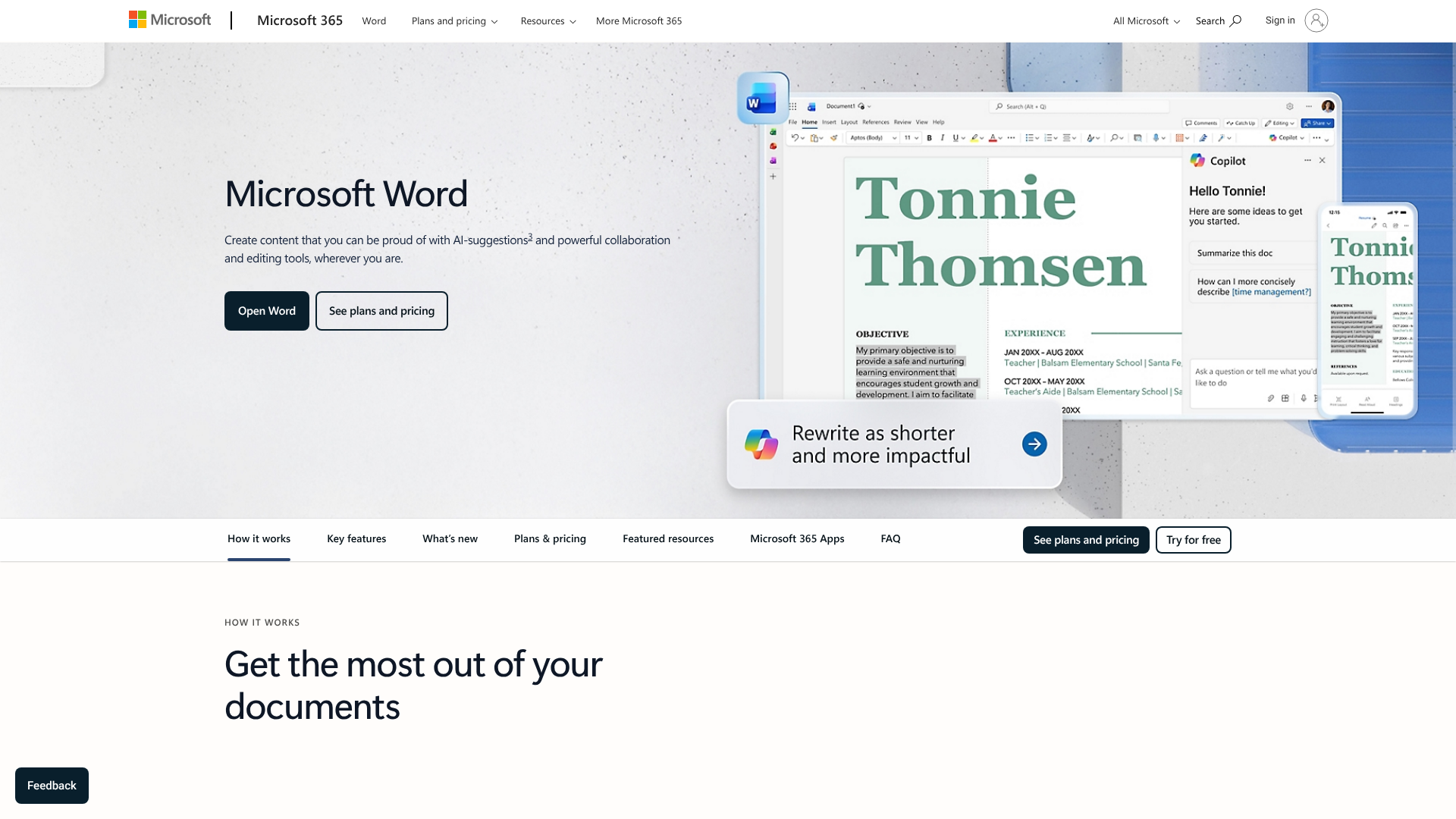
Microsoft Word is the most common tool for writing assignments, and it has powerful, easy-to-use features for creating a professional cover page. You can create a great-looking assignment title page in just a few minutes. Here’s a simple, step-by-step guide.
Use the Built-in Cover Page Feature: The quickest way is to use one of Word's pre-designed templates. Go to the Insert tab on the ribbon. On the far left, click the Cover Page button. A dropdown menu will appear with a gallery of professional designs. Simply click one to insert it as the first page of your document.
Customise the Template: Once inserted, the template will have placeholder fields like
[Document Title]and[Author]. Click on each field and type in your own information. You can also change the colours and fonts by using the Design tab.Create a Manual Cover Page: If you prefer more control, you can design one from scratch. Start with a blank page at the beginning of your document. Use the Center Align tool from the Home tab to centre your text.
Establish Hierarchy: Type your assignment title and increase its font size significantly (e.g., 24-30pt) and make it bold. Press Enter several times to create space, then type your name in a smaller size (e.g., 16pt). Add the rest of the required information (course name, date, etc.) at the bottom of the page in a standard size (e.g., 12pt).
Use Text Boxes for Precision: For an even more polished look, you can use text boxes. Go to Insert > Text Box. This allows you to place blocks of text exactly where you want them on the page without being constrained by standard line spacing. You can then remove the border by right-clicking the text box, selecting Format Shape, and setting the Line to "No line".
Pro Tip: Once you've created a cover page layout you like, save it as a template for future use. Go to File > Save As, choose a location, and in the "Save as type" dropdown menu, select Word Template (.dotx). Now you can reuse your custom design for every assignment.
For the Pros: Designing a Cover Page in Adobe InDesign
For students in design, media, or architecture, or for anyone wanting ultimate control over their document's presentation, Adobe InDesign is the industry-standard tool. While it has a steeper learning curve than Word, it offers unparalleled precision in typography and layout. Creating an assignment cover design in InDesign allows you to work with grids, guides, and advanced text controls for a truly professional result.
Why use InDesign for a cover page? The primary reason is control. InDesign is built for page layout, meaning you can position elements with pinpoint accuracy. You can create sophisticated grid systems to ensure perfect alignment, manage colour swatches professionally, and control typographic details like kerning, tracking, and leading with a level of detail that Word cannot match.
Here’s a high-level workflow for creating a cover page in InDesign:
- Set Up Your Document: Create a new document with the correct page size (usually A4) and set your margins. A generous margin (e.g., 20-25mm) creates a clean, uncluttered frame for your content.
- Create a Grid: Use the Layout > Create Guides feature to establish a simple column grid. Even a two or three-column grid can help you align text elements consistently, creating a sense of order and professionalism.
- Place Your Text: Use the Type Tool (T) to create text frames for each piece of information (title, name, course details). Keeping each element in its own frame gives you the flexibility to move them around independently.
- Refine Typography: Open the Character and Paragraph panels (Window > Type & Tables) to fine-tune your fonts. Adjust the font size, weight, and leading (the space between lines of text) to create a clear visual hierarchy. Ensure your main title has the most visual weight.
- Add Subtle Graphic Elements: You can use the Line Tool or Rectangle Tool to add simple, clean graphic elements like a horizontal rule or a coloured block. Ensure these elements are subtle and serve to structure the page rather than distract from it.
- Export as a PDF: Once your design is complete, export it as a high-quality PDF (File > Export > Adobe PDF (Print)). You can then either submit this PDF directly or merge it with the PDF of your main assignment written in another program.
Using InDesign is overkill for many disciplines, but for those where presentation is paramount, it is the superior tool for crafting a flawless assignment title page.
The Smart Shortcut: Using Templates for Your Cover Page Layout

In the rush to meet deadlines, creating a cover page from scratch might feel like an unnecessary burden. This is where templates come in. A well-designed template provides a professional framework, saving you time and ensuring you include all the necessary information in a clean, organised format. Many online platforms and software programs offer a vast library of templates suitable for academic work.
Platforms like Canva and Adobe Express are incredibly popular for a reason. They offer thousands of free, customisable cover page templates designed by professionals. You can search for specific styles, such as "minimalist report cover" or "academic title page," and then easily edit the text, colours, and fonts to match your needs. The drag-and-drop interface makes it accessible even for those with no design experience.
Microsoft Word and Google Docs also come with their own built-in template galleries. As mentioned earlier, Word's Insert > Cover Page function is a quick and effective option. Similarly, Google Docs has a template gallery that includes several options for reports and essays, which can be easily adapted for any assignment.
However, there are a few things to keep in mind when using templates. Firstly, always prioritise clarity and professionalism over flashy designs. Some templates are designed for marketing brochures, not academic papers, so choose one with a clean layout and readable fonts. Secondly, be aware that many other students might be using the same popular templates.
To make yours unique, take a few moments to change the default colours or adjust the font sizes to create a more personalised, yet still professional, look.
7 Tips to Make Your Cover Page Design Stand Out (Professionally)
Creating a cover page that looks good is one thing; creating one that looks professional and stands out for the right reasons is another. It’s about striking a balance between aesthetics and academic convention. Here are seven tips to elevate your assignment cover design from standard to exceptional.
Embrace White Space: The most common design mistake is clutter. Don't feel the need to fill every inch of the page. White space (or negative space) is the empty area around your text and graphics. Using it generously helps guide the eye, improves readability, and creates a sense of calm and sophistication.
Establish a Clear Visual Hierarchy: Your reader's eye should be drawn to the most important information first. The assignment title should be the most dominant element, followed by your name. Use size, weight (bold vs. regular), and position to create this hierarchy. Place the most important information at the top or centre of the page.
Maintain Consistency: Your cover page should feel like it belongs to the rest of your assignment. Use the same primary font and a consistent colour scheme (if any). This creates a cohesive document that looks polished and thoughtfully assembled.
Use Subtle Design Elements: You don't need loud graphics to make an impact. A simple, thin horizontal line to separate sections, a subtle page border, or your university's logo placed discreetly in a corner can add a touch of class without being distracting.
Proofread Meticulously: A typo on your cover page is a terrible first impression. Double-check the spelling of your title, your lecturer's name, and the course code. It’s the easiest place to make a mistake and the most damaging.
Let the Subject Matter Guide You: The design can subtly reflect the topic of your assignment. For a history paper, a classic serif font might be appropriate. For a paper on modern architecture, a clean, sans-serif font and a minimalist grid layout would feel more suitable.
Get Feedback: Before you finalise your design, show it to a classmate or friend. Ask them if the information is clear and if it looks professional. A fresh pair of eyes can often spot issues you've overlooked.
Using Images and Graphics: A Guide to Getting It Right
Incorporating images or graphics into your cover page layout is a tempting idea, but it's a path that requires careful navigation. A well-chosen image can add a powerful thematic element, but a poor choice can look unprofessional and detract from your work. The key is relevance and subtlety.
When to Use Images
Images are most appropriate for assignments in creative or visual fields like art history, marketing, design, or media studies. If you choose to use an image, it must be directly relevant to your topic. For example, a paper on the Bauhaus movement could feature a subtle, high-quality photograph of a piece of Bauhaus architecture.
Always ensure the image is of high resolution. A pixelated or blurry image looks sloppy and undermines the professionalism of your entire document. Furthermore, the image should not overpower the text. It should serve as a background element or be placed in a way that complements, rather than competes with, the title and other essential information.
When to Avoid Images
For most traditional academic disciplines—such as law, philosophy, literature, or the hard sciences—it is best to avoid images altogether. In these contexts, a text-only cover page is the standard and expected format. A purely typographic design communicates seriousness and focus on the written content, which is precisely the right tone.
If you are ever in doubt, the safest and most professional option is to omit images. A clean, well-executed typographic cover page will never be marked down, but an inappropriate or low-quality image certainly could be. Always adhere to any specific guidelines provided by your department; if they say "no images," then the decision is made for you.
Using Logos and Abstract Shapes
A safer middle ground is to use simple graphic elements instead of photographs. Your university's official logo, placed discreetly in the header or footer, is almost always an acceptable and professional choice. You could also use simple geometric shapes or lines to help structure the page. For instance, a thin, coloured bar behind the title can add a touch of modern design without being distracting.
Global Perspectives: Cultural Considerations in Design
In an increasingly globalised academic world, it's valuable to be aware that design principles are not always universal. What is considered a clean and professional design in one culture might be seen as stark or boring in another. While you should primarily adhere to the standards of the institution where you are studying, understanding these differences is a mark of a well-rounded and culturally aware student.
Colour symbolism, for instance, varies dramatically across the globe. In Western cultures, white often symbolises purity and minimalism, making it a popular choice for clean design. However, in many East Asian cultures, white is associated with mourning. Similarly, red might signify warning or danger in the West, but it represents luck and prosperity in China.
Layout conventions can also differ. For example, some languages are read from right to left, such as Arabic and Hebrew, which fundamentally changes the visual flow of a page. The concept of visual hierarchy—what the eye is drawn to first—can be influenced by these reading patterns. While you will likely be submitting your work in English, being mindful of these variations is important, especially in fields like international business or cross-cultural communication.
When designing a cover page for an international audience or on a topic related to a specific culture, it shows a high level of respect and diligence to research the visual conventions of that culture. This doesn't mean you should create a pastiche, but rather that you should be sensitive to potential misinterpretations. For most university assignments, sticking to the clean, minimalist, and information-first principles of Western academic design is the safest bet, but awareness of the broader context is always a valuable asset.
Inspiration Gallery: Examples of Effective Cover Page Designs
Seeing examples is one of the best ways to understand what makes a cover page design successful. A great design is not about being flashy; it's about clarity, organisation, and professionalism. Below are descriptions of several effective styles you can adapt for your own assignments. For more visual ideas, the video provides some excellent aesthetic inspiration.
1. The Minimalist Professional
This is the gold standard for most academic work. It features a text-only layout on a white background. The design relies entirely on strong typography and generous white space. The title is large and centred at the top, your name is below it, and all other course information is neatly aligned at the bottom of the page.
The font is a classic serif like Garamond or a clean sans-serif like Helvetica. It is simple, timeless, and impossible to get wrong.
2. The Modern Grid
This style uses an underlying grid to align text in a more dynamic way. For instance, the title might be left-aligned in the top third of the page, while your details are right-aligned in the bottom third. This asymmetrical balance creates a modern, sophisticated look often seen in design and architecture portfolios. It requires a bit more care with alignment but can result in a very polished and deliberate assignment cover design.
3. The Subtle Branding
This approach incorporates elements of your university's brand identity. You might place the university logo discreetly in the header or use one of the university's official colours for the title text or a single horizontal rule. This style shows institutional pride and creates a formal, report-like feel. It connects your individual work to the wider academic institution.
4. The Thematic (Use with Caution)
For creative subjects, a thematic cover page can be effective. This involves using a relevant high-quality image or a specific colour palette that reflects your topic. For a marketing plan for a sustainable brand, you might use earthy green tones. For an analysis of a film, you might use a muted, high-resolution still.
This approach is the riskiest and should only be used when you are confident it is appropriate for your course and executed tastefully.
Pro Tip: Create a few different versions of your cover page. Experiment with different font sizes, alignments, and spacing. Look at them side-by-side and see which one communicates the information most clearly and professionally. Often, the simplest version is the most effective.
Frequently Asked Questions about Assignment Cover Pages
Here are answers to some of the most common questions students have about designing an effective cover page.
How do I make a nice cover page for an assignment?
To make a nice cover page, focus on three things: clarity, hierarchy, and simplicity. Ensure all required information is present and easy to read. Create a clear visual hierarchy where the title is the most prominent element. Finally, keep the design simple and professional by using plenty of white space and a clean, readable font.
Avoid clutter, distracting images, and unprofessional fonts.
What is the ideal assignment cover layout?
The ideal layout is one that is clean and logical. A common and effective approach is to centre-align the main information. Place the assignment title in the upper half of the page, your name below it, and the other details (course code, lecturer's name, date) grouped together at the bottom-centre or bottom-left of the page. This creates a balanced and easy-to-scan document.
What are common cover page mistakes?
The most common mistakes include typos, missing information (like a student ID or date), using unprofessional fonts (like Comic Sans or cursive scripts), and creating a cluttered layout with too many colours or distracting images. Another frequent error is making the font size for all text elements too similar, which results in a lack of visual hierarchy and makes the page hard to read at a glance.
Should an assignment cover page be colourful?
Generally, it's best to be conservative with colour. A black-and-white design is always a safe and professional choice. If you do use colour, use it sparingly and with purpose. A single accent colour, perhaps taken from your university's official branding, can add a touch of sophistication.
Avoid bright, neon, or multiple competing colours, as they can look unprofessional.
Can AI help design a cover page?
Yes, AI tools can be a helpful starting point. AI-powered design platforms like Microsoft Designer or Canva's Magic Design can generate template ideas based on a text prompt like "create a professional academic title page for a history essay." These tools can provide you with a solid layout and font pairing, which you can then customise with your specific details. However, always review the AI-generated design to ensure it meets your university's requirements and looks professional.
Final Thoughts
A well-crafted cover page design for an assignment is more than just a procedural step; it's an integral part of your academic presentation. It's your first and best opportunity to signal professionalism, attention to detail, and respect for the work you've produced. By focusing on clarity, hierarchy, and simplicity, you can create a title page that effectively frames your content and makes a positive impression on your marker.
Remember to always check for specific guidelines from your university or department first. When in doubt, a clean, minimalist, and text-focused design is the most reliable path to success. The skills you develop in presenting information clearly and professionally will serve you well not only throughout your academic career but also in your future profession.