

Zoho CRM vs HubSpot CRM: Which is Best for Your Business in 2026?
Choosing the right Customer Relationship Management (CRM) platform is a pivotal decision for any business aiming for growth. In the crowded CRM market, two names consistently rise to the top: Zoho and HubSpot. The Zoho CRM vs HubSpot CRM debate is a common one in boardrooms and team meetings because both platforms offer powerful tools, but they cater to different needs, philosophies, and budgets. Making the right choice requires a deep comparison of their core strengths and weaknesses.
- What to Know
- Zoho CRM vs HubSpot CRM: At a Glance
- An Introduction to the Contenders: HubSpot and Zoho
- Core Feature Comparison: What Can They Actually Do?
- Pricing and Value: Zoho CRM vs HubSpot CRM
- User Interface and Experience: A Clear Winner?
- Integrations and Compatibility: Building Your Tech Stack
- Who Is It For? Target Audience and Use Cases
- Strengths and Weaknesses: A Final Tally
- Frequently Asked Questions (FAQ)
- Which CRM is better, Zoho or HubSpot?
- What are the cons of Zoho CRM?
- Which CRM is best for beginners?
- What are the cons of HubSpot CRM?
- Is Zoho CRM actually free?
- Final Thoughts: Making the Right Choice
This guide breaks down everything you need to know. We'll compare their features, analyse their pricing structures, evaluate the user experience, and help you understand which platform is truly the best fit for your specific business goals. Whether you're a startup focused on user-friendly marketing or an established business needing deep customisation, this analysis will provide the clarity you need.
What to Know
- HubSpot for Ease of Use: HubSpot CRM is renowned for its incredibly intuitive and clean user interface, making it the ideal choice for teams that prioritise ease of use and quick adoption. Its strength lies in aligning sales and marketing teams through its inbound methodology.
- Zoho for Customisation & Value: Zoho CRM offers extensive customisation options and a broader suite of business applications at a more affordable price point. It's a powerful choice for businesses that need a tailored solution and want an all-in-one ecosystem.
- Pricing Models Differ Significantly: HubSpot uses a freemium model that can become expensive quickly as your contact list grows and you need more advanced features. Zoho offers more predictable per-user pricing that provides better value for larger teams.
- Ecosystem Philosophy: HubSpot is an all-in-one marketing, sales, and service platform. Zoho aims to be an all-in-one business platform, with its Zoho One suite covering everything from finance and HR to CRM.
Zoho CRM vs HubSpot CRM: At a Glance
Before we dive deep, here is a high-level overview of how these two CRM giants stack up against each other.
| Feature | HubSpot CRM | Zoho CRM |
|---|---|---|
| Best For | Inbound marketing, ease of use, sales & marketing alignment | Deep customisation, budget-conscious businesses, all-in-one business suite |
| User Interface | Modern, clean, and highly intuitive | Functional and powerful, but can have a steeper learning curve |
| Free Plan | Very generous free tools for unlimited users | Free for up to 3 users, with a solid feature set |
| Pricing Model | Freemium; paid plans scale with contacts and features | Per-user, per-month; generally more affordable at scale |
| Key Strength | A seamless, integrated platform for marketing, sales, and service | A vast ecosystem of 50+ business apps (Zoho One) |
| Integrations | 1,000+ apps in its marketplace | 1,000+ apps, plus native integration with the entire Zoho suite |
An Introduction to the Contenders: HubSpot and Zoho
Understanding the core philosophy behind each platform is key to grasping their differences. They aren't just collections of features; they represent two distinct approaches to managing customer relationships and business operations.
What is HubSpot CRM?
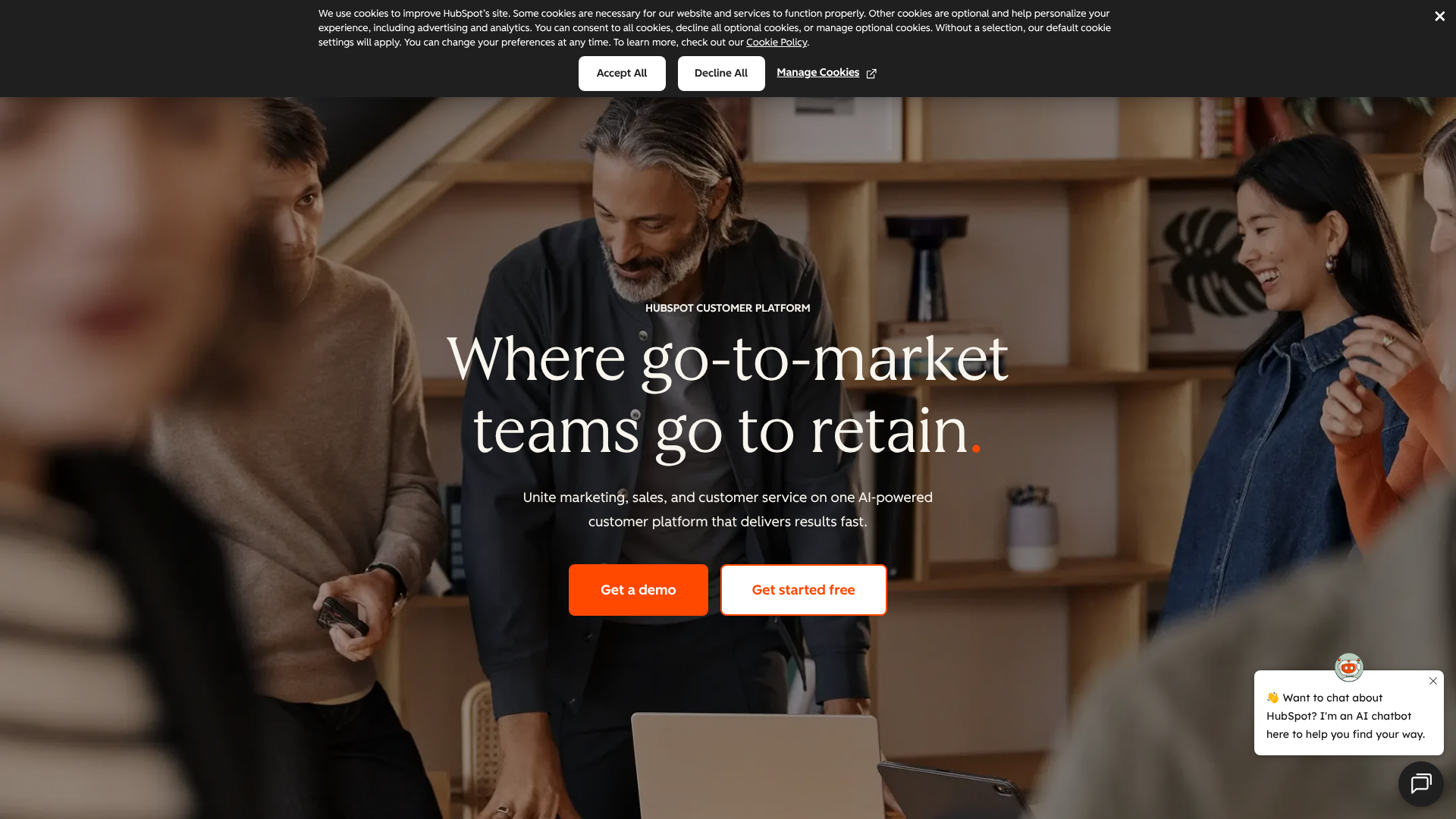
HubSpot built its reputation on the concept of inbound marketing—attracting customers with valuable content and experiences tailored to them. The HubSpot CRM platform is the engine that powers this methodology. It's designed as an all-in-one solution that combines marketing, sales, customer service, content management, and operations into a single, unified system.
The core idea is to eliminate friction for your customers and your internal teams. By having all customer data and interactions in one place, your marketing team can generate better leads, your sales team can have more contextual conversations, and your service team can provide superior support. Its user-friendliness is its main selling point, designed to get teams up and running with minimal training.
What is Zoho CRM?
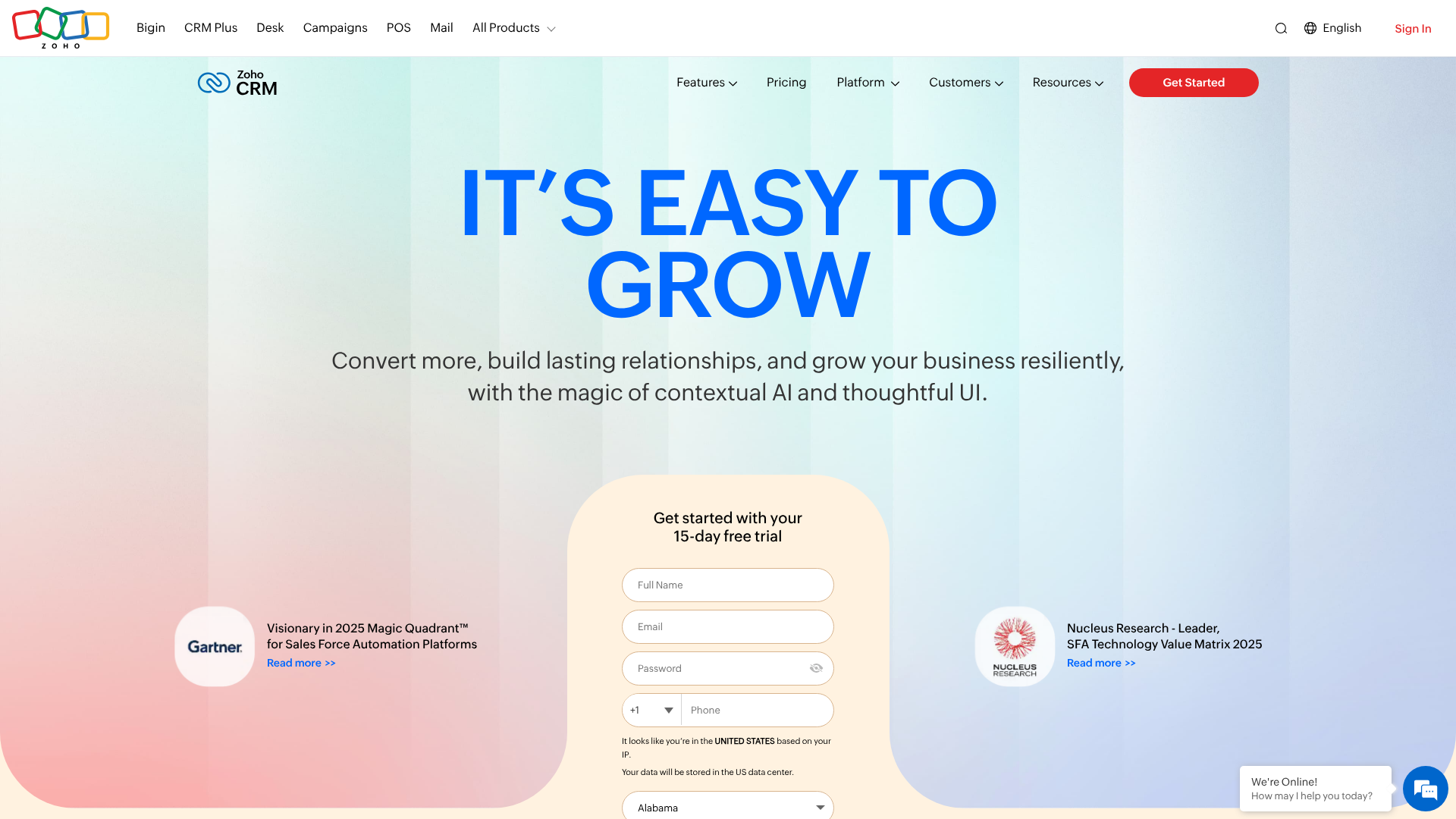
Zoho's philosophy is broader. While HubSpot focuses on the front-office functions of marketing and sales, Zoho aims to be the operating system for your entire business. Zoho CRM is the centrepiece of a massive suite of over 50 applications known as Zoho One, which covers everything from finance and HR to project management and business intelligence.
This makes Zoho CRM an incredibly powerful and scalable option. It’s built for businesses that need more than just a CRM; they need a connected web of tools to run their operations. Its main selling point is its unparalleled customisation and value for money. You can tailor almost every aspect of the CRM to fit your unique business processes, often at a fraction of the cost of its competitors.
Core Feature Comparison: What Can They Actually Do?
Both platforms cover the essential CRM functionalities, but their approach and depth of features vary significantly. Here’s a breakdown of the key features in this Zoho vs HubSpot showdown.
Key Features of HubSpot CRM
HubSpot organises its features into "Hubs" (Marketing, Sales, Service, CMS, Operations). The CRM platform is the free foundation that connects them all.
- Contact & Lead Management: HubSpot provides a single, clean timeline of every interaction a contact has had with your company—from page views and form submissions to email opens and sales calls. This 360-degree view is invaluable for sales and service teams.
- Deal Pipeline Management: The visual drag-and-drop deal pipeline is a standout feature. It allows sales teams to easily track opportunities as they move through different stages, helping to forecast revenue and identify bottlenecks.
- Marketing Automation: On its paid plans, HubSpot's visual workflow builder is powerful yet easy to use. You can create sophisticated email nurture sequences, automate lead scoring, and manage internal tasks without needing a developer.
- Reporting and Analytics: HubSpot offers pre-built dashboards for sales, marketing, and service activities. You can track key metrics like deal velocity, conversion rates, and team performance. Custom reporting becomes more advanced in the higher-tier plans.
- Integrated Tools: The platform includes a suite of free tools like email tracking, meeting scheduling, live chat, and a landing page builder. This integration means you don't need to piece together multiple third-party tools.
Key Features of Zoho CRM
Zoho CRM is packed with features, especially in its higher-tier plans, that cater to complex sales processes and automation needs.
- Sales Force Automation: This is Zoho's bread and butter. It includes comprehensive lead, account, contact, and deal management. You can automate lead routing, follow-up tasks, and email notifications to ensure no opportunity falls through the cracks.
- Process Management (Blueprints): This is a unique and powerful feature. Blueprints allow you to build and enforce a specific sales process that your team must follow. It ensures compliance and standardises operations, which is crucial for scaling teams.
- Analytics and BI: Zoho provides advanced analytics with pre-built reports, dashboards, and cohort analysis. Its AI-powered assistant, Zia, can provide predictions, detect anomalies in your sales data, and suggest the best times to contact leads.
- Omnichannel Communication: Zoho allows you to connect with customers across various channels—email, phone, social media, live chat, and web forms—and manage all conversations from within the CRM.
- Extensive Customisation: You can create custom modules, fields, layouts, and buttons to make the CRM work exactly the way your business does. This level of flexibility is one of Zoho's biggest advantages over HubSpot.

Pricing and Value: Zoho CRM vs HubSpot CRM

Cost is often the deciding factor, and this is where the two platforms diverge most dramatically. Their pricing philosophies are fundamentally different, leading to vastly different long-term costs.
HubSpot's Pricing Structure
HubSpot's model is built around a powerful free CRM and tiered "Hubs" for specific functions. The free tools are excellent for startups and small businesses, offering:
- Unlimited users
- Up to 1,000,000 contacts
- Core CRM features like contact management, deal pipelines, and email tracking
However, the costs escalate quickly once you move to paid plans. The Sales Hub, for example, starts with a Starter plan but quickly moves to Professional and Enterprise tiers that can cost thousands of pounds per month. A key thing to remember is that HubSpot's pricing is often tied to the number of marketing contacts you have and the number of paid users you need. This can make budgeting unpredictable as you grow.
For the most current details, it is always best to visit the HubSpot CRM website for their latest pricing information.
Zoho's Pricing Structure
Zoho offers a more traditional and predictable pricing model. It has a free edition for up to three users, which is less generous than HubSpot's free plan in terms of user count but still very functional.
Its paid plans are priced on a simple per-user, per-month basis:
- Standard: Includes core sales automation and custom dashboards.
- Professional: Adds process management (Blueprints) and inventory management.
- Enterprise: Unlocks Zia AI, advanced customisation, and multi-user portals.
- Ultimate: Offers advanced business intelligence and dedicated support.
Where Zoho truly shines in value is with Zoho One. For a single, flat per-employee fee, you get access to the Enterprise/Ultimate editions of nearly all 50+ Zoho apps, including the CRM. For businesses looking for an all-in-one solution, the value of Zoho One is almost impossible to beat.
Pro Tip: When calculating costs, don't just look at the list price. Factor in your projected growth in contacts (for HubSpot) and users (for both). HubSpot's costs can balloon with contact growth, while Zoho's remain more stable.
User Interface and Experience: A Clear Winner?
How a platform looks and feels can have a massive impact on user adoption. A powerful CRM is useless if your team finds it too complicated to use. This is arguably HubSpot's biggest advantage.
The HubSpot Experience: Clean and Intuitive
HubSpot is frequently praised for its user experience. The interface is clean, modern, and uncluttered. Navigation is logical, and most features are designed to be self-explanatory. This focus on simplicity means that new users can get up to speed quickly with minimal formal training.
This design philosophy is intentional. HubSpot wants to remove any friction that prevents sales and marketing professionals from using the tool. The result is a platform that feels less like a clunky database and more like a helpful assistant. For businesses that don't have a dedicated IT department or CRM administrator, this ease of use is a significant benefit.
This video provides a great overview of the user experience differences:
The Zoho Experience: Powerful but Complex
Zoho CRM is an incredibly powerful tool, but that power comes with complexity. While the interface has improved significantly over the years, it can still feel dense and overwhelming to new users. There are more menus, more options, and more settings to configure.
This isn't necessarily a bad thing. For businesses with complex needs, having all those options is essential for tailoring the platform. However, it does mean there's a steeper learning curve. To get the most out of Zoho, you'll likely need to invest time in training and setup, or even hire a consultant.
It's often compared to Android in the classic Apple vs. Android debate: more open and customisable, but less polished out of the box.
Integrations and Compatibility: Building Your Tech Stack
No CRM exists in a vacuum. Its ability to connect with the other tools you use is critical for creating efficient workflows and maintaining a single source of truth for your data.
HubSpot's App Marketplace
HubSpot boasts a large and growing App Marketplace with over 1,000 third-party integrations. You can connect popular tools like Slack, Zapier, PandaDoc, and major accounting software. The integrations are generally well-built and easy to set up.
HubSpot's greatest integration strength, however, is its own ecosystem. The native connection between the Marketing Hub, Sales Hub, and Service Hub is flawless. Data flows effortlessly between teams, creating a truly unified view of the customer journey. If your primary goal is to align these specific departments, HubSpot's native integration is hard to beat.
Zoho's All-in-One Ecosystem
Zoho also has an extensive marketplace with integrations for tools like Google Workspace, Microsoft 365, and Slack. But its real power lies in the Zoho One suite. The native integration between Zoho CRM, Zoho Books (accounting), Zoho Desk (customer support), Zoho Campaigns (email marketing), and dozens of other apps is its unique selling proposition.
If you commit to the Zoho ecosystem, you can run virtually your entire business on a single, interconnected platform. This eliminates data silos, reduces the need for costly and fragile third-party integrations, and simplifies vendor management. For businesses looking to consolidate their tech stack and reduce costs, this is a compelling advantage.
Who Is It For? Target Audience and Use Cases
Ultimately, the best CRM depends entirely on who you are and what you need. Let's break down the ideal user for each platform.
You Should Choose HubSpot CRM If…
- You Prioritise Ease of Use: Your team is not highly technical, and you need a platform that they will adopt quickly with minimal training. The intuitive interface of HubSpot CRM is a perfect fit.
- Your Strategy is Inbound-Focused: Your business model revolves around content marketing, SEO, and attracting leads through valuable content. HubSpot was built from the ground up to support this methodology.
- Sales and Marketing Alignment is Your #1 Goal: You need to break down the silos between your sales and marketing teams. HubSpot’s unified platform provides a shared view of the customer that fosters collaboration.
- You Have the Budget to Scale: You're comfortable with a pricing model that grows with your contact list and are willing to pay a premium for a polished, all-in-one marketing and sales solution.
You Should Choose Zoho CRM If…
- You Are Budget-Conscious: You need a powerful CRM that offers exceptional value for money. Zoho's per-user pricing is more predictable and affordable, especially for larger teams.
- You Need Deep Customisation: Your business has unique sales processes, and you need a CRM that can be tailored to fit them perfectly. Zoho’s customisation capabilities are far more extensive.
- You Want an All-in-One Business Suite: You're looking to consolidate your software tools and run your entire business on a single platform. The Zoho One ecosystem is unmatched in its breadth and value.
- You Have Technical Resources: You have an in-house team or are willing to hire a consultant to handle the initial setup and customisation. You're prepared to invest time to unlock the platform's full potential.
Strengths and Weaknesses: A Final Tally
Let's summarise the core pros and cons of each platform to make the decision even clearer.
HubSpot CRM: Strengths and Weaknesses
Pros
- Unmatched Ease of Use: The industry benchmark for intuitive design and user-friendliness.
- Powerful Free Version: The free CRM is incredibly generous and provides a great starting point for any business.
- Excellent for Inbound Marketing: The entire platform is built to support a content-first, customer-centric marketing strategy.
- Seamless Internal Ecosystem: The native integration between its Sales, Marketing, and Service Hubs is flawless.
Cons
- High Cost at Scale: The paid plans can become very expensive, especially with contact-based pricing and add-ons.
- Limited Customisation: Compared to Zoho, HubSpot is less flexible and can't be tailored as deeply to unique business processes.
- Rigid Contracts: Often requires annual contracts, which can be a significant commitment for smaller businesses.
Zoho CRM: Strengths and Weaknesses
Pros
- Exceptional Value for Money: The per-user pricing model is affordable and predictable, and the Zoho One suite is an incredible deal.
- Extensive Customisation: Offers deep flexibility to create custom modules, fields, and workflows that match your business.
- Powerful Automation: Features like Blueprints allow for sophisticated process management and enforcement.
- Comprehensive Business Ecosystem: The Zoho One suite provides a tool for nearly every business function, all natively integrated.
Cons
- Steeper Learning Curve: The sheer number of features and options can be overwhelming for new users.
- Less Polished UI: While functional, the user interface isn't as clean or modern as HubSpot's.
- Support Can Be Tiered: The best support options are often reserved for the higher-priced plans.
Frequently Asked Questions (FAQ)
Here are answers to some of the most common questions when comparing Zoho CRM and HubSpot CRM.
Which CRM is better, Zoho or HubSpot?
Neither is objectively "better"; they are better for different types of businesses. HubSpot is better for companies that prioritise ease of use, have a strong focus on inbound marketing, and are willing to pay a premium for a polished, integrated sales and marketing platform. Zoho is better for budget-conscious businesses that require deep customisation, have complex sales processes, and want an all-encompassing suite of business applications.
What are the cons of Zoho CRM?
The main disadvantages of Zoho CRM are its steeper learning curve and a user interface that can feel cluttered compared to HubSpot. Because it's so customisable, it requires a greater initial investment of time and resources to set it up correctly. Some users also find that while individual Zoho apps are good, they may not always be best-in-class compared to standalone specialist tools.
Which CRM is best for beginners?
HubSpot is widely considered the best CRM for beginners. Its intuitive design, clean interface, and extensive library of free educational resources (HubSpot Academy) make it incredibly easy for new users to get started. The setup process is straightforward, and teams can become productive on the platform very quickly without needing dedicated IT support.
What are the cons of HubSpot CRM?
The primary drawback of HubSpot is its cost. While the free tools are excellent, the paid plans get expensive very quickly, particularly as your contact database grows. Other cons include its relative lack of deep customisation compared to Zoho and its tendency to lock users into annual contracts, which can be a barrier for smaller, more agile companies.
Is Zoho CRM actually free?
Yes, Zoho CRM offers a completely free edition for up to three users. This free plan includes essential features like lead, contact, and deal management, as well as some workflow automation. It's a great option for small teams and startups to get started with a CRM, but more advanced features and a higher user count require upgrading to a paid plan.
Final Thoughts: Making the Right Choice
Choosing between Zoho CRM and HubSpot CRM comes down to a simple question: What does your business value more? Is it the out-of-the-box simplicity and seamless marketing alignment of HubSpot, or the deep customisation, scalability, and unbeatable value of the Zoho ecosystem?
If you're a marketing-driven company that needs a tool your team will love to use from day one, and you have the budget for it, HubSpot is likely your best bet. Its focus on the user experience and inbound methodology provides a clear path to growth.
However, if your business has unique processes, needs to manage its budget carefully, and sees the value in a single, integrated platform to run all operations, Zoho CRM is the more powerful and logical choice. The initial learning curve is a small price to pay for the long-term flexibility and value it delivers. For businesses ready to build a truly customised operational backbone, Zoho is hard to beat.
Ready to see how an easy-to-use, powerful CRM can align your teams? Explore what HubSpot CRM can do for your business.