

The 15-Step Site Migration Checklist for SEO: A Guide to Protecting Traffic
A website migration can be one of the most stressful projects for any business. Whether you're changing domains, moving to HTTPS, or overhauling your site's structure, the risks are significant. A poorly executed move can decimate your search engine rankings, erase years of SEO progress, and cause a catastrophic drop in traffic and revenue. This is why a comprehensive site migration checklist for SEO isn't just a good idea; it's an essential tool for survival.
- In a Nutshell
- What Exactly is a Site Migration for SEO?
- The Ultimate 15-Step SEO Migration Checklist
- Phase 1: Pre-Migration Planning & Preparation
- 1. Define Your Goals, Scope, and Team
- 2. Choose Your New Hosting & Staging Environment
- 3. Conduct a Comprehensive SEO & Content Audit
- 4. Create a Complete URL Redirect Map
- 5. Build and Test on a Staging Site
- 6. Perform Final Technical SEO Checks on Staging
- Phase 2: The Big Day – Launching Your New Site
- 7. Schedule the Launch for a Low-Traffic Period
- 8. Implement Your 301 Redirects
- 9. Update Your DNS Settings
- 10. Remove Indexing Blocks & Update Robots.txt
- 11. Submit New Sitemaps to Search Consoles
- Phase 3: Post-Migration Monitoring & Clean-Up
- Frequently Asked Questions (FAQ)
- How long does it take for SEO to recover after a migration?
- What is the biggest risk in a site migration?
- Can I do a site migration without losing traffic?
- Final Thoughts
It provides a structured framework to manage every detail, ensuring you transfer your hard-earned authority to your new site without any major setbacks.
This guide breaks down the entire process into three manageable phases: pre-migration planning, launch day execution, and post-migration monitoring. By following these steps, you can navigate the complexities of a site move with confidence, safeguarding your digital assets and setting your new website up for success from day one. We'll cover everything from technical audits and redirect mapping to choosing the right hosting partner for a seamless transition.
In a Nutshell
- Plan Meticulously Before You Move: The pre-migration phase is the most critical. This involves a full SEO audit of your current site, creating a one-to-one URL redirect map, and thoroughly testing your new site in a staging environment.
- Execute Flawlessly on Launch Day: The migration itself requires precise timing and technical accuracy. Key actions include implementing all 301 redirects, updating DNS settings, and ensuring search engines can crawl and index the new site immediately.
- Monitor Relentlessly After Launch: Your job isn't done when the new site is live. Continuous monitoring of Google Search Console, analytics, and keyword rankings is crucial to catch and fix any errors, such as broken links or crawl issues, before they cause lasting damage.
What Exactly is a Site Migration for SEO?

A site migration, in the context of SEO, is any significant change to a website's location, platform, structure, content, or design that can affect search engine visibility. It's not just about moving files from one server to another. It's a delicate operation that involves telling search engines like Google that your website has moved or changed, and ensuring all the ranking power, authority, and traffic associated with your old pages are correctly transferred to the new ones.
There are several types of migrations, each with its own set of challenges. You might be moving from HTTP to HTTPS for security, changing your domain name during a rebrand, or moving to a new Content Management System (CMS) for better functionality. Whatever the reason, the goal of an SEO-focused migration is to minimise disruption. Without a proper plan, search engines can become confused, lose track of your pages, and drop you from their rankings, making your site invisible to potential customers.
This is where a detailed site move checklist comes in. It acts as your roadmap, guiding you through the technical and strategic steps needed to preserve your SEO value. It ensures that critical elements like 301 redirects, canonical tags, and XML sitemaps are handled correctly, creating a smooth handover from your old site to the new one in the eyes of search engines.
The Ultimate 15-Step SEO Migration Checklist
We've broken down the process into a detailed, step-by-step checklist. Following this structured approach will help you cover all your bases and significantly reduce the risk of a post-migration traffic drop.
Phase 1: Pre-Migration Planning & Preparation
This is the most important phase. Thorough preparation here will prevent major headaches later. Rushing this stage is the number one cause of migration failures.
1. Define Your Goals, Scope, and Team
Before you write a single line of code, you need to understand the 'why' behind the migration. Are you rebranding? Improving user experience? Moving to a faster platform? Your goals will define the scope of the project. Document everything and ensure every team member (developers, marketers, SEOs, content writers) understands their role and responsibilities.
Clear communication is vital. Set up a project plan with a clear timeline and milestones. This initial alignment prevents miscommunication and ensures everyone is working towards the same outcome: a successful migration with minimal SEO impact.
2. Choose Your New Hosting & Staging Environment
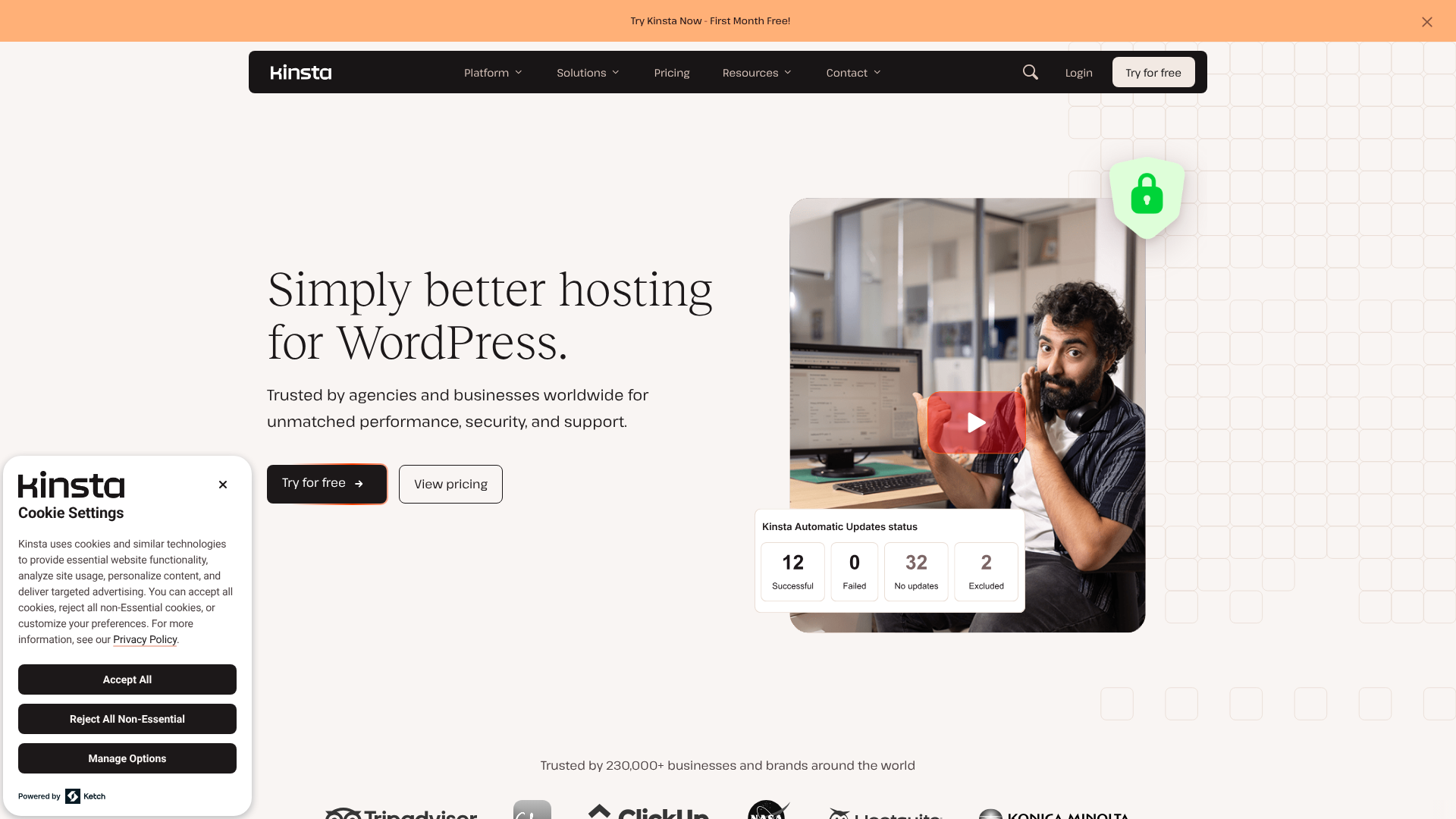
A site migration is the perfect opportunity to upgrade your hosting. Your hosting provider plays a massive role in your site's speed, security, and reliability—all of which are important ranking factors. When choosing a host for your new site, look for features that facilitate a smooth migration.
Key features include one-click staging environments (a sandbox to build and test your new site without affecting your live one), expert support that can help with technical issues, and automated backups. For WordPress users, managed hosting providers are often the best choice as they handle many of the technical complexities for you.
Some excellent options to consider are:
Kinsta and WP Engine: These are premium managed WordPress hosts known for their incredible speed, top-tier security, and expert support. Their staging environments are robust and easy to use, making them ideal for complex migrations. * SiteGround: A fantastic mid-range option that offers a great balance of performance, features, and affordability. They provide a free migrator plugin and helpful support to assist with the move.
Hostinger: If you're on a tighter budget, Hostinger offers impressive performance for its price point. It's a solid choice for smaller websites or blogs undertaking a migration.
3. Conduct a Comprehensive SEO & Content Audit
You can't protect what you don't know you have. Before the migration, you need a complete picture of your current site's SEO health. Use a tool like Screaming Frog or Semrush to crawl your entire website. This crawl will give you a list of all your URLs, title tags, meta descriptions, heading tags, and more.
At the same time, benchmark your current performance. Record key metrics from Google Analytics and Google Search Console, including organic traffic, keyword rankings for your top pages, conversion rates, and bounce rates. This data will be your baseline for measuring the success of the migration. You should also analyse your backlink profile to identify your most valuable links, ensuring the pages they point to are redirected correctly.

4. Create a Complete URL Redirect Map
This is arguably the most critical technical step in any SEO migration guide. A redirect map is a spreadsheet that lists every URL on your old site and maps it to the corresponding URL on your new site. This ensures that when a user or search engine tries to access an old page, they are automatically sent to the new one.
You must use 301 (permanent) redirects, not 302 (temporary) redirects. A 301 redirect tells search engines that the page has moved for good and that they should pass all the link equity (ranking power) from the old URL to the new one. Every single important URL from your old site must have a one-to-one 301 redirect to its new equivalent. Failing to do this will result in 404 (Not Found) errors, which are devastating for both user experience and SEO.
Pro Tip: Don't just redirect every page to the homepage. This is a common mistake and is treated as a soft 404 by Google, meaning you lose all the ranking value of the original page. Each redirect must go to the most relevant page on the new site.
5. Build and Test on a Staging Site
Your staging site is your private playground. It's a clone of your new website hosted on a private server or subdomain where you can build, test, and break things without any public visibility. It's essential that your staging site is blocked from being indexed by search engines. You can do this by using a 'noindex' meta tag or by password-protecting the directory.
On the staging site, you'll implement the new design, migrate your content, and set up all the technical SEO elements. This is where you can test your redirects, check for broken internal links, and ensure the site functions perfectly across all devices before it ever goes live. Thorough testing here prevents embarrassing and costly mistakes on launch day.
6. Perform Final Technical SEO Checks on Staging
Before you even think about launching, conduct a final technical SEO audit on the staging site. This is your last chance to catch issues before they impact your live rankings. Crawl the staging site and check for:
- Meta Tags: Ensure all title tags and meta descriptions have been carried over correctly and are optimised.
- Canonical Tags: Verify that canonical tags point to the correct version of each page to avoid duplicate content issues.
- Robots.txt: Make sure your robots.txt file is configured correctly for the new site, allowing search engines to crawl important pages and blocking them from private areas.
- XML Sitemap: Generate a new XML sitemap that contains all the URLs of the new site.
- Page Speed: Test the loading speed of key pages. A migration is a great time to implement performance improvements.
Phase 2: The Big Day – Launching Your New Site
Execution during the launch phase needs to be swift and precise. This is where your careful planning pays off.
7. Schedule the Launch for a Low-Traffic Period
Don't launch your new site on a Friday afternoon or during your busiest sales season. Plan the migration for a time when your website traffic is typically at its lowest, such as late at night or over a weekend. This minimises the potential disruption for your users.
This also gives you and your development team a buffer to fix any unexpected issues that arise without the pressure of peak traffic. Inform your users in advance about potential downtime to manage their expectations.
8. Implement Your 301 Redirects
As soon as you take the old site down and put the new one up, you must implement the 301 redirect map you created. This is a server-level task, often done by editing the .htaccess file on an Apache server. All the rules from your redirect map should be put in place at once.
Once implemented, immediately begin testing a sample of the redirects to ensure they are working correctly. Check old URLs from different sections of your site to verify they are redirecting to the correct new pages with a 301 status code, not a 302.
9. Update Your DNS Settings
If you are changing servers or hosts (but keeping the same domain name), you will need to update your Domain Name System (DNS) settings. This involves changing the A record or nameservers at your domain registrar to point to the new server's IP address.
DNS changes can take anywhere from a few minutes to 48 hours to propagate across the internet. During this time, some users might see the old site while others see the new one. This is normal, but it's another reason to schedule your launch during a quiet period.
10. Remove Indexing Blocks & Update Robots.txt
This is a simple but critically important step that is surprisingly easy to forget. Remember how you blocked your staging site from being indexed? You need to remove those blocks now that the site is live. Remove any 'noindex' meta tags and take off any password protection.
Next, upload your new robots.txt file to the live server. This file should allow crawlers access to all the pages you want to be indexed. A common mistake is accidentally leaving a Disallow: / directive in the live robots.txt file, which tells all search engines to ignore your entire site.
11. Submit New Sitemaps to Search Consoles
Log in to Google Search Console and Bing Webmaster Tools. If you've changed your domain, you'll need to add and verify the new domain as a new property. Once that's done, submit your new XML sitemap.
Submitting a sitemap encourages search engines to crawl your new URLs quickly and helps them understand the structure of your new site. For a domain change, you should also use Google's 'Change of Address' tool in Search Console to officially inform them of the move.
Phase 3: Post-Migration Monitoring & Clean-Up
The launch is complete, but the project isn't over. The first few weeks after a migration are critical for identifying and fixing issues.
12. Monitor Google Search Console & Analytics Closely
Your analytics platforms are your early warning system. In Google Search Console, keep a close eye on the 'Index Coverage' report for any spikes in errors, such as 404s or server errors. Check the 'Crawl Stats' report to ensure Googlebot is actively crawling your new site.
In Google Analytics, monitor your organic traffic. It's normal to see some fluctuations and a small, temporary dip in traffic immediately after a migration. However, if you see a sustained drop of more than 15-20% that lasts for more than a couple of weeks, it's a sign that something is wrong and requires immediate investigation.
13. Test Redirects and Internal Links Again
Now that the site is live, run another crawl using a tool like Screaming Frog. This time, crawl the list of old URLs from your redirect map. The crawl should show that all of them are correctly 301 redirecting to the new pages. Any that return a 404 or other error code need to be fixed immediately.
You should also crawl the new live site to check for broken internal links. It's common for some internal links to be missed during the migration, still pointing to old URLs. Updating these to point directly to the new URLs improves user experience and crawl efficiency.
14. Update Your Most Important External Links & Campaigns
While 301 redirects handle the transfer of link equity, it's still best practice to update your most valuable backlinks to point directly to your new domain. Make a list of your most authoritative backlinks (you can get this from tools like Ahrefs or Moz) and reach out to the webmasters of those sites, asking them to update the link.
Don't forget to update all your other marketing channels. This includes links in your social media profiles, email marketing templates, and especially your paid advertising campaigns (Google Ads, Facebook Ads, etc.). Sending paid traffic through a redirect chain is inefficient and can harm your campaign performance.
Pro Tip: Use a brand monitoring tool to find unlinked mentions of your old brand or domain name after the migration. This can be a great opportunity to reach out and ask for a link to your new site, helping to build its authority faster.
15. Keep the Old Domain and Redirects Active
Do not let your old domain expire or take down your 301 redirects. You should maintain control of the old domain and keep the redirects in place for at least one year, and ideally, indefinitely. Search engines can take a long time to de-index old URLs and fully credit the new ones.
Furthermore, other websites will likely continue to link to your old URLs for years to come. If you remove the redirects, all of that valuable link equity will be lost, and users will land on a broken page. The small annual cost of renewing the old domain is a worthwhile investment to protect your SEO.
Frequently Asked Questions (FAQ)
How long does it take for SEO to recover after a migration?
The recovery period can vary significantly depending on the size and complexity of your website and how well the migration was executed. For a well-planned migration with minimal issues, you might see traffic return to normal levels within 2 to 4 weeks. However, for larger sites or migrations with technical problems, it can take several months for search engines to fully process all the changes and for rankings to stabilise.
It's normal to experience some ranking fluctuations and a temporary traffic dip of 5-10% immediately following the launch. The key is to monitor your analytics closely. If the dip is severe (over 20%) or lasts longer than a month, it's a clear signal that there are underlying SEO issues that need to be addressed urgently.
What is the biggest risk in a site migration?
The single biggest risk is a failure to properly implement a comprehensive 301 redirect map. This one mistake can lead to a cascade of devastating problems. Without correct redirects, search engines see your new pages as entirely new content with no history or authority. All the valuable backlinks pointing to your old pages will lead to 404 errors, effectively erasing your site's authority and causing your rankings to plummet.
This also creates a terrible user experience, as visitors clicking on old links from search results, social media, or other websites will land on a broken page. This can lead to a loss of trust, customers, and revenue. Meticulous redirect mapping and testing is the best way to mitigate this primary risk.
Can I do a site migration without losing traffic?
While it's difficult to guarantee zero traffic loss, it is absolutely possible to perform a site migration with minimal and only temporary disruption. The key to a successful, low-impact migration is exhaustive planning and flawless execution, following a detailed checklist like the one outlined in this guide. Minor fluctuations are almost inevitable as Google re-crawls and re-evaluates your site.
However, if every old URL is correctly redirected, technical SEO elements are preserved, and the new site offers an equal or better user experience, your traffic should stabilise and return to pre-migration levels relatively quickly. In many cases, a migration done to improve site speed, mobile-friendliness, or user experience can lead to an increase in traffic over the long term.
Final Thoughts
A website migration is a high-stakes project, but it doesn't have to be a disaster for your SEO. By treating it with the seriousness it deserves and following a structured, detailed site migration checklist for SEO, you can navigate the process smoothly and successfully.
The key is preparation. The vast majority of migration failures stem from a lack of planning in the pre-migration phase. By auditing your existing assets, meticulously mapping your redirects, and thoroughly testing your new site, you can pre-emptively solve most of the problems that could derail your launch.
Remember that a migration is also an opportunity. It's a chance to fix old technical issues, improve your site architecture, and upgrade your hosting infrastructure. If you're considering a move, choosing a reliable hosting partner like Kinsta or SiteGround can provide the powerful tools and expert support needed to ensure a seamless transition. By investing the time and resources upfront, you can protect your hard-earned rankings and set your website on a path for future growth.