
How to Use Online Ordering for Panera Bread: A Step-by-Step Guide
Getting your favourite Panera Bread meal, whether it's a creamy Broccoli Cheddar Soup or a tangy Fuji Apple Salad, has never been easier. Waiting in a long queue during the lunch rush can be a hassle, but modern technology offers a simple solution. This guide will walk you through everything you need to know about online ordering for Panera Bread, transforming how you get your food from stressful to straightforward.
- What You'll Learn
- What Exactly is Online Ordering for Panera Bread?
- The Core Benefits: Why Order Panera Online?
- Unmatched Convenience and Time-Saving
- Enhanced Order Accuracy
- Effortless Customisation
- Seamless Access to Deals and Rewards
- Choosing Your Platform: App vs. Website vs. Third-Party Services
- A Step-by-Step Guide to Placing a Panera Bread Online Order
- Understanding Panera Bread Delivery: Costs, Times, and What to Expect
- Delivery Fees and Associated Costs
- Third-Party vs. Direct Delivery
- Estimated Delivery Times and Tracking
- Maximising Your Experience: Pro Tips and Tricks
- Join the MyPanera Rewards Programme
- Always Check for Promo Codes
- Use the 'Rapid Reorder' Feature
- Explore Panera Catering Online
- Common Issues and Troubleshooting
- Pros and Cons of Panera's Online Ordering System
- Frequently Asked Questions
- Does Panera take online orders?
- How do I order from Panera Bread?
- Does Panera give senior discounts?
- How far in advance do you have to place a Panera catering order?
- How much does Panera delivery cost?
- What not to order from Panera for delivery?
- Final Thoughts
We'll cover all the methods available, from using the official mobile phone app to placing an order on their website. You'll learn the specific benefits of each platform, how to customise your meal perfectly, and tips for saving money with rewards and promo codes. By the end, you'll be able to navigate the system like a pro, ensuring your next meal is ready exactly when and how you want it.
What You'll Learn
- Multiple Ordering Platforms: Panera offers several convenient ways to order online, including their official mobile app, the main website, and third-party delivery services like DoorDash and Grubhub.
- Key Features and Benefits: The system is designed for convenience with features like Rapid Pick-Up to skip the queue, scheduled delivery, detailed meal customisation, and saving favourite orders.
- Cost Considerations: Ordering directly from Panera's app or website is often the most cost-effective way to get your food, as third-party services may have additional fees or slightly higher menu prices.
- MyPanera Rewards Integration: Panera's loyalty programme, MyPanera, is fully integrated into their online platforms, making it simple to earn points, redeem personalised rewards, and manage your account with every order.
What Exactly is Online Ordering for Panera Bread?
Online ordering for Panera Bread is a digital service that allows you to browse the menu, customise items, pay, and schedule a meal for pickup or delivery without ever speaking to a cashier. It's a system designed to fit into a busy lifestyle, giving you control over your dining experience through your computer or mobile phone. This digital storefront operates through several channels, ensuring accessibility for everyone.
The primary platforms are Panera's own. First is the official website, Panerabread.com, which provides the full menu and ordering capabilities from any web browser. Second is the Panera Bread mobile app, available for both iOS and Android devices. The app offers a more streamlined experience, especially for repeat customers, with features like saved orders and payment information.
Beyond Panera's native platforms, you can also place a Panera Bread online order through third-party food delivery companies. Services like DoorDash, Grubhub, and Uber Eats list Panera's menu, allowing you to order through their apps. This option is particularly useful if you already use these services for other restaurants or have a subscription that offers delivery discounts.
The Core Benefits: Why Order Panera Online?
Switching from ordering at the counter to ordering online comes with a host of advantages that enhance convenience and improve your overall experience. These benefits are centred around saving time, increasing accuracy, and unlocking value.
Unmatched Convenience and Time-Saving
The most significant benefit is the ability to skip the queue. During peak breakfast, lunch, or dinner hours, Panera cafes can get incredibly busy. Placing your order ahead of time means you can walk straight to the Rapid Pick-Up shelf, grab your bag with your name on it, and leave. This can turn a 15-minute wait into a 30-second stop.
Enhanced Order Accuracy
When you place an order online, you are in direct control of every detail. You select the items, make the customisations, and review everything before payment. This digital process significantly reduces the chances of human error that can sometimes occur when placing a verbal order in a noisy cafe. What you see on your screen is exactly what the kitchen receives.
Effortless Customisation
Panera's online menu makes it incredibly easy to tailor your meal to your exact preferences. Want extra avocado, no onions, or a different type of bread on your sandwich? Each option is presented as a simple checkbox or dropdown menu. This is far more efficient than trying to explain complex modifications to a cashier, ensuring your meal is made precisely the way you like it.
Seamless Access to Deals and Rewards
The Panera app and website are the central hubs for all promotions and loyalty benefits. It's the easiest place to apply digital promo codes and, most importantly, to use your MyPanera rewards. The system will often prompt you if you have a reward available, like a free pastry or a discount on your order, which you can apply with a single tap.
Choosing Your Platform: App vs. Website vs. Third-Party Services
Deciding where to place your order Panera online depends on your habits, location, and whether you're a loyal customer. Each platform offers a slightly different experience, and understanding the nuances can help you choose the best one for your needs.
The Official Panera App
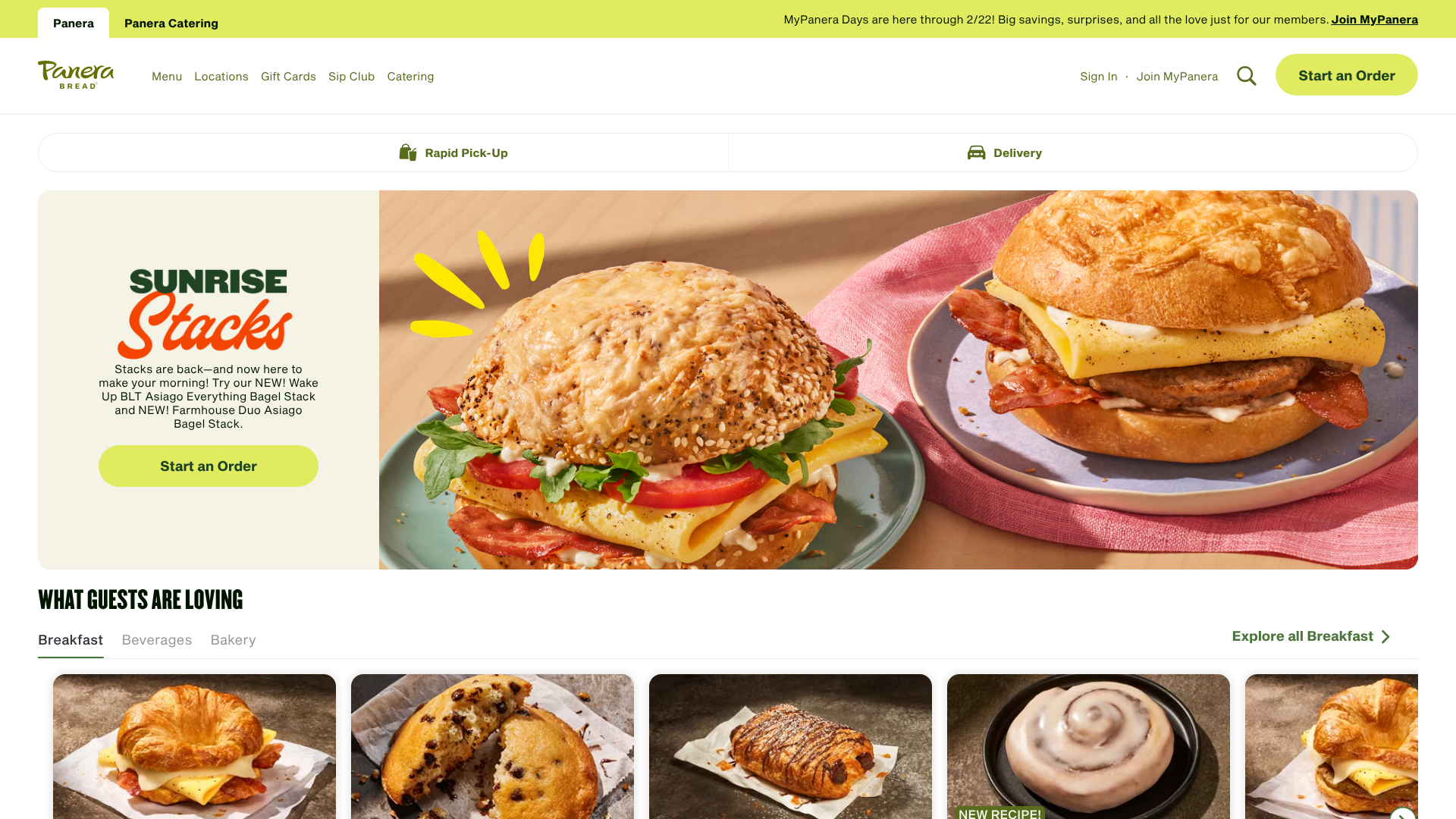
This is the recommended choice for frequent Panera visitors. The app is designed for a smooth mobile experience, saving your login details, payment methods, and favourite orders for quick reordering. Its biggest advantage is the deep integration with the MyPanera rewards programme. You'll receive push notifications for new rewards and app-exclusive offers that you won't find elsewhere.
If you visit Panera more than a few times a month, the app is a must-have.
The Panera Website
The website offers all the same core functionality as the app without requiring a download. It's the perfect option if you're ordering from a work computer or if you don't want to use storage space on your phone. The larger screen format can also make it easier to browse the full menu and explore different options. You can still log in to your MyPanera account to access your rewards and saved information.
Third-Party Delivery Apps (DoorDash, Grubhub, etc.)
Using a third-party service is best for those who value choice or are already subscribed to a delivery pass like DashPass or Grubhub+. These subscriptions can sometimes make Panera Bread delivery cheaper by eliminating the delivery fee. It's also convenient if you want to compare different restaurants at once. However, there are downsides.
Menu prices on these apps can sometimes be slightly inflated to cover the service's commission fees, and you may not be able to use Panera-specific promo codes or some MyPanera rewards.
A Step-by-Step Guide to Placing a Panera Bread Online Order
Ready to place your first order? The process is intuitive and straightforward. Here’s a detailed breakdown of the steps, whether you're using the Panera app or the website.
Step 1: Choose Your Ordering Method and Location
First, decide if you'll use the Panera app or the website. If using the app, download it from the Apple App Store or Google Play Store and create an account or log in. On the website, navigate to the ordering page. The system will then ask you to find your nearest Panera cafe by entering your address or postcode.Step 2: Select Your Service: Pick-Up, Delivery, or Dine-In
You'll be presented with several options. Rapid Pick-Up lets you order ahead and grab your food from a designated shelf inside. Delivery brings the order to your door. Some locations also offer Curbside Pickup or Dine-In, where you order ahead and have the food brought to your table.Step 3: Browse the Menu and Customise Your Items
This is the fun part. Navigate through the categories like Sandwiches, Salads, Soups, and Bakery. When you select an item, a customisation screen will appear. Here, you can swap bread types, add or remove toppings, choose your side (apple, crisps, or French baguette), and make any other adjustments.Step 4: Add Items to Your Bag and Review Your Order
Once an item is customised to your liking, click 'Add to Bag'. Continue this process for everything you want. Before proceeding to checkout, click on your shopping bag icon to review your entire order. Double-check the items, customisations, and quantities to ensure everything is correct.Step 5: Apply Promo Codes and MyPanera Rewards
In the checkout screen, you'll see a section for promo codes and available MyPanera rewards. Enter any codes you have, and the system will show you any rewards you're eligible to redeem. Select the ones you want to apply, and you'll see the discount reflected in your total.Step 6: Complete Checkout and Payment
Enter your payment information. Panera accepts major credit cards, debit cards, and Panera gift cards. If you're logged into your account, you can save your payment details for faster checkout in the future. Confirm your order, and you'll receive a confirmation email and a notification in the app.Step 7: Track Your Order
If you opted for Rapid Pick-Up, the app will notify you when your order is ready. For a Panera Bread delivery, you'll be able to track the driver's progress in real-time, so you know exactly when to expect your food.
Understanding Panera Bread Delivery: Costs, Times, and What to Expect
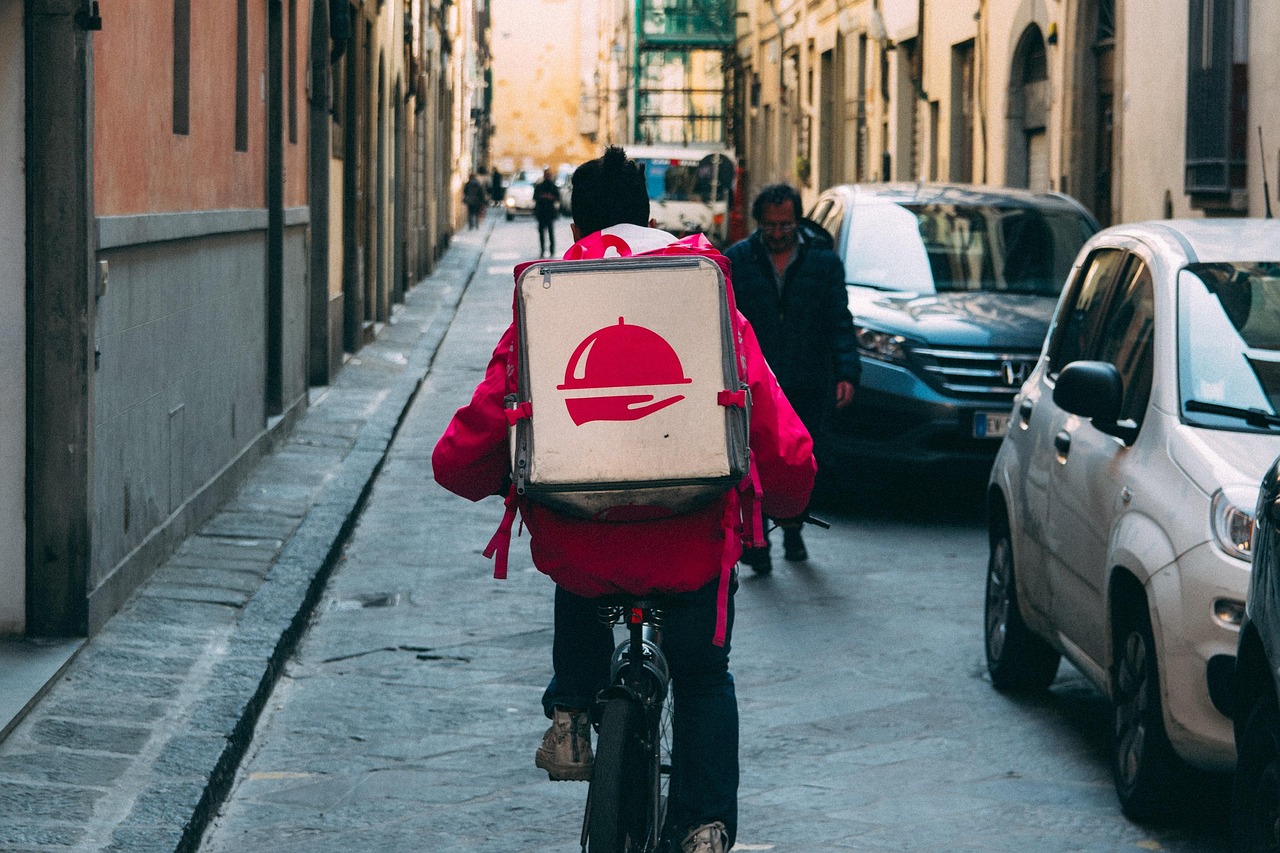
Getting Panera delivered to your home or office is a popular choice, but it's helpful to understand the details involved. The service is designed for maximum convenience, bringing your favourite meals directly to you.
Delivery Fees and Associated Costs
The cost of Panera Bread delivery can vary. There is typically a standard delivery fee, which changes based on your distance from the cafe and the current demand. This fee usually ranges from £2 to £5. Panera often runs promotions for free or discounted delivery, which you can find in the app or through their email newsletter.
When ordering through third-party apps, you may also encounter additional service fees or small order fees, so always check the cost breakdown before confirming.
Third-Party vs. Direct Delivery
When you order delivery directly from the Panera app or website, the delivery itself might be handled by Panera's own drivers or by a partner service like DoorDash Drive. The key difference is that you are transacting directly with Panera, which can make customer service simpler if an issue arises. Ordering through a third-party app like Grubhub means you are their customer, and any issues with the delivery itself must be resolved through their support channels.
Pro Tip: Before placing a delivery order, compare the total cost (including menu items, fees, and tip) between the official Panera app and a third-party app. Direct ordering is often cheaper, especially if you have a Panera-specific promo code.
Estimated Delivery Times and Tracking
Once you place your order, you will be given an estimated delivery window. This time is calculated based on food preparation time, driver availability, and the travel distance to your address. Factors like rush hour traffic or bad weather can impact this estimate. Both the Panera app and third-party services provide real-time GPS tracking, so you can watch your driver's progress on a map and get a more accurate idea of their arrival time.
Maximising Your Experience: Pro Tips and Tricks
Simply using the online ordering system is great, but a few extra tips can help you save money and get the most out of every order.
Join the MyPanera Rewards Programme
This is the single most important tip for any Panera fan. MyPanera is a free loyalty programme that gives you personalised rewards based on your ordering habits. You might get a free coffee for a week, a discount on salads, or a complimentary birthday pastry. All your online orders automatically count towards earning these rewards when you're logged in.
Always Check for Promo Codes
Panera frequently releases promo codes that can offer significant savings, such as 20% off your entire order or a discount on a specific menu item. The best places to find these are in the Panera app's 'Offers' section and by subscribing to their email list. A quick search online before ordering can also sometimes uncover active codes.
Use the 'Rapid Reorder' Feature
If you have a go-to meal, the 'Rapid Reorder' or 'Favourites' feature is a huge time-saver. The app and website can save your past orders, allowing you to place your entire usual order with just a couple of taps. You can even name your favourite orders, like 'Monday Lunch' or 'Family Dinner'.
Explore Panera Catering Online
For office meetings or family gatherings, Panera offers a comprehensive catering service that you can order entirely online. You can order sandwich platters, soup for a group, or boxes of pastries. This answers a common question: most catering orders require at least 24 hours' notice, but it's always best to check the catering website for specific lead times for your desired items.
Common Issues and Troubleshooting
While the online ordering process is generally smooth, you might occasionally run into a small issue. Here’s how to handle the most common problems.
My order is incorrect or missing an item. The best first step is to call the Panera cafe you ordered from directly. The phone number will be on your email receipt. If you can't reach them, use the 'Help' or 'Contact Us' section in the Panera app to report the issue to customer support.
My promo code isn't working. Double-check the code for typos. Read the terms and conditions—many codes are valid only for a limited time, for specific menu items, or for orders placed through the Panera app and website (not third-party apps).
The app is crashing or running slow. Try closing and reopening the app. If that doesn't work, check for updates in your phone's app store. As a last resort, you can always switch to the Panera website to place your order.
My delivery is taking longer than expected. Use the tracking feature to see the driver's current location. If they seem to be stuck or heading in the wrong direction for an extended period, use the app to contact the driver or the delivery service's customer support.
Pros and Cons of Panera's Online Ordering System
To give you a balanced view, here's a quick summary of the main advantages and potential drawbacks of the system.
Pros
- Exceptional Convenience: Skipping the queue with Rapid Pick-Up is a major time-saver.
- Detailed Customisation: It's very easy to modify ingredients to get your meal exactly right.
- Strong Rewards Integration: The MyPanera programme is seamlessly built into the app and website.
- Multiple Service Options: The choice between pickup, delivery, and dine-in offers great flexibility.
- Reduced Order Errors: Digital ordering ensures the kitchen receives your precise request.
Cons
- Delivery Costs: Fees and tips can add a significant amount to your final bill.
- Potential for Tech Glitches: Like any technology, the app or website can occasionally experience bugs or downtime.
- Inflated Third-Party Pricing: Menu items may cost more on services like DoorDash or Grubhub.
- Less Personal Interaction: You miss the in-cafe experience and the chance to ask a team member for recommendations.
Frequently Asked Questions
Here are answers to some of the most common questions people have about ordering from Panera online.
Does Panera take online orders?
Yes, absolutely. Panera has a robust system for online ordering. You can place orders through the official Panera Bread website, the Panera Bread mobile app for both iOS and Android, and through various third-party delivery partners like DoorDash, Grubhub, and Uber Eats.
How do I order from Panera Bread?
To order, you can either visit the Panera Bread website or download their mobile app. From there, you'll select your local cafe, choose between pickup or delivery, browse the menu to add items to your bag, customise them as needed, and then proceed to checkout to pay with a credit card or gift card.
Does Panera give senior discounts?
Panera Bread does not offer a standard, company-wide senior discount. However, since many Panera cafes are independently owned franchises, some individual locations may offer a local discount at their discretion. It is best to call your local cafe directly to ask. The primary savings programme for all customers is the MyPanera rewards programme.
How far in advance do you have to place a Panera catering order?
For most standard catering orders, Panera recommends placing your order at least 24 hours in advance. For very large or highly customised orders, more notice may be required. You can see all the specific requirements and place your order through the dedicated Panera Catering website.
How much does Panera delivery cost?
The cost for Panera delivery varies depending on your location, the distance from the cafe, and the total of your order. Typically, the delivery fee is between £2 and £5. Panera sometimes offers promotional periods with no delivery fee. Third-party apps will have their own fee structures, which may also include a service fee.
What not to order from Panera for delivery?
While most items travel well, some are best enjoyed fresh in the cafe. Toasted sandwiches, like the Toasted Frontega Chicken, may lose some of their crispiness during transit. Similarly, hot soups will cool down over time. For the best delivery experience, consider items that hold up well, such as salads, non-toasted sandwiches, and cold drinks.
Final Thoughts
Mastering the online ordering for Panera Bread system is a simple way to make getting your favourite meals faster and more convenient. By choosing the right platform for your needs—whether it's the feature-rich mobile app for loyal fans or the accessible website for occasional orders—you can take full control of your dining experience.
The ability to skip long queues with Rapid Pick-Up, customise every ingredient to perfection, and seamlessly apply rewards and discounts makes it a powerful tool for any Panera customer. While delivery offers incredible convenience, remember to compare costs with pickup to ensure you're getting the best value.
Next time you're craving a warm bowl of soup or a freshly made sandwich, give the online system a try. You might find it becomes your new standard way to enjoy Panera.