
Lead Capture Landing Page Template Explained: How to Boost Leads for Your Business
Growing a business in 2026 means building a direct line to your audience, and that starts with collecting leads. While your website's homepage serves as a general introduction, a specialised page is needed to turn casual visitors into potential customers. This is where using a high-quality lead capture landing page template becomes essential, providing a focused, conversion-optimised foundation to build your email list and fill your sales pipeline.
- What You'll Learn
- What Exactly is a Lead Capture Landing Page Template?
- The Core Components of a High-Converting Lead Capture Template
- Compelling Headline and Subheadline
- Persuasive Copy and Bullet Points
- Eye-Catching Visuals (Hero Shot)
- The All-Important Lead Capture Form
- A Strong Call-to-Action (CTA) Button
- Social Proof and Trust Signals
- Why Using a Template is a Smart Move for Your Business
- Speed and Efficiency
- Cost-Effectiveness
- Conversion-Optimised by Design
- Easy A/B Testing
- Professional Appearance
- How to Choose the Right Lead Capture Landing Page Template
- Align with Your Campaign Goal
- Consider Your Industry and Audience
- Check for Mobile Responsiveness
- Ensure Easy Customisation
- Look for Integration Capabilities
- Top Platforms for Lead Capture Landing Page Templates in 2026
- Understanding Pricing: What to Expect
- The Pros and Cons of Using Pre-Built Templates
- Frequently Asked Questions (FAQ)
- What makes a good lead capture page?
- How many form fields should I use on my opt-in page?
- What's the difference between a landing page and a squeeze page?
- Can I build a lead capture page for free?
- Final Thoughts: Your Next Step to More Leads
These templates are more than just pretty designs; they are strategic tools engineered with a single goal: to persuade a visitor to exchange their contact information for something of value. Whether you're offering an ebook, a webinar seat, or a free consultation, the right template removes distractions and guides the user towards one specific action. Understanding how to select and customise the perfect template is a critical skill for any modern marketer or business owner.
What You'll Learn
- What a Lead Capture Template Is: Learn the fundamental definition and purpose of a lead capture page and how it differs from other pages on your website.
- Essential Components for Conversion: Discover the key elements every effective lead capture page must have, from compelling headlines to trust-building social proof.
- How to Choose the Right Platform: Get a clear breakdown of the top platforms offering high-quality templates, including their strengths, weaknesses, and ideal use cases.
- Key Selection Criteria: Understand the practical factors to consider when choosing a template, such as mobile responsiveness, customisation options, and integration capabilities.
- Pricing and Value: Gain insight into common pricing structures for landing page builders so you can make an informed decision that fits your budget.
What Exactly is a Lead Capture Landing Page Template?
A lead capture landing page template is a pre-designed, customisable webpage layout created for the sole purpose of collecting contact information from visitors. Think of it as a digital handshake. You offer something valuable—like a guide, a discount, or exclusive access—and in return, the visitor provides their name and email address through a form. This simple exchange is the cornerstone of lead generation.
Unlike a homepage, which is like a shop's main entrance with many doors and aisles (About Us, Products, Blog), a lead capture page is a single, focused room with one exit: the submission form. It strips away all distractions like navigation menus, sidebars, and links to other parts of your site. This intense focus is what makes it so effective at converting traffic into leads.
This type of page is often referred to by other names, such as a 'squeeze page' or an 'opt-in page'. While the terminology might vary slightly, the objective remains the same. A well-designed lead capture template provides the structure, layout, and psychological triggers needed to maximise the number of people who sign up.
The Core Components of a High-Converting Lead Capture Template
An effective lead capture page isn't just a random collection of elements. It's a carefully orchestrated experience where each component works together to build trust and encourage action. A professional landing page template will include placeholders for these critical parts, which you can then customise with your own content.
Compelling Headline and Subheadline
The headline is the first thing a visitor reads and it must grab their attention immediately. It should clearly state the primary benefit of your offer. The subheadline supports the main headline, providing a little more detail or overcoming a potential objection.
Persuasive Copy and Bullet Points
The body copy explains the offer in more detail. Instead of long paragraphs, great templates use concise sentences and benefit-oriented bullet points. This makes the information easy to scan and digest, highlighting exactly what the visitor will get.
Eye-Catching Visuals (Hero Shot)
A relevant, high-quality image or short video can dramatically increase conversions. This could be an image of the ebook cover, a graphic representing the service, or a video of the webinar host. The visual should complement the copy and make the offer feel more tangible.
The All-Important Lead Capture Form
This is the heart of the page. The form should be simple and only ask for essential information. Typically, a name and email address are enough. The more fields you add, the lower your conversion rate will likely be. The design of the form itself should be clean and inviting.
A Strong Call-to-Action (CTA) Button
The CTA button is what the visitor clicks to submit their information. It needs to stand out with a contrasting colour and use action-oriented text. Instead of a generic 'Submit', use specific text like 'Download Your Free Guide' or 'Reserve My Spot Now'.
Social Proof and Trust Signals
People are more likely to take action if they see that others have done so and had a good experience. Templates should include sections for testimonials, customer logos, star ratings, or statistics (e.g., 'Join 10,000+ subscribers'). These elements build credibility and reduce hesitation.
Why Using a Template is a Smart Move for Your Business
Building a lead capture page from scratch requires design skills, coding knowledge, and a deep understanding of conversion rate optimisation (CRO). For most businesses, this is impractical. Using a pre-built lead capture template offers a shortcut to professional results without the steep learning curve or high cost.
Speed and Efficiency
Perhaps the biggest benefit is speed. You can choose a template, add your content, and launch a campaign in a matter of hours, not weeks. This agility allows you to respond quickly to market opportunities and test new ideas without a significant investment of time.
Cost-Effectiveness
Hiring a web designer and developer to create a custom landing page can cost thousands of pounds. Landing page builder software, which comes with hundreds of templates, is available for a small monthly fee. This makes professional-grade marketing accessible even to businesses with tight budgets.
Conversion-Optimised by Design
Companies that create these templates, like Leadpages and Unbounce, have access to vast amounts of data on what works. Their templates are designed based on proven principles of user experience and conversion psychology. You are starting with a layout that is already optimised to perform well.
Easy A/B Testing
Most landing page platforms make it incredibly easy to duplicate a page and change one element, like the headline or CTA button colour. This allows you to run A/B tests to see which version generates more leads. Continuously testing and refining your pages is the key to long-term success.
Professional Appearance
A well-designed landing page builds trust and makes your brand look more professional. A template ensures your page is visually appealing, well-structured, and functions perfectly on all devices, creating a positive first impression for potential customers.
How to Choose the Right Lead Capture Landing Page Template
With thousands of templates available across dozens of platforms, choosing the right one can feel overwhelming. The best opt-in page design is not necessarily the flashiest, but the one that best serves your specific goal and audience. Here are the key factors to consider.
Align with Your Campaign Goal
First, clarify the purpose of your page. Are you promoting a webinar, offering an ebook, scheduling demos, or running a contest? A template designed for a webinar registration will have a different layout and focus than one for a simple newsletter sign-up. Look for a template that is structurally aligned with your offer.
Consider Your Industry and Audience
A template for a B2B software company should look and feel different from one for a local yoga studio. Consider the visual style that will resonate with your target audience. A corporate audience might respond better to a clean, professional design, while a creative audience might prefer something more visually dynamic.
Check for Mobile Responsiveness
Over half of all web traffic now comes from mobile devices. If your landing page is difficult to read or use on a smartphone, you will lose a significant number of leads. Any modern template should be fully responsive, meaning it automatically adjusts its layout to look great on desktops, tablets, and phones. Always preview the template on a mobile view before committing.
Pro Tip: When customising your template, always check the mobile version. Sometimes a design that looks great on a desktop can appear cluttered or have awkward line breaks on a smaller screen. Make small adjustments specifically for the mobile view to ensure a smooth user experience.
Ensure Easy Customisation
A good template is a starting point, not a rigid box. You should be able to easily change colours to match your brand, swap out images, edit text, and rearrange sections without needing to write any code. Look for platforms with intuitive drag-and-drop editors that give you creative control.
Look for Integration Capabilities
Your landing page is just one part of your marketing system. The leads you capture need to go somewhere, usually into your email marketing software or CRM. Ensure the platform you choose integrates smoothly with the other tools you use, such as ActiveCampaign, Mailchimp, or GetResponse. This automation saves you from having to manually export and import contact lists.
Top Platforms for Lead Capture Landing Page Templates in 2026
Several excellent platforms specialise in providing high-converting landing page templates and the tools to manage them. Here’s a look at some of the best options available today, each with its own unique strengths.
1. Leadpages
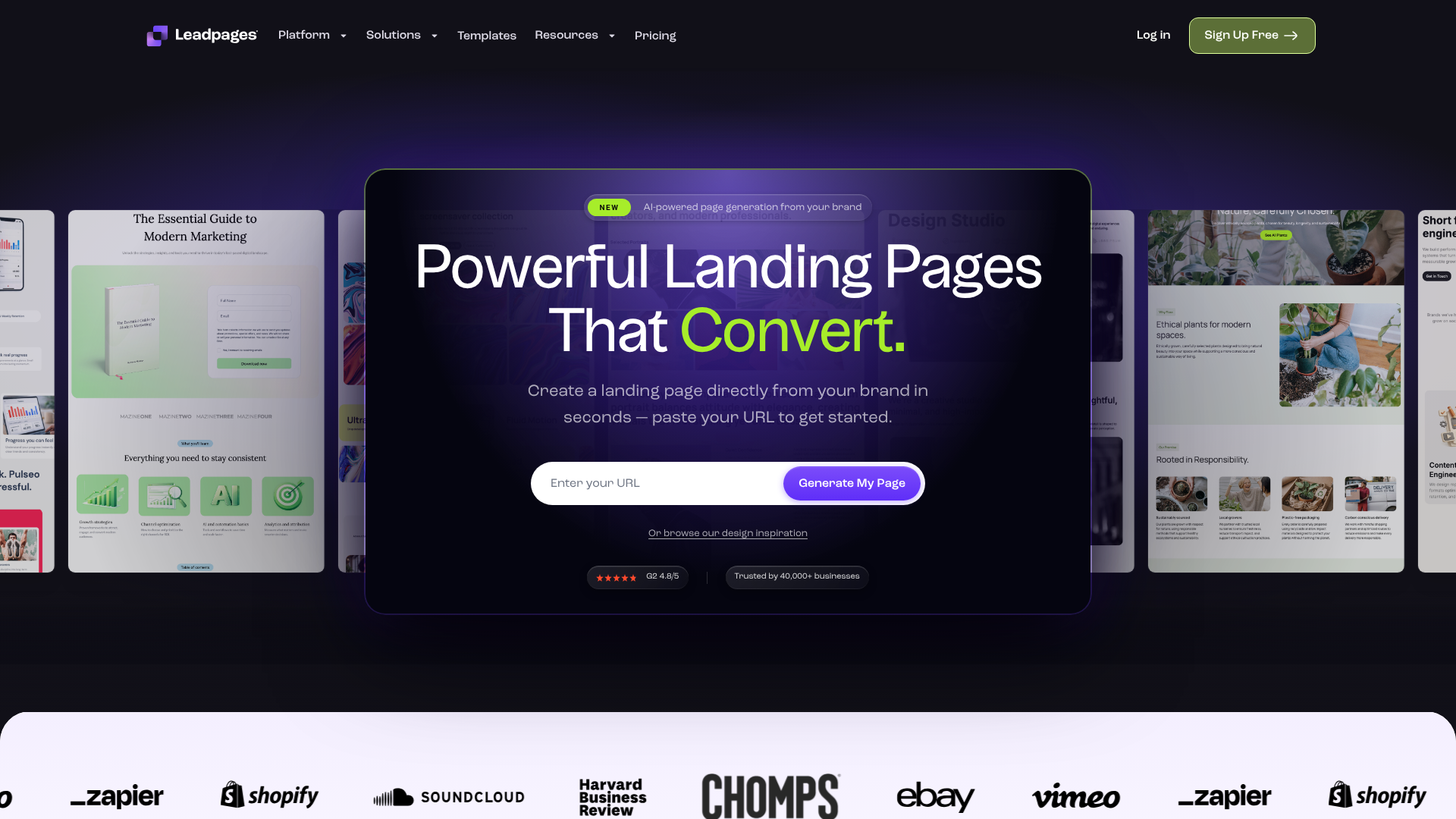
Leadpages is one of the most popular and user-friendly landing page builders on the market. It's known for its vast library of mobile-responsive templates sorted by conversion rate, making it easy for beginners to pick a proven winner.
Pros
- Ease of Use: The drag-and-drop editor is incredibly intuitive, making it perfect for those without technical skills.
- Huge Template Library: Offers hundreds of professionally designed templates for virtually any industry or campaign type.
- Affordability: Its pricing is very competitive, offering great value for small businesses and solopreneurs.
Cons
- Less Customisation: While easy to use, the editor can be more restrictive than competitors like Unbounce, offering less granular control over element placement.
- A/B Testing on Higher Plans: Core features like A/B testing are not available on the most basic plan.
2. Unbounce
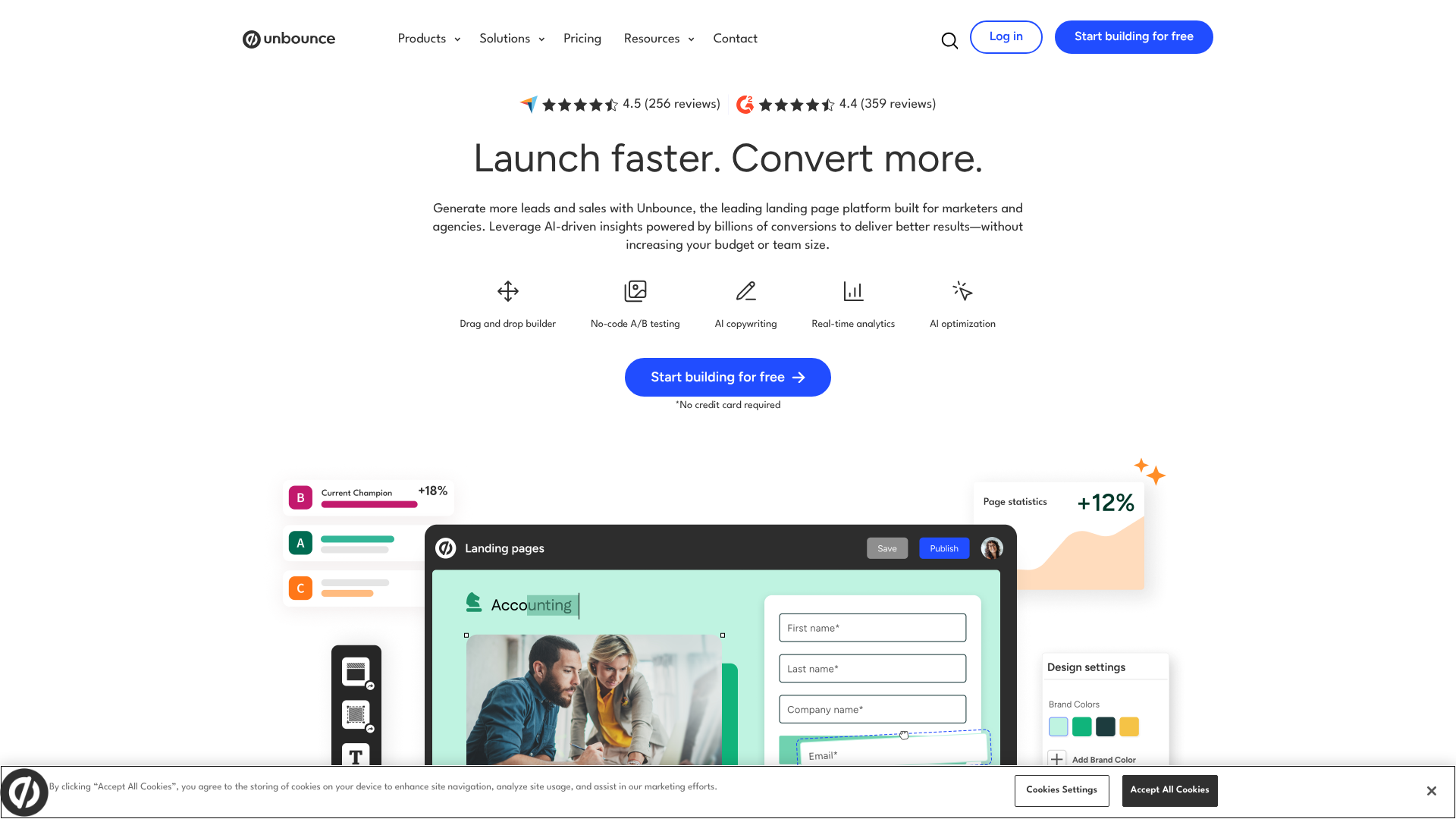
Unbounce is a powerful and flexible platform designed for marketers who want maximum control and optimisation capabilities. Its 'Smart Traffic' feature uses AI to automatically direct visitors to the landing page variant most likely to convert for them.
Pros
- Powerful A/B Testing: Unbounce excels at testing and optimisation, providing robust tools to improve performance.
- Full Customisation: The editor offers pixel-perfect control, allowing you to build virtually any design you can imagine.
- AI-Powered Features: Tools like Smart Traffic and AI copy generation help you get better results, faster.
Cons
- Steeper Learning Curve: The sheer number of features can be overwhelming for complete beginners.
- Higher Price Point: It is one of the more expensive options, making it better suited for businesses with a dedicated marketing budget.
3. Instapage
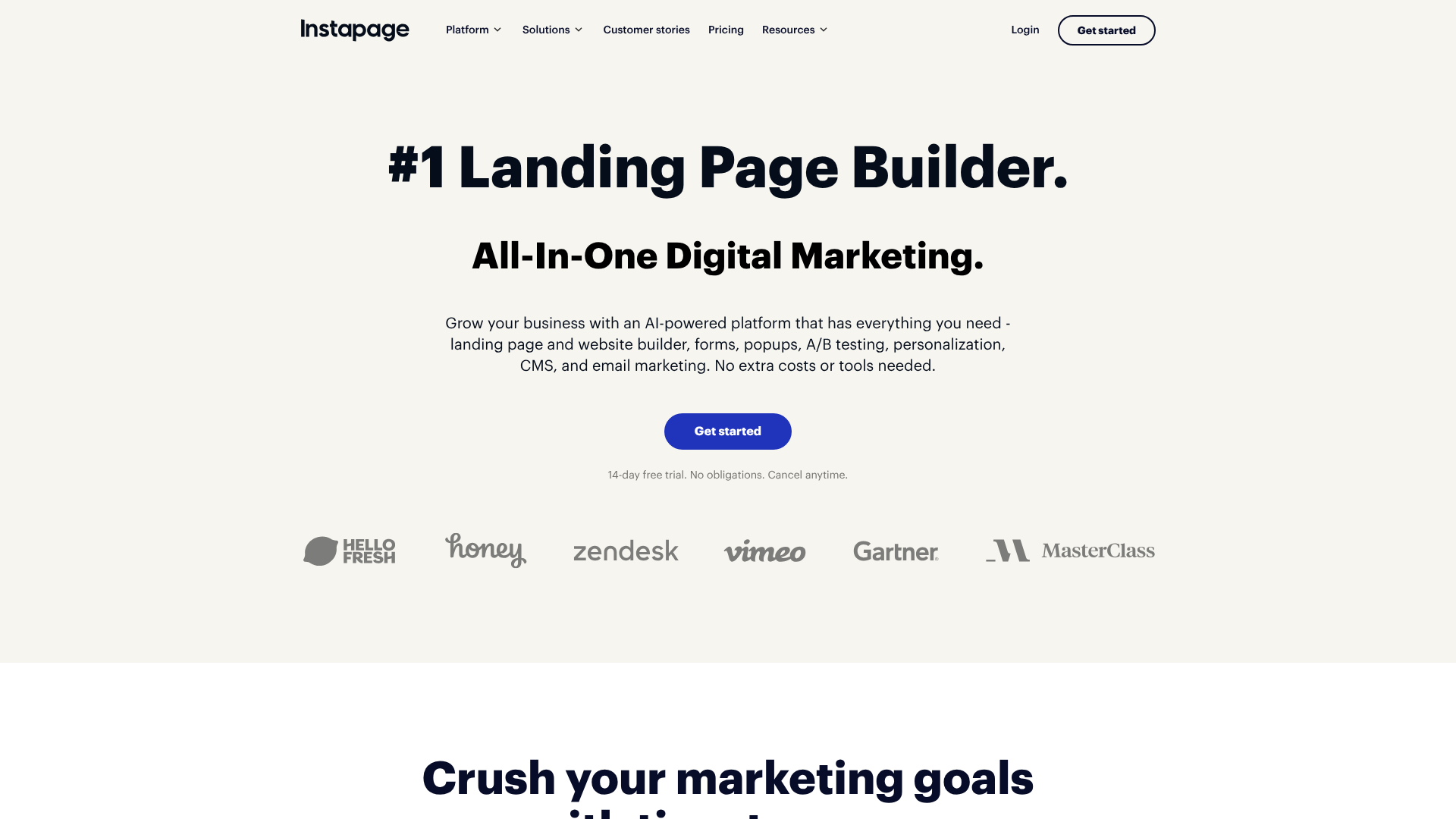
Instapage is built for teams and agencies that need to create personalised landing pages at scale. Its standout features include AdMap for connecting ads to relevant landing pages and robust collaboration tools.
Pros
- Personalisation at Scale: Allows you to create unique page experiences for different audience segments.
- Collaboration Tools: Excellent for teams, with real-time visual collaboration and streamlined workflows.
- Fast Page Speeds: Instapage pages are known for their lightning-fast load times, which is crucial for conversions and SEO.
Cons
- Premium Pricing: Instapage is a high-end tool with a price tag to match, putting it out of reach for many small businesses.
- Focused on Enterprises: The feature set is heavily geared towards larger marketing teams and agencies.
4. ClickFunnels
ClickFunnels is more than just a landing page builder; it's a complete platform for creating marketing and sales funnels. While you can create standalone lead capture pages, its real power lies in guiding a visitor through a multi-step conversion process.
Pros
- All-in-One Funnel Building: It handles everything from opt-in pages to sales pages, order forms, and membership sites.
- Strong Community and Training: Offers extensive training materials and a large, active community for support.
- Designed for Sales: The entire platform is built around the psychology of selling and converting customers.
Cons
- Can be Overkill: If you only need a simple landing page, ClickFunnels might be more complex than necessary.
- Design Flexibility: The page editor is functional but can feel less modern and flexible than tools like Unbounce or Instapage.
5. GetResponse
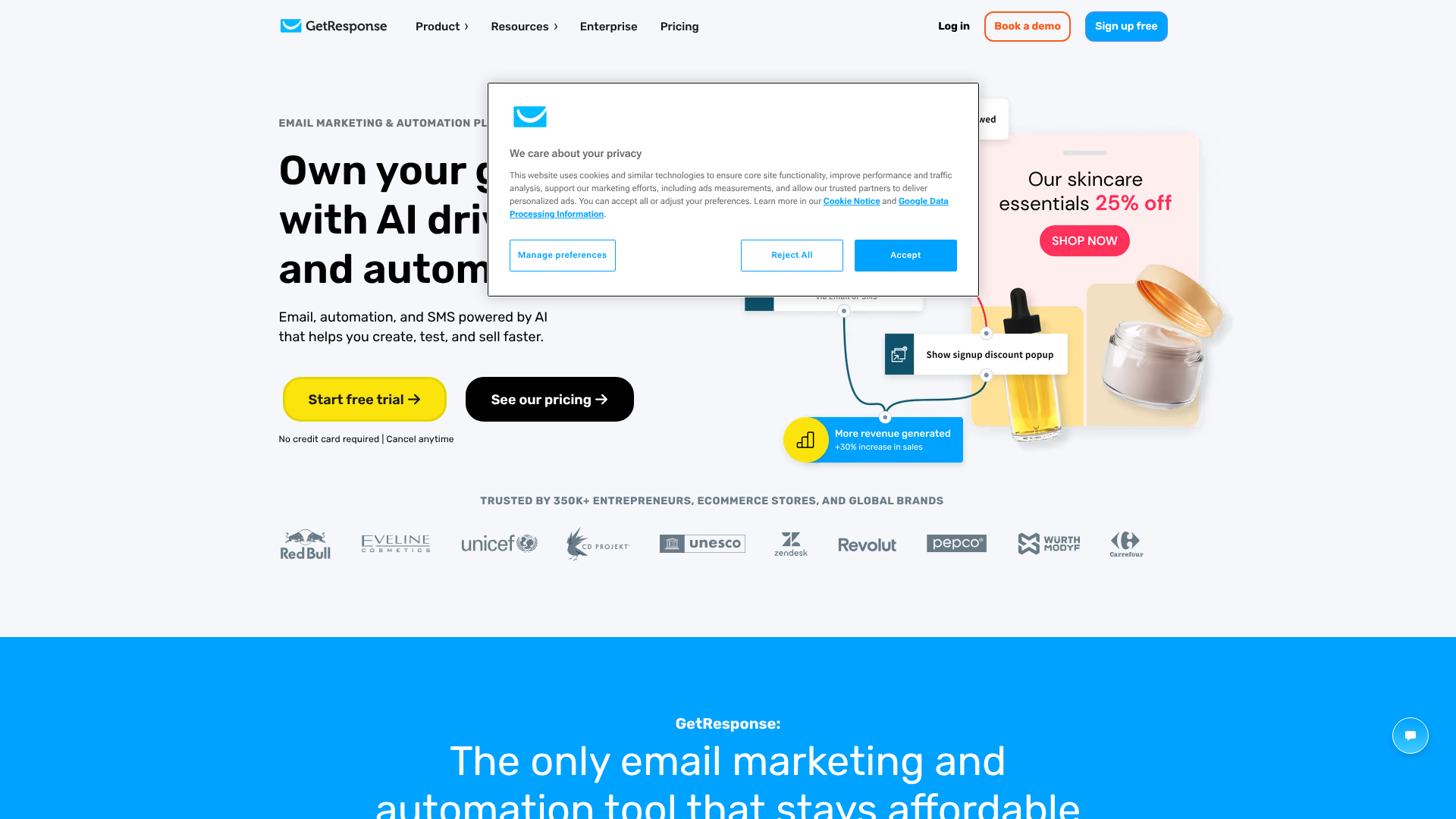
GetResponse is an all-in-one marketing platform that includes email marketing, marketing automation, and a landing page builder. This is an excellent option for those who want to keep their core marketing tools under one roof.
Pros
- Integrated Solution: Seamlessly connects your landing pages to your email campaigns and automation workflows.
- Generous Free Plan: Offers a free-forever plan that includes a landing page builder, making it great for new businesses.
- AI-Powered Builder: The AI builder can generate a personalised landing page for you in seconds based on a few prompts.
Cons
- Less Specialised: As an all-in-one tool, its landing page builder isn't as feature-rich as dedicated platforms like Unbounce.
- Template Quality Varies: While there are many templates, the design quality can be inconsistent compared to more specialised competitors.
Understanding Pricing: What to Expect
The cost of using a lead capture landing page template is typically tied to the monthly subscription fee of the platform you choose. Pricing structures can vary, but they are generally based on a few key factors.
Most platforms use a tiered model. A basic plan might offer a limited number of landing pages and visitors per month, while higher-tier plans provide unlimited pages, more traffic, and advanced features like A/B testing, AI tools, and integrations. It's important to assess your needs realistically to avoid paying for features you won't use.
Here’s a general comparison of what you might find. Note that pricing changes, so always check the official websites for the most current information.
| Platform | Typical Starting Price (per month) | Best For | Key Differentiator |
|---|---|---|---|
| Leadpages | £30 – £40 | Small Businesses & Beginners | Ease of use and template variety |
| Unbounce | £70 – £80 | Performance Marketers | A/B testing and AI optimisation |
| Instapage | £150+ | Agencies & Enterprise Teams | Personalisation and collaboration |
| ClickFunnels | £100+ | Sales-focused Businesses | All-in-one funnel building |
| GetResponse | £0 (Free Plan) | All-in-One Marketers | Integrated email marketing |
When comparing costs, look beyond the monthly price. Consider the value provided. A more expensive tool like Unbounce might generate a much higher return on investment through better conversion rates, making it more profitable in the long run. Conversely, if you're just starting, a free or low-cost option like GetResponse or Leadpages is a fantastic way to get going without a large financial commitment.
The Pros and Cons of Using Pre-Built Templates
While using templates is a highly effective strategy, it's helpful to have a balanced view. Understanding both the advantages and potential drawbacks allows you to make the most of them while being aware of their limitations.
The Advantages (Pros)
- Unmatched Speed: Go from idea to a live, functioning page in a fraction of the time it would take to build from scratch.
- Lower Cost: Access professional, conversion-optimised designs for a low monthly fee instead of a large one-time development cost.
- Proven Layouts: Templates are often based on data from thousands of pages, incorporating layouts and psychological cues that are known to work.
- No Technical Skills Needed: Drag-and-drop editors empower anyone, regardless of their coding ability, to create beautiful and effective pages.
The Disadvantages (Cons)
- Potential to Look Generic: If you don't customise the template enough, your page might look similar to others using the same platform. It's crucial to change colours, fonts, and images to match your brand.
- Customisation Limits: Some platforms or templates might have structural limitations that prevent you from achieving a highly specific or unique design vision.
- May Not Perfectly Fit Your Offer: You might need to adjust your content or offer to fit the structure of a chosen template, rather than the other way around.
Ultimately, for the vast majority of businesses, the pros of using a landing page template far outweigh the cons. The key is to choose a flexible platform and invest a little time in customisation to make the template uniquely yours.
Frequently Asked Questions (FAQ)
What makes a good lead capture page?
A good lead capture page has a single, clear goal. It features a compelling headline, benefit-focused copy, a simple form, a strong call-to-action, and social proof. Crucially, it is free of distractions like site navigation that could lead the visitor away from the page before they convert.
How many form fields should I use on my opt-in page?
As few as possible. Every additional field you ask a visitor to fill in creates friction and can lower your conversion rate. For most top-of-funnel offers like an ebook or newsletter, a name and email address are sufficient. If you need more information to qualify leads (e.g., for a sales demo), you can ask for more, but be aware it will likely reduce the total number of submissions.
What's the difference between a landing page and a squeeze page?
These terms are often used interchangeably, but there is a subtle difference. A 'landing page' is a broad term for any standalone page a visitor 'lands' on after clicking an ad or link. A 'squeeze page' is a specific type of landing page whose sole purpose is to 'squeeze' an email address out of the visitor. In essence, all squeeze pages are landing pages, but not all landing pages are squeeze pages (some are for sales, for example).
Can I build a lead capture page for free?
Yes, you can. Several platforms, like GetResponse, offer free-forever plans that include a landing page builder. These free plans are excellent for getting started but usually come with limitations, such as the provider's branding on your page, lower traffic limits, and fewer available templates or features.
Final Thoughts: Your Next Step to More Leads
A well-executed lead capture page is one of the most powerful assets in your digital marketing toolkit. It's the engine that powers your email list, nurtures potential customers, and ultimately drives sales. By starting with a professionally designed lead capture landing page template, you skip the technical hurdles and get straight to what matters: crafting a compelling offer and growing your business.
Remember to choose a template that aligns with your campaign goals and allows for easy customisation. Platforms like Leadpages and GetResponse offer fantastic starting points for beginners and small businesses, while tools like Unbounce provide advanced optimisation features for seasoned marketers. For those building more complex sales processes, a system like ClickFunnels can manage the entire customer journey.
The perfect template is out there. Your task is to find it, infuse it with your unique brand and message, and start turning more of your website visitors into valuable, long-term leads.