

Lead Capture Landing Page Template: A Marketer's Guide to Higher Conversions
Growing an email list or generating sales leads is the lifeblood of any modern business, but it's often a slow and frustrating process. You can have the best product or service in the world, but without a reliable way to connect with potential customers, growth stalls. This is where using a professionally designed lead capture landing page template becomes essential, providing a powerful shortcut to turn website visitors into valuable leads without needing to write a single line of code.
- In a Nutshell
- What Exactly Is a Lead Capture Landing Page Template?
- The Anatomy of a High-Converting Template: Key Features and Benefits
- 1. A Compelling and Clear Headline
- 2. A Strong Value Proposition and Supporting Copy
- 3. Engaging Visuals (The Hero Shot)
- 4. A Simple and Frictionless Form
- 5. A Contrasting and Action-Oriented Call-to-Action (CTA)
- 6. Social Proof and Trust Signals
- How to Choose the Right Lead Capture Template for Your Campaign
- Step 1: Clearly Define Your Campaign Goal
- Step 2: Understand Your Target Audience
- Step 3: Match the Template to Your Offer's Perceived Value
- Step 4: Prioritise Simplicity and Clarity
- Step 5: Check for Customisation and Mobile Responsiveness
- Step 6: Verify Integrations with Your Marketing Stack
- Top Platforms for Finding Excellent Lead Capture Templates
- Understanding the Cost: Pricing and Value Comparison
- The Pros and Cons of Using Pre-Built Templates
- Frequently Asked Questions (FAQ)
- What is the difference between a landing page and a lead capture page?
- How many form fields should a lead capture page have?
- Can I build a lead capture page for free?
- What makes a good opt-in page design?
- How do I connect my lead capture form to my email list?
- Final Thoughts
These templates are more than just pretty designs; they are conversion-focused tools built on proven marketing principles. They eliminate the guesswork of page layout, form design, and call-to-action placement, allowing you to launch campaigns faster and with greater confidence. Whether you're offering a free ebook, a webinar seat, or a product demo, the right template provides the framework for a successful exchange of value between you and your audience.
This guide will walk you through everything you need to know, from the fundamental anatomy of a high-converting page to choosing the perfect platform for your needs. We'll explore the key features that drive action, compare top providers, and give you the knowledge to select and customise a template that aligns perfectly with your marketing goals.
In a Nutshell
- What It Is: A lead capture landing page template is a pre-designed, single-purpose web page created specifically to collect contact information from visitors in exchange for an offer, such as an ebook, webinar, or discount.
- Essential Elements: High-converting templates always include a compelling headline, a clear value proposition, a simple form, a strong call-to-action (CTA), and social proof to build trust.
- Key Benefit: Using a template saves significant time and resources compared to building a page from scratch. It also leverages conversion rate optimisation (CRO) best practices without requiring you to be a design or marketing expert.
- Choosing a Platform: Select a landing page builder based on your budget, technical skill, and campaign goals. Platforms like Leadpages are great for beginners, while Unbounce and Instapage offer more advanced features for optimisation.
What Exactly Is a Lead Capture Landing Page Template?
A lead capture landing page template is a pre-built, customisable webpage designed with one single, focused objective: to persuade a visitor to provide their contact information. This is typically an email address, but can also include a name, phone number, or other relevant details. In marketing terms, this process is known as lead generation, and the page itself is often called an opt-in page or a squeeze page.
Unlike a website's homepage, which has multiple navigation options and serves many purposes (e.g., telling the company story, showcasing products, linking to a blog), a lead capture page is deliberately minimalist. It strips away all distractions—like navigation menus, sidebars, and external links—to guide the visitor towards a single action: completing the form. This singular focus is what makes them so effective at converting traffic into leads.
Think of it like this: your homepage is a department store's main entrance, with signs pointing to many different sections. A lead capture page, however, is a pop-up kiosk with a friendly attendant offering a free sample in exchange for joining a mailing list. The kiosk has one job, and all its elements are designed to accomplish that one task. Templates provide the structure for this 'kiosk', ensuring the layout, colours, and psychological triggers are already optimised to encourage sign-ups.
The Anatomy of a High-Converting Template: Key Features and Benefits
Not all templates are created equal. The most effective ones share a common set of features grounded in conversion psychology. Understanding these elements will help you identify a quality landing page template and customise it for maximum impact. The primary benefit of using a template is that these components are already in place, saving you from having to reinvent the wheel.
1. A Compelling and Clear Headline
The headline is the first thing a visitor reads and is arguably the most critical element. It must grab attention and clearly communicate the value of your offer in a few seconds. A great headline speaks directly to the visitor's problem or desire and promises a solution. For example, instead of "Download Our Guide," a better headline would be "Triple Your Website Traffic in 90 Days: Get Your Free SEO Guide."
2. A Strong Value Proposition and Supporting Copy
Beneath the headline, the supporting copy should quickly explain what the offer is, who it's for, and why it's valuable. This is often presented in bullet points for easy scanning. The goal is not to write an essay but to provide just enough information to overcome objections and build desire. This is a core part of effective opt-in page design.
3. Engaging Visuals (The Hero Shot)
A high-quality image or short video that represents your offer can significantly boost conversions. If you're offering an ebook, show a professional mockup of the cover. For a webinar, a friendly headshot of the presenter works well. The visual should be relevant, professional, and support the overall message of the page.
4. A Simple and Frictionless Form
The lead capture form is where the magic happens. The key is to only ask for the information you absolutely need. Every additional field you add creates friction and can lower your conversion rate. For most top-of-funnel offers (like a newsletter or checklist), an email address is all you need. For more sales-oriented offers (like a consultation), you might ask for a name and phone number.
5. A Contrasting and Action-Oriented Call-to-Action (CTA)
The CTA button should be impossible to miss. Use a colour that contrasts with the rest of the page to make it pop. The text on the button should be specific and action-oriented. Instead of a generic word like "Submit," use benefit-driven text like "Get My Free Guide Now" or "Reserve My Spot."
6. Social Proof and Trust Signals
People are more likely to take action if they see that others have done so and had a positive experience. Including testimonials, logos of well-known clients, or statistics (e.g., "Join 50,000+ subscribers") builds credibility. Trust signals like a privacy policy link or security badges can also reassure visitors that their information is safe.
Pro Tip: When customising your template, ensure your social proof is as specific as possible. Instead of a vague testimonial like "Great service!", use one that highlights a specific result, such as "Their guide helped us increase our organic leads by 45% in just two months."
How to Choose the Right Lead Capture Template for Your Campaign


With thousands of templates available across various platforms, selecting the right one can feel overwhelming. The best lead capture template isn't just about aesthetics; it's about finding the perfect match for your specific offer, audience, and campaign goal. Following a structured approach will help you filter out the noise and find a template that sets you up for success.
Step 1: Clearly Define Your Campaign Goal
Before you even look at a single design, you must know what you want to achieve. Are you trying to grow your newsletter list, register attendees for a webinar, generate leads for your sales team, or give away a free resource? The goal dictates the type of template you need. A webinar registration page, for example, will need space for the host's bio and event details, while an ebook download page should focus on the book's cover and key takeaways.
Step 2: Understand Your Target Audience
Who are you trying to reach? A template designed for a B2B software company will have a different tone and style than one for a consumer-facing wellness brand. Consider the visual language and messaging that will resonate with your audience. A professional, data-driven design might work for corporate clients, whereas a vibrant, inspirational design may be better for creative entrepreneurs.
Step 3: Match the Template to Your Offer's Perceived Value
The complexity of your landing page should align with the value of what you're offering. For a simple newsletter sign-up, a very short, minimalist template is perfect. For a high-value offer like a free multi-day course or a detailed industry report, a longer-form landing page with more copy, testimonials, and detailed explanations may be necessary to convince visitors to convert.
Step 4: Prioritise Simplicity and Clarity
When in doubt, choose the simpler design. A cluttered or confusing page will distract visitors and hurt your conversion rate. Look for templates with plenty of white space, a clear visual hierarchy that guides the eye towards the CTA, and a layout that is easy to scan. The primary focus should always be on the offer and the form.
Step 5: Check for Customisation and Mobile Responsiveness
A good template is a starting point, not a rigid structure. Ensure the template you choose allows you to easily change colours, fonts, images, and layout to match your brand identity. Most importantly, confirm that the template is fully mobile-responsive. With over half of all web traffic coming from mobile devices, a page that looks broken on a phone is a guaranteed conversion killer.
Step 6: Verify Integrations with Your Marketing Stack
Your landing page doesn't exist in a vacuum. The leads you capture need to be sent somewhere, usually to your email marketing service or CRM. Before committing to a platform or template, make sure it integrates smoothly with the tools you already use, such as ActiveCampaign, Mailchimp, or HubSpot. Seamless integration automates your workflow and ensures leads are nurtured immediately.
Top Platforms for Finding Excellent Lead Capture Templates
Several excellent platforms specialise in providing high-quality, conversion-optimised landing page templates. These tools remove the technical barriers, allowing marketers to launch professional pages quickly. Here are some of the top recommendations in 2026.
1. Leadpages
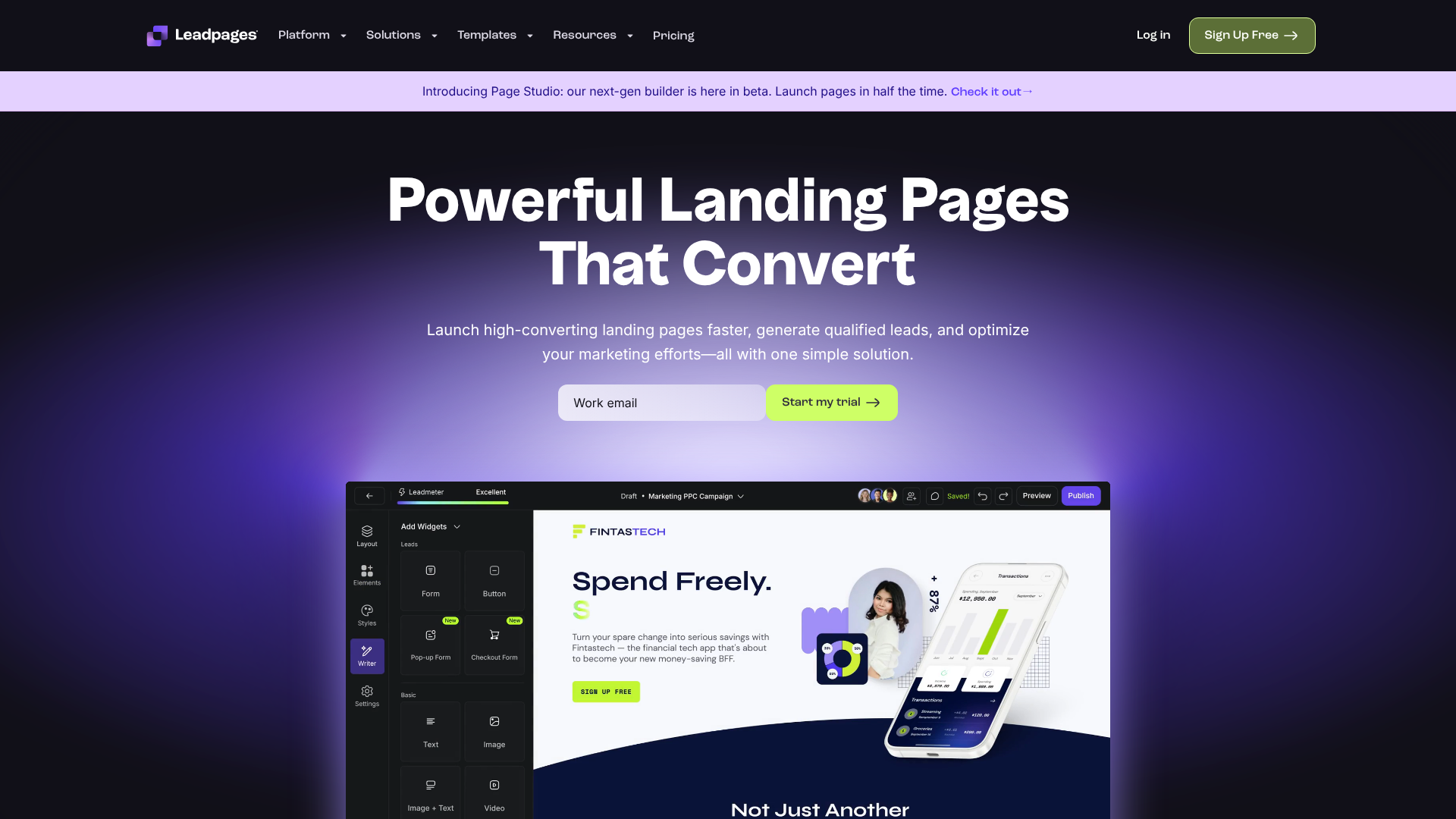
Leadpages is one of the most popular and user-friendly landing page builders on the market. It's particularly well-suited for small businesses, entrepreneurs, and marketers who need to launch campaigns quickly without a steep learning curve. Its drag-and-drop editor is intuitive, and it offers a vast library of templates sorted by conversion rate.
Pros
- Extremely easy to use with a gentle learning curve.
- Large library of mobile-responsive templates for various goals.
- Includes built-in conversion tools like alert bars and pop-ups.
- More affordable than many competitors, offering great value.
Cons
- The drag-and-drop editor is less flexible than some rivals like Unbounce.
- A/B testing features are only available on higher-tier plans.
2. Unbounce
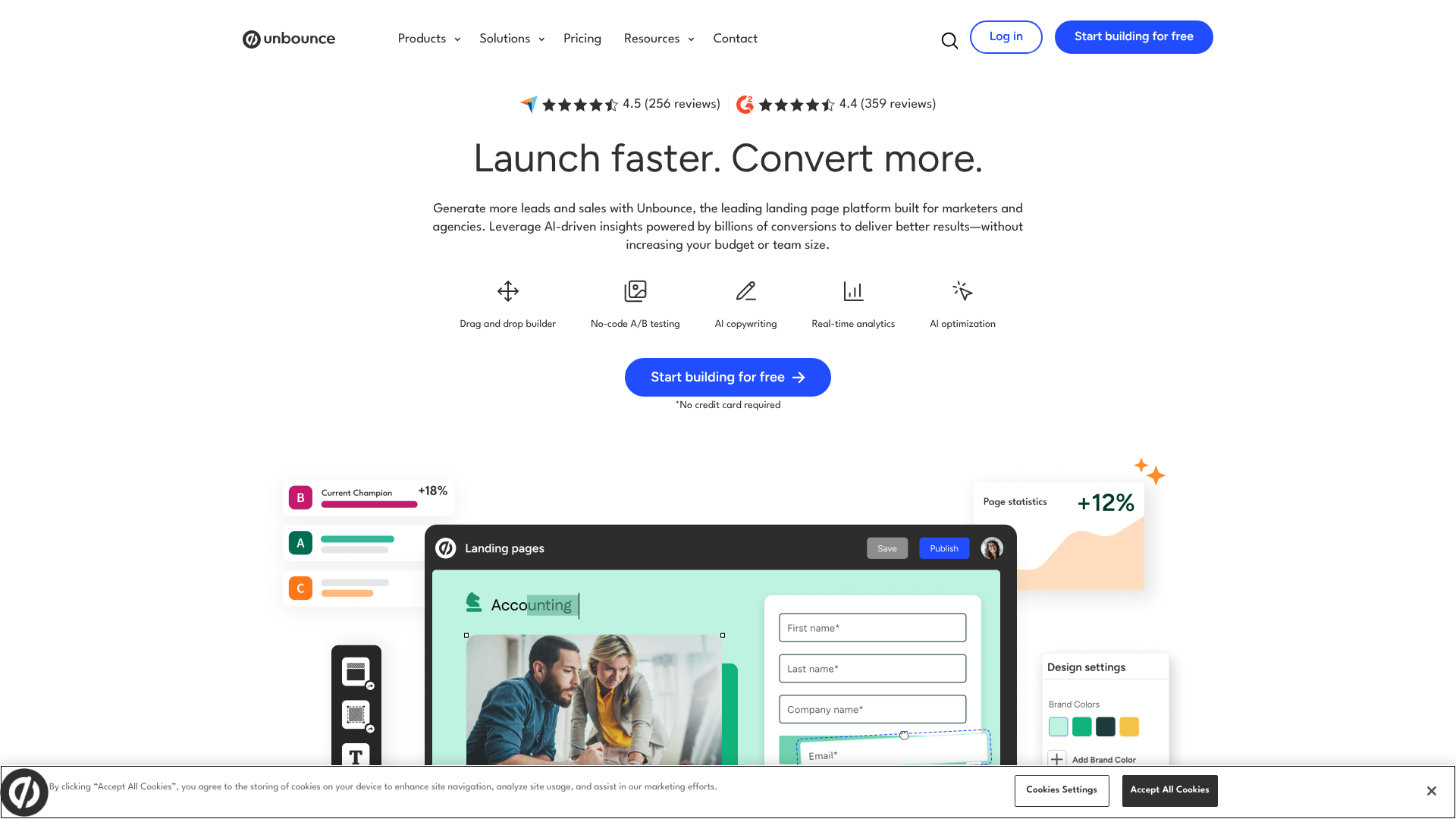
Unbounce is a powerful and flexible platform designed for serious marketers and agencies who prioritise optimisation and testing. Its pixel-perfect drag-and-drop builder gives you complete control over the design. Unbounce's standout features are its robust A/B testing capabilities and its AI-powered Smart Traffic tool, which automatically directs visitors to the landing page variant most likely to convert them.
Pros
- Highly flexible and powerful page builder for full creative control.
- Advanced A/B testing and AI-powered traffic optimisation tools.
- Excellent for high-traffic campaigns where small conversion lifts matter.
- Strong integration capabilities with other marketing tools.
Cons
- Higher price point, making it less accessible for beginners.
- Can have a steeper learning curve due to its advanced features.
3. ClickFunnels
ClickFunnels is more than just a landing page builder; it's a complete sales funnel platform. It's designed for users who want to guide visitors through a multi-step process, from initial lead capture to an upsell, downsell, or thank you page. It's ideal for selling products, courses, and services directly through a structured funnel.
Pros
- Excellent for building complete sales funnels, not just single pages.
- Includes features for membership sites, affiliate management, and more.
- Strong focus on direct-response marketing principles.
- Large community and extensive training resources.
Cons
- Can be overkill if you only need a simple lead capture page.
- The page editor is less intuitive than modern builders like Leadpages.
4. GetResponse
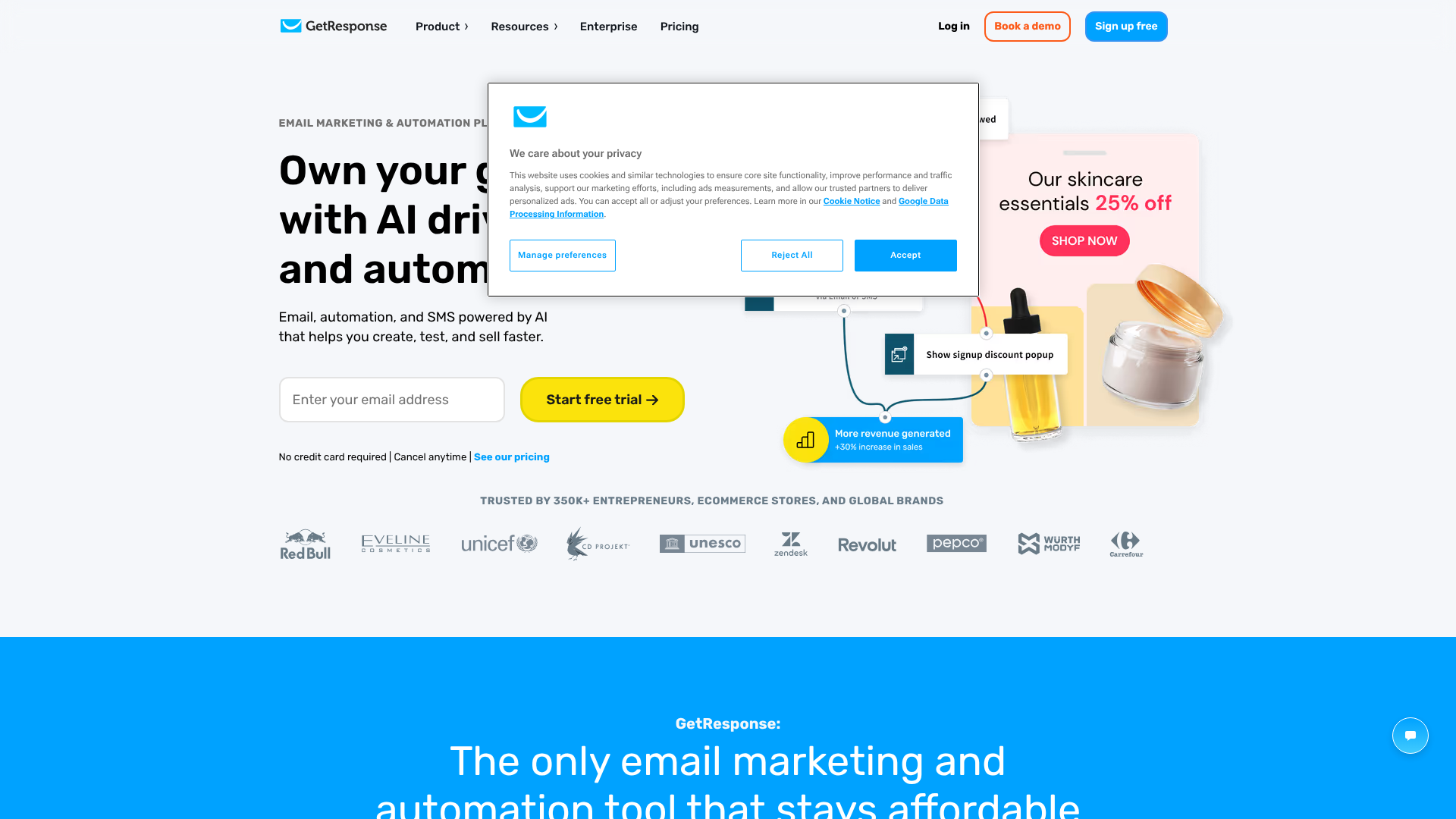
GetResponse is an all-in-one marketing platform that combines email marketing, marketing automation, and a landing page builder. This is a great option for marketers who want to keep their tools under one roof. Its landing page templates are designed to work seamlessly with its email and automation features, making it easy to create cohesive campaigns.
Pros
- All-in-one solution simplifies your marketing technology stack.
- Seamless integration between landing pages, email lists, and automations.
- Includes a free-forever plan with basic landing page features.
- AI-driven website builder offers another way to create pages quickly.
Cons
- The landing page builder is not as powerful or flexible as dedicated tools like Unbounce.
- The number of available templates is smaller than specialised platforms.
Understanding the Cost: Pricing and Value Comparison
The price of using a lead capture landing page template is typically tied to the platform that hosts it. Most landing page builders operate on a Software-as-a-Service (SaaS) model, with recurring monthly or annual subscriptions. Understanding the different pricing tiers and what they include is crucial for choosing a solution that fits your budget and provides the best return on investment.
Most platforms structure their pricing in tiers, often based on factors like:
- Traffic or Conversions: Some plans limit the number of unique visitors or leads you can capture per month.
- Features: More advanced features like A/B testing, AI optimisation, and dynamic text replacement are usually reserved for higher-priced plans.
- Number of Published Pages: Some entry-level plans may limit how many landing pages you can have active at one time.
- Custom Domains: The ability to use your own domain (e.g.,
promo.yourwebsite.com) is a standard feature, but the number of domains might be limited on cheaper plans.
Here is a general comparison of the platforms mentioned. Please note that pricing changes frequently, so it's always best to visit the official websites for the most current information.
| Platform | Best For | Starting Price (Approx.) | Key Feature |
|---|---|---|---|
| Leadpages | Beginners & Small Business | ~$37/month (paid annually) | Ease of use & high-converting templates |
| Unbounce | Marketers & Agencies | ~$99/month | Advanced A/B testing & AI |
| ClickFunnels | Sales Funnels & Courses | ~$127/month | All-in-one funnel building |
| GetResponse | All-in-One Marketing | Free plan available; paid from ~$16/month | Integrated email marketing & automation |
When evaluating cost, think beyond the monthly fee. Consider the value. A more expensive tool like Unbounce might be worthwhile if its A/B testing features help you achieve a 5% lift in conversions on a high-traffic campaign. Conversely, if you're just starting, the affordability and simplicity of Leadpages or the free plan from GetResponse might be the smartest choice.
The Pros and Cons of Using Pre-Built Templates
While using a pre-built landing page template is a fantastic strategy for most marketers, it's helpful to understand both the advantages and potential drawbacks. This balanced view ensures you're making an informed decision and know what to expect.
The Pros: Why Templates Are a Powerful Tool
- Speed and Efficiency: This is the most significant advantage. You can go from idea to a live, professional-looking landing page in under an hour, rather than the days or weeks it might take to design and code one from scratch.
- Cost-Effectiveness: Hiring a designer and developer to create a custom landing page can cost thousands of pounds. A monthly subscription to a landing page builder is a fraction of that cost.
- Built-in Best Practices: Templates from reputable platforms are designed by conversion experts. They incorporate proven layouts, visual cues, and psychological principles to maximise sign-ups, so you don't have to be a CRO expert.
- No Technical Skills Required: With drag-and-drop editors, anyone can create and publish a landing page. This empowers marketers to launch their own campaigns without relying on a development team.
- Easy to Test: Platforms make it simple to duplicate a page and change one element (like the headline or CTA button colour) to run A/B tests and continuously improve your results.
The Cons: Potential Limitations to Consider
- Can Look Generic: If you don't customise your template, it might look similar to other pages on the web, potentially diluting your brand's unique identity.
- Creative Constraints: While customisation is possible, you are still working within the framework of the template. You may not have the 100% creative freedom that comes with a custom build.
- Code Bloat: Some builders can add unnecessary code to the page, which could slightly impact loading speed. However, top-tier platforms are generally well-optimised for performance.
- Feature Limitations: Your page's functionality is limited to what the platform offers. If you need a highly specialised feature, a template-based solution might not support it.
For the vast majority of marketing campaigns, the pros of using a template far outweigh the cons. The speed and conversion-focused design provide a massive advantage, and with a little customisation, you can easily overcome the risk of looking generic.
Pro Tip: To make a template uniquely yours, always replace stock photos with your own high-quality images, adjust the colour palette to match your brand guidelines, and rewrite the copy to reflect your brand's voice and tone.
Frequently Asked Questions (FAQ)
Here are answers to some common questions about using lead capture landing page templates.
What is the difference between a landing page and a lead capture page?
A lead capture page is a specific type of landing page. The term "landing page" refers to any standalone page that a visitor "lands" on after clicking a link from an ad, email, or social media post. Some landing pages are designed to sell a product directly (a sales page) or direct visitors to another part of a site (a click-through page). A lead capture page is a landing page with the sole purpose of collecting contact information via a form.
How many form fields should a lead capture page have?
The golden rule is to ask for as little information as possible. For most top-of-funnel offers like ebooks or newsletters, a single field for the email address is often best. Each additional field you add increases friction and can reduce your conversion rate. Only add more fields (like name, company, or phone number) if that information is absolutely essential for qualifying or segmenting the lead immediately.
Can I build a lead capture page for free?
Yes, it's possible. Some all-in-one marketing platforms, like GetResponse, offer free-forever plans that include a limited number of landing pages. These are great for getting started or for very simple campaigns. However, free plans often come with limitations, such as the platform's branding on your page, lower traffic limits, and fewer available templates and features.
What makes a good opt-in page design?
A good opt-in page design is clean, focused, and trustworthy. It uses a clear visual hierarchy to guide the visitor's eye from the headline to the form and finally to the CTA button. It uses plenty of white space to avoid feeling cluttered and features a professional, relevant visual. Most importantly, it removes all distractions, like navigation menus, to keep the visitor focused on the single goal of signing up.
How do I connect my lead capture form to my email list?
This is done through integrations. All major landing page builders offer native integrations with popular email marketing services. In your landing page platform's settings, you'll typically select your email provider from a list, authorise the connection (usually with an API key), and then choose which specific email list you want new subscribers to be added to. The process is usually straightforward and takes only a few minutes to set up.
Final Thoughts
A lead capture landing page template is one of the most efficient and effective tools in a modern marketer's arsenal. It democratises conversion rate optimisation, allowing businesses of any size to create focused, high-performing pages that consistently turn visitors into valuable leads. By removing distractions and guiding users towards a single action, these templates provide a clear path for growing your audience and your business.
Choosing the right template and platform comes down to understanding your goals, your audience, and your budget. For those just starting out, a user-friendly and affordable option like Leadpages provides everything you need to get going. For marketers looking to build entire automated sales systems, a more comprehensive tool like ClickFunnels might be the better fit.
The key is to start. Don't wait for the perfect design or the perfect copy. Select a proven template, customise it to fit your brand, launch your campaign, and start learning from the results. With the right tools, you can build a powerful lead generation engine that fuels your growth for years to come.