

Job Costing Construction Software: A Buyer's Guide for Contractors
Controlling costs is the single most critical factor for profitability in the construction industry. Thin margins mean that even small budget overruns can erase your profit on a project. Relying on spreadsheets and manual data entry to track expenses is slow, prone to errors, and fails to provide the real-time insights needed to make proactive decisions. This is where dedicated job costing construction software becomes essential, transforming how you manage project finances from the initial bid to the final invoice.
- Quick Summary
- What is Job Costing in Construction and Why Does It Matter?
- The Core Benefits of Using a Dedicated Construction Job Costing Tool
- Real-Time Cost Tracking and Visibility
- Improved Budget Accuracy and Forecasting
- Enhanced Profitability Analysis per Project
- Streamlined Communication Between Field and Office
- Essential Features to Look for in Job Cost Management Software
- Detailed Cost Code Tracking
- Budget vs. Actuals Reporting
- Change Order Management
- Mobile App for Field Data Entry
- Integration Capabilities
- How to Choose the Right Software for Your Business
- 1. Assess Your Company's Size and Complexity
- 2. Define Your Budget and Understand Pricing Models
- 3. Evaluate Ease of Use and Team Training Requirements
- 4. Check for Crucial Integrations
- 5. Request Demos and Free Trials
- Top Job Costing Construction Software Recommendations for 2026
- Comparison of Top Construction Job Costing Tools
- 1. BrickControl: The All-in-One Solution for Growing Businesses
- 2. HammerTech: Focus on Operations, Safety, and Compliance
- 3. Procore: The Enterprise-Grade Platform
- 4. Foundation Software: For the Accounting-Focused Contractor
- Understanding Pricing and Total Cost of Ownership
- Frequently Asked Questions (FAQ)
- What is the difference between job costing and project accounting?
- Can small contractors benefit from job costing software?
- How does job costing software integrate with accounting software like Xero or QuickBooks?
- What is the typical implementation time for this software?
- Final Thoughts
This guide is designed for contractors who are ready to move beyond guesswork. We'll break down what this software does, the key features you need, and how to choose the right solution for your business. We'll also compare some of the top options available today to help you find a tool that protects your profits and supports your company's growth.
Quick Summary
- Real-Time Visibility is Key: The primary benefit of job costing software is its ability to track labour, material, and equipment costs as they happen, allowing you to spot and address budget issues before they escalate.
- Look for Core Features: Essential functions include detailed cost code tracking, budget vs. actuals reporting, change order management, and a mobile app for field staff to log time and expenses accurately.
- Integration Matters: The best solutions integrate smoothly with your existing accounting and project management software, creating a single source of truth for all financial and operational data.
- Choose Based on Your Needs: The right software depends on your company's size, project complexity, and budget. Small firms have different needs than large enterprises, so a one-size-fits-all approach doesn't work.
What is Job Costing in Construction and Why Does It Matter?

Job costing is the process of tracking all the costs associated with a specific construction project. It involves breaking down a project into smaller components or phases and assigning every expense—from a single screw to a subcontractor's invoice—to its corresponding cost code. This detailed accounting method provides a granular view of where money is being spent.
Without accurate job costing, you're essentially flying blind. You might know if a project was profitable at the end, but you won't know why. Was it the labour costs on the foundation phase that went over budget. Did material prices for the electrical work spike unexpectedly.
Answering these questions is impossible with a simple profit and loss statement.
This is where costing software for construction steps in. It automates the entire process. Instead of manually entering data into complex spreadsheets, the software captures costs directly from timesheets, purchase orders, and invoices. It then organises this data into easy-to-understand reports, giving you a live, accurate picture of your project's financial health.
This shift from reactive accounting to proactive financial management is fundamental for sustainable growth.
Effective job costing allows you to:
- Create More Accurate Bids: By analysing historical data from past projects, you can estimate future jobs with much greater confidence, reducing the risk of underbidding and losing money.
- Identify Profit Fades Early: Real-time tracking helps you see when a specific part of a job is going over budget, giving you time to make corrections before the problem becomes irreversible.
- Understand True Profitability: You can pinpoint which types of jobs, clients, or project managers are most profitable, helping you focus your business development efforts more effectively.
The Core Benefits of Using a Dedicated Construction Job Costing Tool
A dedicated construction job costing tool does more than just track numbers; it provides a framework for financial control and operational efficiency across your entire organisation. The benefits extend from the office to the job site, creating a more connected and informed team.
Real-Time Cost Tracking and Visibility
This is perhaps the most significant advantage. Traditional accounting methods often involve a delay, meaning you might not know you're over budget until weeks after the costs were incurred. Job costing software provides instantaneous updates. When a project manager approves a purchase order or a crew member logs their hours via a mobile app, those costs are immediately reflected in the project's budget. This live visibility empowers project managers to make informed decisions on the spot.
Improved Budget Accuracy and Forecasting
By capturing detailed cost data from every project, you build a valuable historical database. When it's time to bid on a new project, you can pull reports from similar past jobs to create highly accurate estimates. This data-driven approach is far more reliable than relying on memory or outdated spreadsheets. Furthermore, the software can use current project data to forecast the final cost, helping you anticipate potential shortfalls and manage cash flow more effectively.
Enhanced Profitability Analysis per Project
With a clear breakdown of costs versus budget for every phase of a job, you can see exactly where you're making and losing money. This level of detail allows you to conduct thorough post-project reviews. You can identify inefficiencies in your processes, areas where your team excels, and tasks that consistently cost more than anticipated. This insight is invaluable for refining operations and boosting margins on future work.
Streamlined Communication Between Field and Office
Job costing software bridges the gap between the on-site crew and the back-office team. Field staff can submit timesheets, daily reports, and expense receipts through a mobile app, eliminating paperwork and reducing administrative delays. This ensures that the accounting team has timely and accurate information to work with, leading to faster invoicing and better financial oversight.
Essential Features to Look for in Job Cost Management Software
When evaluating different job cost management software options, it's easy to get overwhelmed by long feature lists. However, a few core functionalities are non-negotiable for any construction business serious about controlling costs. Focus on finding a platform that excels in these key areas.
Detailed Cost Code Tracking
Your ability to understand project profitability depends on how granularly you can track costs. The software should allow you to set up a customised list of cost codes that match your company's operations. This typically includes categories for labour, materials, equipment, subcontractors, and other direct costs. The more detailed your cost codes, the more precise your analysis will be.
Budget vs. Actuals Reporting
This is the heart of any job costing system. The software must provide clear, easy-to-read reports that compare your estimated budget against the actual costs incurred in real-time. Look for dashboards that visualise this data with graphs and charts, allowing you to see the financial health of a project at a glance. You should be able to drill down from a project-level overview to the specific cost codes that are over or under budget.
Change Order Management
Change orders are a reality in construction, but they can wreak havoc on a budget if not managed properly. The software should have a dedicated module for creating, approving, and tracking change orders. When a change order is approved, the system should automatically update the project budget and ensure all associated costs are tracked separately. This prevents scope creep from silently eroding your profits.
Mobile App for Field Data Entry
For cost data to be timely, it must be easy to capture from the job site. A user-friendly mobile app is essential. Field staff should be able to use the app to clock in and out, assign their hours to specific cost codes, submit purchase receipts, and fill out daily logs. This direct line from the field to the financial system eliminates double entry and ensures data is accurate from the source.
Integration Capabilities
No software exists in a vacuum. Your job costing tool must be able to connect with the other systems you rely on, especially your accounting software (like Xero, Sage, or QuickBooks) and payroll services. Seamless integration prevents manual data transfer, reduces errors, and ensures that all your financial information is synchronised across platforms.
Pro Tip: When assessing integration capabilities, ask about the depth of the integration. A 'deep' integration that syncs data automatically in both directions is far more valuable than a simple data export/import function that requires manual intervention.
How to Choose the Right Software for Your Business

Selecting the right job costing construction software is a significant decision that will impact your operations for years to come. A systematic approach will help you cut through the marketing noise and find a solution that genuinely fits your company's needs and goals.
1. Assess Your Company's Size and Complexity
A small residential builder has vastly different requirements than a large commercial contractor managing dozens of multi-million-pound projects. Be realistic about your needs. Do you need a comprehensive enterprise resource planning (ERP) system, or would a more focused, user-friendly tool be a better fit? Consider the number of users, the volume of projects, and the level of reporting detail you require.
2. Define Your Budget and Understand Pricing Models
Software pricing can be complex. Common models include:
- Per-User, Per-Month: You pay a monthly fee for each person using the software.
- Tiered Subscriptions: Packages with varying levels of features and user limits.
- Percentage of Construction Volume: Some enterprise-level systems charge based on your company's annual revenue.
Look beyond the subscription fee. Ask about one-time setup costs, data migration fees, and charges for training and ongoing support. A seemingly cheaper option could become more expensive once all costs are factored in.
3. Evaluate Ease of Use and Team Training Requirements
The most powerful software in the world is useless if your team won't use it. During demos, pay close attention to the user interface. Is it intuitive? Can your project managers and field staff learn it quickly? A steep learning curve can lead to poor adoption and resistance from your team, undermining the entire investment. Ask potential vendors about their onboarding process and what training resources they provide.
4. Check for Crucial Integrations
Make a list of the software you already use and cannot replace, particularly your accounting platform. Verify that any potential job costing solution offers a reliable, pre-built integration with these critical systems. A lack of integration will create data silos and require manual workarounds, defeating much of the purpose of adopting new technology.
5. Request Demos and Free Trials
Never buy software based on a brochure or a sales pitch alone. Schedule live demonstrations with your top two or three contenders. Prepare a list of specific questions and scenarios relevant to your business. If possible, take advantage of a free trial to get hands-on experience with the software and see how it performs in a real-world context.
Top Job Costing Construction Software Recommendations for 2026
The market for construction software is crowded, but a few platforms consistently stand out for their robust job costing features. Here’s a look at some of the top options, catering to different business sizes and needs.
Comparison of Top Construction Job Costing Tools
| Feature | BrickControl | HammerTech | Procore | Foundation Software |
|---|---|---|---|---|
| Best For | All-in-one project management for SMBs | Safety, quality, and operations | Large-scale, complex projects | Deep accounting and payroll integration |
| Core Focus | Project & Cost Management | Field Operations & Safety | Platform for the entire project lifecycle | Construction Accounting |
| Mobile App | Yes | Yes | Yes | Yes |
| Accounting Integration | Yes (API) | Limited | Extensive | Native |
| Pricing Model | Tiered Subscription | Custom Quote | Custom Quote | Custom Quote |
1. BrickControl: The All-in-One Solution for Growing Businesses
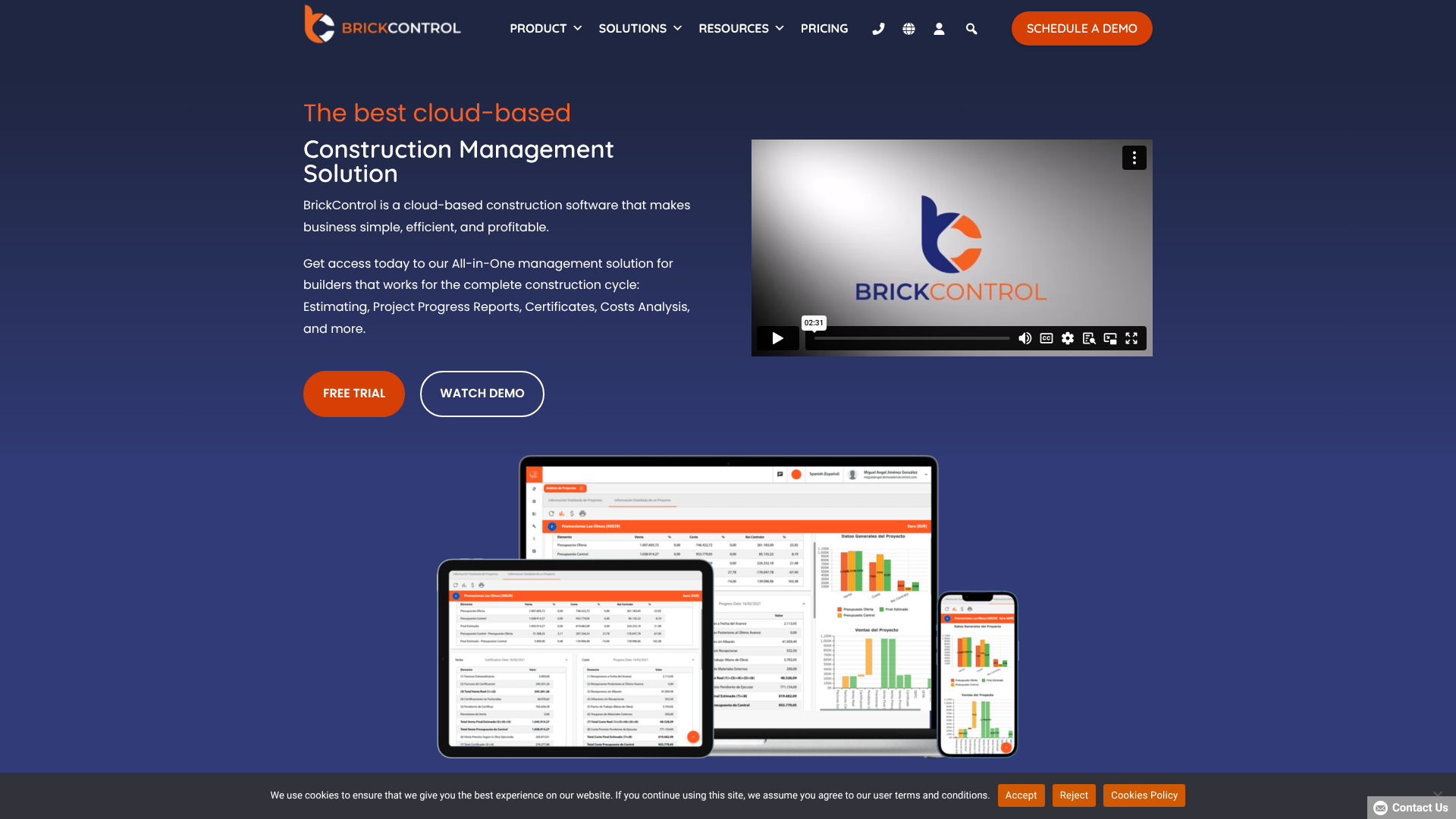
BrickControl is a cloud-based construction management platform designed to cover the entire project lifecycle, from estimation and bidding to execution and financial control. Its strength lies in providing a comprehensive suite of tools in a single, integrated system, making it an excellent choice for small to medium-sized businesses (SMBs) looking to consolidate their software stack.
The job costing module is tightly integrated with project management, purchasing, and invoicing. This means that as purchase orders are issued or work is completed, the project budget is updated in real-time, providing project managers with an accurate, up-to-the-minute financial overview.
Pros:
- Integrated Suite: Combines estimating, scheduling, cost control, and CRM in one platform, reducing the need for multiple disparate systems.
- User-Friendly Interface: The platform is generally regarded as intuitive and easier to adopt than more complex enterprise systems.
- Strong Reporting: Offers a wide range of customisable reports to analyse project performance and profitability.
Cons:
- Fewer Pre-built Integrations: While it has a powerful API, it may have fewer out-of-the-box integrations compared to larger platforms like Procore.
- Learning Curve for Advanced Features: While the basics are simple, mastering the full suite of features can take time.
If your business is looking for a powerful, all-in-one tool that can manage projects from start to finish without the complexity of an enterprise-level system, BrickControl is a compelling option worth exploring.
2. HammerTech: Focus on Operations, Safety, and Compliance
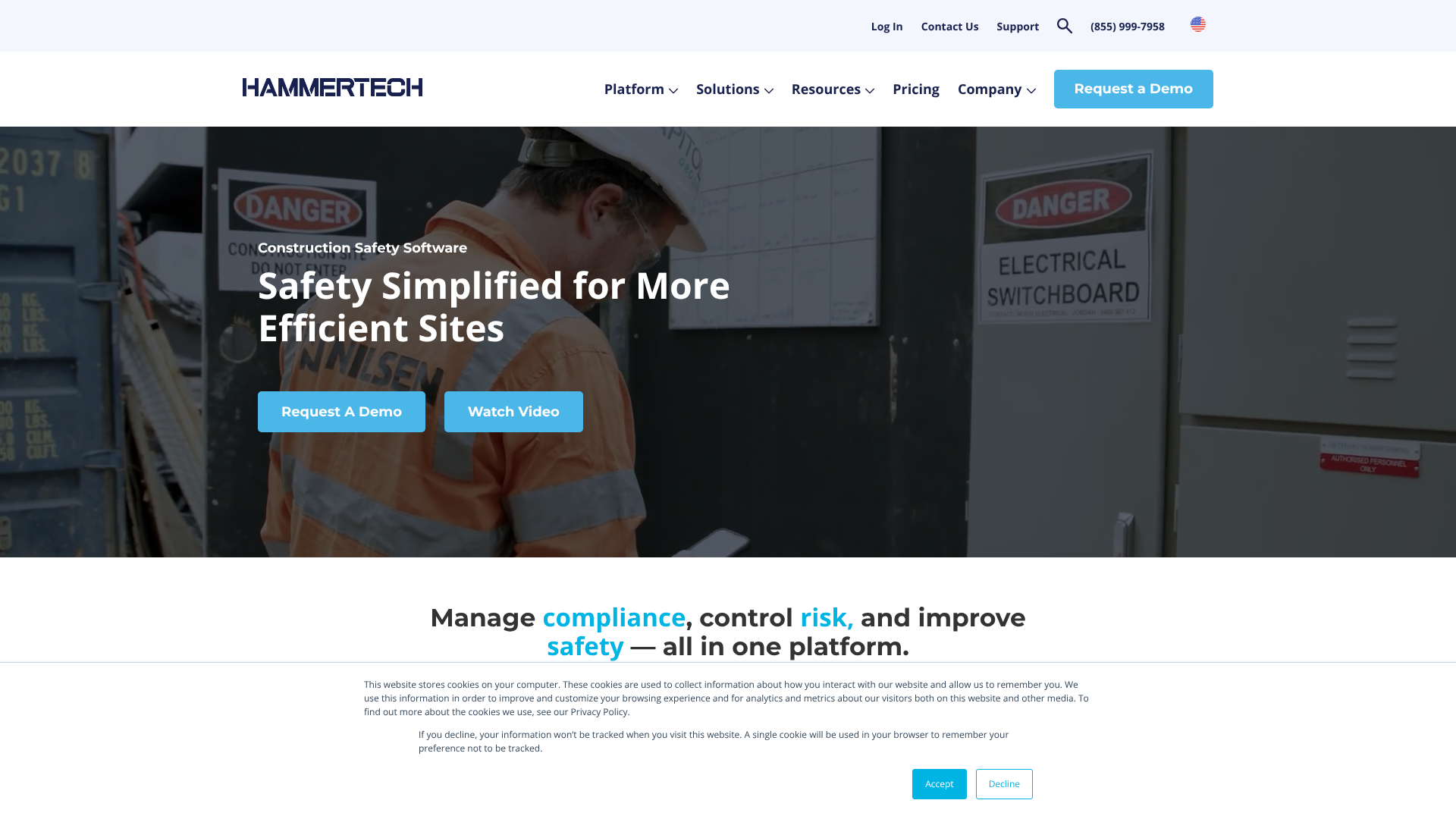
While not a traditional job costing platform in the same vein as others on this list, HammerTech plays a crucial role in controlling indirect costs associated with safety, compliance, and operational efficiency. Cost overruns are often caused by project delays due to safety incidents, rework due to quality issues, or fines from compliance breaches. HammerTech is designed to prevent these very problems.
The platform digitises and streamlines critical field processes like safety inductions, equipment inspections, and quality assurance checks. By ensuring these processes are followed consistently, it reduces risk and prevents costly mistakes. For example, tracking subcontractor compliance and certifications within HammerTech ensures you only have qualified and insured workers on site, mitigating significant financial and legal risks.
Pros:
- Best-in-Class Safety and Quality: A market leader in managing EHSQ (Environment, Health, Safety, and Quality) processes.
- Reduces Project Risk: Proactively minimises the risk of costly delays, accidents, and rework.
- Improves Subcontractor Management: Centralises subcontractor information, from pre-qualification to daily performance.
Cons:
- Not a Primary Accounting Tool: It's focused on field operations and needs to be used alongside a dedicated financial or job costing system.
- Specific Use Case: Best suited for contractors who prioritise operational risk management as a core business strategy.
3. Procore: The Enterprise-Grade Platform
Procore is one of the most well-known names in construction management software. It's a vast and powerful platform that aims to connect every stakeholder on a project—from the owner and architect to the general contractor and specialty contractors. Its financial management tools, including job costing, are extensive and designed for large, complex projects.
Procore's strength is its ability to serve as a central hub for all project information. Its marketplace of integrations is one of the largest in the industry, allowing it to connect with hundreds of other software applications. However, this power comes with a higher price tag and a steeper learning curve, making it better suited for larger enterprises.
Pros:
- Highly Comprehensive: Covers nearly every aspect of construction management.
- Extensive Integration Marketplace: Connects with a vast ecosystem of other software tools.
- Scalable for Large Projects: Built to handle the complexity and scale of major construction jobs.
Cons:
- High Cost: Can be prohibitively expensive for smaller businesses.
- Complex to Implement: Requires significant time and resources to set up and train staff effectively.
Pro Tip: When managing subcontractors, ensure your agreements are watertight. A tool like LegalContracts can provide templates for subcontractor agreements, helping you clearly define the scope of work, payment terms, and insurance requirements, which is a crucial first step in controlling subcontractor costs.
4. Foundation Software: For the Accounting-Focused Contractor
Foundation Software is built by accountants, for contractors. It started as a construction accounting system and has since expanded to include project management and other modules. Its core strength remains its deep, construction-specific accounting functionality, including payroll, purchase orders, and job costing.
For businesses where the accounting department drives technology decisions, Foundation is often a top choice. It provides some of the most robust and detailed job cost reporting available, and its integrated payroll service is specifically designed to handle the complexities of construction labour, such as union requirements and certified payroll reporting. The trade-off is that its project management tools may not be as modern or field-friendly as some competitors.
Pros:
- Exceptional Accounting Features: A top-tier solution for construction-specific accounting challenges.
- Detailed Job Cost Reporting: Offers powerful and flexible reporting for deep financial analysis.
- Integrated Payroll Services: Simplifies one of the most complex aspects of construction administration.
Cons:
- Dated User Interface: Some users find the interface less modern and intuitive than newer, cloud-native platforms.
- Less Emphasis on Field Collaboration: While it has mobile capabilities, the platform's primary focus is on the back office.
Understanding Pricing and Total Cost of Ownership
When budgeting for a costing software for construction, it's important to look beyond the monthly subscription fee and consider the total cost of ownership (TCO). Several factors contribute to the overall investment required to successfully implement and maintain the system.
First, understand the pricing model. A per-user fee might seem straightforward, but costs can add up quickly as your team grows. Tiered plans can be cost-effective, but ensure the tier you choose includes all the features you need. Be wary of plans that lock essential features like key integrations or advanced reporting behind the most expensive tiers.
Next, inquire about one-time costs. Many vendors charge an implementation or setup fee, which can range from a few hundred to many thousands of pounds. This fee typically covers the initial account configuration, data migration from your old system, and initial administrator training. Ask for a detailed breakdown of what is included in this fee.
Finally, factor in the ongoing costs of training and support. While some vendors include standard support in the subscription price, premium support or dedicated account management often comes at an additional cost. A successful implementation requires thorough team training, which may also be an added expense. Calculating the potential return on investment (ROI) by estimating savings from reduced errors, improved efficiency, and better budget control can help justify the TCO.
Frequently Asked Questions (FAQ)
What is the difference between job costing and project accounting?
Job costing is a subset of project accounting. Job costing focuses specifically on tracking the costs (labour, materials, etc.) associated with a particular job to determine its profitability. Project accounting is broader; it encompasses all financial aspects of a project, including billing, revenue recognition, and overall financial reporting, in addition to cost tracking.
Can small contractors benefit from job costing software?
Absolutely. In fact, small contractors with tighter margins often stand to benefit the most. Modern, cloud-based software is more affordable and easier to implement than ever before. It allows small businesses to compete more effectively by creating more accurate bids, controlling costs tightly, and demonstrating a high level of professionalism to clients.
How does job costing software integrate with accounting software like Xero or QuickBooks?
Most modern job costing platforms offer pre-built integrations with popular accounting systems. Typically, this involves a two-way sync. For example, when an invoice is created in the job costing software, it's automatically pushed to QuickBooks. When a payment is recorded in QuickBooks, that information can be synced back.
This eliminates double entry and ensures both systems reflect the same financial reality.
What is the typical implementation time for this software?
The implementation time can vary widely depending on the complexity of the software and the size of your company. A simple, user-friendly tool for a small business might be up and running in a matter of days. A complex, enterprise-level system for a large contractor could take several months to fully implement, including data migration, system configuration, and comprehensive team training.
Final Thoughts
Moving from manual spreadsheets to a dedicated job costing construction software is no longer a luxury—it's a competitive necessity. The ability to see exactly where your money is going in real-time gives you the control needed to protect your profit margins, make smarter decisions, and bid on future work with confidence.
The key is to choose a system that aligns with your specific business needs. Evaluate your current processes, identify your biggest pain points, and look for a tool that solves those problems effectively. Whether you need an all-in-one platform or a specialised tool, the right software will pay for itself many times over through improved efficiency and increased profitability.
If you're a small or medium-sized contractor looking for a balanced solution that combines powerful cost control with comprehensive project management features, a platform like BrickControl provides a great starting point for your evaluation.