
How to Write Cold Emails for Jobs That Actually Get Replies: A Job Seeker's Guide
Sending your CV into the black hole of online application portals can feel disheartening. You spend hours tailoring your application, only to receive an automated rejection or, more often, complete silence. There is a more proactive way to approach your job search. Learning how to use effective cold email templates for job applications allows you to bypass the digital gatekeepers, connect directly with decision-makers, and create opportunities that aren't even advertised.
- Quick Summary
- Why Cold Emails Are a Powerful Job Hunting Strategy
- The Anatomy of a Successful Cold Email
- Crafting the Perfect Subject Line to Get Your Email Opened
- The Art of Personalisation: How to Stand Out
- 10+ Cold Email Templates for Job Success
- Template 1: The General Speculative Inquiry
- Template 2: Reaching Out to a Hiring Manager for a Specific Role
- Template 3: The Career Changer
- Follow-up Strategies: How to Persist Without Being a Pest
- Common Mistakes to Avoid When Sending Job Emails
- How to Find the Right Person to Email
- Networking's Role in Warming Up Your Cold Email
- Frequently Asked Questions (FAQ)
- How long should a cold email for a job be?
- Should I attach my CV to a cold email?
- Is it okay to cold email a CEO for a job?
- Final Thoughts
This guide will walk you through the entire process, from finding the right person to contact to crafting the perfect follow-up.
This isn't about spamming hundreds of inboxes with a generic message. It's a strategic approach that relies on research, personalisation, and genuine value. When done correctly, a cold email can be the single most powerful tool in your job-seeking arsenal, helping you stand out from the crowd and land interviews at your dream companies.
Quick Summary
- Personalisation is Non-Negotiable: A generic email is a deleted email. Research your contact and the company to find a specific, genuine reason for reaching out. This is the single most important factor for success.
- The Subject Line Determines Everything: Your subject line is the gatekeeper. It must be compelling, professional, and intriguing enough to earn a click in a crowded inbox. Avoid generic titles like "Job Application".
- Brevity is Your Best Friend: Hiring managers are busy. Your email should be concise and scannable, ideally under 200 words. Get straight to the point and make your value proposition clear immediately.
- Focus on Value, Not Just a Job: Instead of just asking for a job, frame your email around the value you can bring to the company or the specific person you're contacting. Show them how you can solve their problems.
- A Clear Call-to-Action is Essential: Don't leave the recipient guessing what you want. End your email with a clear, low-commitment next step, such as a brief 15-minute chat.
Why Cold Emails Are a Powerful Job Hunting Strategy

In a world dominated by Applicant Tracking Systems (ATS) and overflowing job boards, the cold email offers a refreshingly direct route to the people who matter. While it requires more effort than clicking "Apply Now," the potential rewards are significantly higher. A well-crafted cold email demonstrates initiative, confidence, and resourcefulness—qualities that are highly valued in any role.
One of the primary advantages is bypassing the ATS. Many qualified candidates are filtered out by these systems simply because their CVs don't contain the right keywords. A cold email lands directly in a human's inbox, giving you a chance to make a personal impression that a machine can't evaluate. You're no longer just a collection of keywords; you're a person with a story and a specific value to offer.
Furthermore, cold emailing allows you to tap into the "hidden job market." Many sources suggest that up to 70-80% of jobs are never publicly advertised. They are filled through referrals, internal promotions, or proactive candidates who made an impression before a need was even formalised. By reaching out, you position yourself to be top-of-mind when a relevant opportunity arises, effectively creating your own luck.
Finally, it's a powerful networking tool. Even if there are no open roles, a great cold email can start a conversation and build a professional relationship. That contact might refer you to a colleague, keep you in mind for future openings, or offer valuable career advice. It shifts your job search from a passive, reactive process to an active, relationship-building one.
The Anatomy of a Successful Cold Email
A winning cold email isn't a long, rambling essay about your life story. It's a short, sharp, and strategic piece of communication designed to achieve one goal: getting a positive response. Each component has a specific job to do, and they must all work together to capture attention and inspire action. Think of it as a concise sales pitch where the product is you.
Here are the essential components broken down:
A Compelling Subject Line: This is your first impression and arguably the most critical part. Its only job is to get the email opened. It must be professional, personalised, and intriguing without being clickbait.
A Personalised Opening Line: The first sentence must immediately show you've done your homework. Generic greetings like "Dear Sir/Madam" or "To Whom It May Concern" are instant signals that this is a mass email. Address the person by name and start with a specific, genuine compliment or connection.
The Value Proposition (The "Why You"): This is the core of your email. In one or two sentences, explain who you are and why you are reaching out to them specifically. Connect your skills and experience directly to the company's goals, projects, or challenges. Answer the silent question in their mind: "What's in it for me?"
The Proof (Your Key Accomplishment): Don't just say you're good at something; prove it. Include a single, powerful bullet point or sentence that showcases a quantifiable achievement. For example, instead of saying "I'm good at marketing," say "At my last role, I grew organic traffic by 150% in six months through a targeted content strategy."
A Clear, Low-Friction Call-to-Action (CTA): Tell them exactly what you want to happen next. Don't be vague. The best CTAs are low-commitment and easy to say yes to. Instead of "I'd love to discuss job opportunities," try "Would you be open to a brief 15-minute chat next week to discuss how I could bring similar results to your team?"
A Professional Signature: End with a clean, professional signature that includes your full name, your LinkedIn profile URL, and your mobile number. This makes it easy for them to learn more about you or get in touch.
Crafting the Perfect Subject Line to Get Your Email Opened
Your subject line is the gatekeeper to your entire effort. If it fails, the perfectly crafted email body will never be read. The goal is to stand out in a crowded inbox filled with internal requests, newsletters, and other solicitations. A good subject line is specific, professional, and sparks just enough curiosity to earn a click.
Avoid generic and desperate-sounding subject lines at all costs. Anything like "Job Application," "Enquiry about roles," or "Experienced Professional Seeking Opportunity" will likely be ignored or sent straight to the bin. These signal a lack of effort and creativity. Instead, focus on personalisation, relevance, and value.
Here are some effective formulas and examples for your job application email templates:
1. The Referral Approach (The most effective)
If you have a mutual connection, lead with it. This immediately builds trust and credibility.
- Example: "[Mutual Connection's Name] suggested I get in touch"
- Example: "Introduction from Jane Doe"
2. The Specific Question Approach
This frames you as someone seeking information, which is less demanding than asking for a job. It's a great way to start a conversation.
- Example: "Question about the marketing team at [Company Name]"
- Example: "Quick question regarding your work on [Project Name]"
3. The Value Proposition Approach
This is a bold approach that leads with what you can offer. It works best when you have a very specific, high-impact skill to highlight.
- Example: "Idea for improving [Company Name]'s user onboarding"
- Example: "Reducing churn for SaaS companies"
4. The Shared Interest/Background Approach
Connecting on a personal level can be very effective. This could be a shared university, a past employer, or a common interest you noticed on their LinkedIn profile.
- Example: "Fellow [University Name] alumnus reaching out"
- Example: "From one ex-[Previous Company] employee to another"
Pro Tip: Keep your subject lines short, ideally under 50 characters. A significant portion of emails are read on mobile phones, where longer subject lines get cut off. Test your subject lines by sending them to yourself to see how they appear on different devices.
The Art of Personalisation: How to Stand Out
Personalisation is the single most important element that separates a successful cold outreach email from spam. In an era of automation, a genuinely personalised message shows that you've invested time and effort, that you're genuinely interested in the company and the person, and that you're not just firing off emails to anyone with a pulse. This effort is immediately recognised and appreciated.
Generic compliments are not enough. Saying "I'm impressed by your company's work" is meaningless because it could be said to anyone. True personalisation requires specific, detailed research. You should aim to spend at least 15-20 minutes researching each person you plan to contact.
The goal is to find a unique hook that creates a genuine connection.
Here are some practical ways to find personal details for your outreach:
- LinkedIn Profile: This is your primary resource. Look at their recent posts, articles they've written, comments they've made, and their career history. Did they recently get a promotion? Did they share an interesting article? Did you go to the same university?
- Company Blog or News Section: Has the person you're contacting been quoted in a recent blog post or press release? Have they written an article for the company blog? Referencing their own words is a powerful way to show you've done your homework.
- Podcasts or Interviews: Have they appeared as a guest on a podcast or been interviewed for an industry publication? Mentioning a specific point they made shows you're highly engaged. For example: "I really enjoyed your appearance on the [Podcast Name] podcast, especially your point about the future of AI in marketing."
- Company Achievements: Look for recent company news. Did they just launch a new product, win an award, or secure a funding round? Congratulating them on a specific, recent success shows you're paying attention. For instance: "Congratulations on the successful launch of [Product Name] last month! The new UI looks fantastic."
When you write your opening line, be specific. Instead of "I love your work," try "I was really impressed by the case study you published on the [Client Name] project; the results you achieved were incredible." This level of detail instantly validates your interest and makes the recipient far more likely to read on.
10+ Cold Email Templates for Job Success
While every email you send must be personalised, starting with a proven structure can save you time and ensure you include all the essential components. The following are a variety of cold outreach email samples that you can adapt for your own use. Remember to replace the bracketed information with your own research and details.
Template 1: The General Speculative Inquiry
This template is for when you admire a company but aren't sure of any specific openings. It's focused on starting a conversation.
Subject: Question about the [Department Name] team
Hi [Contact Name],
I've been following [Company Name]'s work in the [Industry] space for a while, and I was particularly impressed by [mention a specific project, article, or achievement]. The way you handled [specific detail] was brilliant.
My name is [Your Name], and I'm a [Your Role] with [X] years of experience in [Your Key Skill 1] and [Your Key Skill 2]. In my previous role at [Previous Company], I was responsible for a project where I [mention a key quantifiable achievement, e.g., increased lead generation by 30% in one quarter].
While I don't see any open roles for a [Your Role] on your careers page, I'm proactively looking for a new challenge and [Company Name] is at the top of my list.
Would you be open to a brief 15-minute chat in the coming days to discuss how my skills might benefit your team?
Best regards,
[Your Name]
[Your LinkedIn Profile URL]
[Your Phone Number]
Template 2: Reaching Out to a Hiring Manager for a Specific Role
Use this when you've found a role but want to go the extra mile beyond just applying online.
Subject: Regarding the [Job Title] position
Hi [Hiring Manager's Name],
I'm writing to you today regarding the [Job Title] role I saw advertised on [Platform, e.g., LinkedIn]. I've just submitted my application via the official portal, but I wanted to reach out directly to express my keen interest.
What particularly excites me about this role is [mention something specific from the job description that aligns with your passion or experience]. I've been following [Company Name]'s journey for some time, and your commitment to [mention a company value or mission statement] really resonates with me.
For the past [X] years, I've been honing my skills in [Skill 1] and [Skill 2]. A recent highlight for me was when I [mention a key quantifiable achievement that is relevant to the job]. I'm confident I could bring this same drive and success to your team.
I know you must be busy, but I'd welcome the chance to briefly discuss how my background could help [Company Name] achieve its goals.
Thank you for your time and consideration.
Sincerely,
[Your Name]
[Your LinkedIn Profile URL]
[Your Phone Number]
Template 3: The Career Changer
This template focuses on transferable skills and passion for the new industry.
Subject: Career transition into [New Industry]
Hi [Contact Name],
I hope this email finds you well. I came across your profile on LinkedIn and was inspired by your career path from [Their Previous Field] to [Their Current Field]. I'm currently on a similar journey.
My background is in [Your Previous Industry], where I spent [X] years as a [Your Previous Role]. In that time, I developed strong skills in [Transferable Skill 1, e.g., project management] and [Transferable Skill 2, e.g., data analysis]. For example, I led a project that resulted in [quantifiable achievement].
I'm now passionately pursuing a career in [New Industry] because of [mention a genuine reason]. I've recently completed [mention a relevant course, certification, or project] to build my foundational knowledge.
As a leader in this space, I was hoping you might be willing to share some advice. Would you be open to a brief 15-minute virtual coffee chat in the next couple of weeks? I'd love to hear about your experience and insights.
Best regards,
[Your Name]
[Your LinkedIn Profile URL]
[Your Phone Number]
Follow-up Strategies: How to Persist Without Being a Pest

Sending the first email is only half the battle. People are busy, and inboxes are chaotic. Your email might have been missed, read at a bad time, or simply forgotten. A polite and professional follow-up is often necessary to get a response.
In fact, data from sales outreach consistently shows that response rates increase significantly with each follow-up message.
The key is to be persistent without being annoying. You need to strike a balance between staying on their radar and respecting their time. A common mistake is following up too quickly or too frequently. This can come across as desperate and unprofessional.
A well-timed, value-driven follow-up, however, shows you're serious and organised.
Here is a simple and effective follow-up sequence:
Follow-up 1 (3-5 business days after the initial email): Keep it short and simple. Reply directly to your original email so the context is preserved. The goal is to gently bump your message to the top of their inbox.
Sample Text: "Hi [Contact Name], I just wanted to quickly follow up on my email from last week. I know you're busy, but I'd still be keen to chat briefly when you have a moment. Thanks!"
Follow-up 2 (5-7 business days after Follow-up 1): Add a new piece of value. Don't just ask if they saw your last email. Find a relevant article, a piece of company news, or an interesting insight that you can share. This shows you're still engaged and thinking about them.
Sample Text: "Hi [Contact Name], Hope you're having a productive week. I saw this article about [Relevant Topic] and thought of your work at [Company Name]. It might be of interest. Still hoping we can connect for a brief chat when you have time."
The Final Follow-up / The Breakup Email (Another week later): This is a final, polite message to close the loop. It shows you respect their time and removes the pressure. Sometimes, this email gets the fastest response.
Sample Text: "Hi [Contact Name], I'm just following up one last time. I assume you're either very busy or my proposal isn't a priority right now, and that's completely fine. Please feel free to reach out if anything changes in the future. Wishing you all the best."
After three or four attempts over a few weeks, it's best to move on. You've shown your interest professionally without burning any bridges.
Common Mistakes to Avoid When Sending Job Emails
Even with the best templates for job emails, a few simple mistakes can derail your efforts and land your message in the trash folder. Being aware of these common pitfalls is crucial for maintaining professionalism and maximising your chances of getting a response. Often, it's not what you say, but what you don't do that makes the difference.
Here are the most common mistakes to avoid:
Poor Grammar and Spelling: This is the fastest way to get your email deleted. It signals a lack of attention to detail, which is a red flag for any employer. Always proofread your email multiple times. Read it aloud or use a tool like Grammarly to catch any errors.
Attaching Your CV to the First Email: This is too forward. You haven't earned the right to ask them to open an attachment from a stranger, which also poses a security risk. Instead, mention that you're happy to send your CV over if they're interested. Your LinkedIn profile in your signature is sufficient for the initial outreach.
Writing a Novel: Hiring managers do not have time to read your life story. The email should be scannable in 30 seconds. Stick to a maximum of 150-200 words, broken into short paragraphs of 2-3 sentences each. Be ruthless in cutting out any sentence that doesn't add direct value.
Making it All About You: The email should be focused on them—their company, their challenges, and their work. Frame your skills and experience in the context of how you can help them. Instead of "I am looking for a job where I can grow my skills," try "I believe my experience in [Skill] could help your team solve [Problem]."
Using a Vague or Demanding Call-to-Action: A CTA like "Let me know if there are any jobs available" is passive and puts the work on them. A CTA like "I'd like to schedule a 30-minute call to discuss my CV" is too demanding. Stick to a low-friction ask, like a brief 15-minute chat.
Sending from an Unprofessional Email Address: Your email address is part of your first impression. An address like
partyboy89[[@email](https://[twitter](https://twitter.com/email).com/email).com](https://www.instagram.com/email.com/)will not be taken seriously. Use a clean, simple format, such asfirstname.lastname[[@email](https://[twitter](https://twitter.com/email).com/email).com](https://www.instagram.com/email.com/).
How to Find the Right Person to Email
Sending a brilliant email to the wrong person is a waste of effort. Your message is most effective when it reaches someone who has the power to hire you or can refer you to the right person. Generic addresses like info[@company](https://[twitter](https://twitter.com).com/company).com or careers[@company](https://[twitter](https://twitter.com).com/company).com are often black holes. Your goal is to find the direct email address of a specific individual.
Your research should start on LinkedIn. It's the most powerful tool for identifying key decision-makers within a company. First, identify the department you want to work in. Then, search for job titles that are likely to be the hiring manager for your target role.
Good titles to look for include:.
- Head of [Department] (e.g., "Head of Marketing")
- [Department] Director or Manager (e.g., "Engineering Manager")
- Team Lead
Once you have a name and a title, the next step is to find their email address. This can be tricky, as most people don't list it publicly. This is where specialised tools can be incredibly helpful. Platforms like Apollo.io and Hunter.io are designed for this exact purpose.
They have extensive databases of professional email addresses and can often find a verified email with just a name and a company domain.
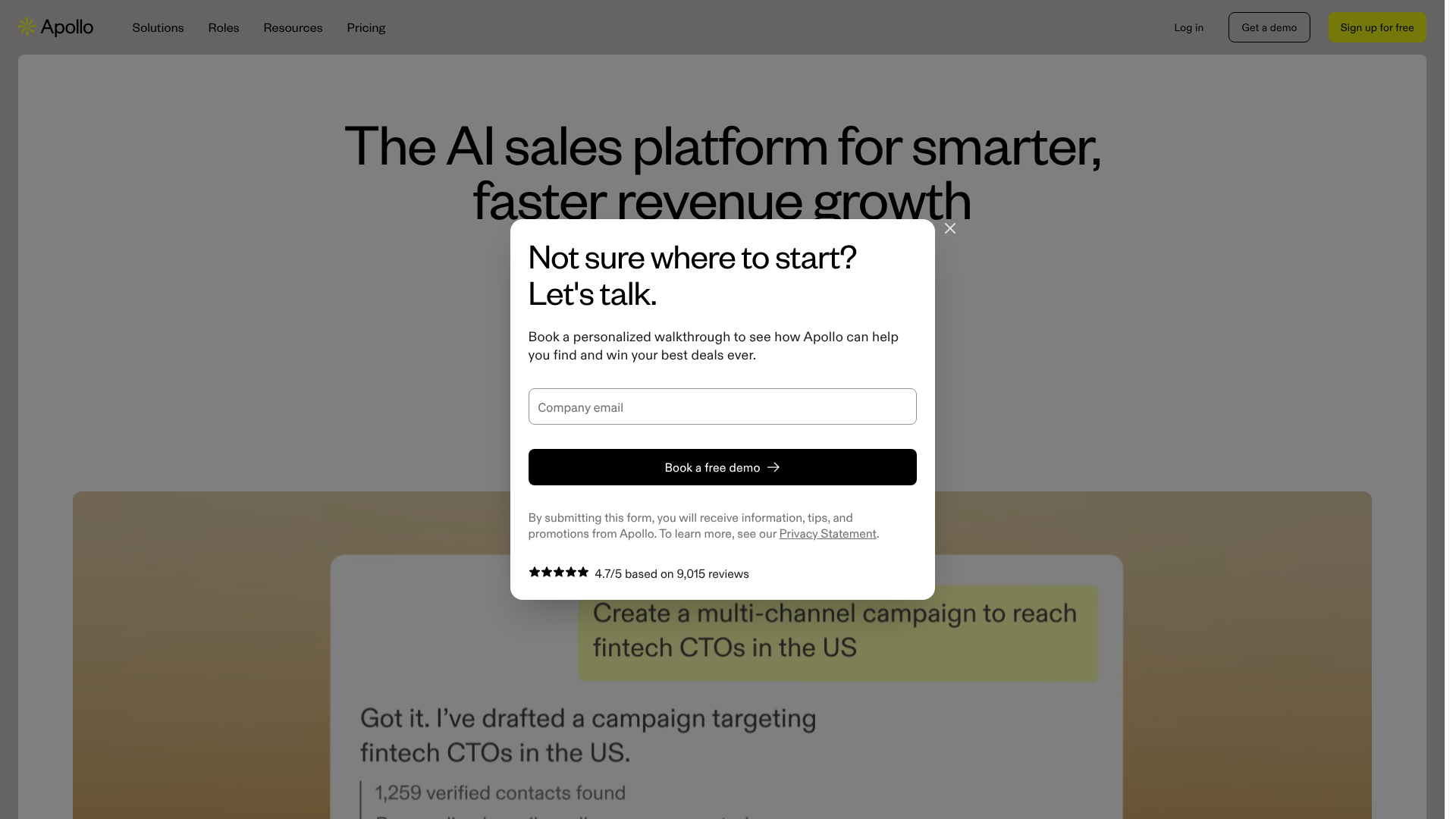
Many of these platforms offer a limited number of free searches per month, which is often enough for a targeted job search. For example, you can use a tool's Chrome extension while on a person's LinkedIn profile to find their likely email address. If you're managing a larger outreach campaign, a paid plan on a platform like Reply.io can help you find contacts and manage your email sequences in one place.
If you prefer a manual approach, you can try to guess the email format. Most companies use a standard convention, such as:
firstname.lastname[@company](https://[twitter](https://twitter.com).com/company).comfirstinitial.lastname[@company](https://[twitter](https://twitter.com).com/company).comfirstname[@company](https://[twitter](https://twitter.com).com/company).com
You can test these variations using a free email verification tool to see which one is valid before you send your message.
Networking's Role in Warming Up Your Cold Email
While a "cold" email implies no prior contact, you can take steps to warm up your recipient before you even hit send. This transforms your outreach from a completely cold approach into a lukewarm one, significantly increasing your chances of getting a positive response. The goal is to create a flicker of recognition in the recipient's mind, so when your email lands, your name isn't entirely unfamiliar.
This is where strategic, light-touch networking comes into play. It's about getting on their radar in a genuine and non-intrusive way. LinkedIn is the perfect platform for this. A few days or a week before you plan to send your email, engage with the person's activity.
Follow them, like one of their recent posts, or leave a thoughtful comment on an article they shared. A good comment adds to the conversation and shows you've actually read the content.
For example, if a marketing director shares an article about a new SEO trend, a weak comment would be "Great post!" A strong comment would be, "This is a great point about the importance of topical authority. I saw similar results when I focused on building content clusters in my last project. Thanks for sharing!" This demonstrates expertise and adds value.
This pre-engagement serves two purposes. First, it familiarises them with your name and face. Second, it gives you another potential hook for your email's opening line. You can start your email with, "Hi [Contact Name], I really enjoyed the article you shared on LinkedIn yesterday about [Topic]." This creates an immediate, relevant connection and shows your interest is genuine and recent.
Pro Tip: Don't overdo it. Liking and commenting on every single post for weeks can come across as insincere. A single, thoughtful engagement a few days before you email is all you need to warm up the contact effectively.
Frequently Asked Questions (FAQ)
How long should a cold email for a job be?
A cold email for a job should be as short as possible while still conveying value. The ideal length is between 100 and 200 words. This is typically 3-5 short paragraphs. Busy professionals are more likely to read and respond to a concise, scannable message.
Your goal is to get straight to the point. Introduce yourself, state your purpose for writing with a personalised hook, provide a single, powerful proof point of your skills, and finish with a clear call-to-action. Anything more is likely to be skimmed or ignored. Always prioritise brevity and clarity.
Should I attach my CV to a cold email?
No, you should not attach your CV to the initial cold email. Sending an unsolicited attachment can trigger spam filters and is generally considered poor etiquette. People are often hesitant to open attachments from unknown senders due to security concerns.
Instead, include a link to your LinkedIn profile in your signature. This allows them to review your background on their own terms. In the body of your email, you can simply state, "I'm happy to send my CV over if you'd like to see more detail." This is a more professional approach that waits for their permission.
Is it okay to cold email a CEO for a job?
In most cases, you should avoid cold emailing the CEO, especially at a large company. A CEO's inbox is incredibly busy, and they are typically not involved in the hiring process for most roles. Your email is likely to be deleted or forwarded to a general HR inbox, defeating the purpose of direct outreach.
The better strategy is to target the head of the specific department you want to work in (e.g., Head of Marketing, Director of Engineering) or the person who would likely be your direct manager. These are the individuals who feel the pain of a vacant role and have the authority to hire for their team. The only exception might be for very small startups (under 30 employees), where the CEO is often still heavily involved in recruitment.
Final Thoughts
Mastering the art of the cold email can fundamentally change your job search. It empowers you to move from a passive applicant to a proactive candidate who creates their own opportunities. It's a skill that requires research, empathy, and a bit of courage, but the payoff can be enormous. By focusing on providing value and building genuine connections, you can open doors that were previously invisible.
Remember the core principles: keep it short, personalise it deeply, lead with a compelling subject line, and always follow up professionally. Each email is a chance to make a strong first impression and start a meaningful conversation. While not every email will receive a reply, the ones that do can lead to interviews, job offers, and valuable additions to your professional network.
To make your research process more efficient, consider using tools like Apollo.io or Hunter Campaigns (Hunter.io) to find the right contact information. These platforms can help you spend less time searching for emails and more time crafting the perfect message that will get you noticed.