
CRM Integration with Email Signature Software: A 2026 Guide for Sales Teams
Your sales and marketing teams send thousands of emails every single day. Each one is a direct touchpoint with a prospect, lead, or customer. What if every one of those emails could be a perfectly branded, personalised, and trackable marketing opportunity? That’s the power you unlock when you connect your customer relationship management (CRM) system with your email signature platform.
- Quick Summary
- What is an Email Signature CRM Integration?
- The Core Benefits of Integrating Your CRM with Email Signatures
- Drive Hyper-Personalised Marketing
- Ensure Company-Wide Brand Consistency
- Turn Every Email into a Lead Generation Tool
- Gather Actionable Engagement Data
- Top CRM Email Signature Tools on the Market
- How to Integrate CRM with Email Signatures: A Step-by-Step Guide
- 1. Choose the Right Tools
- 2. Authorise the Connection
- 3. Map Your CRM Fields
- 4. Design Your Signature Templates
- 5. Set Up Targeting Rules
- 6. Deploy and Test
- Advanced Customisation: Using CRM Data to Create Dynamic Signatures
- Segmenting by Lead Status or Lifecycle Stage
- Targeting by Industry or Company Size
- Promoting Content Based on Past Interactions
- Best Practices for a Successful Email Signature CRM Integration
- Maintain Data Hygiene in Your CRM
- Keep Designs Clean and Professional
- A/B Test Your Signature Banners and CTAs
- Establish Clear Ownership
- Real-World Success: Case Studies of Effective Integrations
- Navigating Common Challenges in CRM and Email Signature Integration
- Challenge: Inaccurate or Incomplete CRM Data
- Challenge: Technical Integration Hurdles
- Challenge: Low User Adoption
- The Future of CRM and Email Signature Alignment
- Deeper AI-Powered Personalisation
- Integration with Sales Engagement Platforms
- Predictive Analytics for Signature Content
- Measuring the ROI of Your Email Signature Integration
- Tracking Click-Through Rates (CTRs) on Banners
- Monitoring Conversions and Lead Generation
- Analysing Influence on Sales Cycle Length
- Calculating Time Saved on Administration
- Frequently Asked Questions
- Can I integrate any CRM with any email signature software?
- Does this work for emails sent from mobile devices?
- Who should manage the email signature integration, IT or Marketing?
- How much does CRM email signature integration cost?
- Final Thoughts: Unlocking a Powerful, Untapped Channel
The crm integration with email signature software is more than just a technical connection; it's a strategic move that transforms a standard communication footer into a dynamic marketing channel. By bridging the gap between your rich customer data and your daily outreach, you can ensure brand consistency, deliver targeted messages, and gather valuable engagement insights, all without adding extra work for your team.
This guide explains everything you need to know about email signature CRM integration. We'll cover the core benefits, walk through the implementation process, explore advanced customisation tactics, and show you how to measure the return on your investment. By the end, you'll understand how to turn every email your company sends into a smart, data-driven asset.
Quick Summary
- Automated Personalisation: Integration allows you to automatically tailor signature banners, links, and content based on CRM data like a contact's lead status, industry, or past purchases.
- Consistent Branding and Compliance: It ensures every email sent by your team has a legally compliant, on-brand signature that is managed from one central dashboard, eliminating outdated or unprofessional signatures.
- Enhanced Lead Generation: Clickable calls-to-action (CTAs) and promotional banners in signatures can drive traffic to landing pages, with all engagement data feeding directly back into the CRM for tracking.
- Increased Team Efficiency: Sales and marketing teams save significant time by eliminating the need for manual signature updates and can leverage automated campaign deployment directly within their daily workflow.
What is an Email Signature CRM Integration?
An email signature CRM integration is the process of connecting your CRM platform (like HubSpot or Zoho) with a centralised email signature management tool. This connection allows the signature software to dynamically pull data from your CRM and use it to customise the email signatures applied to outgoing messages. Instead of a static, one-size-fits-all signature, each employee's signature can be automatically tailored to the specific recipient.
Think of it like giving your email signature a brain. Without an integration, your signature is a simple digital business card. With an integration, it becomes an intelligent communication tool that knows who it's talking to. It can access information from the contact's record in the CRM—such as their name, company, job title, lifecycle stage, or recent activity—and adjust its content accordingly.
This works through an Application Programming Interface (API) that acts as a secure bridge between the two systems. When an employee composes an email, the signature software queries the CRM via the API, retrieves the relevant data for that recipient, and inserts the correct, personalised signature in real-time. This all happens in the background, ensuring a smooth experience for the sender and a highly relevant one for the recipient.
The Core Benefits of Integrating Your CRM with Email Signatures

Connecting your CRM to your email signature software isn't just a technical convenience; it delivers tangible business benefits that impact marketing, sales, and overall brand perception. By leveraging the data you already have, you can transform a simple sign-off into a powerful engine for growth.
Drive Hyper-Personalised Marketing
Personalisation is key to cutting through the noise in a crowded inbox. With an email signature CRM integration, you can move beyond generic banners. Imagine sending an email to a new prospect and the signature automatically displays a banner promoting an introductory webinar. When you email an existing customer, that same banner could be replaced with one linking to an advanced user guide or an upsell opportunity.
This level of targeting is possible because the signature software can read the 'Lifecycle Stage' or 'Lead Status' field in your CRM. You can create rules to display specific content to different segments, ensuring every message is as relevant as possible. This makes your communication feel more thoughtful and significantly increases the chances of engagement.
Ensure Company-Wide Brand Consistency
Nothing undermines a professional brand image faster than inconsistent, outdated, or poorly formatted email signatures. Manually managing signatures across an entire organisation is nearly impossible. Employees may forget to update their details, use old logos, or create their own off-brand designs.
Centralised management solves this problem completely. You can create and enforce a single, professional template for the entire company. When an employee's details change in the CRM (like a new job title or phone number), their signature updates automatically. This ensures every email that leaves your organisation is perfectly branded and legally compliant with necessary disclaimers.
Turn Every Email into a Lead Generation Tool
Your team is already sending thousands of emails. Each one is an opportunity to generate a lead or move a prospect down the funnel. By embedding trackable calls-to-action (CTAs) in your signatures, you can direct recipients to high-value content, landing pages, or booking links.
For example, a sales representative's signature could include a link to their SimplyBook.me calendar, making it easy for prospects to schedule a meeting. A marketing manager's signature might promote the company's latest whitepaper or case study. Because these links can be tracked, you can see exactly how many clicks and conversions your email signatures are generating, attributing real value to this channel.
Gather Actionable Engagement Data
One of the most powerful aspects of integration is the ability to close the data loop. When a recipient clicks a link in an email signature, that activity can be written back to their contact record in the CRM. This provides your sales team with invaluable intelligence.
If a prospect clicks on a link to a specific product page, the salesperson is immediately alerted to their interest. This data can be used to trigger automated follow-up sequences or inform the next sales call. You're no longer guessing what a prospect is interested in; you have clear data showing their engagement, allowing for more effective and timely follow-up.
Top CRM Email Signature Tools on the Market
When it comes to implementing this strategy, you have several options. You can use a dedicated third-party email signature management platform that integrates with your CRM, or you can leverage the native capabilities of your CRM itself. The best choice depends on the size of your team and the complexity of your needs.
Dedicated signature management tools like Exclaimer, CodeTwo, and WiseStamp are specialists in this area. They offer advanced features like sophisticated rule-based targeting, detailed analytics dashboards, and integrations with a wide range of CRMs and email clients. They are an excellent choice for larger organisations that require granular control and robust reporting.
However, many modern CRMs have powerful built-in features that are perfect for small to medium-sized businesses. These platforms understand the value of integrating signatures with customer data and have developed their own solutions.
HubSpot CRM
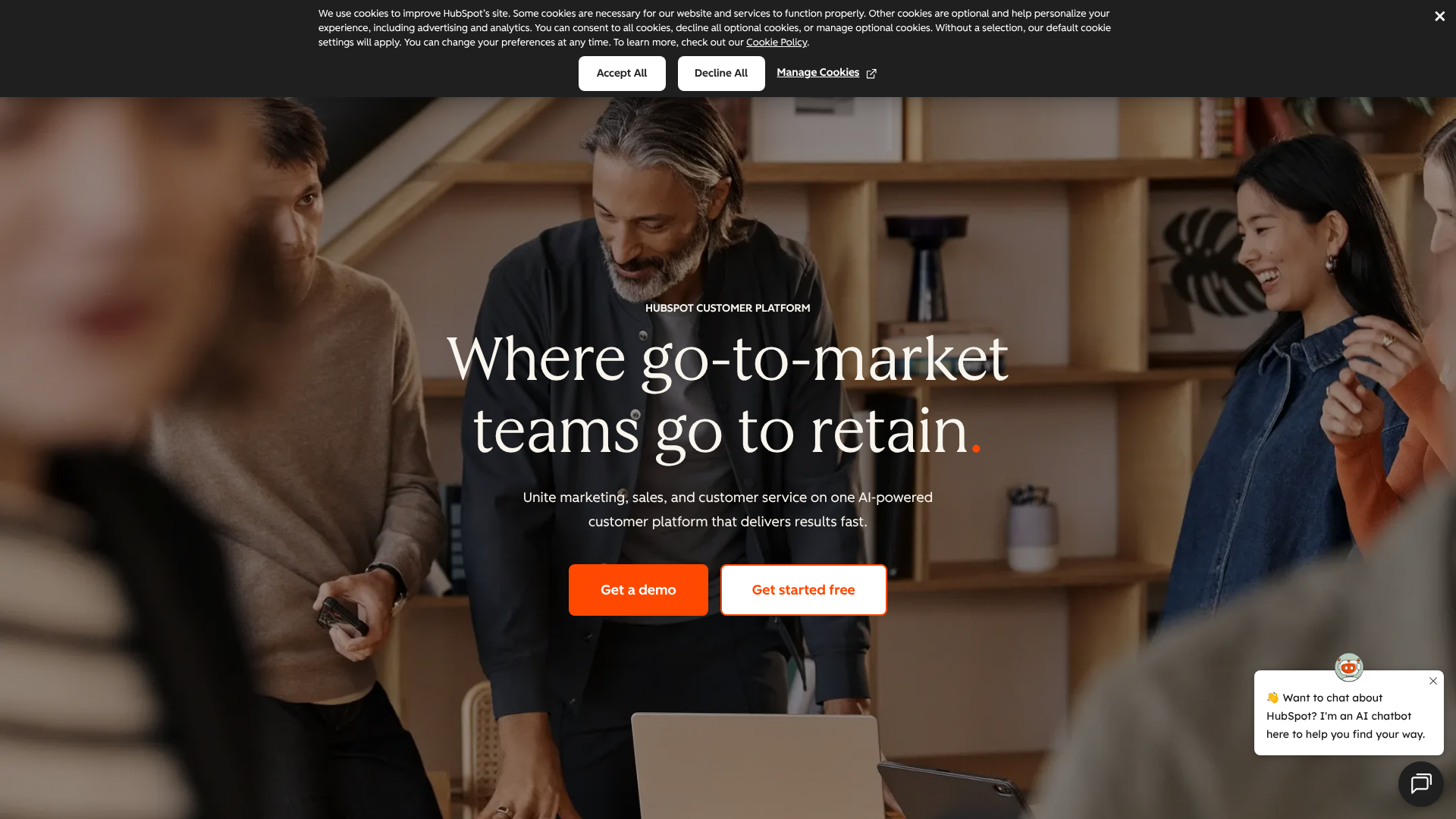
HubSpot CRM allows users to create rich, personalised email signatures directly within the platform. You can set up a default signature for all your CRM-sent emails, using personalisation tokens to pull in user-specific details like name, title, and contact information. This ensures that every one-to-one email sent from the sales or service hub is consistent.
For more advanced banner campaigns and dynamic content, HubSpot integrates smoothly with leading third-party signature management tools. This combination allows you to use HubSpot's powerful segmentation and list-building features to power highly targeted signature marketing campaigns.
Zoho CRM
Similarly, Zoho CRM offers robust email signature capabilities. Users can configure their signatures within the CRM settings, ensuring all communications sent from the platform are professional and on-brand. The integration with the broader Zoho ecosystem means you can maintain consistency across all your business applications.
For businesses that need to manage signatures for users outside of the CRM (e.g., for emails sent directly from Outlook or Gmail), Zoho also integrates with external signature managers. This flexibility allows you to build a solution that fits your specific workflow, whether your team works primarily inside the CRM or not.
| Feature | Dedicated Signature Tool (e.g., Exclaimer) | Built-in CRM Feature (e.g., HubSpot) |
|---|---|---|
| Central Management | Excellent; full control over all users | Good; manages users within the CRM |
| Dynamic Banners | Advanced; rule-based targeting | Basic to limited |
| Analytics | Detailed dashboards and reports | Often relies on general email tracking |
| Deployment | Server-side and client-side options | Typically for emails sent from the CRM |
| Best For | Mid-to-large enterprises with complex needs | SMBs working primarily within their CRM |
How to Integrate CRM with Email Signatures: A Step-by-Step Guide
Setting up your CRM email signature tools might seem technical, but most modern platforms have made the process straightforward. Following a structured approach will ensure a smooth rollout and immediate value.
1. Choose the Right Tools
First, assess your needs. If you only need consistent branding for emails sent directly from your CRM, the built-in features of a platform like HubSpot CRM might be sufficient. If you need to manage signatures for every employee across all devices and email clients, and you want to run targeted banner campaigns, a dedicated tool like Exclaimer or WiseStamp is the better choice. Ensure the tool you select has a pre-built, reliable integration with your specific CRM.
2. Authorise the Connection
Once you've chosen your software, the next step is to connect it to your CRM. This is typically done through a secure authorisation process. You'll be prompted to log in to your CRM from the signature software's dashboard and grant it permission to access your contact and user data. This process often uses OAuth 2.0, a standard protocol that allows for secure, token-based access without sharing your CRM password.
3. Map Your CRM Fields
This is a critical step. You need to tell the signature software which CRM fields correspond to the information in your signature. For example, you'll map the {{user.firstName}} placeholder in your signature template to the 'First Name' field in your CRM's user profile. You'll do the same for last name, job title, phone number, and any other details.
This mapping ensures that when an employee's information is updated in the CRM, it automatically reflects in their signature.
4. Design Your Signature Templates
Now for the creative part. Design a master signature template that is professional, on-brand, and includes all necessary elements: logo, contact details, social media links, and a legal disclaimer. Most importantly, designate a space for a dynamic marketing banner. Create a library of banners for different campaigns, such as promoting a new product, inviting people to a webinar, or sharing a case study.
5. Set Up Targeting Rules
This is where the integration truly shines. Create rules that determine which banner or signature is shown to which recipient. For example, you can set a rule like: "IF contact.lifecycleStage in CRM is 'Customer', THEN show 'Customer Welcome Webinar' banner." Or, "IF contact.industry is 'Manufacturing', THEN show 'Manufacturing Case Study' banner." These rules automate your targeting and ensure maximum relevance.
6. Deploy and Test
Before rolling out the integration to the entire company, deploy it to a small pilot group, such as the marketing or sales team. Ask them to send test emails to internal and external contacts to ensure everything works as expected. Check that data is pulling correctly, banners are displaying based on the rules, and links are trackable. Once you've confirmed it's working perfectly, you can deploy it company-wide.
Pro Tip: Use UTM parameters on all links within your email signature banners. This allows you to track the traffic and conversions generated by your signature campaigns directly in Google Analytics or your CRM's marketing analytics dashboard. For example, a link could be yourwebsite.com/webinar?utm_source=email_signature&utm_campaign=q4_webinar.
Advanced Customisation: Using CRM Data to Create Dynamic Signatures
Once you've mastered the basics, you can integrate CRM with email signatures in more sophisticated ways to support complex sales and marketing strategies. The richer your CRM data, the more granular your targeting can be.
Segmenting by Lead Status or Lifecycle Stage
This is the most common and effective customisation strategy. Your communication with a brand-new lead should be very different from your communication with a long-term, loyal customer.
- Leads/Prospects: Show banners with top-of-funnel offers like e-books, guides, or invitations to introductory webinars. The goal is education and building trust.
- Opportunities: Display content that helps close the deal, such as links to book a demo, view pricing pages, or read compelling case studies.
- Customers: Focus on retention and expansion. Show banners for new feature announcements, customer-only events, referral programmes, or links to your support centre.
Targeting by Industry or Company Size
For B2B companies, personalising by industry is incredibly powerful. If your CRM contains data on a contact's industry, you can create specific banners and messaging for each vertical. An email to a contact in the healthcare industry could feature a banner for a HIPAA compliance whitepaper, while an email to a retail contact could promote a case study from a well-known retail brand.
This shows the recipient that you understand their specific challenges and have relevant solutions. It positions your company as an expert in their field and builds immediate credibility.
Promoting Content Based on Past Interactions
Modern CRMs track a wealth of behavioural data. You can use this to inform your signature content. For example, if a contact recently downloaded your e-book on "Social Media Marketing," you can create a rule to show them a signature banner for a related webinar on "Advanced LinkedIn Strategies."
This creates a cohesive and logical customer journey. You're not just sending random promotions; you're providing the next logical piece of content based on their demonstrated interests, which helps nurture them through the marketing funnel more effectively.
Best Practices for a Successful Email Signature CRM Integration
To get the most out of your integration, it's important to follow a set of best practices. These will help you maintain a high-quality system, drive user adoption, and achieve measurable results.
Maintain Data Hygiene in Your CRM
Your signature campaigns are only as good as the data that powers them. If your CRM data is messy, incomplete, or out of date, your personalisation efforts will fail. Before launching your integration, conduct a data audit. Ensure that critical fields like job title, industry, and lifecycle stage are consistently filled out and accurate.
Implement a company-wide policy for data entry to maintain this quality over time. A clean CRM not only benefits your email signatures but improves the effectiveness of all your sales and marketing activities.
Keep Designs Clean and Professional
While it's tempting to create flashy, eye-catching banners, remember that the primary purpose of an email is communication. Your signature should complement the email, not distract from it. Use your company's brand guidelines for colours and fonts. Ensure your banners are simple, clear, and have a single, obvious call-to-action.
A cluttered or unprofessional signature can damage your brand's credibility.
A/B Test Your Signature Banners and CTAs
Don't just set your campaigns and forget them. Treat your email signature banners like any other digital ad. Continuously test different designs, copy, and CTAs to see what resonates most with your audience. Most dedicated signature management platforms provide analytics that show you the click-through rate (CTR) of each banner.
Try testing a "Book a Demo" button against a "Learn More" link. Test a banner with a person's face against one with just text. Small changes can lead to significant improvements in engagement over time.
Establish Clear Ownership
Who is responsible for managing the email signature system. Is it the IT department, which handles the technical setup, or the marketing team, which creates the campaigns. It's crucial to define ownership and create a clear workflow. Typically, IT manages the initial integration and user provisioning, while Marketing owns the design of templates, the creation of banners, and the analysis of campaign performance.
This collaboration ensures both technical stability and marketing effectiveness.
Real-World Success: Case Studies of Effective Integrations
To illustrate the practical impact, let's look at a few hypothetical but realistic examples of how different businesses can leverage this integration.
Case Study 1: The SaaS Company
A B2B SaaS company used their email signature CRM integration with HubSpot CRM to increase webinar attendance. They created different promotional banners for three upcoming webinars, each tailored to a specific industry: finance, healthcare, and retail. Using rules based on the 'Industry' field in HubSpot, every email sent by their sales team automatically displayed the most relevant webinar banner to the recipient.
The Result: They saw a 20% increase in webinar registrations directly attributed to the email signature campaigns. The sales team also reported more engaged conversations, as they were able to follow up on a topic they knew the prospect was already interested in.
Case Study 2: The Real Estate Agency
A boutique real estate agency integrated their signature software with Zoho CRM, where they stored client preferences and property interests. When an agent emailed a client who was interested in properties in a specific neighbourhood, the signature would automatically include a banner with a link to new listings in that area.
The Result: The agency achieved a 35% higher click-through rate on property links sent via email compared to their standard newsletter. Clients appreciated the personalised and timely updates, which helped the agency build stronger relationships and close deals faster.
Navigating Common Challenges in CRM and Email Signature Integration
While the benefits are significant, implementing a new system can come with challenges. Being aware of these potential hurdles can help you plan for them and ensure a successful rollout.
Challenge: Inaccurate or Incomplete CRM Data
As mentioned earlier, poor data quality is the biggest obstacle. If contact records are missing industry information or lifecycle stages are not updated, your targeting rules won't work. This can lead to embarrassing mistakes, like showing a new customer a prospecting banner.
Solution: Prioritise data hygiene before you begin. Run a data cleansing project and train your team on the importance of maintaining accurate records. Start with simple campaigns based on data you know is reliable, and expand as your data quality improves.
Challenge: Technical Integration Hurdles
Connecting two software platforms can sometimes be complex, especially with custom-built CRMs or strict security protocols. API limitations or firewall issues can prevent a smooth connection.
Solution: Choose a signature management platform that offers strong customer support and has a proven integration with your CRM. Involve your IT team early in the process to address any security or network configuration requirements. Always opt for pre-built, certified integrations over custom solutions where possible.
Challenge: Low User Adoption
If your team is used to their own signatures, they might be resistant to a new, centrally managed system. They may try to override the new signatures or complain about a lack of flexibility.
Solution: Communication is key. Clearly explain the benefits of the new system to your team—not just for the company, but for them. Highlight how it saves them time and helps them be more effective in their roles. Provide training and documentation, and showcase early successes to build momentum.
The Future of CRM and Email Signature Alignment
The alignment between CRMs and email signature software is only getting tighter. As technology evolves, we can expect to see even more powerful and intelligent capabilities emerge.
Deeper AI-Powered Personalisation
In the near future, Artificial Intelligence will play a larger role in determining which signature content to display. Instead of relying solely on manually programmed rules, an AI engine could analyse a contact's entire history—emails opened, pages visited, content downloaded—to predict which banner or CTA is most likely to elicit a response at that exact moment.
Integration with Sales Engagement Platforms
This technology is a natural fit for sales engagement platforms like Outreach and Reply.io. As sales reps run automated sequences, the email signatures within those sequences could be dynamically updated based on the prospect's engagement level. If a prospect clicks a link in the first email, the signature in the second email could automatically change to reflect that interest.
Predictive Analytics for Signature Content
Analytics will move beyond simple click-tracking. Future platforms will offer predictive analytics, suggesting which banners are likely to perform best for certain audience segments based on historical data. This will help marketers optimise their campaigns more effectively and make data-driven decisions about their signature content strategy.
Measuring the ROI of Your Email Signature Integration
To justify the investment in email signature software, you need to demonstrate its return on investment (ROI). This requires tracking the right metrics and connecting them to business outcomes.
Tracking Click-Through Rates (CTRs) on Banners
This is the most direct measure of engagement. Your signature management tool's dashboard will show you the CTR for each banner campaign. This helps you understand which messages and designs are resonating with your audience. A high CTR is a strong indicator of a successful campaign.
Monitoring Conversions and Lead Generation
Clicks are good, but conversions are better. By using unique landing pages and UTM parameters for your signature campaigns, you can track how many of those clicks turn into actual leads, demo requests, or content downloads. Attributing these conversions back to the email signature channel proves its value as a lead generation tool.
Analysing Influence on Sales Cycle Length
This is a more advanced metric but can be very powerful. By providing sales reps with engagement data (e.g., knowing a prospect clicked on the pricing page link), they can have more effective conversations. Over time, you can analyse whether leads who engaged with signature content have a shorter sales cycle than those who did not. This can demonstrate the role of signatures in accelerating the sales process.
Calculating Time Saved on Administration
Don't forget the operational ROI. Calculate the amount of time your IT and marketing teams previously spent manually updating signatures or helping employees with formatting issues. A centralised system can save dozens or even hundreds of hours per year, which translates directly into cost savings.
Frequently Asked Questions
Can I integrate any CRM with any email signature software?
Not necessarily. While many signature platforms offer a wide range of integrations, it's crucial to check for compatibility before you buy. Most leading signature tools have pre-built integrations for major CRMs like Salesforce, HubSpot, Zoho, and Microsoft Dynamics. If you use a less common or custom-built CRM, you may need a tool that offers a flexible API for a custom integration.
Does this work for emails sent from mobile devices?
Yes, but it depends on the signature management software. The most effective solutions are 'server-side', meaning the signature is applied after the user clicks 'send' but before it reaches the recipient's server. This method works regardless of the device or email client the message was sent from, including mobile phones and tablets, ensuring 100% consistency.
Who should manage the email signature integration, IT or Marketing?
It's a collaborative effort. The IT department is typically responsible for the initial technical setup, security, and user provisioning, as they manage the company's technology stack. The Marketing team should own the strategy, including designing the signature templates, creating the banner campaigns, setting the targeting rules, and analysing the performance data. Clear communication between these two departments is essential for success.
How much does CRM email signature integration cost?
The cost varies widely. Some CRMs offer basic signature features as part of their standard subscription. Dedicated email signature management platforms typically charge on a per-user, per-month basis. Pricing can range from £1 to £5 per user per month, depending on the provider and the level of features you need, such as advanced analytics, targeting rules, and server-side deployment.
Always check the latest pricing on the provider's website.
Final Thoughts: Unlocking a Powerful, Untapped Channel
Integrating your CRM with your email signature software is one of the most efficient ways to enhance your marketing and sales efforts. It transforms every email your team sends from a simple message into a data-driven, personalised, and trackable touchpoint. By leveraging the customer data you already work so hard to collect, you can ensure brand consistency, deliver highly relevant content, and generate measurable leads.
This strategy isn't about adding another complex tool to your stack; it's about making your existing tools work smarter together. It automates processes, saves valuable time, and provides your sales team with the insights they need to close deals faster. It turns a daily operational task into a strategic asset that contributes directly to your bottom line.
If you're ready to centralise your customer data and power up your marketing efforts, exploring a platform like HubSpot CRM or the flexible Zoho CRM is an excellent first step. By building a strong data foundation, you'll be perfectly positioned to unlock the full potential of your email signatures.