
Cloud Based CRM Software: A 2026 Buyer's Guide for SMBs
Managing customer relationships effectively is the backbone of any successful business. Yet, juggling contacts in spreadsheets, tracking leads in email threads, and losing notes on scraps of paper quickly becomes chaotic and unsustainable. This is where choosing the right cloud based crm software becomes essential, providing a central hub to organise, track, and nurture every customer interaction from a single, accessible platform.
- What You'll Learn
- What Exactly is Cloud Based CRM Software?
- The Core Benefits: Why Businesses are Moving to the Cloud
- Must-Have Features to Look for in Online CRM Software
- A Practical Guide to Choosing the Right Web-Based CRM
- Step 1: Assess Your Business Needs and Goals
- Step 2: Evaluate Usability and Team Adoption
- Step 3: Check Integration Capabilities
- Step 4: Consider Scalability for Future Growth
- Top Cloud Based CRM Software Recommendations for 2026
- 1. HubSpot CRM: Best All-in-One Platform for SMBs
- 2. Zoho CRM: Best for Customisation and Value
- 3. Salesforce Sales Cloud: Best for Large Enterprises
- Understanding Pricing Models and Comparing Costs
- The Pros and Cons of Cloud CRM Systems
- Frequently Asked Questions (FAQ)
- What are the 4 types of CRM?
- Is Zoho CRM still free?
- What are the top 5 CRM systems?
- What's the difference between cloud CRM and on-premise CRM?
- Final Thoughts: Making Your Decision
Unlike traditional software installed on a single computer, a cloud CRM lives online, meaning your team can access vital customer data from anywhere, at any time. This guide will walk you through everything you need to know to select the perfect solution for your small or medium-sized business (SMB), from essential features and pricing models to top recommendations for 2026.
What You'll Learn
- What Cloud CRM Is: Understand the fundamental difference between cloud-based and on-premise CRM systems and why it matters for modern businesses.
- Key Benefits and Features: Discover the core advantages, such as cost savings and scalability, and the essential features every good online CRM software should have.
- How to Choose the Right Platform: Follow a step-by-step framework to assess your needs, evaluate options, and make an informed decision without getting overwhelmed.
- Top Recommendations: Get a clear overview of the leading cloud CRM platforms, including their strengths, weaknesses, and ideal use cases for different types of businesses.
- Pricing and Hidden Costs: Learn to navigate common pricing structures and identify potential hidden costs to ensure you stay within your budget.
What Exactly is Cloud Based CRM Software?
Cloud based CRM software, also known as a web-based CRM or Software-as-a-Service (SaaS) CRM, is a tool that hosts your customer data and CRM applications on the provider's servers. Instead of installing and maintaining software on your own company servers, you access the platform through any internet browser or mobile app. Think of it like Netflix for your customer data; you pay a subscription fee for access, and the provider handles all the technical heavy lifting.
This model stands in stark contrast to on-premise CRM systems. With an on-premise solution, your business is responsible for purchasing servers, installing the software, and managing all maintenance, security, and updates. This requires a significant upfront investment in hardware and a dedicated IT team to keep things running smoothly. The initial cost can be a major barrier for SMBs, and the ongoing maintenance can drain valuable resources.
An online CRM software eliminates these hurdles. The provider manages the infrastructure, security protocols, data backups, and software updates automatically. Your team simply logs in and gets to work. This accessibility is a major advantage, allowing sales reps in the field, support agents working from home, and managers on the go to have the same real-time access to customer information.
This unified view ensures everyone is working with the most up-to-date data, preventing miscommunication and improving collaboration across departments.
The Core Benefits: Why Businesses are Moving to the Cloud
The shift towards cloud CRM solutions isn't just a trend; it's driven by tangible business benefits that give companies a competitive edge. For SMBs in particular, these advantages can level the playing field, providing access to powerful tools that were once only available to large enterprises.
1. Lower Total Cost of Ownership
Perhaps the most significant benefit is the cost structure. On-premise systems require a large capital expenditure for servers, software licences, and IT staff. Cloud CRMs operate on a subscription model, typically a predictable per-user, per-month fee.
This shifts the cost from a capital expense (CapEx) to an operating expense (OpEx), making it much more manageable for businesses with tight budgets. There are no surprise maintenance bills or hardware replacement costs.
2. Unmatched Accessibility and Flexibility
With a web-based CRM, your office is wherever you have an internet connection. Sales teams can update deals from their mobile phones right after a client meeting, customer service can resolve issues from home, and managers can pull reports while travelling. This level of accessibility boosts productivity and ensures that business doesn't stop when your team is out of the office.
It supports modern, flexible work environments and improves responsiveness to customer needs.
3. Effortless Scalability
As your business grows, your CRM needs to grow with you. With a cloud solution, scaling is as simple as adjusting your subscription plan. You can add new users in minutes without worrying about server capacity or performance degradation.
This agility allows you to adapt quickly to changing business needs, whether you're hiring a new sales team or expanding into new markets. You only pay for what you use, making it an efficient way to manage growth.
4. Automatic Updates and Maintenance
The CRM provider is responsible for all software updates, security patches, and new feature rollouts. These updates happen automatically in the background, so your team always has access to the latest tools without any downtime or IT intervention. This frees up your technical resources to focus on more strategic initiatives instead of routine software maintenance.
5. Enhanced Data Security
Reputable cloud CRM providers invest heavily in security measures that most SMBs could never afford on their own. This includes physical server security, data encryption, regular backups, and disaster recovery plans. They employ teams of security experts to monitor threats 24/7, ensuring your sensitive customer data is protected against breaches and loss.
For many businesses, storing data with a major cloud provider is significantly more secure than managing it in-house.
Must-Have Features to Look for in Online CRM Software
While every business has unique needs, there are several core features that form the foundation of any effective online CRM software. When evaluating your options, ensure the platform you choose excels in these key areas. These features are designed to streamline workflows, provide valuable insights, and ultimately help you build stronger customer relationships.
1. Contact and Lead Management
This is the most fundamental feature. A good CRM should provide a 360-degree view of every contact, lead, and customer. This includes their contact details, communication history (emails, calls, meetings), purchase history, and any custom notes.
It should allow you to easily segment your contacts based on various criteria, such as lead source, industry, or position in the sales funnel.
2. Sales Pipeline and Deal Tracking
For any sales-focused organisation, visual pipeline management is crucial. The CRM should allow you to create custom deal stages that reflect your sales process. Your team should be able to drag and drop deals from one stage to the next, making it easy to see where every opportunity stands at a glance.
This feature helps with sales forecasting and identifying bottlenecks in your process.
3. Automation Capabilities
Automation saves time and reduces manual errors. Look for a CRM that can automate repetitive tasks such as data entry, lead assignment, and follow-up emails. Workflow automation can trigger actions based on specific events.
For example, when a lead fills out a form on your website, the CRM can automatically create a new contact, assign it to a sales rep, and send a welcome email.
4. Reporting and Analytics
You can't improve what you can't measure. A powerful CRM provides customisable dashboards and in-depth reports on key metrics. You should be able to track sales performance, conversion rates, marketing campaign ROI, and customer service effectiveness.
These insights are vital for making data-driven decisions and optimising your strategies.
5. Integration with Other Tools
Your CRM doesn't exist in a vacuum. It needs to connect with the other tools you use every day. Check for native integrations with your email client (Gmail, Outlook), marketing automation platform, accounting software, and e-signature tools like eSignly.
A robust API (Application Programming Interface) is also important, as it allows for custom integrations with other business systems.
Pro Tip: When evaluating integrations, don't just check if an integration exists. Investigate the depth of the integration. Does it offer two-way data synchronisation? Can you trigger actions in one app from the other? A shallow, one-way data dump is far less useful than a deep, functional connection.
A Practical Guide to Choosing the Right Web-Based CRM
With hundreds of options on the market, selecting the right web-based CRM can feel daunting. Following a structured process will help you cut through the noise and find a solution that truly fits your business. Here is a four-step framework to guide your decision.
Step 1: Assess Your Business Needs and Goals
Before you even look at a single CRM feature, start by looking inward. What specific problems are you trying to solve. What are your primary goals. Are you focused on lead generation, improving sales conversion rates, or enhancing customer support.
Write down your top 3-5 objectives.
Next, map out your current processes. How does a lead move from initial contact to a closed deal. Who is involved at each stage. Identifying your existing workflows will help you determine which CRM features are non-negotiable and which are nice-to-haves.
Involve key stakeholders from sales, marketing, and customer service in this process to get a complete picture.
Step 2: Evaluate Usability and Team Adoption
The most powerful CRM in the world is useless if your team doesn't use it. User adoption is one of the biggest challenges in CRM implementation. Look for a platform with a clean, intuitive interface that is easy to navigate. If your team finds the software complicated or clunky, they will revert to their old methods.
Always take advantage of free trials. Get the team members who will be using the CRM daily to test it out. Can they easily add a new contact, update a deal, and find the information they need? A system that requires extensive training just for basic operations is often a red flag for SMBs.
Step 3: Check Integration Capabilities
Make a list of the essential tools your business currently uses. This could include email marketing software, proposal tools like PandaDoc or Better Proposals, accounting software, and project management apps. Check if the CRM candidates offer seamless, native integrations with these systems.
A well-integrated ecosystem prevents data silos and saves countless hours of manual data transfer. For example, an integration with your proposal software could automatically update a deal's status in the CRM when a client signs a proposal. This kind of connectivity streamlines workflows and ensures your data is always accurate and up-to-date.
Step 4: Consider Scalability for Future Growth
Choose a CRM that can support your business not just today, but also in two to five years. Does the provider offer different pricing tiers that allow you to add more advanced features as you grow? Can it handle a significant increase in the number of users and contacts without performance issues?
Switching CRMs is a disruptive and costly process, so it's important to choose a partner for the long term. Look for a provider with a proven track record and a clear product roadmap. This indicates they are committed to improving their platform and will be able to support your evolving needs.
Top Cloud Based CRM Software Recommendations for 2026
After evaluating the market based on features, usability, and value for SMBs, a few platforms consistently stand out. Here are our top recommendations for cloud based crm software in 2026.
1. HubSpot CRM: Best All-in-One Platform for SMBs
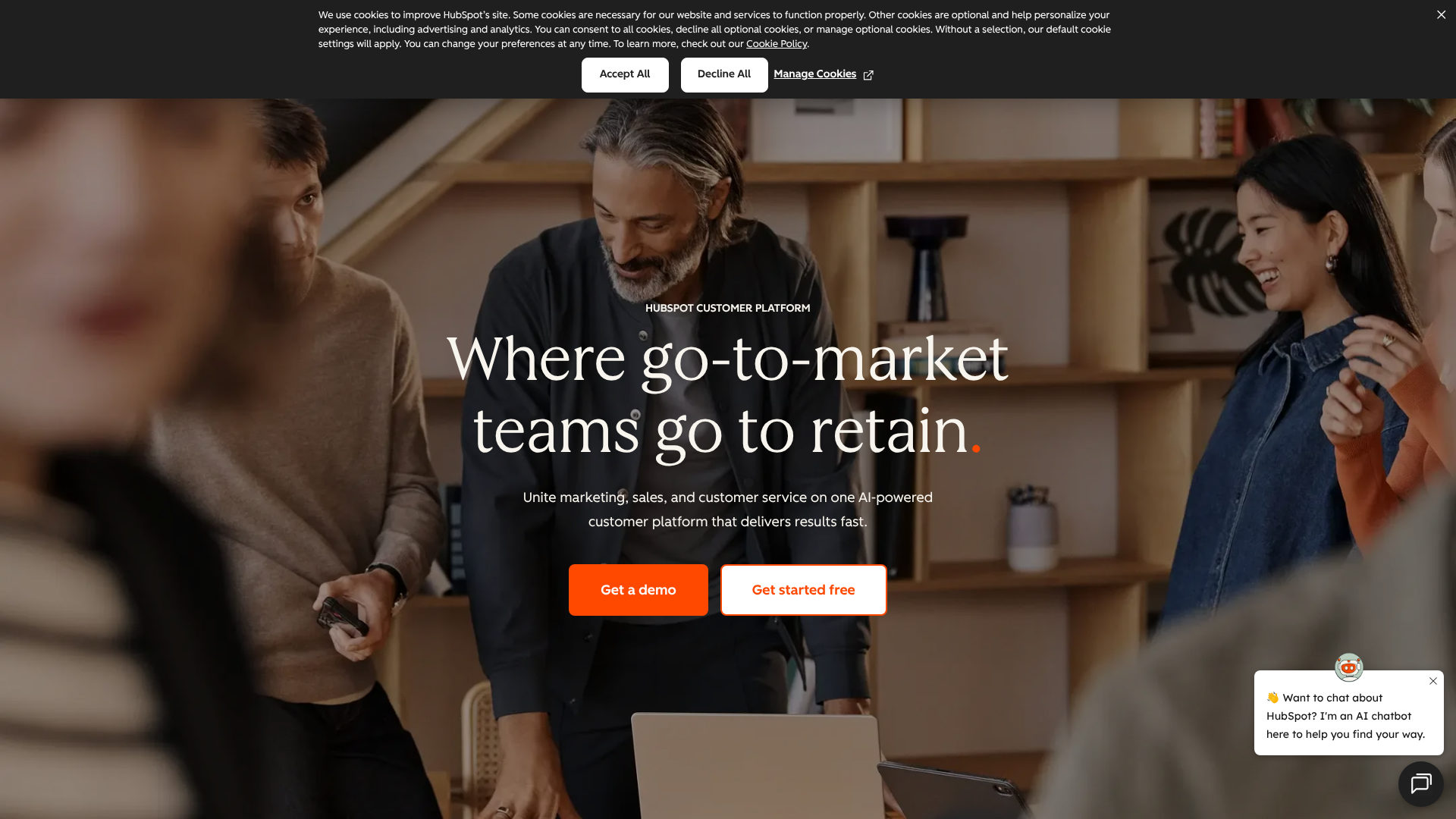
HubSpot CRM is renowned for its user-friendly interface and its powerful free-forever plan. It's an excellent starting point for small businesses that are new to CRM. The platform is built on the concept of an all-in-one solution, combining sales, marketing, and customer service tools into a single, unified database.
The free version includes an impressive set of features, including contact management, deal pipelines, email tracking, meeting scheduling, and live chat. This allows businesses to get started without any financial commitment. As your needs grow, you can upgrade to the paid Sales Hub, Marketing Hub, or Service Hub for more advanced functionality like automation, advanced reporting, and sequence-based outreach.
Pros
- Exceptional Ease of Use: The interface is clean, modern, and intuitive, which significantly boosts team adoption.
- Powerful Free Plan: The free CRM is one of the most generous on the market, providing real value for startups and small businesses.
- Seamless Integration: It integrates perfectly with other HubSpot tools, creating a single source of truth for all customer-facing activities.
Cons
- Can Become Expensive: While the free plan is great, the paid tiers can become costly, especially if you need features from multiple hubs.
- Limited Customisation on Lower Tiers: Advanced customisation options are often reserved for the more expensive Professional and Enterprise plans.
2. Zoho CRM: Best for Customisation and Value
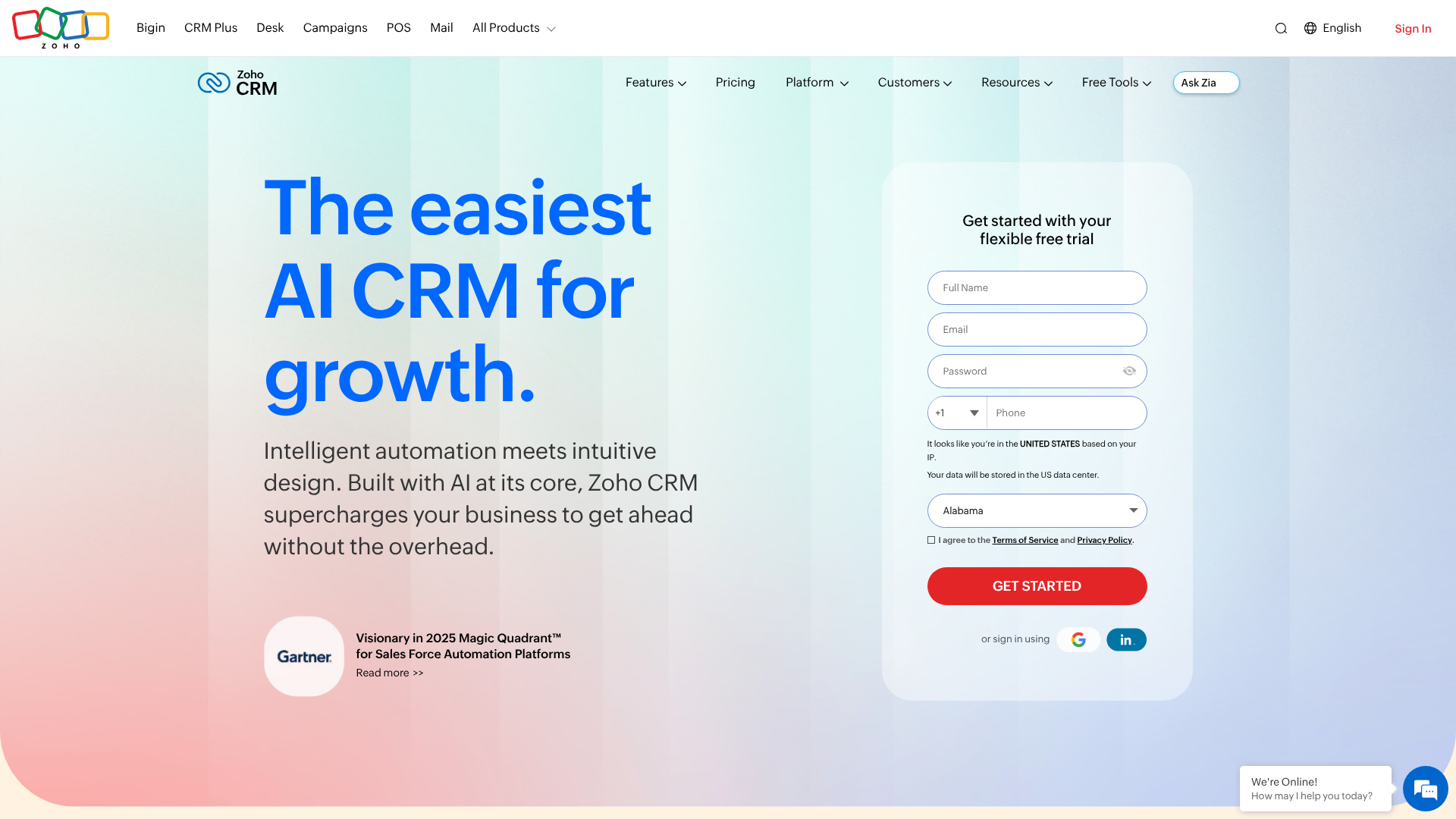
Zoho CRM is a powerhouse known for its extensive feature set and competitive pricing. It's part of the broader Zoho ecosystem, which includes over 50 different business applications. This makes it an ideal choice for businesses that want a highly customisable CRM that can integrate deeply with other business functions like finance, HR, and project management.
Zoho offers a free edition for up to three users, but its true strength lies in its paid plans, which deliver enterprise-grade features at an SMB-friendly price point. It excels at automation, analytics, and customisation, allowing you to tailor the platform to your specific workflows. It also includes an AI-powered sales assistant named Zia, which can provide predictions, suggestions, and alerts.
Pros
- Excellent Value for Money: Zoho packs an incredible number of features into its affordable paid plans.
- Highly Customisable: You can customise modules, fields, layouts, and workflows to match your unique business processes.
- Part of a Huge Ecosystem: If you use other Zoho apps, the CRM integrates flawlessly, creating a comprehensive business operating system.
Cons
- Steeper Learning Curve: The sheer number of features and customisation options can be overwhelming for new users.
- Interface Can Feel Dated: While highly functional, the user interface isn't as modern or polished as some competitors.
3. Salesforce Sales Cloud: Best for Large Enterprises
Salesforce is the undisputed market leader in the CRM space, and for good reason. It's an incredibly powerful and scalable platform that can be customised to meet the complex needs of large organisations. It offers a vast array of features, a massive third-party app ecosystem (the AppExchange), and advanced AI capabilities through its Einstein AI.
However, this power comes at a price. Salesforce is one of the more expensive options on the market, and its complexity often requires a dedicated administrator or implementation partner to set up and maintain. For this reason, it's typically better suited for mid-market and enterprise companies with complex sales processes and the budget to support it.
Pros
- Unmatched Scalability: The platform can support businesses of any size, from growing startups to global corporations.
- Vast Ecosystem: The Salesforce AppExchange offers thousands of third-party apps to extend the CRM's functionality.
- Powerful AI and Analytics: Einstein AI provides sophisticated forecasting, lead scoring, and automation.
Cons
- High Cost: It is significantly more expensive than competitors like HubSpot and Zoho.
- Complex to Implement and Use: Requires significant training and often a dedicated administrator.
Understanding Pricing Models and Comparing Costs
Navigating the pricing of cloud CRM platforms can be tricky. Most providers use a subscription model, but the details can vary significantly. Understanding these models is key to finding a solution that fits your budget both now and in the future.
Common Pricing Structures
- Per-User, Per-Month: This is the most common model. You pay a flat fee for each user on your team every month. Prices often vary based on the feature tier you select.
- Tiered Plans: Providers typically offer several plans (e.g., Basic, Professional, Enterprise). Each tier unlocks more advanced features and often has higher limits on things like contacts or custom fields. It's crucial to examine which features are included in each tier to avoid paying for a higher plan just for one or two key functions.
- Freemium Model: Some CRMs, like HubSpot and Zoho, offer a free-forever plan with basic functionality. This is a great way to get started, but be aware that you will likely need to upgrade to a paid plan as your business grows and your needs become more complex.
Hidden Costs to Watch Out For
The subscription fee is rarely the only cost. Be on the lookout for these potential additional expenses:
- Implementation and Onboarding Fees: Some providers charge a one-time fee for helping you set up the system, import your data, and train your team.
- Data Migration Costs: Moving your existing customer data from spreadsheets or another system into your new CRM can sometimes incur extra costs.
- Integration Fees: While many integrations are free, some premium or custom integrations may require an additional subscription.
- Customer Support: Basic support is usually included, but premium, 24/7 support often comes at an extra cost.
Cost Comparison Table
Here’s a general overview of what you can expect from our top recommendations. Prices are subject to change, so always check the provider's website for the most current information.
| Feature | HubSpot CRM | Zoho CRM | Salesforce Sales Cloud |
|---|---|---|---|
| Free Plan | Yes, very generous | Yes, for up to 3 users | No (Offers a 30-day trial) |
| Starting Price (Paid) | Starts around £15/user/month (billed annually) | Starts around £12/user/month (billed annually) | Starts around £20/user/month (billed annually) |
| Mid-Tier Plan | ~£800/month (includes 5 users) | ~£30/user/month (billed annually) | ~£60/user/month (billed annually) |
| Best For | SMBs seeking ease of use and an all-in-one platform | Businesses needing high customisation and value | Enterprises with complex needs and larger budgets |
Pro Tip: When comparing costs, calculate the total annual cost for your entire team, not just the per-user price. A plan that seems cheaper per user might end up being more expensive if it forces you into a higher tier to get essential features for your whole team.
The Pros and Cons of Cloud CRM Systems
While the benefits are substantial, it's important to have a balanced view. Here’s a summary of the main advantages and potential drawbacks of adopting a cloud based crm software.
Pros:
- Lower Upfront Costs: Avoids the need for expensive server hardware and software licences.
- Accessibility: Access your data from anywhere with an internet connection, on any device.
- Scalability: Easily add or remove users as your business needs change.
- Automatic Updates: The provider handles all maintenance and updates, ensuring you always have the latest features.
- Reliability and Security: Benefit from enterprise-grade security and data backup managed by experts.
Cons:
- Subscription Costs: The recurring monthly fees can add up over time, potentially exceeding the long-term cost of a one-time on-premise licence.
- Dependency on Internet Connection: If your internet goes down, you lose access to your CRM. This is a critical consideration for businesses in areas with unreliable connectivity.
- Less Control Over Data: Your data is stored on the provider's servers, which can be a concern for industries with strict data sovereignty or compliance regulations.
- Potential for Vendor Lock-in: Migrating large amounts of data from one CRM to another can be complex and costly, making it difficult to switch providers.
Frequently Asked Questions (FAQ)
Here are answers to some of the most common questions businesses have about cloud CRM systems.
What are the 4 types of CRM?
CRMs can be categorised by their primary function. The four main types are:
- Operational CRM: This is the most common type. It focuses on streamlining and automating sales, marketing, and service processes.
Its goal is to manage the entire customer lifecycle, from lead generation to post-sale support. 2. Analytical CRM: This type focuses on data analysis. It helps businesses understand customer behaviour, identify trends, and measure the effectiveness of their strategies.
It uses data from various touchpoints to provide insights for better decision-making. 3. Collaborative CRM: Also known as strategic CRM, this type focuses on improving communication and information sharing between different departments (like sales, marketing, and support) to present a unified front to the customer. The goal is to improve the overall customer experience.
- Strategic CRM: This type is focused on developing a customer-centric business culture. It's less about technology and more about a business philosophy that places the customer at the centre of all processes and decisions.
Is Zoho CRM still free?
Yes, Zoho CRM offers a free-forever edition for up to three users. It includes essential features like lead and contact management, deal tracking, and standard reports. It's a great option for small teams and startups looking to get started with a CRM without any initial investment. However, for more advanced features like mass email, workflow automation, and advanced customisation, you will need to upgrade to one of their paid plans.
What are the top 5 CRM systems?
Based on market share, features, and user reviews for 2026, the top 5 CRM systems are generally considered to be:
- Salesforce: The market leader, best for enterprises.
- HubSpot CRM: Best for SMBs focused on inbound marketing and ease of use.
- Zoho CRM: Best for businesses looking for value and deep customisation.
- Microsoft Dynamics 365: A strong contender for businesses already invested in the Microsoft ecosystem.
- Pipedrive: A sales-focused CRM known for its simplicity and visual pipeline management, great for small sales teams.
What's the difference between cloud CRM and on-premise CRM?
The primary difference is where the software and data are hosted. A cloud CRM is hosted by the software provider on their servers and accessed via the internet (SaaS model). An on-premise CRM is installed on your company's own servers, and you are responsible for all maintenance, security, and updates. Cloud CRMs generally have lower upfront costs and are more flexible, while on-premise CRMs offer more control over data and customisation but require a significant investment in IT infrastructure and personnel.
Final Thoughts: Making Your Decision
Choosing the right cloud based crm software is a strategic decision that can have a profound impact on your business's efficiency, growth, and customer satisfaction. The key is to move beyond the marketing hype and focus on your specific needs, workflows, and long-term goals.
Start by clearly defining what you need to achieve, involve your team in the evaluation process, and take full advantage of free trials to get a hands-on feel for each platform. For most small and medium-sized businesses, the choice often comes down to a balance of usability, features, and price.
If you're looking for an easy-to-use, all-in-one platform with a fantastic free starting point, HubSpot CRM is an excellent choice. If your business requires deep customisation and you want the best value for your money within a larger app ecosystem, Zoho CRM is hard to beat. By making a thoughtful, informed decision, you can implement a tool that will serve as the central nervous system of your business for years to come.