
Synthesia AI Video Maker Review: Is It Worth It for Your Business in 2026?
Creating professional-quality video content is often a slow, expensive, and resource-intensive process. It typically involves cameras, microphones, actors, and complex editing software. The Synthesia AI video maker offers a different approach, allowing you to generate polished videos with realistic AI presenters directly from a text script. This platform is designed to replace the traditional video production workflow, making it faster and more scalable for businesses of all sizes.
- In a Nutshell
- What is the Synthesia AI Video Maker? An Overview
- Unpacking the Core Features of the Synthesia AI Tool
- Diverse AI Avatars and Voices
- Extensive Language Support
- AI Script Assistant
- Media Library and Customisation
- Creating Your First Video: A Step-by-Step Guide
- 1. Choose a Template and Avatar
- 2. Write or Paste Your Script
- 3. Customise Your Scenes
- 4. Generate and Preview
- 5. Download and Share
- Who Should Use Synthesia? Key Business & Marketing Use Cases
- Corporate Training and Learning & Development (L&D)
- Marketing and Sales
- Internal Communications
- Customer Support
- Synthesia vs. The Competition: How Does It Compare?
- The Technology Behind the Magic: How Does Synthesia Work?
- Real-World Success: User Testimonials and Case Studies
- Understanding Synthesia's Pricing Plans
- Pro Tips for Creating High-Impact Videos with Synthesia
- The Future of Video: What's Next for AI Video Generators?
- Frequently Asked Questions (FAQ)
- Can I use Synthesia AI video for free?
- How much does Synthesia AI video cost?
- Can Synthesia AI create realistic videos?
- What are the limitations of Synthesia AI?
- Is there anything better than Synthesia?
- Do I own the copyright to AI-generated videos?
- Final Thoughts: Is the Synthesia AI Video Maker the Right Choice?
This review provides a deep analysis of the Synthesia platform, exploring its core features, ideal use cases, and overall value. We will cover everything from its AI avatars and language capabilities to its pricing structure and position against competitors. By the end, you'll have a clear understanding of whether this innovative tool is the right investment for your organisation's content strategy.
In a Nutshell
- Core Function: Synthesia is an AI video generator that transforms text scripts into high-quality videos featuring AI-powered avatars, eliminating the need for cameras or actors.
- Key Features: The platform boasts over 160 diverse AI avatars, voiceovers in more than 130 languages, custom branding options, an AI script assistant, and a library of video templates.
- Ideal Use Cases: It excels in creating content for corporate training, internal communications, marketing explainers, and customer support tutorials where consistency and scalability are crucial.
- Main Benefit: Synthesia significantly reduces the time and cost associated with traditional video production, allowing teams to create and update content in minutes rather than weeks.
- Recent Advancements: The introduction of full-body avatars and expressive gestures has pushed the boundaries of realism, moving beyond simple talking-head videos to more dynamic presentations.
What is the Synthesia AI Video Maker? An Overview
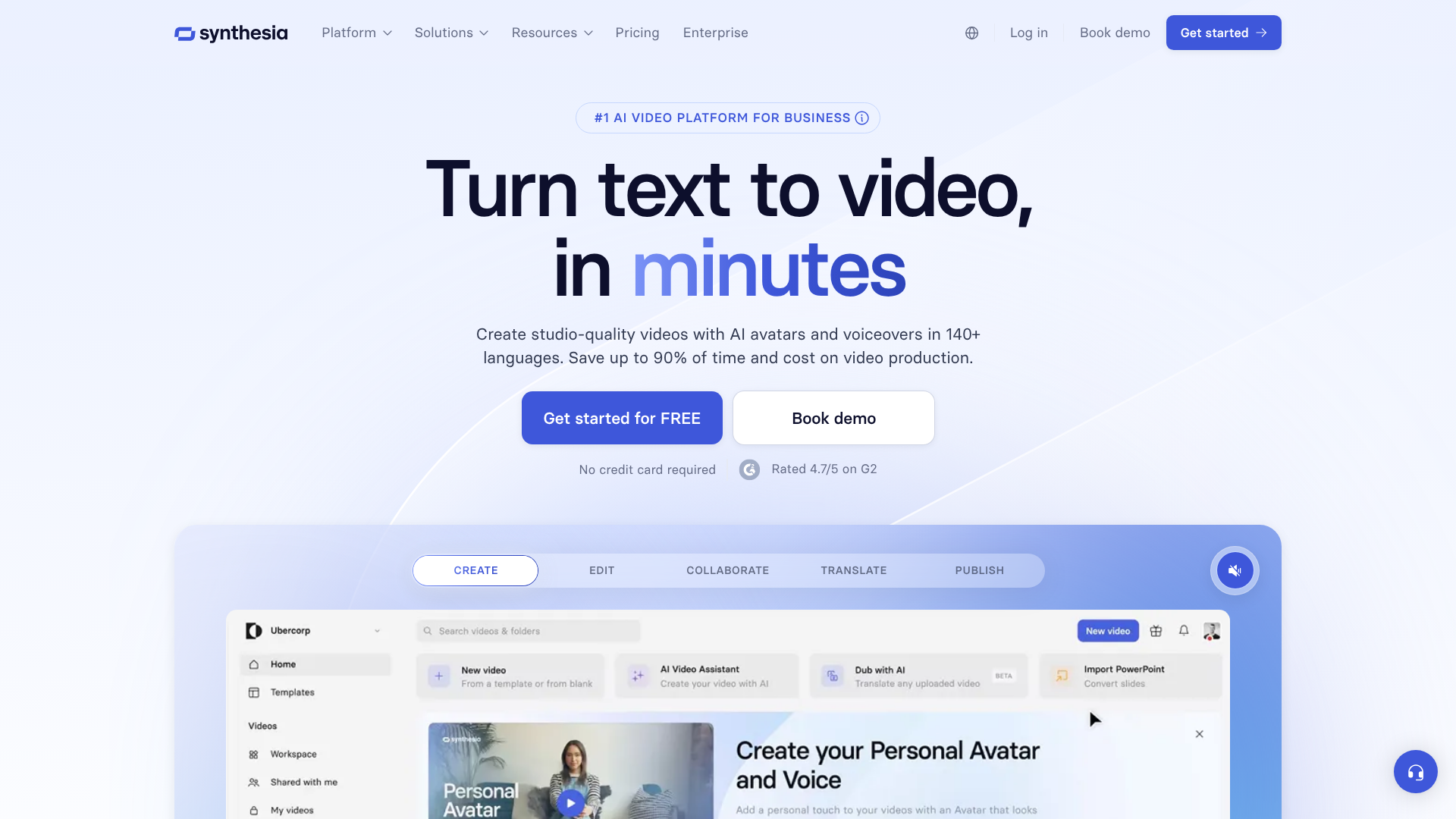
The Synthesia AI video maker is a web-based platform that uses artificial intelligence to create videos from text. At its heart, the tool lets you type a script, choose a digital presenter (an AI avatar), and generate a video where the avatar speaks your script aloud. This process bypasses the logistical challenges of filming, such as scheduling shoots, hiring talent, and managing equipment.
Developed for the business world, Synthesia is not just about creating a talking head. It's a comprehensive video creation studio. Users can add on-screen text, images, screen recordings, and background music. You can also upload your company's branding assets, like logos and colour palettes, to ensure every video aligns with your corporate identity.
This makes it a powerful tool for creating consistent and professional content at scale.
The primary goal of this synthesia ai tool is to democratise video creation. It empowers teams in marketing, human resources, and learning and development to produce their own video content without needing specialised technical skills. Whether it's an internal training module or a public-facing product demo, Synthesia aims to make the process as simple as creating a slide presentation.
Unpacking the Core Features of the Synthesia AI Tool
Synthesia's effectiveness comes from a powerful set of features designed to provide flexibility and high-quality output. These tools work together to give users extensive control over the final video product, moving far beyond basic text-to-video conversion.
Diverse AI Avatars and Voices
One of the platform's standout features is its extensive library of over 160 stock AI avatars. These avatars represent a wide range of ethnicities, ages, and styles, making it easy to find a presenter that fits your brand and audience. Recently, Synthesia has introduced full-body avatars that can use gestures and walk into a scene, a significant step up from the static, talking-head presenters of earlier AI video tools. As noted by industry observers on platforms like LinkedIn, this evolution is a pivotal moment, allowing AI avatars to act, not just talk.
For organisations seeking a higher level of personalisation, Synthesia offers the ability to create a custom AI avatar. This involves a short filming session to capture your likeness and voice, creating a digital twin that can be used exclusively for your company's videos. This is particularly useful for creating messages from company leaders or consistent brand presenters without requiring them to be in front of a camera for every new video.
Extensive Language Support
Global businesses need to communicate with audiences in their native languages. The Synthesia video creator supports over 130 languages and accents, making it an invaluable tool for international marketing campaigns, global employee training, and multilingual customer support. You can simply provide a script in the desired language, and the platform will generate a voiceover with a natural-sounding accent.
This feature also includes AI-powered video dubbing. You can create a video in one language (e.g., English) and then automatically translate and dub it into dozens of other languages. The AI syncs the avatar's lip movements to the new audio, maintaining a high degree of realism and saving countless hours and significant budget compared to traditional dubbing services.
AI Script Assistant
Writing a script that sounds natural when spoken can be challenging. To help with this, Synthesia includes an AI Script Assistant. This feature, powered by generative AI models similar to ChatGPT, can help you brainstorm ideas, draft a script from a simple prompt, or refine existing text to be more concise and engaging for a video format. It can also help translate scripts quickly, streamlining the multilingual video creation process.
Media Library and Customisation
To make videos more dynamic and informative, Synthesia provides a built-in media library with millions of royalty-free images, videos, icons, and music tracks. You can easily drag and drop these assets into your scenes. More importantly, you can upload your own assets, including brand logos, fonts, colour palettes, and background images, to ensure every video is perfectly on-brand.
The platform also supports screen recordings, which is essential for creating software tutorials, product demos, and process walkthroughs. You can record your screen directly within Synthesia and seamlessly integrate it into your video, with your AI avatar providing narration.
Creating Your First Video: A Step-by-Step Guide
Getting started with the Synthesia video creator is a straightforward process designed for users without any prior video editing experience. The interface is intuitive, resembling familiar presentation software like PowerPoint or Google Slides. Here’s a simple breakdown of how to create your first AI-generated video.
1. Choose a Template and Avatar
Your first step is to select a starting point. Synthesia offers over 60 pre-designed video templates tailored for common use cases like training modules, company announcements, or marketing pitches. These templates come with pre-built layouts, animations, and placeholder text, which significantly speeds up the creation process. After selecting a template, you'll choose one of the 160+ stock AI avatars to be your presenter.
2. Write or Paste Your Script
This is where your message comes to life. In the script box for each scene, you can type or paste the text you want your avatar to say. You can write the script scene by scene, which helps in pacing the video. As you write, you can select the language and voice style.
For added naturalism, you can insert pauses or specify the pronunciation of certain words to fine-tune the delivery.
3. Customise Your Scenes
With the script in place, you can now focus on the visuals. Each scene in Synthesia is like a slide in a presentation. You can add text overlays, upload images, or insert videos from the stock library or your own computer. This is also where you would add your company logo, change the background colour to match your brand, and add background music to set the tone.
4. Generate and Preview
Once you are happy with the script and visuals, you click the “Generate” button. Synthesia’s AI engine then gets to work, processing your script, rendering the avatar's speech and movements, and combining all the visual elements. This process typically takes a few minutes, depending on the length and complexity of the video. You can preview the video to ensure everything looks and sounds as expected before finalising it.
5. Download and Share
After the video is generated, you can download it as a full HD MP4 file. From there, you can upload it to your website, learning management system (LMS), social media channels, or anywhere else you share video content. Synthesia also provides options for sharing via a link or embedding the video directly onto a webpage.
Who Should Use Synthesia? Key Business & Marketing Use Cases
The applications for an ai video generator like Synthesia are vast, but it delivers the most significant impact in business environments where communication needs to be clear, consistent, and scalable. Its ability to quickly produce and update content makes it a valuable asset across several departments.

Corporate Training and Learning & Development (L&D)
This is arguably Synthesia's strongest use case. L&D teams are constantly creating content for employee onboarding, compliance training, software tutorials, and skills development. Traditional video production for these materials is slow and becomes quickly outdated. With Synthesia, trainers can create engaging video modules in multiple languages and, more importantly, update them in minutes when a process or policy changes.
Instead of reshooting an entire video, they just need to edit the text script and regenerate it.
Marketing and Sales
Marketing teams can use Synthesia to create a wide range of content. This includes explainer videos that break down complex products or services, social media ads, and content marketing videos for blogs. The ability to localise videos for different international markets by simply changing the script's language is a massive advantage. Sales teams can also use the platform to create personalised video messages for prospective clients, increasing engagement and response rates without spending hours recording individual videos.
Internal Communications
For large organisations, keeping employees informed is a major challenge. Synthesia allows internal communications and HR teams to produce regular updates, company announcements, and messages from leadership quickly. Using a custom avatar of a CEO or senior manager can add a personal touch to corporate messaging while being far more efficient than scheduling a traditional video shoot.
Customer Support
Video is an incredibly effective format for customer support. Teams can use Synthesia to create a library of how-to videos, troubleshooting guides, and video FAQs. These visual guides can resolve customer issues more effectively than text-based articles, reducing the burden on support staff. When a product interface is updated, the corresponding support video can be refreshed just as quickly.
Pro Tip: When creating training videos, break down complex topics into a series of shorter micro-learning videos (2-3 minutes each). This improves knowledge retention and makes it easier for employees to find specific information when they need it.
Synthesia vs. The Competition: How Does It Compare?
Synthesia is a prominent player in the AI video space, but it's not the only one. Tools like HeyGen, Pictory, and InVideo also offer AI-powered video creation capabilities. Understanding the key differences is crucial for choosing the right platform for your needs.
Synthesia's primary differentiator is its focus on the enterprise market and the realism of its avatars. While other platforms offer avatars, Synthesia has invested heavily in the quality and expressiveness of its digital presenters, especially with the recent introduction of full-body avatars. Its security features, such as SOC 2 compliance, also appeal to large corporations that handle sensitive information.
HeyGen is a strong competitor, often praised for its user-friendly interface and competitive pricing, making it popular with individual creators and small businesses. Pictory, on the other hand, excels at creating videos from long-form text content like blog posts, automatically selecting stock footage to match the text. Its strength is in content repurposing rather than avatar-led presentations.
Here’s a brief comparison:
| Feature | Synthesia | HeyGen | Pictory |
|---|---|---|---|
| Avatar Realism | Very High | High | N/A (Focus on stock footage) |
| Language Support | 130+ Languages | 40+ Languages | N/A (Text-to-speech only) |
| Custom Avatars | Yes (High-quality) | Yes | No |
| Primary Use Case | Corporate Training & Comms | Marketing & Social Media | Content Repurposing |
| Enterprise Focus | Strong (Security, SSO) | Moderate | Low |
Ultimately, the choice depends on your specific goals. For large-scale, multilingual corporate training and communications where avatar realism and brand consistency are paramount, Synthesia is often the preferred choice. For creators or marketers focused on fast, template-driven social media content, HeyGen might be a better fit. For those looking to turn articles into simple videos, Pictory is an excellent tool.
The Technology Behind the Magic: How Does Synthesia Work?
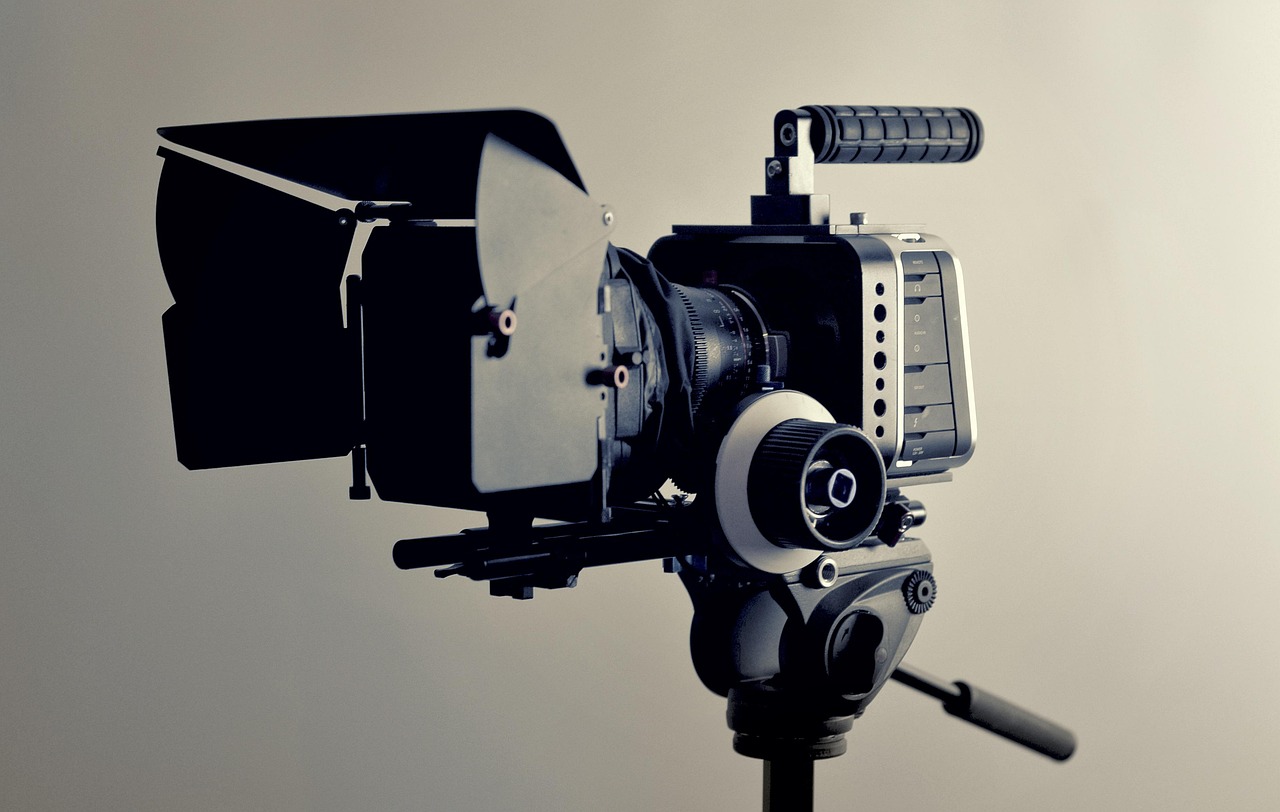
While using Synthesia feels simple, the technology powering it is incredibly complex. It sits at the intersection of several advanced fields of artificial intelligence. Understanding the basics can provide a deeper appreciation for what the tool accomplishes.
At its core, the synthesia ai tool relies on a combination of Generative Adversarial Networks (GANs) and advanced text-to-speech (TTS) models. GANs are a type of machine learning model where two neural networks compete against each other to create realistic outputs. One network, the "generator," creates the images (in this case, the frames of the avatar speaking), while the other, the "discriminator," tries to determine if the images are real or AI-generated. This constant competition pushes the generator to create increasingly lifelike and convincing visuals.
To create the avatars, Synthesia films real actors in a studio. The AI is then trained on this footage to understand how human faces and bodies move when speaking. When you input a script, the platform's TTS engine converts that text into an audio file. This audio is then used as a guide for the GAN, which generates the corresponding facial movements, lip-syncing, and gestures for the avatar, effectively animating it to deliver your script.
Natural Language Processing (NLP) also plays a crucial role, particularly in the AI Script Assistant and in understanding the nuances of language for proper pronunciation and intonation. The combination of these technologies allows Synthesia to produce a final video where the visual and audio components are synchronised and appear natural.
Real-World Success: User Testimonials and Case Studies
Many organisations have publicly shared their success stories after integrating Synthesia into their workflows, highlighting significant gains in efficiency and engagement. These real-world examples provide concrete evidence of the platform's value.
For instance, Xerox, a global leader in workplace technology, uses Synthesia for its internal training programmes. By converting dense, text-heavy documents into engaging video modules, they were able to improve knowledge retention among their sales and technical teams. The ability to update content quickly as their technology evolves was a key benefit, saving them from costly and time-consuming reshoots.
Similarly, the global appliance manufacturer BSH (Bosch und Siemens Hausgeräte) adopted Synthesia to create multilingual product training for its customer service agents across Europe. They were able to produce consistent training materials in over a dozen languages at a fraction of the cost and time of traditional methods. This ensured that all agents, regardless of location, received the same high-quality information.
Online discussions reflect this positive sentiment. On platforms like LinkedIn, tech leaders have referred to Synthesia's advancements in full-body avatars as the "Pixar moment for AI video," noting that the ability for avatars to act, not just talk, changes everything for explainer content. This shift from static presentations to dynamic scenes is a recurring theme among power users.
Understanding Synthesia's Pricing Plans
Synthesia's pricing is structured in tiers to cater to different types of users, from individuals to large enterprises. It's important to note that pricing models for software can change, so you should always visit the official Synthesia website for the most current information.
As of 2026, the plans generally fall into these categories:
Personal Plan: This plan is designed for individual creators, freelancers, or users with small-scale video needs. It typically includes a limited number of video minutes per month and access to the standard set of stock avatars and features. This is a good starting point for experimenting with the platform.
Creator/Business Plan: Aimed at small to medium-sized businesses and professional content creators, this tier offers more video minutes, access to premium features, and better collaboration tools. It often includes features like custom branding and access to a wider range of voices and templates.
Enterprise Plan: This is a custom plan tailored for large organisations. It includes everything from the lower tiers plus advanced features like custom avatars, single sign-on (SSO) integration, dedicated account management, and enhanced security compliance (like SOC 2). Pricing is customised based on the company's specific needs, including the number of users and required video output.
There is no permanent free plan, but Synthesia typically offers a free AI video generator demo on its website. This allows you to create a short sample video to test the technology and see the quality of the output before committing to a paid subscription.
Pro Tips for Creating High-Impact Videos with Synthesia
Having access to a powerful tool is one thing; using it effectively is another. To get the most out of the Synthesia AI video maker, follow these best practices to ensure your videos are engaging, professional, and clear.
Write for the Ear, Not the Eye: Scripts for video should be conversational. Use shorter sentences, simpler language, and a more direct tone than you would for a written document. Read your script out loud to catch any awkward phrasing.
Use Pauses for Emphasis: Natural speech includes pauses. You can add pauses in your Synthesia script to give the avatar a moment to breathe, add emphasis to a key point, or allow the viewer to absorb information. This small trick dramatically improves the naturalism of the delivery.
Keep Visuals Clean and Relevant: Don't clutter the screen with too much text or too many images. Each visual element should have a purpose and support the narration. Use on-screen text to highlight keywords or data points, not to repeat the entire script.
Maintain Brand Consistency: Before you start creating videos at scale, set up your brand kit. Upload your company logo, define your brand colours, and choose a standard font. Using these elements consistently across all your videos will build brand recognition and professionalism.
Choose the Right Avatar and Voice: Consider your target audience. A formal corporate announcement might call for an avatar in business attire with a professional tone, while a casual marketing video might work better with a more relaxed avatar and a friendly voice. Experiment with different combinations to find the perfect match for your message.
The Future of Video: What's Next for AI Video Generators?
The field of AI video generation is advancing at an astonishing pace, and Synthesia is at the forefront of this evolution. The technology is moving rapidly beyond simple avatar-led videos towards more complex and dynamic forms of content creation.
One of the biggest trends is the push towards greater realism and emotional range. Future iterations of AI avatars will likely display a wider array of emotions, subtle non-verbal cues, and more fluid movements, further blurring the line between digital and human presenters. This will open up new possibilities for using AI in storytelling and more emotionally driven marketing content.
Another key area of development is full scene generation. Instead of placing an avatar on a static background, AI will soon be able to generate entire dynamic environments around the presenter based on a text prompt. Synthesia has already taken a step in this direction by integrating advanced image generation models, allowing users to create custom visual aids and backgrounds instantly. As one LinkedIn user noted, this integration means creators can now generate visuals, infographics, and backgrounds directly within the video platform.
The speed of generation is also set to increase dramatically. Research is underway on new AI techniques that could generate videos in seconds rather than minutes, enabling real-time video creation and even interactive AI-driven video conversations. As these technologies mature, tools like Synthesia will become even more integrated into daily business workflows, making video as easy to create and edit as a simple email.
Frequently Asked Questions (FAQ)
Here are answers to some common questions about the Synthesia AI video maker.
Can I use Synthesia AI video for free?
Synthesia does not offer a permanent free plan. However, they provide a free demo on their website where you can create a short sample video to experience the platform's capabilities. This allows you to test the avatar quality and voice generation before subscribing to a paid plan.
How much does Synthesia AI video cost?
The cost of Synthesia depends on the subscription plan you choose. There are typically multiple tiers, such as Personal, Creator, and a custom Enterprise plan. The Personal plan is the most affordable option for individuals, while the Enterprise plan is tailored for large organisations with specific needs. For the most accurate and up-to-date pricing, it is best to visit the official Synthesia website.
Can Synthesia AI create realistic videos?
Yes, Synthesia is known for producing some of the most realistic AI-generated videos available today. The realism depends on several factors, including the quality of the script, the use of natural pauses, and the visual elements you add. The latest full-body avatars with expressive gestures have significantly enhanced the level of realism possible.
What are the limitations of Synthesia AI?
While powerful, the technology has some limitations. The avatars, though realistic, may not convey the full range of nuanced human emotion or spontaneity. The final output is also highly dependent on the quality of the script. Additionally, there can be a slight "uncanny valley" effect for some viewers, though this is diminishing as the technology improves.
Is there anything better than Synthesia?
Whether another tool is "better" depends on your specific needs. Competitors like HeyGen are excellent for social media content and may be more budget-friendly for individual creators. Tools like Pictory are better for turning blog posts into videos. Synthesia's strengths lie in its high-quality avatars, enterprise-grade features, and robust support for corporate use cases like training and internal communications.
Do I own the copyright to AI-generated videos?
According to Synthesia's terms of service, users with an active subscription own the copyright to the videos they create on the platform. This means you can use them for commercial purposes, share them publicly, and monetise them without any issues. However, you lose the rights to the content if you cancel your subscription.
Final Thoughts: Is the Synthesia AI Video Maker the Right Choice?
The Synthesia AI video maker stands out as a sophisticated and powerful platform for businesses looking to scale their video content production. It successfully addresses the primary pain points of traditional video creation—cost, time, and complexity. For organisations heavily invested in corporate training, multilingual communications, and consistent marketing, the return on investment can be substantial.
The platform's high-quality avatars, extensive language support, and user-friendly interface make it an accessible yet professional tool. While it may not be the cheapest option on the market, its focus on enterprise-grade features, security, and realism justifies the cost for its target audience. It empowers teams without video expertise to become proficient content creators.
If your goal is to produce large volumes of polished, script-based video content efficiently and consistently, then Synthesia is undoubtedly one of the best solutions available today. It represents a significant step forward in how we think about and produce video. For any business serious about leveraging video in its communication strategy, exploring what Synthesia has to offer is a worthwhile endeavour. To see if it fits your needs, you can try the free demo on the Synthesia website.