

Grammarly AI Writing Assistant Explained: A Guide for Clearer Writing
Effective communication is the foundation of success, whether you're drafting a critical business proposal, writing an academic paper, or simply sending a professional email. The challenge is that clear, concise, and error-free writing takes time and skill. This is where the Grammarly AI writing assistant steps in, moving far beyond its origins as a simple grammar checker to become a comprehensive partner in your writing process. It's designed not just to correct your mistakes, but to actively improve the quality, clarity, and impact of your words across virtually any platform you use.
- In a Nutshell
- What Exactly is the Grammarly AI Writing Assistant?
- Core Features of the Grammarly Writing Tool: Beyond Spellcheck
- Grammar, Spelling, and Punctuation Correction
- Clarity and Conciseness Suggestions
- Tone Detection and Adjustment
- Generative AI: Your Brainstorming Partner
- Plagiarism Detection
- Style Guide and Brand Tones (Business Plan)
- How to Get Started with the Grammarly Assistant
- 1. Create Your Account
- 2. Install the Browser Extension
- 3. Use the Desktop and Mobile Apps
- 4. Integrate with Your Favourite Tools
- Choosing Your Plan: Free vs. Premium vs. Business
- The Grammarly Free Plan: Is It Enough?
- Unlocking Power with Grammarly Premium
- Grammarly Business for Teams
- Grammarly Pricing: A Detailed Cost Breakdown
- The Pros and Cons: An Honest Assessment
- Frequently Asked Questions (FAQ)
- Is Grammarly an AI writing assistant?
- Is the Grammarly AI writer free?
- Is Grammarly AI like ChatGPT?
- Can teachers or universities tell if you use Grammarly AI?
- What's the disadvantage of using Grammarly?
- Can I trust Grammarly AI? Is Grammarly selling my data?
- Do real writers use Grammarly?
- Final Thoughts: Is the Grammarly AI Writing Assistant Worth It?
This guide explains everything you need to know about this powerful tool. We'll break down its core features, compare the different plans available, and provide an honest look at its advantages and limitations. By the end, you'll understand how the Grammarly assistant works and be able to decide if it's the right solution for your writing needs.
In a Nutshell
- More Than a Spellchecker: Grammarly is a complete AI writing partner that assists with grammar, spelling, tone, clarity, and even idea generation.
- Powerful Core Features: Its key functions include real-time corrections, sophisticated tone detection, a plagiarism checker, and generative AI prompts for rewriting and brainstorming.
- Flexible Plans: It operates on a freemium model with Free, Premium, and Business plans, each designed for different users, from students to large corporate teams.
- Use It Wisely: While incredibly helpful, it's a tool to assist, not replace, human writing. Users should be mindful of potential over-reliance and understand its privacy policies.
What Exactly is the Grammarly AI Writing Assistant?
The Grammarly AI writing assistant is an advanced, cloud-based application that uses artificial intelligence and natural language processing to enhance written communication. While many people first knew it as a tool for catching typos and grammatical errors, its capabilities have expanded dramatically. Today, it functions as a real-time writing coach that provides suggestions on a wide range of writing aspects.
Think of it less as a proofreader and more as a multi-talented editor. It doesn't just ask, "Is this sentence grammatically correct?" It also asks, "Is this sentence clear. Is it concise. Does it strike the right tone for the intended audience.
Could it be more impactful?" This deeper level of analysis is what separates a modern AI writing helper from older software.
At its core, the Grammarly assistant integrates into your existing workflow. It works inside your web browser, email client, word processor, and even on your mobile phone. As you type, it underlines potential issues and offers one-click suggestions for improvement, complete with explanations that help you learn and avoid making the same mistakes in the future.
Core Features of the Grammarly Writing Tool: Beyond Spellcheck
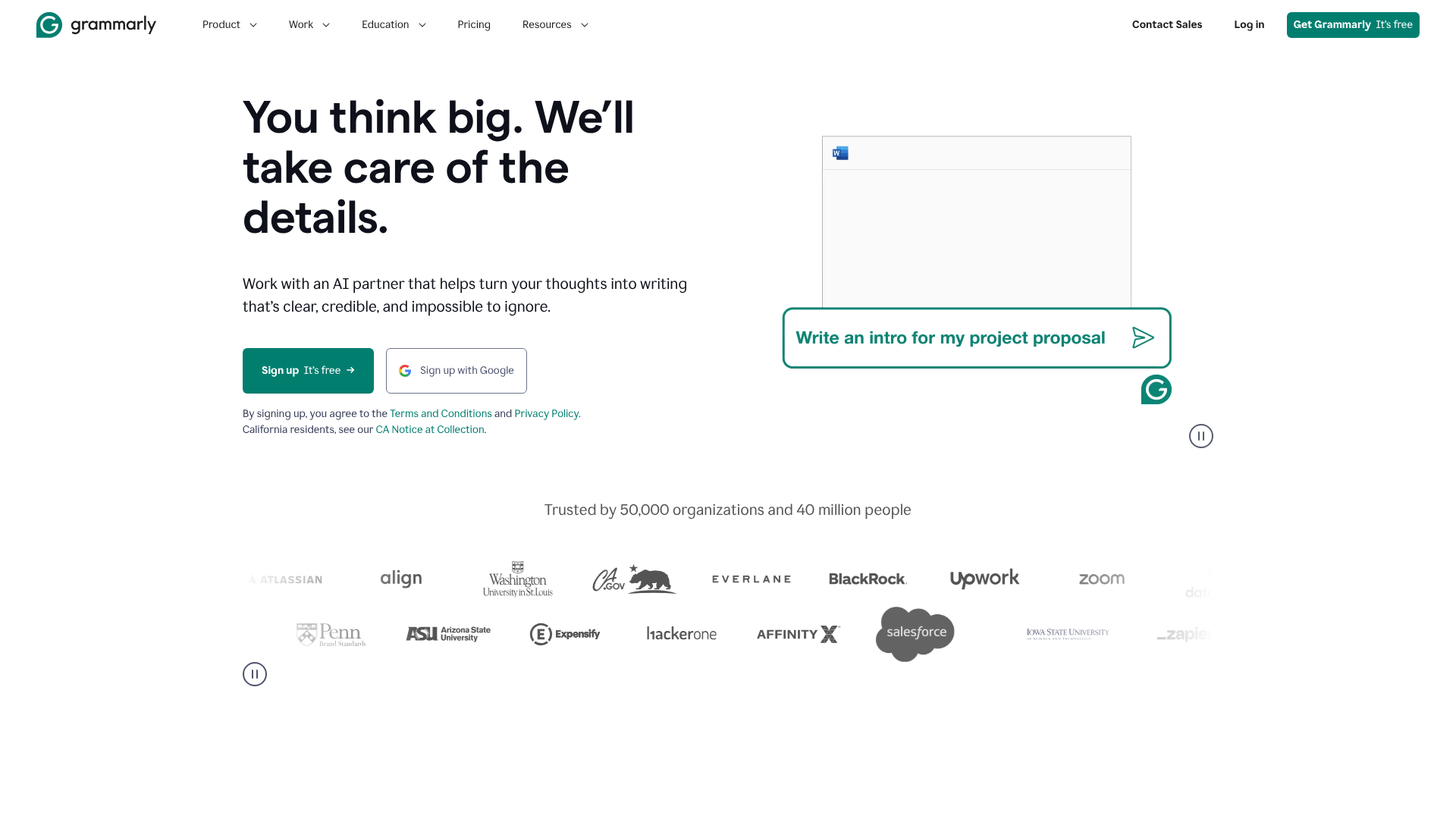

Grammarly's power lies in its comprehensive suite of features, which are designed to address nearly every facet of the writing process. These tools work together to elevate your text from merely correct to truly effective.
Grammar, Spelling, and Punctuation Correction
This is the foundation of the Grammarly writing tool. Its correction engine is highly accurate, catching common errors like subject-verb agreement, incorrect comma usage, and misused words (e.g., "affect" vs. "effect"). Unlike basic spellcheckers built into word processors, Grammarly understands context, allowing it to identify errors that are grammatically correct but contextually wrong.
For example, it can distinguish between "its" and "it's" or "your" and "you're" based on the sentence structure.
Clarity and Conciseness Suggestions
Good writing is easy to understand. Grammarly's AI actively looks for ways to make your writing clearer and more direct. It flags convoluted sentences, suggests breaking them down for better readability, and identifies instances of the passive voice, often recommending a more engaging active-voice alternative. It also helps you trim unnecessary words and phrases, making your prose tighter and more impactful without changing the core message.
Tone Detection and Adjustment
This is one of the most sophisticated features of the Grammarly assistant. The tool analyses your word choice, phrasing, punctuation, and even capitalisation to determine the overall tone of your message. It can identify if your writing sounds confident, friendly, formal, analytical, or uncertain. More importantly, it provides suggestions to help you adjust that tone to better match your audience and goals.
For instance, if an email to a client sounds too informal, Grammarly might suggest replacing slang with more professional language.
Generative AI: Your Brainstorming Partner
With the introduction of GrammarlyGO, the platform now includes generative AI capabilities. This feature acts as a creative partner, helping you overcome writer's block and accelerate your writing process. You can give it a simple prompt to brainstorm ideas, generate an outline for a blog post, or compose a quick reply to an email. It can also be used to rewrite existing sentences or paragraphs to make them shorter, longer, or sound more professional.
Plagiarism Detection
Available in the Premium and Business plans, the plagiarism checker is an invaluable tool for students, academics, and content creators. It compares your text against billions of web pages and academic databases to identify passages that may not be original. When it finds matching text, it provides a source link, allowing you to review the content and add proper citations to maintain academic and professional integrity.
Style Guide and Brand Tones (Business Plan)
For organisations, maintaining a consistent voice across all communications is crucial. The Grammarly Business plan allows companies to create a custom style guide. You can set rules for terminology, acronyms, formatting, and other stylistic conventions. The AI then ensures that all team members adhere to these guidelines, creating a unified and professional brand voice in every email, report, and marketing document.
How to Get Started with the Grammarly Assistant
Setting up and using Grammarly is a straightforward process designed to integrate into your writing habits with minimal disruption. Here’s a simple step-by-step guide to get you started.
1. Create Your Account
First, head over to the Grammarly website and sign up for an account. You can start with the free plan to test its core features. The registration process is quick, usually requiring just an email address or allowing you to sign up through your Google, Facebook, or Apple account.
2. Install the Browser Extension
The most common way to use Grammarly is through its browser extension, which is available for Chrome, Safari, Firefox, and Edge. Once installed, the Grammarly assistant will automatically check your writing on millions of websites, including Gmail, LinkedIn, Twitter, and Google Docs. You'll see a small 'G' icon in text fields, and suggestions will appear as underlines directly in your text.
3. Use the Desktop and Mobile Apps
For writing outside the browser, you can download the Grammarly desktop app for Windows and macOS. This app provides a clean, distraction-free editor and also integrates with other applications on your computer. Additionally, the Grammarly Keyboard for iOS and Android brings the same powerful corrections and suggestions to your mobile phone, ensuring your texts and mobile emails are just as polished as your desktop writing.
4. Integrate with Your Favourite Tools
Grammarly also offers dedicated integrations for popular platforms like Microsoft Word and Outlook. By installing the add-in, you get access to Grammarly's advanced suggestions directly within your documents and emails, providing a more powerful alternative to the built-in editor. This allows you to maintain your workflow without needing to copy and paste text into a separate application.
Pro Tip: Customise your Grammarly settings to get more relevant suggestions. You can set goals for your audience (general, knowledgeable, expert), formality (informal, neutral, formal), and domain (academic, business, creative) to tailor the AI's feedback to your specific writing task.
Choosing Your Plan: Free vs. Premium vs. Business

Grammarly's tiered structure allows users to select a plan that best fits their needs and budget. Understanding the differences between the Free, Premium, and Business offerings is key to making the right choice.
| Feature | Free Plan | Premium Plan | Business Plan |
|---|---|---|---|
| Core Corrections | Grammar, Spelling, Punctuation | Yes | Yes |
| Conciseness | Basic | Yes | Yes |
| Tone Detection | Basic | Advanced | Advanced |
| Clarity Suggestions | No | Yes | Yes |
| Plagiarism Detector | No | Yes | Yes |
| Generative AI Prompts | Limited (100/month) | Increased (1000/month) | Increased (2000/month) |
| Style Guide | No | No | Yes |
| Team Analytics | No | No | Yes |
| Centralised Billing | No | No | Yes |
The Grammarly Free Plan: Is It Enough?
The free version of Grammarly is surprisingly powerful and serves as an excellent entry point. It provides critical corrections for grammar, spelling, and punctuation, along with basic tone detection. For everyday writing tasks like emails, social media posts, and casual documents, the free plan is often sufficient. It's a significant step up from standard spellcheckers and helps you avoid embarrassing typos and basic grammatical errors.
It is ideal for students on a tight budget or anyone who just needs a reliable proofreading safety net.
Unlocking Power with Grammarly Premium
Grammarly Premium is designed for individuals who rely on clear and professional communication in their work or studies. This plan unlocks the full power of the AI writing helper. It includes everything in the free plan plus advanced suggestions for clarity, engagement, and delivery. The tone adjustment feature becomes much more nuanced, the plagiarism detector is activated, and you get a significantly higher number of generative AI prompts each month.
Professionals, job seekers, academics, and serious writers will find the investment in Premium worthwhile for producing polished, high-impact writing.
Grammarly Business for Teams
Grammarly Business is tailored for organisations of three or more people. It includes all the features of Premium but adds tools specifically for maintaining brand consistency and managing teams. The standout feature is the Style Guide, which allows a company to enforce its unique writing conventions across all team members. It also provides an analytics dashboard to track team writing trends, centralised billing for easy administration, and priority support.
This plan is perfect for marketing departments, customer support teams, and any company that wants to ensure all external communication is professional and on-brand.
Grammarly Pricing: A Detailed Cost Breakdown
Understanding the cost of Grammarly is crucial when deciding which plan is right for you. While the Free plan costs nothing, the Premium and Business plans require a subscription. It's important to note that pricing can change, so it's always best to visit the official Grammarly website for the most current information.
Typically, Grammarly Premium is offered on a subscription basis with three payment options:
- Monthly Subscription: This offers the most flexibility, allowing you to pay month-to-month and cancel at any time. It is, however, the most expensive option on a per-month basis.
- Quarterly Subscription: Paying for three months at a time usually comes with a discount compared to the monthly rate.
- Annual Subscription: This is the most cost-effective option, offering a significant discount over the monthly price. It requires an upfront payment for the entire year.
For many professionals and students, the annual plan represents the best value. When you consider the time saved on editing and the improved quality of your work, the cost can be seen as an investment in your professional development. The price of Grammarly Business varies depending on the number of users on your team, with per-seat pricing that often decreases as the team size grows.
The Pros and Cons: An Honest Assessment
No tool is perfect, and the Grammarly AI writing assistant is no exception. A balanced view of its strengths and weaknesses can help you decide how to best incorporate it into your writing process.
The Advantages of Using Grammarly
- Dramatically Improves Writing Quality: Its primary benefit is its ability to catch a wide range of errors and offer suggestions that genuinely improve the clarity, tone, and flow of your writing.
- Saves Significant Time: By automating much of the proofreading and editing process, Grammarly allows you to focus more on the content and ideas you're trying to convey. This is especially valuable for those who write frequently.
- Educational Tool: The explanations that accompany each suggestion help you understand the rules of grammar and style. Over time, this can help you become a better writer, even when you're not using the tool.
- Works Everywhere You Write: With its browser extensions, desktop apps, and mobile keyboard, Grammarly provides consistent support across nearly every platform, ensuring your writing is polished no matter where you are.
- Boosts Confidence: Knowing you have a reliable safety net helps reduce the anxiety associated with writing, especially for important documents. This confidence often leads to more effective and persuasive communication.
Potential Disadvantages and Considerations
- Risk of Over-Reliance: Relying too heavily on any automated tool can weaken your own editing skills. It's important to use Grammarly as an assistant, not a crutch, and to actively think about the suggestions it provides.
- Suggestions Aren't Always Perfect: While the AI is incredibly advanced, it can sometimes misunderstand context or nuance, especially in creative or highly technical writing. Human judgment is still essential to accept or reject suggestions appropriately.
- Privacy Concerns: Grammarly processes your text on its servers, which raises valid privacy questions for some users. However, Grammarly has a strong privacy policy, stating they do not sell user data and employ robust security measures to protect it.
- Cost of Premium: While the free version is useful, the most powerful features are behind a paywall. The subscription cost for Premium can be a barrier for students or individuals on a tight budget.
Frequently Asked Questions (FAQ)
Here are answers to some of the most common questions people have about the Grammarly AI writing assistant.
Is Grammarly an AI writing assistant?
Yes, absolutely. While it started as a grammar checker, Grammarly has evolved into a full-fledged AI writing assistant. It uses artificial intelligence, machine learning, and natural language processing to analyse your writing and provide intelligent suggestions that go far beyond basic error correction. Its features for tone detection, clarity, and generative AI firmly place it in the category of an AI assistant.
Is the Grammarly AI writer free?
Grammarly operates on a freemium model. There is a robust free version that provides critical grammar, spelling, and punctuation checks. This version is free to use indefinitely. However, its most advanced features, such as the plagiarism detector, advanced clarity suggestions, and a higher allowance of generative AI prompts, are part of the paid Grammarly Premium and Grammarly Business plans.
Is Grammarly AI like ChatGPT?
They are different tools with some overlapping capabilities. ChatGPT is primarily a conversational AI and a generative tool; you go to its interface to ask questions, generate text from scratch, or have a conversation. Grammarly AI is an assistant that works within your existing writing environment (like your email or a Google Doc). While its GrammarlyGO feature can generate text like ChatGPT, its main purpose is to analyse and improve text you have already written.
Can teachers or universities tell if you use Grammarly AI?
This is a nuanced issue. Using Grammarly to check for grammar, spelling, and clarity is generally considered acceptable and is similar to using a dictionary or thesaurus. Most academic institutions do not prohibit its use for proofreading. However, using its generative AI features to write essays or complete assignments for you would be considered academic dishonesty and plagiarism.
Plagiarism checkers used by universities can sometimes flag text that is overly polished or formulaic, which can be a byproduct of AI generation, but they cannot definitively prove Grammarly was used for simple corrections.
What's the disadvantage of using Grammarly?
The main disadvantages are the potential for over-reliance, which can weaken your own editing skills over time, and the fact that its AI suggestions are not infallible and still require human judgment. Additionally, for sensitive documents, some users may have privacy concerns about their text being processed on external servers, and the cost of the Premium version can be a drawback for some.
Can I trust Grammarly AI? Is Grammarly selling my data?
Grammarly has built its business on user trust and has extensive security practices in place. According to their privacy policy, they do not sell or rent user data to third parties for advertising purposes. All user text is encrypted and protected by a combination of technical, physical, and logical security safeguards. While no system is 100% immune to risk, Grammarly takes privacy and security very seriously.
Do real writers use Grammarly?
Yes, many professional writers, journalists, authors, and content creators use Grammarly. As noted in a perspective from Justin Tse on Instagram, it can feel like a "writing partner for professionals". They often use it as a final line of defence to catch typos or grammatical errors that they might have missed after multiple rounds of self-editing. It serves as a valuable safety net to ensure their final work is as polished as possible before publication.
Final Thoughts: Is the Grammarly AI Writing Assistant Worth It?
The Grammarly AI writing assistant has firmly established itself as an essential tool for anyone who writes. It successfully bridges the gap between a simple proofreader and a comprehensive writing coach, offering intelligent, context-aware suggestions that improve not just the correctness but the overall quality of your communication.
For the casual user, the free version offers immense value, providing a powerful safety net against common errors. For professionals, students, and anyone serious about their writing, the Premium plan is a worthwhile investment. The advanced features it unlocks can save hours of editing time, enhance clarity, and ensure every piece of writing strikes the perfect tone.
Ultimately, the value of the Grammarly assistant depends on how you use it. When treated as a partner—a tool to guide and suggest, while leaving the final decisions to you—it can transform your writing process and help you communicate with more confidence and impact. It empowers you to put your best words forward, every single time.
Ready to improve your writing? Try Grammarly for free and see the difference it makes.