
Grammarly AI Writing Assistant: A Guide for Students & Professionals
Writing clearly and effectively is more important than ever, but it isn't always easy. The Grammarly AI writing assistant has evolved from a simple grammar checker into a comprehensive tool designed to help improve everything from emails to essays. It acts as a digital partner, offering suggestions on grammar, spelling, clarity, and even tone, aiming to make your writing more impactful.
- What to Know
- What is the Grammarly AI Writing Assistant?
- Key Features and Benefits of the Grammarly Writing Tool
- 1. Grammar, Spelling, and Punctuation Correction
- 2. Clarity, Conciseness, and Readability
- 3. Tone Detection and Adjustment
- 4. Generative AI Assistance (GrammarlyGO)
- 5. Plagiarism Detection
- How the Grammarly Assistant Works in Practice
- Choosing Your Plan: Free vs. Premium vs. Business
- Pricing and Cost Comparison
- Pros and Cons of the Grammarly AI Writing Helper
- Frequently Asked Questions (FAQ)
- Is Grammarly an AI writing assistant?
- Is the Grammarly AI writer free?
- What is better, ChatGPT or Grammarly?
- Can teachers tell if you use Grammarly AI?
- What is the main disadvantage of using Grammarly?
- How much does Grammarly AI cost?
- Final Thoughts
This guide breaks down exactly what this AI writing helper does, who it's for, and how you can use it to enhance your communication. We'll cover its key features, compare the different plans available, and answer the most common questions people have about the tool. Whether you're a student aiming for better marks or a professional looking to polish your business communications, understanding how this tool works is the first step.
What to Know
- More Than a Spell Checker: The Grammarly assistant goes far beyond basic grammar and spelling corrections. It provides advanced suggestions on clarity, conciseness, tone, and style to improve the overall quality of your writing.
- Freemium Model: Grammarly offers a powerful free version that covers critical grammar and spelling mistakes. Premium and Business plans unlock advanced features like plagiarism detection, tone adjustments, and generative AI capabilities.
- Generative AI Features: With GrammarlyGO, the tool can help you brainstorm ideas, compose drafts, rewrite text, and even generate replies to emails, functioning as a true AI writing helper.
- Not a Replacement for Critical Thinking: While incredibly useful, the tool is an assistant, not an author. Over-reliance can weaken your own writing skills, and it's crucial to review suggestions to ensure they align with your intended meaning and personal voice.
What is the Grammarly AI Writing Assistant?
The Grammarly AI writing assistant is a cloud-based application that uses artificial intelligence to review and improve written text. Initially known for its best-in-class grammar, spelling, and punctuation checks, it has expanded significantly. Today, it incorporates sophisticated AI and natural language processing (NLP) to offer a wide range of suggestions that address the substance and style of your writing, not just its technical correctness.
Think of it as an evolution. A standard spell checker in a word processor is like a dictionary; it tells you if a word is spelled incorrectly. The original Grammarly was more like a grammar textbook; it understood basic rules of sentence structure. The modern Grammarly assistant, however, is like a personal writing coach.
It doesn't just flag errors; it explains why something might be wrong and offers alternative phrasing to make your message clearer, more concise, and more appropriate for your audience.
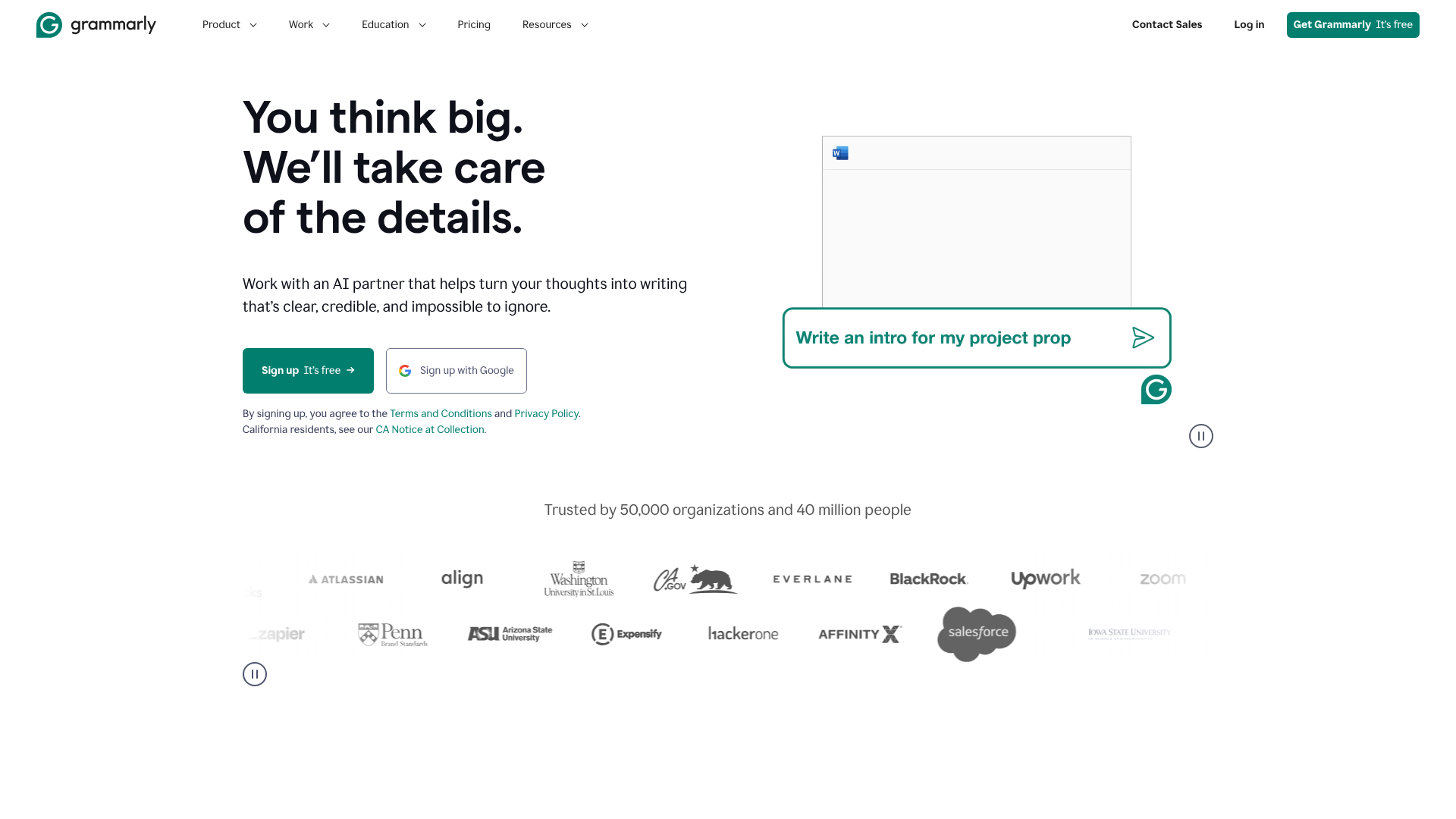
This AI-powered system analyses your text in real-time, comparing it against a massive database of language patterns and rules. It then provides contextual suggestions designed to elevate your writing. This includes flagging passive voice, identifying wordy sentences, suggesting stronger vocabulary, and even analysing the tone of your message to ensure it comes across as intended—be it confident, friendly, or formal.
From Corrector to Co-Creator
The most significant recent development is the integration of generative AI, often referred to as GrammarlyGO. This moves the tool from a reactive corrector to a proactive co-creator. Instead of only fixing what you've already written, it can now help you with the writing process itself. You can ask it to brainstorm ideas for a blog post, draft an email from a few bullet points, or rewrite a paragraph to be more persuasive.
This dual functionality makes the Grammarly writing tool a versatile asset. It serves as a safety net to catch mistakes and a creative partner to help overcome writer's block. It integrates into the places you already write—from your web browser and email client to Microsoft Word and your mobile phone—making it a constant, accessible companion for nearly any writing task.

Key Features and Benefits of the Grammarly Writing Tool
Grammarly's power lies in its multi-layered approach to writing improvement. It offers a suite of features that address different aspects of communication, from foundational correctness to nuanced stylistic choices. Here’s a breakdown of its core capabilities.
1. Grammar, Spelling, and Punctuation Correction
This is Grammarly's foundational feature and what it's most famous for. It provides highly accurate, real-time checks for a vast range of errors. It catches common mistakes like subject-verb disagreement, incorrect comma usage, and misused words (like 'affect' vs. 'effect').
Unlike basic checkers, Grammarly’s suggestions are often context-aware. It understands that a word might be spelled correctly but used in the wrong context. This depth of analysis helps prevent embarrassing and unprofessional errors that simpler tools might miss, providing a reliable first line of defence for any piece of writing.
2. Clarity, Conciseness, and Readability
Good writing is easy to understand. Grammarly Premium excels at helping you achieve this. It flags convoluted sentences and suggests ways to rephrase them for better clarity. It also identifies wordiness, helping you trim unnecessary words and phrases to make your points more directly.
For example, it might suggest changing a passive sentence like "The report was written by the marketing team" to a more direct, active one: "The marketing team wrote the report." It also provides a readability score, giving you a tangible metric to understand how accessible your writing is to a general audience.
3. Tone Detection and Adjustment
How you say something is often as important as what you say. Grammarly's tone detector analyses your word choice, phrasing, and punctuation to identify the perceived tone of your message. It can tell you if your writing sounds confident, friendly, analytical, formal, or even uncertain.
This feature is invaluable for professional communication. It can help you ensure an email to a client sounds polite and professional, or that a message to your team sounds encouraging rather than demanding. The tool provides alternative phrasing to help you adjust the tone to match your intention, preventing miscommunication before it happens.
4. Generative AI Assistance (GrammarlyGO)
GrammarlyGO transforms the tool into a collaborative partner. It uses generative AI to assist with various stages of the writing process. Its key functions include:
- Composing: Provide a simple prompt, and it will generate a draft. For example, "Write an email to my team announcing a new project deadline."
- Ideation: If you're stuck, you can ask for ideas. For example, "Give me five blog post titles about digital marketing trends."
- Rewriting: Highlight a section of text and ask GrammarlyGO to rewrite it to be more persuasive, formal, or concise.
- Replying: It can generate quick replies to emails, saving you time on routine correspondence.
This feature is integrated directly into the Grammarly interface, making it easy to use AI assistance without switching between different applications.
5. Plagiarism Detection
Available in the Premium plan, the plagiarism checker is an essential feature for students, academics, and content creators. It compares your text against billions of web pages and ProQuest's academic databases to identify passages that may not be original.
When it finds matching text, it provides a source link, allowing you to review the original content and add proper citations. This helps users maintain academic integrity and avoid the serious consequences of unintentional plagiarism.
How the Grammarly Assistant Works in Practice
Understanding the features is one thing, but seeing how the Grammarly assistant integrates into your daily workflow is key to appreciating its value. The tool is designed to be accessible wherever you write, using a combination of apps and browser extensions.
Step-by-Step: Using Grammarly for the First Time
Create an Account: The first step is to sign up for a free account at the Grammarly website. This gives you immediate access to the core grammar, spelling, and punctuation checks.
Install the Browser Extension: For most users, the browser extension (available for Chrome, Safari, Firefox, and Edge) is the most useful component. Once installed, Grammarly will automatically check your writing in most text fields online, including Gmail, Google Docs, LinkedIn, Twitter, and more. You'll see suggestions appear as coloured underlines directly in the text you're writing.
Explore the Editor: For long-form documents like essays or reports, you can use the Grammarly Editor. You can access this web-based editor by logging into your account, or you can download the desktop app for Windows and Mac. Here, you can paste your text or upload a document to get a comprehensive analysis and set specific goals for your writing (e.g., audience, formality, domain).
Review Suggestions: As Grammarly analyses your text, it will underline potential issues. Clicking on an underlined word or phrase opens a suggestion card. This card explains the potential error and offers one or more corrections. You can accept a suggestion with a single click or dismiss it if you want to keep your original phrasing.
Use Generative AI: To use GrammarlyGO, look for the green lightbulb icon. Clicking this will open a prompt field where you can instruct the AI to compose, rewrite, or brainstorm ideas. For example, you can highlight a paragraph and click the icon to ask it to "make this sound more confident."
Pro Tip: Don't blindly accept every suggestion. Grammarly is an AI and doesn't always understand your specific context or creative intent. Use its suggestions as guidance, but always make the final decision yourself to ensure your voice remains authentic.
Choosing Your Plan: Free vs. Premium vs. Business

Grammarly operates on a freemium model, offering different tiers of service tailored to various needs. Understanding the differences between the plans is crucial for deciding which option, if any, is a worthwhile investment for you.
Grammarly Free
The free version of Grammarly is surprisingly capable and provides significant value. It's an excellent starting point for anyone looking to catch basic writing errors.
- What it includes: Comprehensive checks for grammar, spelling, and punctuation errors. It also includes the basic tone detector and a limited number of GrammarlyGO prompts per month.
- Who it's for: Students, casual writers, and professionals who just need a reliable safety net to catch typos and grammatical mistakes in everyday writing like emails and social media posts.
- The Bottom Line: For many users, the free version is sufficient for day-to-day needs. It's a massive step up from the default spell checkers built into browsers and word processors.
Grammarly Premium
Grammarly Premium is the paid subscription for individuals who want to go beyond basic corrections and actively improve the quality and style of their writing.
- What it includes: Everything in the free plan, plus advanced suggestions for clarity, conciseness, and sentence variety. It includes the full-featured tone adjustment tool, plagiarism detection, advanced vocabulary suggestions, and a much higher allowance of GrammarlyGO prompts.
- Who it's for: Students working on essays and dissertations, professionals who write reports and client-facing communications, job seekers polishing their CVs, and writers or bloggers who want to refine their craft.
- The Bottom Line: If writing is a critical part of your academic or professional life, the investment in Premium is often justified. The clarity and plagiarism features alone can be invaluable.
Grammarly Business
This tier is designed for teams and organisations that need to maintain consistent and professional communication across the board.
- What it includes: All Premium features, plus team-oriented tools. This includes a centralised admin dashboard, team analytics, and the ability to create a company-wide style guide. The style guide ensures everyone uses consistent branding, terminology, and tone.
- Who it's for: Marketing teams, customer support departments, sales teams, and any organisation where consistent brand voice is important.
- The Bottom Line: Grammarly Business helps scale quality writing across an entire team, ensuring that all external communications are professional and on-brand.
| Feature | Grammarly Free | Grammarly Premium | Grammarly Business |
|---|---|---|---|
| Grammar & Spelling | ✔️ | ✔️ | ✔️ |
| Punctuation | ✔️ | ✔️ | ✔️ |
| Conciseness | ❌ | ✔️ | ✔️ |
| Readability | ❌ | ✔️ | ✔️ |
| Tone Detection | Basic | Full | Full |
| Plagiarism Detection | ❌ | ✔️ | ✔️ |
| Generative AI Prompts | Limited | High | High |
| Style Guide | ❌ | ❌ | ✔️ |
| Team Analytics | ❌ | ❌ | ✔️ |
Pricing and Cost Comparison
When considering a subscription, the cost is a major factor. Grammarly's pricing is structured to offer discounts for longer commitments. It's important to visit the official Grammarly website for the most current pricing, as it can change.
Generally, the pricing structure for Grammarly Premium is as follows:
- Monthly Subscription: This is the most flexible option but also the most expensive on a per-month basis. It's ideal for short-term projects, like a student needing it for a single semester of intense essay writing.
- Quarterly Subscription: This plan offers a moderate discount compared to the monthly rate. You pay for three months at a time.
- Annual Subscription: This provides the best value, often cutting the effective monthly cost by more than 50% compared to the monthly plan. It's the most economical choice for anyone who writes regularly throughout the year.
Grammarly Business pricing is typically calculated on a per-user basis and also offers discounts for annual billing. The cost per seat decreases as the number of users increases.
Is Grammarly Premium Worth It?
The value of a Premium subscription depends entirely on your needs. For a casual user, the free version is likely enough. However, for certain individuals, the return on investment can be substantial.
- For Students: The plagiarism checker is a critical tool for maintaining academic integrity. The clarity and conciseness suggestions can directly contribute to higher marks on essays and reports. In this context, the cost of an annual subscription can be seen as a small investment in one's education.
- For Professionals: In the business world, clear communication is paramount. A poorly written email can lead to confusion, and a proposal with typos can appear unprofessional. Premium helps ensure all communication is polished and effective, which can impact client relationships and career progression.
- For Non-Native English Speakers: Grammarly Premium can be an exceptional learning tool. It not only corrects mistakes but often provides explanations, helping users understand the nuances of English grammar and sentence structure more deeply.
Pros and Cons of the Grammarly AI Writing Helper
No tool is perfect, and it's important to have a balanced view. While Grammarly offers immense benefits, it also has limitations that users should be aware of.
Pros
- Improves Writing Quality: Its core strength is making your writing better. It catches errors you might miss and provides suggestions that enhance clarity, making your work more professional and easier to read.
- Educational Tool: By explaining the reasoning behind its suggestions, Grammarly helps you learn from your mistakes. Over time, using the tool can genuinely improve your own writing skills.
- Saves Time: The real-time proofreading saves a significant amount of time during the editing process. The generative AI features can also speed up the initial drafting and brainstorming phases.
- Boosts Confidence: Knowing you have a safety net to catch errors can make you a more confident writer, especially when communicating in high-stakes situations or in a non-native language.
- Versatile and Accessible: With browser extensions, desktop apps, and a mobile keyboard, Grammarly is available on nearly every platform where you write.
Cons
- Potential for Over-Reliance: Relying too heavily on Grammarly can prevent you from developing your own editing skills. It's important to use it as a guide, not a crutch.
- Not Always Perfect: As an AI, it can sometimes misunderstand context, especially with creative or highly technical writing. It might offer suggestions that are grammatically correct but alter your intended meaning or strip your writing of its unique voice.
- Privacy Concerns: The tool works by sending your text to its servers for analysis. While Grammarly has robust security policies, users writing highly sensitive or confidential documents should be aware of this process and review the company's privacy policy.
- Cost of Premium: While powerful, the Premium version is a subscription-based service. The recurring cost might be a barrier for some users, especially if they only need advanced features occasionally.
Frequently Asked Questions (FAQ)
Here are answers to some of the most common questions about the Grammarly AI writing assistant.
Is Grammarly an AI writing assistant?
Yes, absolutely. While it started as a grammar checker, Grammarly is now a full-fledged AI writing assistant. It uses artificial intelligence for everything from its core correction algorithms to its tone detector. The introduction of GrammarlyGO, its generative AI feature, further solidifies its role as an assistant that can help you compose, ideate, and rewrite text, not just correct it.
Is the Grammarly AI writer free?
Grammarly operates on a freemium model. There is a very useful free version that provides unlimited grammar, spelling, and punctuation checks. The generative AI features are available in the free version but are limited to a certain number of prompts per month. To unlock advanced features like the plagiarism checker, advanced style suggestions, and a higher limit on AI prompts, you need to subscribe to Grammarly Premium.
What is better, ChatGPT or Grammarly?
This is a common question, but they are designed for different primary purposes, though their features are starting to overlap. ChatGPT is primarily a generative AI chatbot designed to create new content from a prompt. Grammarly is primarily a writing enhancement tool designed to improve existing text.
Think of it this way: you would use ChatGPT to write a first draft of a blog post from scratch. You would then use Grammarly to edit and refine that draft for clarity, correctness, and tone. While Grammarly now has generative features and ChatGPT has some editing capabilities, their core strengths remain distinct. Many people use both tools in their workflow.
Can teachers tell if you use Grammarly AI?
This is a nuanced issue. Using Grammarly for its core purpose—checking grammar, spelling, and punctuation—is generally considered acceptable and is similar to using a spell checker in Microsoft Word. Most educators encourage students to use tools that help them submit clean, error-free work.
However, using the generative AI features (GrammarlyGO) to write entire sentences, paragraphs, or essays for you could be considered academic dishonesty, depending on your institution's policies. Plagiarism and AI-writing detection software can sometimes flag text that is heavily AI-generated. The best practice is to use Grammarly as a tool to improve your own writing, not to do the writing for you. Always check your school's specific academic integrity policies.
What is the main disadvantage of using Grammarly?
The primary disadvantage is the risk of becoming over-reliant on the tool. If you accept every suggestion without thinking, you may not develop your own proofreading skills or a unique writing voice. The AI can also occasionally make suggestions that don't fit the context or are stylistically awkward. It's a powerful assistant, but it cannot replace human judgment and critical thinking.
How much does Grammarly AI cost?
The cost depends on the plan and billing cycle. The core features are available for free. Grammarly Premium pricing varies, with the annual plan offering the most significant discount over the monthly plan. For the most accurate and up-to-date pricing, you should visit the official Grammarly website.
Business plans are priced per user.
Final Thoughts
The Grammarly AI writing assistant has firmly established itself as more than just a proofreading tool. It's a comprehensive partner that can help you write with greater clarity, confidence, and efficiency. From catching simple typos in an email to helping you refine the tone of a major report, its capabilities are broad and genuinely useful for a wide range of people.
The free version offers incredible value and is an essential tool for almost any writer. For those whose academic or professional success depends on the quality of their writing, Grammarly Premium is a powerful investment that can pay for itself through improved communication and time saved.
Ultimately, the key is to use it wisely. Treat the Grammarly assistant as a guide and a coach, not a ghostwriter. By combining its powerful AI suggestions with your own critical judgment, you can elevate your writing and communicate your ideas more effectively than ever before. If you're ready to see how it can improve your writing, you can start with the free version or explore all the features on the Grammarly website.