
Synthesia AI Video Explained: A Guide for Business Content Creators
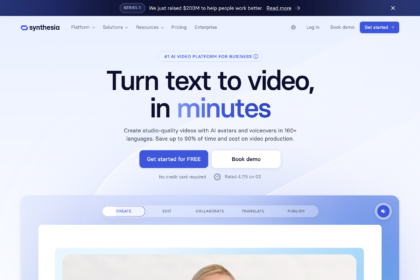
Creating professional-quality video content is often a slow, expensive, and resource-intensive process. From hiring actors and booking studios to managing complex editing software, the barriers can be significant. A Synthesia AI video platform offers a different approach, allowing businesses to generate polished, presenter-led videos directly from a text script in minutes, not weeks. This technology is changing how companies approach corporate training, marketing, and internal communications.
- In a Nutshell
- What is Synthesia AI and How Does it Work?
- Core Features of Synthesia: A Detailed Look
- Diverse AI Avatars and Custom Avatars
- Multi-Language Voice Generation
- Intuitive Video Editor and Templates
- The Key Benefits: Why Businesses Choose Synthesia Video
- Drastically Reducing Time and Cost
- Scaling Video Production Effortlessly
- Ensuring Consistency and Brand Alignment
- How to Create Your First Synthesia AI Video (Step-by-Step)
- A Visual Walkthrough
- 1. Choose Your Template and Avatar
- 2. Write and Input Your Script
- 3. Customise Your Video Scene
- 4. Generate and Share Your Video
- Synthesia Pricing: Understanding the Plans and Costs
- Weighing the Pros and Cons of Synthesia AI
- Frequently Asked Questions (FAQ)
- Can I use Synthesia AI video for free?
- Is Synthesia AI free or paid?
- What is the maximum length of a Synthesia video?
- What is the best free AI video generator?
- Conclusion: Is Synthesia the Future of Business Video?
This guide explains everything you need to know about Synthesia. We'll cover what it is, how the underlying technology works, its core features, and the key benefits for businesses. We'll also provide a balanced look at its pricing, pros, and cons, so you can decide if this form of AI video creation is the right solution for your content strategy.
In a Nutshell
- What It Is: Synthesia is a leading AI platform that creates realistic videos from text using AI-powered avatars and voiceovers, eliminating the need for cameras or microphones.
- Key Benefits: The primary advantages are speed, cost-effectiveness, and scalability. It allows businesses to produce and update training, marketing, and informational videos efficiently.
- Core Features: It includes over 160 diverse AI avatars, voice generation in more than 120 languages, custom avatar creation, and an intuitive, template-based video editor.
- Limitations to Consider: While powerful, the AI avatars can sometimes lack deep emotional nuance, and the platform operates on a subscription model, which may be a consideration for smaller budgets.
- Getting Started: Synthesia offers a free AI video generator on its website, which serves as a demo to test the technology before committing to a paid plan.
What is Synthesia AI and How Does it Work?
At its core, Synthesia is a platform designed to make video production as simple as writing a document or creating a slideshow. It removes the physical components of video creation—cameras, actors, microphones, and studios—and replaces them with a purely digital, AI-driven workflow. This approach democratises video production, making it accessible to teams without specialised skills or large budgets.
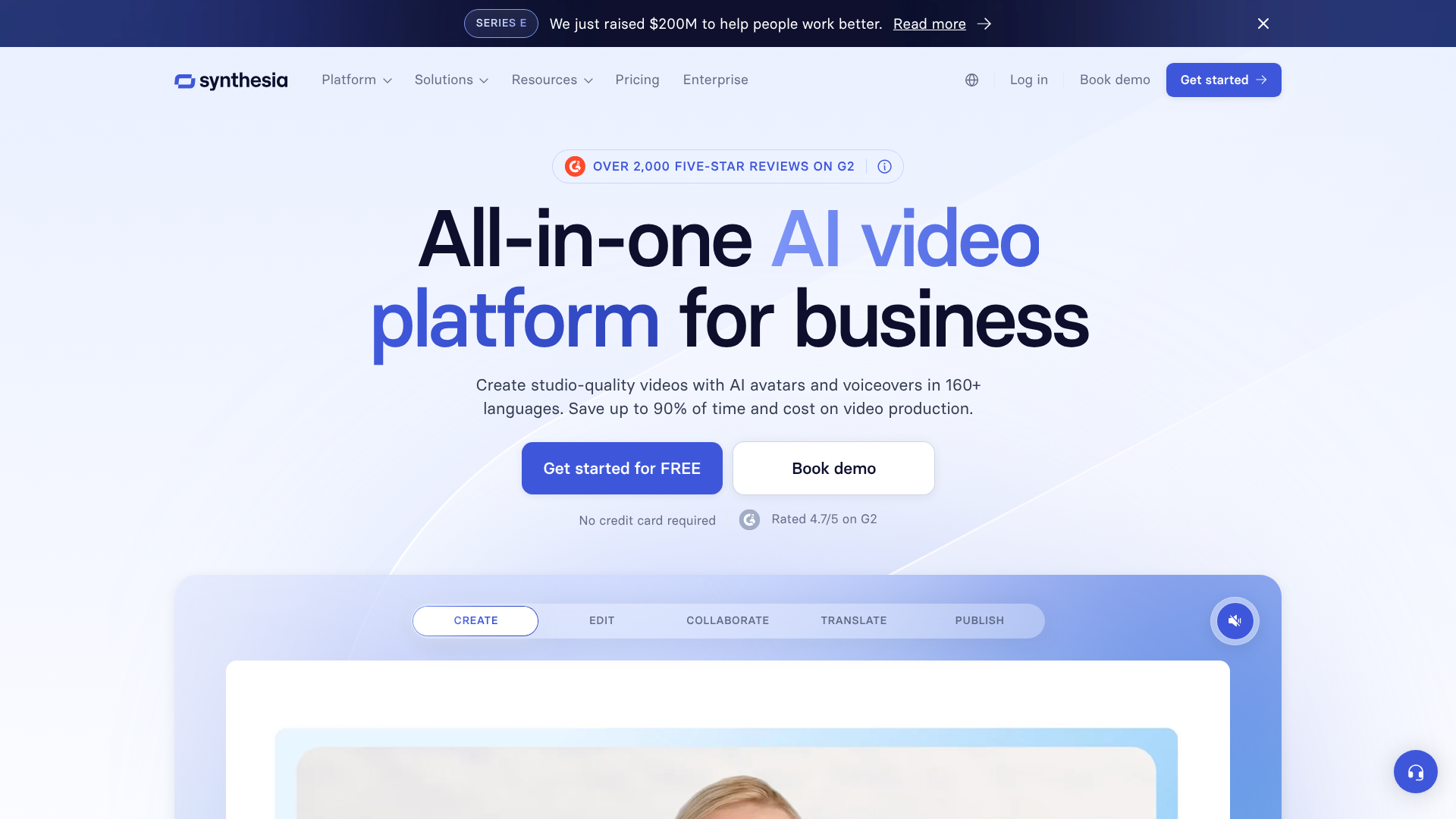
Defining Synthesia AI Video
A Synthesia AI video is a video generated by artificial intelligence where a photorealistic avatar speaks a script that you provide. The process starts with text. You simply type or paste your script into the platform's editor, choose a digital presenter (an AI avatar), select a voice and language, and customise the background and on-screen elements. The platform then processes this information to create a final video.
The core components that make this possible are the AI avatars, which are digital representations of real actors, and the advanced text-to-speech technology that provides the voiceover. Synthesia's system synchronises the avatar's lip movements and facial expressions to match the generated audio, creating a surprisingly realistic human presenter. Think of it as an automated presenter who can read any script you give them, perfectly, every time.
The Technology Behind AI Video Creation
The magic behind a synthesia video lies in a combination of sophisticated AI technologies. The visual element, the avatar, is often created using Generative Adversarial Networks (GANs). In simple terms, two neural networks work together: one generates the images (the 'generator'), and the other critiques them (the 'discriminator'). This process is repeated thousands of times until the generator can create images of the avatar that are indistinguishable from real footage.
Simultaneously, Natural Language Processing (NLP) analyses your script to understand the words and cadence. This information is fed into a text-to-speech (TTS) engine that converts the written text into natural-sounding audio in your chosen language and accent. The final, and most critical, step is synchronising the audio with the avatar's video track. The AI meticulously maps the sounds of the speech (phonemes) to the corresponding mouth shapes, ensuring the lip-sync is accurate and believable.
This entire complex process happens in the cloud, delivering a finished video in a fraction of the time traditional methods would take.
Core Features of Synthesia: A Detailed Look
Synthesia's power comes from a suite of features designed for flexibility and ease of use. These tools enable users to create a wide range of video content, from simple announcements to complex, multi-language training modules. Understanding these core features is key to grasping the full potential of this ai video creation platform.
Diverse AI Avatars and Custom Avatars
Synthesia provides a library of over 160 stock AI avatars. These avatars represent a wide range of ages, ethnicities, and professional attire, allowing you to choose a presenter that best fits your brand and message. Each avatar is based on a real actor, which contributes to their realistic appearance and movements.
For businesses seeking complete brand alignment, Synthesia offers a custom avatar service. This allows you to create a unique AI avatar, or a 'digital twin', of a specific person, such as a company executive, a brand ambassador, or a top trainer. The process involves a short studio recording session to capture the person's likeness and voice. The result is an exclusive avatar that can be used to deliver consistent, on-brand messaging across all corporate videos.
Multi-Language Voice Generation
One of the most significant features for global organisations is the platform's extensive language support. Synthesia can generate voiceovers in more than 120 languages and accents. This makes localising content incredibly simple. A single English-language training video can be converted into dozens of other languages just by translating the script and selecting the appropriate voice.
Beyond standard text-to-speech, the platform also offers a voice cloning feature. This allows you to create a custom AI voice that matches a specific person's tone and inflection. When paired with a custom avatar, it creates a highly realistic digital replica, perfect for personalised sales outreach or executive communications that need to feel authentic.
Intuitive Video Editor and Templates
Despite the complex technology running in the background, the user interface is designed to be straightforward. The video editor functions much like popular presentation software. Users can choose from over 60 pre-designed video templates or start from a blank canvas. Within each scene, you can add text overlays, upload images, insert shapes, and even embed screen recordings.
This template-driven approach ensures that even users with no video editing experience can produce a professional-looking result. The drag-and-drop interface simplifies the process of arranging elements, changing backgrounds, and structuring the video's flow. This focus on usability is central to Synthesia's mission of making video creation accessible to everyone in an organisation, not just a specialised media team.
Pro Tip: When using screen recordings for software tutorials, use the AI avatar to introduce the topic in the first scene and then to summarise key takeaways in the final scene. This frames the technical content with a human touch, making it more engaging for the viewer.
The Key Benefits: Why Businesses Choose Synthesia Video

Companies are adopting synthesia ai for clear, practical reasons that directly impact their operations and bottom line. The benefits extend beyond simple convenience, offering strategic advantages in how content is produced, managed, and scaled across an organisation.
Drastically Reducing Time and Cost
Traditional video production is notoriously time-consuming and expensive. A typical project involves scriptwriting, casting actors, hiring a film crew, securing locations, shooting, and extensive post-production editing. This process can take weeks or even months and cost thousands of pounds for a single short video.
Synthesia collapses this entire workflow into a few simple steps that can be completed in hours. There are no actors to hire, no studios to book, and no complex editing software to master. According to Synthesia, their clients see up to a 95% reduction in production time. This speed allows teams to be more agile, responding to market changes or internal needs with timely video content instead of waiting on lengthy production cycles.
Scaling Video Production Effortlessly
Perhaps the most powerful benefit is scalability. Once a video is created in Synthesia, it can be updated or repurposed with minimal effort. If a process changes or information becomes outdated, you don't need to reshoot the entire video; you simply edit the text script and regenerate it. This is a massive advantage for compliance training or product tutorials that require frequent updates.
Furthermore, scaling content for different markets becomes trivial. A single video template can be used to generate dozens of localised versions, each with a native-speaking voiceover. This allows a company to maintain a consistent global message while tailoring it to specific regions, something that would be prohibitively expensive and complex with traditional video production methods.
Ensuring Consistency and Brand Alignment
Maintaining a consistent brand voice and visual identity across all communications is a major challenge for large companies. Video is no exception. Using different actors, locations, and production teams can lead to a disjointed look and feel.
Synthesia solves this by providing a controlled creation environment. By using a custom brand template and a specific custom avatar, a company can ensure that every video—from HR onboarding to marketing explainers—adheres to the same high standard of quality and brand guidelines. This consistency builds brand recognition and trust with both internal and external audiences.
How to Create Your First Synthesia AI Video (Step-by-Step)
Getting started with Synthesia is a straightforward process designed for users of all skill levels. The platform guides you through each stage of the ai video creation process, from script to final render. Here’s a simple breakdown of the steps involved.
A Visual Walkthrough
For a hands-on look at how to create a video using the free demo tool, this tutorial from EdTech Hustle provides an excellent overview of the interface and workflow.
1. Choose Your Template and Avatar
After logging in, your first step is to select a starting point. You can browse Synthesia's library of over 60 pre-built templates designed for various use cases like training, pitches, or reports. Alternatively, you can start with a blank canvas to build your video from scratch. Once you're in the editor, you'll choose your AI avatar from the extensive library of stock presenters or select your own custom avatar if you have one.
2. Write and Input Your Script
This is where your message takes shape. In the script box at the bottom of the screen, you can type or paste the text you want your avatar to speak. You can break the script into multiple scenes to control the pacing. For each piece of text, you can select the language and voice style.
This is also where you can add pauses or adjust pronunciation to make the delivery sound more natural.
3. Customise Your Video Scene
With your script and avatar in place, you can now design the visual elements of your scene. The right-hand panel gives you options to change the background, add text overlays, upload your company logo, or insert images and shapes. If you're creating a tutorial, you can also upload a screen recording and position it alongside your avatar. Each element can be timed to appear and disappear at specific points in the video.
4. Generate and Share Your Video
Once you are happy with the script and visuals, you simply click the 'Generate' button. Synthesia's AI engine will then process all the inputs and render your video. This typically takes a few minutes, depending on the length and complexity. After it's complete, you'll receive a notification.
You can then download the video file (MP4) or share it directly using a public link.
Synthesia Pricing: Understanding the Plans and Costs
Synthesia operates on a subscription-based model, with different tiers designed to meet the needs of individuals, small teams, and large enterprises. Understanding the structure of these plans is crucial for determining if the platform is a cost-effective solution for your specific requirements.
Synthesia's Subscription Tiers
While the exact details can change, Synthesia's pricing is generally broken down into three main plans:
- Personal: Aimed at individual creators, this plan typically includes a single user seat and provides a set number of video minutes per month (e.g., 10 minutes). It offers access to the core features, including stock avatars and templates, but has limitations on collaboration and advanced functionalities.
- Creator: Designed for small teams and professionals who need to produce more content. This plan usually includes more video minutes per year, access to premium features like built-in screen recording, and a higher video duration limit per video.
- Enterprise: This is a custom plan for large organisations. It includes everything in the Creator plan plus advanced features like custom avatars, voice cloning, API access for automated video creation, security compliance (like SOC 2), and dedicated support. Pricing is tailored based on the company's specific needs for video volume and user seats.
Because features and pricing are subject to change, it's always best to check their official website for the most current information. You can visit Synthesia for the latest pricing details.
Is There a Free Version?
This is a common question, and the answer requires a bit of clarification. Synthesia does not offer a perpetually free plan with full functionality. However, it does provide a Free AI Video Generator on its website. This tool is a demo that allows you to create a short sample video to experience the technology firsthand.
The free demo is an excellent way to test the quality of the avatars and voices, but it comes with significant limitations. The videos are typically very short, may include a Synthesia watermark, and do not provide access to the full editor, templates, or customisation options available in the paid plans. It's a trial, not a long-term free solution.
Weighing the Pros and Cons of Synthesia AI
Like any technology, Synthesia offers a powerful set of advantages but also has limitations that are important to consider. A balanced view can help you determine where this tool fits best within your content strategy and where other solutions might be more appropriate.
The Advantages (Pros)
- Unmatched Speed and Efficiency: The ability to go from script to finished video in minutes is the platform's biggest strength. This agility is impossible to achieve with traditional video production.
- Significant Cost Savings: By eliminating the need for actors, equipment, and studio time, Synthesia dramatically lowers the financial barrier to creating high-quality video.
- Scalability and Easy Updates: Content can be easily duplicated, translated into over 120 languages, and updated by simply editing a text script. This is ideal for corporate content that evolves over time.
- Consistency: Using templates and custom avatars ensures every video aligns perfectly with brand guidelines, creating a cohesive and professional look across all communications.
- Accessibility: The intuitive interface empowers non-technical users in marketing, HR, and L&D departments to create their own videos without relying on a specialised production team.
The Limitations (Cons)
- Limited Emotional Range: While the avatars are remarkably realistic, they can struggle to convey deep or nuanced emotions. For content that requires genuine empathy, humour, or passion, a human presenter is still superior.
- The 'Uncanny Valley': For some viewers, the high level of realism can occasionally fall into the 'uncanny valley', where the avatars are almost human but something feels slightly off. This is improving over time but can be a factor.
- Subscription Cost: While cheaper than traditional production, the subscription model can be a recurring expense that may be a barrier for freelancers or very small businesses with limited budgets.
- Not for Action-Oriented Content: The platform is designed for presenter-led, informational videos. It is not suitable for creating content that requires physical action, dynamic movement, or complex interactions between multiple people on screen.
Pro Tip: To mitigate the lack of emotional range, use dynamic on-screen visuals, background music, and a well-written script with a conversational tone. These elements can add the personality and engagement that the avatar alone might not fully provide.
Frequently Asked Questions (FAQ)
Here are answers to some of the most common questions people have about Synthesia and its capabilities.
Can I use Synthesia AI video for free?
You can create a free sample video using the 'Free AI Video Generator' on the Synthesia website. This is a demo tool designed to showcase the technology. It allows you to create a very short video with limited options and a watermark. For full access to the editor, all avatars, templates, and the ability to create longer, unwatermarked videos, you will need to subscribe to one of their paid plans.
Is Synthesia AI free or paid?
Synthesia is a paid service that operates on a subscription model. It does not have a free-forever plan. The business model is designed for professionals and organisations that need to create video content regularly. The cost of the subscription depends on the plan you choose, which is determined by factors like the number of users and the volume of video content you need to produce annually.
What is the maximum length of a Synthesia video?
The maximum length of a single video you can create depends on your subscription plan. For example, the Personal plan might have a limit of 10 minutes per video. The Creator and Enterprise plans typically allow for longer video creation. It's important to note that videos are generated scene by scene, so you can create comprehensive modules and presentations by stitching together multiple scenes within the editor.
What is the best free AI video generator?
While Synthesia's free tool is a demo, there are other platforms in the market that offer limited free plans for ai video creation. However, 'free' almost always comes with significant trade-offs. These can include prominent watermarks, very low limits on video length (often under one minute), lower resolution output, and a much smaller selection of avatars and voices. For professional use cases where quality and branding are important, a paid platform like Synthesia provides a far more robust and polished solution.
Conclusion: Is Synthesia the Future of Business Video?
Synthesia AI video represents a significant step forward in making video production more accessible, efficient, and scalable. For businesses, particularly in the realms of corporate training, internal communications, and product marketing, it offers a compelling solution to the high costs and slow timelines of traditional video creation. The ability to produce, update, and localise content at speed is a powerful strategic advantage.
However, it's not a replacement for all forms of video. Content that relies heavily on genuine human emotion, dynamic action, or creative storytelling will still benefit from the human touch. The true power of Synthesia is unlocked when it's used for its intended purpose: delivering clear, consistent, and professional information efficiently and at scale.
If your organisation is looking to increase its video output without a proportional increase in budget or headcount, Synthesia is undoubtedly one of the leading platforms to consider. It effectively bridges the gap between simple text documents and complex video productions, creating a new category of content creation for the modern business.
To see if it's the right fit for your needs, you can try the free demo on the Synthesia website.