
Synthesia AI Video Maker Review: Is It Right for Your Business?
Creating professional-quality video content has traditionally been a resource-intensive process, requiring cameras, microphones, actors, and significant editing time. The Synthesia AI video maker aims to change that by offering a platform where you can generate realistic videos from just a text script. This tool uses artificial intelligence to create videos featuring lifelike avatars that speak your words, effectively replacing the need for a physical film set. For businesses looking to scale their video production for training, marketing, or internal communications, this technology presents a compelling alternative.
- In a Nutshell
- What is the Synthesia AI Video Maker?
- Unpacking the Core Features of the Synthesia Video Tool
- A Diverse Library of AI Avatars
- Multi-Language Support with AI Voices
- Intuitive Video Editor and Templates
- Branding and Customisation
- Integrations and API Access
- How to Create a Video with Synthesia: A Step-by-Step Guide
- 1. Choose a Template or Start from Scratch
- 2. Write or Paste Your Script
- 3. Select Your AI Avatar and Voice
- 4. Customise Your Scenes
- 5. Generate and Share Your Video
- Who is This AI Video Creator For? Key Use Cases
- Synthesia Pricing: Understanding the Cost
- The Pros and Cons of Using Synthesia
- Synthesia Alternatives: A Brief Look at the Competition
- Frequently Asked Questions (FAQ)
- Is Synthesia AI video free?
- How much does Synthesia AI video cost?
- Is there a 100% free AI video maker?
- How long can a Synthesia AI video be?
- What are the limitations of Synthesia AI?
- Final Verdict: Is the Synthesia AI Video Maker Worth It?
This review provides a comprehensive look at the Synthesia platform. We'll examine its core features, explore practical use cases, analyse its pricing structure, and weigh the pros and cons to help you determine if this AI video generator is the right fit for your organisation's needs.
In a Nutshell
- Core Functionality: Synthesia is an AI video creation platform that transforms text scripts into videos featuring AI-powered human presenters (avatars), eliminating the need for cameras, actors, or studios.
- Ideal Use Cases: The platform excels in creating content for corporate training, employee onboarding, product marketing explainers, and internal company announcements, where consistency and scalability are key.
- Key Features: It boasts a library of over 160 diverse AI avatars, support for more than 130 languages with AI-generated voices, custom branding options, and an intuitive, template-driven video editor.
- Primary Benefit: Synthesia dramatically reduces the time and cost associated with traditional video production, allowing teams to create and update professional videos in minutes rather than weeks.
- Important Considerations: While powerful, the technology has limitations. The expressiveness of AI avatars may not match human actors for highly emotional content, and the subscription cost is geared towards business use rather than casual creators.
What is the Synthesia AI Video Maker?
At its core, the Synthesia AI video maker is a software platform that uses advanced artificial intelligence to produce videos from text. Instead of filming a person speaking, you simply type or paste a script, choose a digital presenter known as an AI avatar, and the platform generates a video of that avatar speaking your script aloud. This process combines sophisticated text-to-speech (TTS) technology with AI-driven animation to create a seamless and realistic final product.
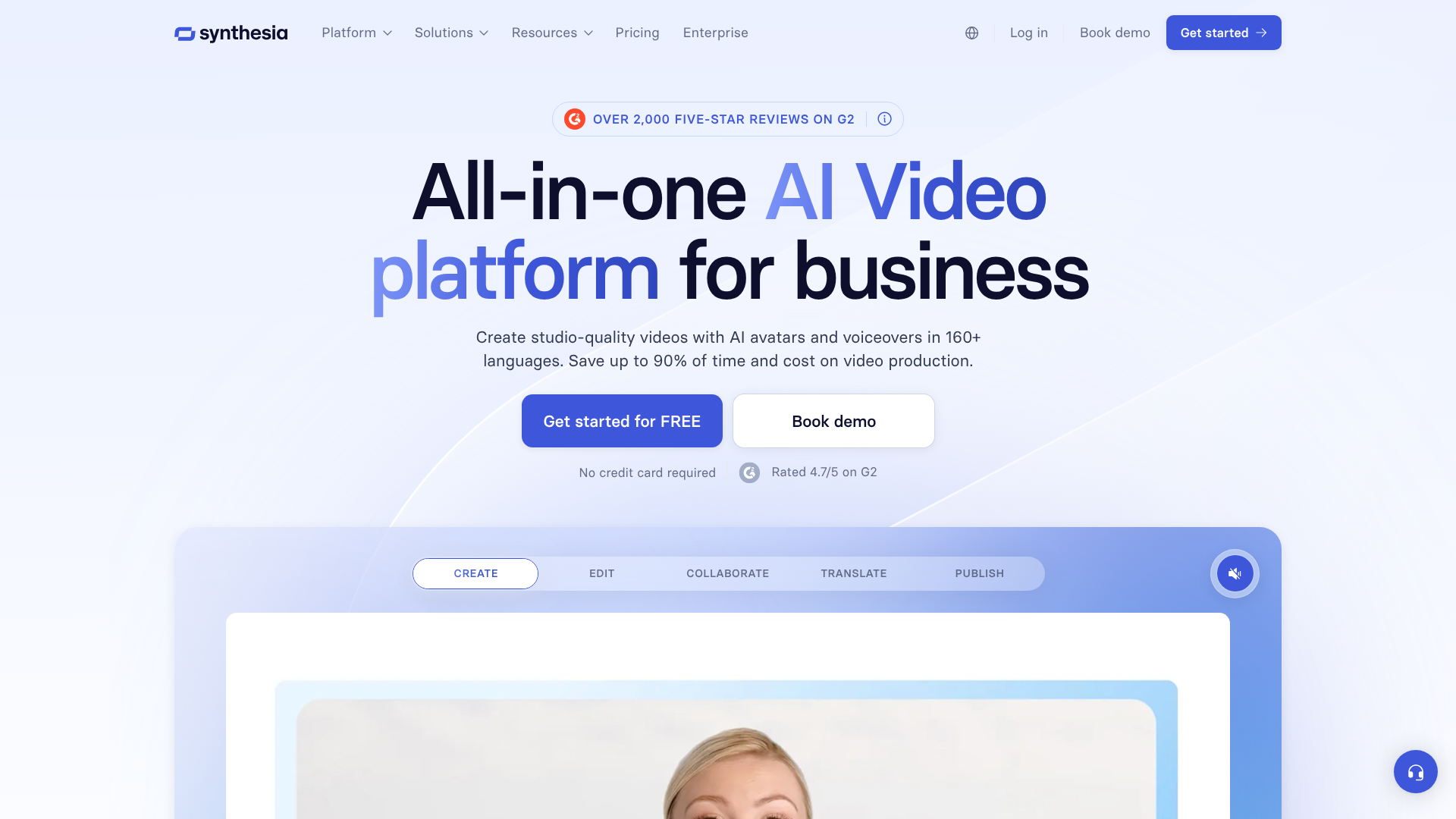
The primary goal of this technology is to democratise video creation. It removes the significant barriers of cost, technical expertise, and logistical challenges that prevent many organisations from producing video content at scale. A marketing team can create a product demo video, a human resources department can produce an onboarding series, and a sales team can generate personalised outreach videos—all without ever stepping in front of a camera.
This approach fundamentally changes the video production workflow. Updates that would normally require a costly and time-consuming reshoot can be done by simply editing a few lines of text and re-rendering the video. This agility makes the synthesia video tool particularly powerful for content that needs to be kept current, such as compliance training or software tutorials.
Unpacking the Core Features of the Synthesia Video Tool
Synthesia's platform is built around a set of powerful features designed to make AI video creation accessible and effective for business users. These tools work together to provide a flexible and comprehensive video production environment.
A Diverse Library of AI Avatars
The most prominent feature of Synthesia is its extensive collection of over 160 stock AI avatars. These avatars are designed to be diverse, representing a wide range of ethnicities, ages, and professional attire. This variety allows businesses to choose a presenter that best represents their brand and resonates with their target audience, whether for an internal training module or an external marketing campaign.
For organisations seeking a higher level of brand integration, Synthesia offers the ability to create a custom AI avatar. This involves a studio recording session to capture your likeness and voice, resulting in an exclusive digital twin that only your company can use. This is a premium feature ideal for businesses that want a consistent, recognisable face for their communications, such as a CEO or a dedicated brand ambassador.
Multi-Language Support with AI Voices
Breaking down language barriers is a significant strength of this AI video generator. The platform supports over 130 languages and accents, allowing you to create a single video and then localise it for global audiences with just a few clicks. The text-to-speech engine produces natural-sounding narration in each language, ensuring your message is delivered clearly and professionally worldwide.
Beyond the stock voices, Synthesia also provides a voice cloning feature. This allows you to create a custom AI voice from a recording of your own. When paired with a custom avatar, it enables the creation of truly personalised and authentic-looking video content. You can also upload pre-recorded voice-overs and synchronise them with your chosen avatar's lip movements.
Intuitive Video Editor and Templates
Despite the complex technology working behind the scenes, the user interface is designed to be straightforward and intuitive. The editor functions much like a slide-based presentation tool, such as PowerPoint or Google Slides. Each slide represents a scene in the video, where you can add your script, avatar, and background elements.
To speed up the creation process, Synthesia includes a library of over 60 professionally designed video templates. These templates are tailored for common use cases like training presentations, product demos, and how-to guides. Users can simply select a template, replace the placeholder text and media, and have a polished video ready to generate in minutes.
Branding and Customisation
Maintaining brand consistency is critical for any business, and Synthesia includes several features to support this. You can upload your own brand assets, including logos, fonts, and colour palettes, to ensure every video aligns with your company's visual identity. You can also upload your own images and videos to use as backgrounds, allowing for complete control over the look and feel of your content.
This level of customisation ensures that the videos produced don't feel generic. By incorporating specific brand elements and relevant background media, you can create content that is both professional and uniquely yours, reinforcing your brand message with every video.
Integrations and API Access
To fit into existing business workflows, Synthesia offers a range of integrations with popular applications. This includes tools for creating presentations, learning management systems (LMS), and content creation platforms. These integrations help streamline the process of creating and distributing video content.
For organisations that need to automate video creation at scale, Synthesia provides API access. The API allows developers to programmatically generate videos, opening up possibilities for creating thousands of personalised videos for sales outreach, customer support, or e-commerce product pages. This is a powerful feature for businesses looking to leverage hyper-personalisation in their communications.
How to Create a Video with Synthesia: A Step-by-Step Guide
One of the main attractions of the Synthesia AI video maker is its simplicity. The platform guides you through a logical workflow that transforms your script into a finished video without requiring any prior video editing experience. Here’s a breakdown of the typical process.
1. Choose a Template or Start from Scratch
Your journey begins on the main dashboard, where you can either select one of the many pre-built templates or start with a blank canvas. Templates are the fastest way to get started, as they come with pre-designed layouts, backgrounds, and text placeholders suited for specific purposes like a "Weekly Update" or a "Software Tutorial". Starting from scratch gives you complete creative freedom to build your video scene by scene.
2. Write or Paste Your Script
Once you're in the editor, the next step is to add your content. The script is the foundation of your video. You can type it directly into the script box for each scene or paste it from an external document. Synthesia automatically breaks down longer scripts into manageable sentences or paragraphs, which you can then assign to different scenes to control the pacing of your video.
Pro Tip: Read your script out loud before finalising it. The AI voice will read the text exactly as it's written, so listening to it yourself can help you catch awkward phrasing or typos that might sound unnatural when spoken.
3. Select Your AI Avatar and Voice
With your script in place, it's time to choose your presenter. You can browse the library of over 160 AI avatars and select the one that best fits your message and brand. After selecting an avatar, you choose the language and voice. You can preview different voices to find the tone and accent that works best for your script.
This is where you can also apply a cloned voice if you have one.
4. Customise Your Scenes
This is where you bring your video to life visually. For each scene, you can add various elements to support your script. You can upload your own background images or videos, add text overlays to highlight key points, insert shapes to structure information, or even add screen recordings to demonstrate a process. You can also apply your brand kit to ensure colours and fonts are consistent.
5. Generate and Share Your Video
After you've finalised your script and customised all your scenes, the final step is to click the "Generate" button. Synthesia's AI engine will then process your project, which can take a few minutes depending on the video's length. Once rendering is complete, you'll receive a notification. You can then download the video file (in full HD 1080p), get a shareable link, or use an embed code to add it to your website or learning platform.

Who is This AI Video Creator For? Key Use Cases
While the technology is versatile, the Synthesia AI video maker is specifically designed to solve problems for businesses and organisations. Its features and pricing are optimised for commercial use cases where scalability, consistency, and efficiency are paramount.
Corporate Training and Learning & Development (L&D)
This is arguably Synthesia's strongest use case. L&D teams are constantly tasked with creating engaging training materials for employee onboarding, compliance, health and safety, and software skills. Traditional video production for these materials is slow and expensive, and content quickly becomes outdated.
With Synthesia, trainers can produce a library of high-quality training videos quickly. More importantly, when a policy changes or a software interface is updated, they can simply edit the script and regenerate the video in minutes. This agility ensures that all training content remains accurate and relevant without incurring massive reshooting costs.
Marketing and Sales Teams
Marketing departments can use this AI video creator to produce a wide range of content. This includes explainer videos that break down complex products or services, social media content tailored for different platforms, and promotional videos for new feature announcements. The ability to localise content into 130+ languages allows marketing campaigns to achieve a global reach effortlessly.
For sales teams, Synthesia enables the creation of personalised outreach videos at scale. Using the API, a team could generate hundreds of unique videos where the avatar addresses each prospect by name and references their specific company or pain points. This level of personalisation can significantly improve engagement and response rates compared to generic text-based emails.
Internal Communications
Large organisations often struggle with disseminating information consistently across all departments and locations. Synthesia provides a powerful channel for internal communications. Leadership can use it to deliver company-wide announcements, HR can create videos explaining benefits changes, and department heads can provide weekly updates.
Using a custom avatar of a company executive can add a familiar and authoritative face to these communications. This ensures that important messages are delivered in a consistent, professional, and engaging format that is more likely to be consumed than a long email or text document.
Synthesia Pricing: Understanding the Cost
Synthesia operates on a subscription-based model, with different tiers designed to accommodate various levels of usage and team sizes. The pricing structure is based primarily on the number of video minutes you can generate per month, the number of user seats, and access to advanced features.
It's important to check the official Synthesia website for the most current pricing information, as plans and features can change. However, the plans generally fall into these categories:
- Personal Plan: Aimed at individual creators and small businesses, this plan typically offers a limited number of video minutes per month (e.g., 10 minutes) and access to the core features, including stock avatars and voices. It's a good starting point for those wanting to experiment with the technology for smaller projects.
- Creator Plan: This tier is designed for professionals and small teams who need to create more video content. It includes a higher allowance of video minutes per month, more user seats, and access to additional features like premium stock assets and branding options.
- Enterprise Plan: This is a custom plan for larger organisations with specific needs. It includes a high volume of video minutes, a dedicated account manager, advanced security features, and access to premium services like creating custom AI avatars and voice cloning. Pricing for this tier is tailored to the company's requirements.
Here is a general comparison of what you might expect from the different tiers:
| Feature | Personal Plan | Creator Plan | Enterprise Plan |
|---|---|---|---|
| Target User | Individuals, Hobbyists | Professionals, Small Teams | Large Organisations |
| Video Minutes/Month | Limited (e.g., 10) | More (e.g., 60+) | Custom Volume |
| AI Avatars | Stock Avatars | Stock Avatars | Stock + Custom Avatars |
| Branding | Basic | Custom Branding Kit | Advanced Branding & Fonts |
| Collaboration | Single User | Multiple Seats | Team Features & SSO |
| Support | Standard Support | Priority Support | Dedicated Account Manager |
The Pros and Cons of Using Synthesia
Like any technology, the Synthesia AI video maker has a distinct set of strengths and weaknesses. A balanced assessment is crucial for determining if it's the right solution for your specific needs. This platform offers remarkable efficiency but also comes with limitations that are important to understand.
Advantages of Synthesia
- Massive Cost and Time Savings: This is the most significant benefit. Compared to the costs of hiring actors, renting a studio, and paying a video production crew, Synthesia is a fraction of the price. A video that could take weeks to produce traditionally can be created and generated in under an hour.
- Unmatched Scalability: The platform is built for scale. You can create hundreds of video variations for different audiences or in different languages without a proportional increase in effort. The API functionality takes this even further, enabling automated generation of thousands of personalised videos.
- Exceptional Ease of Use: You don't need to be a video editor to use Synthesia. The interface is intuitive and resembles familiar presentation software, making it accessible to anyone on a team, from marketers to HR professionals to instructional designers.
- Consistency Across All Content: Synthesia ensures perfect consistency. Your brand's messaging, tone, and visual identity will be uniform across every video. Your chosen avatar will never have an "off" day, ensuring a professional delivery every time.
- Effortless Updates and Maintenance: The ability to update content by simply editing a script is a huge advantage. For training materials, product guides, or any content that requires regular revisions, this feature saves an enormous amount of time and resources compared to organising a complete reshoot.
Limitations and Considerations
- Avatar Expressiveness and Emotion: While the avatars are impressively realistic, they can sometimes struggle to convey the full spectrum of human emotion and nuance. For content that requires deep empathy, subtle humour, or passionate delivery, the performance may feel slightly flat or robotic compared to a skilled human actor.
- The "Uncanny Valley" Effect: The technology is constantly improving, but some viewers may still find the AI avatars to be in the "uncanny valley"—the space where something looks almost human but is just different enough to feel unsettling. This can be a distraction for certain audiences.
- Subscription Cost for Infrequent Use: The pricing model is designed for businesses with ongoing video needs. For a freelancer or a very small business that only needs to create one or two short videos a year, a monthly or annual subscription may not be cost-effective.
- Strict Content Moderation: To prevent misuse of the technology, Synthesia has a robust content moderation policy. All scripts are reviewed by an AI moderator, and certain topics are prohibited. While necessary for ethical reasons, this can sometimes flag legitimate content and require a manual review, adding a slight delay to the generation process.
Synthesia Alternatives: A Brief Look at the Competition
Synthesia is a leader in the AI video generator market, but it's not the only option available. The space is growing rapidly, with several other platforms offering similar capabilities. Understanding the alternatives can provide valuable context when making a decision.
One notable competitor is HeyGen. Like Synthesia, HeyGen offers a wide range of AI avatars, multi-language support, and customisation features. Some users find HeyGen's avatars to be slightly more expressive, and its pricing structure may be more appealing for individual creators or smaller teams with different usage patterns.
Another alternative is Invideo AI. While it also has AI video creation features, Invideo focuses more on a workflow that transforms a simple text prompt into a complete video, including stock footage, voice-over, and text overlays. It's less focused on the AI avatar presenter model and more on automating the entire video editing process from a single idea.
These tools showcase the different approaches within the AI video creation space. While Synthesia excels at presenter-led, script-based videos for corporate use, other platforms may be better suited for different creative workflows or budget constraints.
Frequently Asked Questions (FAQ)
Here are answers to some of the most common questions people have about the Synthesia AI video maker.
Is Synthesia AI video free?
Synthesia does not offer a permanently free plan. However, it does provide a free AI video demo. On their website, you can select a template, paste a short script, and generate a sample video to see how the technology works. To create and download your own full-length videos, you need to subscribe to one of their paid plans.
How much does Synthesia AI video cost?
The cost of Synthesia depends on the subscription plan you choose. The "Personal" plan, aimed at individuals, starts at a lower price point for a limited number of video minutes per month. The "Creator" and "Enterprise" plans cost more but offer significantly more video minutes, additional user seats, and advanced features like custom branding and API access. For exact figures, it is best to visit the Synthesia pricing page directly.
Is there a 100% free AI video maker?
There are some AI video tools that offer a "freemium" model, which includes a 100% free plan. However, these free plans are typically very restrictive. They often include a prominent watermark on the final video, have very low limits on video length or monthly generation time, and offer a limited selection of avatars and voices. They are suitable for experimentation but not for professional use.
How long can a Synthesia AI video be?
The maximum length of a single video you can create in Synthesia depends on your subscription plan. For the entry-level plans, a single video project might be capped at around 10 minutes. Enterprise plans offer the ability to create much longer videos, sometimes up to an hour in length. Your plan also dictates the total number of video minutes you can generate across all projects each month.
What are the limitations of Synthesia AI?
The main limitations of Synthesia are related to the performance of the AI avatars. They may lack the emotional range and subtle non-verbal cues of a human presenter, which can make them less suitable for highly emotive or persuasive content. There is also the potential for the "uncanny valley" effect. Additionally, the platform operates on a subscription model, which can be a financial commitment, and it has strict content moderation policies to prevent misuse.
Final Verdict: Is the Synthesia AI Video Maker Worth It?
After a thorough review of its features, use cases, and limitations, the verdict is clear: the Synthesia AI video maker is an exceptionally powerful and valuable tool for the right user. It successfully solves a major pain point for businesses by making professional video production fast, scalable, and affordable. The platform's intuitive interface, combined with its high-quality output, makes it a leader in the AI video creation space.
If your organisation is heavily invested in corporate training, L&D, multi-lingual marketing, or scalable internal communications, Synthesia is absolutely worth it. The return on investment, measured in saved time, reduced production costs, and the ability to maintain up-to-date content, is substantial. The ease with which you can localise videos for a global audience is, by itself, a compelling reason for many international companies to adopt the platform.
However, it may not be the ideal choice for everyone. Solo creators with very infrequent video needs might find the subscription cost prohibitive. Furthermore, if your content relies heavily on conveying deep emotional connection or complex human nuance, the current generation of AI avatars might not fully meet your needs. For its intended audience of businesses and enterprises, though, Synthesia is a transformative tool that redefines what's possible with video content.