
Kinsta vs WP Engine: The Definitive 2026 Comparison for Agencies & Developers
Choosing the right managed WordPress host is one of the most critical decisions for any serious website owner, developer, or agency. The right platform can supercharge your site's speed, tighten security, and simplify workflows, while the wrong one can lead to slow load times and constant headaches. In the world of premium hosting, two names consistently rise to the top: Kinsta and WP Engine. This detailed kinsta vs wp engine comparison will break down everything you need to know, from performance benchmarks and developer tools to pricing and support, helping you make an informed decision for your projects.
- Quick Summary
- What Are Kinsta and WP Engine? A Look at the Managed Hosting Giants
- Kinsta vs WP Engine: A Head-to-Head Feature Comparison
- Performance and Speed: Who Comes Out on Top?
- Infrastructure: Google Cloud's Best vs. Multi-Cloud Flexibility
- Caching Technologies Explained
- Content Delivery Network (CDN) Differences
- Developer Tools and Workflow: A Kinsta vs WP Engine Breakdown
- Pricing and Value: A Detailed Cost Comparison
- Understanding the Pricing Models
- Kinsta Pricing Tiers
- WP Engine Pricing Tiers
- Which Offers Better Value for Money?
- Pros and Cons: The Quick Verdict
- How to Choose: Making the Right Decision for Your Project
- Frequently Asked Questions (FAQ)
- Is Kinsta reliable?
- Is WP Engine banned from WordPress?
- Who are WP Engine competitors?
- How much does Kinsta database cost?
- What is the difference between WordPress and Kinsta?
- Final Thoughts: Kinsta vs WordPress Engine – The Ultimate Verdict
Both platforms offer a premium service targeted at users who have outgrown shared hosting, but they approach it with different philosophies and feature sets. WP Engine has built a reputation as an enterprise-ready solution with a strong focus on developer workflows and robust security. Kinsta, on the other hand, is known for its modern, user-friendly dashboard and its exclusive use of the Google Cloud Platform's fastest network tier. Deciding between them isn't about picking a 'winner', but about understanding which one aligns best with your specific needs.
Quick Summary
- For Agencies & Developers: WP Engine often has the edge with its three-tier (Dev/Stage/Prod) environments and deep integration with the Local development tool, streamlining complex workflows.
- For Performance Purists: Kinsta's exclusive use of Google Cloud's Premium Tier network and integrated Cloudflare Enterprise on all plans provides exceptional speed and security out of the box.
- User Experience: Kinsta's custom-built MyKinsta dashboard is widely praised for its intuitive design and ease of use, while WP Engine's portal is powerful but can feel more traditional.
- The Bottom Line: Your choice depends on your priorities. If advanced, structured development environments are your main concern, WP Engine is a fantastic choice. If a sleek UI and top-tier Google Cloud performance are more important, Kinsta is a formidable competitor.
What Are Kinsta and WP Engine? A Look at the Managed Hosting Giants
Before diving into a feature-by-feature breakdown, it's important to understand the core identity of each company. They are not simply web hosts; they are Digital Experience Platforms (DXPs) designed specifically for WordPress. This means they handle all the technical heavy lifting—updates, security, caching, and backups—so you can focus on building your site and business.
What is WP Engine?
Founded in 2010, WP Engine is one of the pioneers of the managed WordPress hosting industry. They have established themselves as a market leader, trusted by over 1.5 million websites, including major brands like Yelp, Asana, and National Geographic. Their platform is built for reliability, security, and scalability, with a strong emphasis on serving agencies, developers, and enterprise clients.
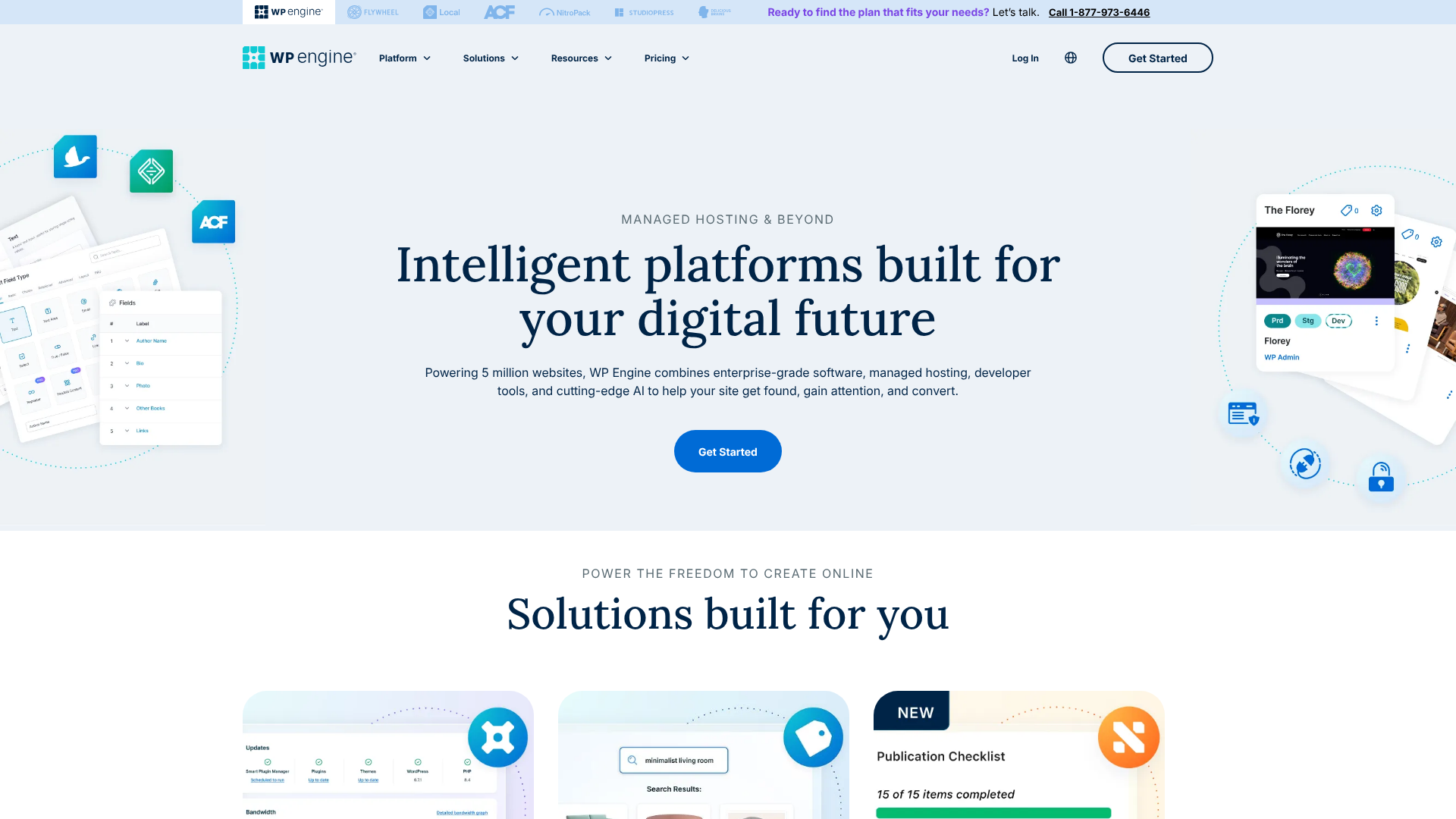
WP Engine's ecosystem includes more than just hosting. They acquired StudioPress, bringing the popular Genesis Framework and a suite of premium themes under their umbrella, which are included free for all customers. They also own and integrate deeply with Local, the most popular local WordPress development application, creating a seamless workflow from your computer to a live server.
Their platform is known for its proprietary caching system, EverCache®, and a multi-layered security approach that blocks millions of threats daily. This focus on a complete, secure, and developer-centric ecosystem is what defines the WP Engine experience.
What is Kinsta?
Kinsta was founded in 2013 by a group of WordPress developers who were unhappy with the hosting solutions available at the time. Their goal was to create a hosting platform that was both incredibly powerful and remarkably easy to use. To achieve this, they built their entire infrastructure on the Google Cloud Platform (GCP), and they were one of the first hosts to exclusively use its Premium Tier network for all clients.
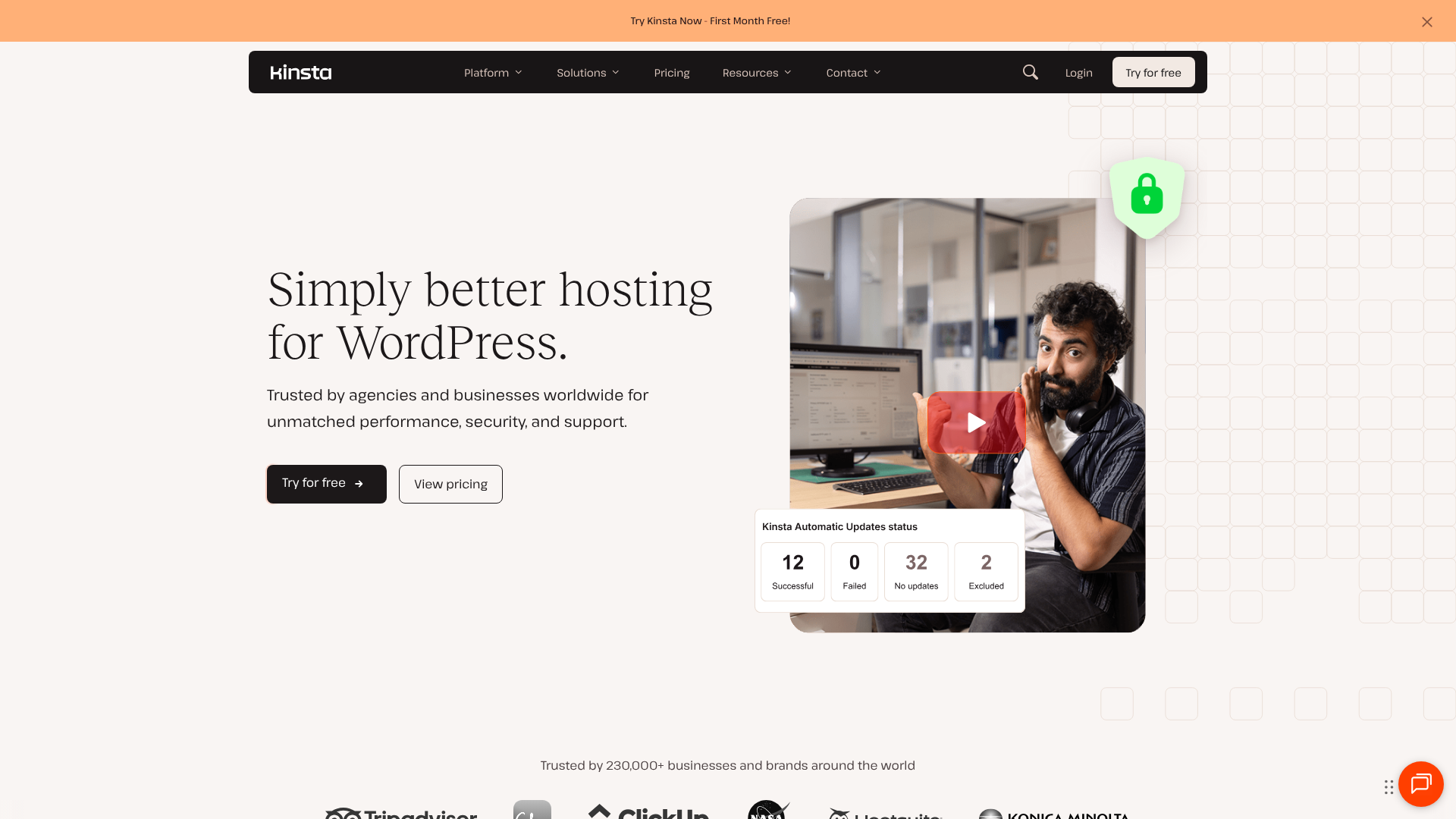
The centrepiece of the Kinsta experience is the MyKinsta dashboard. It's a custom-built control panel designed from the ground up to be clean, logical, and fast. This focus on user experience makes managing complex server tasks feel simple. From deploying a staging site to analysing performance metrics, the interface is a significant draw for many users.
Kinsta also integrates Cloudflare Enterprise on every plan, providing customers with enterprise-level DDoS protection, a Web Application Firewall (WAF), and performance enhancements at no extra cost. This combination of a modern tech stack, a beautiful UI, and powerful included features makes Kinsta a top choice for businesses of all sizes, from bloggers to Fortune 500 companies.
Kinsta vs WP Engine: A Head-to-Head Feature Comparison
When you compare Kinsta vs WordPress Engine on features, you find that both cover the essentials of managed hosting exceptionally well. However, the details reveal key differences in their approach and technology. Here’s a side-by-side look at the core features.
| Feature | Kinsta | WP Engine | Notes |
|---|---|---|---|
| Infrastructure | Google Cloud Platform (Premium Tier) | Google Cloud Platform & AWS | Kinsta standardises on GCP's fastest network; WP Engine offers more choice. |
| CDN | Cloudflare Enterprise (Free on all plans) | Cloudflare (Standard) + Proprietary CDN | Kinsta's offering includes WAF & DDoS protection for everyone. |
| Caching | Custom Server-Level Caching | Proprietary EverCache® System | Both are highly optimised, server-side solutions. |
| Staging Environments | 1-Click Staging (Add-ons for more) | Dev, Stage, Prod Environments (On most plans) | WP Engine has a clear advantage for complex agency workflows. |
| Control Panel | MyKinsta (Custom Built, Modern UI) | User Portal (Proprietary, Traditional UI) | MyKinsta is widely considered more intuitive and user-friendly. |
| PHP Workers | Starts at 2 per site | Starts at 10-15 per plan (shared) | Kinsta's are dedicated per site; WP Engine's are shared across sites on a plan. |
| Security | Enterprise Firewall, DDoS Protection, Malware Scanning | Managed WAF, DDoS Mitigation, Proactive Scanning | Both offer excellent, multi-layered security. |
| Support | 24/7 Expert Live Chat | 24/7 Expert Live Chat & Phone Support (on most plans) | Both are known for high-quality, WordPress-expert support. |
| Data Centres | 35+ Global Locations | 20+ Global Locations | Kinsta offers a wider global reach. |

Performance and Speed: Who Comes Out on Top?
For any serious website, speed is not just a feature; it's a necessity. It impacts user experience, conversion rates, and SEO rankings. Both Kinsta and WP Engine have built their reputations on delivering lightning-fast performance, but they use slightly different technology stacks to get there.
Infrastructure: Google Cloud's Best vs. Multi-Cloud Flexibility
Kinsta's entire platform runs on the Google Cloud Platform and, crucially, utilises its Premium Tier network for all customers. This is the same high-performance, low-latency network that Google uses for its own services like Gmail and YouTube. Data travels across Google's private, well-provisioned global fibre network, resulting in faster and more reliable data transfer compared to the standard GCP network tier. This is a significant performance advantage that is active for every single Kinsta site.
WP Engine also heavily uses Google Cloud Platform, but they offer Amazon Web Services (AWS) as well. This multi-cloud approach provides flexibility, but they don't standardise on the Premium Tier network in the same way Kinsta does. While performance is still excellent, the underlying network technology gives Kinsta a theoretical edge in raw network speed and latency.
Caching Technologies Explained
Caching is essential for speed, as it stores copies of your site's files to deliver them to visitors more quickly. Both hosts implement sophisticated, server-level caching so you don't need to rely on third-party caching plugins (in fact, most are banned on their platforms).
WP Engine uses its proprietary system called EverCache®. It's a multi-layered technology that handles page caching, object caching, and CDN caching to serve content as efficiently as possible. It's been refined over a decade and is one of the most effective caching systems in the industry.
Kinsta employs its own server-level caching solution built in-house, complemented by features like early hints and an Edge Caching feature. This stores your site's cache in Cloudflare's global network of data centres, dramatically reducing the time to first byte (TTFB) for visitors by serving content from a location physically closer to them.
Content Delivery Network (CDN) Differences
A CDN further boosts global performance by distributing your site's assets (images, CSS, JavaScript) across servers worldwide. The wp engine comparison on this front is interesting. WP Engine provides a CDN powered by Cloudflare on its modern plans, which is a solid, reliable solution.
Kinsta, however, includes a full Cloudflare Enterprise integration for every single customer. This is a premium service that normally costs hundreds or even thousands of pounds per month. It includes not only a priority global CDN but also an enterprise-grade Web Application Firewall (WAF) and advanced DDoS mitigation, offering a huge boost in both performance and security that is hard to beat.
Pro Tip: While both hosts are incredibly fast, Kinsta's combination of GCP's Premium Tier network and an included Cloudflare Enterprise integration gives it a slight edge in raw global performance and security infrastructure, especially for the price.
Developer Tools and Workflow: A Kinsta vs WP Engine Breakdown
For agencies and freelance developers, an efficient workflow is just as important as raw performance. This is an area where the differences between the two hosts become very clear, and where WP Engine truly shines for a specific type of user.
Staging Environments
A staging site is a private clone of your live website used for testing updates, plugins, or design changes safely. Both platforms offer one-click staging environments.
Kinsta provides a standard staging environment for every site. You can push changes from staging to live in a few clicks. For more complex needs, they offer Premium Staging Environments as a paid add-on, allowing you to create up to five additional testing environments.
This is where WP Engine pulls ahead for development teams. On most of their plans, they offer three distinct environments for each site: Development, Staging, and Production (Live). This three-tier system mirrors professional software development practices, allowing teams to build in one place, have clients review changes in another, and then deploy to the live site. This structured workflow is a major advantage for agencies managing multiple developers and complex projects.
Local Development Integration
Another huge win for WP Engine is its ownership of and integration with Local (formerly Local by Flywheel). Local is a free application that makes it incredibly easy to build and test WordPress sites on your own computer. With WP Engine's Connect feature, you can pull a live site down to your local machine or push your local site up to your WP Engine staging or production environments with just a few clicks. This seamless connection between local and remote environments saves developers a massive amount of time.
Kinsta supports local development, and you can certainly use tools like Local with it, but it doesn't have the same level of native, one-click integration that WP Engine offers.
Other Developer-Friendly Features
Both platforms provide the tools professional developers expect, including SSH access, Git integration, and WP-CLI on all plans. They both also offer application performance monitoring (APM) tools to help diagnose performance bottlenecks. Kinsta's APM tool is built in-house, while WP Engine offers a New Relic integration. Both are powerful tools for debugging slow queries or plugin conflicts.
Pricing and Value: A Detailed Cost Comparison
Both Kinsta and WP Engine are premium services, and their pricing reflects the high level of performance, support, and features they provide. Their pricing structures are similar, based on tiers that include a set number of WordPress installs, monthly visits, storage, and bandwidth.
Understanding the Pricing Models
It's crucial to look beyond the sticker price and understand how each host handles resource limits and overages. This is often where the true cost difference lies.
- Visits: Both hosts count 'visits' based on unique IP addresses within a 24-hour period. Bot traffic is generally excluded.
- Storage: This is the amount of disk space your site's files and database occupy.
- Bandwidth/CDN: This is the amount of data transferred from the server to your visitors.
Overages—what you pay when you exceed your plan's limits—are a key differentiator. Kinsta charges for visit overages at a rate of around £1 per 1,000 extra visits and for CDN overages. WP Engine's overage fees are typically around £2 per 1,000 extra visits. Always check their current pricing pages for the most up-to-date figures, as these can change.
Kinsta Pricing Tiers
Kinsta's plans start with the Starter plan and scale up through Pro, Business (1-4), and Enterprise (1-4) tiers. Their entry-level plan is designed for a single, small WordPress site, while the higher tiers accommodate more sites and higher traffic volumes, making them suitable for agencies and large businesses.
WP Engine Pricing Tiers
WP Engine's plans generally start with Startup, moving up to Professional, Growth, Scale, and custom Dedicated plans. Their entry-level plan is similarly positioned for a single site. The key difference is that features like 24/7 phone support and the three-tier development environments are typically included from the Growth plan upwards. You can visit WP Engine for the latest pricing information.
Which Offers Better Value for Money?
This is a complex question. For a single site owner who values a modern UI and the Cloudflare Enterprise integration, Kinsta might offer better value at the lower end. The included security and performance features are top-notch.
For an agency managing five or more client sites, the value proposition of WP Engine's Growth or Scale plans becomes very compelling. The included Dev/Stage/Prod environments, Genesis Framework, and seamless Local integration can significantly improve productivity, which can easily justify a higher monthly cost.
Pros and Cons: The Quick Verdict
To make this kinsta vs wp comparison easier to digest, here’s a straightforward breakdown of the strengths and weaknesses of each platform.
Kinsta: The Good and The Bad
Pros:
- Exceptional Performance: Exclusive use of Google Cloud's Premium Tier network ensures fantastic global speed.
- Intuitive Dashboard: The MyKinsta dashboard is modern, fast, and a pleasure to use.
- Cloudflare Enterprise Included: All plans get enterprise-grade security and CDN features for free.
- Excellent Support: 24/7 live chat with knowledgeable WordPress experts who are quick to respond.
Cons:
- Overage Costs: Visit and CDN overage fees can add up if your traffic is unpredictable.
- Limited Staging on Standard Plans: Only one staging environment is included by default; more requires a paid add-on.
- No Phone Support: Support is limited to live chat and tickets, which may be a drawback for some users.
WP Engine: The Good and The Bad
Pros:
- Superior Developer Workflow: The Dev/Stage/Prod environments are a massive benefit for agencies and teams.
- Local Integration: Seamless connection between local and remote servers saves significant development time.
- Robust Security: A proven track record with a multi-layered security approach and proactive threat detection.
- Included Value: Free access to the Genesis Framework and premium StudioPress themes is a great perk.
Cons:
- Dated User Interface: The user portal is functional but feels less modern and intuitive than MyKinsta.
- Features Gated on Higher Plans: Key features like 24/7 phone support and advanced environments are not available on the entry-level plan.
- Higher Overage Costs: Per-visit overage fees are typically higher than Kinsta's.
How to Choose: Making the Right Decision for Your Project
There is no universal 'best' choice in the kinsta vs wordpress engine debate. The right host for you depends entirely on your priorities, technical skills, and business needs. Here’s a simple guide to help you decide.
Choose WP Engine If…
- You are an agency or a freelance developer managing client sites. The three-tier environments and Local integration are designed specifically for your workflow and can make your team significantly more efficient.
- You need enterprise-grade security and compliance. WP Engine has a long history of serving large corporations and offers features like SOC 2 Type II compliance.
- You build sites using the Genesis Framework. The free inclusion of the framework and all StudioPress themes represents significant value.
- You prefer having the option of phone support. For critical issues, sometimes speaking to a human on the phone is non-negotiable.
Choose Kinsta If…
- Your absolute top priority is a modern, fast, and intuitive user interface. The MyKinsta dashboard is arguably the best in the business.
- You want the guaranteed performance of Google Cloud's fastest network. Kinsta's commitment to the Premium Tier is a key performance differentiator.
- You want the best possible security and CDN features included on all plans. The free Cloudflare Enterprise integration is an incredible value proposition.
- You run a high-traffic site and want a simple, powerful platform to manage it. Kinsta's focus on a streamlined experience makes it ideal for business owners who want power without complexity.
Frequently Asked Questions (FAQ)
Here are answers to some of the most common questions that arise when comparing these two hosting giants.
Is Kinsta reliable?
Yes, Kinsta is extremely reliable. They offer a 99.9% uptime guarantee backed by an SLA (Service Level Agreement). Their infrastructure on the Google Cloud Platform is self-healing and highly redundant. They also perform uptime checks on every site every two minutes, meaning if your site goes down, their team is often working on it before you even notice.
Is WP Engine banned from WordPress?
No, WP Engine is not banned from WordPress in any way. This is a common misunderstanding. What WP Engine has is a list of 'disallowed plugins'. These are plugins that are either redundant (like caching plugins, which would conflict with their server-level EverCache®), cause security issues, or create a high server load.
This is a standard practice among all high-quality managed WordPress hosts, including Kinsta, to ensure platform stability and performance.
Who are WP Engine competitors?
WP Engine's main competitors in the premium managed WordPress hosting space are Kinsta, Flywheel (which is also owned by WP Engine but has a different focus), Pressable, and Pagely. For users looking for slightly more budget-friendly but still high-performance options, hosts like SiteGround and Cloudways are also considered competitors.
How much does Kinsta database cost?
Kinsta does not charge separately for your database. The database storage is included as part of your plan's overall disk space limit. They also provide tools for database optimisation and offer free database hosting through their DevKinsta local development tool. There are no hidden or separate fees for your MySQL database.
What is the difference between WordPress and Kinsta?
This is a fundamental point of clarification. WordPress is a Content Management System (CMS)—it's the software you use to build and manage your website's content. Kinsta is a web hosting company—it provides the high-performance servers and infrastructure that your WordPress software runs on. Kinsta specialises in hosting and optimising WordPress sites, but it is not WordPress itself.
Final Thoughts: Kinsta vs WordPress Engine – The Ultimate Verdict
After a deep dive into every aspect of this wp engine comparison, it's clear that both Kinsta and WP Engine are at the top of their game. They represent the pinnacle of managed WordPress hosting, and you are unlikely to be disappointed with either choice. The decision ultimately comes down to a matter of fit and philosophy.
WP Engine is the established veteran with a platform honed over a decade to serve the needs of developers and agencies. Its structured, three-tier workflow and deep integration with Local are powerful, practical tools that solve real-world development challenges. It's a robust, secure, and incredibly stable platform built for professionals who need control and process.
Kinsta is the modern innovator, leveraging the very best of Google's infrastructure and wrapping it in a beautiful, intuitive interface. The inclusion of Cloudflare Enterprise for all users is a game-changing value proposition that delivers elite performance and security. It's the ideal choice for those who prioritise user experience and raw, unadulterated speed. For a platform that empowers developers and agencies with a superior workflow, we highly recommend exploring what WP Engine has to offer.