

Aesthetic Front Page Design for Projects: A Guide for Students & Creators
The first page of any project is your one chance to make a powerful first impression. Whether it's a school assignment, a business proposal, or a digital portfolio, the cover sets the tone for everything that follows. Creating an aesthetic front page design for your project isn't just about making something look nice; it's about communicating purpose, professionalism, and care from the very first glance.
- What You'll Learn
- What is an Aesthetic Front Page Design for a Project?
- The Core Principles of Front Page Design Aesthetics
- Key Benefits of a Strong Project Page Design
- How to Create Your Aesthetic Project Layout: A Step-by-Step Guide
- Step 1: Define Your Project's Goal and Audience
- Step 2: Gather Inspiration
- Step 3: Choose Your Colour Palette and Fonts
- Step 4: Sketch a Layout
- Step 5: Select Your Tools and Execute
- Top Recommendations: Tools and Resources
- For School & Creative Projects (Physical/Simple Digital)
- For Professional & Business Projects (Digital Landing Pages)
- Pricing and Cost Considerations
- Pros and Cons of Different Approaches
- The DIY/Handmade Approach
- Using Template-Based Tools (e.g., Canva)
- Using Professional Landing Page Builders (e.g., Leadpages)
- Frequently Asked Questions (FAQ)
- How do I decorate the first page of a project to be aesthetic?
- What makes a front page design aesthetic?
- How do I make my project front page?
- What fonts are best for a front page?
- What are common front page design mistakes?
- Final Thoughts
This guide breaks down the essential principles of aesthetic design that apply to any project, physical or digital. You'll learn the core concepts that designers use to create visually appealing layouts, discover practical steps to build your own, and explore the best tools for the job. From simple craft supplies to sophisticated digital platforms, you'll find everything you need to transform your project's cover from an afterthought into a statement piece.
What You'll Learn
- Core Design Principles: Understand the fundamentals of what makes a design truly aesthetic, including balance, colour theory, and typography.
- Universal Application: Learn how to apply these principles to a wide range of projects, from academic papers and creative portfolios to professional websites.
- Practical Tools & Resources: Discover the best tools for the job, ranging from free online platforms like Canva to powerful landing page builders for digital projects.
- Common Mistakes to Avoid: Identify and sidestep common design pitfalls that can make your front page look cluttered, unprofessional, or confusing.
What is an Aesthetic Front Page Design for a Project?
An aesthetic front page design for a project is the strategic arrangement of visual elements—like text, images, and colours—on a cover page to create a pleasing, effective, and thematically appropriate introduction. It goes far beyond simply adding a title. It's a form of visual communication that tells your audience what to expect, conveys the mood of the project, and demonstrates a high level of quality and attention to detail.
Think of it as the book cover for your work. A great book cover doesn't just list the title and author; it uses imagery, typography, and colour to hint at the genre, story, and tone. Similarly, a strong project page design for a history assignment might use classic serif fonts and a muted colour palette to evoke a sense of historical significance. In contrast, a front page for a tech start-up's business plan would likely use clean, modern sans-serif fonts and a bold, energetic colour scheme to communicate innovation.
The goal of front page design aesthetics is to achieve harmony between all the elements. It’s about creating a visual hierarchy that guides the viewer's eye to the most important information first. A successful design feels intentional and cohesive, making the content inside seem more credible and valuable before a single word has even been read.
The Core Principles of Front Page Design Aesthetics
To create a truly compelling front page, you need to understand the fundamental principles that guide all good design. These aren't strict rules but rather timeless guidelines that help you make deliberate choices. Mastering them will elevate your project page design from amateur to professional.
Visual Hierarchy
Visual hierarchy is about arranging elements to show their order of importance. Your most critical information, usually the project title, should be the most prominent visual element. You can achieve this through several techniques.
Size is the most straightforward method; larger elements naturally draw more attention. Colour and contrast also play a huge role. A bright, bold colour will stand out against a muted background. Placement is also key, as elements placed at the top or centre of a page are often perceived as more important.
A well-executed hierarchy ensures a viewer can scan your page and understand its purpose in seconds.
Colour Theory
Colour is a powerful tool for evoking emotion and setting a mood. A basic understanding of colour theory can transform your design. A colour palette typically consists of one to three primary colours and a few secondary or accent colours.
Common colour schemes include complementary (colours opposite each other on the colour wheel, like blue and orange, for high contrast), analogous (colours next to each other, like blue and green, for a harmonious feel), and monochromatic (shades of a single colour, for a clean, elegant look). Use online tools like Adobe Color or Coolors to generate professional palettes that match the theme of your project.
Typography
Typography is the art of arranging type to make written language legible, readable, and appealing. The fonts you choose say a lot about your project. Generally, it's best to stick to two, or at most three, different fonts to avoid a chaotic look.
Serif fonts (with small feet, like Times New Roman) often feel traditional, formal, and elegant. Sans-serif fonts (without feet, like Arial or Helvetica) feel modern, clean, and straightforward. A common and effective strategy is to pair a decorative or bold serif font for the main title with a clean sans-serif font for subtitles and other text.
Balance and Composition
Balance gives your design stability and structure. There are two main types. Symmetrical balance is where elements are mirrored on either side of a central axis, creating a formal and static feel. Asymmetrical balance is where elements are not mirrored but are arranged to have equal visual weight, creating a more dynamic and modern composition.
Composition is how you arrange these elements on the page. A helpful guideline is the 'rule of thirds', where you imagine your page is divided into a 3×3 grid. Placing key elements along these lines or at their intersections often creates a more interesting and visually pleasing layout than simply centring everything.
White Space (Negative Space)
White space is the empty area around the elements in your design. It's one of the most overlooked but crucial aspects of an aesthetic project layout. Far from being wasted space, it gives your content room to breathe, reduces clutter, and improves readability.
Ample white space makes a design feel more open, elegant, and modern. It helps to define and separate different sections of your page, guiding the viewer's eye and creating a sense of calm and order. Don't be afraid to leave areas empty; it's often what you don't include that makes a design successful.

Key Benefits of a Strong Project Page Design
A well-crafted front page offers more than just visual appeal; it delivers tangible benefits that can directly impact the success of your project. Investing time in the design is an investment in how your work is perceived and received.
First and foremost, a great design grabs attention. In a world of information overload, a visually striking cover can be the difference between your project being noticed or ignored. It acts as a hook, drawing your audience in and making them curious to see what's inside. This is equally true for a teacher grading a stack of papers or a potential client scrolling through proposals.
Second, it communicates professionalism and effort. A thoughtful, clean, and well-organised front page signals that you care about your work. It suggests that the content within is just as carefully considered. This perception of quality can subconsciously influence how your audience judges the rest of the project, setting a positive tone from the start.
An aesthetic project layout also helps to establish the theme and context instantly. The design choices you make—from the colour palette to the font selection—should align with your project's subject matter. This thematic consistency makes the project feel more cohesive and helps the audience immediately understand the topic and its intended mood.
Finally, for digital projects, a strong design directly impacts user experience. A clear hierarchy and readable text make information easier to digest, reducing friction for the user. In a business context, this translates to better engagement and higher conversion rates. A user who has a positive experience on your landing page is far more likely to take the desired action, whether it's signing up for a newsletter or making a purchase.
How to Create Your Aesthetic Project Layout: A Step-by-Step Guide

Creating an effective front page is a structured process. By following these steps, you can move from a blank page to a polished, professional design that accurately reflects your project's quality.
Step 1: Define Your Project's Goal and Audience
Before you choose a single colour or font, ask yourself two questions: What is the purpose of this project. And who is it for. The answers will guide every design decision you make. A front page for a university dissertation requires a formal, academic tone, while a cover for a creative portfolio should be expressive and bold.
Understanding your audience's expectations is crucial.
Step 2: Gather Inspiration
No design is created in a vacuum. Spend time looking for inspiration to see what works and what you like. Websites like Pinterest and Behance are excellent resources for visual ideas. Don't limit yourself to project covers; look at book designs, magazine layouts, movie posters, and website homepages.
Create a mood board to collect images, colour palettes, and font styles that resonate with your project's theme.
Step 3: Choose Your Colour Palette and Fonts
Referring back to your inspiration and the principles of design, select your colours and fonts. Use a colour palette generator to find harmonious combinations. For fonts, choose a primary font for your main title that captures the project's personality and a secondary, highly readable font for any subtitles or additional information. Consistency is key, so use these choices throughout your project.
Step 4: Sketch a Layout
Always start with a rough sketch, even for a digital design. This is called wireframing. On a piece of paper or a digital whiteboard, map out where your main elements will go: the title, your name, any images, and other text. Experiment with different compositions based on the principles of balance and hierarchy.
This low-effort step allows you to test ideas quickly before committing to a final design.
Step 5: Select Your Tools and Execute
With a plan in place, it's time to bring your design to life. The tools you use will depend on the nature of your project.
For physical projects, this means selecting high-quality paper, pens, markers, or other craft materials. The video below offers some excellent creative ideas for school projects.
For digital projects, you have a wide array of software options. Tools like Canva are perfect for creating static designs for reports or presentations. For more dynamic projects, like a website or online portfolio, dedicated landing page builders offer powerful features.
Pro Tip: When pairing fonts, aim for high contrast. If you use a bold, decorative font for your heading (like Playfair Display), pair it with a simple, neutral sans-serif for your subheading (like Lato or Open Sans). This contrast creates a clear hierarchy and improves readability.
Top Recommendations: Tools and Resources
Choosing the right tool can make a huge difference in both the process and the final outcome. Here are some top recommendations, broken down by project type.
For School & Creative Projects (Physical/Simple Digital)
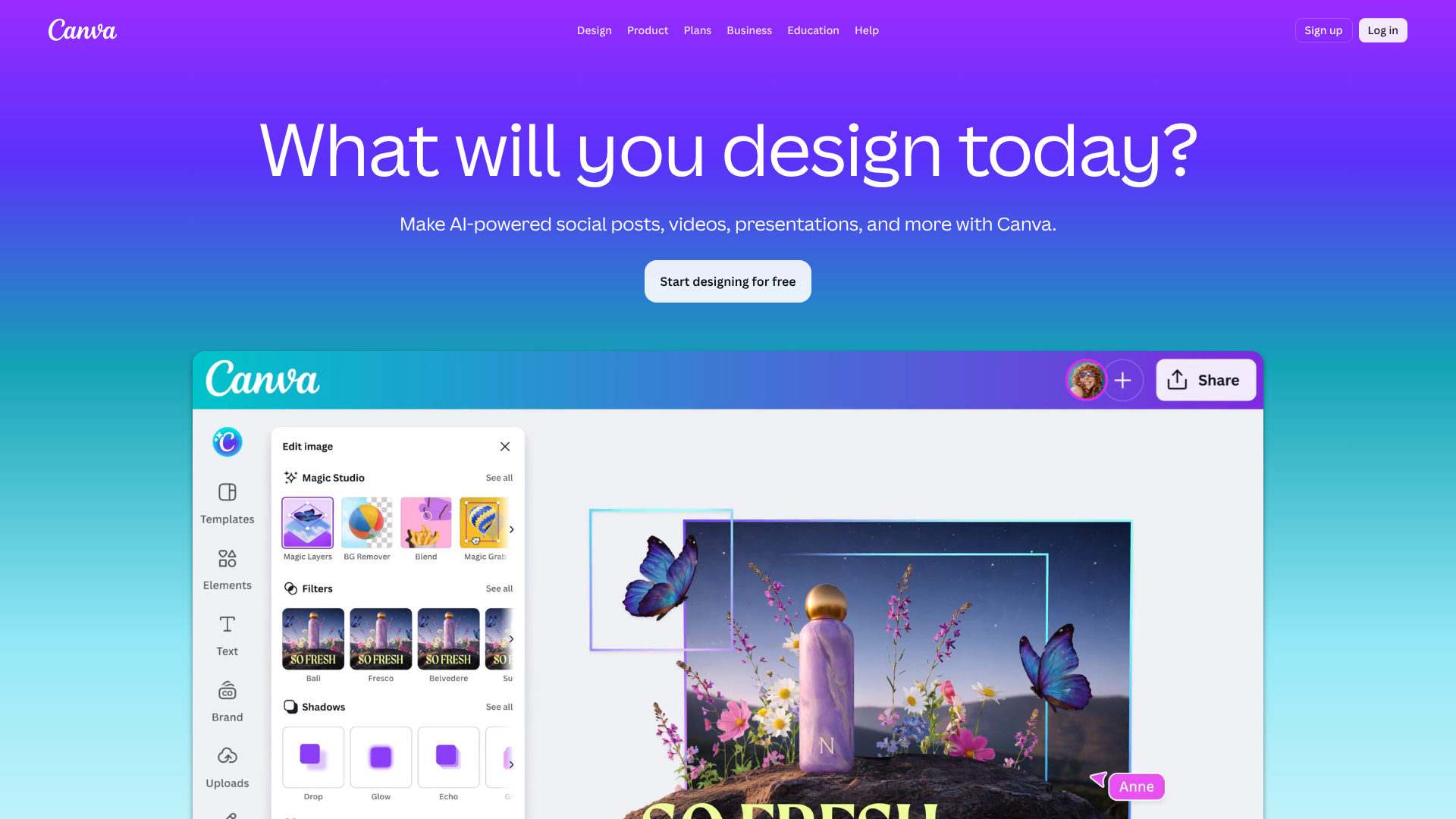
For most academic or personal creative projects, you don't need complex software. The focus is on clarity and creativity, and several free or low-cost tools are perfect for this.
- Canva: This is the go-to tool for non-designers. It offers thousands of customisable templates for everything from report covers to presentations. Its drag-and-drop interface is incredibly intuitive, and its free version is powerful enough for most needs.
- Adobe Express: A strong competitor to Canva, Adobe Express also provides a wealth of templates and easy-to-use design tools. It integrates well with other Adobe products and offers unique features like simple animation tools.
- Physical Materials: Never underestimate the power of high-quality physical materials. A thick, textured paper, fine-liner pens, and carefully chosen craft elements can create a tactile and memorable front page that digital designs can't replicate.
For Professional & Business Projects (Digital Landing Pages)
When your project's front page is a digital landing page meant to drive action (like generating leads or sales), you need a more specialised tool. Landing page builders are designed specifically for this purpose.
Leadpages: Ideal for small businesses and entrepreneurs. Leadpages is known for its simplicity and focus on conversion. It offers a large library of high-converting templates that you can customise with a user-friendly drag-and-drop editor. It's designed to help you get a professional-looking page live quickly, without needing to code.
Unbounce: A favourite among marketers. Unbounce provides more advanced customisation and powerful A/B testing capabilities. Its Smart Traffic feature can automatically direct visitors to the landing page variant they're most likely to convert on, making it a great choice for data-driven optimisation.
ClickFunnels: This tool is best for projects where the front page is the start of a multi-step sales process. ClickFunnels makes it easy to build entire sales funnels, from landing pages to checkout and thank you pages. It's less about single-page design and more about creating a complete customer journey.
Here's a quick comparison of these professional tools:
| Feature | Leadpages | Unbounce | ClickFunnels |
|---|---|---|---|
| Best For | Beginners & Small Businesses | Marketers & A/B Testing | Sales Funnels |
| Ease of Use | Very High | High | Medium |
| Templates | Large library, conversion-focused | Highly customisable | Funnel-specific templates |
| Key Feature | Fast page loading, ease of use | AI-powered A/B testing | All-in-one funnel building |
Pricing and Cost Considerations
The cost of creating an aesthetic front page can range from absolutely nothing to a significant monthly investment, depending on your approach and tools.
For those on a tight budget, the free route is entirely viable. A hand-drawn design costs only your time and basic materials. Digital tools like Canva and Adobe Express offer robust free tiers that provide access to thousands of templates and design elements. This is often more than enough for school projects or personal portfolios.
Moving into the mid-range, you might consider a subscription to a service like Canva Pro (typically around £10-£12 per month). This unlocks premium templates, a larger library of stock photos and fonts, and advanced features like background removal. You could also purchase individual premium fonts or stock images for a one-time fee to give your design a unique edge.
For professional business projects, dedicated landing page builders are a recurring investment. These platforms operate on a subscription model. For the latest information, it's always best to check their websites, but you can generally expect pricing to start around £30-£75 per month for entry-level plans. More advanced plans with features like A/B testing and AI optimisation can cost upwards of £100-£200 per month.
While this may seem steep, for a business, the return on investment from a high-converting landing page often justifies the cost.
Pros and Cons of Different Approaches
Each method for creating your front page comes with its own set of advantages and disadvantages. Choosing the right one depends on your skills, budget, time, and the project's specific needs.
The DIY/Handmade Approach
- Pros: This method offers complete creative freedom and a highly personal touch. It's extremely low-cost, requiring only basic art supplies. A well-executed handmade cover can be incredibly unique and memorable.
- Cons: It is very time-consuming and requires a certain level of artistic skill to look polished. If not done carefully, it can appear messy or unprofessional, potentially detracting from the quality of the work inside.
Using Template-Based Tools (e.g., Canva)
- Pros: These tools are fast and incredibly easy to use, even for absolute beginners. They provide access to professionally designed templates, ensuring a polished and modern look with minimal effort. The free versions are often sufficient for many projects.
- Cons: The popularity of these tools means your design might look similar to others. Customisation can be limited on free plans, and you might find yourself constrained by the template's structure.
Using Professional Landing Page Builders (e.g., Leadpages)
- Pros: These platforms are built for performance and conversion. They offer advanced features like analytics, A/B testing, and integrations with other marketing tools. The templates are specifically designed to guide user action, and the customisation options are extensive.
- Cons: They come with a monthly subscription fee, which can be a barrier for personal projects or small budgets. There can be a slight learning curve to master all the features, and they are certainly overkill for a simple school report.
Frequently Asked Questions (FAQ)
Here are answers to some common questions about creating an aesthetic front page design for a project.
How do I decorate the first page of a project to be aesthetic?
To decorate a first page aesthetically, focus on a few key techniques. Start with a clear focal point, which is usually your title. Use layering to add depth; for example, you could place your title on a coloured shape that sits on top of a subtle background texture or image. Add a simple border to frame your content and create a clean edge.
Finally, use your chosen colour palette consistently across all elements to create a cohesive look.
What makes a front page design aesthetic?
An aesthetic front page design is made by the successful application of core design principles. It's a combination of visual hierarchy that guides the eye, a harmonious colour palette that sets the mood, well-chosen typography that is both beautiful and legible, a balanced composition that feels stable, and the strategic use of white space to prevent clutter. Ultimately, it's about making intentional choices that serve the project's theme and purpose.
How do I make my project front page?
You can make a project front page by following a simple process. First, define your project's goal and audience. Second, gather inspiration from sources like Pinterest. Third, choose a cohesive colour palette and a maximum of two or three fonts.
Fourth, sketch a rough layout to plan your composition. Finally, use your chosen tools—whether physical materials or digital software like Canva—to build the final design.
What fonts are best for a front page?
The best fonts depend on your project's tone. A great strategy is to use font pairing. Choose a distinctive, eye-catching font for your main title to grab attention. This could be a bold serif font like Playfair Display for an elegant feel, or a strong sans-serif like Montserrat for a modern look.
For any subtitles or additional text, use a simple, highly readable font like Lato, Open Sans, or Roboto that complements your title font without competing with it.
What are common front page design mistakes?
Common mistakes include cluttering the page with too many elements, which confuses the viewer. Another is using too many different fonts or colours, which creates a chaotic and unprofessional appearance. Poor contrast between text and background can make your title hard to read. Lastly, a lack of a clear visual hierarchy, where everything has the same visual weight, fails to guide the viewer's eye to the most important information.
Final Thoughts
Creating an aesthetic front page design for a project is both an art and a science. It's about blending creativity with fundamental design principles to make a first impression that is both beautiful and effective. Whether you are a student aiming for a better grade or a business professional looking to capture a client's attention, the effort you put into your cover page will pay dividends.
The principles of hierarchy, colour, typography, balance, and white space are universal. They apply just as much to a handmade report cover as they do to a high-tech digital landing page. By understanding these concepts and following a structured process, you can create a front page that not only looks professional but also enhances the perceived value of the work it represents.
If your project is digital and aimed at a professional audience, using a specialised tool can make all the difference. For those looking to create stunning, high-converting landing pages without a steep learning curve, a platform like Leadpages might be the perfect solution to put these aesthetic principles into practice effortlessly.