

Bluehost vs Hostinger (2026): Which Host is Right for Your Website?
Choosing a web host is one of the first, and most critical, decisions you'll make for your website. Two of the biggest names you'll encounter are Bluehost and Hostinger. A detailed bluehost vs hostinger comparison reveals two very different approaches to web hosting: one an established, WordPress-endorsed giant, and the other a fast-growing provider focused on speed and affordability. This decision can impact your site's speed, security, and your overall stress levels.
- In a Nutshell
- Bluehost vs Hostinger: An At-a-Glance Comparison
- What Are Bluehost and Hostinger? A Quick Introduction
- Performance and Speed: The Deciding Factor
- Ease of Use: Navigating the Control Panel
- WordPress Integration and Features
- Pricing and Value for Money: A Detailed Breakdown
- Customer Support: Who Helps You When Things Go Wrong?
- Pros and Cons: A Head-to-Head Summary
- Frequently Asked Questions (FAQ)
- What is the disadvantage of Hostinger?
- Is there an issue with Bluehost?
- Which hosting is best for beginners?
- Can I trust Bluehost?
- Can I trust Hostinger?
- What's better than Bluehost?
- Final Thoughts: Bluehost or Hostinger?
Making the right choice between Bluehost and Hostinger depends entirely on your priorities. Are you looking for the lowest possible price with blistering performance, or do you prefer the comfort of an industry veteran with deep WordPress integration and 24/7 phone support? This guide breaks down every crucial aspect, from performance benchmarks and pricing structures to ease of use and customer support, giving you the clarity needed to choose the perfect host for your project.
In a Nutshell
- Best for Speed & Budget: Hostinger generally offers faster loading times due to its LiteSpeed server technology and provides some of the lowest introductory prices in the industry, making it ideal for performance-conscious beginners.
- Best for WordPress Beginners: Bluehost is one of only three hosting providers officially recommended by WordPress.org. Its guided setup and seamless WordPress integration make it an excellent, user-friendly choice for new WordPress users.
- Control Panel Differences: The user experience differs significantly. Hostinger uses its own modern, custom-built control panel called hPanel, which is very intuitive. Bluehost uses the traditional, industry-standard cPanel, which is powerful but can have a steeper learning curve.
- Support Channels: Your preference for support matters. Bluehost offers 24/7 support via live chat and phone, providing an immediate contact option. Hostinger relies on 24/7 live chat and a ticketing system, which is effective but lacks a phone support option.
Bluehost vs Hostinger: An At-a-Glance Comparison
Before we dive deep into the specifics, here’s a high-level look at how these two hosting providers stack up against each other. This table provides a quick reference for the most important features, helping you see the key differences immediately.
| Feature | Bluehost | Hostinger |
|---|---|---|
| Best For | WordPress Beginners, All-in-One Solutions | Budget-Conscious Users, Performance Seekers |
| Starting Price | Typically higher introductory price | Often one of the cheapest options available |
| Renewal Price | Significantly higher than introductory price | Higher than introductory price, but often still competitive |
| Control Panel | cPanel with a custom dashboard overlay | Custom-built hPanel |
| Performance | Standard (Apache servers) | Excellent (LiteSpeed servers) |
| WordPress.org Recommended | Yes | No |
| Free Domain | Yes (for the first year) | Yes (for the first year on premium plans) |
| Free SSL Certificate | Yes | Yes |
| Customer Support | 24/7 Phone, Live Chat | 24/7 Live Chat, Email/Ticket System |
| Backups | Daily (often a paid add-on for basic plans) | Weekly or Daily (depending on the plan) |
| Website | Visit Bluehost | Visit Hostinger |
What Are Bluehost and Hostinger? A Quick Introduction
Understanding the background of each company can provide context for their offerings and market position. While both offer shared hosting, they come from different places in the industry's history.
Meet Bluehost: The Established Industry Veteran

Founded in 2003, Bluehost is one of the most established and well-known names in web hosting. It's part of the massive Newfold Digital group (formerly EIG), which owns other popular brands like HostGator and iPage. Bluehost hosts millions of websites and has built a strong reputation, particularly within the WordPress community.
Its biggest claim to fame is being one of only three hosting providers officially recommended by WordPress.org since 2005. This endorsement carries significant weight and is a primary reason why many bloggers, small businesses, and new website owners choose Bluehost. Their focus is on providing a user-friendly, all-in-one solution that makes getting a WordPress site online as simple as possible.
Meet Hostinger: The Lean and Fast-Growing Challenger
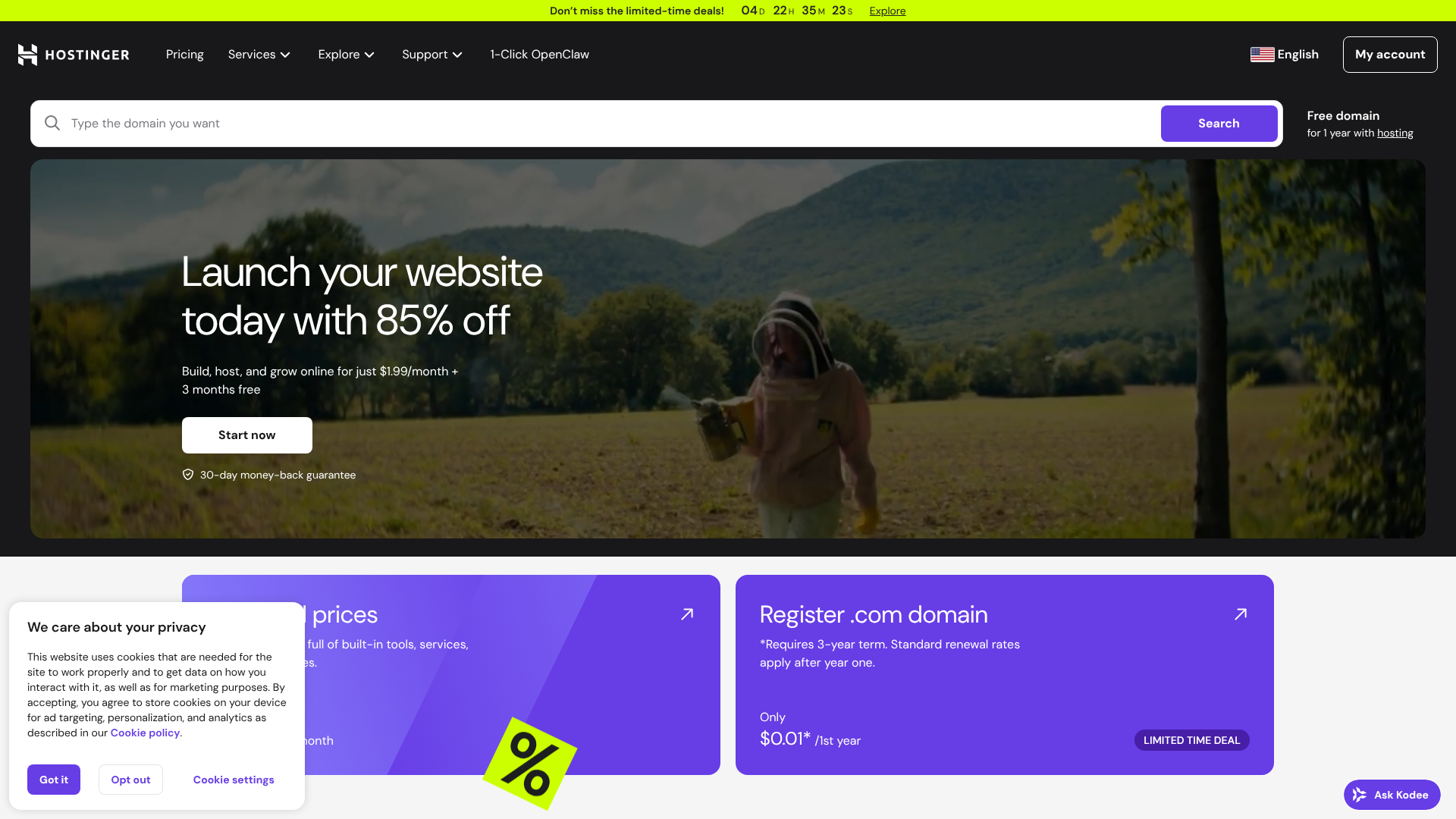
Hostinger started its journey in 2004 in Lithuania and has since grown into a global hosting powerhouse with over 29 million users. The company's core mission is to provide high-quality hosting at an incredibly low price point. They've achieved this by focusing on efficiency, modern technology, and developing their own tools to reduce costs.
Unlike Bluehost, which relies on the standard cPanel, Hostinger developed its own control panel, hPanel. This, combined with their use of LiteSpeed web servers—a faster alternative to the traditional Apache servers used by Bluehost—positions Hostinger as a provider focused on performance and modern user experience. Their aggressive pricing strategy has made them a go-to choice for those on a tight budget who don't want to compromise on speed.
Performance and Speed: The Deciding Factor
For any website, speed is not just a feature; it's a necessity. It affects everything from user experience and conversion rates to your search engine rankings. In the Hostinger vs Bluehost performance debate, there's a clear technological difference that often gives one an edge.
Hostinger builds its shared hosting plans on LiteSpeed web servers. LiteSpeed is a lightweight and high-performance alternative to the Apache web server technology that Bluehost uses. A key advantage of LiteSpeed is its advanced server-level caching engine, LSCache. When paired with the LiteSpeed Cache for WordPress plugin, it can dramatically reduce page load times without complex configuration.
This technology stack is specifically designed for speed.
Bluehost, on the other hand, uses Apache servers with NGINX as a reverse proxy, a reliable and time-tested setup. While perfectly capable, it generally doesn't offer the same out-of-the-box performance as LiteSpeed. Bluehost does offer its own caching tools and integrates with a Content Delivery Network (CDN) to help speed up sites, but independent tests often show Hostinger's median load times are slightly faster.
Both providers offer a solid uptime guarantee, typically around 99.9%. However, if your primary concern is getting the fastest possible loading speeds for the lowest price, Hostinger's technology gives it a distinct advantage. For a standard blog or small business site, Bluehost's performance is adequate, but for those chasing every millisecond, Hostinger's setup is more compelling.
Ease of Use: Navigating the Control Panel
How easily you can manage your website, domains, and email accounts is a huge factor, especially if you're not a developer. This is where the bluehost hostinger comparison shows one of its most significant differences: the control panel.
Bluehost's Approach: The Familiarity of cPanel
Bluehost uses cPanel, the long-standing industry standard for web hosting control panels. However, they've built a custom user-friendly dashboard on top of it. When you first log in, you're greeted with a simplified interface that guides you through setting up WordPress, creating email accounts, and managing key features. This makes the initial setup process very beginner-friendly.
For more advanced tasks, you can access the full cPanel. This gives you access to a vast array of tools, from database management with phpMyAdmin to file managers and DNS zone editors. While powerful, the sheer number of icons in the full cPanel can be intimidating for newcomers. Bluehost's hybrid approach tries to offer the best of both worlds: a simple dashboard for everyday tasks and the full power of cPanel for those who need it.
Hostinger's Approach: The Modern and Intuitive hPanel
Hostinger took a different path by creating its own proprietary control panel, hPanel. It was designed from the ground up to be clean, modern, and intuitive. The layout is inspired by Material Design, using large, clearly labelled icons organised into logical categories. All the essential tools—file manager, email accounts, databases, and WordPress management—are easy to find and use.
hPanel is often praised for its user experience, as it removes much of the clutter found in cPanel. It feels less like a server management tool and more like a modern web application. For beginners, hPanel is almost certainly less daunting. However, experienced users who are accustomed to cPanel might need a short adjustment period to find where everything is located.
Ultimately, Hostinger's hPanel is a win for usability and modern design.
WordPress Integration and Features
With WordPress powering over 40% of the web, strong integration is a key selling point for any host. Both Bluehost and Hostinger offer specialised features for WordPress users, but their approaches and official standing differ.
Bluehost's relationship with WordPress is its strongest asset. As one of the few hosts officially recommended by WordPress.org, they offer a deeply integrated experience. When you sign up, Bluehost provides a guided WordPress installation process that helps you choose a theme and install essential plugins. Their custom dashboard includes a 'My Sites' section where you can manage all your WordPress installations, log in, and control settings like caching and security from one place.
This tight integration simplifies the entire process of building and managing a WordPress site. Bluehost also offers a staging environment on its higher-tier plans, allowing you to test changes to your site before pushing them live—a crucial feature for any serious website owner. The official endorsement provides a level of trust and reliability that many users value highly.
Hostinger also provides an excellent WordPress experience, even without the official recommendation. They offer a one-click WordPress installer and a guided setup wizard. Their plans come with the LiteSpeed Cache plugin pre-installed, which is a significant performance booster. Hostinger also provides tools like a WordPress vulnerability scanner and access to WP-CLI for developers.
While it may not have the same level of dashboard integration as Bluehost, its performance-oriented features make it a very powerful option for running a fast WordPress site.
Pricing and Value for Money: A Detailed Breakdown
For many, the decision between bluehost or hostinger comes down to price. Both employ a common industry strategy: offering extremely low introductory prices for new customers who sign up for a long-term plan, followed by significantly higher renewal rates.
Hostinger is renowned for its rock-bottom introductory prices. It's often possible to get started for just a couple of pounds per month if you commit to a multi-year plan. This makes it incredibly accessible for anyone starting a new project on a tight budget. Their renewal rates, while higher, often remain more competitive than Bluehost's.
Hostinger's plans are also generous, with even the base plans offering features like free weekly backups and managed WordPress tools.
Bluehost's introductory prices are also competitive, though typically a bit higher than Hostinger's. The real difference appears at renewal. Bluehost's renewal rates can be two to three times the initial price, which can be a surprise for users who aren't prepared for it. However, all Bluehost plans include a free domain name for the first year, which adds to the initial value.
You need to carefully evaluate what's included. For example, essential features like daily backups might be included in a higher-tier Hostinger plan but cost extra as an add-on with a basic Bluehost plan.
When comparing value, look beyond the headline price. Consider the total cost over the full term (including renewal) and the features you get. Hostinger often provides better value for money, especially if you prioritise performance features like LiteSpeed and are comfortable without phone support. Bluehost's value lies in its ease of use, WordPress integration, and the peace of mind that comes with its brand recognition and support options.
Pro Tip: Always check the renewal rates before purchasing a hosting plan. The attractive introductory offer is only temporary. Calculate the total cost over a 3- or 4-year period to understand the true long-term investment.
Customer Support: Who Helps You When Things Go Wrong?
When your website goes down or you encounter a technical issue, fast and knowledgeable customer support is invaluable. This is an area where Bluehost and Hostinger have fundamentally different philosophies.
Bluehost offers comprehensive 24/7 support through both live chat and phone. The availability of phone support is a major advantage for users who prefer to speak directly with a person to resolve complex issues. This can be particularly reassuring for beginners who might struggle to explain a problem over text. While wait times can vary, having the option to call for help is a significant selling point for Bluehost.
Hostinger, in contrast, does not offer phone support. Their support is available 24/7 exclusively through live chat and an email/ticketing system. Their support team is generally regarded as knowledgeable and responsive. They also have an extensive knowledge base filled with tutorials and guides to help users solve common problems on their own.
For many, live chat is more than sufficient, but the lack of a phone option can be a deal-breaker for those who value voice communication for technical support.
Ultimately, the better option depends on your personal preference. If you want the security of knowing you can always call someone, Bluehost is the clear winner. If you are comfortable with a high-quality live chat system and a strong DIY knowledge base, Hostinger's support will serve you well.
Pros and Cons: A Head-to-Head Summary
To make your decision easier, here is a straightforward breakdown of the advantages and disadvantages of each hosting provider.
Bluehost: The Good and The Bad
Pros
- Officially Recommended by WordPress: This endorsement provides peace of mind and ensures excellent compatibility and integration.
- Very Beginner-Friendly: The guided setup and custom dashboard make it one of the easiest ways to get a new WordPress site online.
- 24/7 Phone Support: The ability to call for help is a huge advantage for users who prefer speaking to a support agent.
- Free Domain and SSL: Every plan comes with a free domain name for the first year and a free SSL certificate, simplifying the initial setup.
Cons
- Higher Renewal Rates: The price increase after the initial term can be substantial and is a common complaint.
- Slower Performance: The use of Apache servers means it can be slower out-of-the-box compared to LiteSpeed-based hosts like Hostinger.
- Aggressive Upselling: During the checkout process, several add-ons are often pre-selected, which can be frustrating for users.
Hostinger: The Good and The Bad
Pros
- Excellent Performance: LiteSpeed servers and built-in caching provide some of the fastest shared hosting speeds available.
- Extremely Affordable: The introductory prices are among the lowest in the market, offering incredible value.
- Modern Control Panel (hPanel): The custom-built hPanel is clean, intuitive, and much easier for beginners to navigate than cPanel.
- Global Data Centres: You can choose from multiple data centre locations around the world to host your site closer to your audience.
Cons
- No Phone Support: Support is limited to live chat and email, which may not be ideal for everyone.
- Lower Uptime Guarantee on Basic Plan: The cheapest plan comes with a 99.9% uptime guarantee, which is standard but not exceptional.
- Not Recommended by WordPress.org: While its WordPress features are excellent, it lacks the official endorsement that Bluehost has.
Frequently Asked Questions (FAQ)
Here are answers to some of the most common questions people ask when comparing Bluehost and Hostinger.
What is the disadvantage of Hostinger?
The primary disadvantages of Hostinger are its lack of phone support and the fact that its best prices require a long-term commitment (typically 48 months). While their live chat support is excellent, some users strongly prefer the option to speak with a person. Additionally, while the introductory prices are low, you have to pay for several years upfront to get them.
Is there an issue with Bluehost?
The most common issues cited with Bluehost are its higher renewal rates and slower performance compared to some competitors. The price jump after the initial promotional period can be significant. Furthermore, its reliance on older Apache server technology means its out-of-the-box speed may not match hosts that use LiteSpeed, like Hostinger.
Which hosting is best for beginners?
Both hosts are excellent for beginners, but for different reasons. Bluehost is fantastic for absolute WordPress beginners due to its official recommendation and guided setup. Hostinger is arguably better for tech-savvy beginners who want a more modern interface (hPanel) and better performance without needing phone support.
Can I trust Bluehost?
Yes, you can trust Bluehost. It is one of the largest and most established hosting companies in the world, hosting millions of websites. Its official recommendation from WordPress.org adds another layer of credibility. However, it's important to be aware of their pricing structure and performance limitations.
Can I trust Hostinger?
Yes, Hostinger is a trustworthy and reputable company. It serves millions of customers globally and has a strong track record of providing reliable service. They are a legitimate and rapidly growing player in the hosting industry, known for their focus on performance and affordability.
What's better than Bluehost?
Whether another host is 'better' than Bluehost depends on your needs. For users seeking better performance and value, Hostinger is often considered a better choice. For those who need more powerful managed WordPress hosting, providers like SiteGround or Kinsta are popular alternatives, though they come at a higher price point.
Final Thoughts: Bluehost or Hostinger?
After a thorough bluehost hostinger comparison, it's clear that there is no single 'best' host for everyone. The right choice comes down to your specific needs, budget, and technical comfort level. Both are strong contenders in the shared hosting market, but they cater to slightly different users.
Choose Hostinger if your top priorities are speed and affordability. Its LiteSpeed servers deliver fantastic performance, and its introductory prices are nearly impossible to beat. The modern hPanel is a joy to use, making website management simple and intuitive. It's the ideal choice for budget-conscious individuals, bloggers, and small businesses who want the best performance for their money and are comfortable with live chat support.
Choose Bluehost if you are a WordPress beginner who values ease of use and the peace of mind that comes with an official WordPress.org recommendation and 24/7 phone support. Its guided setup process removes the friction of starting a new site, and having a support agent just a phone call away is a massive benefit for those who are less technically confident. While it may cost more in the long run, the user-friendly experience can be well worth the investment.