

Your 15-Step Site Migration SEO Checklist: A Marketer's Guide to a Flawless Move
A website migration—whether you're changing domains, moving to HTTPS, or overhauling your site structure—is one of the most high-stakes projects in digital marketing. Done correctly, it can unlock new growth and improve user experience. Done poorly, it can erase years of hard-earned search engine rankings and organic traffic overnight. Having a detailed site migration checklist for SEO isn't just a good idea; it's your essential safety net to ensure a smooth transition that preserves your visibility and authority.
- What to Know
- Phase 1: Pre-Migration Planning & Audit (Steps 1-5)
- 1. Understand the Stakes: Why a Site Migration SEO Strategy is Crucial
- 2. Conduct a Thorough Pre-Migration SEO Audit
- 3. Create Your Masterplan: The URL Redirection Strategy
- 4. Prepare the New Environment: Staging and Technical Setup
- 5. Content and Asset Inventory
- Phase 2: The Launch Sequence (Steps 6-9)
- 6. Final Pre-Launch Checks
- 7. Go-Live Day: Executing the Migration
- 8. Updating Google Search Console and Analytics
- 9. Technical Validation: Crawling the New Site
- Phase 3: Post-Migration Monitoring & Optimisation (Steps 10-15)
- 10. Monitor Key SEO Metrics and Rankings
- 11. Update Your Backlink Profile
- 12. Validate and Update Internal Linking
- 13. Implement and Verify Schema Markup
- 14. Communicate the Change to Users
- 15. Review and Address Common Migration Mistakes
- FAQ Section
- How long does it take for Google to recognise a site migration?
- Will I lose all my traffic after a site migration?
- What is the most important part of an SEO site migration?
- Can I migrate my site without 301 redirects?
- Final Thoughts
This guide breaks down the entire process into three manageable phases: pre-migration, launch, and post-migration. We'll walk through 15 critical steps, providing the clarity and detail you need to manage your website move with confidence. By following this structured approach, you can protect your SEO assets and set your new site up for success from day one.
What to Know
- Pre-Migration is Paramount: The vast majority of a successful migration happens before you ever go live. This includes a full SEO audit, creating a comprehensive 301 redirect map, and thoroughly testing the new site in a staging environment.
- 301 Redirects are Non-Negotiable: Every important old URL must be permanently redirected (301) to its new equivalent. This is how you transfer link equity and tell search engines where your content has moved, preventing 404 errors and lost rankings.
- Monitoring is Mandatory: Your job isn't finished at launch. You must actively monitor key metrics in Google Search Console, Google Analytics, and rank tracking tools to quickly identify and fix any issues that arise post-migration.
- Communication is Key: Keep your team and your users informed. A successful migration involves coordinating with developers, content creators, and stakeholders, and managing user expectations throughout the process.
Phase 1: Pre-Migration Planning & Audit (Steps 1-5)
This initial phase is the most critical. Thorough preparation here prevents costly mistakes later. Rushing this stage is the number one cause of migration failures. Take your time and be meticulous.
1. Understand the Stakes: Why a Site Migration SEO Strategy is Crucial
A site migration is more than just a technical task; it's a fundamental change to how search engines see and understand your website. Without a solid SEO migration guide, you risk sending confusing signals to Google, which can lead to a catastrophic drop in organic traffic, keyword rankings, and ultimately, revenue. The core goal is to ensure that all the authority, relevance, and trust you've built over the years are successfully transferred to the new site structure or domain.
Think of it like moving a well-known retail shop to a new location. You wouldn't just pack up and leave without telling your customers where you're going. You'd put up signs, update your business listings, and forward your mail. A site migration requires the same level of care.
You need to tell search engines exactly where each page has moved, ensure the new 'shop' is easy for them to navigate, and verify that all your valuable 'customer' links are pointing to the right place.
Failing to plan can result in broken backlinks, a surge in 404 errors (page not found), and a loss of indexed pages. These negative signals tell Google that your site is unreliable, causing it to lose trust and demote your pages in search results. A well-executed migration, however, can be an opportunity to fix underlying technical SEO issues, improve site architecture, and boost performance, potentially leading to even better rankings than before.
2. Conduct a Thorough Pre-Migration SEO Audit
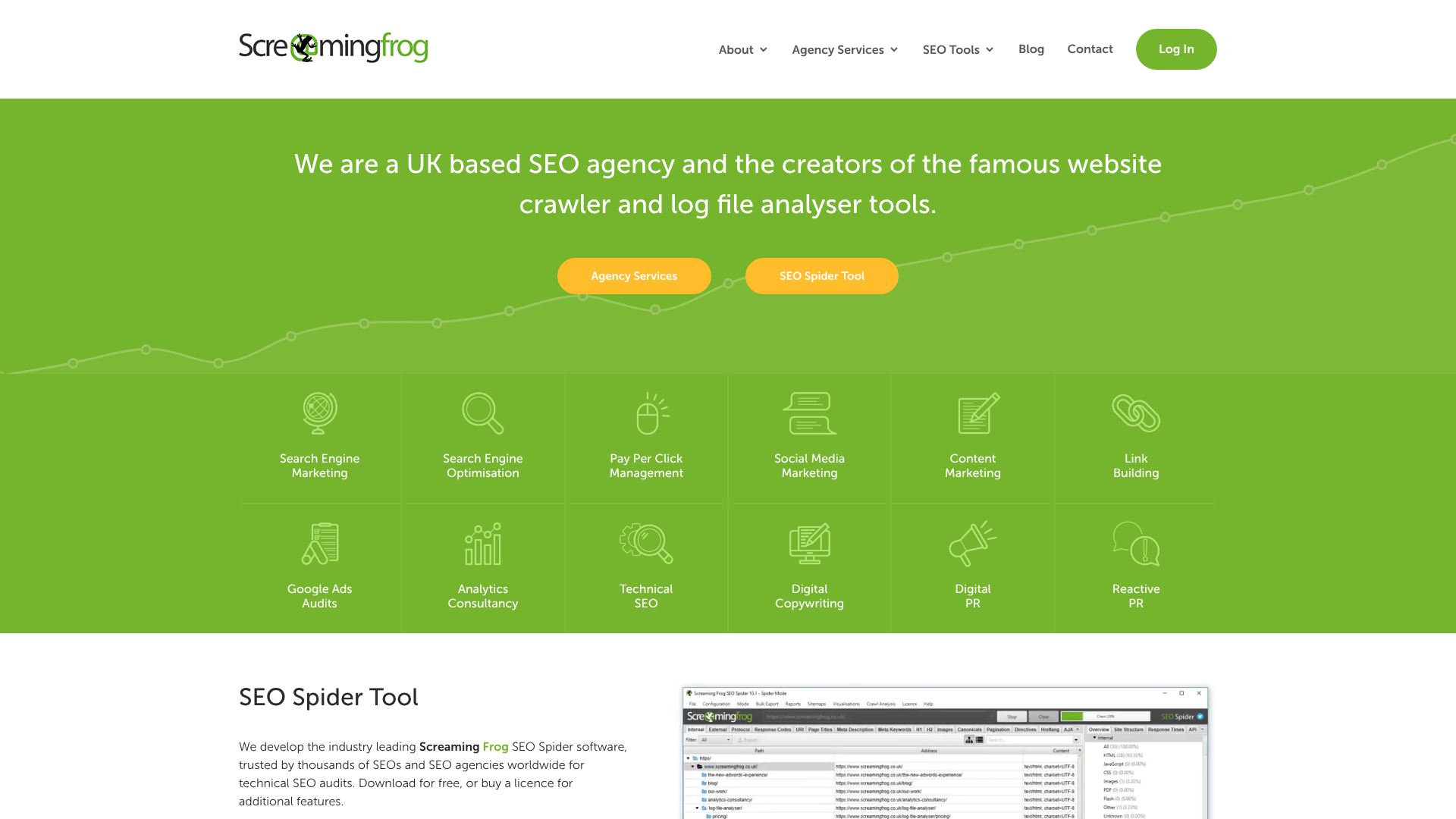
Before you can plan your move, you need a complete inventory of what you have. A pre-migration audit involves crawling your entire existing website to capture a snapshot of its current state. This data will serve as your benchmark for success and help you identify what needs to be preserved, fixed, or discarded.
Use a crawling tool like Screaming Frog or Sitebulb to gather data on every single URL. Your crawl should capture:
- All URLs: Every page, image, CSS file, and JavaScript file.
- Metadata: Title tags, meta descriptions, H1 and H2 headings for every page.
- Content: Word count and key content elements.
- Canonicals and Directives: Note all canonical tags, noindex tags, and robots.txt disallows.
- Performance Data: Connect your crawler to Google Analytics and Search Console APIs to pull in traffic, impressions, clicks, and backlink data for each URL.
This crawl gives you a master list of your most valuable pages—the ones with high traffic, important keyword rankings, and valuable backlinks. These are your top priority for redirection. It also helps you find and eliminate old, low-value pages (thin content, duplicates) that you don't need to carry over to the new site. This is your chance to clean house and build a more efficient site structure.
3. Create Your Masterplan: The URL Redirection Strategy
This is the heart of your site transfer SEO tips. A URL redirection map is a spreadsheet that lists every old URL in one column and its corresponding new URL in another. This map will be used by your developers to implement 301 (permanent) redirects, which pass the vast majority of link equity from the old page to the new one.
Your rule should be one-to-one mapping. Each old page should redirect to the most relevant new page. Avoid the lazy approach of redirecting all old pages to the new homepage; this is a poor user experience and tells Google that the old content is gone, causing you to lose rankings for those specific pages. For every URL from your pre-migration audit, decide its fate:
- Keep and Redirect: The page is valuable and has a direct equivalent on the new site. Map the old URL to the new one.
- Consolidate and Redirect: You have multiple old pages on the same topic that will be combined into a single, more comprehensive page on the new site. Redirect all old URLs to the one new consolidated page.
- Remove and Let Die (410): The page has no traffic, no backlinks, and no value. You can let it return a 410 (Gone) status code, which tells Google it has been intentionally removed.
Pro Tip: For large sites with thousands of URLs that follow a consistent pattern (e.g., /blog/post-name changing to /articles/post-name), you can use regular expressions (regex) to create redirect rules that cover entire sections of the site. This is far more efficient than mapping every single URL manually.
4. Prepare the New Environment: Staging and Technical Setup
Never build your new site on the live server. A staging (or development) environment is a private copy of your new website where you can build, test, and refine everything without affecting your current site or being indexed by search engines. This is a critical step in any professional website move checklist.
During this stage, ensure the staging site is blocked from search engines using password protection or a Disallow: / rule in the robots.txt file. This prevents duplicate content issues where Google might find and index your unfinished site.
This is also the time to consider your hosting infrastructure. A site migration is the perfect opportunity to upgrade to a better hosting provider. Managed WordPress hosts like Kinsta and WP Engine offer excellent performance, security, and, most importantly, built-in staging environments that make this process much easier. Their platforms allow you to create a copy of your site, work on it safely, and then push the changes to your live site with a single click.
Work with your developers to build the new site on this staging server. Implement the new design, migrate the content, and set up the new URL structure. Once it's built, you can use this environment for thorough testing before the final launch.
5. Content and Asset Inventory
While your developers are building the new site, your content team should be reviewing all the content that will be migrated. This isn't just about copying and pasting text. It's about ensuring all valuable on-page SEO elements are transferred correctly and, where possible, improved.
For each page being migrated, verify that the following elements are moved over accurately:
- Title Tags and Meta Descriptions: These are crucial for click-through rates from search results. Ensure they are transferred and still accurately describe the page content. This is also a good time to optimise any underperforming metadata.
- H1 and H2 Headings: These headings provide structure and tell search engines about the page's main topics.
- Body Content: The text, images, and videos on the page.
- Internal Links: The links within your content pointing to other pages on your site. These will need to be updated to point to the new URLs (more on this later).
- Image Alt Text: Ensure all images have descriptive alt text for accessibility and image SEO.
This is also the time to identify any content gaps. Are there important topics your competitors rank for that you don't cover? A migration can be a great time to plan and create new content that will launch with the new site, giving you an immediate SEO boost.


Phase 2: The Launch Sequence (Steps 6-9)
With all your planning complete, it's time to prepare for the launch. This phase is about meticulous execution and final checks to ensure a smooth transition on go-live day.
6. Final Pre-Launch Checks
Just before you're ready to flip the switch, you need to perform a final series of tests on the staging environment. This is your last chance to catch errors before they impact your live audience and search engine rankings.
First, run a full crawl of the staging site (with permissions to bypass any password protection). This crawl should verify several things:
- No Broken Links: Check for any 404 errors. All internal links should point to valid pages on the new site.
- Correct Redirects: Test a sample of your planned 301 redirects to ensure they are working correctly and pointing to the right destination pages.
- Metadata in Place: Confirm that all your title tags, meta descriptions, and canonical tags are correct.
- Analytics Tracking: Ensure your Google Analytics (or other analytics) tracking code is installed on every page of the new site.
Most importantly, you must have a plan to remove the blocks you put in place to hide the staging site from search engines. The password protection or Disallow rule in robots.txt must be removed the moment the site goes live. Forgetting this simple step is a common and devastating mistake that can cause your entire site to be de-indexed.
7. Go-Live Day: Executing the Migration
Choose your launch time wisely. It's best to launch during a period of low traffic, such as early in the morning on a weekday. This minimises disruption for users and gives your team a full business day to address any immediate issues that arise. Avoid launching on a Friday or before a holiday.
On launch day, the technical process generally involves these steps:
- Implement the 301 Redirects: Your developers will upload the redirect map to the server. All old URLs should now be permanently redirecting to their new counterparts.
- Update DNS Settings: The Domain Name System (DNS) records are updated to point your domain name to the new server's IP address. This is what makes the new site 'live'. DNS changes can take anywhere from a few minutes to 48 hours to fully propagate across the internet, so some users may see the old site for a while.
- Remove Staging Blocks: As mentioned, immediately remove any password protection or robots.txt blocks.
- Submit New Sitemap: Generate a new XML sitemap with all the new URLs and submit it to Google Search Console.
Once these steps are complete, the new site is officially live. Your team should be on high alert, ready to monitor and troubleshoot.
8. Updating Google Search Console and Analytics
Google Search Console (GSC) is your direct line of communication with Google, and it's essential for managing a site migration. If you've changed your domain name (e.g., from oldsite.com to newsite.com) or protocol (from HTTP to HTTPS), you need to inform Google.
Use the Change of Address tool in GSC. This tool officially tells Google that your site has moved. You'll need to have both the old and new sites verified in your GSC account. This signal helps Google transfer its indexing signals and trust to the new domain more quickly.
In Google Analytics, you should add an annotation on the launch date. This creates a marker in your traffic reports, making it easy to see the impact of the migration. For example, you can quickly compare traffic before and after the launch date to spot any significant drops. If you're using a new analytics property, ensure it's set up correctly and collecting data from the moment the site goes live.
9. Technical Validation: Crawling the New Site
As soon as the new site is live and DNS has propagated, it's time for another full crawl. This time, you're crawling the live domain. The goal is to verify that everything you checked on the staging site is working as expected in the live environment.
Your post-launch crawl should focus on:
- Status Codes: Check for any unexpected 404 (Not Found) or 500 (Server Error) errors. All your old URLs should be returning a 301 status code, and all your new URLs should return a 200 (OK) status code.
- Redirect Chains: Ensure there are no long redirect chains (e.g., Page A redirects to Page B, which then redirects to Page C). All redirects should go directly from the old URL to the final new URL in a single step.
- Canonical Tags: Double-check that canonical tags are pointing to the correct live URLs.
- Robots.txt: Verify that your live robots.txt file is not blocking any important pages or resources from being crawled.
Finding and fixing these technical issues within the first few hours or days of launch is crucial to minimise any negative SEO impact.
Phase 3: Post-Migration Monitoring & Optimisation (Steps 10-15)
The launch is complete, but the project isn't over. The weeks following a migration are critical for monitoring performance, fixing lingering issues, and ensuring Google is correctly indexing your new site.
10. Monitor Key SEO Metrics and Rankings
For the first few weeks after launch, you need to be glued to your analytics and SEO tools. A small dip in traffic (5-10%) is normal as Google processes the changes, but any large or sustained drop is a sign of a problem.
Key metrics to track in your post-migration SEO checklist include:
- Organic Traffic (Google Analytics): Compare traffic week-over-week and year-over-year to identify significant drops. Segment by landing page to see if specific sections of the site are underperforming.
- Keyword Rankings (Rank Tracker Tool): Monitor your most important keywords daily. Are they holding steady, or are you seeing major drops in position?
- Indexing Status (Google Search Console): Use the Index Coverage report in GSC to see how many of your new URLs are being indexed and if Google is encountering any errors. You should see the number of old URLs in the index decrease as the number of new URLs increases.
- Crawl Errors (Google Search Console): Keep a close eye on the Crawl Stats and Coverage reports for any spikes in 404 errors or other crawl issues.
If you spot a problem, act quickly. Use the data to diagnose the root cause—is it a block in robots.txt? A broken redirect? A problem with a specific template?—and deploy a fix immediately.
11. Update Your Backlink Profile

Your backlink profile is one of your most valuable SEO assets. While 301 redirects pass most of the link equity, it's still best practice to update your most important backlinks to point directly to the new URLs. This eliminates the redirect hop and strengthens the signal to Google.
Use a tool like Ahrefs or Semrush to get a list of your top backlinks. Focus on the links from high-authority websites—these are your most powerful links. Reach out to the webmasters of these sites, inform them of your website move, and politely ask them to update the link to your new page URL.
This can be a time-consuming process, so prioritise your efforts. Start with your top 10-20 most authoritative links. For the rest, the 301 redirects will do the job, but direct links are always the gold standard. Also, make sure to update the links in all your own social media profiles, email signatures, and other online properties you control.
12. Validate and Update Internal Linking
During the pre-migration phase, you planned to update your internal links. Now, it's time to verify that this was done correctly. A solid internal linking structure helps users and search engines navigate your site and understand the relationship between your pages.
After launch, all internal links within your content, navigation menus, and footers should point directly to the new live URLs (returning a 200 OK status). There should be no internal links that go through a 301 redirect. While these redirects will eventually get the user to the right place, they are inefficient for search engine crawlers and can dilute a small amount of link equity.
Run another crawl of your live site specifically to check for internal redirects. Most crawling tools have a report that will show you all the links that go through a redirect. Work through this list and update each link in your CMS to point to the final destination URL. This is a simple housekeeping task that improves crawl efficiency and strengthens your on-page SEO.
13. Implement and Verify Schema Markup
A site migration is an excellent opportunity to implement or upgrade your schema markup (structured data). Schema helps search engines understand the content on your pages in more detail, which can lead to rich snippets (like star ratings, prices, or FAQs) appearing in search results, boosting your click-through rate.
If you already have schema, ensure it was migrated correctly and is still valid. Use Google's Rich Results Test tool to check your key pages. The tool will tell you if your schema is implemented correctly and if your page is eligible for rich results.
If you don't have schema, consider adding it now. Common types include:
- Organisation Schema: For your homepage.
- Article Schema: For blog posts and articles.
- Product Schema: For ecommerce product pages.
- FAQ Schema: For pages with a question-and-answer format.
Adding this structured data can give you a competitive edge and help your new site stand out in the search results right from the start.
14. Communicate the Change to Users
Don't forget about the human element. If your migration involves significant changes to the user interface, navigation, or URL structure, it's a good idea to communicate this to your audience. A sudden, unexplained change can be jarring for loyal users.
Consider writing a blog post explaining the changes and highlighting the new features or benefits. For example, if the new site is faster or has better search functionality, tell your users about it. You can also use banners or pop-ups on the new site for the first few weeks to help guide returning visitors.
Good communication can turn a potentially confusing experience into a positive one. It shows that you value your users and are committed to improving their experience, which can help build brand loyalty and reduce any frustration caused by the changes.
15. Review and Address Common Migration Mistakes
Finally, it's wise to review a list of common migration pitfalls to ensure you haven't overlooked anything. Some of the most frequent errors include:
- Forgetting to remove the
noindextag: Anoindextag left over from the staging environment will cause your site to be removed from Google's index. - Blocking crawlers in robots.txt: Accidentally blocking important CSS or JavaScript files can prevent Google from rendering your pages correctly.
- Incorrectly implemented redirects: Using 302 (temporary) redirects instead of 301 (permanent) ones, or creating long redirect chains.
- Migrating to a slower server: A migration should be an opportunity to improve performance, not harm it. Ensure your new hosting is faster than your old setup.
By proactively checking for these common mistakes, you can catch them before they do significant damage. A successful site migration is all about meticulous planning, careful execution, and vigilant monitoring.
FAQ Section
How long does it take for Google to recognise a site migration?
It can vary significantly depending on the size of your site and how frequently Google crawls it. For a small site, Google might process the majority of the changes within a few weeks. For a very large site with millions of pages, it could take several months for all the new URLs to be crawled and indexed, and for ranking signals to fully transfer.
Using the Change of Address tool in Google Search Console and submitting a new sitemap can help speed up the process. Consistent monitoring of the Index Coverage report in GSC will give you the best indication of how the process is progressing.
Will I lose all my traffic after a site migration?
If you follow a comprehensive site migration SEO checklist, you should not lose all your traffic. A temporary dip of 5-15% in the weeks following the migration is normal as search engines process the changes. However, a catastrophic traffic loss is usually the result of critical errors, such as forgetting to remove a noindex tag or failing to implement 301 redirects correctly.
The goal of a well-planned migration is to minimise this dip and recover quickly. In many cases, if the migration also fixes underlying SEO issues and improves user experience, you may see an increase in traffic in the long term.
What is the most important part of an SEO site migration?
The single most important part is the URL redirection plan. Creating a meticulous, one-to-one map of old URLs to new URLs using 301 redirects is the foundation of preserving your SEO value. This process is what tells search engines that your content hasn't disappeared—it has just moved.
Without proper redirects, search engines will see your old pages as broken (404 errors), and all the valuable backlinks pointing to them will be lost. This is the fastest way to destroy your search engine rankings during a migration.
Can I migrate my site without 301 redirects?
Technically, you can, but it is extremely risky and not recommended if you care about your SEO performance. If you launch a new site without redirecting the old URLs, search engines will treat it as a brand new website with no history or authority. All the rankings and link equity from your old site will be lost.
301 redirects are the official mechanism for telling search engines that a page has moved permanently. They are essential for transferring authority and ensuring a smooth transition for both users and search engine crawlers. The only time you might not use them is if you are completely abandoning an old site and starting from scratch with a new brand, and have no desire to retain any of the old site's SEO value.
Final Thoughts
A site migration is a complex and often stressful project, but it doesn't have to be a disaster for your SEO. By treating it with the seriousness it deserves and following a structured, detailed plan, you can navigate the process successfully. The key is to be proactive, not reactive.
By investing time in a thorough pre-migration audit, creating a flawless redirection map, and committing to vigilant post-launch monitoring, you transform a high-risk event into a strategic opportunity. You can clean up technical debt, improve site architecture, and enhance user experience—all while protecting your hard-earned search engine visibility. This 15-step checklist provides the framework; the success of your migration depends on the care and attention you bring to each step.