
Synthesia AI Voice Generator Review: Is It Best for Business Videos?
Creating professional video content often involves a significant hurdle: high-quality voiceovers. The cost of hiring voice actors, booking studio time, and managing re-records can quickly add up. The Synthesia AI voice generator offers a powerful solution by integrating realistic, text-to-speech narration directly into its AI video creation platform. This tool is designed to streamline video production, allowing businesses to generate consistent and scalable voiceovers in minutes, not days.
- What You'll Learn
- What is the Synthesia AI Voice Generator?
- Key Features of the Synthesia Voice Tool
- Extensive Voice and Language Library
- Custom AI Voice Cloning
- SSML (Speech Synthesis Markup Language) Support
- Seamless Video Integration
- Common Applications in Business and Marketing
- The Benefits of Using an AI Voice Generator
- Synthesia vs. Other AI Voice Generators
- How to Use the Synthesia AI Voice Generator: A Step-by-Step Guide
- 1. Start a New Video Project
- 2. Choose Your AI Avatar
- 3. Select Your Voice and Language
- 4. Write or Paste Your Script
- 5. Generate and Preview the Audio
- 6. Add Visuals and Finalise Your Video
- Real-World Success with Synthesia
- Ethical Considerations and The Future of AI Voices
- Synthesia Pricing and Plans
- Frequently Asked Questions (FAQ)
- Can I use Synthesia AI for free?
- What is the most realistic AI voice generator?
- Are AI voice generators and voice cloning legal?
- How much does Synthesia AI cost?
- What's better than Synthesia?
- Is Synthesia trustworthy?
- Final Thoughts: Is Synthesia the Right Choice for You?
This review provides an in-depth analysis of the Synthesia platform, focusing specifically on its voice generation capabilities. We will explore its key features, practical applications, and overall value proposition for content creators and businesses. By the end, you'll have a clear understanding of whether this tool is the right fit for your video production workflow.
What You'll Learn
- Core Functionality: Synthesia is primarily an AI video platform where the voice generator is a key integrated feature, not a standalone tool.
- Voice Quality & Variety: The platform offers over 1000 voices across more than 130 languages, with options for different accents and styles.
- Key Use Cases: It excels in creating corporate training materials, marketing videos, and internal communications, where consistency and scalability are essential.
- Limitations: The voice generator cannot be purchased separately from the video platform, and advanced features like voice cloning are restricted to enterprise plans.
- Cost-Effectiveness: While the subscription may seem high for casual users, it offers significant savings for businesses by replacing the costs of actors, studios, and lengthy production cycles.
What is the Synthesia AI Voice Generator?
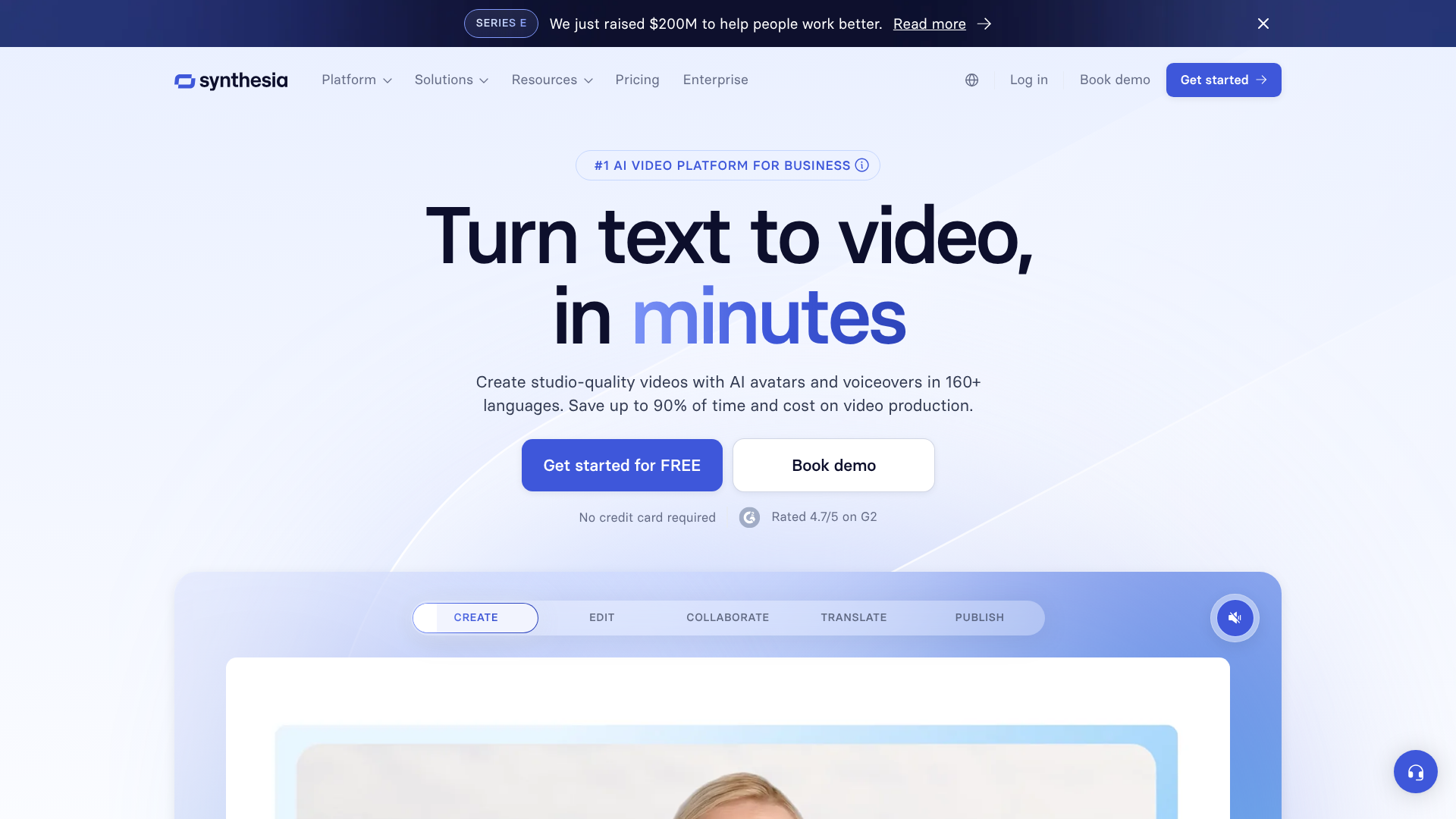
The Synthesia AI voice generator is a core component of the broader Synthesia AI video creation platform. It's not a standalone product you can buy separately; instead, it's the engine that powers the audio narration for the AI-generated videos created within the tool. This integration is its main strength and differentiator. Users type a script, select an AI avatar, and then choose a voice to narrate the text, all within a single, unified interface.
The technology behind it is a sophisticated form of text-to-speech (TTS) that uses machine learning to produce natural-sounding human voices. Unlike robotic-sounding TTS systems of the past, this voice synthesis AI aims for realistic intonation, pacing, and emotional nuance. This allows creators to produce professional-grade voiceovers without needing a microphone, a quiet room, or a voice actor.
The platform is designed for ease of use. You can paste your script, make edits on the fly, and regenerate the audio instantly. This is particularly useful for content that requires frequent updates, such as training modules or product tutorials. If a detail changes, you simply edit the text and republish the video, and the voiceover updates automatically, maintaining the same voice and tone for perfect consistency.
Key Features of the Synthesia Voice Tool
The power of the synthesia voice tool lies in its rich feature set, which is designed to provide flexibility and high-quality output for a variety of video projects. These features work together to create a smooth and efficient production experience.
Extensive Voice and Language Library
Synthesia provides access to a massive library of over 1000 stock AI voices. This collection covers more than 130 languages and a wide range of accents, including different variations of English (UK, US, Australian), Spanish, and French. This makes it an invaluable tool for global companies needing to create localised content. You can produce a single training video and then quickly generate versions for different regions, each with a native-sounding narrator.
Custom AI Voice Cloning
For businesses seeking ultimate brand consistency, Synthesia offers a custom voice cloning feature (available on enterprise plans). This allows you to create a unique digital replica of a specific person's voice—such as a CEO, brand ambassador, or trusted instructor. The process involves recording a script, which the AI then uses to learn the unique characteristics of the voice. Once cloned, that voice can be used to narrate any script, ensuring all company communications have a familiar and consistent sound.
SSML (Speech Synthesis Markup Language) Support
For granular control over the audio output, Synthesia supports SSML tags. This is a markup language that allows you to adjust aspects of the speech like pronunciation, pitch, rate, and volume directly within your script. For example, you can use SSML to emphasise a specific word, add a pause for dramatic effect, or ensure an acronym is read out correctly. This level of control helps bridge the gap between standard AI narration and a more directed, human-like performance.
Seamless Video Integration
Perhaps the most significant feature is the tool's native integration with Synthesia's video editor. The voice generator isn't an afterthought; it's woven into the fabric of the video creation process. As you build your scenes with AI avatars and on-screen assets, the audio is generated and synchronised automatically. This eliminates the tedious process of recording a voiceover separately, editing it, and then trying to align it with your visuals. Any changes to the script instantly update both the audio and the avatar's lip movements.
Common Applications in Business and Marketing

The practical applications of the Synthesia AI voice generator are extensive, particularly for businesses looking to scale their video content production efficiently. Its ability to quickly generate high-quality voiceovers makes it suitable for a range of internal and external communication needs.
Corporate Training and Onboarding
One of the most popular use cases is for creating learning and development (L&D) materials. Companies can produce consistent, high-quality training modules for employees across the globe. Instead of hiring voice actors for dozens of modules in multiple languages, an L&D team can write the scripts and generate the voiceovers in-house. This is especially effective for compliance training, software tutorials, and onboarding processes that need to be standardised and frequently updated.
Marketing and Sales Videos
In marketing, the synthesia voice tool is used to create product explainers, social media ads, and promotional videos. The ability to A/B test different scripts and voiceovers quickly is a major advantage. A marketing team could test a formal, professional voice against a more casual, friendly one to see which resonates better with their target audience. This agility allows for rapid iteration and optimisation of video campaigns without the high costs associated with traditional production.
Customer Support and How-To Guides
For customer support, clear and concise communication is key. Synthesia can be used to create a library of video tutorials and FAQ answers that guide customers through troubleshooting steps or product features. Using a consistent AI voice across all support videos helps build a recognisable and trustworthy brand presence. When a product interface is updated, the corresponding support video can be refreshed in minutes by simply editing the script.
Pro Tip: When creating multilingual content, use a spreadsheet to manage your scripts. Have one column for the base language (e.g., English) and additional columns for each target language. This makes it easy to copy and paste the correct script into Synthesia for each language version, ensuring consistency across all videos.
The Benefits of Using an AI Voice Generator
Adopting a voice synthesis AI tool like Synthesia's offers tangible benefits that go beyond simple convenience. It fundamentally changes the economics and logistics of video production, making it more accessible and scalable for organisations of all sizes.
First and foremost is the significant cost reduction. Traditional voiceover production requires paying for a voice actor's time, studio rental, and an audio engineer. For projects requiring multiple languages, these costs multiply exponentially. An AI voice generator replaces these variable expenses with a predictable subscription fee, leading to savings of up to 80% on video production budgets, according to Synthesia.
Second is the dramatic increase in speed and efficiency. A voice actor might need days to record and deliver a script, and any revisions will add further delays. With Synthesia, a voiceover can be generated in minutes. This speed is transformative for teams working on tight deadlines or in fast-moving industries where content needs to be published quickly to remain relevant.
Third, it ensures absolute consistency. When using different voice actors, it's difficult to maintain a consistent tone, pace, and style across all your video content. The synthesia voice tool solves this by allowing you to use the same AI voice for every project. This brand consistency builds familiarity and trust with your audience, whether they are watching a marketing video, a training module, or a support tutorial.
Finally, it provides unmatched scalability. A small team can produce a vast amount of localised video content without a proportional increase in resources. A single script can be translated and turned into dozens of videos with native-sounding voiceovers in a fraction of the time and cost it would take using traditional methods. This allows businesses to effectively reach a global audience.
Synthesia vs. Other AI Voice Generators
While the Synthesia AI voice generator is a powerful tool, it's important to understand how it fits within the broader market of voice synthesis platforms. Its main distinction is its integration into a video platform, whereas competitors like Murf AI and ElevenLabs often focus on voice generation as a standalone service. Here’s a brief comparison.
| Feature | Synthesia | Murf AI | ElevenLabs |
|---|---|---|---|
| Primary Function | Integrated AI Video Platform | Standalone AI Voice Generator | Standalone AI Voice Generator |
| Voice Library | 1000+ voices in 130+ languages | 120+ voices in 20+ languages | Large library with community voices |
| Voice Cloning | Yes (Enterprise Plan) | Yes (Enterprise Plan) | Yes (Paid Plans) |
| Realism | High, optimised for narration | High, with various styles | Very High, known for emotional range |
| Best For | All-in-one video production | Podcasts, audiobooks, presentations | High-fidelity voice cloning, creative projects |
| Pricing Model | Subscription for video creation | Tiered subscription for audio generation | Tiered subscription based on character usage |
Synthesia is the ideal choice if your primary goal is to create videos with AI avatars. The seamless workflow, where voice, avatar, and visuals are all managed in one place, is its biggest selling point. You don't need to export audio from one tool and import it into another. It’s an end-to-end solution for corporate and educational video content.
Murf AI is a strong competitor that focuses solely on voice generation. It offers a rich studio editor with tools for adjusting pitch, timing, and emphasis, and allows you to sync audio with existing videos or presentations. It's a great option if you already have your visuals and just need a high-quality voiceover to layer on top.
ElevenLabs has gained a reputation for producing some of the most realistic and emotionally expressive AI voices available. Its voice cloning technology is particularly advanced and accessible on lower-priced plans. It's often favoured by creators working on podcasts, audiobooks, and other audio-first projects where subtle emotional delivery is critical.
Ultimately, the choice depends on your workflow. If you need a complete video solution, Synthesia is unmatched. If you only need a voiceover for an existing project, Murf AI or ElevenLabs might be a better fit.
How to Use the Synthesia AI Voice Generator: A Step-by-Step Guide
Creating a voiceover with Synthesia is a straightforward process integrated into its video creation workflow. Here’s a simple guide to get you started.
1. Start a New Video Project
After logging into your Synthesia account, you'll begin by creating a new video. You can start from a blank canvas or choose from dozens of pre-designed video templates tailored for different use cases like presentations, how-to guides, or marketing pitches.
2. Choose Your AI Avatar
Next, you'll select an AI avatar to be the presenter in your video. Synthesia offers a diverse library of over 150 stock avatars, or you can create a custom avatar of yourself or a team member (this is an add-on feature). The avatar will be the visual representation of the voice you generate.
3. Select Your Voice and Language
This is where the AI voice generator comes into play. In the script panel, you'll see an option to select a voice. You can browse through the extensive library, filtering by language, gender, and accent. You can preview each voice to find the one that best matches the tone of your content.
4. Write or Paste Your Script
With your voice selected, you can now type or paste your script into the text box. The script is broken down by scenes, allowing you to generate audio for each segment of your video. For longer videos, this scene-based approach makes managing the script much easier.
5. Generate and Preview the Audio
Once your script is entered, click the play button to generate and preview the voiceover. The AI will process the text and produce the audio narration, complete with the avatar's synchronised lip movements. You can listen to the output and make any necessary adjustments to the text or use SSML tags for finer control.
6. Add Visuals and Finalise Your Video
With the voiceover complete, you can finish building your video by adding text, images, screen recordings, and other media to the scenes. Once you're happy with the final product, you can generate the video file. Synthesia will render the complete video, which you can then download or share via a link.
Real-World Success with Synthesia
While specific case studies often remain internal, the impact of Synthesia's platform is widely reported by its users, which include major global brands. These examples highlight how the integrated voice synthesis AI drives real business results.
One common success story comes from global corporations that need to deploy training across different regions. A company like Xerox, for example, uses Synthesia to create training videos in multiple languages at a fraction of the cost and time of traditional methods. Instead of coordinating with multiple agencies and voice actors, a single team can produce and localise content from a central location, ensuring a consistent message and quality standard worldwide.
Marketing agencies also see significant benefits. They can rapidly prototype video ads for clients, testing different scripts, voices, and avatars to find the most effective combination. This agile approach allows them to deliver data-driven results for their clients' campaigns. The ability to make quick revisions based on client feedback without scheduling a new recording session is a huge workflow improvement.
Another powerful example is in the realm of information services. Companies like Reuters have used Synthesia to create automated video reports, turning news scripts into engaging video content with an AI presenter. This allows them to expand their video output significantly without a proportional increase in production staff, meeting the growing demand for video news content.
Ethical Considerations and The Future of AI Voices
The rise of powerful voice synthesis AI brings with it important ethical questions that creators and businesses must consider. The technology's ability to realistically replicate human voices raises concerns about misuse, such as creating deepfakes, spreading misinformation, or committing fraud.
Synthesia addresses these concerns with a strict ethical framework. For its voice cloning feature, the platform requires explicit, recorded consent from the individual whose voice is being cloned. They do not allow the cloning of public figures or any voice without permission, which helps prevent the creation of unauthorised deepfakes. Users are also required to adhere to content policies that prohibit the creation of harmful, deceptive, or illegal content.
Transparency is another key ethical principle. It's important for audiences to know when they are listening to an AI-generated voice. While the goal is realism, deceiving the audience is not the objective. Many businesses that use Synthesia include a small disclaimer or simply let the context of an AI avatar make it clear that the content is AI-generated.
This honesty builds trust with the audience.
Looking ahead, the future of AI voice technology is focused on greater emotional range and real-time capabilities. We can expect AI voices that can dynamically adjust their tone based on the content's context—sounding empathetic for a sensitive topic or excited for a product launch. As this technology evolves, so too will the conversations around its responsible use, requiring ongoing vigilance from both developers and users.
Synthesia Pricing and Plans
Synthesia's pricing is structured around its all-in-one video creation platform, as the AI voice generator is not available as a separate purchase. The plans are designed to cater to different types of users, from individuals to large enterprises.
Personal Plan: Aimed at individual creators, this plan typically includes a set number of video minutes per month, access to the stock avatars and voices, and the core video editing features. It's a good starting point for those looking to explore the platform's capabilities for personal projects or a small business.
Enterprise Plan: Designed for businesses and teams, this plan offers everything in the Personal plan plus advanced features. This includes custom AI avatars, the voice cloning service, collaboration tools for teams, and premium support. Pricing for this plan is customised based on the organisation's specific needs.
It's important to note that pricing and plan details can change. For the most current and accurate information, it is always best to visit the official Synthesia pricing page. They also offer a free AI video demo, which allows you to create a short sample video to test the quality of the avatars and voices before committing to a subscription.
Frequently Asked Questions (FAQ)
Can I use Synthesia AI for free?
Synthesia does not offer a traditional free plan for ongoing use. However, you can create a free demo video on their website. This allows you to enter a short script, choose an avatar, and generate a sample video to evaluate the quality of the platform's output, including its AI voices. To create full videos and access all features, you will need to subscribe to one of their paid plans.
What is the most realistic AI voice generator?
Realism in AI voices is subjective and depends heavily on the use case. Synthesia is known for producing very high-quality, clear, and professional-sounding voices that are perfect for corporate narration and e-learning. Other tools like ElevenLabs are often praised for their ability to capture subtle emotional inflections, making them popular for creative projects like audiobooks and gaming. The "most realistic" choice depends on whether you need a clear narrator or an expressive character.
Are AI voice generators and voice cloning legal?
Using AI voice generators is legal for creating original content. The legal and ethical complexities arise with voice cloning. Cloning a voice requires consent. It is illegal and unethical to clone someone's voice without their explicit permission, as it could be used for fraud, defamation, or creating deepfakes. Reputable platforms like Synthesia have strict policies requiring verifiable consent from the voice owner before any cloning can take place.
How much does Synthesia AI cost?
Synthesia's cost is based on a subscription model. The "Personal" plan is priced for individual users and provides a fixed amount of video creation time per month. For businesses, there is a custom "Enterprise" plan that includes advanced features like voice cloning, custom avatars, and team collaboration tools. As pricing can be updated, you should always check their official website for the latest details.
What's better than Synthesia?
Whether another tool is "better" than Synthesia depends entirely on your needs. If you need an all-in-one platform to create videos with AI presenters from scratch, Synthesia is arguably the market leader. If you only need to generate voiceover audio for an existing video or presentation, a standalone tool like Murf AI or ElevenLabs might be a more focused and potentially more cost-effective solution.
Is Synthesia trustworthy?
Synthesia is used by thousands of companies worldwide, including many Fortune 500 brands, which speaks to its reliability and trustworthiness as a platform. They have clear ethical guidelines, especially regarding voice cloning, and robust security practices to protect user data. Their commitment to obtaining explicit consent for custom avatars and voices is a key part of their effort to be a responsible player in the AI industry.
Final Thoughts: Is Synthesia the Right Choice for You?
The Synthesia AI voice generator is a formidable tool, but its true power is realised when viewed as a central part of a comprehensive AI video production suite. For businesses, marketing teams, and L&D professionals who need to create polished, avatar-led video content at scale, Synthesia offers an unparalleled, all-in-one solution. The seamless integration of a high-quality AI voice generator with an intuitive video editor removes major bottlenecks in the production process.
Its strengths lie in its efficiency, consistency, and scalability. The ability to produce videos in over 130 languages with native-sounding voices makes it an essential tool for global organisations. The cost and time savings compared to traditional video production are substantial, allowing even small teams to produce a high volume of professional content.
However, if your only need is to generate standalone audio files for podcasts, audiobooks, or to add to existing videos, Synthesia may be more than you require. In those cases, dedicated voice synthesis AI platforms could be a better fit. But for anyone looking to streamline their entire video creation workflow from script to final cut, Synthesia provides a powerful, efficient, and forward-thinking platform that is well worth the investment.