
Synthesia AI Video Generator Explained: A Guide for Content Creators
The process of creating professional video content has traditionally been expensive and time-consuming, requiring cameras, studios, actors, and complex editing software. The Synthesia AI video generator is changing this by allowing anyone to create high-quality, presenter-led videos simply by typing a script. This platform uses artificial intelligence to generate realistic human avatars that speak your text in over 120 languages, effectively replacing the need for a physical film crew for many business applications. It's a powerful tool designed for corporate training, marketing, and internal communications, making video production more accessible and scalable than ever before.
- What You'll Learn
- What is the Synthesia AI Video Generator? An Introduction
- The Core Features That Define the Synthesia Video Maker
- A Diverse Library of AI Avatars
- Multi-Language Voice Generation
- Intuitive Video Editor and Templates
- Customisation and Branding
- How to Create Your First Video with Synthesia: A Step-by-Step Guide
- 1. Choose Your Template and Avatar
- 2. Write or Paste Your Script
- 3. Customise Your Scenes
- 4. Generate and Share Your Video
- Synthesia vs. The Competition: How Does It Compare to Other AI Video Generators?
- Top Use Cases: Who Should Use the Synthesia AI Tool?
- Corporate Training and Onboarding
- Marketing and Sales Videos
- Internal Communications
- Educational Content and How-To Guides
- Behind the Screen: Understanding the Technology Powering Synthesia
- Generative Adversarial Networks (GANs)
- Natural Language Processing (NLP)
- Text-to-Speech (TTS)
- Ethical Considerations and Deepfake Technology
- Synthesia Pricing: What Does It Cost in 2026?
- Real User Reviews: What Do People Actually Think of Synthesia?
- Best Practices for Creating Engaging Videos with Synthesia
- Keep Scripts Concise and Conversational
- Use Visuals to Support the Narrative
- Vary Camera Angles and Scenes
- Choose the Right Avatar and Voice
- The Future of AI Video Production: What's Next?
- Frequently Asked Questions (FAQ)
- Is Synthesia AI video free?
- Can Synthesia AI create realistic videos?
- How much does Synthesia AI cost?
- Do I own the copyright to AI-generated videos?
- What's better than Synthesia?
- Is creating AI videos legal?
- Final Thoughts
This guide explains everything you need to know about this innovative Synthesia AI tool. We will cover its core features, provide a step-by-step tutorial on creating your first video, compare it to other AI video makers, and explore its most effective use cases. Whether you're a marketer, a corporate trainer, or a small business owner, you'll understand how this technology can fit into your content strategy.
What You'll Learn
- What Synthesia Is: Synthesia is a leading AI platform that generates realistic videos from text using digital avatars, eliminating the need for cameras or actors for specific video types.
- Core Features: Its main strengths include a library of over 160 diverse AI avatars, voice generation in more than 120 languages, and intuitive video creation templates.
- Primary Use Cases: The tool is most effective for creating corporate training materials, marketing explainer videos, and scalable internal communications for businesses of all sizes.
- Key Considerations: While the technology is impressive, the AI avatars can sometimes lack nuanced emotional expression, and the subscription costs are geared more towards business users than individual creators.
What is the Synthesia AI Video Generator? An Introduction
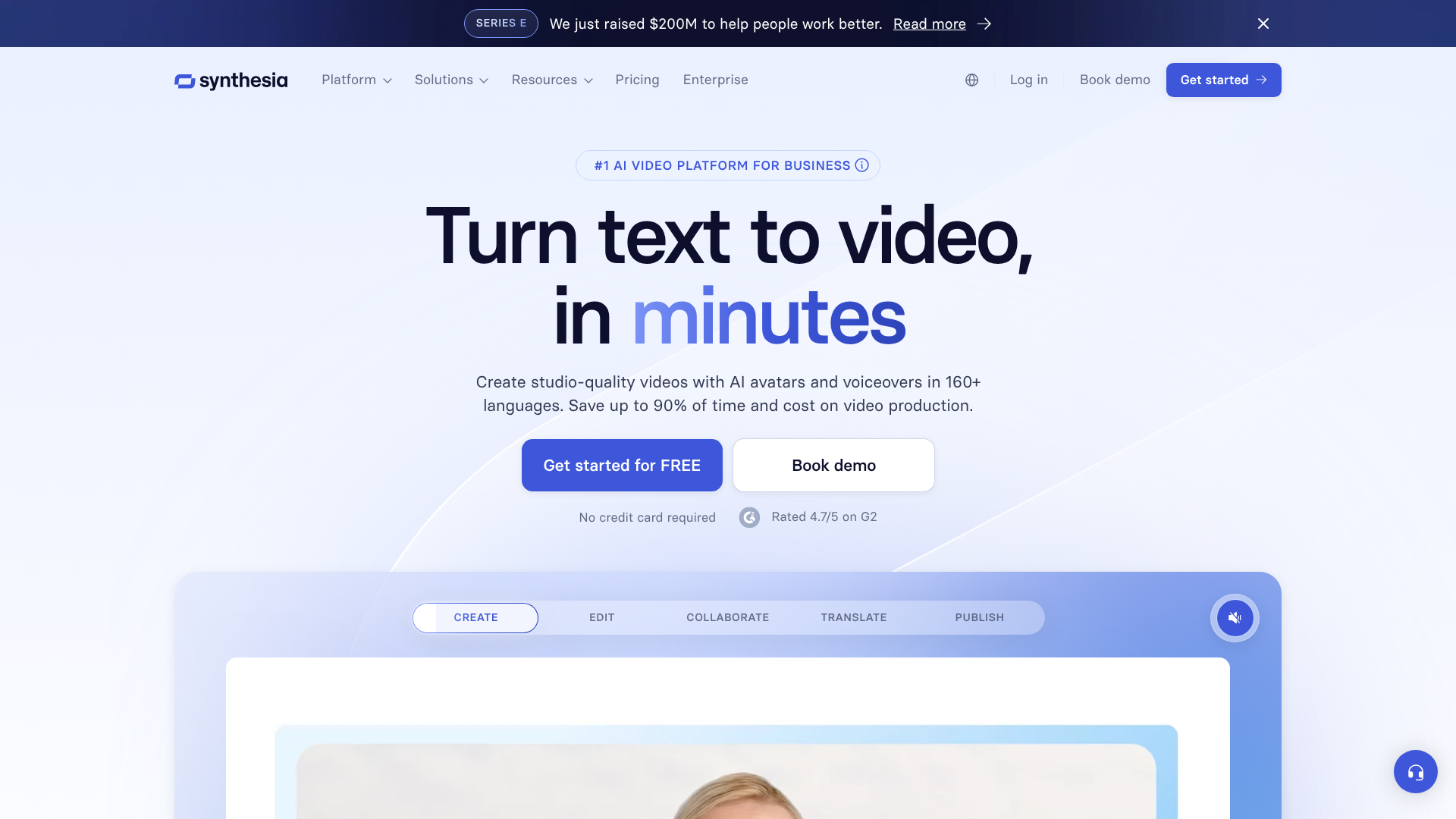
The Synthesia AI video generator is a cloud-based platform that transforms plain text into polished video content. At its heart, it's a sophisticated text-to-video system that leverages artificial intelligence to create a video featuring a digital presenter, or 'avatar', who speaks the script you provide. You don't need any video editing experience, a camera, or even a microphone to get started.
The core purpose of this technology is to democratise video creation for business needs. It addresses common pain points like high production costs, logistical challenges of filming, and the difficulty of updating video content. With Synthesia, updating a training video is as simple as editing a text document and regenerating the video, a process that takes minutes instead of days or weeks.
This platform is built for efficiency and scale. It allows a single person to produce a series of videos in multiple languages without hiring voice actors or translators for each one. This makes it an invaluable asset for global companies needing to localise training content or marketing messages quickly and consistently.
The Core Features That Define the Synthesia Video Maker
Synthesia's effectiveness comes from a powerful combination of features designed to make AI video creation as straightforward and professional as possible. These tools work together to provide a comprehensive solution for businesses.
A Diverse Library of AI Avatars
One of the most prominent features is its extensive library of over 160 stock AI avatars. These avatars are based on real actors and represent a wide range of ethnicities, ages, and styles, allowing you to choose a presenter that best fits your brand and audience. The quality is remarkably high, with realistic facial expressions and movements that sync perfectly with the generated audio.
Beyond the stock options, Synthesia offers the ability to create a custom AI avatar. This is a digital replica of a person of your choice—perhaps a company executive or a brand spokesperson. This feature provides a unique and consistent brand identity for all your video communications. As noted by industry observers on platforms like LinkedIn, recent updates have introduced full-body avatars that can move and gesture, moving beyond the static 'talking head' format and adding a new layer of dynamism to the videos.
Multi-Language Voice Generation
Breaking down language barriers is a key strength of the Synthesia AI tool. The platform supports text-to-speech in over 120 languages and accents. This means you can create a single video script and generate versions for different regions around the world in minutes. The AI voices are clear and sound natural, with options to choose between different male and female voices for most languages.
This feature is a significant cost and time saver for global organisations. Instead of managing multiple voice-over artists and translation projects, a content creator can handle localisation directly within the platform. You can even clone your own voice to be used with your custom avatar, ensuring complete brand consistency across all languages.
Intuitive Video Editor and Templates
Despite the complex technology behind it, using Synthesia is surprisingly simple. The interface is clean and user-friendly, resembling a slide-based presentation tool like PowerPoint. Users can choose from over 60 pre-designed templates tailored for different use cases, such as training modules, company announcements, or marketing pitches.
Within the editor, you can easily add scenes, input your script for each scene, and enhance the video with various media elements. You can upload your own images, video clips, and background music, or use assets from the integrated Shutterstock library. The platform also allows you to add text overlays, shapes, and screen recordings, giving you ample creative control without a steep learning curve.
Customisation and Branding
Maintaining brand consistency is crucial for any business, and Synthesia is built with this in mind. The platform allows you to create a 'brand kit' where you can upload your company logo, define brand colours, and use custom fonts. These assets are then easily accessible within the editor, ensuring every video you create aligns perfectly with your brand guidelines.
This level of customisation helps make the AI-generated videos feel less generic and more like a natural extension of your company's official communications. Your logo can be placed as a watermark, and backgrounds can be set to your brand colours, reinforcing your brand identity throughout the content.
How to Create Your First Video with Synthesia: A Step-by-Step Guide
Creating a video with the Synthesia video maker is a straightforward process that can be broken down into a few simple steps. Even if you have no prior video production experience, you can produce a professional-looking video in under an hour.
1. Choose Your Template and Avatar
After logging into your Synthesia account, the first step is to decide on the visual foundation of your video. You can start with a blank canvas or select one of the many professionally designed templates. These templates provide a pre-built structure with placeholders for text and media, which can significantly speed up the creation process.
Next, you'll choose your AI avatar. Browse the library of over 160 presenters to find one that aligns with your message's tone and your audience's expectations. You can preview each avatar to see their mannerisms before making a selection. If your organisation has invested in a custom avatar, you can select it here.
2. Write or Paste Your Script
The script is the most important part of your video, as it dictates what your avatar will say. You can type your script directly into the script box for each scene or paste it from an external document. Synthesia also includes an AI Script Assistant, which can help you generate or refine your text if you need creative assistance.
As you enter the script, you can adjust the language and voice style. You can also add pauses or specify the pronunciation of certain words to fine-tune the delivery. It's best to keep sentences short and conversational to ensure the final narration sounds natural and engaging.
3. Customise Your Scenes
With your script and avatar in place, it's time to add visual elements to support your message. Each scene in Synthesia is like a slide in a presentation. You can change the background by uploading an image, a video, or choosing a solid colour. This is where you would add your company branding, such as logos and brand colours.
Use the tools in the editor to add text overlays to highlight key points, insert images to illustrate concepts, or embed a screen recording to create a product demonstration. Breaking your video into multiple short scenes with varying visuals is a great way to keep your audience engaged from start to finish.
Pro Tip: To make your video more dynamic, vary the avatar's framing. You can set some scenes to show the avatar as a small circle overlay (perfect for screen recordings) and others as a full-body shot. This simple technique breaks up the visual monotony and keeps viewers focused.
4. Generate and Share Your Video
Once you are happy with your script and visuals, the final step is to generate the video. Simply click the "Generate" button, and Synthesia's AI engine will get to work. The rendering process typically takes a few minutes, depending on the length and complexity of your video. You'll receive an email notification once it's ready.
After generation, you can preview the video, download it as an MP4 file, or share it directly via a public link. You can also get an embed code to add the video to your website or learning management system. If you spot a mistake or need to update information, you can simply duplicate the project, edit the script, and regenerate the video without starting from scratch.

Synthesia vs. The Competition: How Does It Compare to Other AI Video Generators?
Synthesia is a leader in the AI avatar space, but it's not the only tool available. Understanding how it stacks up against popular alternatives can help you decide if it's the right fit for your specific needs. The best choice often depends on your primary use case, budget, and desired features.
| Feature | Synthesia | HeyGen | Pictory | Invideo AI |
|---|---|---|---|---|
| Primary Use Case | Avatar-led business videos | Social media & marketing videos | Blog-to-video conversion | Text-prompt to video with stock media |
| AI Avatars | 160+ high-quality stock avatars | 100+ avatars, including Instant Avatar | No avatars (stock footage based) | No avatars (stock footage based) |
| Custom Avatars | Yes (High-quality studio process) | Yes (Self-service Instant Avatar) | No | No |
| Languages | 120+ | 40+ | N/A | Multiple, but voiceover focused |
| Ease of Use | Very high (like a presentation tool) | High (template-driven) | Very high (automated workflow) | High (prompt-based) |
Synthesia vs. HeyGen
HeyGen is one of Synthesia's closest competitors, also focusing on AI avatar videos. HeyGen's key differentiator is its "Instant Avatar" feature, which allows users to create a custom avatar from a short mobile phone video, making it more accessible than Synthesia's studio-based process. This makes HeyGen popular for creators and social media content.
However, Synthesia is generally regarded as having more polished, professional-grade stock avatars and a wider selection of languages. Its platform is more geared towards enterprise clients with features like robust brand management and security compliance, making it a better choice for corporate training and official internal communications.
Synthesia vs. Pictory
Pictory serves a completely different purpose. It's an AI video generator designed to repurpose existing long-form content. You can upload a blog post, a webinar recording, or a podcast, and Pictory's AI will automatically create a summary video using relevant stock footage, text overlays, and an AI-generated voiceover. It excels at creating engaging social media clips and video summaries quickly.
Synthesia, in contrast, is for creating original, script-based content led by a human-like presenter. You wouldn't use Pictory to create a detailed training module, and you wouldn't use Synthesia to summarise a blog post with stock clips. They are complementary tools rather than direct competitors.
Synthesia vs. Invideo AI
Invideo AI operates in a similar space to Pictory but with more advanced editing capabilities. It allows you to generate a video from a simple text prompt, and its AI assembles a sequence of stock clips, music, and voiceover to match your request. It's a powerful tool for creating marketing videos, YouTube content, and ads without needing to source your own footage.
The key difference is the avatar. Invideo AI is about creating videos from a library of media assets, while Synthesia is about creating videos with a digital human presenter at the forefront. If your video needs a personal, human touch to deliver a message directly, Synthesia is the superior choice. If you need a dynamic montage of clips to tell a story, Invideo AI is more suitable.
Top Use Cases: Who Should Use the Synthesia AI Tool?
The versatility of the Synthesia AI tool makes it suitable for a wide range of applications, primarily within a business context. Its ability to produce consistent, high-quality videos at scale solves many common communication challenges.
Corporate Training and Onboarding
This is arguably Synthesia's most powerful use case. Companies can create entire libraries of training materials—from software tutorials to compliance courses—that are consistent and easily updatable. New employee onboarding can be standardised, ensuring everyone receives the same high-quality information. When a process or policy changes, the training video can be updated in minutes by simply editing the script, saving immense time and resources compared to re-shooting a live-action video.
Marketing and Sales Videos
Marketers use Synthesia to create engaging explainer videos, product demonstrations, and social media content. The ability to localise content into 120+ languages allows marketing campaigns to reach a global audience effortlessly. Sales teams can also use the platform to create personalised outreach videos for key prospects, addressing their specific pain points with a message delivered by a professional AI avatar, which can increase engagement rates compared to plain text emails.
Internal Communications
For large organisations, disseminating information clearly and consistently is a major challenge. Synthesia can be used to create regular company updates from leadership, HR policy announcements, or departmental messages. Using a custom avatar of a CEO or senior manager can add a personal touch to these communications, making them more engaging than a company-wide email or newsletter.
Educational Content and How-To Guides
Educators and content creators can produce instructional videos and tutorials without ever needing to appear on camera. This is ideal for camera-shy experts who want to share their knowledge. It allows for the creation of clear, concise how-to guides on any topic, from software usage to DIY projects, with a professional presenter guiding the viewer through each step.
Behind the Screen: Understanding the Technology Powering Synthesia
The magic of Synthesia is driven by a convergence of several advanced AI technologies. While you don't need to be an expert to use the platform, understanding the basics of what's happening behind the scenes can provide a deeper appreciation for its capabilities.
Generative Adversarial Networks (GANs)
At the core of the avatar creation are Generative Adversarial Networks, or GANs. A GAN consists of two neural networks—a generator and a discriminator—that compete against each other. The generator creates synthetic images (in this case, frames of the avatar's face and body), while the discriminator tries to determine if the images are real or fake. Through millions of cycles of this process, the generator becomes incredibly proficient at creating photorealistic, human-like visuals that can fool the human eye.
Natural Language Processing (NLP)
When you input your script, Natural Language Processing (NLP) algorithms analyse the text. NLP helps the system understand the structure, grammar, and nuances of the language. This analysis is crucial for determining the correct pacing, intonation, and emphasis for the speech. It also plays a role in mapping the sounds of the words to the corresponding mouth movements, known as visemes, ensuring the avatar's lip-syncing is accurate.
Text-to-Speech (TTS)
Once the script is analysed, a sophisticated Text-to-Speech (TTS) engine converts the written words into audible speech. Modern TTS systems use deep learning to produce voices that are far more natural and less robotic than older technologies. They can capture subtle variations in tone and inflection, making the final audio output sound remarkably human. Synthesia's TTS technology is what allows it to offer such a wide variety of languages and accents.
Ethical Considerations and Deepfake Technology
It's impossible to discuss this technology without addressing its connection to 'deepfakes'. Synthesia is built on the same foundational technology but is committed to ethical use. They have a strict content moderation policy that prohibits the creation of malicious, deceptive, or harmful content. All users are vetted, and creating a custom avatar requires the explicit consent of the person being digitised.
According to research on AI ethics from institutions like the Leverhulme Centre for the Future of Intelligence, establishing clear guidelines and consent protocols is essential for the responsible development of generative AI.
Synthesia Pricing: What Does It Cost in 2026?
Synthesia's pricing is structured in tiers designed to cater to different types of users, from individuals to large enterprises. As a premium AI tool, its cost reflects the advanced technology and the value it provides in saving time and production expenses. Pricing models can change, so it's always best to visit the official Synthesia website for the most current information.
Typically, the plans are structured as follows:
- Personal Plan: This plan is aimed at individual creators and small-scale users. It usually includes a limited number of video minutes per month (e.g., 10 minutes) and access to the standard set of stock avatars and voices. This is a good starting point for testing the platform's capabilities for personal projects.
- Creator Plan: Designed for professionals and small businesses, this plan offers more video minutes per month, access to premium features like brand assets, and a wider selection of built-in media. It strikes a balance between affordability and functionality for regular content creation.
- Enterprise Plan: This is a custom plan for large organisations with specific needs. It includes a generous allowance of video minutes, the ability to create custom avatars, advanced security features, collaboration tools for teams, and dedicated support. The pricing is tailored based on the company's usage and requirements.
The value proposition of Synthesia becomes clear when you compare its subscription cost to traditional video production. The cost of hiring actors, a film crew, renting a studio, and post-production for a single corporate video can easily run into thousands of pounds. Synthesia allows you to create an unlimited number of videos for a predictable monthly or annual fee, offering a significant return on investment for businesses that produce video content regularly.
Real User Reviews: What Do People Actually Think of Synthesia?
User feedback on Synthesia is generally positive, with most praise centring on its high-quality output and ease of use. However, like any technology, it has its limitations. Understanding both the pros and cons from real user experiences provides a balanced perspective.
Pros
- Time and Cost Savings: This is the most frequently cited benefit. Users report reducing video production timelines from weeks to hours and cutting costs associated with traditional filming by up to 90%.
- High-Quality Avatars: The realism and professionalism of the AI avatars are consistently praised. Many users note that for corporate and educational content, the quality is more than sufficient to engage viewers effectively.
- Ease of Use: The intuitive, presentation-style interface receives high marks. Users with no technical background find they can create professional videos with minimal training.
- Scalability and Localisation: The ability to produce videos in over 120 languages is a massive advantage for global companies. This feature is often highlighted as a key reason for choosing Synthesia over competitors.
Cons
- Limited Emotional Range: A common piece of constructive feedback is that the AI avatars, while realistic, can sometimes lack the nuanced emotional expression of a human actor. For highly emotive or persuasive content, this can be a limitation.
- Voice Inflection: While the AI voices are very good, they can occasionally mispronounce specific jargon or lack the perfect inflection for a particular phrase. This sometimes requires users to tweak spellings or add pauses to get the desired delivery.
- Video Minute Limits: On lower-tier plans, the monthly allowance for video generation can be restrictive for users with high-volume needs. The cost of additional minutes can add up.
- Cost for Individuals: While a great value for businesses, the subscription price can be a barrier for individual creators or hobbyists who may not be able to justify the monthly expense.
Best Practices for Creating Engaging Videos with Synthesia
Having access to a powerful tool is one thing; using it effectively is another. To get the most out of the Synthesia AI video generator, follow these best practices to create content that is not only professional but also engaging for your audience.
Keep Scripts Concise and Conversational
Write your script as if you were speaking directly to a person. Use simple language, short sentences, and a conversational tone. Avoid corporate jargon and long, complex paragraphs. Reading your script out loud before generating the video is a great way to catch awkward phrasing and ensure the final narration flows naturally.
Use Visuals to Support the Narrative
An AI avatar speaking is just one element of your video. To maintain viewer engagement, you must support the narration with compelling visuals. Use on-screen text to emphasise key takeaways, insert relevant images or icons to illustrate concepts, and use screen recordings for tutorials. A well-placed visual can often explain a concept more effectively than words alone.
Vary Camera Angles and Scenes
Don't let your video be a single, static shot of a talking head. Synthesia allows you to change the avatar's framing (e.g., close-up, waist-up, circle view) and background for each scene. Keep your scenes short (typically 10-20 seconds) and switch up the visuals frequently. This creates a dynamic viewing experience that holds the audience's attention.
Choose the Right Avatar and Voice
Your choice of avatar and voice has a significant impact on how your message is received. Select an avatar whose appearance and attire are appropriate for your topic and audience. Similarly, choose a voice that matches the desired tone—whether it's authoritative and professional for a training video or warm and friendly for a marketing message. Consistency in these choices helps build a coherent brand identity.
The Future of AI Video Production: What's Next?
The field of AI video generation is evolving at a rapid pace, and platforms like Synthesia are at the forefront of this innovation. The technology we see today is just a glimpse of what's to come, with several key trends shaping the future of AI-driven video content.
One of the biggest areas of development is in emotional expression and non-verbal communication. Future AI avatars will likely display a much wider and more subtle range of emotions, making their delivery more authentic and persuasive. As highlighted in discussions by AI experts, the move towards full-body avatars that can gesture, walk, and interact with their environment is a significant step in this direction, making AI-generated content feel less static and more like a real production.
We can also expect deeper integrations with other forms of generative AI. For instance, platforms are beginning to integrate advanced AI image generation models, allowing users to create custom backgrounds, infographics, and visual aids directly within the video editor from a simple text prompt. This will further streamline the creative process, reducing reliance on external stock media libraries.
Ultimately, as the technology becomes more sophisticated and accessible, AI video generators are poised to become a standard tool in the business communication toolkit, much like email or presentation software. They will empower teams to communicate more effectively and visually, regardless of their budget or technical expertise, fundamentally changing how we think about video production.
Frequently Asked Questions (FAQ)
Is Synthesia AI video free?
Synthesia does not offer a completely free plan for ongoing use. However, it provides a free AI video generator demo on its website. This allows you to create a short sample video to test the platform's capabilities, including avatar quality and voice generation, before committing to a paid subscription.
Can Synthesia AI create realistic videos?
Yes, Synthesia is known for producing some of the most realistic AI-generated avatar videos on the market. The realism depends on several factors, including the high-definition quality of the avatars, the natural-sounding text-to-speech voices, and the accurate lip-syncing. For business and educational content, the videos are highly professional and convincing.
How much does Synthesia AI cost?
The cost of Synthesia varies depending on the subscription plan. There are typically multiple tiers, including a 'Personal' plan for individuals, a 'Creator' plan for professionals, and a custom 'Enterprise' plan for large teams. For the most accurate and up-to-date pricing, it is best to visit the official Synthesia website.
Do I own the copyright to AI-generated videos?
According to Synthesia's terms of service, when you create a video on a paid plan, you own the content you create. This means you have the rights to use, distribute, and monetise the videos for your business or personal projects. However, you are still bound by their acceptable use policy, which prohibits creating harmful or misleading content.
What's better than Synthesia?
Whether another tool is "better" than Synthesia depends entirely on your specific needs. For high-quality, professional AI avatar videos for corporate use, Synthesia is a top contender. If you need a more accessible custom avatar feature for social media, HeyGen might be a better fit. If you want to turn articles into videos with stock footage, a tool like Pictory would be superior.
Each platform has its own strengths.
Is creating AI videos legal?
Yes, creating AI videos is legal, provided you use platforms like Synthesia that operate ethically. This means using avatars based on actors who have given their consent and adhering to the platform's terms of service, which prohibit creating illegal, fraudulent, or defamatory content. The legal issues surrounding AI video primarily relate to unauthorised deepfakes, which reputable platforms actively work to prevent.
Final Thoughts
The Synthesia AI video generator represents a significant step forward in making video production accessible, scalable, and affordable for businesses. By transforming text into professional, avatar-led videos, it removes many of the traditional barriers associated with content creation, empowering teams to communicate more effectively and visually.
With its high-quality avatars, extensive language support, and user-friendly interface, Synthesia has established itself as a leading solution for corporate training, marketing, and internal communications. While the technology continues to evolve, it already offers a powerful and practical way to produce engaging video content without the need for cameras, crews, or studios.
If your organisation is looking to enhance its communication strategy, save on production costs, and scale content globally, exploring a tool like Synthesia is a logical next step. It offers a glimpse into the future of business communication—a future that is more visual, automated, and inclusive.