
Grammarly AI Writing Assistant Explained: For Flawless Writing in 2026
Effective communication is crucial, whether you're drafting a business proposal, submitting an academic paper, or writing a simple email. The Grammarly AI writing assistant has become a go-to tool for millions, offering much more than a simple spell check. It acts as a digital partner, analysing your text to provide real-time feedback on grammar, clarity, tone, and style, helping you communicate your ideas with confidence and precision.
- What You'll Learn
- What is the Grammarly AI Writing Assistant? An Overview
- How the Grammarly Assistant Actively Improves Your Writing Skills
- The Technology Powering This AI Writing Helper
- Grammarly vs. The Competition: A Head-to-Head Comparison
- Real-World Impact: Stories from Grammarly Users
- Tailoring the Grammarly Writing Tool for Any Task
- The Future of Writing: What's Next for AI Assistants?
- Your Data and AI Writing Tools: Privacy and Security Explained
- Is Grammarly Worth It? Cost and Subscription Tiers
- Watch: How to Use Grammarly AI to Write Faster
- Frequently Asked Questions
- Is the Grammarly AI writing assistant free?
- Can Grammarly be detected as AI?
- Does Grammarly steal your work?
- Is Grammarly better than other AI writing helpers?
- How does the Grammarly assistant work?
- Final Thoughts
This guide breaks down everything you need to know about this powerful AI writing helper. We'll explore its features, the technology behind it, and how it can actively make you a better writer. From students aiming for higher marks to professionals seeking to polish their communication, you'll understand how to get the most out of this versatile tool.
What You'll Learn
- Comprehensive Support: Grammarly is far more than a grammar checker; it's an all-in-one AI writing partner that assists with style, tone, clarity, and even idea generation.
- Advanced Technology: The platform uses sophisticated artificial intelligence, including Natural Language Processing (NLP), to understand context and provide nuanced, helpful suggestions.
- Versatile for All Writers: The Grammarly assistant is designed for a wide range of users, offering tailored feedback for academic, professional, and creative writing tasks.
- User Data and Privacy: While the tool processes your text to function, Grammarly has security measures like data encryption in place to protect user privacy, a key consideration for any AI tool.
- Flexible Plans: With free, premium, and business tiers, users can choose a plan that fits their needs, from basic proofreading to advanced generative AI features and team-wide style management.
What is the Grammarly AI Writing Assistant? An Overview
The Grammarly AI writing assistant is a cloud-based application that reviews written text for errors in grammar, spelling, punctuation, and clarity. At its core, it's designed to be a safety net, catching mistakes before they reach your audience. However, its capabilities extend far beyond basic proofreading, positioning it as a comprehensive writing enhancement tool.
Unlike traditional word processors that only flag obvious spelling errors, Grammarly's AI delves deeper. It analyses sentence structure to suggest more concise phrasing, identifies the tone of your message (e.g., confident, friendly, formal), and even offers vocabulary enhancements to make your writing more engaging. This is all done in real-time as you type, integrating directly into browsers, email clients, and desktop applications.
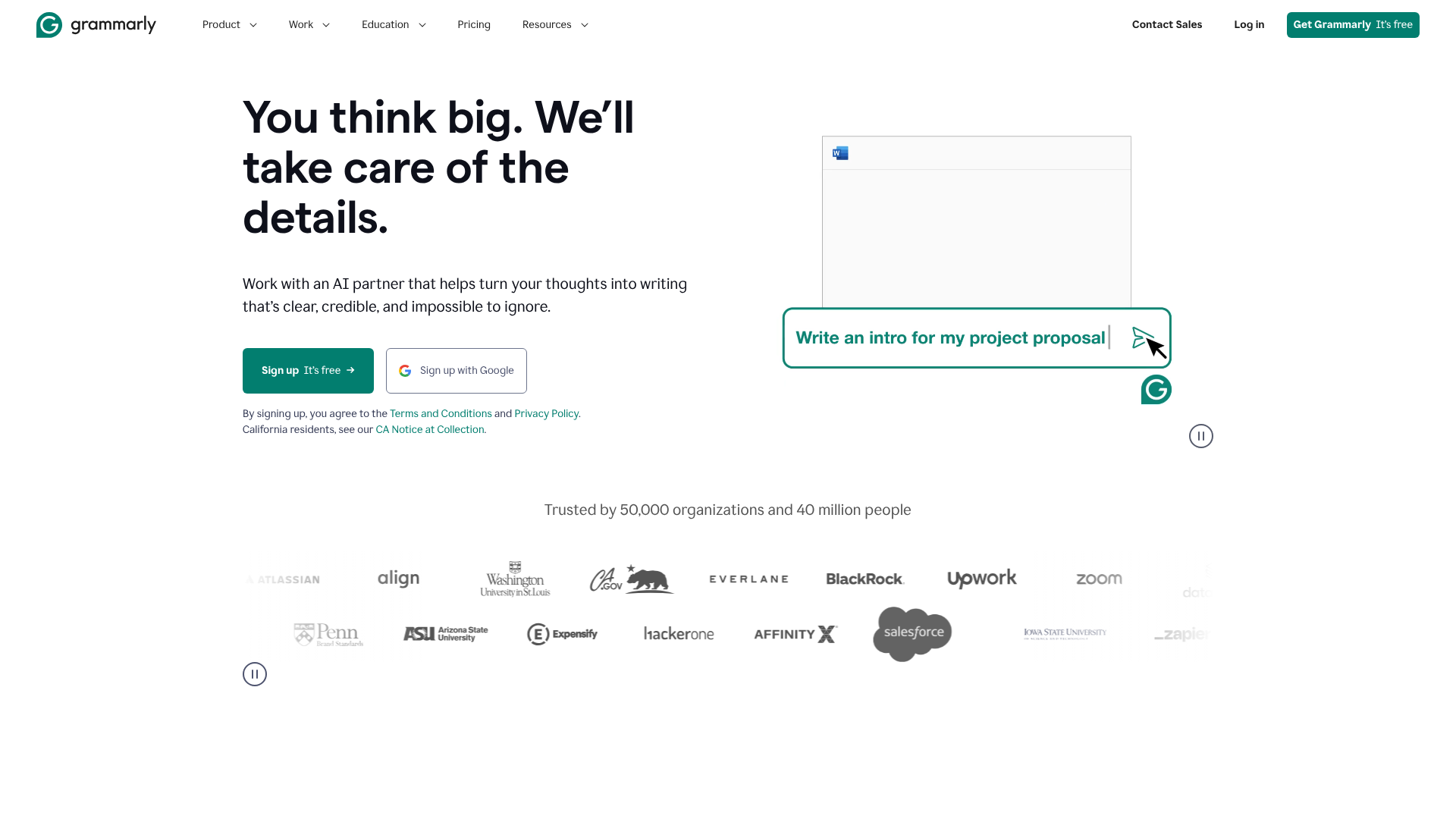

With the introduction of GrammarlyGO, the platform now includes generative AI features. This allows you to prompt the AI to brainstorm ideas, compose drafts, rewrite sentences for a different tone, or summarise long passages of text. This transforms the Grammarly writing tool from a reactive editor into a proactive writing partner, helping you overcome writer's block and accelerate your workflow from the very first draft.
How the Grammarly Assistant Actively Improves Your Writing Skills
One of the most significant benefits of using the Grammarly assistant is its educational component. It doesn't just fix your mistakes; it explains them. When the tool suggests a correction, it often provides a brief, clear explanation for the change. This turns every error into a valuable learning opportunity.
For example, if you consistently misuse a comma, Grammarly will not only correct it but also explain the rule behind the correction. Over time, this repeated exposure to grammatical rules helps you internalise them, reducing the likelihood of making the same mistake in the future. You start to recognise patterns in your own writing and develop a more intuitive understanding of grammar and syntax.
This AI writing helper also builds confidence. Knowing you have a reliable tool to catch errors allows you to focus more on the substance of your writing—your ideas, arguments, and narrative. This is particularly helpful for non-native English speakers or those who feel insecure about their writing skills. By consistently producing clean, professional, and effective text, you build positive habits and become a more self-assured writer, relying on the tool less as a crutch and more as a final check.
The Technology Powering This AI Writing Helper
The magic behind the Grammarly writing tool lies in its sophisticated use of artificial intelligence, specifically Natural Language Processing (NLP). NLP is a field of AI that gives computers the ability to understand, interpret, and generate human language. Instead of just matching words against a dictionary, Grammarly's system analyses the complex relationships between words in a sentence.
This is why it can detect contextual errors that a simple spell checker would miss. For instance, it knows the difference between "their," "they're," and "there" based on how they are used in a sentence. It also uses machine learning and deep learning models, which are trained on an enormous database of well-written text from various sources. This training allows the AI to learn the nuances of effective writing, from proper grammar to stylistic conventions.
When you write, the Grammarly assistant breaks your sentences down, creating a model of how the words relate to one another. It then compares this model against the patterns it has learned from its training data to identify potential issues. This process allows it to offer suggestions for everything from correcting a dangling modifier to rephrasing a sentence to sound more confident. It's a complex computational process that happens in milliseconds, providing you with instant feedback.
Pro Tip: To get the most accurate suggestions, set your writing goals in Grammarly. You can specify your audience (general, knowledgeable, expert), formality (informal, neutral, formal), and domain (academic, business, creative). This helps the AI tailor its feedback to your specific context.
Grammarly vs. The Competition: A Head-to-Head Comparison
While Grammarly is a dominant player, it's not the only AI writing helper on the market. Several alternatives cater to different needs, and understanding their strengths can help you choose the right tool. Key competitors include Microsoft Editor, ProWritingAid, and generative AI tools like Jasper.
Microsoft Editor is built directly into Microsoft 365 applications and offers solid grammar and spelling corrections. It's convenient for those already in the Microsoft ecosystem but lacks the depth of Grammarly's style and tone suggestions. ProWritingAid is often favoured by long-form writers like novelists and academics for its incredibly detailed reports on style, pacing, and readability, though its user interface can feel more complex than Grammarly's.
Generative AI tools like Jasper are focused primarily on creating new content from scratch based on prompts. While Grammarly now has generative features with GrammarlyGO, its core strength remains in refining and improving text that you've already written. It excels as an editor and coach, whereas Jasper excels as a content creator. Here’s a quick breakdown:
| Feature | Grammarly | ProWritingAid | Microsoft Editor | Jasper |
|---|---|---|---|---|
| Primary Use | Editing & Refining Text | In-depth Style Analysis | Basic Proofreading | Content Generation |
| User Interface | Clean & Intuitive | Detailed & Complex | Integrated & Simple | Prompt-based |
| Key Strength | Real-time feedback, tone | 20+ detailed reports | Convenience in MS 365 | AI content creation |
| Free Version | Yes, very capable | Yes, with limitations | Yes, with MS 365 | No |
Ultimately, the best choice depends on your primary need. For all-around, real-time writing assistance across multiple platforms, Grammarly remains a top contender due to its ease of use and powerful feedback engine.
Real-World Impact: Stories from Grammarly Users
The true measure of any tool is the impact it has on its users. Across platforms like Instagram and LinkedIn, professionals praise the Grammarly assistant for making them more efficient and confident communicators. As one user on Instagram, justin.tse, noted, the new AI features feel like a "writing partner for professionals," helping to kickstart ideas for emails and presentations while ensuring the final draft sounds authentic.
Students frequently report that the Grammarly writing tool helps them understand complex grammar rules, leading to better marks on essays and reports. The plagiarism checker is another feature often cited as invaluable for maintaining academic integrity. By highlighting passages that may be too similar to source material, it teaches students the importance of proper citation and paraphrasing.
However, the experience isn't without its nuances. Some users on Reddit have raised concerns about Grammarly's AI detection, noting that it sometimes flags human-written text as potentially AI-generated. This highlights an ongoing challenge in the industry: distinguishing between human and machine writing is complex. It serves as a reminder that AI tools are assistants, and the final judgment should always rest with the human writer.
Tailoring the Grammarly Writing Tool for Any Task

One of Grammarly's greatest strengths is its adaptability. The platform allows you to set goals for your document, ensuring the feedback you receive is relevant to the specific type of writing you're doing. This customisation makes it a powerful asset for various tasks.
For Academic Writing
For students and researchers, academic writing demands precision, formality, and originality. Grammarly's academic setting adjusts its suggestions to favour a more formal tone, discouraging contractions and colloquialisms. Its built-in plagiarism checker is a critical feature, scanning billions of web pages to ensure your work is original. The tool also helps maintain consistency in spelling and punctuation, which is essential for a polished academic paper.
For Professional Communication
In the business world, clarity and tone are paramount. A poorly worded email can cause confusion or even offend a client. The Grammarly assistant's tone detector analyses your word choice, phrasing, and punctuation to show you how your message might be perceived (e.g., confident, concerned, friendly). It also offers suggestions for conciseness, helping you craft clear and direct messages that respect the reader's time.
For teams, Grammarly Business allows companies to create a central style guide, ensuring all communication is consistent with the brand's voice.
For Creative Writers
Creative writers, such as bloggers and novelists, can use Grammarly to refine their prose. The tool helps identify overused words and clichés, encouraging more vivid and original language. It can suggest powerful synonyms and help you vary your sentence structure to improve the rhythm and flow of your writing. While a human editor is irreplaceable for deep narrative feedback, Grammarly serves as an excellent first line of defence against distracting grammatical errors, allowing your creativity to shine through.
The Future of Writing: What's Next for AI Assistants?
The field of AI writing assistance is evolving rapidly. The shift is moving from simple error correction towards more proactive and collaborative partnerships between humans and machines. The future of tools like the Grammarly AI writing assistant will likely involve even deeper personalisation. Imagine an AI that not only understands grammar rules but also learns your unique voice and style, offering suggestions that are perfectly aligned with your personal brand or creative intent.
We can also expect AI to play a larger role in the entire writing process, from ideation to final draft. Generative features will become more sophisticated, capable of producing high-quality drafts that require minimal editing. Furthermore, AI will likely become instrumental in bridging language and cultural barriers, offering real-time translation and cultural nuance suggestions to ensure messages are received as intended across a global audience.
It's important to address a common point of confusion seen online: some social media posts have incorrectly stated that Grammarly rebranded to Superhuman. This is not true. Superhuman is a separate company that offers a premium email client. Grammarly continues to operate under its own name, focusing on enhancing its AI-powered communication assistance.
The role of AI is to enhance human language and grammar skills, not replace them, by providing tools that educate and empower users to communicate more effectively.
Your Data and AI Writing Tools: Privacy and Security Explained
Whenever you use a cloud-based service to process your text, questions about privacy and security naturally arise. A common concern is whether an AI writing helper is "reading" or storing your documents. It's crucial to understand how these tools handle your data to use them with peace of mind.
Grammarly processes your text on its servers to provide its corrections and suggestions. However, the company has a clear privacy policy stating that it does not sell user data and that users retain ownership of their content. The company uses encryption for data both in transit and at rest, and it undergoes regular security audits to protect its systems. For sensitive documents, Grammarly offers features to deactivate its service for specific websites or applications.
It's also important to distinguish between processing and storing. While the text is processed to provide feedback, it isn't permanently stored in a way that employees can freely access. For most users, the benefits of improved writing far outweigh the minimal risks, especially when compared to other online services we use daily. However, if you work with highly confidential or proprietary information, it's always wise to review your organisation's policy on using third-party AI tools and use them selectively.
Pro Tip: If you're concerned about privacy, use the Grammarly Desktop App or the browser extension and disable it on sites where you handle sensitive information. This gives you full control over when and where the AI assistant is active.
Is Grammarly Worth It? Cost and Subscription Tiers
Grammarly operates on a freemium model, offering different levels of service based on your subscription. The right plan depends entirely on your needs as a writer. Understanding the differences between the tiers is key to deciding if a paid subscription is a worthwhile investment for you.
Grammarly Free
The free version of Grammarly is surprisingly powerful and is an excellent starting point for most users. It provides critical grammar, spelling, and punctuation corrections. It also includes a basic tone detector to help you understand how your writing sounds. For everyday tasks like writing emails or social media posts, the free plan is often sufficient to catch major errors and improve clarity.
Grammarly Premium
Grammarly Premium is designed for users who require more advanced assistance. This tier unlocks a wide range of features, including suggestions for clarity, engagement, and delivery. It helps you rephrase wordy sentences, enhances your vocabulary, and provides detailed tone adjustments. Premium also includes the plagiarism checker, which is essential for students and content creators.
If writing is a significant part of your professional or academic life, the upgrade to Premium often pays for itself in time saved and improved quality.
Grammarly Business
Tailored for teams and organisations, Grammarly Business includes all Premium features plus additional tools for collaboration. Key features include a centralised style guide, which allows a company to enforce its brand voice across all written communication. It also provides team management tools and analytics to track writing trends and improvements. This plan is ideal for marketing, sales, and support teams where consistent and professional communication is critical.
For the most up-to-date information on features and cost, it's always best to visit the official Grammarly website for current pricing.
Watch: How to Use Grammarly AI to Write Faster
Seeing the tool in action is one of the best ways to understand its power. This video provides a great walkthrough of how you can use Grammarly's AI features to streamline your writing process, from brainstorming to final proofreading.
Frequently Asked Questions
Is the Grammarly AI writing assistant free?
Yes, Grammarly offers a robust free version that provides critical grammar, spelling, and punctuation corrections. This plan is sufficient for many users' everyday needs. For more advanced features like tone adjustments, clarity suggestions, and a plagiarism checker, you would need to upgrade to Grammarly Premium or Grammarly Business.
Can Grammarly be detected as AI?
This is a complex issue. Grammarly's primary function is to correct and improve human-written text, which generally does not trigger AI detectors. However, its generative AI feature, GrammarlyGO, creates new text that could be flagged by AI detection software. As some users on Reddit have noted, AI detectors are not always accurate and can sometimes misidentify human writing. It's best to use generative features as a starting point and always add your own unique voice and perspective.
Does Grammarly steal your work?
No, Grammarly does not steal your work. According to its terms of service, you retain full ownership of the content you write while using its products. Grammarly processes your text to provide suggestions but does not claim any rights to it. The company's business model is based on selling subscriptions, not user data or content.
Is Grammarly better than other AI writing helpers?
Whether Grammarly is "better" depends on your specific needs. It excels at real-time editing, tone analysis, and ease of use across many platforms. For in-depth stylistic analysis for long-form writing, some users prefer ProWritingAid. For pure content generation, a tool like Jasper might be more suitable. Grammarly's strength lies in its balanced approach as a comprehensive writing partner for a broad audience.
How does the Grammarly assistant work?
Grammarly uses a sophisticated system based on artificial intelligence and Natural Language Processing (NLP). When you write, its algorithms analyse your text, breaking down sentences to understand their grammatical structure and context. It then compares your writing to the vast patterns it has learned from its database of high-quality text to identify potential errors and suggest improvements for grammar, style, and clarity.
Final Thoughts
The Grammarly AI writing assistant has firmly established itself as more than just a proofreader. It's a powerful partner that helps users communicate their ideas more clearly, confidently, and effectively. By providing real-time feedback and educational insights, it not only corrects mistakes but also helps you grow as a writer.
From students striving for academic excellence to professionals crafting critical business communications, this AI writing helper offers a tailored experience to meet diverse needs. While it's important to remain mindful of its limitations and use it as a guide rather than a crutch, its ability to polish prose and streamline the writing process is undeniable.
If you're looking to elevate your writing and communicate with greater impact, exploring what the Grammarly platform has to offer is a logical next step. Whether you start with the free version or opt for a premium plan, you'll be equipping yourself with a tool designed for the modern world of communication.