
WP Engine vs WordPress: The Key Differences Explained for 2026
The debate around WP Engine vs WordPress is one of the most common points of confusion for anyone starting a new website. Many people believe they have to choose one or the other, but the reality is more nuanced. This comparison isn't about two competing website builders; it's about understanding the difference between a powerful content management system and a high-performance hosting platform built specifically for it.
- Quick Summary
- First, Let's Clear the Confusion: WordPress.org vs WordPress.com vs WP Engine
- What is WordPress.org? (The Software)
- What is WordPress.com? (The Hosted Service)
- What is WP Engine? (The Managed Host)
- The Recent WordPress vs WP Engine Drama Explained
- Feature Comparison: WP Engine vs Self-Hosted WordPress
- Performance Deep Dive: Is WP Engine Really Faster?
- Pricing Models: The Cost of Convenience
- Customer Support: Expert Help vs. Community Forums
- Security Showdown: Proactive Protection vs. DIY Defence
- Ease of Use and Scalability
- FAQ: Answering Your Top Questions
- Are WordPress and WP Engine the same?
- Is WP Engine banned from WordPress?
- What happened with WP Engine?
- Is WP Engine good for beginners?
- Is WP Engine a hosting site?
- Final Thoughts: Which One is Right for You?
Simply put, WordPress is the free, open-source software used to build and manage your website. WP Engine is a premium, managed hosting service that provides the server environment, performance optimisations, and expert support to run that WordPress software at its absolute best. You don't choose WP Engine or WordPress; you choose WP Engine to host your WordPress site.
This guide will break down every aspect of the wordpress vs wp engine relationship. We'll explore their core functions, compare performance, security, and pricing, and clarify the recent controversy between the two entities so you can make an informed decision for your project.
Quick Summary
- Core Distinction: WordPress (.org) is the free software (Content Management System) you use to build your site. WP Engine is a paid, specialised hosting company that runs, secures, and speeds up your WordPress site for you.
- Performance & Security: WP Engine provides a highly optimised environment with built-in caching, a global CDN, and proactive security measures. With a standard host, you are responsible for configuring these yourself using plugins.
- Support: WP Engine offers 24/7 expert WordPress support via chat and phone. A self-hosted WordPress site relies on community forums and documentation, with hosting support limited to server issues, not WordPress itself.
- Cost: WP Engine is a premium service with prices starting significantly higher than basic shared hosting. However, its cost includes premium features you might otherwise pay for separately (like CDN, security scanning, and backup services).
- The Real Choice: The decision isn't truly "wp engine or wordpress". It's between using a managed host like WP Engine or self-hosting your WordPress site on a cheaper, unmanaged provider and handling the technical maintenance yourself.
First, Let's Clear the Confusion: WordPress.org vs WordPress.com vs WP Engine
Before we can properly compare anything, it's crucial to understand the three key players often mixed up in this discussion. They are not the same, and knowing the difference is the first step to making the right choice.
What is WordPress.org? (The Software)
This is the WordPress everyone talks about when they mention its flexibility and power. WordPress.org is the home of the free, open-source Content Management System (CMS) software. You can download it for free, install it on any web host you choose, and modify it in any way you see fit.
With WordPress.org, you have complete control. You can install any theme or plugin from the vast ecosystem of over 50,000 options, edit your site's code, and have full ownership of your data. This freedom is its greatest strength, but it also means you are responsible for finding hosting, performing maintenance, running backups, and securing your site.
What is WordPress.com? (The Hosted Service)
WordPress.com is a for-profit hosting service owned by Automattic, the company founded by WordPress co-creator Matt Mullenweg. It uses the WordPress software but offers it as a simplified, all-in-one package. It's easier for beginners because hosting, domains, and software are bundled together.
However, this simplicity comes with limitations. On the free and lower-tiered plans, you cannot install your own plugins, you have limited theme choices, and WordPress.com will place ads on your site. You gain more freedom on their higher-priced Business and eCommerce plans, but it remains a more controlled environment compared to a self-hosted site.
What is WP Engine? (The Managed Host)
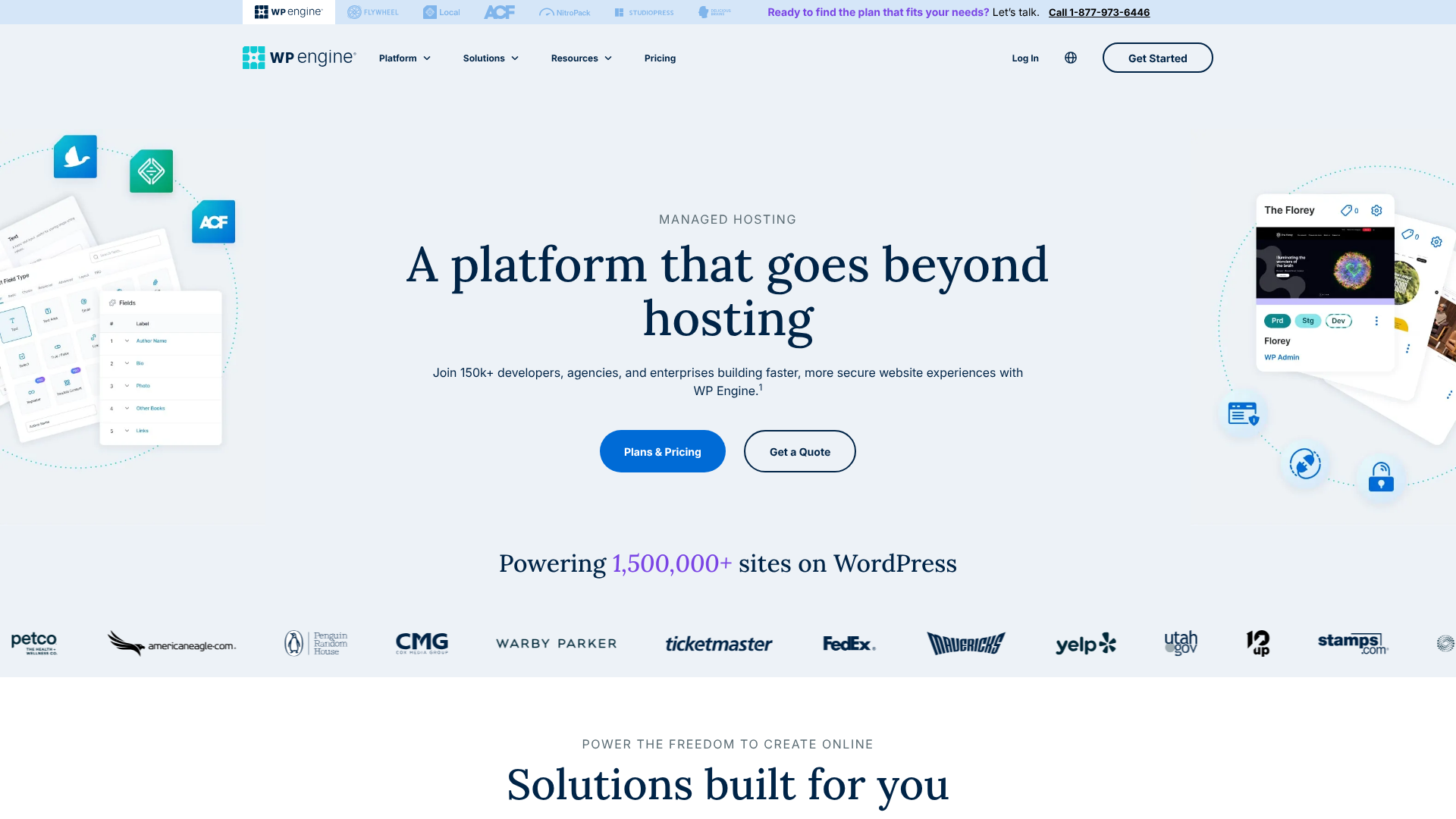
WP Engine is a third-party company that specialises exclusively in managed WordPress hosting. They take the powerful, open-source software from WordPress.org and provide a high-performance, secure, and fully managed environment for it to run in. They handle all the technical aspects of hosting—speed optimisations, security protocols, daily backups, and software updates—so you can focus on creating content.
Think of it like this: WordPress.org gives you the car engine (for free). A standard host gives you a garage and some basic tools. WP Engine gives you a Formula 1 pit crew that tunes your engine, manages the mechanics, and ensures it runs at peak performance 24/7.
The Recent WordPress vs WP Engine Drama Explained
In late 2024, a significant dispute arose between Automattic and WP Engine, which has added to public confusion. Automattic filed a lawsuit against WP Engine concerning trademark usage and community contributions. The core of the issue revolves around Automattic's claim that WP Engine benefits commercially from the WordPress name and open-source project without contributing back to the community at a proportional level.
This led to a decision by the WordPress community team to temporarily bar WP Engine from sponsoring official WordCamp events, which are community-organised conferences celebrating WordPress. This doesn't mean WP Engine is "banned from WordPress" or that you can't use their service. It's a dispute between two major companies in the ecosystem.
For the average user, this has little direct impact on service quality. However, it's important context for understanding the complex relationship between the open-source project and the commercial companies that build services around it.
Feature Comparison: WP Engine vs Self-Hosted WordPress
Now that we've clarified the players, the real wp engine comparison is against a typical self-hosted setup on a standard provider like Bluehost or SiteGround. Here’s a side-by-side look at what you get.
| Feature | WP Engine (Managed Hosting) | Self-Hosted WordPress (Standard Hosting) |
|---|---|---|
| Performance | Highly optimised servers, proprietary caching (EverCache), integrated CDN, server-level optimisations. | Standard server performance. Caching and CDN must be configured manually via plugins (e.g., W3 Total Cache, Cloudflare). |
| Security | Proactive threat detection, managed Web Application Firewall (WAF), free SSL, free malware cleanup. | Basic server security. You are responsible for installing and configuring security plugins (e.g., Wordfence), running scans, and handling cleanup. |
| Backups | Automatic, encrypted daily backups with one-click restore. On-demand backups available. | Manual backups or reliance on plugins (e.g., UpdraftPlus). Restoration can be a complex, manual process. |
| Support | 24/7 award-winning support from WordPress experts via chat and phone. | General hosting support for server issues only. For WordPress-specific problems, you must rely on community forums or hire a developer. |
| Ease of Use | One-click staging environments, managed core updates, simplified user portal. Designed for a hands-off experience. | Requires manual setup of WordPress, plugins, and themes. You are responsible for all updates and maintenance. |
| Cost | Premium pricing, starts around £20/month. | Lower entry cost, starts around £3-£5/month for shared hosting. |
Performance Deep Dive: Is WP Engine Really Faster?
One of the primary reasons businesses choose WP Engine is for its superior performance. Speed is critical for user experience and SEO, and this is where managed hosting truly shines. A fast-loading website can significantly reduce bounce rates and improve conversion rates.
WP Engine achieves its speed through a multi-layered approach. Their entire server architecture is fine-tuned specifically for WordPress. They use a proprietary caching system called EverCache, which is far more efficient than the general-purpose caching plugins you would install on a standard host. It intelligently caches static content at the server level, meaning WordPress doesn't even have to process many requests, drastically reducing load times.
Furthermore, every WP Engine plan includes a global Content Delivery Network (CDN) powered by Cloudflare. A CDN stores copies of your site's assets (images, CSS, JavaScript) on servers around the world. When a visitor from Japan accesses your site hosted in London, the CDN serves them assets from a nearby server in Asia, dramatically speeding up delivery. On a self-hosted plan, you would need to sign up for and configure a third-party CDN service yourself.
Pricing Models: The Cost of Convenience
When comparing pricing, it's easy to see the low monthly cost of a shared hosting plan and assume it's the better deal. However, this comparison isn't apples-to-apples. The true cost of self-hosting WordPress extends beyond the initial hosting fee.
WP Engine Pricing
WP Engine operates on a tiered pricing model based on traffic, storage, and the number of sites. Their plans are a premium investment, but they are all-inclusive. A typical entry-level plan includes:
- Managed hosting for one site
- Support for ~25,000 monthly visits
- 10 GB of local storage
- 50 GB of bandwidth per month
- Free SSL and CDN
- Daily backups and proactive security
Visit the WP Engine website for the most current pricing, as plans and features are updated regularly.
Self-Hosted WordPress Costs
A basic shared hosting plan might only cost a few pounds per month, but you need to factor in the additional costs of replicating WP Engine's features:
- Hosting: £3 – £15 per month for shared or slightly better hosting.
- Premium Caching Plugin: £40 – £80 per year (e.g., WP Rocket).
- Backup Solution: £55 – £75 per year for a reliable plugin with off-site storage (e.g., UpdraftPlus Premium).
- Security Service: £80 – £250+ per year for malware scanning and cleanup (e.g., Sucuri).
- CDN: Free tiers are available, but premium services can cost £15+ per month.
When you add up these costs, the price gap begins to narrow. More importantly, you must also consider the value of your time spent managing, configuring, and troubleshooting all these separate components.

Pro Tip: Calculate the cost of your own time. If you spend 3-4 hours a month on technical maintenance, updates, and troubleshooting that WP Engine would handle for you, the premium price often pays for itself, especially for business owners.
Customer Support: Expert Help vs. Community Forums
This is arguably the biggest differentiator in the wordpress vs wp engine debate. The level and quality of support you receive are worlds apart.
With WP Engine, you get 24/7 access to a team of highly trained WordPress experts. If your site goes down, you have a performance issue, or you get a cryptic error message, you can start a live chat and be talking to someone who only works on WordPress problems within minutes. Their support is renowned for being fast, knowledgeable, and effective. They don't just fix server issues; they help you troubleshoot plugin conflicts and offer performance advice.
On a standard host, the support team is responsible for the server, not your website's software. If you contact them with a WordPress issue, they will likely tell you it's a software problem and that you need to consult the WordPress forums or hire a developer. While community support on WordPress.org forums can be helpful, you're relying on the goodwill of volunteers, and there's no guarantee of a quick or accurate answer.
For a business where website uptime is critical, having access to expert support on demand is invaluable. For a hobby blogger, relying on community forums might be perfectly acceptable.
Security Showdown: Proactive Protection vs. DIY Defence
Website security is not something to take lightly. A hacked site can ruin your reputation, compromise customer data, and get you blacklisted by Google. The approach to security is another fundamental difference between WP Engine and a self-hosted setup.
WP Engine takes a proactive, managed approach. They have a dedicated security team and a platform-level firewall that blocks millions of attacks every day before they can even reach your site. They automatically scan for malware, manage core WordPress updates to patch vulnerabilities, and offer free hacking remediation. If your site does somehow get compromised, they will fix it for free, a service that could cost hundreds of pounds from a third-party security company.
In a self-hosted environment, security is your responsibility. You must choose, install, and configure a security plugin like Wordfence or iThemes Security. You need to stay on top of all plugin and theme updates, run your own malware scans, and understand how to harden your WordPress installation. If your site gets hacked, you are on your own to clean it up, which can be a stressful and technically challenging process.
Ease of Use and Scalability
For developers and agencies, WP Engine offers tools that streamline workflows and make managing multiple sites much easier. Their one-click staging environment is a standout feature. This allows you to create an exact copy of your live site in a private, sandboxed area. You can safely test new plugins, themes, or code changes without any risk to your public-facing website.
Once you're happy with the changes, you can deploy them to the live site with a single click.
Replicating this on a standard host is a complex, manual process or requires a paid service. For anyone who regularly updates their site, a staging environment is a massive time-saver and safety net.
When it comes to scalability, WP Engine's infrastructure is built to handle traffic spikes. If your article goes viral, their platform can absorb the sudden influx of visitors without crashing. Their higher-tiered plans are designed for high-traffic sites and enterprise needs. On a cheap shared hosting plan, a sudden traffic spike will almost certainly lead to your site slowing down or going offline completely.
Scaling in a self-hosted environment means manually upgrading your hosting plan to a VPS or dedicated server, which requires technical expertise to manage.
FAQ: Answering Your Top Questions
Here are direct answers to some of the most frequently asked questions about WP Engine and WordPress.
Are WordPress and WP Engine the same?
No, they are not the same. WordPress is the free, open-source software (CMS) used to build websites. WP Engine is a premium, for-profit web hosting company that provides a specialised, high-performance environment specifically for websites built with the WordPress software.
Is WP Engine banned from WordPress?
WP Engine is not banned from the WordPress platform itself; you can host any WordPress site with them. However, due to an ongoing legal dispute with Automattic (the company behind WordPress.com), WP Engine was temporarily barred from being an official sponsor of WordCamps, which are community-run WordPress conferences. This is a business and community policy issue, not a technical one.
What happened with WP Engine?
The core issue is a dispute between Automattic and WP Engine over trademark use and contributions to the open-source WordPress project. Automattic alleges that WP Engine profits from the WordPress brand without contributing back to the project at a sufficient level. This has led to legal action and the previously mentioned sponsorship ban, highlighting the complex relationship between the non-profit WordPress project and the commercial ecosystem around it.
Is WP Engine good for beginners?
Yes, WP Engine can be excellent for beginners, provided it fits their budget. It simplifies the technical side of running a website by managing security, speed, updates, and backups. This allows a beginner to focus entirely on creating content and growing their site without worrying about technical maintenance. The main drawback for a beginner is the higher cost compared to entry-level shared hosting.
Is WP Engine a hosting site?
Yes, WP Engine is a web hosting provider. More specifically, it is a "managed WordPress host". This means they only host WordPress websites and all of their services, tools, and support are tailored to make WordPress sites run as fast and securely as possible.
Final Thoughts: Which One is Right for You?
Ultimately, the choice between using a managed host like WP Engine and self-hosting your WordPress site comes down to three factors: your budget, your technical confidence, and the value of your time. It's not a question of which is better, but which is the right fit for your specific needs.
If you are a business owner, an agency, or a serious blogger where website performance, security, and uptime are directly tied to your revenue and reputation, the investment in WP Engine is often a clear winner. The peace of mind that comes with expert support, automated maintenance, and a high-performance platform allows you to focus on your business, not your server.
If you are a hobbyist, a student, or someone starting on a very tight budget, a standard self-hosted WordPress setup is a fantastic option. It gives you the full power and flexibility of WordPress at a very low entry cost. Be prepared to invest your time in learning the basics of website maintenance, security, and performance optimisation. For those willing to learn, it's an incredibly rewarding path.
Ready to experience the performance and support of a top-tier managed host? You can explore plans and features directly on the WP Engine website to see if it's the right solution for your project.